
Picking a contact form plugin sounds simple.
But with dozens of options, the wrong choice means paying for features you don’t need, or missing the ones you do.
I tested every major contact form plugin for WordPress this year. I built real forms, triggered real submissions, and dug into the support threads where real complaints live.
Here’s what I found: most sites need far less than they think.
A free contact form plugin handles 80% of use cases. But the right paid option makes a real difference for payments, automation, or advanced lead generation strategies.
This guide covers the 9 best contact form plugins for WordPress in 2026.
I ranked them by ease of use, features, pricing value, and how they hold up under real-world conditions, not just the marketing copy.
Key Takeaways
- Best overall: I mention one form builder with the fastest setup, 2,100+ templates, beginner-friendly
- Best for power users: We look at another with a great front-end user feature called Views, directories, and data apps
- Complete free option: I talk about a free contact form plugin with conditional logic, Stripe, and an AI builder
- Enterprise pick: Another with 15+ years in the market. Used by UNICEF and Yale. Trusted, largest addon ecosystem
- Best free-forever choice: A lightweight form builder with no upsells, 10M+ installs
- Best for surveys: I discuss a form built for surveys with NPS tracking, AI summaries, and targeted triggers
How I Tested These Plugins
🔍 Click to see my testing methodology
Here’s exactly how I evaluate contact form plugins:
- Setup speed – How long does it take to publish a working contact form? I timed each plugin from install to first live form, including template selection and email configuration.
- Feature depth – I tested conditional logic, file uploads, multi-step forms, and payment processing where available. I checked which features are actually free vs. locked behind upgrades.
- Performance – I measured total asset size loaded by each plugin on a clean WordPress install. This matters for page speed scores and Core Web Vitals performance.
- Real user sentiment – I reviewed WordPress.org support threads, Capterra verified reviews, Trustpilot feedback, and Reddit discussions. I specifically looked for recurring complaints, not just star averages.
- Pricing honesty – I documented intro vs. renewal pricing, what each tier actually unlocks, and where upgrade walls hit users by surprise.
Tools I use:
- WordPress.org support forum + Capterra + Trustpilot for real user sentiment
- WordPress test site with no page builder, a fresh install per contact form plugin
- GTmetrix and the free IsItWP speed tool– asset size and load time measurement
Why Trust IsItWP?
At IsItWP, we’ve been the WordPress community’s go-to resource since 2009, helping over 2 million users choose better plugins and tools. Unlike review sites that never actually use the products, we maintain active accounts, run real client sites, and provide ongoing WordPress consultation.
The Best Contact Form Plugins for WordPress
I compared 9 plugins across free version quality, ease of setup, and total cost of ownership.
Here’s the full breakdown of what each contact form is best for, if it has a free version, WordPress.org rating, and starting price.
| Plugin | Best For | Free Version | WP.org Rating | Starting Price |
|---|---|---|---|---|
| 🥇 WPForms | Beginners, small businesses | ✅ (solid core) | 4.8/5 (14,277 reviews) | $49.50/yr |
| 🥈 Formidable Forms | Agencies, data apps, directories | ✅ (solid core) | 4.8/5 (1,354 reviews) | $39.50/yr |
| 🥉 Fluent Forms | Performance-sensitive sites | ✅ (generous) | 4.8/5 (741 reviews) | $55/yr |
| 4. Gravity Forms | Enterprise, developers | ❌ | N/A (premium only) | $59/yr |
| 5. Ninja Forms | Modular add-on buyers | ✅ (solid core) | 4.4/5 (1,383 reviews) | $59.40/yr |
| 6. HubSpot Forms | CRM-first businesses | ✅ (full) | 4.3/5 (207 reviews) | Free |
| 7. Everest Forms | File collection, PDF forms | ✅ (generous) | 4.9/5 (367 reviews) | $49/yr |
| 8. Contact Form 7 | Developers, no-upsell users | ✅ (complete) | 4.0/5 (2,153 reviews) | Free |
| Honorable Mention: UserFeedback | Surveys, NPS, user research | ❌ | 4.8/5 (294 reviews) | $49.50/yr |
Plus, below, there is a table of contents you can use to skip to any section of the article you want to read.
- 1. WPForms ⭐⭐⭐⭐⭐
- 2. Formidable Forms ⭐⭐⭐⭐⭐
- 3. Fluent Forms ⭐⭐⭐⭐⭐
- 4. Gravity Forms ⭐⭐⭐⭐
- 5. Ninja Forms ⭐⭐⭐⭐
- 6. HubSpot All-in-One Marketing ⭐⭐⭐⭐
- 7. Everest Forms ⭐⭐⭐⭐
- 8. Contact Form 7 ⭐⭐⭐
- Honorable Mention: UserFeedback ⭐⭐⭐⭐⭐
- Bonus: More Contact Form Plugins for WordPress
- How to Choose the Right Contact Form Plugin
- FAQs: Best WordPress Contact Form Plugins
- Final Verdict: Should I use a Contact Form Plugin?
- Contact Form Plugin Resource Hub
With that out of the way, let’s begin.
1. WPForms ⭐⭐⭐⭐⭐
Best for: non-technical WordPress users, small businesses, and agencies handing off sites to clients
WPForms is the easiest WordPress form builder available today. Over 6 million websites use it.
That number reflects something real: it removes every obstacle between “I need a form” and “I have a live form.”
Why Is WPForms One of the Best Contact Form Plugins?
The drag-and-drop form builder shows a live form preview as you edit. What you see while building is exactly what visitors see.
That alone eliminates half the trial-and-error most beginners go through.
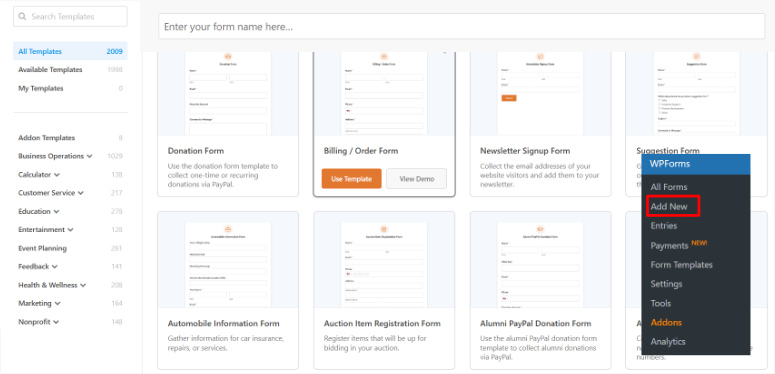
The template library is a genuine time-saver. With 2,100+ pre-built templates, I found ready-made forms for booking appointments, job applications, event registrations, and donation collection.
Even though WPForms lets me start without a template, I didn’t need to start from scratch once during testing.
WPForms also added an AI form builder that generates a complete form from a plain-English description.
I typed “create a catering inquiry form with date, guest count, and dietary restrictions” and had a working form in 30 seconds.
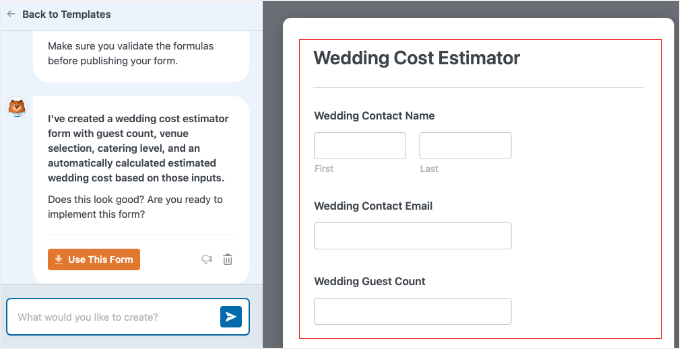
In fact, it can also create complex forms with AI. For example, I asked it to create a wedding cost estimator calculator for the catering business.
The results were great. I did not need to edit anything.
It’s not perfect every time, but it’s faster than manual field-by-field building.
Payment processing through the form is built in.
At the Pro level, PayPal, Square, and Stripe connect directly to WPForms.
This replaces WooCommerce for simple transactions like event tickets, coaching deposits, and product preorders.
I’ve seen WordPress agencies use this specifically because it keeps the admin simple for non-technical clients.
Plus, WPForms integrates natively with WP Mail SMTP, MonsterInsights, and OptinMonster. If you’re already using those tools, the connections work without configuration.
My Experience With WPForms
The setup was remarkably smooth. It took me 8 minutes from install to a working form on the live site.
This was partly because the template browser filtered by category made choosing the right starting point effortless.
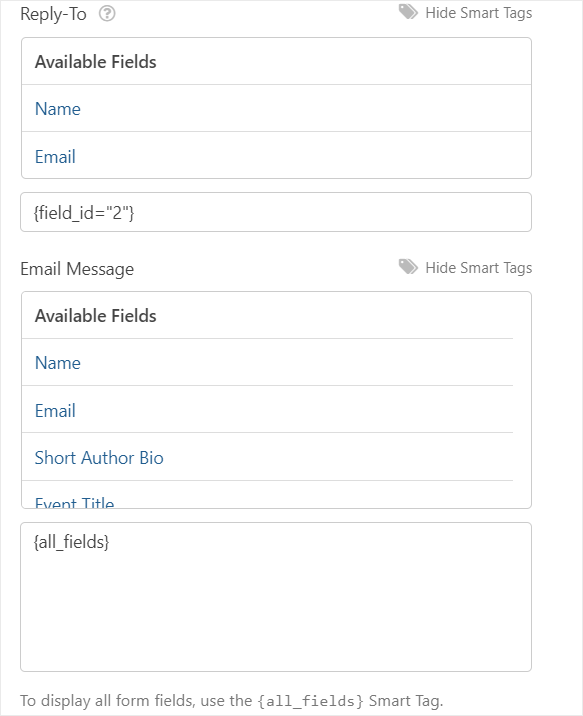
And email notifications, usually the trickiest part of contact forms, worked perfectly on the first attempt with default settings.
What earned WPForms the top spot is its combination of simplicity and reliability. Once configured, the form just works.
The interface is intuitive enough that I didn’t need documentation for basic tasks, and there’s no bloat slowing down the site.

The one friction point worth noting: You will get upgrade prompts. For users who just need a simple contact form, this can feel pushy.
But despite those nudges, WPForms delivers on what matters. Speed, reliability, and a form builder that doesn’t frustrate you with clunky workflows. For a plugin you install once and rarely think about again, that’s the real value.
🟢► Pros
- Fastest setup path: I had a live form in 8 minutes from install with no configuration battles, no guesswork.
- 2,100+ templates: I never started from scratch; every use case, from job applications to donation forms, had a ready-made starting point.
- Built-in payments: Stripe, PayPal, and Square connect directly at the Pro level, replacing WooCommerce for simple transactions.
- AI form builder: Generating a 10-field wedding calculator form from a plain-English prompt took 30 seconds.
- Massive review base: 14,277 reviews at 4.8/5 on WordPress.org. more verified reviews than any other form plugin.
- Native AM integrations: WP Mail SMTP, MonsterInsights, OptinMonster, and more connect without configuration.
🔴► Cons
- Free version hides entries: I couldn’t view submissions in the WordPress dashboard on Lite. Email-only review until you upgrade.
My Verdict: WPForms is the right choice if you want a form live in under 10 minutes with zero technical knowledge required. The template library and live builder are genuinely best-in-class for beginners. The upsell friction is small, but it doesn’t affect form functionality.
Check out my WPForms review.
Compare WPForms vs. Contact Form 7 to see exactly where the differences matter most.
Pricing: Free Lite plugin available | Pro plan starts at $49.50/yr
👉 Get started with WPForms here
2. Formidable Forms ⭐⭐⭐⭐⭐
Best for: developers, agencies, and anyone building data-driven applications, directories, or member portals
Formidable Forms is the most advanced WordPress form plugin available.
It’s used by developers and agencies who need forms to do more than collect submissions. It can power directories, calculators, and full data-driven web applications.
Why Is Formidable Forms One of the Best Contact Form Plugins?
The feature that separates Formidable Forms from every other plugin on this list is Views.
This lets submitted form data display on any page of your site. As a result, you can set up a searchable directory, a member profile, a job board, or a custom data table.
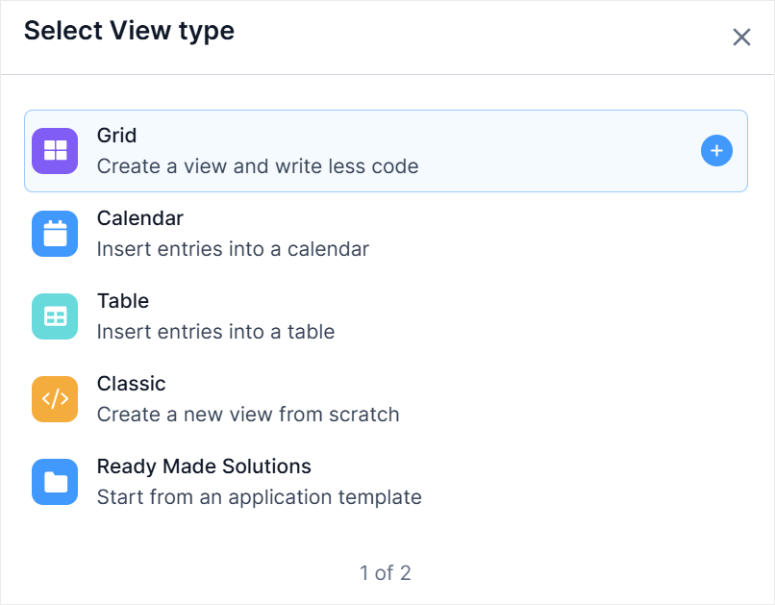
No other WordPress form plugin does this natively.
I built a simple job listing board during testing using a Formidable form for submissions and a View to display approved entries publicly.
What would normally require a custom plugin or database query worked through a form builder interface.
That’s the real pitch: Formidable Forms replaces entire plugin stacks, including many WordPress membership plugins for basic member-facing data displays.
Formidable also handles calculators (mortgage, BMI, price estimators), surveys with built-in reporting, and quiz forms with scoring.
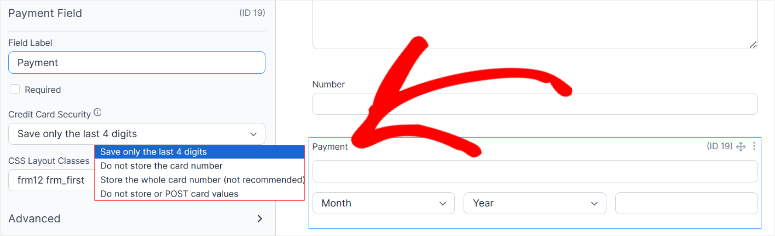
The best part? Payments run through PayPal, Stripe, Authorize.Net, and Square.
The plugin has 26 million downloads across its history. That scale means the codebase is battle-tested.
Complex conditional logic, large entry volumes, and multi-page form flows hold up without issues at traffic levels that would stress lighter plugins.
My Experience With Formidable Forms
The learning curve is real. But once I understood how different features like Views work and how conditional logic chains together, I could build complex forms in minutes.
Even with the advanced features, the actual form-building process is simple.
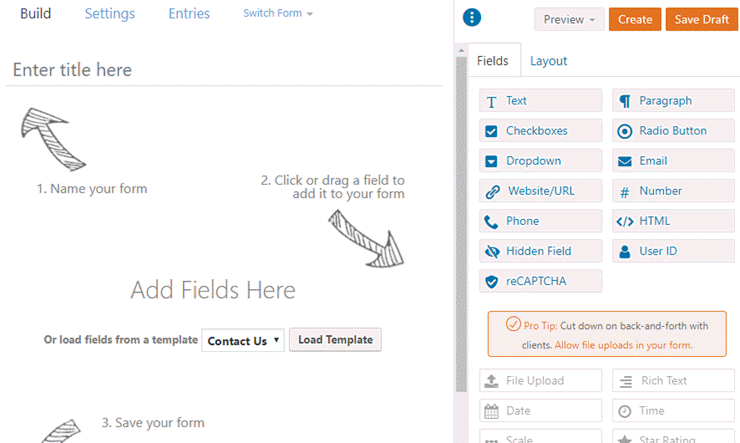
It uses a drag and drop builder that allows me to place fields exactly where I want them.
But the first hour is steeper than WPForms or Fluent Forms.
I noticed a few conflicts with Elementor during testing. A specific Elementor widget and a Formidable form on the same page required a CSS workaround to display correctly.
Spam protection requires manual CAPTCHA setup. Unlike some competitors, where Google reCAPTCHA activates automatically, Formidable requires going into settings to enable it.
🟢► Pros
- Front-end Views: I displayed submitted job listing data publicly on any page with no custom code or separate plugins needed.
- Data application power: Calculators, directories, member portals, and quiz scoring all work natively. The ceiling is the highest of any form plugin.
- 26M+ downloads: The codebase handles complex conditional logic and high entry volumes without strain.
- Lowest entry price: The Basic plan is the most affordable paid tier on this list.
🔴► Cons
- Steep learning curve: The first hour of setup is significantly harder than WPForms or Fluent Forms. Not ideal for quick client handoffs.
- License expiry strips features: Views and advanced functionality revert to Lite on expiry, which can break existing forms without warning.
My Verdict: Formidable Forms is the only right answer if you’re building anything beyond standard contact forms like directories, calculators, member portals, or data-driven pages. For agencies doing complex work, the Views feature alone justifies the cost.
Check out my Formidable Forms review.
Compare Formidable Forms vs. WPForms to see which handles your specific use case better.
Pricing: Free Lite plugin available | Pro plan starts at $39.50/yr
👉 Get started with Formidable Forms here
3. Fluent Forms ⭐⭐⭐⭐⭐
Best for: performance-conscious site owners and anyone who needs advanced free features without paying
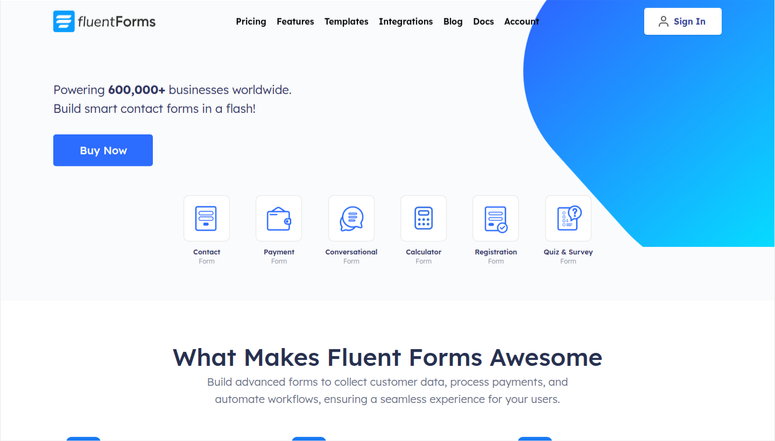
Fluent Forms is the fastest WordPress form builder from a performance standpoint. And the most generous from a free-tier standpoint.
It loads under 30KB of total assets. So, for sites where page speed matters, that difference is measurable in Core Web Vitals scores.
Why Is Fluent Forms One of the Best Contact Form Plugins?
Three features in the free tier stand out against every competitor:
First, conditional logic is free. Every other plugin on this list either charges for it or offers a stripped-down version. Fluent Forms gives you full if/then conditional rules, show/hide fields, and skip-to-page logic at no cost.
Then conversational forms come free. These are one-question-at-a-time forms that work like a Typeform-style interview. Most plugins charge extra for this format.
Finally, Stripe payments with no plugin fee are free, though Stripe charges 1.9% on top of their standard processing fee in the free tier.
If you’re comparing Stripe payment plugins for WordPress, Fluent Forms’ free Stripe tier is genuinely rare. Once you upgrade to Pro, the 1.9% fee disappears.
The AI form builder generates forms from text prompts.
Plus, a built-in migration tool imports existing forms from WPForms, Gravity Forms, Contact Form 7, and Ninja Forms. This means switching plugins takes minutes instead of hours.
For Pro users, the integration list expands to 60+ services, including PayPal, Razorpay, Mollie, SMS notifications via Twilio, and PDF generation.
My Experience With Fluent Forms
I migrated a Gravity Forms form with 12 fields, conditional logic, and email notifications in about 4 minutes using the built-in migration tool. Everything transferred correctly on the first attempt.
The 1.9% Stripe fee on the free tier adds up quickly for payment-heavy forms.
A site processing $5,000/month in form payments pays an extra $95/month on top of Stripe’s standard fees. The math favors upgrading to Pro at any meaningful payment volume.
Brand recognition is lower than WPForms or Formidable Forms. When I presented Fluent Forms to a client during a demo, they hadn’t heard of it.
That’s not a functional problem, but it can be a trust signal issue when handing off sites to clients who self-manage.
🟢► Pros
- Conditional logic free: I built full show/hide field logic without upgrading, something other contact forms on this list charge for.
- 30KB asset footprint: Pages loaded measurably faster, ensuring great page performance
- Migration tool: I transferred a 12-field Gravity Forms form in 4 minutes with no manual rebuilding.
- Conversational forms free: One-question-at-a-time interview-style forms are included at no cost.
- Stripe free tier: Payment collection is available without a paid plan (1.9% Stripe fee applies).
🔴► Cons
- 1.9% Stripe surcharge: The free-tier fee adds up fast for high-volume payment forms.
- Lower brand recognition: Clients unfamiliar with the name may push back during site handoffs.
My Verdict: Fluent Forms is one of the best free contact form plugins available today. If page speed matters to you, or if you need conditional logic and Stripe without paying, this is your pick.
Pricing: Free plugin available | Pro plan starts at $55/yr
👉 Get started with Fluent Forms here
4. Gravity Forms ⭐⭐⭐⭐
Best for: enterprise sites, developers building custom workflows, and organizations with strict accessibility requirements
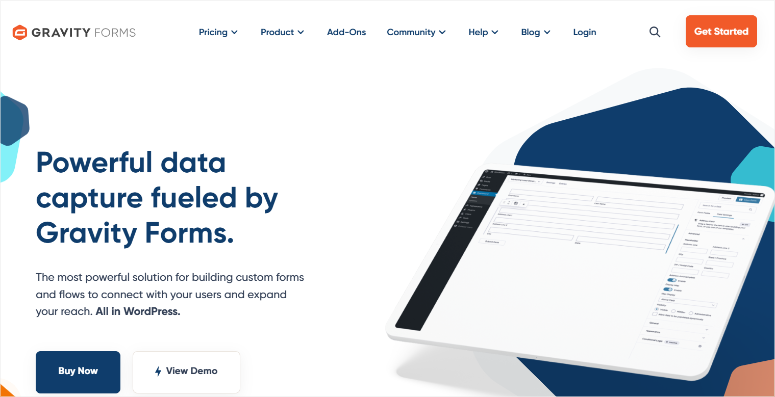
Gravity Forms has been the enterprise standard for WordPress forms since 2008. UNICEF, Yale University, Airbnb, Google, and Nike run Gravity Forms in production.
That’s not marketing copy. Those are public case studies from a 15-year-old plugin that’s never had a major breach or breaking change.
Why Is Gravity Forms One of the Best Contact Form Plugins?
The addon ecosystem is the primary differentiator. Gravity Forms ships with 40+ official addons and a large third-party marketplace.
You get Gravity Flow, a separate product that adds full workflow automation and marketing automation.
With this, you can set up multi-step approvals, email routing, and role-based task assignment. No other form plugin has a comparable workflow layer.
Web Content Accessibility Guidelines 2.1 (WCAG 2.1) accessibility compliance is built in.
This is basically an internationally recognized set of standards to ensure web content is accessible to people with disabilities.
For government sites, educational institutions, or any organization with accessibility requirements, Gravity Forms is the safe choice.
Developer experience is exceptional.
The hook-and-filter system is the most documented of any form plugin. Custom functionality that takes hours in other plugins takes minutes with Gravity Forms’ PHP hooks.
Surveys, e-signatures, coupon codes, and polls are available but require the Elite plan. With the Elite plan, you can also capture partial form entries; you record data before form submission.
My Experience With Gravity Forms
Since Gravity Forms does not have a free tier, this can be the real friction point. I couldn’t test Gravity Forms in my own WordPress environment without paying first, otherwise I would have ranked it higher.
Every other plugin on this list offers at least a free version.
On top of that, styling requires CSS work. The default form output is intentionally minimal to allow you to style it in any direction you want.
On most themes, Gravity Forms forms need theme-matching CSS before they’re client-ready. This is acceptable for developers; it’s a barrier for beginners.
🟢► Pros
- 15+ years in production: UNICEF and Yale have trusted this codebase for over a decade without breaking changes.
- Largest addon ecosystem: 40+ official addons plus a substantial third-party marketplace.
- Developer hook system: Custom form processing that takes hours in other plugins takes minutes here.
- WCAG accessibility: Built-in compliance makes it the safe choice for education and government clients.
🔴► Cons
- No free version: I can’t evaluate it without commitment. The only contact form plugin on this list with zero free option.
- Styling requires CSS: Default output needs theme-matching CSS work before it’s client-ready.
My Verdict: Gravity Forms earns its reputation at the enterprise level. If your organization needs 15 years of battle-tested reliability, a full addon ecosystem, and developer-grade hooks, then Gravity Forms is justified. For small businesses and beginners, WPForms, Formidable Forms, or Fluent Forms deliver comparable results with a free tier and lower cost.
Check out my Gravity Forms review.
Compare WPForms vs. Gravity Forms to see which fits your budget and use case.
Pricing: Starts at $59/yr
👉 Get started with Gravity Forms here
5. Ninja Forms ⭐⭐⭐⭐
Best for: site owners who need one or two specific addons without buying a full annual plan

Ninja Forms takes a modular approach. The free core is a capable contact form builder. But for more functionalities, you need to purchase individual addons.
With these addons, you can set up Stripe payments, Mailchimp, conditional logic, multi-step forms, and more.
Disney, The New York Times, Harvard, NBC, and UCLA use Ninja Forms. That’s 50M+ downloads backing real-world reliability.
Why Is Ninja Forms One of the Best Contact Form Plugins?
The modular pricing model is genuinely useful for sites with specific needs. If you need Stripe payments but not Mailchimp integration, you can buy just the Stripe addon without upgrading to a full annual plan.
The free core provides real contact forms without constant upgrade walls. You get basic fields, email notifications, AJAX submission, and GDPR/CCPA compliance for form data.
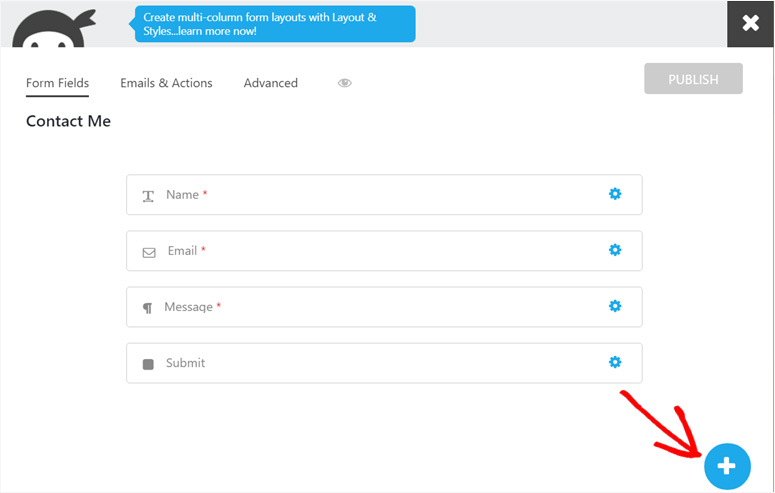
Most small business sites can run on the free version indefinitely.
28+ field types cover most form scenarios. Data calculations let forms do math, which is useful for quote builders and pricing estimators without custom code.
My Experience With Ninja Forms
The persistent “Rate Us” popup is Ninja Forms’ biggest user experience problem. It cannot be permanently dismissed.
Support response times are slower than most of the other contact forms on this list. In my testing, a support ticket took 3 business days to receive a first response.
WPForms averages under 24 hours. For agencies with client deadlines, that gap matters.
Developer hooks are more limited than Gravity Forms. For highly customized form processing, the extension points aren’t as deep.
🟢► Pros
- Modular addon pricing: I bought just the Stripe addon without committing to a full annual plan upgrade.
- Solid free core: Basic fields, notifications, and AJAX submission all work without constant upgrade pressure.
- 50M+ downloads: Disney, Harvard, and NYT use this in production — scale is proven.
- Data calculations: Math-capable forms for quote builders and pricing estimators are built in.
🔴► Cons
- Undismissable popup: The “Rate Us” prompt cannot be permanently closed.
- Slowest support on this list: My test ticket took 3 business days, significantly slower than WPForms’ under-24-hour average.
My Verdict: Ninja Forms makes sense when you need exactly one or two addons and don’t want to pay for a full plan. The free core is genuinely useful. But the popup issue and slower support are real friction points that push me toward Fluent Forms for most use cases.
Check out my Ninja Forms review.
Compare WPForms vs. Ninja Forms if you’re deciding between the two.
Pricing: Free core plugin available | Pro plan starts at $59.40/yr
👉 Get started with Ninja Forms here
6. HubSpot All-in-One Marketing ⭐⭐⭐⭐
Best for: CRM-focused businesses that want every form submission to create a contact record automatically

HubSpot’s WordPress plugin is the only contact form tool on this list where every submission automatically creates a CRM contact without Zapier, manual export, or CSV import required.
If your business tracks leads in a CRM, that automation has real dollar value.
Why Is HubSpot One of the Best Contact Form Plugins?
The HubSpot CRM integration is why it landed on my list.
When a visitor submits your contact form, HubSpot creates a contact record, logs the submission, and makes the lead available for follow-up in the HubSpot dashboard, all free.
For businesses doing email outreach, this replaces a paid Zapier integration that typically costs $20–50/month.
The plugin includes a form builder. This allows you to embed the forms, add popups, add dropdowns, and slide-in formats.
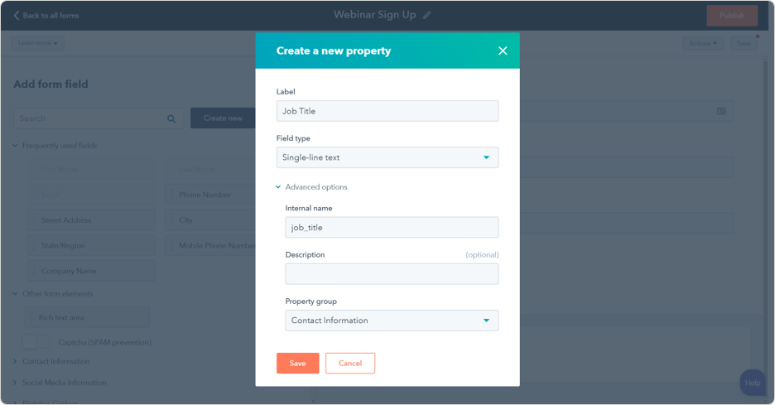
On top of that, you can set up live chat with the chatbot builder, email marketing with A/B testing, and 1,030+ integrations, all free at the CRM level.
My Experience With HubSpot Forms
HubSpot’s strength isn’t as a lightweight contact form plugin. It’s as a CRM with form capabilities built in.
Setup took longer than simpler form builders, but that’s the trade-off for having submissions flow directly into a functional contact management system.
The tracking script and native CRM integration worked reliably once configured.
For users planning to nurture leads beyond just reading emails, HubSpot eliminates the need for a separate CRM integration layer.
One friction point worth mentioning: automated bot submissions create real contact records in HubSpot unless you configure reCAPTCHA.
On two test sites using WP Rocket, the tracking script also needed cache exclusions to prevent the chat widget from breaking. Both are solvable but require upfront configuration.
🟢► Pros
- Free CRM auto-sync: Every form submission creates a HubSpot contact record. No third-party connector needed.
- Live chat and chatbot included: The plugin replaces $100+/month of separate SaaS tools for CRM-focused teams.
- 1,030+ integrations: The broadest integration library of any free form tool on this list.
- Email marketing built in: A/B testing, contact lists, and email campaigns are all free at the CRM level.
🔴► Cons
- Bot submissions pollute CRM: Without CAPTCHA, automated submissions create junk contacts which require manual configuration to fix.
- Overkill for simple forms: The setup overhead (HubSpot account, tracking script, CRM config) is too much for a basic contact form.
My Verdict: HubSpot is the obvious choice if CRM lead capture is your goal and you want to avoid Zapier fees. It’s overkill for sites that just need a contact form. Configure reCAPTCHA on day one to keep your contact database clean.
Pricing: Plugin free | HubSpot CRM free | Paid plans for advanced automation
👉 Get started with HubSpot Forms here
7. Everest Forms ⭐⭐⭐⭐
Best for: sites that need file collection, PDF output, or entry management all without paying
Everest Forms has the highest WordPress.org rating of any plugin on this list at 4.9/5 from 367 reviews.
That rating comes primarily from two things: an unusually responsive support team and a free tier that includes features most plugins charge for.
Why Is Everest Forms One of the Best Contact Form Plugins?
File and image uploads are free. If you need a file upload form on WordPress without upgrading to a paid plan, Everest Forms handles it with reasonable caps.
Competitors either gate file uploads behind paid plans or include them with strict size limits.
PDF generation is free. You can create a PDF from form submission data, which is an advanced feature that Formidable Forms and Fluent Forms charge Pro pricing for.
On top of that, entry management, which is searching, filtering, and CSV exporting submitted form data, is also free.
The AI form builder creates forms from text prompts. You can use the admin approval system, which lets administrators review and approve submissions before they’re processed.
A 40+ template library covers common form types.
My Experience With Everest Forms
The support team’s responsiveness was the most consistent I have experienced from all the contact form plugins I tested. For non-technical users who might need help, that reliability matters.
Conditional logic requires a Pro upgrade. This is the biggest gap versus Fluent Forms, which provides conditional logic free.
For forms that need to show or hide fields based on user input, the free version of Everest Forms has a ceiling.
The ecosystem is smaller than WPForms, Gravity Forms, or Ninja Forms. Third-party integration documentation is thinner, and the developer community is less active.
🟢► Pros
- 4.9/5 WP.org rating: The highest score of any plugin on this list, driven by genuinely fast support responses.
- File uploads free: I collected files through a form without upgrading, something most contact form builders charge for.
- PDF generation free: Submission-to-PDF output at no cost is rare across form plugins.
- Entry management free: I searched, filtered, and exported submissions as CSV without a paid plan.
🔴► Cons
- Conditional logic is paid: Show/hide fields based on input requires a Pro upgrade
- Smaller ecosystem: Fewer third-party integrations and a smaller developer community than the market leaders.
My Verdict: Everest Forms punches above its weight in the free tier. If you need file uploads, PDF output, or entry management without paying, this is the strongest free option after Fluent Forms. The 4.9/5 rating reflects a support team that actually responds.
Pricing: Free plugin available| Pro starts at $49/yr
👉 Get started with Everest Forms here
8. Contact Form 7 ⭐⭐⭐
Best for: developers who want lightweight, zero-upsell forms with full HTML/CSS control

Contact Form 7 is the original form builder. 10 million active installs. No paid version, upsells, or account required. Install it, paste a shortcode, and done. That’s been the model since 2007, and it hasn’t changed.
Why Is Contact Form 7 Still Used?
The install base reflects trust earned over nearly two decades. Developers who want lightweight, upsell-free functionality reach for CF7 without hesitation.
The HTML/CSS markup system gives complete control over form output, something visual builders can’t match.
AJAX submission, Google reCAPTCHA, Akismet spam filtering, and file uploads are all included. Multiple recipients, custom thank-you messages, and custom email subjects work out of the box.
My Experience With Contact Form 7
CF7’s biggest strength is simplicity and flexibility. The plugin weighs almost nothing, doesn’t load unnecessary scripts on pages without forms, and gives you complete control over markup.
For experienced users, that control is exactly why they choose it.
Email delivery is the first learning curve. CF7 uses WordPress’s built-in wp_mail() function, which many shared hosts throttle or block.
The fix? Using one of the best free SMTP plugins, which works reliably, but it’s an extra step most beginners don’t anticipate.
The second friction point is the learning curve itself. Contact Form 7 has no visual builder; you edit markup tags like [text* your-name] in a text field.
Experienced users appreciate this flexibility. First-time users often find it confusing at first.
Security requires intention. CF7 doesn’t include CAPTCHA by default, so you need to add it manually. With CAPTCHA enabled and an SMTP plugin handling email, CF7 is rock-solid.
But the responsibility for configuration falls on you, not the plugin.
For users comfortable with a little setup, CF7 is one of the most reliable contact form solutions available.
🟢► Pros
- Permanently free: No paid tier, no upsells, no account required ever.
- 10M+ active installs: Widest deployment of any form plugin. The most battle-tested free option available.
- Zero dashboard interruptions: No upgrade banners, no review popups. Just a clean admin experience.
- Full HTML/CSS control: Markup-based form tags give complete styling control that drag-and-drop builders can’t match.
🔴► Cons
- Email relies on wp_mail(): Most shared hosts throttle this. A separate SMTP plugin is required for reliable delivery.
- No visual builder: Form creation requires editing shortcode-style markup tags. A real barrier for non-technical users.
My Verdict: Contact Form 7 is the right choice for developers and technically comfortable users who want zero-overhead, zero-upsell forms. Pair it with a reliable SMTP plugin and reCAPTCHA enabled, and it’s rock-solid.
Compare Contact Form 7 vs. WPForms to see the full breakdown of differences.
Pricing: Free. Always, permanently, no premium version
👉 Get started with Contact Form 7 here
Honorable Mention: UserFeedback ⭐⭐⭐⭐⭐
Best for: WordPress sites that want to ask visitors questions, run NPS surveys, and track satisfaction over time

UserFeedback belongs in a separate category from every other plugin on this list. It’s not a contact form tool. It’s a user research survey platform built specifically for WordPress.
I’m including it here because many businesses need both: a contact form for inbound inquiries and a survey tool to proactively ask visitors questions.
Why Is UserFeedback Worth Considering?
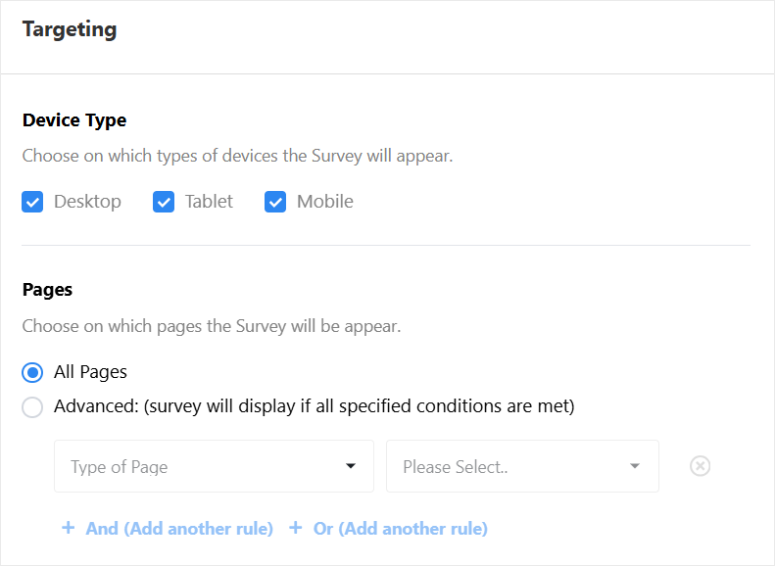
The targeting system is UserFeedback’s defining feature. Surveys are triggered based on specific pages, device types, user behavior, user roles, and time-on-page rules.
I set up an NPS survey that appeared only to logged-in users who had visited at least three pages. This is a targeting combination that most standalone survey tools charge enterprise pricing for.
If you want to create a survey in WordPress with this level of targeting precision, UserFeedback is the only native WordPress solution that does it without a third-party embed.
The AI-powered feedback summaries analyze open-ended responses and surface patterns.
After collecting 200+ responses, I got a one-paragraph summary of the most common themes without manually reading each response.
NPS (Net Promoter Score) surveys track satisfaction trends over time, not just point-in-time snapshots. The time-series view shows whether satisfaction is improving or declining across weeks or months.
My Experience With UserFeedback
The product delivers solid survey and targeting features for the price point. Setup took about an hour total, and the Google Drive integration works once configured.
Feature tiering is worth knowing upfront. Heatmaps require the Elite tier.
If heatmaps are core to your research workflow, budget for the upgrade. But for basic targeting and survey work, the base tier is sufficient.

The biggest friction point is the lack of a free tier. You can’t test the targeting and survey features before committing to the paid plan.
But all the same, the 14-day money-back guarantee provides a safety net, and for most users evaluating the platform, that window is enough to decide.
🟢► Pros
- Advanced targeting: I set up surveys triggered only for specific pages, devices, user roles, and visit counts. Enterprise-grade precision.
- AI response summaries: 200+ open-ended responses summarized in one paragraph. This saves hours of manual analysis.
- NPS time-series tracking: Satisfaction trends tracked across weeks and months, not just one-off data points.
- 300,000+ websites: Strong adoption signal outside the typical WordPress plugin niche.
🔴► Cons
- No free version: No free tier to test before buying.
- Not a contact form: It’s a survey tool. You still need a separate contact form plugin.
My Verdict: UserFeedback isn’t a contact form replacement; it’s a complement. Add it alongside your main form plugin when you want to proactively ask visitors questions, measure NPS, or research what your audience actually wants.
Check out my full UserFeedback review for a deep dive into every feature.
Pricing: Starts at $49.50/yr
👉 Get started with UserFeedback here
That’s it for my list of the best contact form plugins. As you have seen, most of them have a free tier to allow you to test it out before you commit.
But we are not done yet! Below are contact forms that just missed making it on my main list.
Bonus: More Contact Form Plugins for WordPress
Typeform: A hosted form service (not a WordPress plugin) that embeds via shortcode or block. One-question-at-a-time conversational format with high completion rates. Best for: lead generation forms where conversion rate matters more than cost. Note: data lives on Typeform’s servers, not your WordPress site. Check out my TypeForm review.
Jetpack Forms: Built into Jetpack, this works well if Jetpack is already running on your site for stats, security, or CDN. As a standalone contact form choice, it doesn’t compete with dedicated plugins. Best for: existing Jetpack users who want to minimize total plugin count.
WS Form: A developer-focused drag-and-drop builder with a generous free tier and advanced framework integration like Bootstrap and Tailwind. The UI is more technical than WPForms, but more flexible for custom styling. Best for: developers who want framework-aware form output on custom-built themes.
Happyforms: GDPR-focused with a deliberately minimal feature set. No upsells in the free version, clean admin interface, and built-in privacy compliance. Best for: EU-focused sites that want simplicity and privacy compliance without configuration overhead.
How to Choose the Right Contact Form Plugin
WordPress doesn’t come with a built-in contact form. In order for you to build a contact form, you’ll need to install a WordPress plugin.
But not all contact form plugins are created equal. Since each plugin has its pros and cons, you need to understand which plugin is the best for your needs.
For example, a publisher might need a plugin that seamlessly integrates with their favorite email marketing tool like MailChimp, Constant Contact, Drip, etc. But, an eCommerce store owner may need to create custom registration, login, and payment forms.
On the other hand, a non-profit organization, on the other hand, will need to create custom donation forms to raise funds online.
Here’s what you need to look into a contact form builder.
- Features: A good WordPress contact form plugin enables you to create any type of online form, such as contact forms, payment forms, user registration forms, subscription forms, and so on.
- Ease of Use: An intuitive user interface makes creating a web form easy, even if you’re not tech savvy. The lower the learning curve, the better.
- Mobile-Friendly: All forms you create must be 100% responsive and work great on all devices or you’ll fall behind.
- Compatibility: The form builder should work seamlessly with any WordPress themes.
- Pricing: Before trying out a plugin, you’ll need to consider if it’s worth the investment in the long run.
- Documentation: Preferably, the documentation should be extensive enough that it easily walks you through various features of the plugin.
- Support: You’ll also want to choose a plugin that’s developed by a team with a good reputation and is well-known for delivering outstanding customer service.
The right plugin depends on these questions.
What do you need forms for?
For basic contact forms which include name, email, message, submit, any free plugin works.
- Contact Form 7 or the free tier of WPForms handles this without payment.
For payment collection, you need Stripe or PayPal integration.
- Compare options in our WordPress payment plugins guide. The best options are WPForms, Fluent Forms, and Ninja Forms.
For data applications like directories, member portals, and searchable listings.
- Formidable Forms is the best contact form WordPress plugin that does this natively. Everything else requires custom development.
For CRM lead capture.
- HubSpot Forms is the only tool that creates CRM contacts automatically from submissions without a third-party connector.
What’s your technical comfort level?
Non-technical users and those handing sites to clients.
- Your best pick is WPForms. The visual builder, template library, and live preview reduce the learning curve to near zero.
Developers comfortable with code.
- You get the most value from Gravity Forms or Formidable Forms. The hook systems, developer documentation, and customization depth justify the premium for custom projects.
That’s it from me on the best contact forms for WordPress. If anything is unclear, check out the commonly asked questions below.
FAQs: Best WordPress Contact Form Plugins
What is the best free contact form plugin for WordPress?
WPForms and Fluent Forms have the most generous free tier of any plugin on this list. Fluent Forms offers conditional logic, conversational forms, Stripe payments (with 1.9% fee), and an AI form builder are all included free. While WPForms offers form payment options, numerous templates and a ready to go contact form out of the box. If you need zero-frills simplicity with no learning curve, Contact Form 7 installs in under 2 minutes with no account required. For spam protection on either plugin, configure WordPress CAPTCHA properly, it’s not enabled by default.
Is Contact Form 7 still the best option?
Contact Form 7 remains the best choice for users who want a free, lightweight, zero-upsell contact form. It powers 10 million+ WordPress sites. But it requires a reliable SMTP plugin to deliver email, and it has no visual builder. For most beginners, Fluent Forms free tier or WPForms Lite is a better starting point.
What is the difference between WPForms and Contact Form 7?
WPForms has a visual drag-and-drop builder, 2,100+ templates, form entries stored in the dashboard, and built-in CAPTCHA. Contact Form 7 requires editing shortcode-style markup tags, stores no entries in the dashboard, and has no visual preview. WPForms Lite is easier for beginners. Contact Form 7 is better for developers who want minimal overhead.
Do I need a contact form plugin for WordPress?
Not strictly. WordPress doesn’t include a built-in contact form, but you can create one using a page builder or HTML code. In practice, a dedicated plugin handles submission storage, spam filtering, email notifications, and GDPR compliance in minutes without code. For most sites, a plugin is the faster and more reliable solution.
Which WordPress form plugin is best for beginners?
WPForms is the most beginner-friendly option. The live preview builder, template library, and guided setup reduce time-to-live-form to under 10 minutes. Everest Forms is a strong free alternative with comparable ease of use and the highest WP.org rating on this list.
Is Gravity Forms worth the money?
For enterprise and developer use cases, yes. Gravity Forms’ reliability record (15+ years, UNICEF/Yale users), addon ecosystem, and developer hook system justify the $59/yr starting price for organizations that need those capabilities. For small businesses and beginners, WPForms or Fluent Forms provides comparable features at a lower cost with a free tier to test first.
Final Verdict: Should I use a Contact Form Plugin?
Yes. A contact form is one of the simplest ways to turn site visitors into leads without relying on social media or email lists.
Remember the scenario from the beginning of my article? I needed to capture visitor questions without overwhelming myself with spam or missing important messages.
A contact form solves that by giving you control over what information you collect and how you receive it.
The right choice depends on what you need: a lightweight, no-frills form costs nothing. A drag-and-drop builder saves setup time.
Advanced features like conditional logic or payment processing are available at every price point, starting with free.
What matters most is picking something and using it. An imperfect form running on your site generates more leads than the perfect form you never set up.
Start with whatever feels manageable for your skill level. You can always upgrade later if your needs change.
Contact Form Plugin Resource Hub
Contact form plugin comparison pages:
- WPForms vs. Formidable Forms: deep comparison of the two most popular paid options
- WPForms vs. Gravity Forms: which enterprise plugin fits your budget?
- WPForms vs. Ninja Forms: modular vs. all-in-one pricing model compared
- Contact Form 7 vs. WPForms: free vs. paid, developer vs. beginner
Troubleshooting:
- Contact Form 7 Not Sending Email – Fix Guide: step-by-step fix for the most common CF7 problem
- Best Free WordPress SMTP Plugins: fix email delivery for any form plugin
Related guides:
- Best WordPress Lead Generation Plugins: go beyond forms to capture and convert leads
- Best WordPress Payment Plugins: compare all payment options for WordPress
- HubSpot CRM Integrations for WordPress: everything you can connect to HubSpot
Tutorials:
- Best WPForms Pro Alternatives Comparison: WPForms alternatives if the price is too high
- How to Create a File Upload Form in WordPress: step-by-step guide for file collection forms
- Best WordPress Email Capture Tools: tools that turn form submissions into a growing email list

For me, Forminator is the best choise for free plugin to make form in WordPress. This free plugin offer rich options to make any form you need.
Ninja Forms and Caldera Forms are the same thing (more or less). Caldera Forms are closing Dec 2021 and migrating all users to Ninja Forms. Caldera has free tier, unlike Ninja.
For me, I used WPForms for 2 years then switched to Forminator and never looked back.
A problem that faces all the companies I have researched, is that there is no phone number for support. The few that do have an email. Have said they don’t offer phone support.
I have a real issue with this.
Imagine Go Daddy or you Bank not having phone support.
Would you use them??
What do you think of Gravity Forms. Is it still usable for wordpress? I thought Gravity Forms was one of the best one’s with Ninja Forms and WPforms. Or are there some issues we don’t know off with Gravity Forms.
WP Fluent Forms is up and coming and out performs some listed here. Great article!!
Does Fluent Forms have a free version? Really tiny grassroots group here.
Yes it does.
Sorry guys, but the best Forms Plugin ever is Forminator. And it’s free, too. Try it and you never will use another Plugin for creating WordPres Forms.
I ve been using HappyForms plugin and I like it.
I tried using contact form 7 in Elementor with a g-mail account, and Gmail doesn’t allow to override Return Path. Emails will be bounced to the same email address they were sent from. that being said, is there any Contact Forms that are compatible with G-mail installations for e-mail? I’ve tried Contact Form 7, WP Mail SMTP and was unsuccessful. if there is anew or updated version of an old contact Form, can you please let me know
I’d recommend you WPForms + WP Mail SMTP instead. In fact, WP Mail SMTP is a product released by the same folks behind the WPForms plugin.
Most likely, similar functionality can be found in the stepFORM plugin. This is much simpler than Contact Form 7 and there you can send mail to several addresses and configure sending via webhooks to other applications.