
When I was still running ad banners on my SEO blog, I learned something valuable. Where you place an ad matters just as much as the ad itself.
I tested different ad positions such as the header, sidebar, footers, and between paragraphs and watched how users interacted with each placement.
Some spots got clicks, others got ignored and a few even drove people away.
In the end, that hands-on experience taught me how AdSense actually works.
I learned which layouts make ads feel natural, which placements catch attention without annoying visitors, and which themes make the whole process easier.
Now I help others figure out the same thing.
If you’re trying to monetize with Google AdSense or even using AdSense alternatives, your theme choice makes a huge difference.
The wrong theme leaves you fighting with code, watching your site slow down, or wondering why nobody clicks your ads.
The right theme? It gives you clean ad placement options, keeps your pages loading fast, and makes ads look like they belong rather than sticking out like sore thumbs.
So in this article, I will list the best AdSense themes to help you improve ad placement and skyrocket your revenue.
Key Takeaways:
- Sites that make revenue from ads need themes where ads blend naturally with content instead of screaming for attention
- The AdSense themes I’ve listed here do exactly that
- Non-coders can place ads anywhere using drag-and-drop builders—no code required
- These themes either include visual builders or work seamlessly with popular ones
- Marketers who test ad placements earn more than those who guess
- Some of my theme picks include A/B testing tools that show you which positions convert
- Up to 26% of your visitors block ads, costing you real revenue
- I include themes with ad blocker detection help you recover those lost earnings
- News sites with heavy content need space for 10+ ads without looking like a billboard
- I mention magazine-focused themes that handle multiple ad units while keeping layouts clean
- Editorial sites that prioritize ad revenue need designs built around monetization
- Some themes place ad spaces front and center as part of their core layout
Apart from that, you can use the table of contents below to jump to any section of this article.
- What Theme Features to Expect From an AdSense Optimized Theme
- Best WordPress AdSense Optimized Themes
- Bonus: Other AdSense-Optimized Themes
- AdSense WordPress Plugins
- How to Choose the Right AdSense Theme for Your Site
- FAQs: Best AdSense Optimized WordPress Themes
- Final Thoughts: Should I Use AdSense WordPress Themes?
With that out of the way, let us get into it.
How I Test AdSense Themes
Testing AdSense themes isn’t about opening a demo and calling it done. I actually install these themes, add real ad code, and see how they perform.
Here’s what I look for:👇
- Ad Placement Flexibility: Can you control where ads appear without editing theme files? The best themes offer widget areas for sidebars, header spots for leaderboards, and options for in-content ads. I test how easy it is to add a 728×90 header ad, a 300×250 sidebar ad, and ads between paragraphs.
- Speed with Ads Running: Top themes are fast on their own, but what happens when you add three AdSense units? I run Google PageSpeed Insights and GTmetrix tests with ads loaded to see the real impact on performance.
- Mobile Ad Display: Over half of web traffic comes from phones. I check every theme on mobile devices to make sure ads resize properly, don’t break layouts, and maintain enough spacing to avoid accidental clicks.
- Built-in Ad Features: Does the theme include ad widgets, management panels, or special ad areas? Or do you need to install extra plugins just to display ads? The best AdSense themes handle ads without requiring additional tools.
- Design Balance: I look at how ads fit into the overall design. Do they blend naturally with content, or do they scream “ADVERTISING” and turn visitors away?
- Setup Ease: How long does it take a beginner to add their first ad? I time this. If it takes more than 10 minutes or requires code, that’s a red flag.
Why Trust IsItWP
At IsItWP, we’ve been the WordPress community’s go-to resource since 2009, helping over 2 million users choose better tools and themes for their websites.
But here’s what sets us apart when it comes to AdSense guidance: I’ve actually been there. 👇
I used to run an ad-supported SEO blog myself. Not just testing ads on demo sites. Actually running real banner ads, tracking performance, and learning what worked.
That experience taught me things you can’t learn from reading documentation. I saw firsthand which ad placements got clicks without annoying visitors. I watched how different themes handled ad code.
Plus, I dealt with the frustration of themes that looked great but made ad management a nightmare.
As you can see, I don’t just look at theme demos and guess. I install these themes, add actual AdSense code, test them on different devices, and measure the impact on speed and user experience.
Unlike review sites that never actually use the products, the IsItWP team and I maintain active accounts, run real websites, and provide ongoing WordPress consultation.
Ie, understand both sides. What publishers need to earn revenue and what visitors expect from a good user experience.
When I recommend a theme for AdSense, it’s because I’ve seen it work in practice, not just in theory.
What Theme Features to Expect From an AdSense Optimized Theme
Not every WordPress theme handles ads well. The best AdSense-optimized themes share specific features that make monetization easier and more effective.
Let’s discuss them below:👇
Strategic Ad Placement Options
Look for themes with dedicated areas for standard AdSense sizes.
- Header spaces for 728×90 leaderboard ads.
- Sidebar widgets for 300×250 or 336×280 rectangle ads.
- In-content blocks that let you place ads between paragraphs without breaking your layout.
Placement matters because ads above the fold (visible without scrolling) typically get more views. But cramming everything at the top annoys visitors. Good themes balance visibility with user experience.
Built-in Ad Management
The best themes include widget-ready areas specifically designed for ads. You drop in your AdSense code through a simple widget interface—no coding required.
Some themes go further with options panels where you paste an ad code once, and it appears across your entire site. This beats manually adding code to every post or installing extra plugins.
Speed Optimization
Ads slow down websites. That’s just reality. But lightweight themes minimize this impact through clean code and efficient loading.
Look for themes that support lazy loading for ad scripts, maintain good Core Web Vitals scores, and don’t bloat your site with unnecessary features. Fast themes keep visitors around long enough to see (and click) your ads.
Mobile-First Ad Display
As mentioned, more than half of web traffic comes from mobile devices. Your theme needs responsive ad units that resize automatically for different screens.
Good mobile ad integration includes proper spacing so visitors don’t accidentally tap ads, mobile-specific placement options, and AMP compatibility for lightning-fast mobile pages.
Design That Doesn’t Scream “ADS!”
Professional themes make ads blend naturally with your content. They use white space around ads for better visibility without looking cluttered. Color schemes work with standard ad formats instead of clashing.
The goal is ads that feel like part of your site, not interruptions plastered everywhere.
Best WordPress AdSense Optimized Themes
Now that you understand what to look for when looking for an Adsense optimized theme, you are now in a better position to pick one that fits your needs.
Plus, you can use the feature list above and the comparison table below to narrow down even further what ads themes to pick.
| Theme | Free Version | Best For | Key Ad Features | Speed Rating | Starting Price |
|---|---|---|---|---|---|
| 🥇Sydney | ✅ | Small business sites | Widget areas, clean integration, Elementor support | Fast | $47/year |
| 🥈SeedProd | ✅ | No-code builders | Drag-drop anywhere, HTML blocks, complete control | Blazing | $39.50/year |
| 🥉Thrive Themes | ❌ | Marketers & testing | A/B testing, conversion tools, optimize placements | Fast | $80/year |
| 4. Divi | ❌ | Design flexibility | Built-in ad tab, visual builder, flexible placement | Good | $67/year |
| 5. Astra | ✅ | Speed-focused | Widget areas, hooks, ultra-lightweight | Ultra-fast | $59/year |
| 6. OceanWP | ✅ | Budget publishers | Multiple widget areas, 210+ demos | Fast | $31/year |
| 7. Ad-Sense | ❌ | Revenue max | Ad blocker detection, content locking, 8 layouts | Fast | $39 Single Site License |
| 8. Newspaper | ❌ | News/magazines | 18 permanent ad spaces, intelligent ad system | Excellent | $59 Single Site License |
| 9. Neve Magazine | ✅ | Modern publishers | Dedicated ad spaces, lightweight design | Lightweight | $69/year |
| 10. News Portal | ✅ | Budget news | Header/sidebar areas, basic widgets | Good | $59.99/year |
| 11. Felt | ❌ | Elegant magazines | Dedicated ad widget, modular layout | Fast | $75/year |
| 12. Magazine | ❌ | Editorial/ad-heavy | Emphasizes ads, 42 layouts, prominent spots | Optimized | $59 Single Site License |
Let us get into the list!
1. Sydney ⭐⭐⭐⭐⭐
5/5 Stars | Best for: Clean Business Sites with Professional Ad Integration
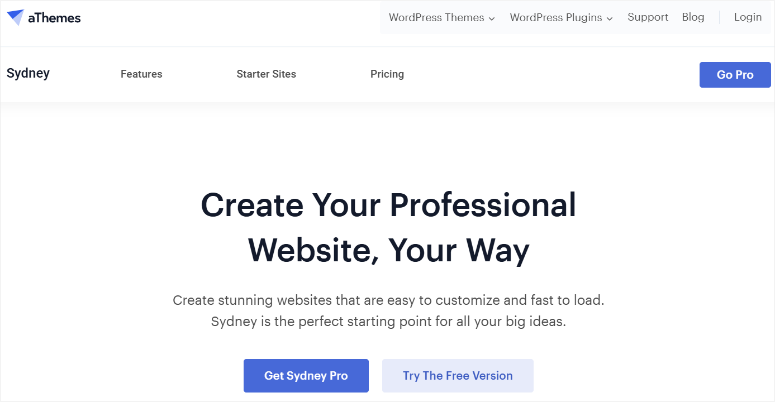
Sydney is my top recommendation for an AdSense theme because it ensures you place the ads strategically without your site looking like a cluttered billboard.
Since Sydney is built for business websites with multifunctional features, the widget areas let you place ads while keeping your professional image intact.
What stands out most is how naturally the ads fit into Sydney’s clean business layout. Visitors don’t feel bombarded.
How Does Sydney Handle AdSense?
When I tested Sydney on a demo business site, the widget-ready sidebar and header areas made ad placement straightforward.
Using Sydney’s customizer, I added a 300×250 rectangle ad in the sidebar and a 728×90 leaderboard in the header. The whole process took less than 5 minutes without touching code.
The Elementor integration, Sydney, is officially recommended by Elementor, gives you even more control.
This AdSense theme includes custom Elementor widgets specifically designed for the theme, letting you create custom layouts with ad spaces exactly where you want them.
What Makes Sydney Good for Ads?
During testing, the theme loaded fast even with multiple ad units running, maintaining good PageSpeed scores throughout.
On top of that, Sydney offers 100+ demo sites with professional business layouts, multiple widget areas perfect for standard AdSense sizes.
The best part? The sticky header option keeps navigation and header ads visible while scrolling. This ensures users can view your ad regardless of where they are on the page.
Plus, the mobile-optimized responsive design ensures ads look good on all devices, improving user experience.
►Pros:
- Clean professional design that doesn’t distract from ads
- Multiple widget areas for flexible ad placement
- Elementor integration offers unlimited customization
- Free version lets you test before committing
►Cons:
- Pro version needed for advanced features
- Some users report support response times vary
- Less ad-specific features than dedicated AdSense themes
My Verdict: If you’re running a professional business site and want ads that blend in rather than stand out, Sydney hits the sweet spot. It’s perfect for consultants, agencies, or service businesses who want to monetize without looking desperate. The free version gives you enough to start, but the Pro version’s additional layouts and widgets are worth the upgrade if you’re serious about ad revenue.
Check out my Sydney review for more details.
Get started with Sydney Pro here | Try Sydney for free
Pricing: Starts at $47/year
2. SeedProd ⭐⭐⭐⭐⭐
5/5 Stars | Best for: Complete Control Over Ad Placement (No Code Required)

SeedProd solved my biggest AdSense headache: placing ads exactly where I wanted them without begging a developer for help.
After using it to build my personal site, I watched the Google PageSpeed score stay incredibly high even with ads running. That’s when I knew this wasn’t just another top page builder; it was the best.
How Does SeedProd Handle AdSense?
Building with SeedProd’s drag and drop theme builder is smooth and easy.
Instead of fighting with pre-set ad widget areas, I simply dragged an HTML block wherever I wanted an ad and pasted my AdSense code.
Apart from that, the visual builder showed me exactly how it would look before publishing.
What really impressed me during testing was the speed.
I ran a site through Google’s PageSpeed Insights after adding multiple ad units using SeedProd’s HTML blocks, and the theme still delivered blazing-fast scores.
The theme’s lightweight code doesn’t bloat up even when you add custom elements.
What Makes SeedProd Good for Ads?
SeedProd’s 350+ theme kits include layouts already optimized for ad placement. I tested the magazine kit and found ad spaces naturally built into the sidebar, header, and content areas.
Once you select a template to match your ad placement vision, you can customize it completely. If nothing meets your needs, you can build your own theme from scratch using the drag and drop interface.
With the theme builder, you can create every part of your site. From headers, footers, sidebars, single posts, to archives. This gives you complete control over where ads appear.
Plus, mobile-first responsive design ensures ads look perfect on all devices without additional tweaking.
►Pros:
- Complete control over ad placement anywhere on your site
- Blazing fast performance
- Pre-built theme kits save massive time
- HTML blocks make adding AdSense code simple
- Build a complete site with AI
►Cons:
- Free version doesn’t include theme builder
- Elite version required for eCommerce support
My Verdict: SeedProd is my personal favorite for anyone who wants total ad control without touching code. If you’ve ever been frustrated by a theme limiting where you can place ads, SeedProd eliminates that problem entirely. The speed, flexibility, and time savings led to its high ranking on any theme list.
For more details, check out my detailed SeedProd review.
Get SeedProd Pro here | Try SeedProd Lite here
Pricing: Starts at $39.50/year
If this ad WordPress theme sounds right for you, check out our SeedProd coupon code page for more deals.
3. Thrive Themes ⭐⭐⭐⭐⭐
4.9/5 Stars | Best for: Marketers Who Want to Test and Optimize Ad Performance
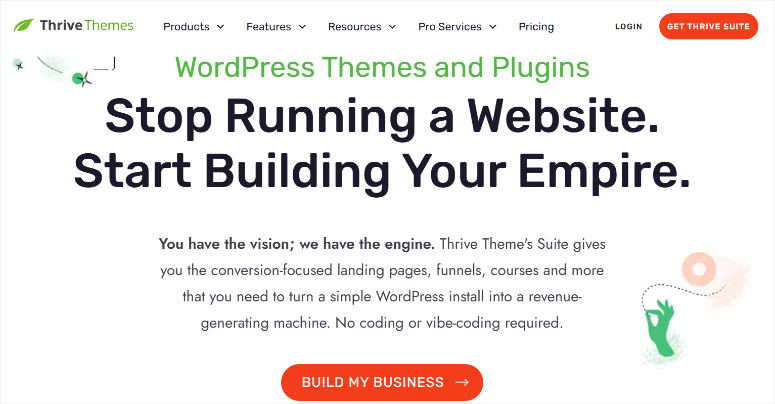
Thrive Themes‘ built-in A/B testing changed how I think about ad placement.
Instead of guessing which spot performed better, I can actually test header ads versus sidebar ads and see real data. That feature alone can increase AdSense RPM (Revenue Per Mille) quickly.
Thrive Themes is a combination of marketing tools that can not only help you set up a site but also optimize it for your business model. In this case, ad revenue.
How Does Thrive Themes Handle AdSense?
Thrive Themes’ theme builder feels like using tools designed by marketers for marketers. First, the site wizard walks you through setting up key pages like the homepage, blog, and footer.
Then you use Thrive Architect to customize the layout. This allows you to add ads straightforwardly. You just dragged in a custom HTML element and pasted my AdSense code.
Check out my Thrive Architect review for a full breakdown of how it works.
But here’s what sets Thrive Themes apart: Thrive Optimize lets you create multiple versions of a page and split-test different ad placements. I tested sidebar ads versus in-content ads on a demo blog post.
Thrive Themes showed me which version got more clicks, and I could switch to the winner without creating new landing pages.
This kind of data-driven optimization is gold for anyone serious about ad revenue.
What Makes Thrive Themes Good for Ads?
Thrive Architect includes pre-built elements designed to boost conversions. For example, you get in-built testimonials sections, attention-grabbing buttons, and email signup forms.
With that in mind, you can save any section you create and reuse it across your site. This saves you tons of time when setting up consistent ad placements across multiple pages.
Plus, the theme works seamlessly with popular ad plugins like Ad Inserter, and the clean code architecture keeps pages loading fast.
►Pros:
- A/B testing for ad placements (huge advantage)
- Conversion-focused design elements included
- Complete Thrive Suite included (Thrive Leads, Optimize, Architect)
- Marketing-focused features beyond just design
►Cons:
- Higher price point
- Learning curve steeper than simpler themes
- Interface can feel busy for beginners
My Verdict: If you’re a marketer or serious blogger who wants to test what actually works rather than guess, Thrive Themes is worth the investment. The A/B testing alone pays for itself by helping you find the highest-earning ad positions. It’s not the simplest option, but the data-driven approach makes it perfect for anyone who treats their site like a business.
Get started with Thrive Themes here.
Pricing: Starts at $80/year
4. Divi ⭐⭐⭐⭐⭐
4.9/5 Stars | Best for: Design Flexibility with Ad Integration

Divi‘s visual builder is so flexible that you can adjust column widths, fine-tune spacing, and place ads exactly where they need to go without coding. This makes it one of the best visual site builders.
Even more, you can now build pages, posts, images, and even a full site with AI.
How Does Divi Handle AdSense?
During testing, I found that Divi includes a built-in ads tab in the theme options where you can add a 468×60 banner that appears below post content.
But the real power comes from using Divi’s Builder modules. I placed text blocks throughout pages and dropped AdSense code directly into them, giving me complete control over ad positioning.
What Makes Divi Good for Ads?
Divi’s massive library of pre-built modules, sections, and full-page layouts provides a fantastic starting point.
I tested several Divi layouts and customized them to include ad spaces in sidebars, between content sections, and in headers.
On top of that, the theme builder lets you create templates that apply across your entire site. So, you set up ad placement once, and it works everywhere.
The learning curve is real. Divi’s editor feels different from standard WordPress at first. But once you understand it, the customization options are incredible.
With caching plugins like WP Rocket, Divi performs well even with multiple ads running.
►Pros:
- Unlimited design flexibility for ad placement
- Visual builder shows exactly how ads will look
- Massive library of pre-built layouts
- Works great with ad management plugins
- Create AI images, pages, and even full sites
►Cons:
- Learning curve for beginners
- Requires optimization for best speed
- Built-in ad options are limited
My Verdict: Divi’s editor takes adjustment. But once you figure it out, you are able to build a good-looking WordPress theme with perfectly placed ads. Despite the initial learning curve, the design freedom makes it worth considering for publishers who want complete creative control.
Check out my updated Divi Theme and Builder review.
Pricing: Starts at $67/year
If this ad-optimized theme sounds right for your needs, check out our Elegant Themes coupon page for more Divi deals.
5. Astra ⭐⭐⭐⭐⭐
5/5 Stars | $59/year | Best for: Speed-Focused Publishers

Astra became one of my top AdSense optimized theme recommendations after watching it load in under 0.5 seconds with three AdSense units running.
That kind of speed matters because every extra second of load time costs you visitors and ad revenue.
How Does Astra Handle AdSense?
What struck me most about Astra is how lightweight it feels.
This ads theme integrates seamlessly with popular page builders like Elementor and Beaver Builder, giving you design freedom without sacrificing speed.
During testing, I used Astra’s widget areas to place a sidebar ad and header ad, then added in-content ads using a simple plugin. Everything worked smoothly.
What Makes Astra Good for Ads?
Astra offers 180+ starter templates, many with layouts already optimized for ad placement. The theme options are well-organized and beginner-friendly, so you won’t get lost trying to add your first ad.
Plus, the mobile-responsive design ensures your ads look perfect on phones and tablets.
The AMP compatibility is a bonus if you’re focused on mobile traffic. Astra works with AMP plugins to create lightning-fast mobile pages that still display your ads properly.
With over 2.5 million active installations, there’s a reason so many publishers choose Astra.
►Pros:
- Ultra-fast loading speeds even with ads
- 180+ starter templates for quick setup
- Clean code and excellent performance scores
- Free version available to test
►Cons:
- Lots of options can overwhelm beginners
- Pro version needed for advanced features
- Less ad-specific tools than dedicated themes
My Verdict: Astra really is a no-brainer if you’re after a WordPress theme that’s fast and easy to use. The speed alone makes it worth considering, especially if you’re monetizing with AdSense and can’t afford slow page loads.
Check out my Astra theme review.
Get started with Astra Pro here | Try Astra for free here
Pricing: Starts at $59/year
If this theme sounds right for you, check out our Astra coupon page for more deals.
6. OceanWP ⭐⭐⭐⭐⭐
4.9/5 Stars | Best for: Budget-Conscious Publishers
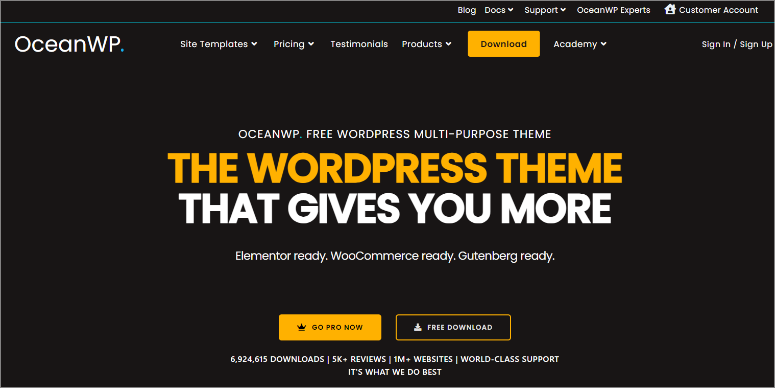
OceanWP caught my attention as one of the most downloaded free themes with premium features. With over 4.8 million downloads, it’s clearly doing something right for publishers on a budget.
How Does OceanWP Handle AdSense?
During testing, I found OceanWP’s widget-ready areas made ad placement straightforward.
The theme includes multiple sidebar options and header areas where you can drop in AdSense widgets without touching code.
I used the built-in customizer to adjust colors and spacing around ads, making them fit naturally into the layout.
What Makes OceanWP Good for Ads?
The 1-click demo content importer speeds up setup significantly. I imported a magazine-style demo and found it already included strategic spots for ads in the header, sidebar, and footer.
The theme works seamlessly with all major page builders, giving you the flexibility to customize layouts further if needed.
On top of that, OceanWP performs well on speed tests, and you can disable unused scripts to make it even faster.
I like how this AdSense WordPress theme loads quickly, even with multiple ad units running. Plus, the responsive design ensures ads display properly on mobile devices without breaking layouts.
►Pros:
- Free version with solid ad support
- 210+ premium demos available
- Fast loading and SEO-optimized
- Works with all major page builders
►Cons:
- Premium features require paid extensions
- Can feel overwhelming with so many options
- Support primarily through forums for free version
My Verdict: OceanWP delivers excellent value for budget-conscious publishers. The free version gives you enough to monetize effectively. While, premium extensions unlock advanced features when you’re ready to scale up.
Check out my OceanWP review here for more details. You can also check out Astra vs OceanWP to see how the number 5 and 6 themes on this list compare.
Get Started with OceanWP Pro here | Try the free version of OceanWP here
Pricing: Starts at $31/year
7. Ad-Sense Theme ⭐⭐⭐⭐⭐
4.7/5 Stars | Best for: Maximizing AdSense Revenue

Ad-Sense Theme by MyThemeShop is the only theme I’ve tested with built-in ad blocker detection.
When a visitor blocks ads, a popup asks them to disable their blocker. You can even hide content until they whitelist your site. This feature alone can help you recover lost ad revenue.
How Does Ad-Sense Theme Handle AdSense?
During testing, I was impressed by how many ad placement options come built-in.
- Header areas for 728×90 leaderboards
- Below-navigation spots
- Above and below content positions
- Sidebar widgets
As a result, Ad-Sense Theme covers all the strategic locations. The theme includes an ad management panel where you control everything without installing extra plugins.
What Makes Ad-Sense Theme Good for Ads?
The “clickable site background” feature lets you turn your entire background into a clickable ad space.
But what really impressed me was the automatic ad scheduling, which displays ads after a set number of days. This is perfect for promotional campaigns.
Apart from that, Ad-Sense Theme includes 8 pre-built layouts with one-click demo import. Because of these features, I had a test site running in minutes.
Plus, this theme for ads loads fast despite all the ad features.
The best part is that the 4 pagination options, load more, infinite scroll, numbered, next/previous, help maximize ad exposure across multiple pages.
►Pros:
- Built-in ad blocker detection and content locking
- Multiple strategic ad placement areas
- Ad management panel eliminates need for plugins
►Cons:
- Design less modern than newer themes
- Focused heavily on ads (not ideal for all sites)
- No free version to test
My Verdict: If maximizing AdSense revenue is your primary goal, Ad-Sense Theme delivers features no other theme offers. The ad blocker detection alone makes it worth considering for serious publishers.
Get started with Ad-Sense Theme here.
Pricing: Starts at $39 for a single-site license
8. Newspaper ⭐⭐⭐⭐⭐
4.7/5 Stars | Best for: Content-Heavy News and Magazine Sites
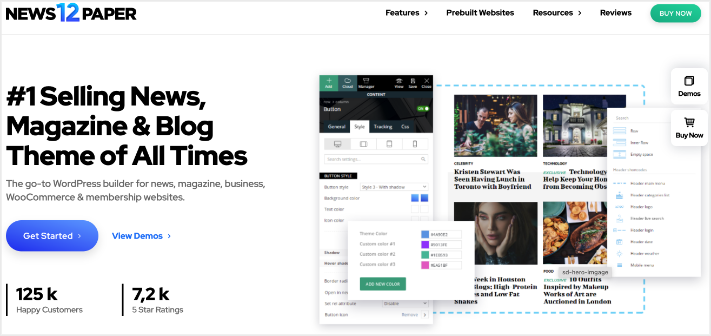
Newspaper is one of the best AdSense WordPress plugins because it comes with 18 permanent ad spaces to monetize your site without plugins.
The intelligent ad system places ads in headers, footers, articles, and sidebars, all managed from the theme panel.
How Does Newspaper Handle AdSense?
During testing, I used the tagDiv Composer, its front-end page builder, to build layouts with ad spaces between content sections.
This theme, optimized for ads, lets you display ads on individual posts or pages using the ad box elements. As a result, you get precise control over where ads appear.
I tested both AdSense and custom HTML ads, and both worked flawlessly.
What Makes Newspaper Good for Ads?
With 120+ importable demos and 1,500+ post templates, Newspaper eliminates the blank-page problem. I tested this by importing the tech news demo that already included optimized ad placements.
With this in place, I noticed that the mobile-theme plugin ensured ads display properly on phones, and AMP support delivered lightning-fast mobile pages.
Newspaper’s load times impressed me during speed tests.
The theme handles content-heavy layouts well, maintaining good performance even with multiple ad units and featured images.
With over 150,100 sales on ThemeForest, it’s one of the most popular magazine themes ever created.
►Pros:
- 18 permanent ad spaces built-in
- No ad management plugins needed
- 120+ demos with 1,500+ templates
- AMP-ready for fast mobile pages
►Cons:
- Annual subscription required
- WPBakery page builder feels outdated
- Overwhelming options for beginners
My Verdict: Newspaper is perfect for publishers running content-heavy sites who need professional ad management without extra plugins. The built-in ad system saves time and keeps your site running efficiently.
Get started with Newspaper here.
Pricing: Starts at $59 for a single-site license
9. Neve ⭐⭐⭐⭐⭐
4.6/5 Stars | Best for: Modern Publishers Who Value Speed
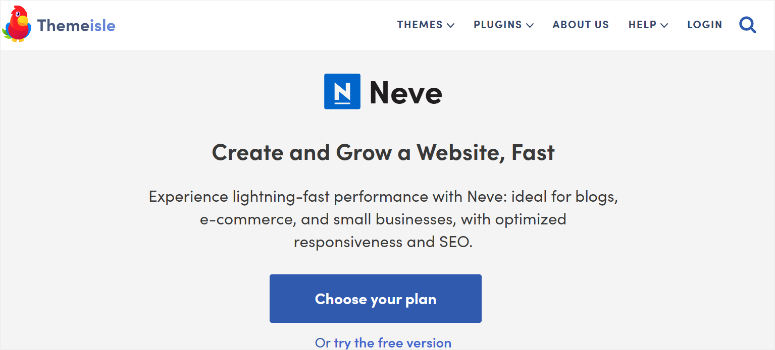
Neve caught my attention as one of the fastest-loading magazine themes I’ve tested.
The lightweight design keeps pages snappy even with multiple ad units running, which matters when you’re competing for mobile traffic.
How Does Neve Handle AdSense?
During testing, I found Neve’s dedicated ad spaces easy to work with.
The ad WordPress theme includes widget areas optimized for standard AdSense sizes, and the customizer lets you adjust spacing and colors around ads.
I worked with Elementor to create custom layouts with ads placed exactly where I wanted them.
What Makes Neve Good for Ads?
Neve’s starter templates provide ready-made magazine layouts that already include strategic ad positions.
I imported a news-style demo and had ads running within minutes. Plus, the theme’s mobile-first approach ensures ads resize properly on phones without breaking layouts or causing accidental clicks.
With over 300,000 active installations, Neve has proven itself as a reliable choice for publishers.
The clean, modern design doesn’t distract from content, making ads feel like a natural part of the page rather than intrusive elements.
►Pros:
- Extremely lightweight and fast
- Works seamlessly with Elementor and Beaver Builder
- Modern, clean design aesthetic
- Free version available for testing
►Cons:
- Fewer ad-specific features than dedicated themes
- Pro version needed for full functionality
- Less demo variety than competitors
My Verdict: Neve strikes the right balance between speed and functionality for modern publishers. If you want a fast-loading magazine theme with good ad support and contemporary design, Neve delivers without unnecessary complexity.
Get started with Neve here | Try Neve free version here
Pricing: Starts at $69/year
10. News Portal ⭐⭐⭐⭐
4.5/5 Stars | Best for: Budget-Conscious News Sites

News Portal surprised me because even its free theme actually handles ads well. It is perfect for any blogger with no budget but still wants their AdSense ads to blend with their site.
How Does News Portal Handle AdSense?
During testing, I found News Portal includes ad space in the header and sidebar, the two most important spots for basic monetization.
To add to this, it offers 5+ custom widgets that help you organize content sections while leaving room for ad placement.
I used text widgets to add AdSense code in the sidebar and header areas without any coding and was surprised how easy it was.
What Makes News Portal Good for Ads?
The homepage layout includes multiple content sections that keep visitors engaged and scrolling, which means more ad exposure.
News Portal’s category color options help readers navigate different topics easily, and the built-in news ticker adds a professional touch you’d expect from paid themes.
►Pros:
- The free theme is powerful
- Header and sidebar ad areas included
- Multiple content sections on homepage
- Works with standard WordPress widgets
►Cons:
- Limited customization options
- Basic design compared to premium themes
- Fewer ad placement options on free version
My Verdict: News Portal proves you don’t need to spend money to monetize with AdSense. The free version is perfect for beginners, testing the waters, or local news sites operating on minimal budgets.
Get started with News Portal here | Try News Portal’s free version here
Pricing: Starts at $59.99/year
11. Felt ⭐⭐⭐⭐
4.5/5 Stars | Best for: Elegant Magazine Sites
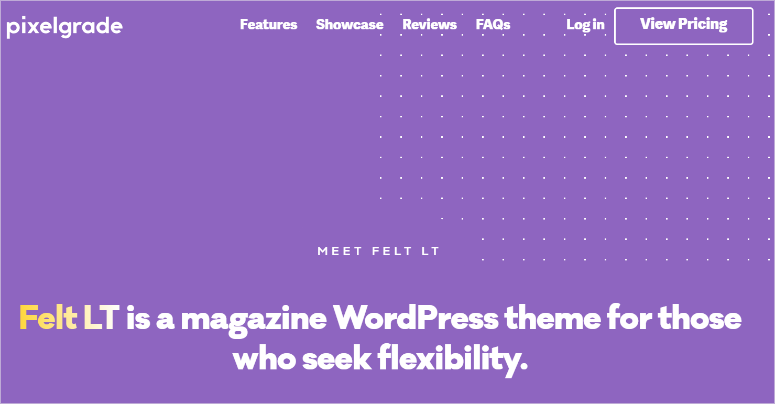
Felt by Pixelgrade is my recommendation for content creators like travel bloggers who want ads that work well with photography.
The dedicated ad widget integrates seamlessly into the magazine-style layout without screaming “ADVERTISING.”
How Does Felt Handle AdSense?
During testing, I appreciated Felt’s “plug-and-play” ad widget designed specifically for monetization.
Instead of generic text widgets, Felt provides a proper ad widget that fits naturally into the modular layout.
I placed ads in the sidebar and between content sections, and both looked professional and well-integrated.
What Makes Felt Good for Ads?
The carousel and slideshow widgets create a striking digital magazine feel while leaving strategic spaces for ad placement.
Felt’s flexible and simple homepage layout lets you drag and drop sections to balance content with ad visibility. Plus, this AdSense theme works flawlessly with Gutenberg, making page building simple.
What stood out during speed tests was how Felt maintains fast loading times despite its visual richness.
On top of that, the SEO-optimized code and attention to typography make content readable, which keeps visitors engaged longer. This creates more time for ad impressions.
►Pros:
- Dedicated ad widget for clean integration
- Beautiful magazine-style design
- Gutenberg-compatible for easy editing
- Fast loading despite visual elements
►Cons:
- Higher price point
- Fewer demos than competitors
- No free version to test
My Verdict: Felt is worth the investment if you’re building a visually-focused magazine where ads need to blend elegantly with content. The dedicated ad widget and thoughtful design make monetization feel natural rather than forced.
Pricing: Starts at $75/year
12. Magazine ⭐⭐⭐⭐
4.4/5 Stars | Best for: Editorial Sites Emphasizing Ad Revenue
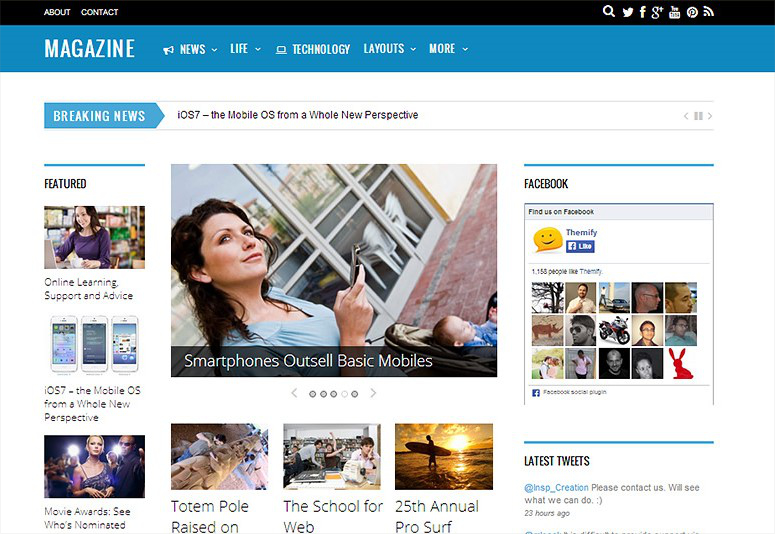
Magazine by Themify was literally designed to emphasize advertisements.
When you set it up, you quickly see how the layout places ad areas in prominent spots that fit perfectly with standard banner sizes. This tells you immediately that this AdSense theme prioritizes monetization.
How Does Magazine Handle AdSense?
Magazine includes dedicated ad spaces in the header (728×90 leaderboard), below navigation, sidebar, and a rectangle banner spot next to related posts.
During testing, I used text widgets to add AdSense code in each location. Everything fits perfectly without adjusting sizes or breaking layouts.
What Makes Magazine Good for Ads?
Magazine comes with 42 pre-built layout options and the Themify Builder, which uses drag-and-drop to create complex grid layouts like Guardian or CNN.
I built a news-style homepage in minutes with ads integrated naturally throughout. The breaking news ticker adds a professional editorial touch, while the mega menus help with navigation.
On top of that, the 3-column design gives you plenty of real estate for content and ads without feeling cramped.
I tested the mobile slide navigation and saw that ads remained visible and functional on phones without causing layout issues.
►Pros:
- Designed specifically to emphasize ads
- 42 pre-built layouts with Themify Builder
- Fits standard AdSense sizes perfectly
- Breaking news ticker and mega menus included
►Cons:
- Requires Themify membership
- Design feels more traditional than modern
- Learning curve with Themify Builder
My Verdict: Magazine makes no apologies about prioritizing ad revenue, and that’s exactly what some publishers need. If you’re running an editorial site where ads are the primary income source, Magazine’s purpose-built design delivers.
Get started with Magazine here.
Pricing: Starts at $59 for a single-site license
Is this ads theme right for you? Check out our Themify coupon code page for more deals.
That’s it for my list of the 12 best WordPress AdSense themes. But we are not done yet! Below are the themes that just missed making the list.
Bonus: Other AdSense-Optimized Themes
- OriginMag: OriginMag is a detailed WooCommerce theme that combines eCommerce features with multiple ad placements. It’s perfect if you’re selling products while monetizing with AdSense.
- The customizable homepage includes a featured slideshow, video widgets, and strategic ad spots that don’t interfere with the shopping experience.
- Plus, the 1-click content importer gets you started quickly with professional layouts already optimized for both sales and ads.
- Noozbeat: Noozbeat offers a classic, minimal layout with a white background that makes content highly readable. The clean design provides multiple ad placement options without visual clutter.
- Category layouts help organize content while sidebar and in-content ad spaces integrate naturally.
- Apart from that, the color variations and custom widgets give you enough flexibility to match your brand while maintaining ad visibility.
- Newsly Magazine: Newsly Magazine is a completely free theme built for magazines, blogs, newspapers, and content publishers. It includes multiple ad display locations optimized for AdSense and works with Google Ads compatibility.
- The highly customizable header widgets, sidebar layouts, and custom background options let you create a professional-looking site without spending a dime.
- It is perfect for testing AdSense before investing in premium themes.
- MH Magazine: MH Magazine is a responsive magazine theme with over 1 million downloads and thousands of happy users.
- Used by major brands like Forbes and Imgur, it provides dedicated header advertisement areas and sidebar ad space optimized for recommended AdSense sizes (728×90, 300×250, 336×280).
- The image slider, font choices, and translation-ready features make it versatile for international publishers monetizing with AdSense.
- Neuton: Neuton is a modern news and magazine theme focused on content presentation. It offers strategic ad placement areas, multiple category layouts, and custom widgets designed for editorial sites.
- The dual navigation menu system helps with site organization, while color schemes let you maintain brand consistency.
- Ad spaces integrate naturally into the clean, content-focused design without overwhelming visitors.
- Feather Magazine: Feather Magazine is a free WordPress theme designed for personal blogs, magazines, newspapers, and product reviews.
- It offers ad space in the header section and supports Google DFP ads alongside standard AdSense.
- The flexible header, sidebar widgets, featured images, and custom background options give you solid customization for a free theme. Translation-ready features make it suitable for multilingual sites.
AdSense WordPress Plugins
While a good theme provides the foundation for ad placement, plugins offer advanced features that can boost your AdSense revenue even further.
Here are the top plugins that work alongside these themes:
- WPCode – Ideal for adding AdSense code snippets without editing theme files. You can insert ad code anywhere using shortcodes, schedule ads for specific time periods, and track performance across platforms like Facebook and TikTok. The Conversion Pixels addon helps improve your ad-spend ROI with detailed tracking.
- Advanced Ads – The most powerful ad management plugin with features like ad rotation, visitor conditions, and placement testing. Perfect if your theme lacks built-in ad management. It offers unlimited ad placements, effortless split tests, and refined targeting to specific content and user groups for higher performance.
- AdSanity – A user-friendly option that simplifies ad management with a clean interface. Great for publishers who want straightforward ad insertion, scheduling, and basic performance tracking without overwhelming features. Works seamlessly with most WordPress themes and offers good control over ad placement.
Should you use plugins with these themes?
It depends. Themes like Ad-Sense, Newspaper, and Magazine include robust built-in ad management. You won’t need extra plugins. But powerful multipurpose themes like Sydney, Astra, or OceanWP benefit from pairing with ad plugins for more control.
How to Choose the Right AdSense Theme for Your Site
Picking the right AdSense theme doesn’t have to be overwhelming. Start by matching your actual needs to what each theme does best.
Here’s how to think through your decision.
Start with Your Site Type
Don’t choose a theme based on looks alone. Choose based on what you’re actually building.
Running a professional business site?
- Sydney gives you clean, business-focused layouts where ads blend naturally without looking desperate
- Astra offers professional starter templates that work for consultants, agencies, and service providers
Building a content-heavy news or magazine site?
- Newspaper was literally built for this—18 permanent ad spaces and 120+ news-focused demos
- Magazine (Themify) emphasizes ad placement in its core design, with 42 layout options
Creating a blog or personal site?
- Neve Magazine delivers modern design with lightweight code, perfect for lifestyle and personal blogs
- Felt offers elegant magazine styling where ads integrate beautifully with visual content
Selling products alongside content?
- SeedProd‘s theme builder works for any site type and gives you complete control over layout and ad placement
- Divi‘s flexibility lets you build eCommerce layouts with strategic ad positions
Consider Your Technical Skill Level
Be honest about your comfort with WordPress and coding.
Complete beginner who wants simple setup?
- SeedProd Lite and Sydney’s free version let you add ads through widgets—no code required
- Astra offers 180+ starter templates you can import and customize through the visual editor
Comfortable learning new tools?
- SeedProd‘s drag-and-drop builder is intuitive but requires learning how the theme builder works
- OceanWP gives you tons of options without being completely overwhelming
Want maximum control and don’t mind a learning curve?
- Divi‘s visual builder offers unlimited design freedom once you understand how it works
- Thrive Themes gives you A/B testing and conversion tools built for marketers
Developer or advanced user?
- SeedProd lets you build completely custom themes from scratch
- Astra‘s hooks and filters give developers precise control
My Top 3 Recommendations
Best Overall: SeedProd
- SeedProd gives you complete control over ad placement without touching code.
- The drag-and-drop theme builder lets you position ads exactly where they perform best, and the blazing-fast performance means you won’t sacrifice speed for monetization.
Best for Budget-Conscious: Astra
- Astra delivers professional results without breaking the bank.
- The free version includes solid ad support, and the Pro version unlocks 180+ starter templates with advanced features.
Best for Revenue Maximization: Thrive Themes
- Thrive Themes maximizes AdSense earnings through data-driven optimization.
- The built-in A/B testing lets you test different ad placements and see which ones actually convert.
FAQs: Best AdSense Optimized WordPress Themes
What makes a WordPress theme “AdSense optimized”?
AdSense-optimized themes include widget-ready areas for common ad sizes. For example, you get ad widgets sized 728×90, 300×250, and 336×280. These themes also come with fast-loading code that doesn’t slow down with ads, mobile-responsive ad display, and clean layouts where ads fit naturally. The best ones offer built-in ad management features so you don’t need extra plugins. Look for themes with dedicated ad widgets, strategic placement options, and designs that balance monetization with user experience.
Can I use AdSense with any WordPress theme?
Yes, you can technically add AdSense to any WordPress theme using plugins or custom code. But AdSense-optimized themes make the process easier with pre-built ad areas. They also offer better ad placement options and designs that don’t make ads look intrusive. You’ll save time and likely earn more revenue with a theme designed specifically for ad monetization versus forcing ads into a theme not built for them.
Which is better: free or premium AdSense themes?
Premium themes like Thrive Themes and Sydney typically offer better ad management features, faster loading speeds, ongoing support, and regular updates. Plus, they provide advanced features (ad blocker detection, built-in ad management, A/B testing) that can significantly increase your ad revenue. The investment often pays for itself through better monetization. On the other hand, free WordPress AdSense themes work well for beginners testing AdSense.
Do I need plugins if I use an AdSense-optimized theme?
Not always. Themes like Ad-Sense, Newspaper, and Magazine include built-in ad management that eliminates the need for extra plugins. Themes like Sydney, Astra, or OceanWP work best when paired with ad plugins like Advanced Ads, WPCode, or AdSanity. These plugins add features like ad rotation, visitor targeting, scheduling, and detailed analytics that basic themes don’t provide.
How many ads should I place on my site?
Google allows multiple ad units per page, but quality matters more than quantity. Focus on strategic locations: one above-the-fold sidebar ad, one in-content ad after 2-3 paragraphs, and one below content. Avoid cramming ads everywhere because this annoys visitors and can actually lower your earnings. Your AdSense-optimized theme should make these strategic placements easy without cluttering your design.
Will ads slow down my WordPress site?
Ads do add load time, but lightweight themes like Astra, SeedProd, and OceanWP minimize this impact. Look for themes with clean code, async ad loading support, and good Core Web Vitals scores. Pair your theme with caching plugins (WP Rocket, W3 Total Cache) and image optimization tools to maintain fast speeds. AdSense’s auto ads can be particularly heavy, so consider manual placement for better control over performance.
Can I switch themes without losing my ad setup?
It depends on how you’ve set up your ads. If you use a plugin like Advanced Ads or WPCode, your ads will remain intact when switching themes. But if you added ads through theme-specific widgets or theme options panels, you’ll need to reconfigure them in your new theme. This is why using a plugin for ad management often provides more flexibility long-term.
Final Thoughts: Should I Use AdSense WordPress Themes?
Most definitely! But remember, choosing an AdSense-optimized theme isn’t about finding the “best” one. It’s about finding the right one for your specific situation.
The themes in this guide all handle ads well, but they excel in different areas. Some prioritize speed. Others focus on design flexibility. A few are built specifically for revenue maximization.
What matters most is matching your actual needs to what each theme does best.
A beginner starting their first blog needs something different than a marketer running A/B tests or a publisher managing a content-heavy news site.
Start with where you are right now. Consider your technical skills, budget, and primary goals. Then choose the theme that makes your job easier rather than harder.
The right theme pays for itself through better ad performance, faster setup, and less frustration. Your time matters too.
Resource Center
Are you looking for more amazing themes? Check out the guide below.
- Best WordPress Directory Themes – Create professional business listings, job boards, and local directory websites with these specialized themes.
- Best Fullscreen WordPress Themes – Captivate visitors with stunning full-width designs that showcase your content across the entire screen.
- Top WordPress Themes for Affiliate Marketing – Monetize your content effectively with themes designed specifically for affiliate product reviews and comparisons.
- Best Personal Website WordPress Themes – Build a professional portfolio or personal brand site that showcases your work and tells your story.
- Top Crowdfunding WordPress Themes – Launch fundraising campaigns and donation sites with themes built for nonprofit organizations and creative projects.
- Best WordPress Themes for Writers and Authors – Display your books, blog posts, and creative writing with beautiful, reader-friendly layouts designed for authors.
Each of these guides follows the same hands-on testing approach we used here. I don’t just list themes, I actually use them and show you what works in real-world scenarios.
I hope this guide helped you find the right AdSense-optimized WordPress theme for your site.

Comments Leave a Reply