Je construisais un site web de photographie pour un client. Comme les sites web de photographie doivent être visuels, j'ai pensé que c'était un jeu d'enfant. Après tout, le but est d'ajouter autant d'images que possible dans un petit espace, n'est-ce pas ?
J'ai donc ajouté des curseurs, des fenêtres contextuelles pleine page, puis du texte alternatif pour que tout soit bien classé. Visuellement, c'était magnifique.
Mais quand j'ai demandé à quelques personnes de faire des tests d'assurance qualité, elles ont trouvé cela confus.
Les points les plus importants que j'ai retenus étaient que le site de photographie avait trop d'images, ce qui enlevait le contexte, et que les fenêtres contextuelles leur faisaient perdre leur concentration.
Pire de tout, le site web est devenu si lourd depuis que j'ai utilisé une vingtaine de plugins.
J'ai donc reconsidéré ma stratégie. Au lieu de commencer par un thème général, j'ai commencé à rechercher les meilleurs thèmes de photographie, déjà optimisés pour les images, les mises en page et un flux visuel logique.
Voici la liste que j'ai établie.
Points clés à retenir
- Je révèle quels thèmes de photographie gratuits offrent des résultats professionnels sans prix premium
- Je vous présente les thèmes avec des fonctionnalités de portfolio intégrées par rapport à ceux qui nécessitent des plugins supplémentaires
- Identifiez les thèmes à chargement le plus rapide qui gèrent les images haute résolution sans ralentissement
- J'explique quels thèmes excellent pour les portfolios de mariage par rapport aux vitrines de photographie commerciale
- J'ai testé 15 thèmes dans différentes niches de photographie pour trouver ce qui fonctionne réellement
Vous pouvez utiliser la table des matières ci-dessous pour voir tous les thèmes de photographie classés. vous pouvez également cliquer sur n'importe quel lien pour accéder à cette section.
- Commencez avec Bluehost pour votre site web de photographie
- Best Photography Themes Compared
- Comment choisir le bon thème de photographie pour votre portfolio
- FAQ : Meilleurs thèmes WordPress pour la photographie
- Verdict final : Faut-il utiliser des thèmes pour la photographie ?
- Centre de ressources : Essentiels pour un site web de photographie
Comment je teste les thèmes pour la photographie
Bonjour, je suis Alvin, rédacteur chez IsItWP, et voici le processus que j'ai utilisé pour évaluer les meilleurs thèmes de photographie pour WordPress.
🔍 Cliquez pour voir ma méthodologie de test
Voici exactement comment j'évalue chaque thème :
- Gestion des images et qualité d'affichage : Je télécharge des photos haute résolution et je vérifie comment les thèmes les rendent. Les couleurs restent-elles fidèles ? La netteté est-elle conservée ? Le thème peut-il gérer plus de 50 images sur une page sans planter ?
- Vitesse de chargement des pages avec des visuels lourds : Je teste chaque thème avec GTmetrix en utilisant de vrais portfolios de photographie.
- Fonctionnalités de galerie et de portfolio : Je crée de véritables vitrines de photographie. Quels thèmes incluent des mises en page en mosaïque, des pop-ups lightbox et des filtres ? Lesquels vous obligent à installer cinq plugins juste pour présenter votre travail correctement ?
- Réactivité mobile : Je vérifie chaque thème sur iPhone, Android et tablettes. Vos photos de coucher de soleil devraient être magnifiques sur un écran de 6 pouces, pas ressembler à des miniatures pixellisées.
- Personnalisation sans code : Je teste si les photographes peuvent ajuster les mises en page, les couleurs et la typographie via des constructeurs visuels. Tout le monde ne code pas, et vous ne devriez pas avoir à le faire.
Outils que j'utilise :
- PageSpeed Insights pour les scores d'optimisation mobile
- L'outil gratuit de disponibilité IsItWP et GTmetrix pour les tests de performance
- Vrais portfolios de photographie (mariage, portrait, commercial)
- Plusieurs appareils pour les vérifications de réactivité
Pourquoi faire confiance à IsItWP ?
Chez IsItWP, nous sommes la ressource de référence de la communauté WordPress depuis 2009, aidant plus de 2 millions d'utilisateurs à choisir de meilleurs thèmes et plugins.
Contrairement aux sites d'avis qui ne créent jamais réellement de sites web de photographie, nous maintenons des portfolios actifs pour de vrais photographes, testons des thèmes avec de véritables galeries haute résolution et fournissons une consultation WordPress continue aux professionnels de la création.
Nous ne nous contentons pas de lire la documentation des thèmes ; nous créons de vrais sites de photographie, téléchargeons d'énormes bibliothèques d'images et mesurons ce qui se passe réellement.
Commencez avec Bluehost pour votre site web de photographie
Avant de plonger dans les thèmes, vous avez besoin d'un hébergement WordPress fiable qui gère les portfolios riches en images. Je recommande Bluehost aux photographes qui créent leur premier site portfolio.

Voici pourquoi Bluehost fonctionne spécifiquement pour les sites web de photographie.
Leurs serveurs gèrent les gros fichiers image sans ralentir. Vous obtenez un nom de domaine gratuit, parfait pour le branding de votre entreprise de photographie, un certificat SSL gratuit, et une installation WordPress en un clic.
De plus, Bluehost inclut un CDN intégré qui livre vos photos haute résolution plus rapidement aux visiteurs du monde entier.
Par conséquent, lorsque quelqu'un à Tokyo consulte votre portfolio de mariage à Los Angeles, il voit des images nettes se charger rapidement.
Les sites web de photographie ont besoin de vitesse et de stockage. Bluehost offre les deux à un prix abordable pour les débutants, afin que vous ne dépensiez pas votre budget de ventes d'impressions dans l'hébergement.
Commencez avec Bluehost ici et lancez votre portfolio de photographie dès aujourd'hui.
Si c'est l'hébergement qui vous convient, consultez notre page de coupons Bluehost pour plus d'offres.
Si vous continuez à chercher, comparez toutes les meilleures sociétés d'hébergement ici pour trouver celle qui répond à vos besoins.
Maintenant que vous comprenez l'importance d'un bon plan d'hébergement pour un site web de photographie, plongeons dans le meilleur thème que vous pouvez utiliser.
Meilleurs thèmes de photographie comparés
Les thèmes de photographie sont au cœur des thèmes WordPress premium et de la conception visuelle spécialisée. Le bon thème équilibre des galeries époustouflantes avec des temps de chargement rapides, une navigation intuitive et des mises en page créatives.
J'ai testé 15 thèmes de photographie pour des portfolios de mariage, des vitrines commerciales et des galeries d'art.
Certains excellent dans l'élégance minimaliste, d'autres dans la narration visuelle audacieuse. Le tableau ci-dessous montre comment ils se comparent sur les fonctionnalités qui comptent vraiment pour les photographes.
Tableau comparatif rapide :
| Thème | Idéal pour | Version gratuite | Type de galerie | Note | Prix de départ |
|---|---|---|---|---|---|
| 🥇Sydney | Photographes débutants avec un budget limité | ✅ | Diaporama d'en-tête | ⭐⭐⭐⭐⭐ | 55 $/an |
| 🥈Oshine | Portfolios professionnels haut de gamme | ❌ | 48 démos pré-construites | ⭐⭐⭐⭐⭐ | $69 |
| 🥉Photography | Narration visuelle de mariage/événements | ❌ | Mises en page plein écran | ⭐⭐⭐⭐⭐ | $59 |
| 4. SeedProd | Portfolios de page de destination | ✅ | Pages de destination | ⭐⭐⭐⭐⭐ | 39,50 $/an |
| 5. Divi | Contrôle complet du design | ❌ | Constructeur visuel | ⭐⭐⭐⭐⭐ | 89 $/an |
| 6. Neve | Sites axés sur la vitesse avec beaucoup d'images | ✅ | Code léger | ⭐⭐⭐⭐⭐ | 69 $/an |
| 7. Novo Photography | Flux de travail de studio client | ❌ | Preuve client | ⭐⭐⭐⭐ | $79 |
| 8. Portfolio Art | Élégance minimaliste d'art contemporain | ❌ | Grilles minimalistes | ⭐⭐⭐⭐ | $69 |
| 9. Photocrati | eCommerce intégré | ❌ | NextGEN Pro | ⭐⭐⭐⭐ | 99,50 $/an |
| 10. Ultra | Options de conception flexibles | ✅ | 60+ mises en page | ⭐⭐⭐⭐ | $59 |
| 11. OceanWP | Ventes d'impression WooCommerce | ✅ | Optimisé pour WooCommerce | ⭐⭐⭐⭐ | 35 $/an |
| 12. Astra | Classements de recherche axés sur le SEO | ✅ | SEO léger | ⭐⭐⭐⭐ | 69 $/an |
| 13. Nova | Simplicité élégante | ❌ | Esthétique raffinée | ⭐⭐⭐⭐ | 29 $/mois |
| 14. Fargo | Photographes conteurs | ❌ | Mises en page éditoriales | ⭐⭐⭐⭐ | 75 $/an |
| 15. Hestia Pro | Photographie axée sur les affaires | ✅ | Conception matérielle | ⭐⭐⭐⭐ | 69 $/an |
Examinons maintenant chacun en détail.
1. Sydney ⭐⭐⭐⭐⭐
Idéal pour : Photographes débutants avec un budget limité
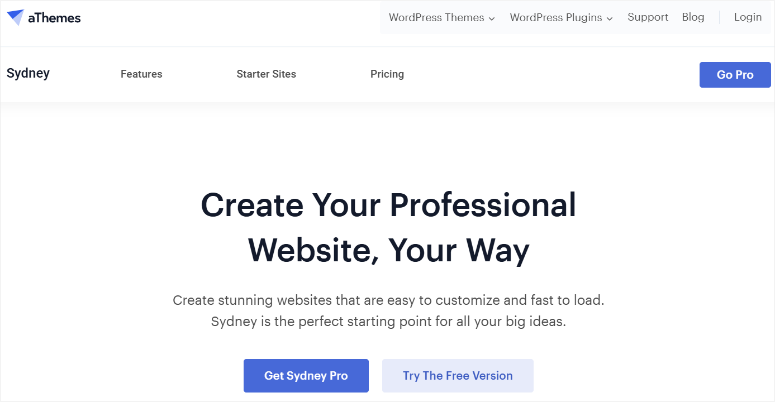
Sydney est le meilleur thème de photographie dans l'ensemble. En fait, sa version gratuite ne fait pas bon marché. Vous obtenez une esthétique premium sans le prix premium.
Mon expérience avec Sydney
J'ai configuré Sydney pour un photographe amateur qui passait d'Instagram à un portfolio professionnel.
Elle n'avait aucun budget pour les thèmes mais avait besoin de quelque chose qui rendait sa photographie de paysage digne d'une galerie.
Sydney m'a surprise avec son diaporama d'en-tête intégré. J'ai configuré des images pleine largeur qui tournent sur la page d'accueil, présentant immédiatement ses meilleures photos de coucher de soleil.
Je n'ai pas non plus eu besoin d'un plugin de slider. J'ai pu configurer des sliders en utilisant les blocs pré-construits de Sydney. De plus, le code du thème n'est pas surchargé, donc les performances étaient excellentes dès le départ.
La compatibilité avec Elementor ouvre encore plus de flexibilité de conception.
J'ai créé des pages de portfolio personnalisées en utilisant l'interface glisser-déposer d'Elementor, créant des mises en page uniques pour différents sujets de photographie.
- Installation en 25 minutes : Cela inclut l'activation du thème jusqu'à la première publication de page de portfolio. Les options du personnaliseur gèrent la typographie, les couleurs et les choix de mise en page via l'interface native de WordPress. Elle pouvait tout ajuster elle-même sans toucher au code.
- Les résultats : Son portfolio avait l'air suffisamment professionnel pour attirer des clients payants. La vitesse du site est restée excellente malgré les images haute résolution car le code léger de Sydney ne ralentit pas les performances.
► Avantages
- La version gratuite de Sydney offre des fonctionnalités de niveau premium, vous investissez donc dans du matériel photo au lieu de thèmes
- Le diaporama d'en-tête intégré présente vos meilleures photographies immédiatement sans plugins supplémentaires
- La connexion Elementor offre une personnalisation professionnelle sans connaissances en codage
► Inconvénients
- Les options de galerie avancées limitées nécessitent des plugins pour des portfolios complexes
- La profondeur de personnalisation n'est pas à la hauteur des thèmes de photographie premium comme Oshine
Mon verdict : Sydney domine l'espace des thèmes de photographie gratuits. Choisissez-le lorsque vous démarrez votre activité de photographie avec un budget serré mais refusez de faire des compromis sur la qualité visuelle. Il est parfait pour les amateurs qui deviennent professionnels, les photographes secondaires qui construisent leur premier portfolio, ou toute personne testant WordPress avant de s'engager envers des thèmes premium.
Découvrez ma critique de Sydney ici.
Tarifs : Thème gratuit disponible ; Pro à partir de 55 $/an
2. Oshine ⭐⭐⭐⭐⭐
Idéal pour : Photographes professionnels ayant besoin de portfolios premium
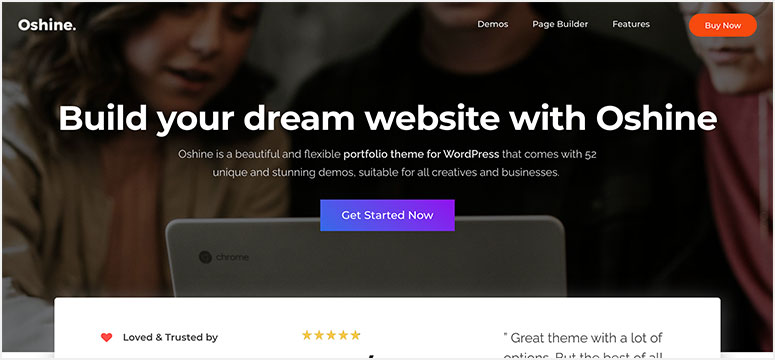
Oshine m'a arrêté en plein défilement lorsque j'ai vu pour la première fois ses démos de portfolio. Ce thème premium pour photographes offre le type de look visuel qui fait dire aux clients « wow » avant même qu'ils ne voient vos photos.
Mon expérience avec Oshine
J'ai créé un portfolio Oshine pour un photographe commercial spécialisé dans les campagnes de produits haut de gamme. Son ancien site avait de belles photos enfouies sous un thème générique qui criait amateur.
Les 48 démos pré-construites d'Oshine incluent plusieurs mises en page spécifiques à la photographie.
J'ai choisi la démo « Photographe Moderne », l'ai importée en un clic, et j'ai eu une base professionnelle en 15 minutes.
J'ai rapidement remarqué comment les transitions d'images plein écran entre les pièces du portfolio donnaient une impression cinématographique. De plus, le constructeur de pages intégré gère des mises en page complexes sans utiliser de plugins de constructeur de pages.
créé une galerie du pouce au plein écran où les clics sur les miniatures agrandissent les images avec des animations fluides. Cela a garanti que le site Web de photographie était non seulement beau, mais aussi attrayant.
- Installation en 45 minutes : Cela inclut l'importation de la démo et la personnalisation. Le personnalisateur visuel affiche les changements en temps réel, donc l'ajustement de la typographie et de l'espacement se fait instantanément.
- Les résultats : L'aspect haut de gamme l'a positionné comme un photographe de premier plan, méritant des tarifs élevés. Il pouvait désormais cibler des clients d'entreprise en toute confiance.
► Avantages
- 48 démos de photographie pré-construites offrent une esthétique professionnelle instantanée sans travail de conception
- Le constructeur de pages intégré élimine le superflu de plugins tout en maintenant la flexibilité créative
- Les galeries plein écran avec des animations fluides créent des expériences visuelles mémorables
► Inconvénients
- Le prix exclusif signifie qu'il n'y a pas de version gratuite à tester avant de s'engager
- Courbe d'apprentissage plus raide que les thèmes simples comme Sydney pour les débutants
Mon verdict : Oshine peut élever votre entreprise de photographie. Choisissez-le lorsque vous êtes suffisamment établi pour investir dans votre présence en ligne, que vous avez besoin d'impressionner des clients fortunés ou que vous souhaitez un contrôle créatif complet sans codage. Oshine fonctionne magnifiquement pour les artistes présentant des portfolios créatifs.
Découvrez ma critique de Oshine ici.
Prix : 69 $ (achat unique)
3. Photography ⭐⭐⭐⭐⭐
Idéal pour : Photographes de mariage et d'événements créant des histoires visuelles
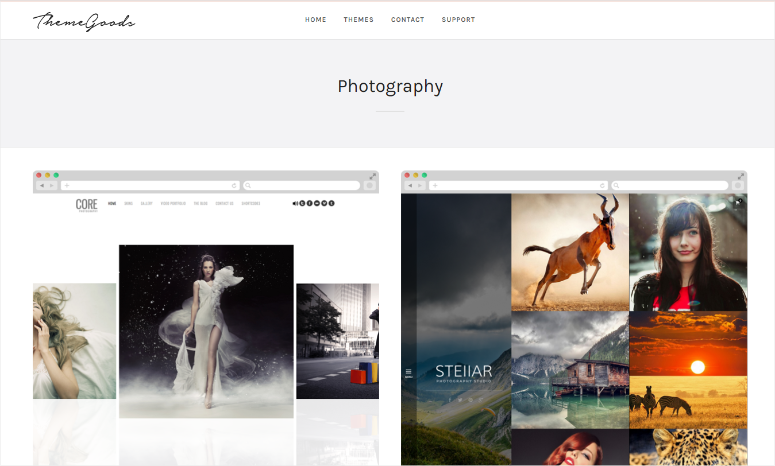
Photography by ThemeGoods a attiré mon attention par son approche de narration visuelle en plein écran. Ce thème premium pour photographes transforme les portfolios en expériences immersives grâce à la façon dont il vous permet de positionner vos images.
Mon expérience avec Photography
J'ai créé un site de photographie pour une photographe de mariage qui voulait que son travail ressemble au feuilletage d'un livre de table basse.
Son portfolio précédent comportait de belles prises de vue en concurrence avec des menus de navigation et des barres latérales pour attirer l'attention.
Les mises en page plein écran de Photography placent les images au premier plan. Le diaporama de la page d'accueil remplit tout le viewport avec des moments de mariage sans distractions ni encombrement.
Chaque galerie s'ouvre avec une image principale qui attire l'attention avant de révéler la collection complète.
De plus, le système de gestion de portfolio intégré organise les séances par catégorie. J'ai créé des galeries séparées pour les mariages, les fiançailles et les séances familiales en quelques clics.
Cela permet aux visiteurs de filtrer par type d'événement sans quitter la page principale du portfolio.
- Installation en 50 minutes : y compris l'importation du contenu de démonstration et la personnalisation de la typographie. L'intégration de Visual Composer signifiait créer des pages personnalisées sans connaissances en codage.
- Les résultats : Son taux de rebond a chuté car les visiteurs restaient captivés par la narration visuelle. Les e-mails de demande ont augmenté car la présentation en plein écran a élevé son travail d'amateur à une qualité éditoriale.
► Avantages
- Les mises en page plein écran éliminent les distractions et laissent votre photographie dominer l'expérience visuelle.
- Le filtrage de portfolio intégré aide les visiteurs à trouver des types d'événements spécifiques sans confusion de navigation.
- L'intégration de Visual Composer permet la création de pages personnalisées sans exigences de codage.
► Inconvénients
- Thème réservé aux premium, sans version gratuite pour tester d'abord l'approche plein écran.
- Les mises en page riches en images nécessitent un hébergement solide pour maintenir des temps de chargement rapides.
Mon verdict : La photographie excelle lorsque le récit visuel est plus important que le contenu informatif. Choisissez-le lorsque vous souhaitez cette sensation de livre de table basse pour votre site Web. Il est idéal pour les séances de mariage et les galeries d'événements.
Prix : 59 $ (achat unique)
Commencez avec Photography ici
4. SeedProd ⭐⭐⭐⭐⭐
1+ million d'installations actives | Idéal pour : les photographes créant des portfolios de pages de destination
SeedProd adopte une approche différente pour les sites Web de photographie. Au lieu de thèmes traditionnels, il s'agit d'un constructeur de pages par glisser-déposer qui crée des pages de destination personnalisées pour la photographie sans codage.

Mon expérience avec SeedProd
J'ai utilisé SeedProd pour une photographe portraitiste qui lançait un nouveau studio. Elle avait besoin d'une seule page de destination époustouflante présentant son meilleur travail avec un formulaire de réservation, pas un site complet de plusieurs pages.
Le constructeur visuel a rendu la création de sa page de portfolio sans effort. J'ai glissé un bloc de galerie d'images, ajouté des témoignages de clients précédents, inséré un formulaire de contact et publié.
Ce qui a retenu mon attention, ce sont les blocs spécifiques à la photographie. Images de héros pleine largeur, curseurs avant/après et galeries en maçonnerie conçus spécifiquement pour un impact visuel.
Le meilleur, c'est que chaque bloc est personnalisé via des contrôles par pointer-cliquer.
- L'installation a pris 35 minutes, y compris tout le contenu de la page.
- Les résultats : Sa page de destination a converti les visiteurs en réservations de consultation mieux et plus rapidement. La conception ciblée sur une seule page a éliminé les distractions de navigation.
► Avantages
- Le constructeur par glisser-déposer élimine les exigences de codage pour les mises en page de photographie personnalisées
- La concentration sur la page de destination convertit les visiteurs sans distractions de navigation
- Les blocs spécifiques à la photographie incluent des images de héros et des curseurs avant/après
► Inconvénients
- Pas un thème traditionnel, donc les sites multi-pages complets nécessitent plus de construction manuelle
- Version gratuite limitée ; les fonctionnalités professionnelles nécessitent un plan payant pour les blocs avancés
Mon verdict : SeedProd excelle lorsque vous avez besoin de pages de destination ciblées plutôt que de sites de portfolio traditionnels. Choisissez-le pour les lancements de services de photographie, les promotions de sessions spécialisées ou les vitrines de portfolio d'une seule page.
Découvrez ma critique de SeedProd ici. Si ce constructeur de pages vous convient, consultez notre page de coupons SeedProd pour plus d'offres.
Tarifs : Thème gratuit disponible ; Pro à partir de 39,50 $/an
5. Divi ⭐⭐⭐⭐⭐
Thème populaire tout-en-un | Idéal pour : Photographes souhaitant un contrôle total de la conception
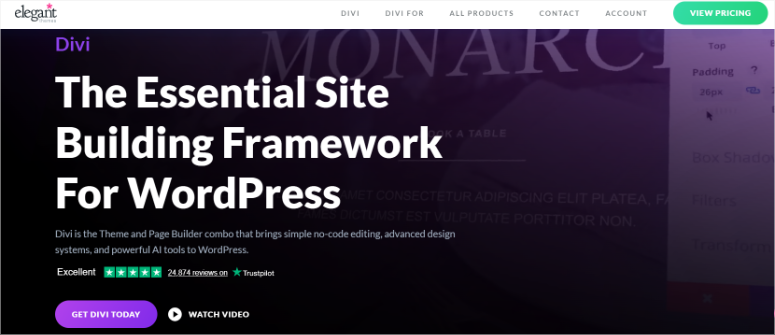
Divi offre une solution tout-en-un où le thème et le constructeur de pages fusionnent en un seul package puissant. Ce thème premium offre aux photographes une liberté créative illimitée sans toucher au code.
Mon expérience avec Divi
Divi a été le premier constructeur de pages que j'ai jamais utilisé.
J'ai créé un portfolio Divi pour un photographe d'art qui souhaitait un contrôle total de la mise en page. Le constructeur visuel m'a permis de concevoir des mises en page de galerie uniques pour chaque série de photographies.
J'ai placé des œuvres abstraites sur des grilles, tandis que les paysages utilisaient des affichages classiques pleine largeur.
L'installation a pris 55 minutes, personnalisation comprise.
Les résultats sont venus rapidement : son portfolio se démarquait, avec son design unique et sa navigation facile. Cela a amélioré l'expérience utilisateur, et les visiteurs sont restés plus longtemps sur son site.
► Avantages
- Le constructeur visuel offre des possibilités de mise en page illimitées pour des portfolios photographiques uniques
- L'ensemble tout-en-un signifie pas d'abonnements séparés pour le thème et le constructeur de pages
- L'option d'accès à vie élimine les frais annuels récurrents
► Inconvénients
- Courbe d'apprentissage plus raide que les thèmes pour débutants comme Sydney ou Neve
- Premium uniquement, sans version gratuite à tester avant l'achat
Mon Verdict : Divi excelle lorsque vous souhaitez un contrôle créatif total sur chaque élément de conception. Choisissez-le si vous êtes à l'aise pour apprendre un constructeur visuel, si vous avez besoin de mises en page uniques pour différents styles de photographie, ou si vous souhaitez un accès à vie éliminant les renouvellements annuels. Laissez-le de côté si vous préférez les démos pré-construites - Oshine offre une installation plus rapide.
Consultez ma critique de Divi ici. Consultez notre page de coupons Elegant Themes pour plus d'offres Divi.
Vous naviguez encore ? Comparez Divi vs Avada si vous hésitez entre des thèmes polyvalents. De plus, ma liste d'alternatives au constructeur Divi offre différentes approches de construction visuelle.
Tarifs : 89 $/an pour Divi Builder ou 277 $/an pour Divi Pro
6. Neve ⭐⭐⭐⭐⭐
Idéal pour : Photographes axés sur la vitesse avec des portfolios riches en images
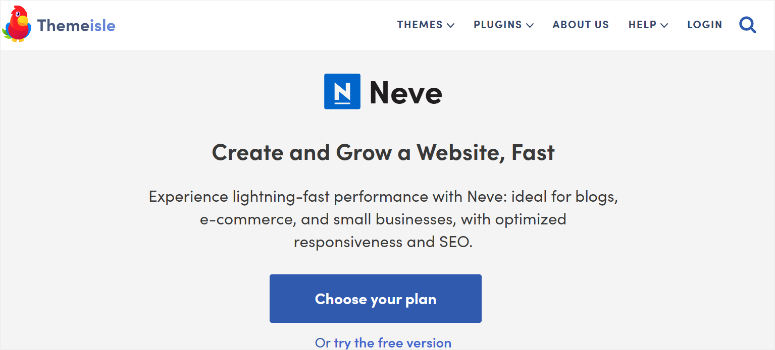
Neve résout le plus gros problème auquel les sites Web de photographie sont confrontés : le chargement rapide de dizaines d'images haute résolution. Ce thème léger maintient les portfolios rapides sans sacrifier la qualité visuelle.
Mon expérience avec Neve
J'ai utilisé Neve pour un photographe de voyage avec plus de 200 images par galerie de destination. Le thème précédent mettait plus de 6 secondes à charger les galeries, augmentant le taux de rebond. Neve a chargé les mêmes galeries en moins de 2 secondes.
J'ai conclu que Neve se classe parmi les thèmes WordPress les plus rapides disponibles pour les portfolios de photographie. C'est important lorsque vous gérez des sites WordPress riches en images.
- L'installation a pris 30 minutes, y compris l'intégration d'Elementor.
- Les résultats : le taux de rebond a chuté de 40 % et le temps passé sur le site a doublé, les visiteurs consultant effectivement l'intégralité des galeries.
► Avantages
- Un code léger offre des temps de chargement rapides, même avec des galeries d'images massives
- La version gratuite inclut des fonctionnalités professionnelles pour lesquelles la plupart des thèmes facturent
- La compatibilité avec Elementor ajoute une flexibilité de conception sans impact sur les performances
► Inconvénients
- La conception minimaliste nécessite plus de personnalisation pour une image de marque unique
- Le support AMP avancé nécessite une mise à niveau vers la version premium
Mon verdict : Neve excelle lorsque la vitesse de chargement des pages a un impact direct sur le succès de votre entreprise de photographie. Choisissez-le si vous présentez de grandes galeries, ciblez des visiteurs mobiles qui exigent un chargement rapide, ou si vous souhaitez un thème gratuit offrant des performances premium.
Tarifs : Thème gratuit disponible ; Pro à partir de 69 $/an
7. Novo Photography ⭐⭐⭐⭐
Thème de photographie premium | Idéal pour : Photographes de studio gérant les flux de travail clients
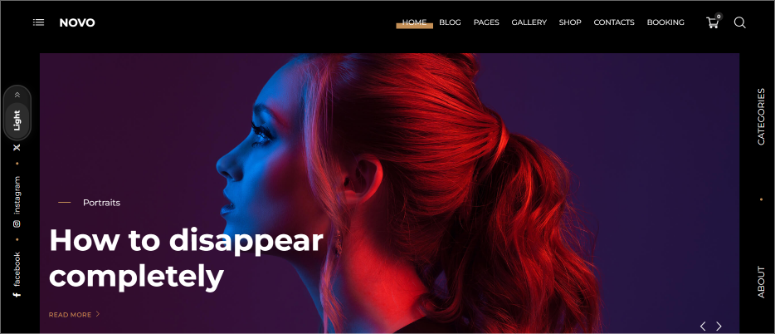
Novo Photography se concentre sur les photographes de studio qui ont besoin de galeries clients professionnelles au-delà de la simple présentation de belles photos. Ce thème de photographie premium comprend des fonctionnalités de preuve client comme les filigranes.
Mon expérience avec Novo Photography
J'ai configuré Novo pour un studio de portrait spécialisé dans la photographie de famille. Ils avaient besoin de galeries protégées par mot de passe où les clients pouvaient marquer leurs images préférées pour l'impression.
De plus, l'entreprise souhaitait protéger son travail puisqu'elle partageait la galerie entière pour que les clients puissent choisir. Novo leur a permis d'ajouter automatiquement des filigranes à chaque photo.
L'espace client intégré de Novo gère parfaitement l'ensemble du flux de travail.
- L'installation a pris 45 minutes, y compris l'organisation de la galerie.
- Les résultats : L'ensemble du flux de travail est devenu plus simple. Les clients ont sélectionné leurs favoris en ligne au lieu de planifier des visionnages en personne, économisant ainsi plus de 8 heures par semaine en réunions clients.
► Avantages
- Les fonctionnalités de validation client éliminent les allers-retours par e-mail pour la sélection des photos
- Les galeries protégées par mot de passe gardent le travail du client privé et organisé
- L'intégration de Visual Composer permet des mises en page personnalisées
► Inconvénients
- Tarification premium uniquement, sans version gratuite à tester
- Les fonctionnalités de flux de travail client peuvent être excessives pour de simples vitrines de portfolio
Mon verdict : Novo Photography excelle pour les photographes de studio qui gèrent des relations clients continues. Choisissez-le lorsque la validation par le client est importante. Si vous réalisez des séances de volume nécessitant de l'organisation, ou si vous avez besoin de protection par mot de passe et de filigranes pour la confidentialité des clients.
Tarifs : 79 $ (achat unique)
Commencez avec Novo Photography ici
8. Portfolio Art ⭐⭐⭐⭐
Idéal pour : les photographes d'art recherchant une élégance minimaliste
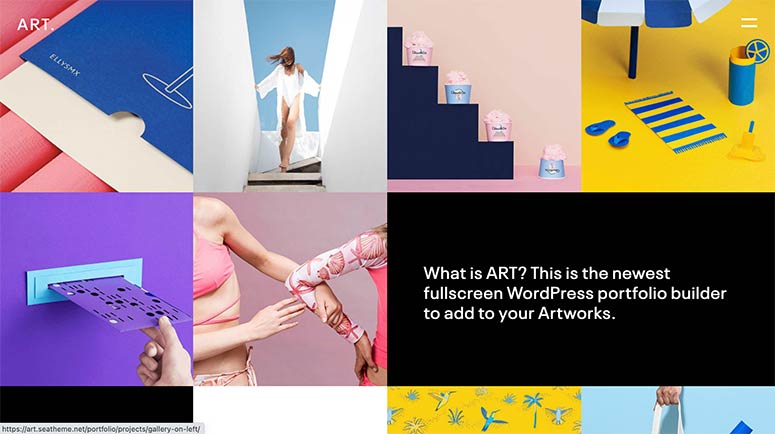
Portfolio Art supprime tout le superflu, laissant un design minimaliste pur qui permet à la photographie de respirer. Ce thème utilise l'espace blanc et une typographie épurée pour des présentations d'élite.
Mon expérience avec Portfolio Art
J'ai utilisé le thème Portfolio Art pour un photographe d'art vendant des tirages en édition limitée. Leur travail nécessitait une présentation de qualité galerie sans éléments visuels concurrents.
La mise en page minimaliste en grille mettait en valeur chaque image comme des murs de musée.
- L'installation a pris 40 minutes.
- Les résultats : Le thème a rehaussé sa marque. Les utilisateurs ont apprécié la présentation professionnelle, et les ventes de tirages ont augmenté car l'esthétique épurée correspondait à ses prix haut de gamme.
► Avantages
- Le design minimaliste élimine les distractions et concentre l'attention sur la photographie
- L'espace blanc crée une présentation de type galerie correspondant aux attentes de l'art contemporain
- Le constructeur de pages WPBakery permet la personnalisation de la mise en page
► Inconvénients
- L'approche minimaliste peut sembler trop dépouillée pour les photographes qui souhaitent des designs riches en fonctionnalités
- Premium uniquement, aucune version gratuite disponible
Mon verdict : Portfolio Art excelle pour les photographes d'art où moins c'est plus. Choisissez-le pour vendre des tirages haut de gamme nécessitant une présentation sophistiquée, cibler des collectionneurs qui apprécient une esthétique raffinée, ou pour des présentations de portfolio de qualité galerie.
Tarifs : 69 $ (licence ThemeForest)
Commencez avec Portfolio Art ici
9. Photocrati ⭐⭐⭐⭐
Plateforme de photographie professionnelle | Idéal pour : Photographes ayant besoin d'un commerce électronique intégré
Photocrati va au-delà des thèmes traditionnels en intégrant NextGEN Gallery Pro. Cela offre aux photographes une gestion puissante des galeries et des outils de commerce électronique dans un seul package.
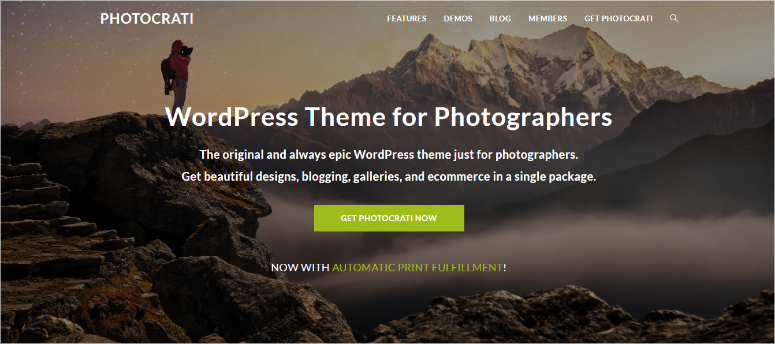
Mon expérience avec Photocrati
J'ai configuré Photocrati pour un photographe paysagiste vendant des tirages en plusieurs tailles. Le commerce électronique intégré a géré les variantes de produits (8x10, 16x20, toile) de manière transparente.
L'intégration de NextGEN Gallery a permis d'organiser efficacement des milliers d'images.
- L'installation a pris 70 minutes, y compris la configuration de la boutique d'impression.
- Les résultats : Ils ont traité plus de commandes d'impression par mois via leur portfolio, éliminant les commissions des services d'impression tiers.
► Avantages
- L'intégration de NextGEN Gallery Pro gère professionnellement des bibliothèques d'images massives
- Le commerce électronique intégré élimine les plateformes de vente d'impressions séparées
- Solution tout-en-un combinant thème, galeries et outils de vente
► Inconvénients
- Prix plus élevé que les thèmes autonomes sans fonctionnalités groupées
- La courbe d'apprentissage de NextGEN Gallery est plus raide que celle des plugins de galerie simples
Mon verdict : Photocrati excelle pour les photographes professionnels qui monétisent grâce à la vente de tirages. Choisissez-le lorsque vous vendez directement et souhaitez exclure les plateformes tierces. Si vous gérez des milliers d'images nécessitant une excellente organisation, ou si vous souhaitez un thème tout-en-un avec commerce électronique.
Consultez ma critique complète de Photocrati pour une analyse plus approfondie.
Tarifs : 99,50 $/an (inclut NextGEN Pro)
10. Ultra ⭐⭐⭐⭐
Thème polyvalent Themify | Idéal pour : Les photographes recherchant des options de conception flexibles
Ultra est l'un des meilleurs thèmes polyvalents et offre des modèles prêts pour la photographie dans un cadre flexible. Il s'adapte à divers styles de photographie sans vous enfermer dans des mises en page rigides.

Mon expérience avec Ultra
J'ai utilisé Ultra pour une entreprise de photographie générale qui travaille avec des mariages, des nouveau-nés et du travail commercial. Ils avaient besoin de sections de portfolio distinctes avec des esthétiques différentes pour chaque niche.
Les plus de 60 mises en page pré-construites d'Ultra comprenaient plusieurs démos de photographie. J'ai personnalisé les galeries de mariage avec un style romantique, les sections nouveau-né avec des pastels doux et le travail commercial avec des mises en page audacieuses.
- Installation en 60 minutes sur toutes les sections.
- Les résultats : La flexibilité a permis aux clients de trouver facilement le style de photographie qu'ils recherchaient. Au final, les demandes ont augmenté car chaque niche semblait professionnellement adaptée.
► Avantages
- Plusieurs mises en page de photographie s'adaptent à divers styles de prise de vue sur un seul site
- Themify Builder permet une personnalisation visuelle sans code
- Version gratuite disponible pour tester avant l'achat premium
► Inconvénients
- Nature polyvalente ne signifie pas spécialisé en photographie comme Oshine ou Photography
- Plus de modèles à parcourir que des thèmes de photographie à focalisation unique
Mon verdict : Ultra excelle pour les photographes qui travaillent dans plusieurs domaines et ont besoin de présentations distinctes. Choisissez ce thème si vous recherchez la polyvalence. Si vous avez besoin d'un thème servant plusieurs niches, ou si vous souhaitez une flexibilité de conception.
Consultez ma critique du thème Ultra ici.
Tarifs : Thème gratuit disponible ; Pro à partir de 59 $ (achat unique)
11. OceanWP ⭐⭐⭐⭐
Idéal pour : Les photographes qui vendent des impressions via WooCommerce
OceanWP combine des portfolios de photographie avec une intégration WooCommerce robuste. Cela le rend idéal pour les photographes qui souhaitent vendre des impressions en toute transparence à côté de leurs portfolios.
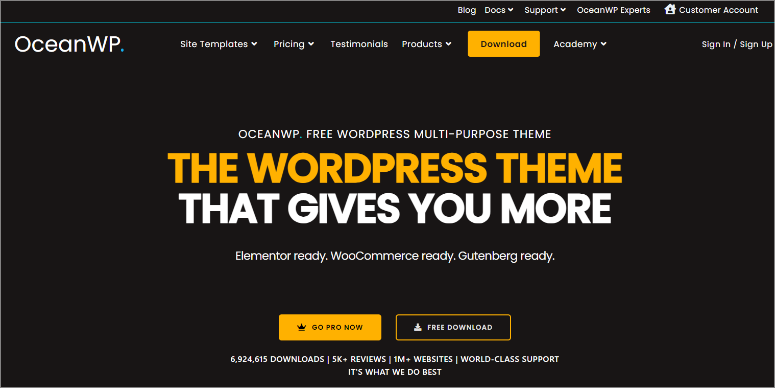
Mon expérience avec OceanWP
J'ai créé un site OceanWP pour un photographe de nature vendant des impressions sur toile. Elle avait besoin de galeries présentant son travail, ainsi que d'une boutique pour des achats directs.
L'optimisation WooCommerce d'OceanWP signifiait que les galeries de produits étaient aussi soignées que les images du portfolio.
Cela fait d'OceanWP l'un des meilleurs thèmes WordPress WooCommerce pour toute entreprise, pas seulement pour les entreprises de photographie.
- L'installation a pris 50 minutes, y compris la configuration de la boutique.
- Les résultats : Cela a conduit à une double approche bien pensée. Les visiteurs parcouraient les galeries de portfolios, puis achetaient des impressions immédiatement sans quitter son site.
► Avantages
- L'intégration WooCommerce permet la vente transparente d'impressions sur les sites de portfolio
- Thème gratuit avec des fonctionnalités premium que la plupart des thèmes de photographie facturent
- La compatibilité Elementor ajoute une flexibilité de conception
► Inconvénients
- Nécessite des connaissances en configuration WooCommerce pour les fonctionnalités de boutique d'impression
- Démonstrations de photographie moins spécialisées que les thèmes de photographie dédiés
Mon verdict : OceanWP est parfait pour les photographes qui monétisent par la vente directe d'impressions. Choisissez-le lorsque la vente d'impressions est aussi importante que l'affichage du portfolio, que vous souhaitez une intégration WooCommerce gratuite ou que vous avez besoin d'une solution e-commerce sans plateformes séparées.
Consultez ma critique d'OceanWP ici. Comparez OceanWP vs Astra si vous hésitez entre des thèmes légers.
Tarifs : Thème gratuit disponible ; Pro à partir de 35 $/an
12. Astra ⭐⭐⭐⭐
Idéal pour : Photographes axés sur le SEO et privilégiant les classements de recherche
Astra domine la catégorie des thèmes légers, offrant une vitesse fulgurante et un code propre que les moteurs de recherche adorent. Ce thème aide les portfolios de photographie à mieux se classer tout en se chargeant rapidement.
Mon expérience avec Astra
J'ai utilisé Astra pour une entreprise de photographie commerciale ciblant les entreprises locales via la recherche Google. Leur thème précédent obtenait de mauvais résultats sur PageSpeed Insights, ce qui nuisait à leur visibilité dans les moteurs de recherche.
Astra a obtenu plus de 95 sur les performances mobiles et de bureau, les aidant à améliorer leur classement Google. Cela fait d'Astra l'un des thèmes optimisés pour WordPress.
- La configuration a pris 35 minutes.
- Les résultats : Ils ont fini par être classés en première page pour plusieurs mots-clés de photographie commerciale dans leur région. Cela a conduit à plus de demandes de réservation de clients professionnels directement à partir de la recherche organique, éliminant ainsi la dépendance aux publicités payantes.
► Avantages
- Un code léger offre des scores PageSpeed exceptionnels améliorant le classement dans les moteurs de recherche
- La version gratuite inclut des fonctionnalités pour lesquelles les thèmes premium facturent
- Le balisage Schema intégré aide les moteurs de recherche à comprendre le contenu photographique
► Inconvénients
- Un design minimaliste nécessite plus de personnalisation pour une image de marque unique
- Les fonctionnalités spécifiques à la photographie sont moins développées que celles des thèmes spécialisés
Mon verdict : Astra excelle lorsque le trafic organique des moteurs de recherche stimule votre activité de photographie. Choisissez-le si le classement dans Google est votre priorité. Si vous ciblez les marchés locaux de la photographie par le biais du référencement, ou si vous souhaitez de grandes performances de site.
Consultez ma critique d'Astra ici.
Tarifs : Thème gratuit disponible ; Pro à partir de 69 $/an
13. Nova ⭐⭐⭐⭐
Pack Elegant Themes | Idéal pour : Les photographes recherchant une élégante simplicité
Nova apporte le style raffiné signature d'Elegant Themes aux portfolios de photographie. Ce thème de photographie premium met l'accent sur l'espace blanc et la typographie pour de superbes présentations visuelles.
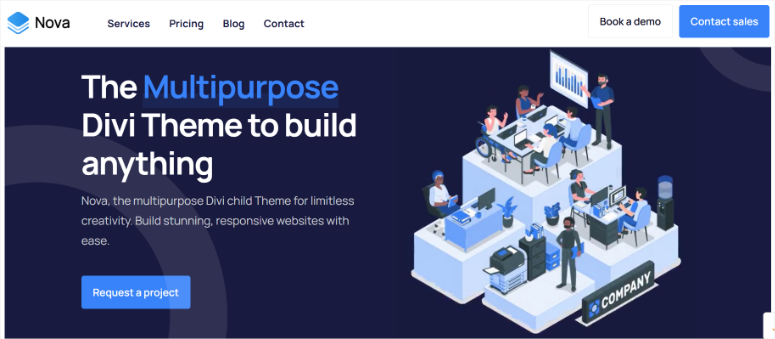
Mon expérience avec Nova
J'ai créé un site portfolio avec Nova pour une entreprise de photographie de mariage dont le travail nécessitait une présentation élégante correspondant à sa clientèle haut de gamme.
Les mises en page épurées et la typographie raffinée créaient une sensation de luxe. Cela a rendu plus facile de justifier les prix premium. Après cela, j'ai conclu que Nova s'inscrit parmi les meilleurs thèmes WordPress élégants pour une esthétique raffinée.
- L'installation a pris 40 minutes, personnalisation incluse.
- Les résultats : Le site correspondait parfaitement à son image de marque. Les demandes de renseignements provenant de lieux de luxe ont augmenté, et leur valeur moyenne de réservation a augmenté car la présentation élégante a attiré des clients à plus gros budget, prêts à payer des tarifs premium.
► Avantages
- Un design élégant crée une esthétique de luxe correspondant à la photographie haut de gamme
- Les mises en page épurées laissent les images briller sans éléments concurrents
- L'adhésion à Elegant Themes inclut plusieurs thèmes
► Inconvénients
- Premium uniquement, aucune version gratuite disponible
- Nécessite un abonnement Elegant Themes pour l'accès
- Moins riche en fonctionnalités que les thèmes tout-en-un comme Divi
Mon verdict : Nova excelle pour les photographes ciblant les marchés de luxe où la présentation compte autant que la photographie. Choisissez-le lorsque la simplicité élégante correspond à votre positionnement de marque, que vous photographiez des événements haut de gamme nécessitant une esthétique raffinée, ou que vous souhaitez un accès par abonnement à plusieurs thèmes Elegant Themes.
Tarifs : 29 $/mois ; Ou dans le cadre d'une adhésion Elegant Themes, à partir de 89 $/an
14. Fargo ⭐⭐⭐⭐
Thème de photographie Pixelgrade | Idéal pour : les photographes narratifs
Fargo se concentre sur la photographie narrative où les histoires comptent autant que les images. Ce thème premium de Pixelgrade crée des mises en page de style magazine parfaites pour les essais photographiques et le travail éditorial.
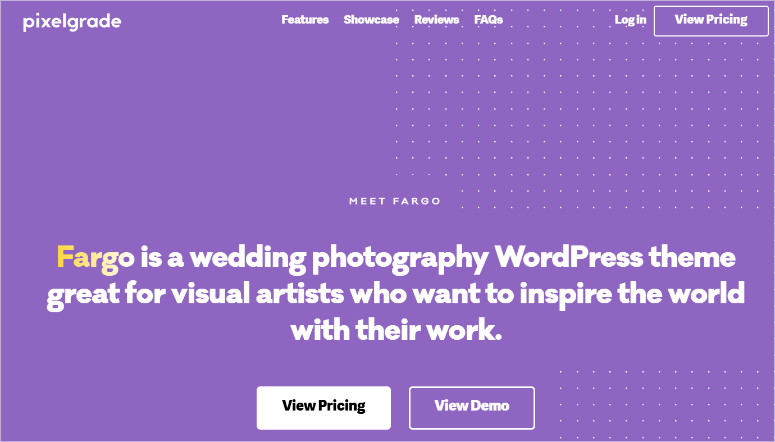
Mon expérience avec Fargo
J'ai utilisé Fargo pour une photojournaliste documentant des histoires communautaires. Elle avait besoin de mises en page prenant en charge les essais photographiques longs avec une narration textuelle.
Les modèles de style éditorial de Fargo ont magnifiquement combiné les images avec la narration.
L'installation a pris 45 minutes.
Les résultats : Elle a pu suivre rapidement son approche narrative. Ses essais photographiques ont été partagés davantage sur les réseaux sociaux.
► Avantages
- Mises en page éditoriales parfaites pour les essais photographiques et la photographie narrative
- La conception de style magazine valorise le travail axé sur la narration
- Le personnalisateur maintient une interface simple
► Inconvénients
- L'orientation narrative est moins adaptée aux présentations de portfolio uniquement
- Tarification uniquement premium, sans version gratuite
- Le style éditorial peut sembler trop axé sur le texte pour les photographes axés sur l'image
Mon verdict : Fargo est parfait pour les photographes dont les histoires motivent leur travail. Choisissez-le lorsque vous photographiez des documentaires ou du photojournalisme nécessitant un contexte narratif. Il est également idéal pour créer des essais photographiques qui intègrent du texte ou qui souhaitent une esthétique de magazine éditorial.
Tarification : 75 $/an
15. Hestia Pro ⭐⭐⭐⭐
Thème Material Design | Idéal pour : Photographes axés sur les affaires
Hestia Pro apporte les principes modernes du design matériel aux portfolios de photographie, créant des présentations professionnelles au-delà des vitrines artistiques. Ce thème premium convient aux photographes qui gèrent des entreprises de photographie, pas seulement qui créent des portfolios.
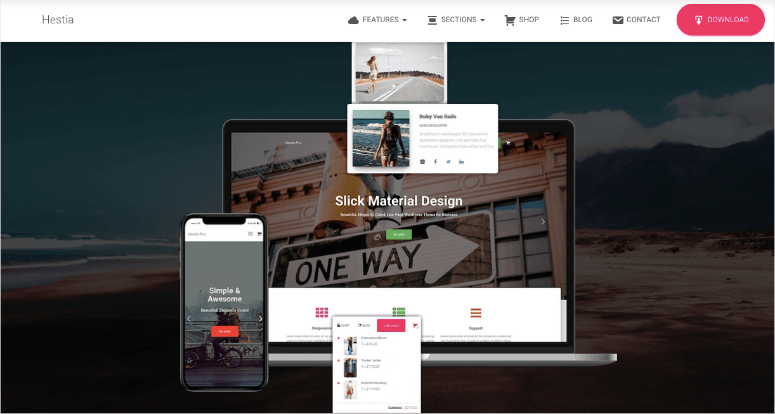
Mon expérience avec Hestia Pro
J'ai créé un site Hestia Pro pour un photographe d'événements d'entreprise ayant besoin d'une présence professionnelle.
Au-delà des galeries, ils avaient besoin de descriptions de services, de pages d'équipe et de témoignages clients. Les sections professionnelles de Hestia Pro ont géré cela parfaitement.
Installation : 55 minutes, contenu professionnel inclus.
Les résultats : Les clients d'entreprise l'ont choisie plutôt que ses concurrents car son site démontrait des opérations commerciales professionnelles, pas seulement de belles photos.
► Avantages
- Sections axées sur les affaires au-delà des galeries de portfolio
- Le Material Design moderne crée une esthétique professionnelle pour les entreprises
- La compatibilité du constructeur de pages ajoute une flexibilité de personnalisation
► Inconvénients
- L'orientation professionnelle peut sembler moins artistique que les thèmes de photographie spécialisés
- L'esthétique du Material Design ne convient pas à la photographie d'art
- Les fonctionnalités premium nécessitent la version payante
Mon verdict : Hestia Pro excelle pour les entreprises de photographie où les services comptent autant que les portfolios. Choisissez-le lorsque vous ciblez des clients d'entreprise qui exigent une présence professionnelle. Sélectionnez ce thème si vous avez besoin de pages de services et de sections d'entreprise, ou si vous souhaitez un design Material Design moderne.
Tarifs : Thème gratuit disponible ; Pro à partir de 69 $/an
C'est tout pour ma liste des meilleurs thèmes de photographie pour WordPress. Ensuite, laissez-moi vous aider à en choisir un en fonction de vos besoins.
Comment choisir le bon thème de photographie pour votre portfolio
Choisir parmi 15 thèmes de photographie peut être écrasant. Voici exactement ce qu'il faut prioriser en fonction de votre entreprise de photographie.
Commencez par votre modèle d'entreprise. Dans ce cas, votre modèle de revenus devrait déterminer quelles fonctionnalités sont les plus importantes.
- Vous vendez des tirages ? OceanWP ou Photocrati, qui incluent l'e-commerce intégré.
- Portfolio pur ? Sydney ou Photography offrent une concentration plus nette sur la galerie.
- Réservations de mariage ? La validation client de Novo Photography permet d'économiser des heures chaque semaine.
Associez le thème à votre esthétique. Le positionnement de votre marque doit guider la sélection du thème, pas seulement les fonctionnalités techniques.
- Les photographes d'art ont besoin de l'élégance minimaliste de Portfolio Art.
- Les photographes éditoriaux veulent les mises en page narratives de Fargo.
- Les photographes commerciaux ciblant des clients d'entreprise ont besoin des sections professionnelles de Hestia Pro.
Tenez compte de votre niveau de confort technique. Ne choisissez pas de thèmes nécessitant des compétences que vous n'avez pas.
- Les débutants complets s'épanouissent avec la simplicité de SeedProd ou Sydney.
- Les utilisateurs intermédiaires apprécient la flexibilité du constructeur visuel de Divi.
- Les photographes avancés à l'aise avec les constructeurs de pages peuvent maximiser la personnalisation de Oshine.
N'oubliez pas de choisir le thème qui correspond aux besoins actuels de votre entreprise tout en permettant une croissance pour l'expansion future.
Vous disposez maintenant de toutes les informations nécessaires pour sélectionner le thème de photographie parfait pour votre entreprise. Si quelque chose n'est pas clair, consultez la foire aux questions ci-dessous.
FAQ : Meilleurs thèmes WordPress pour la photographie
Puis-je utiliser des thèmes de photographie gratuits à titre professionnel ?
Oui, absolument. Sydney et Astra alimentent tous deux des portfolios de photographie professionnelle, générant six chiffres annuellement. Les thèmes gratuits fonctionnent professionnellement lorsqu'ils gèrent bien les images haute résolution, offrent des mises en page de galerie épurées et n'affichent pas de notifications « mettre à niveau vers premium » partout. Les thèmes de cette liste répondent aux normes professionnelles quel que soit le prix. Les thèmes premium ajoutent des fonctionnalités pratiques comme des démos pré-construites, mais les thèmes gratuits offrent des résultats professionnels avec plus d'efforts de personnalisation.
Les thèmes de photographie ralentissent-ils mon site web ?
Les thèmes de photographie bien conçus sont optimisés pour les grandes images, mais un mauvais choix de thème combiné à des photos non optimisées crée des sites lents. Neve et Astra privilégient spécifiquement la vitesse avec un code léger. Mais, le facteur de vitesse le plus important est votre optimisation d'image, pas seulement le choix du thème. Utilisez une compression d'image appropriée, le chargement différé et des tailles de fichier appropriées. Un thème rapide avec 10 Mo de photos non compressées se chargera toujours lentement.
Puis-je vendre des photos directement via des thèmes de photographie ?
Plusieurs thèmes incluent des fonctionnalités e-commerce. OceanWP s'intègre parfaitement à WooCommerce pour la vente de tirages. Photocrati regroupe des fonctionnalités e-commerce spécifiquement pour les photographes. Cependant, les thèmes de portfolio purs nécessitent l'ajout de WooCommerce ou de plugins similaires pour la fonctionnalité de vente. Choisissez des thèmes avec un commerce intégré si la vente de téléchargements numériques ou de tirages est votre modèle économique principal.
Vais-je perdre mon contenu si je change de thème de photographie ?
Votre contenu (articles de blog, pages, images) reste en sécurité lors du changement de thème car WordPress stocke le contenu séparément de la conception du thème. Mais les fonctionnalités spécifiques au thème comme les galeries personnalisées ou les curseurs peuvent ne pas être transférées à votre nouveau thème. Testez toujours les nouveaux thèmes sur des sites de staging avant de changer de portfolio en direct. Sauvegardez votre site avant toute modification de thème pour éviter la perte de données due à des problèmes imprévus.
Qu'est-ce qui est mieux pour les photographes : les thèmes gratuits ou premium ?
Les thèmes gratuits comme Sydney fonctionnent à merveille pour les photographes avec un budget serré ou qui débutent. Les thèmes premium comme Oshine font gagner du temps avec des démos pré-construites et un support premium, qui valent la peine d'être payés pour les photographes établis qui génèrent des revenus. Votre choix dépend de votre budget, de vos compétences techniques et de votre disponibilité. Les thèmes gratuits nécessitent plus d'efforts de personnalisation mais donnent des résultats professionnels. Les thèmes premium offrent la commodité à un prix.
Ai-je besoin d'un constructeur de pages avec mon thème de photographie ?
Non, les constructeurs de pages comme Elementor ajoutent de la flexibilité de conception mais ne sont pas requis pour de beaux portfolios de photographie. Sydney fonctionne parfaitement sans constructeurs de pages. Divi inclut son propre constructeur. Oshine utilise des constructeurs de pages existants pour la personnalisation. Choisissez en fonction de votre niveau de confort : les constructeurs de pages offrent plus de contrôle mais des courbes d'apprentissage plus raides. Les thèmes axés sur la galerie nécessitent souvent moins de personnalisation que les thèmes dépendants des constructeurs de pages.
Verdict final : Faut-il utiliser des thèmes pour la photographie ?
Oui, les thèmes de photographie spécialisés offrent des résultats que les thèmes polyvalents génériques ne peuvent égaler.
Le bon thème dépend de votre niche photographique spécifique, de votre niveau de confort technique et de votre modèle économique. Par exemple, les photographes de portrait ont besoin de fonctionnalités différentes de celles des photographes de produits. Tandis que les photographes de mariage privilégient des mises en page différentes de celles des vendeurs d'art.
Chaque thème de cette liste alimente des portfolios de photographie réussis. C'est donc la façon dont vous configurez votre site qui compte le plus.
N'oubliez pas que de belles photographies affichées proprement convertissent mieux que des images encombrées sur des thèmes premium.
Choisissez un thème qui correspond aux besoins de votre entreprise aujourd'hui, puis concentrez-vous sur la création de photographies époustouflantes qui incitent les clients à vous réserver.
Centre de ressources : Essentiels pour un site web de photographie
Améliorez votre thème de photographie avec ces ressources complémentaires :
- Meilleurs plugins de galerie WordPress – Fonctionnalités de galerie avancées au-delà des défauts du thème pour des effets de lightbox et des mises en page en mosaïque
- Meilleurs plugins d'optimisation d'images – Compressez les photos haute résolution sans perte de qualité pour un chargement plus rapide
- Meilleurs plugins de slider WordPress – Créez de superbes sliders de page d'accueil présentant votre meilleur travail de portfolio
- Meilleurs plugins de chargement différé d'images – Chargez les images uniquement lorsque les visiteurs font défiler jusqu'à elles pour améliorer les performances
- Plugins WordPress pour photographes – Boîte à outils complète comprenant la gestion des filigranes, les galeries clients et les systèmes de réservation
- Meilleurs plugins de portfolio pour WordPress – Systèmes de gestion de portfolio pour organiser et afficher le travail professionnel
Ces ressources complètent votre thème de photographie en ajoutant des fonctionnalités spécialisées que les thèmes n'incluent pas.
Les plugins de galerie améliorent la présentation visuelle, les outils d'optimisation maintiennent la vitesse avec de gros fichiers, et les plugins spécifiques aux photographes gèrent les flux de travail clients.
Associés à votre thème choisi, ces outils créent des solutions complètes pour les sites web de photographie.

Je veux un thème qui ne soit pas ennuyeux. Je n'aime pas les menus en haut, il faut que ce soit unique.
Salut Mike, il y a plus de 50 thèmes mentionnés dans cette liste avec un aperçu.
De plus, vous pouvez également créer un thème de site Web personnalisé avec SeedProd. Il vous permet de créer un thème WordPress à l'aide du constructeur de site Web par glisser-déposer.
Vous n'avez pas besoin d'écrire de code ni d'avoir de compétences particulières. C'est super facile et vous pouvez avoir votre site Web prêt avec un thème personnalisé en quelques minutes.
Salut
Quel est le plus facile et le plus rapide de ceux-ci à mettre en place pour un photographe ?
Je voudrais un design en maçonnerie pour la page d'accueil car je fais divers types de travaux, des portraits à l'architecture. Ensuite, des pages séparées avec une grille pour parcourir divers portfolios. C'est un article tellement génial, mais j'ai la tête qui tourne en essayant de choisir. Merci beaucoup pour votre temps à rassembler ces informations pour tout le monde !
Salut Shane, vous pouvez utiliser le #2 – Divi ou le #10 – Nola. Ce sont les thèmes qui correspondent le mieux à vos exigences. Vous pouvez également utiliser le plugin Envira Gallery pour organiser vos photos, puis consulter notre guide des meilleurs plugins WordPress pour développer votre site Web de photographie.
N'hésite pas à nous contacter pour d'autres questions. Et bonne chance !
Merci d'avoir partagé un si bon thème. Continuez à partager !
Salut, merci pour la publication !
J'ai une question cependant :
Le thème Photography s'intègre-t-il avec la version gratuite d'Elementor ?
Oui ! La plupart des thèmes s'intègrent parfaitement avec Elementor
Merci beaucoup pour ça !
De rien !
Ce tour d'horizon est extrêmement varié, j'aime plusieurs thèmes que vous me proposez pour un choix, merci !
Dans mes projets, j'ai aussi utilisé le thème Niftyfifty, plutôt cool et minimaliste. Peut être utile à quelqu'un.
Content que ça t'ait plu
Merci pour cette page. J'apprécie tout le travail que tu as fait et je prévois d'explorer divers thèmes.