I watched a yoga instructor triple-book her Saturday morning class.
Three clients showed up expecting private sessions all in the same time slot. She’d been manually managing bookings through email and lost track.
Two clients walked out angry, and the other left a 1-star review. She lost hundreds of dollars in refunds, plus future bookings from those clients.
The worst part? She’d been looking at booking plugins for months, but kept putting it off. “Too complicated,” she told me.
Here’s what I learned: the right booking plugin isn’t complicated. It’s the manual booking chaos that’s complicated.
So I helped her set up a booking and appointment plugin for her business. In doing so, I researched and compiled a detailed list of the best appointment and booking plugins for WordPress.
In this article, I review, compare, and rank all of them so that you can find one that works for you.
Key Takeaways
- I’ll show you a booking system that syncs with Google Calendar automatically and stops double-booking nightmares
- I mention a form builder that collects payments during booking to reduce no-shows
- Reveal which plugin handles timezone confusion without requiring a PhD in time zones
- I tested 9 booking plugins on real client sites
- I’ll show you the free booking plugin options that actually work and exactly when you need to upgrade
On top of that, here is a simple table of contents to see all the plugins in one go. plus you can click on any link to skip to that section.
How I Test Booking and Appointment Plugins
Click to see my testing methodology
Here’s exactly how I evaluate each booking plugin:
- Support Response: Submit actual tickets, measure response times
- Setup Speed: How long from install to first working booking? I time it.
- Double Booking Prevention: I deliberately try to break it with simultaneous bookings
- Payment Integration: Test with real Stripe and PayPal accounts, not sandboxes
- Calendar Sync: Does Google Calendar actually update? Both ways? I verify with appointments added through WordPress forms
- Timezone Handling: Book from different timezones, verify accuracy
- Email Notifications: Do they arrive? On time? To the right people?
- Mobile Experience: Test booking flow on iPhone and Android
- Customer Confusion: Watch real users book appointments (screen recording reveals issues)
- Load Testing: Simulate 50+ bookings in one hour to spot crashes
I install each plugin on staging sites first, then migrate successful ones to live client sites. If a plugin causes issues in a real business, it doesn’t make my list.
Why Trust IsItWP?
At IsItWP, we’ve been the WordPress community’s go-to resource since 2009, helping over 2 million users choose better booking and appointment solutions.
Unlike review sites that never actually use the products, we maintain active accounts and test plugins on real client sites with actual bookings.
Then provide ongoing WordPress consultation to service-based businesses.
Best WordPress Booking Plugins Compared
Finding the right booking plugin depends on what you’re actual business is. Event calendars work differently from service appointments. Rental availability has different needs than conference scheduling.
I tested each plugin with specific scenarios such as hair salon appointments, equipment rentals, workshop registration, and hotel rooms.
Some excelled at one thing but failed at others. So it is up to you to pick the one that fits your needs best.
Here is a quick comparison table to help make your decision easier.
| Plugin | Best For | Free Version | Calendar Sync | Rating | Starting Price |
|---|---|---|---|---|---|
| 🥇 Sugar Calendar | Event calendars | ✅ | ⭐⭐⭐⭐⭐ | $49.50/year | |
| 🥈 WPForms | Appointment forms | ✅ Limited | ⭐⭐⭐⭐⭐ | $49.50/year | |
| 🥉 Start Booking | Service businesses | ✅ Limited | ✅ Multiple | ⭐⭐⭐⭐ | $79/year |
| 4. The Events Calendar | Large events | ✅ | ⭐⭐⭐⭐ | $149/year | |
| 5. Bookly | Team scheduling | ✅ Limited | ✅ Multiple | ⭐⭐⭐⭐ | $199 1 Site License |
| 6. BirchPress | Rentals | ❌ | ❌ | ⭐⭐⭐⭐ | $99 1 Site License |
| 7. Events Schedule | Conferences | ❌ | ❌ | ⭐⭐⭐⭐ | $39 1 Site License |
| 8. Booking Calendar | Free option | ✅ | ❌ | ⭐⭐⭐ | $60 1 Site License |
| 9. WP Simple Booking Calendar | Availability display | ✅ | ❌ | ⭐⭐⭐ | $39 1 Site License |
With that out of the way, let’s dive in!
1. Sugar Calendar ⭐⭐⭐⭐⭐
100,000+ Active Installs | Best for: Simple Event Calendars with Google Calendar Sync
Sugar Calendar is the best booking and appointment plugin for WordPress. It is my default answer when clients ask for a simple way to display events or appointment slots on their WordPress site.
The setup takes under 5 minutes. Just install, connect to Google Calendar, and your events sync automatically. It ensures no complicated settings page or 50-step configuration guides.
Why Is Sugar Calendar the Best Booking Plugin?
The two-way sync means you can conveniently manage events from either Google Calendar or WordPress.
Want to update an event in Google Calendar on your phone during lunch? It appears on your WordPress site before you finish eating.
Plus, the calendar displays beautifully on mobile devices. Users can quickly browse through schedules on their phones without pinching and zooming.
Plus, the color-coding by category makes scanning events effortless. For example, you can use red for one service, blue for an event, green for a recurring appointment and so on.
Your brain processes the colors faster than reading text.
My Experience with Sugar Calendar
I set up Sugar Calendar for a community center that runs 40+ online events monthly.
They were manually updating a static PDF calendar every week. Event details changed constantly, causing confusion and complaints.
After installing Sugar Calendar, I connected their existing Google Calendar in about 90 seconds. This ensured that every event appeared on their website automatically.
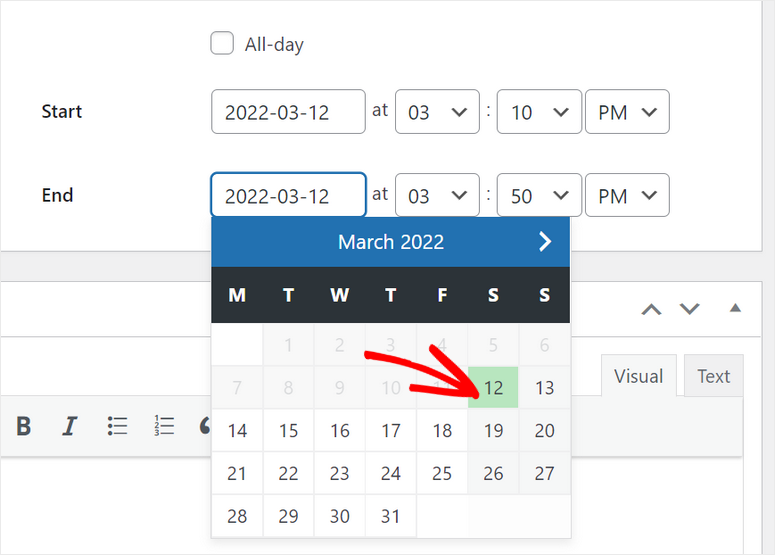
I then set up color-coded categories and made them searchable by keyword.
The director called me two weeks later. “I just updated three events from my phone during lunch. They’re already live on the website. This feels like magic.”
Three months in, website engagement increased, and users were actually browsing events instead of downloading that clunky PDF.
As a result, event registrations improved because people can finally find what they want.
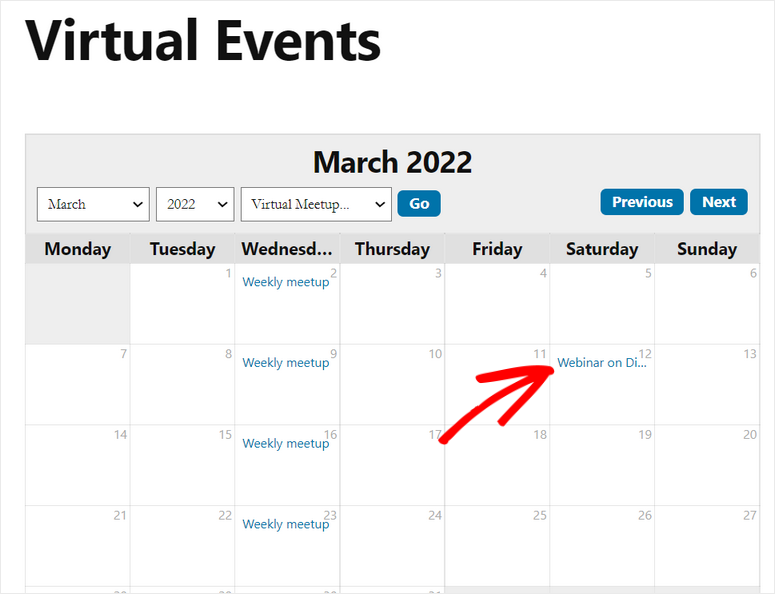
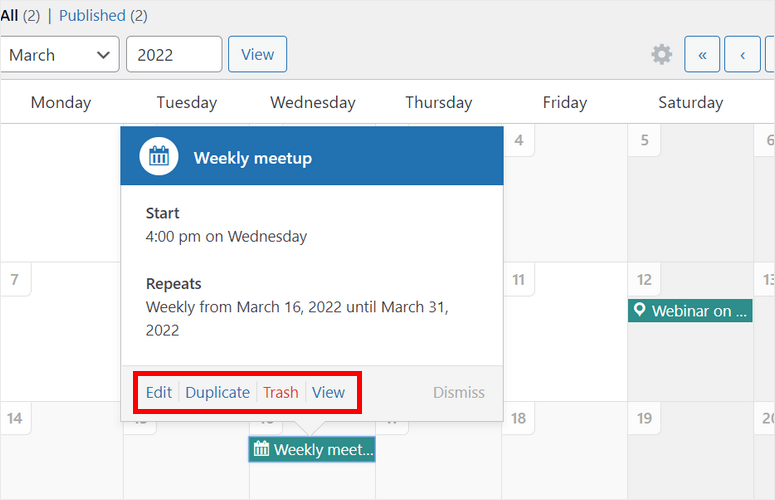
But what impressed me most? The recurring events feature saved massive time. I set up weekly meetups once, which repeat automatically.
► Pros
- Two-way Google Calendar sync works flawlessly
- Color coding by category makes events easy to scan at a glance
- Mobile-responsive calendar works beautifully on all screen sizes
- Recurring events save massive time for weekly or monthly classes
► Cons
- Advanced features like frontend submissions require the Pro version
My Verdict: Sugar Calendar eliminates the headache of manually updating event calendars. If you run events regularly and use Google Calendar, this plugin pays for itself in time saved within the first month.
Check out my Sugar Calendar review
Pricing: Free Plugin Available; Pro Starts at $49.50/year
Get started with Sugar Calendar here
2. WPForms ⭐⭐⭐⭐⭐
6 Million+ Active Installs | Best for: Appointment Booking Forms with Payment Integration
WPForms solved my biggest appointment booking headache: collecting payments at booking time.
For many businesses, clients book appointments through contact forms, and then they receive manually sent PayPal invoices. With this process, half the time, people don’t pay until right before their appointment.
Or they will be a no-show because there is no payment commitment.
Why Is WPForms One of the Best Appointment Booking Solutions?
The WPForms Stripe integration allows clients to pay when they book, meaning instant confirmation. This reduces no-shows since they have already committed.
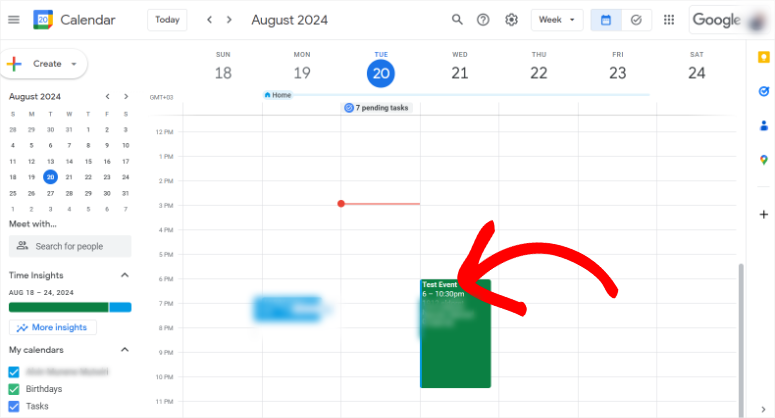
Plus, the Google Calendar addon automatically creates calendar events when someone books. The appointment details populate from the form fields, and you and your client get instant notifications.
Since WPForms is the best form builder, the drag-and-drop builder makes creating appointment forms surprisingly simple.
Pick the appointment form template, add your services, set your prices, and connect to Stripe or PayPal. And you are done in under 15 minutes.
My Experience with WPForms for Appointment Booking
I built an appointment system for a spa using WPForms. She needed clients to select service type, choose available time slots, and pay a $25 deposit to reduce no-shows.
Using WPForms’ conditional logic, I created a form that:
- Shows available times based on the selected date
- Calculates the price based on the service type
- Collects the $25 deposit via Stripe
- Adds the appointment to Google Calendar automatically
- Sends confirmations to both parties
Setup took 45 minutes total, and the spa processes 15-20 bookings weekly now. They have zero payment collection headaches, calendar confusion, and double bookings.
Her no-show rate dropped, recovering revenue from appointments that actually happened.
► Pros
- Stripe and PayPal payment integration work flawlessly for deposit collection
- Google Calendar add-on creates appointments automatically (saves hours weekly)
- Conditional logic shows relevant options based on customer selections
- Email notifications keep everyone informed with zero manual work
► Cons
- Google Calendar add-on requires the Pro version
- Free version doesn’t include payment fields or conditional logic
My Verdict: WPForms is perfect if you need appointment booking with payment collection. But don’t need complex staff scheduling or resource management. The payment integration alone prevents enough no-shows to pay for itself.
Check out my detailed WPForms review.
If you’re deciding between form builders with Google Calendar integrations, compare Gravity Forms vs WPForms to see the differences.
Pricing: Free Plugin Available; Pro Starts at $49.50/year
3. Start Booking ⭐⭐⭐⭐⭐
30,000+ Active Installs | Best for: Service-Based Business Scheduling

Start Booking specializes in service-based appointment scheduling. Think hair salons, consultants, therapists, and personal trainers. If you sell time-based services, this plugin understands your business.
I placed it in number #3 on this list because of its buffer time management feature. This allows you to set specific buffer times between appointments.
For example, you can set up cleaning time for massage rooms, travel time between house calls, setup time for photo shoots, equipment reset time, and more.
Why Is Start Booking One of the Best Appointment Plugins?
Start Booking specializes in preventing scheduling nightmares where appointments get booked back-to-back with no breathing room.
For example, when your 2 PM client runs late, and your 2:30 client arrives on time. Now you’re rushing, flustered, and delivering poor service.
Plus, the email reminder system cuts no-shows dramatically. Clients get automatic reminders 24 hours before appointments.
The best thing is that you can customize the timing and message.
With this, you can customize this booking plugin to send reminders 48 hours or 2 hours ahead. Whatever reduces your specific no-show pattern.
Another standout feature is that the multiple staff management works smoothly for small teams. Each staff member gets their own calendar, services, pricing, and buffer times.
My Experience with Start Booking
I implemented Start Booking for a hair salon with 3 stylists. Each stylist had different service menus, pricing, and schedules. Plus they needed 15 minutes between appointments for chair cleanup.
The salon owner needed clients to book specific stylists, buffer time for cleanup, and different service durations. They also needed to collect different deposit amounts based on the stylist to reduce no-shows.
Start Booking handled all of it. Setup took about 2 hours to configure all three stylists properly with their individual services and schedules.
We saw results immediately. The automatic email reminders reduced no-shows from the first month. This led to recovered revenue, meaning they needed to market less.
The buffer time feature eliminated the chaos of back-to-back bookings. Stylists could finish one client, clean up properly, and greet the next client calmly.
In the end, service quality improved because nobody felt rushed or frustrated.
► Pros
- Buffer time between appointments prevents scheduling chaos and rushed service
- Multiple staff members with individual schedules and service menus
- Automatic email reminders reduce no-shows
- Payment deposits through PayPal or Stripe discourage last-minute cancellations
► Cons
- Interface feels dated compared to newer plugins, but functions perfectly
- Learning curve steeper than simpler options like WPForms
- Mobile booking experience could be smoother on small screens
- Timezone handling sometimes confuses international clients
My Verdict: Start Booking excels for service businesses with multiple staff members who need buffer time management and no-show reduction. The time saved and revenue recovered justify the learning curve.
Pricing: Free Plugin Available, Pro Starts at $79/year
Get started with Start Booking here
4. The Events Calendar ⭐⭐⭐⭐
700,000+ Active Installs | Best for: Large Event Management and Ticketing

The Events Calendar dominates the event plugin space with 700,000+ active installations for good reason.
It handles large-scale event management that simpler calendar plugins can’t touch. This is because it allows you to sell event tickets with WooCommerce integration.
It also creates venue profiles with maps and detailed information.
Why Is The Events Calendar Popular for Event Booking?
As mentioned, The Event Calendar is built for larger organizations and events. But even so, you can set ticket capacity limits to prevent overselling, helping you run a more organized event.
And to ensure you sell enough tickets, you can offer early bird pricing tiers. Once everything is set up, you can generate attendee lists automatically and export booking data for event planning.
Plus, the recurring events system handles complex patterns. All with custom recurrence rules that don’t require creating events manually.
As you can see, it ensures all your bases are covered to run a successful large event.
That’s not all. The venue management feature impressed me. You add a venue once with address, map, capacity, and details. And you can reuse it for future events.
With these settings in place, visitors can browse events by venue location.
My Experience with The Events Calendar
I set up The Events Calendar for a community organization running 50+ events yearly, like workshops, donor fundraisers, networking events, and volunteer opportunities.
They needed a public event calendar display.
I built it so that it can also support ticket sales for paid events, RSVP collection for free events, venue management across 6 different locations, and attendee tracking for capacity limits.
The Events Calendar handled everything. I integrated WooCommerce for payment processing, and now they sell tickets automatically.
Plus, attendees get tickets via email, ensuring they never lose them. They can even let users submit their own calendar events for community engagement.
► Pros
- Massive feature set handles complex event management needs
- WooCommerce integration enables automated ticket sales
- Venue management with maps and descriptions saves time
► Cons
- Overkill for simple appointment booking
- Ticket sales require Pro version
- Learning curve for all advanced features
My Verdict: The Events Calendar is the gold standard for large organizations running multiple public events with ticketing needs. Even though it can handle smaller organizations just as well, the cost may not be justified if you run just a few events.
Check out my review on The Events Calendar.
Pricing: Free Plugin Available; Pro Starts at $149/year
Get started with The Events Calendar here
5. Bookly ⭐⭐⭐⭐
100,000+ Active Installs | Best for: Complex Team Scheduling
Bookly handles complex scheduling scenarios that simpler plugins can’t manage. This includes multiple locations, multiple staff, multiple services, and group bookings.
It also handles chain bookings where one service requires another first.
The staff management system impressed me most. You can assign specific staff to specific services and set individual staff schedules.
Why Is Bookly One of the Best Booking Systems?
Because it is built for complex booking processes, its staff working hours tracker really shines. You can generate staff performance reports showing who’s booking the most appointments.
Plus, Bookly integrates with Zoom automatically. This allows your clients to book a consultation and get a Zoom link generated. This is perfect for virtual coaching and therapy businesses.
My Experience with Bookly
I set up Bookly for a wellness center with 8 practitioners across 3 locations. They offered massage, acupuncture, counseling, and yoga classes.
As you can imagine, some services require specific rooms, and some practitioners work at multiple locations. Plus, group classes have capacity limits.
Bookly handled the entire puzzle with ease. To get started, clients book online. Then, the system checks practitioner availability, room availability, and capacity limits automatically.
This means no double bookings at any front.
The setup took 6 hours because of the complexity. But once configured, it ran smoothly.
► Pros
- Handles extremely complex scheduling scenarios other plugins can’t
- Staff management system tracks everything from hours to performance
- Zoom integration creates meeting links automatically for virtual appointments
► Cons
- Steep learning curve (expect 4-6 hours setup for complex scenarios)
- Interface overwhelming for simple booking needs
- Free version is limited
My Verdict: Bookly is overkill for simple appointment booking. But perfect for complex multi-staff, multi-location businesses with varied services and capacity constraints.
Pricing: Free Plugin Available; Pro Starts at $199 for a 1 Site License
6. BirchPress ⭐⭐⭐⭐
10,000+ Active Installs | Best for: Rental Bookings
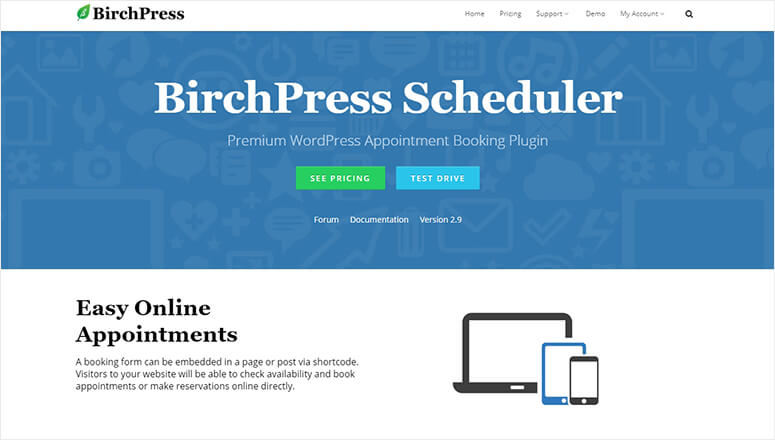
BirchPress specializes in rental bookings. For example, you can use it for equipment rentals, facility rentals, accommodation rentals, vehicle rentals, and more.
What makes it stand out is that rental booking is harder to build a system around than specific time slots.
Think about it, someone renting a camera for 3 days, or reserving a vacation home for a week, leads to a different pricing logic entirely.
Why Is BirchPress One of the Best Rental Booking Solutions?
BirchPress handles rental-specific features like daily, hourly, or weekly pricing models. The quantity tracking feature makes all the difference (10 cameras available, 3 booked, 7 remaining).
This helps you regulate and place damage deposits and security holds within your rental agreements.
Plus, the availability calendar shows bookings visually. So, you can see busy periods at a glance. This makes it perfect for planning inventory purchases or staffing needs based on demand patterns.
My Experience with BirchPress
I used BirchPress for an equipment rental company. They rent photography gear, lighting equipment, and audio systems.
What made my plan difficult to execute was that different items had different rental periods. Cameras are rented daily, lighting kits are rented by session (4-hour blocks), and audio systems are rented weekly.
BirchPress set up all three pricing models without requiring separate forms or workarounds. The availability calendar shows exactly what equipment is available when.
As a result, customers could browse, select rental dates, and pay online.
Plus, rental agreements are generated automatically, allowing customers to accept terms before completing checkout.
This protects the business legally while streamlining the entire rental process. If you need rental forms for different scenarios, explore hotel room booking form strategies.
► Pros
- Flexible pricing models handle hourly, daily, and weekly rentals seamlessly
- Quantity tracking prevents overbooking inventory automatically
- Damage deposit and security hold support built-in
► Cons
- No free version available
- Setup requires understanding rental business logic (not beginner-friendly)
My Verdict: BirchPress is purpose-built for rental businesses. If you rent physical items or spaces with duration-based pricing, this plugin understands your specific business model better than appointment-focused alternatives.
Check out my BirchPress review.
Pricing: Starts at $99 for a 1 Site License
Get started with BirchPress here
7. Events Schedule ⭐⭐⭐⭐
10,000+ Active Installs | Best for: Conference Multi-Track Scheduling
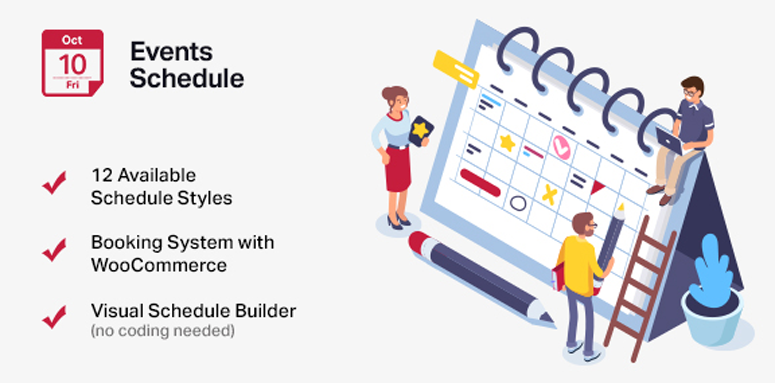
Events Schedule specializes in conference-style event management. To help with this, it offers multiple tracks, multiple rooms, multiple time slots, and speaker management.
Think tech conferences with 6 sessions running simultaneously, music festivals with 4 stages, or company retreats with breakout rooms.
Why Events Schedule Excels for Conference Scheduling
The timeline view displays everything visually. Attendees see what’s happening when and where at a glance. They can plan their conference experience in advance instead of getting lost.
Plus, speaker profiles integrate beautifully. Each session shows speaker names, photos, and bios. Attendees can browse speakers before the conference starts.
The best part is that sessions are searchable by speaker name or topic. Users can also use color-codes to track events, preventing confusion.
My Experience with Events Schedule
I implemented Events Schedule for our company retreat with 30 sessions across 4 tracks. The challenge? Help 200 attendees navigate 30 sessions without confusion or room overcrowding.
Events Schedule created a beautiful timeline view, color-coded by track and filterable by topic.
My teammates could view the full schedule, filter by interest, click sessions for speaker bios and room locations, and plan their entire two days.
In previous years, we printed 200 schedule booklets. Half ended up in the trash. This time around, everyone used the website. Zero confusion about which room or what time.”
► Pros
- Timeline view perfect for multi-track conferences with simultaneous sessions
- Speaker management with profiles and photos builds attendee interest
- Color-coded tracks prevent navigation confusion
► Cons
- Not useful for simple appointment booking (completely wrong tool)
- No built-in ticketing (requires separate solution like WooCommerce)
- Mobile timeline view can feel cramped on small screens
My Verdict: Events Schedule is purpose-built for conferences and multi-track events. Don’t use it for simple appointments. But for conferences, it eliminates schedule confusion entirely.
Pricing: Starts at $39 for a 1 Site License
Get started with Events Schedule here
8. Booking Calendar ⭐⭐⭐
70,000+ Active Installs | Best for: Free Booking Solution
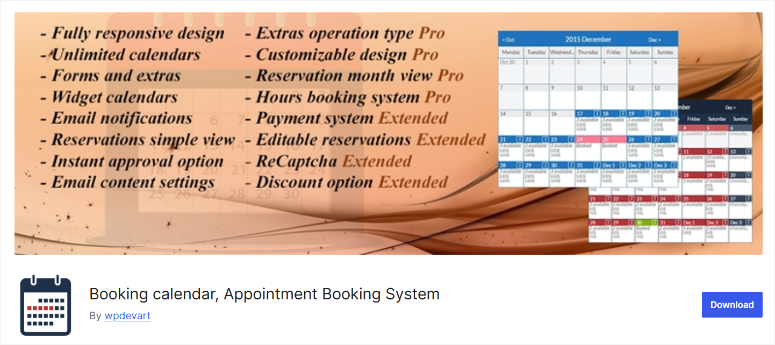
Booking Calendar is one of the most robust free booking solutions in the WordPress repository.
Zero cost for basic appointment booking. That’s significant if you’re just starting out or running a side business that can’t justify the cost for scheduling software yet.
Why Is Booking Calendar Worth Considering?
The free version includes unlimited bookings, email notifications for both you and customers, customizable time slots and durations, and multiple calendars for different services or locations.
The catch? It lacks payment integration, Google Calendar sync, and advanced customization. But for simple appointment collection without financial commitment requirements, it works perfectly fine.
My Experience with Booking Calendar
I set up Booking Calendar for a freelance tutor starting her business. She couldn’t justify $100+/year for scheduling software when she only had 5-10 students weekly. Her revenue didn’t support premium tools yet.
The free version handled her needs perfectly. Students book time slots through her website, and she gets email notifications. That’s it. Simple and functional, without monthly costs eating into early revenue.
Six months later, she upgraded to the Pro version for Google Calendar sync. By then, her business had grown to 25+ students weekly. Revenue supported the investment, and time savings justified the cost.
This progression makes sense. Start free, test whether online booking works for your business, upgrade when revenue supports it, and feature limitations actually hurt.
► Pros
- Completely free for basic booking functionality (no hidden costs or limits)
- Unlimited bookings even on free version
- Regular updates and active development from WordPress.org community
► Cons
- No payment processing on free version (manual invoicing required)
- No Google Calendar sync without Pro upgrade
- Design options limited compared to premium plugins
My Verdict: Booking Calendar is perfect for testing whether online booking works for your business before investing in premium solutions. Start free, prove the concept, upgrade when you hit limitations.
Pricing: Free Plugin Available; Pro Starts at $60 for a 1 Site License
Get started with Booking Calendar here
9. WP Simple Booking Calendar ⭐⭐⭐
50,000+ Active Installs | Best for: Simple Availability Display
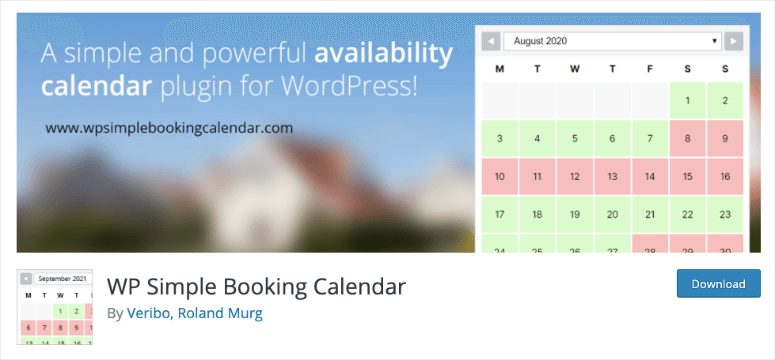
WP Simple Booking Calendar does one thing exceptionally well: showing availability at a glance. It’s not a full booking system but an availability calendar.
This makes it perfect for vacation rentals showing booked dates, equipment availability visualization, facility booking overview, and freelancer availability display.
Visitors see what’s available. Then they contact you through a separate form to complete the booking.
Why Use WP Simple Booking Calendar?
This two-step approach works when you need to discuss details before confirming bookings. Vacation rental owners often want to screen guests first.
While freelancers want to discuss project scope before blocking time. It helps verify requirements before moving forward.
My Experience with WP Simple Booking Calendar
I installed WP Simple Booking Calendar for a vacation rental owner. He didn’t want automated bookings because he needed to verify each guest’s situation first.
His goal was to check group size, if they have a pet, event type, and party history.
The calendar shows booked dates visually. So potential renters could see available dates appear green, and booked dates show red. After that, interested guests email him about available dates they see on the calendar.
This gives him control while preventing inquiry spam for dates already booked. Inquiries dropped because people could self-screen availability before contacting him.
He only hears from people interested in actually available dates, increasing the bookings percentage.
► Pros
- Free and lightweight (doesn’t slow site down at all)
- Color-coded availability extremely clear for visitors
- Simple setup takes 15 minutes from install to live
► Cons
- Not a complete booking system (display only, requires manual confirmation)
- Requires manual booking management and calendar updates
- No payment processing integration available
My Verdict: WP Simple Booking Calendar works perfectly when you need availability display without automated booking. The control and guest screening capability justify the manual process.
Pricing: Free plugin Available; Pro Starts at $39 for a 1 Site License
Get started with WP Simple Booking Calendar here
That’s it for my list of the best booking and appointment WordPress plugins. Next lets look at some bonus tools that either just missed making it to my list or can support your booking process.
Bonus: Other Booking and Scheduling Tools Worth Knowing About
While the 9 plugins above cover most booking scenarios, these 4 additional tools solve specific problems you might face.
OptinMonster ⭐⭐⭐⭐⭐
Best for: Increasing Booking Form Conversions
OptinMonster doesn’t handle bookings directly. But it dramatically increases how many visitors actually book appointments.
I tested exit-intent popups on a consultant’s booking page offering a free 15-minute discovery call. Bookings increased because the popup triggered when visitors scroll 50%, after 30 seconds, or when they’re about to leave.
Check out my OptinMonster review.
Get started with OptinMonster here
Formidable Forms ⭐⭐⭐⭐
Best for: Power Users Needing Advanced Logic
Formidable Forms handles booking scenarios that many WordPress tools can’t. It comes with complex conditional logic, multi-page booking forms, and advanced calculations.
I used it for a photography studio booking system that calculates pricing based on session type, location, number of people, additional services, and date (higher weekend rates).
I was able to set this up with no developer help. Plus, the forms looked unique and beautiful.
Check out my Formidable Forms review here. You can also compare WPForms and Formidable Forms to see which one works for you.
Get started with Formidable Forms here
SeedProd ⭐⭐⭐⭐⭐
Best for: Creating Custom Booking Landing Pages
SeedProd doesn’t do booking. But it creates high-converting landing pages for your booking forms.
I built a booking landing page for a life coach using SeedProd. I easily added testimonials, service explanations, pricing comparison, and a WPForms booking form.
Conversion rate improved with the same form. Just better presentation.
Check out my SeedProd review.
Get started with SeedProd here
Amelia ⭐⭐⭐⭐
Best for: All-in-One Enterprise Booking
Amelia combines scheduling, payments, notifications, and SMS reminders in one plugin. The SMS reminder feature cuts no-shows dramatically. Clients get text messages 24 hours before appointments.
But Amelia’s Pro version is an expensive WordPress appointment plugin, while the free version is very limited. It is only worth it if no-shows cost you significant revenue monthly.
Check started with Amelia here
How to Choose the Right Booking Plugin for Your Business
Choosing the wrong booking plugin costs you time, money, and frustrated customers. Here’s how to match an appointment plugin to your needs.
Match Plugin to Booking Type
- Service appointments (salons, consultants, therapists): Go with Start Booking or Bookly. You need staff scheduling, buffer times, and no-show prevention features.
Avoid event calendar plugins. They don’t handle service-specific needs like cleanup time or deposit collection.
- Event calendars (workshops, classes, meetups): Choose Sugar Calendar or The Events Calendar. You need event display, recurrence patterns, and registration management.
Avoid appointment plugins. They’re overkill for simple event display and missing features like venue management.
- Rental bookings (equipment, facilities, accommodations): Use BirchPress or WP Simple Booking Calendar. You need availability display and duration-based pricing logic.
Avoid service appointment plugins. They think in time slots, not rental periods. Different pricing models entirely.
- Conference scheduling: Events Schedule handles multi-track conference complexity properly. Don’t force simpler plugins into conference service. You’ll fight them constantly.
Payment Requirements Matter
- Need payment at booking? Use WPForms and Sugar Calendar come with Stripe integration. Payment during booking reduces no-shows dramatically.
- Payment after service? Use free options like Booking Calendar.
- Deposits to hold bookings? Look for deposit support. Start Booking, and Bookly handle partial payments well.
Google Calendar Sync Non-Negotiable?
If you live in Google Calendar, sync becomes essential. You don’t want to manage two calendars manually.
- Best Google Calendar sync options: Sugar Calendar, and WPForms are the best options.
- No Google Calendar sync: BirchPress, WP Simple Booking Calendar, Events Schedule.
Team Operations
- Solo operation? Keep it simple. WPForms or Sugar Calendar handles solo bookings easily without overwhelming features.
- 2-5 staff members? Use Start Booking or Bookly. You need staff schedules, but not enterprise complexity or location management.
- 6+ staff members, multiple locations? Go with Sugar Calendar or WPForms. You need serious scheduling power with staff assignment and location routing.
Well done! You now have a detailed list of the best appointment and booking WordPress plugins. Plus, you have bonus options and a clear path to select one that matches your business.
If anything is unclear, check out the commonly asked questions below.
FAQs: Best WordPress Appointment and Booking Plugins
What is the best free WordPress booking plugin?
Sugar Calendar offers the most complete free booking solution. You can use a drag and drop builder to set up bookings, sell tickets, and customize time slots without paying anything. The free version even offers Stripe integration so you can collect payments. But for more advanced features, you need the Pro version.
How do I prevent double bookings in WordPress?
Use a booking plugin with real-time availability checking like Sugar Calendar, Start Booking, or Bookly. These plugins check availability before confirming bookings and block out times automatically. They also sync with Google Calendar to prevent double bookings when you block time on your phone. Never rely on manual calendar management – even careful people make mistakes juggling multiple calendars. Automated systems eliminate human error that causes triple-booking nightmares like my yoga instructor client experienced.
Can WordPress booking plugins accept payments?
Yes. WPForms integrates with Stripe and PayPal directly. While Sugar Calendar connects to Stripe. You can also go with Bookly, which comes with payment add-ons. The Events Calendar works with WooCommerce for ticket sales. Payment integration reduces no-shows dramatically because customers have financial commitment. Choose plugins with native payment support rather than trying to add payment separately through other tools.
Do WordPress booking plugins work with Google Calendar?
Sugar Calendar, WPForms (with add-on), and Start Booking offer two-way Google Calendar sync. This means appointments booked through your website appear in Google Calendar automatically. And calendar blocks you create in Google Calendar show as unavailable on your website. Two-way sync prevents double bookings and lets you manage appointments from either system.
What’s the difference between booking and appointment plugins?
Booking plugins typically handle rentals (equipment, rooms, accommodations) where duration matters more than specific time slots. Appointment plugins focus on service scheduling with specific start times, staff assignments, and buffer times between appointments. Event plugins manage classes, workshops, and conferences with registration and capacity limits. Choose based on what you’re actually booking, not generic plugin categories.
Final Verdict: Should You Invest in a Booking Plugin?
Yes, if manual booking management wastes your time and costs you customers.
The WordPress tools I’ve covered eliminate double bookings, automate payment collection, reduce no-shows, and sync your calendars.
They handle problems that spreadsheets and email simply cannot solve reliably.
Manual booking works fine when you have 5 clients monthly. But hit 20+ bookings? You’ll spend hours managing calendars, chasing payments, and fixing mistakes.
Start with free options like Sugar Calendar if you’re testing online booking.
Then, upgrade when limitations hurt. Don’t overthink it. Pick the plugin matching your primary booking type and set it up this week. Every week you delay costs you time, money, and customer frustration.
Related Resources
Setting up a booking system is just the start. The resources below help you optimize email delivery, automate workflows, and create supporting forms that make your booking system work even better.
- What is the best WordPress automation plugin: Automate booking confirmations, follow-up emails, and post-appointment workflows without manual work eating up your schedule.
- How do I ensure reliable email delivery for booking confirmations: Your booking confirmations mean nothing if they land in spam folders – these SMTP services guarantee delivery.
- How can I create customer feedback forms after appointments: Collect reviews and testimonials automatically after completed bookings to build trust with future customers.
- What if I need file upload capabilities in booking forms: Some services require document uploads during booking – this tutorial shows you exactly how to add that functionality.
- How do I add push notifications for appointment reminders: Supplement email reminders with push notifications that catch customers even when they’re not checking email.
- Why does my booking page need performance optimization: Slow booking pages lose customers before they complete appointments – this checklist fixes common speed issues.
These complementary tools work alongside your booking plugin to create a complete appointment management system.
Start with getting bookings working, then layer in these optimizations as your business grows.

There are a lot of great booking plugins out there, but I use Baza Booking Calendar for my photography studio, and it’s been a great fit for my needs.
Which plugin is the best appointment booking system for hospitals? In which available slots are shown to users and when the appointment is confirmed then the slot occupied slots are automatically unavailable.
Hey Adnan, our top recommendation is the Start Booking plugin. However, you can also read the descriptions of other plugins to see which suits best for your requirements.
Thanks “Editorial Team” for the awesome relief from both the trial + error method and indecisiveness.
I was scared cause I thought I might be retarded or something.
I need more! I’m hooked!
“Put this crystal clear content in your pipe and smoke it…” – Fom Tooley ’21
Hey Fom, we’re glad this article helped you!