
I wanted to build an online community for my photography clients. Nothing fancy – just a place where they could share their work, ask questions, and connect.
I spent three days comparing platforms. Tabs everywhere, spreadsheets of features, trial accounts I forgot passwords for.
Every option had the same problem: I’d be renting space on someone else’s platform.
So, I would suffer any algorithm changes, surprise price hikes, or limited customization. Plus, if the platform shut down or changed direction, my community disappeared with it.
Then I realized WordPress already handled everything I needed. I just needed the right community plugins to transform my existing site into a space I actually owned.
That’s why I researched, tested, compared, and ranked the best community plugins for WordPress so you don’t have to. Check out my detailed list below.
Key Takeaways
- I’ll show you how to transform WordPress into a thriving community space with member profiles, discussion forums, and private groups
- We discuss a completely free solution that powers 8.1+ million user profiles at WordPress.org (yes, really free forever)
- I reveal which plugin lets you build social networks, sell courses, AND run coaching programs all in one place without juggling multiple tools
- I tested seven community builders – three cost nothing, four offer premium features that might be worth the investment
- I’ll show you the honest trade-offs between polished paid solutions and powerful free options, so you can pick what actually fits your needs
Table of Content
Now, if you do not have time to go through the entire list, here is a table of contents that lists all the community plugins in one go. Plus, you can click on any tool you want to read to skip to that section.
How I Test WordPress Community Plugins
🔍 Click to see my testing methodology
Here’s exactly how I evaluate each community plugin:
- Setup Time & Ease: How long from install to working community? Can beginners use the plugin without developer help?
- Core Features: Member profiles, activity feeds, groups, forums, private messaging – what’s included out of the box?
- Scalability: Does it handle 100 members smoothly? What about 1,000? 10,000+?
- Performance Impact: Page load times with plugin active, tested with GTmetrix on multiple hosting environments
- Member Experience: Do members find it intuitive? Any friction points that kill engagement?
- Design & Customization: Out-of-the-box appearance, theme compatibility, and how much design work is required?
- Integrations: Works with membership plugins, LMS platforms, payment gateways, email marketing tools?
- Support Quality: Response times, documentation quality, community forums, available tutorials
Tools I Use:
- Mobile testing on iOS and Android devices
- GTmetrix for performance testing and load time analysis
- Multiple hosting environments – shared hosting, VPS, and managed WordPress hosting to test real-world performance
- Real member feedback from test communities I’ve built
- Cross-browser testing (Chrome, Firefox, Safari, Edge)
Why Trust IsItWP?
At IsItWP, we’ve been the WordPress community’s go-to resource since 2009, helping over 2 million users choose better plugins and tools.
Unlike review sites that never actually use the products, we build real communities, test every feature thoroughly, and provide ongoing WordPress consultation to thousands of site owners.
Best WordPress Community Plugins Compared
I discovered that WordPress offers community solutions for every budget and skill level. Some plugins give you complete social networks like Facebook.
Others focus on simple forums or member profiles. The right choice depends on whether you’re building a discussion space, selling courses with community features, or creating a professional networking site.
If you’re specifically looking to monetize your community, check out the best WordPress membership plugins that integrate with these community builders.
Here’s how the top community plugins compare:
| Plugin | Best For | Free Version | Ease of Use | Rating | Starting Price |
|---|---|---|---|---|---|
🥇 BuddyBoss | Course communities | ✅ | Easy | ⭐⭐⭐⭐⭐ | Free/$299/year |
🥈 MemberPress | Selling memberships/courses | ❌ | Easy | ⭐⭐⭐⭐⭐ | $199.50/year |
🥉 BuddyPress | DIY builders on budget | ✅ | Moderate | ⭐⭐⭐⭐⭐ | Free forever |
4. Thrive Comments | Engaging comment sections | ❌ | Easy | ⭐⭐⭐⭐ | $49/year |
5. AccessAlly | Power users with CRM | ❌ | Advanced | ⭐⭐⭐⭐ | $495/year |
6. bbPress | Simple forums | ✅ | Easy | ⭐⭐⭐ | Free forever |
7. Ultimate Member | Profile-focused sites | ✅ | Easy | ⭐⭐⭐ | $276/year |
With that out of the way, let’s dive into this detailed list of WordPress community plugins.
1. BuddyBoss ⭐⭐⭐⭐⭐
Free Platform powers 8.1M+ profiles | Best for: Course creators and membership communities
BuddyBoss is the best community plugin, especially if you want to build a Facebook-style site on your WordPress course site.
This community-building platform gives you a complete social network right out of the box.
For example, member profiles with cover photos, activity feeds showing what everyone’s doing, private groups for different topics, and direct messaging between members.
Everything you’d expect from a social platform, but you own it all.
Why Is BuddyBoss One of the Best Community Plugins?
I love how BuddyBoss never limits your growth. You get unlimited members, unlimited groups, unlimited courses, and unlimited admins at any pricing level.
I’ve seen “unlimited” claims before that actually cap at 1,000 members or charge extra for team access. BuddyBoss means unlimited.
The real advantage lies in how it works with online course platforms.
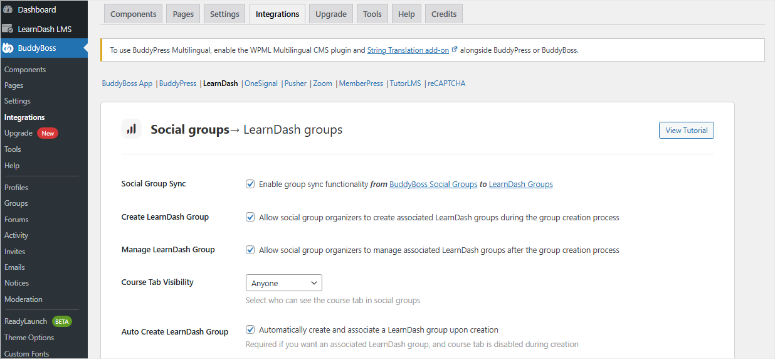
For starters, deep integration with LearnDash turns your courses into social learning experiences.
As a result, students discuss lessons in groups, share progress on their profiles, and connect beyond the course material.
On top of that, the higher pricing tiers include native mobile apps. With this, your members download an iOS or Android app with your branding that syncs with your WordPress site in real-time.
No coding required.
My Experience with BuddyBoss
I built a private community for a coaching program with 200 members who were frustrated with their Facebook Group’s limitations.
Setting up the basic community took under two hours. I activated the core components, profiles, groups, activity feeds, and members could start interacting immediately.
The activity feed became the heartbeat of the community. Members posted daily updates, shared wins, and asked questions.
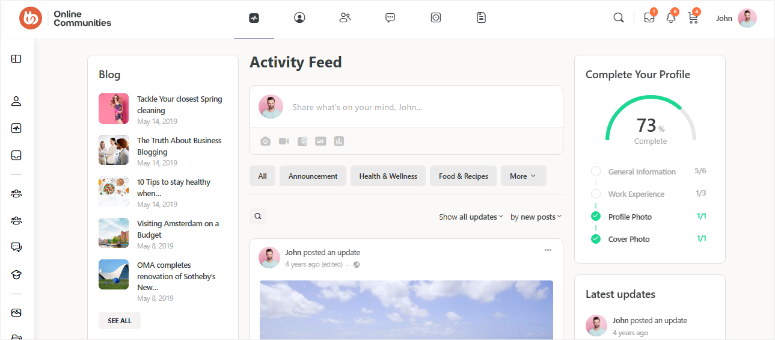
Plus, the private groups feature lets me create separate spaces for different coaching cohorts without needing separate Facebook Groups or managing multiple platforms.
In the end, members prefer it over the Facebook Group they’d been using for months. We saw this in action as engagement jumped compared to Facebook.
► Pros
- You get a complete social network right out of the box with every feature you’d expect from Facebook Groups but under your control
- The free version is genuinely powerful enough for most small communities, so you can start without spending a penny
- Unlimited members and groups mean you never hit a ceiling as your community grows bigger
- Deep integrations with course plugins make it perfect if you’re teaching online
► Cons
- The sheer number of features can feel overwhelming when you’re first getting started (I recommend activating one component at a time)
- Premium features like the mobile app and custom theme require paid plans
- Some advanced customization still needs technical knowledge or hiring a developer if you want it perfect
- Performance can slow down on cheaper hosting with large, active communities (upgrade to better hosting as you grow)
My Verdict: BuddyBoss eliminates the “where should I build my community?” question. If you’re creating courses, running coaching programs, or building any learning community, this handles social networking and education in one place.
Check out my BuddyBoss review for more details.
Pricing: Free plugin available; Pro starts at $299/year
Get started with BuddyBoss here
2. MemberPress ⭐⭐⭐⭐⭐
Billions in revenue processed | Best for: Selling courses and memberships
MemberPress surprised me by packing everything into one plugin instead of forcing you to juggle multiple tools.
Most notably, the complete LMS (Learning Management System) sits right inside MemberPress.
You can build courses with drag-and-drop curriculum builders, create lessons, add quizzes, and issue certificates. All without installing LearnDash or another separate course plugin.
Why Is MemberPress One of the Best Community Plugins?
MemberPress has an interesting feature called ClubSuite, which allows you to add forums and private messaging between members.
But what is most impressive is that this feature also creates a rich directory that allows members to search for other members and everything in between directly into your membership site.
Most plugins make you install BuddyPress or bbPress separately for community features. MemberPress just turns them on.
Plus, the Growth plan allows you to run coaching programs. With this, you can track client milestones, manage habits, and organize cohorts. This is perfect for coaches who need more than just course delivery.
On top of that, their simple setup feature, ReadyLaunch, makes it easy to set up your website and courses and sell them instantly.
Just pick a template, customize it visually, and you’re done. No weeks of design work or developer hiring.
My Experience with MemberPress
I migrated my online course from Teachable to MemberPress to eliminate the $5,000/year I was paying in platform fees.
ReadyLaunch had my new site sale-ready in less than one day. I picked a course template, imported my content, connected Stripe, and went live. The visual builder meant zero coding.
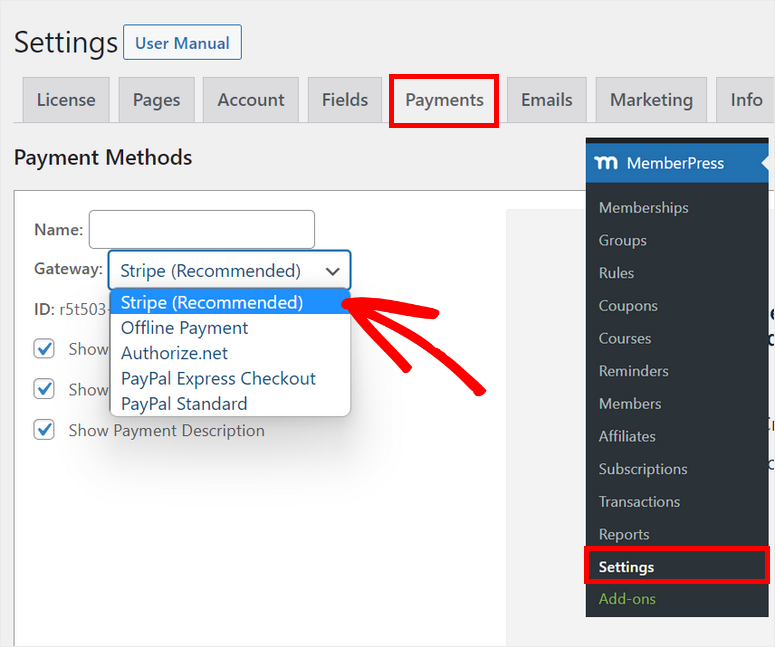
The biggest win came from keeping 100% of revenue. Most course creation plugins take a percentage of every sale. With MemberPress, I paid a flat annual fee regardless of how much I earned.
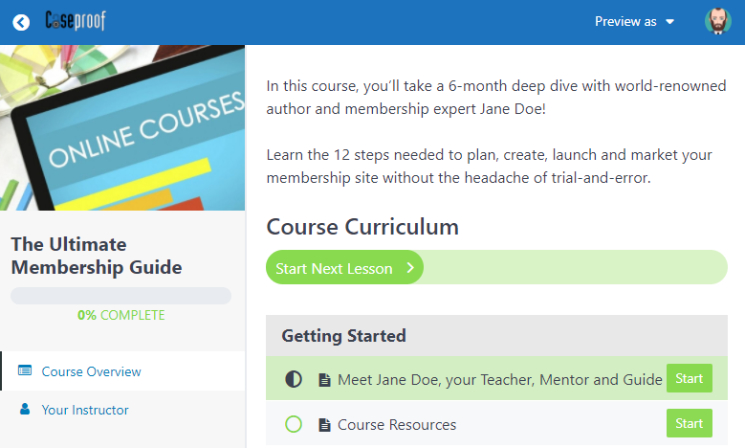
Course completion rates improved after adding ClubCircles forums, part of ClubSuite features, where students helped each other.
In the end, the community features turned isolated course consumption into collaborative learning. This led to more completed courses, and most importantly, more motivated students.
► Pros
- MemberPress is truly all-in-one with memberships, courses, community forums, coaching tools, and affiliates without needing separate plugins
- The Launch plan lets you start with minimal upfront cost, then upgrade to remove the transaction fees as you grow
- ClubSuite gives you Facebook Group-style community features without installing BuddyPress or dealing with extra plugins
- ReadyLaunch can have you selling within 24 hours, which is incredible for beginners who just want to launch
► Cons
- No free version to test before buying, though they do offer a 14-day money-back guarantee if it doesn’t work out
- Launch plan’s transaction fee adds up quickly if you’re profitable
- Community features like ClubCircles forums only available on Growth plan
- Some advanced features, like the affiliate program and API access, are only available on the top Scale plan
My Verdict: MemberPress works best when you’re selling courses or memberships and want community features without plugin overload. The all-in-one approach means less troubleshooting and faster setup.
Check out my MemberPress review for more details.
Compare MemberPress vs WishList Member and MemberPress vs Ultimate Membership Pro if you are still deciding between membership plugins.
Pricing: Starting at $199.50/year
If this sounds right for you, check out our MemberPress coupon page for the best deals.
Get started with MemberPress here
3. BuddyPress ⭐⭐⭐⭐⭐
200,000+ active installs | Best for: Budget-conscious DIY builders
BuddyPress stands out as one of the best community plugins because it comes with great features and it’s 100% free forever with zero premium upsells or feature restrictions.
BuddyPress is built by the same team that works on WordPress. That means it sticks to WordPress coding standards and won’t mess up your site.
Plus, it powers major sites, including 8.1+ million user profiles at WordPress.org. Think about it; if it scales to millions of users for WordPress’s official site, it’ll handle your community growth.
Why Is BuddyPress One of the Best Community Plugins?
What stands out most is the modular component system that lets you activate only what you need.
Want profiles and groups but not messaging? Just check those boxes. This keeps your site lean and fast instead of loading features you’ll never use.
On top of that, BuddyPress has 1,200+ free extension plugins in the WordPress repository. Need a specific feature? Someone probably built it for free already. So, you don’t need to start from scratch.
My Experience with BuddyPress
I needed to add member profiles and groups to my WordPress blog without breaking my zero budget.
Setup took 30 minutes. I installed it and only activated the components I wanted (profiles, groups, activity stream), and members could start interacting immediately.
No configuration headaches or paid theme requirements.
We got members joining and interacting through profiles and discussion groups. I love how the activity stream showed everything happening across the community in one feed.
The best part? Zero ongoing costs for community features.
► Pros
- BuddyPress is 100% free forever with no premium upsells, which is incredible for the features you get
- It’s built by WordPress core contributors, so you know it’s coded properly and will be maintained long-term alongside WordPress updates
- The modular system means you only activate features you need, keeping your site fast and uncluttered
- With 1,200+ free extensions available, you can add almost any functionality imaginable without spending money
► Cons
- The default design looks quite basic and dated compared to modern social networks like Facebook
- You’ll likely need to buy a BuddyPress-compatible theme for a professional look that matches modern expectations
- Setup and customization can require technical knowledge since there’s no setup wizard to guide beginners through the process
- No official support – you rely on community forums for help, which can be slow compared to paid support
My Verdict: BuddyPress delivers serious community features at zero cost. Perfect for DIY builders comfortable with WordPress who want proven software without monthly fees.
Pricing: Free forever
Get started with BuddyPress here
4. Thrive Comments ⭐⭐⭐⭐
Premium comment engagement | Best for: Bloggers building engaged audiences
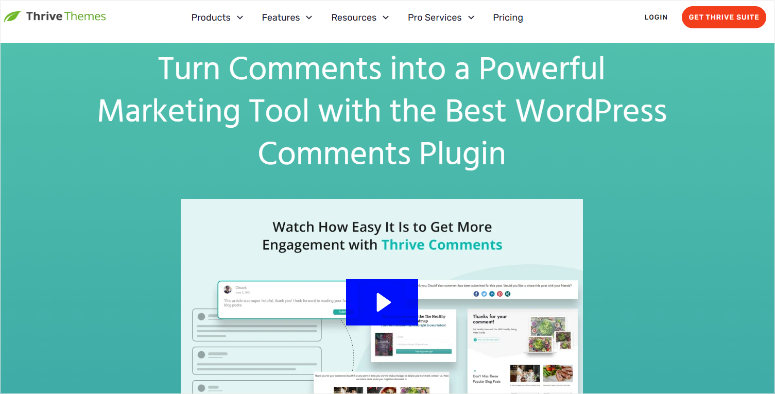
Thrive Comments transforms boring comment sections into community spaces where readers actually want to participate. That’s why it is on this list.
The upvote and downvote system works like Reddit. So, the best comments rise to the top automatically, rewarding helpful contributors and filtering noise. Your most engaged readers get recognized naturally.
Why Is Thrive Comments One of the Best Community Plugins?
Interactive websites always lead to more engagement. And the gamification badges Thrive Comments offers motivate participation.
For example, you can set up award badges for first the comment, 10th comment, most upvotes, and so on. Whatever milestones matter to your site.
I’ve seen comment frequency double just from adding badges.
That’s not all, the post-comment actions feature converts engaged readers immediately.
You can show an offer, redirect to related content, or display social sharing prompts. You do this right after someone comments and is most engaged.
On top of that, social login with Facebook and Google removes friction. Readers can comment without creating separate accounts or remembering passwords.
My Experience with Thrive Comments
I replaced default WordPress comments on my blog and watched engagement explode.
Setup took 15 minutes since all I had to do was install, activate, and configure the badges I wanted. What I really liked is that all existing comments stayed, but gained new features immediately.
Comments per post improved in a few weeks. This was partly due to the upvoting system that surfaced the most helpful responses, encouraging quality over quantity.
The biggest surprise came from post-comment lightboxes. I showed a simple email signup after commenting. This encouraged first-time commenters to become email subscribers.
► Pros
- Thrive Comments transforms boring comment sections into engaging community spaces with upvoting, badges, and post-comment actions that actually convert
- The social login option significantly reduces friction for first-time commenters since they don’t need to create accounts or remember passwords
- You can automatically show offers or related content right after someone comments, which is brilliant for converting engaged readers
► Cons
- There’s no free version to test, though you can buy a standalone plugin and cancel within a year if unsatisfied
- Too many comments can slow down page load times
- Limited to Facebook, Google, and Twitter for social logins – no LinkedIn, GitHub, or other platform options
My Verdict: Thrive Comments works best for bloggers who want better blog engagement and conversion from their comment sections. The upvoting and badges create natural community motivation.
Pricing: Starting at $49/year; Or as part of Thrive Suite, starting at $299/year
Get started with Thrive Comments here
5. AccessAlly ⭐⭐⭐⭐
Professional automation platform | Best for: Power users with CRM needs
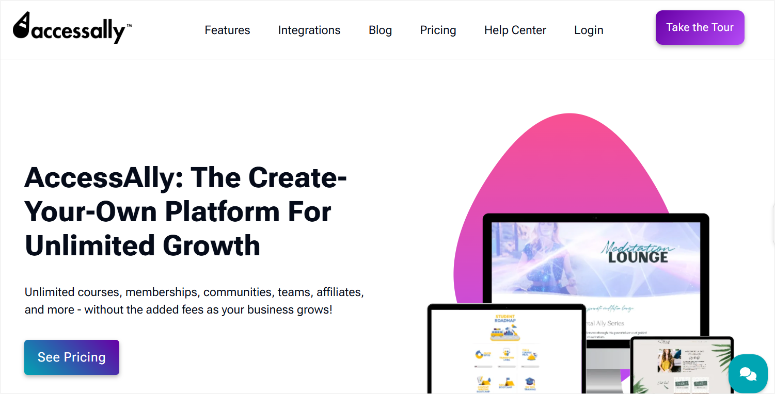
AccessAlly dominates as a community plugin when you need serious automation connected to your email marketing CRM.
Deep integrations with ActiveCampaign, ConvertKit, Keap, and Ontraport mean student behavior triggers specific actions automatically.
Someone completes lesson 5? Automatically tag them, unlock bonus content, and send congratulations. No Zapier connection needed.
Why Is AccessAlly One of the Best Community Plugins?
The flat annual fee includes unlimited courses, members, and admins. As a result, your costs stay predictable whether you have 100 students or 10,000.
The built-in affiliate system saves you from paying for separate affiliate plugins. With this feature, you can launch your affiliate program from day one with commissions tracked automatically.
On top of that, gamification features like points, badges, and leaderboards boost engagement without extra plugins.
My Experience with AccessAlly
I migrated a client’s course from MemberMouse to get deeper automation control.
Since it was not a new platform, the setup took one week with their migration assistance. During this time, they imported content, members, and purchase history.
See, the technical parts that would’ve stressed me out were handled professionally.
Course completion rates increased after adding gamification badges. This is because students competed to earn achievements, which kept them progressing through modules consistently.
► Pros
- AccessAlly is exceptionally powerful for automation lovers who want student behavior to trigger specific emails, content releases, and experiences automatically
- The flat annual fee with unlimited courses and members means your costs stay predictable even as you grow massively
- Built-in affiliate management saves you from paying for separate affiliate plugins like Easy Affiliate or AffiliateWP
- Migration wizard makes switching from platforms like Teachable or Kajabi relatively painless with professional assistance
► Cons
- AccessAlly is definitely not the cheapest option. It’s a significant investment compared to alternatives
- You really need a supported CRM to unlock the full power, adding to the total cost
- The learning curve is steeper than simpler plugins – great for power users, can be overwhelming for beginners
- No transaction-based pricing option like MemberPress offers, so upfront commitment is higher
My Verdict: AccessAlly excels for professional course creators who need powerful automation tied to their CRM. The complexity pays off if you’re running serious operations.
Pricing: Starting at $495/year
Get started with AccessAlly here
6. bbPress ⭐⭐⭐
300,000+ active installs | Best for: Simple forum needs

bbPress comes from the same team that built WordPress itself, Automattic.
This means it’s coded properly, follows WordPress standards, and won’t conflict with your theme or other top plugins. The familiar WordPress interface means zero learning curve.
Why is bbPress one of the Best Forum Plugins?
bbPress stays lightweight and fast. Forums can bog down sites with heavy code. But, bbPress uses minimal resources, working smoothly even on budget hosting.
The complete freedom of zero cost helps too. You get unlimited forums, topics, and replies without spending a penny or hitting feature restrictions.
On top of that, BuddyPress integration works seamlessly. Each BuddyPress group can have its own forum automatically, perfect for community sites needing organized discussions.
My Experience with bbPress
I needed a support forum for my plugin documentation site without complex features or ongoing costs.
Setup took 20 minutes from installation to the first forum live. I created forums in my WordPress admin, set permissions, and I was done. The interface felt natural because it mirrors WordPress post creation.
After this, community members answered support topics themselves, reducing my workload. The forum became a self-service knowledge base, reducing my direct support email volume.
To ensure everything was zero-cost, Akismet (also free) handled spam filtering perfectly. Together, they ensured I didn’t pay for a support solution that actually worked.
► Pros
- bbPress is completely free and stays lightning-fast even with thousands of forum topics, unlike heavier alternatives that slow sites down
- It’s built by the WordPress creators, so you know it’ll be maintained and work properly with WordPress updates
- The interface feels native to WordPress. If you can write a blog post, you can use bbPress forums without learning new software
- Perfect for simple use cases like support forums, FAQs, or adding discussion to existing content without complexity
► Cons
- The design is quite basic and looks dated compared to modern forum software like Discourse or even wpForo
- Limited features compared to full forums – no reactions, advanced moderation tools, or modern social features built in
- No private messaging system – users can only post publicly (pair with BuddyPress if you need private messages)
My Verdict: bbPress handles simple forum needs at zero cost. Perfect for support forums, Q&A sections, or basic community discussions without feature overload.
Pricing: Free forever
7. Ultimate Member ⭐⭐⭐
200,000+ active installs | Best for: Profile-focused member sites
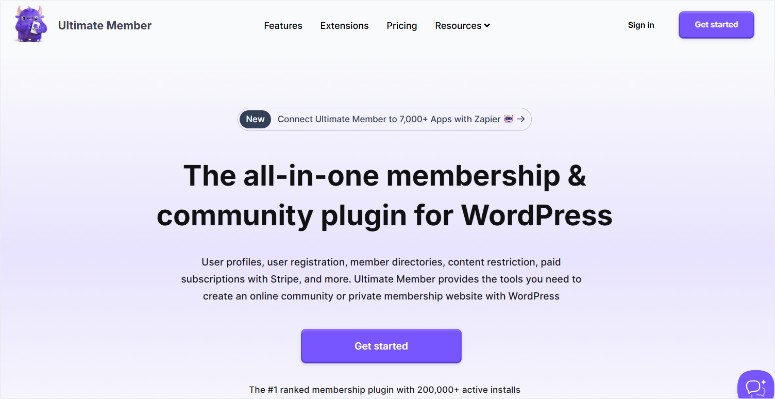
Ultimate Member creates gorgeous member profiles right out of the box without design work.
Member profiles with cover photos, avatars, and custom fields appear automatically after activation. The modern design looks professional immediately, unlike most plugins that need theme customization.
Why Is Ultimate Member One of the Best Profile Plugins?
I like how the frontend registration and login forms keep members away from WordPress admin screens. This improves your security and reduces attack loopholes.
In fact, everything happens on your branded pages, creating a professional member experience from signup through daily use.
The searchable member directory system lets members find and connect with each other. Multiple directory views and filtering options make large member bases navigable.
On top of that, the extension ecosystem gives you 30+ official extensions plus hundreds of third-party integrations.
My Experience with Ultimate Member
I built a professional networking site for local entrepreneurs needing member profiles and directories.
Setup took one hour. I created registration forms, customized profile fields, and configured the directory. The visual form builder made everything intuitive.
The community grew because the searchable directory lets entrepreneurs find others in their industry or location. While profile completion rate improved because the interface made it simple.
The free version handled everything we needed initially. As the community grew, we added the bbPress extension for forums and private messages using paid addons.
► Pros
- The free version is incredibly powerful with profiles, registration forms, and member directories – you can do a lot without paying
- Ultimate Member creates genuinely beautiful, modern-looking profiles and directories right out of the box with no design work needed
- The extension system means you only pay for features you actually need, rather than buying everything upfront
- Frontend-only user experience means members never see confusing WordPress admin screens, keeping everything branded and professional
► Cons
- Features add up fast if you need multiple extensions – private messages, forums, followers, and social login all cost separately
- The extension ecosystem can feel fragmented since you’re managing multiple separate plugins that need individual updates
- Some key features, like private messaging, feel like they should be included in the core given their importance
My Verdict: Ultimate Member excels for profile-focused sites where member directories and professional-looking profiles matter most. Start free, add extensions as you grow.
Pricing: Free plugin available; Pro starting at $276/year
Get started with Ultimate Member here
There you have it! My ultimate list of the best WordPress community plugins. But we are not done yet! Next, let us look at some community tools that just missed the list.
Bonus: Other WordPress Community Plugins Worth Knowing About
These plugins didn’t make my top 7, but they’re worth considering for specific situations.
Paid Memberships Pro ⭐⭐⭐⭐
Paid Memberships Pro offers a completely free membership plugin, which is a great alternative to MemberPress.
It handles content restriction, subscription billing, and member levels without costing anything for the core features.
The interface is less polished than MemberPress, and you’ll need separate plugins for courses or forums.
But if you just need basic membership functionality on a tight budget, it works reliably.
Restrict Content Pro ⭐⭐⭐⭐
Restrict Content Pro focuses on simple content restriction without the complexity of full membership systems.
It’s lighter weight than MemberPress or AccessAlly, making it perfect for sites that just need to gate some content behind registration or payment.
The streamlined approach means faster setup and fewer configuration headaches. You sacrifice advanced features like drip content and detailed analytics, but gain simplicity and speed.
ProfilePress ⭐⭐⭐
ProfilePress creates custom registration forms, login pages, and user profiles similar to Ultimate Member.
The free version includes front-end profile editing and custom registration fields. It’s less powerful than Ultimate Member, but some find the interface more intuitive.
The drag-and-drop form builder works well for basic profile customization. It is worth testing if Ultimate Member feels too complex for your needs.
How to Choose the Right Community Plugin for Your Needs
Picking the wrong community plugin means rebuilding everything later. Here’s how to match your needs to the right solution.
Choose by Your Primary Goal
Building a Course Community
- BuddyBoss or MemberPress work best when students need to interact beyond course content.
- BuddyBoss integrates deeply with LearnDash for social learning.
- MemberPress includes the LMS and community features in one plugin. Both create spaces where students discuss lessons, share progress, and help each other succeed.
If you’re creating online courses, the community features dramatically improve completion rates.
Selling Memberships or Content
- MemberPress or AccessAlly handle selling better than pure community plugins.
- MemberPress gets you selling within 24 hours using ReadyLaunch.
- AccessAlly offers more automation but requires CRM knowledge.
Both protect content, process payments, and manage subscriptions while adding community features.
Adding Discussion to Your Blog
- Thrive Comments transforms comment sections into engagement engines.
- The upvoting, badges, and post-comment actions convert passive readers into active participants.
- Perfect for bloggers who want better engagement without building full community sites.
- bbPress works if you need simple forums for blog discussions or support questions.
- It’s lighter weight and stays focused on threaded conversations.
Creating Member Networks or Directories
- Ultimate Member excels when profile visibility matters most.
- It’s great for professional networks, alumni groups, local business directories – anywhere people need to find and connect based on profile information.
Running a Pure Social Network
- BuddyBoss or BuddyPress deliver Facebook-style features.
- Activity feeds, friend connections, private groups, messaging, everything needed for social networking.
- BuddyBoss adds polish and mobile apps.
- BuddyPress gives you the same foundation for free.
Choose by Your Technical Comfort Level
Complete Beginners
- MemberPress with ReadyLaunch gets you online faster.
- Pick a template, customize visually, and launch.
- Or Ultimate Member, if you just need profiles and directories – activate, and profiles appear automatically.
Comfortable DIY-ers
- BuddyPress and bbPress work great if you’re comfortable installing plugins, customizing WordPress, and troubleshooting issues.
- Thrive Comments is simple enough for anyone who can install WordPress plugins.
Power Users and Developers
- AccessAlly unleashes full automation power if you understand CRM systems and marketing automation.
- BuddyBoss works well when you hire developers for custom features.
Well done! You now have a detailed list of the top seven community plugins, bonus plugins, and how to select one according to your needs.
If anything is unclear, check out the commonly asked questions below.
FAQs: Best WordPress Community Plugins
Can I move my Facebook Group to WordPress?
Yes, but not automatically. You’ll need to encourage members to migrate and recreate your group structure using plugins like BuddyBoss or BuddyPress. The benefit is you’ll own everything, control all features, and never worry about algorithm changes affecting your community. Members can recreate discussions in your WordPress groups, and you can organize content better than Facebook allows.
Which is the best free community plugin?
BuddyPress, bbPress, and Ultimate Member (core) are 100% free forever. BuddyPress gives you full social networking with profiles, activity feeds, and groups. bbPress adds forums and discussion threads. Ultimate Member provides beautiful member profiles and directories – all without spending money. Premium alternatives like BuddyBoss add polish and features but cost money.
Do I need multiple plugins for forums and profiles?
Not necessarily. BuddyBoss and MemberPress include forums built-in. Alternatively, combine free BuddyPress + bbPress + Ultimate Member for similar functionality at no cost. The integrated solutions like BuddyBoss are easier to set up and manage. Combining free plugins gives more customization control but requires more technical work.
Can I sell courses with these community plugins?
Absolutely. MemberPress and AccessAlly have LMS features built-in for creating and selling courses without separate plugins. BuddyBoss integrates beautifully with LearnDash for course communities where students interact. BuddyPress, bbPress, and Ultimate Member don’t include course features. You’d need to pair them with a separate LMS plugin like LearnDash or LifterLMS if you want course functionality.
Will community plugins work with my WordPress theme?
Yes, all community plugins on my list are designed to work with standard WordPress themes. BuddyBoss includes its own theme for the best results and optimal performance. MemberPress, BuddyPress, bbPress, and Ultimate Member adapt to your existing theme automatically. Thrive Comments replaces WordPress comments regardless of theme. AccessAlly works with any theme.
Do I need hosting upgrades for community features?
Eventually, yes, as your community grows past 1,000 active members. Start on shared hosting for testing, but communities with thousands of active members need better hosting like VPS or managed WordPress hosting. BuddyPress and bbPress are lightweight and work on budget hosting longer than heavier solutions. Plan for hosting upgrades as engagement increases. Remember, active communities generate more database queries than static sites.
Final Verdict: Should You Build Your WordPress Community?
Yes, if you want control over your community’s future.
Building a WordPress community takes more initial setup than joining Facebook Groups. You’ll spend time configuring plugins, customizing design, and learning how everything connects. That upfront work pays off permanently.
You own the data, control the features, and set the rules. Algorithm changes don’t kill your reach overnight.
Start with free BuddyPress if budget-conscious. You get proven social networking software at zero cost. Add bbPress for forums and Ultimate Member for profiles – a complete community stack without spending money.
Choose MemberPress or BuddyBoss if selling content. Both include everything needed for monetization plus community features. MemberPress focuses on selling, BuddyBoss adds social learning.
The plugins exist. The community wants to gather. The only question is whether you’ll own that space or rent it from platforms that can change terms anytime.
Build your community on WordPress. You won’t regret controlling your own platform.
Resource Hub: Building Your WordPress Community
Ready to take your community to the next level? These resources will help you add powerful features and grow your platform.
- How to Create a Video Membership Site in WordPress: Learn how to add video content to your membership site with proper protection and streaming. Perfect if you’re building course communities or selling video training.
- How to Let Users Submit Calendar Events in WordPress: Community events drive engagement. This tutorial shows you how members can submit their own events, creating a community calendar that brings everyone together.
- Best WordPress Testimonial Plugins to Add Social Proof: Display member success stories and testimonials to attract new members. Social proof builds trust faster than any sales copy.
- Best WordPress Social Media Plugins for Engagement: Integrate social sharing and feeds to amplify your community’s reach. Connect your WordPress community with your social media presence.
These articles will help you not just build a fantastic community, but also manage it more efficiently. Now let’s discuss. Is there a community plugin you feel I missed? I am all ears.

Comments Leave a Reply