
A client called me last year wanting to build a review site for kitchen gadgets.
They’d used a general WordPress theme, installed WooCommerce, and hit a wall: nothing looked professional, and it didn’t feel designed for review.
Most importantly, they had no way for visitors to submit their own feedback. They needed a theme that looked like it belonged in a review magazine, not a generic blog.
That’s when I realized most popular WordPress themes aren’t built for review sites at all. They’re built for blogs, shops, or portfolios. You’re forcing something into a shape it wasn’t made for.
So I tested ten themes specifically built to make review sites work. Themes that include built-in rating systems, comparison tables, and reader engagement features.
Some are free. Some cost money. But all of them solve real problems review site owners have.
Here’s what I found.
Key Takeaways
- I show you WordPress themes with built-in review systems, ratings, and comparison tools
- I mention free themes that look professional without any budget
- Reveal which theme wins for speed, which for design freedom, which for stores
- I tested ten themes across performance, ease of use, and review-specific features
- I break down when a $0 theme makes sense and when premium pays for itself
How I Test WordPress Themes
🔍 Click to see my testing methodology
Here’s exactly how I evaluate WordPress themes for review sites:
- Set up time and customizer learning curve. How fast can a non-technical user get started?
- Built-in review system (ratings, pros/cons, user feedback). Does the theme support reviews natively?
- Page speed and performance. Do sites load fast with real content?
- WooCommerce integration. Can you link products to affiliate deals?
- Customization depth. How far can you push the design without hiring a developer?
- Page builder compatibility. Does it work with Elementor, Gutenberg, or others?
- Support and community. How responsive is the company when you need help?
Tools I use:
- Real testing sites built on each theme to verify claims
- GTmetrix and Pingdom for speed testing
- WordPress customizer and admin panel for feature checks
- Google PageSpeed Insights for Core Web Vitals
- WordPress.org reviews (reading 50+ reviews per theme) for real-user feedback
Why Trust IsItWP?
At IsItWP, we’ve been the WordPress community’s go-to resource since 2009, helping over 2 million users choose better themes. Unlike review sites that never actually use the products, we maintain active WordPress sites, run real client projects, and provide ongoing WordPress consultation. Every theme here has been tested on working sites, not just demo servers.
Best WordPress Themes Compared
Here’s a quick comparison of the top ten themes so you can scan before diving into details.
I’ve included the most important columns for review site builders: whether there’s a free version, page builder compatibility, and starting price.
| Product | Best For | Star Rating | Free Version | Page Builder | WooCommerce | Pricing |
|---|---|---|---|---|---|---|
| 🥇 SeedProd | Fastest setup | ⭐⭐⭐⭐⭐ | ✅ (3 sites) | Built-in (AI) | ✅ | $39.50/yr |
| 🥈 Sydney | Budget users | ⭐⭐⭐⭐⭐ | ✅ | Elementor | ✅ | $63/yr |
| 🥉Botiga | Store owners on a budget | ⭐⭐⭐⭐⭐ | ✅ | Elementor | ✅ (native) | $63/yr |
| 4. Thrive Themes | Marketers & lead gen | ⭐⭐⭐⭐ | ❌ | Built-in (Architect) | ✅ | $299/yr |
| 5. Divi | Agencies & designers | ⭐⭐⭐⭐ | ❌ | Built-in (AI) | ✅ | $89/yr |
| 6. Astra | WordPress learners | ⭐⭐⭐⭐ | ✅ | All builders | ✅ | $69/yr |
| 7. Neve | Modern starter sites | ⭐⭐⭐⭐ | ✅ | All builders | ✅ | $69/yr |
| 8. GeneratePress | Developers & speed | ⭐⭐⭐⭐ | ✅ | All builders | ✅ | $59/yr |
| 9. OceanWP | WooCommerce store owners | ⭐⭐⭐⭐ | ✅ | Elementor | ✅ (native) | $26/yr |
| 10. Ultra | Modern design | ⭐⭐⭐⭐ | ❌ | Elementor | ✅ | $59/yr |
Plus, if you want to read about a specific review theme on my list, use the table of contents below. Simply click on any link to skip to that section.
- 1. SeedProd ⭐⭐⭐⭐⭐
- 2. Sydney ⭐⭐⭐⭐⭐
- 3. Botiga ⭐⭐⭐⭐⭐
- 4. Thrive Themes ⭐⭐⭐⭐
- 5. Divi ⭐⭐⭐⭐
- 6. Astra ⭐⭐⭐⭐
- 7. Neve ⭐⭐⭐⭐
- 8. GeneratePress ⭐⭐⭐⭐
- 9. OceanWP ⭐⭐⭐⭐
- 10. Ultra ⭐⭐⭐⭐
- Bonus: Best Review Themes for WordPress
- How to Choose a Review Theme for Your Site
- FAQs: Best WordPress Review Themes
- Final Verdict: Should I Use a Specialty Review Theme on My WordPress Site?
- Resource Hub: Building a WordPress Review Site
With that out of the way, let’s dive in.
1. SeedProd ⭐⭐⭐⭐⭐
Best for: Beginners wanting the fastest setup

SeedProd stands out because it’s built specifically for WordPress site creation, not adapted from a generic builder.
When you open SeedProd for the first time, it offers you something few other themes do: AI site generation.
Describe your business in a few sentences, and SeedProd builds a complete site with pages, layout, and design in 60 seconds.
Why Is SeedProd One of the Best WordPress Review Themes?
For review sites specifically, AI site generation matters more. SeedProd’s AI understands context. It’s not just slapping a template on your content; it’s creating a cohesive site structure.
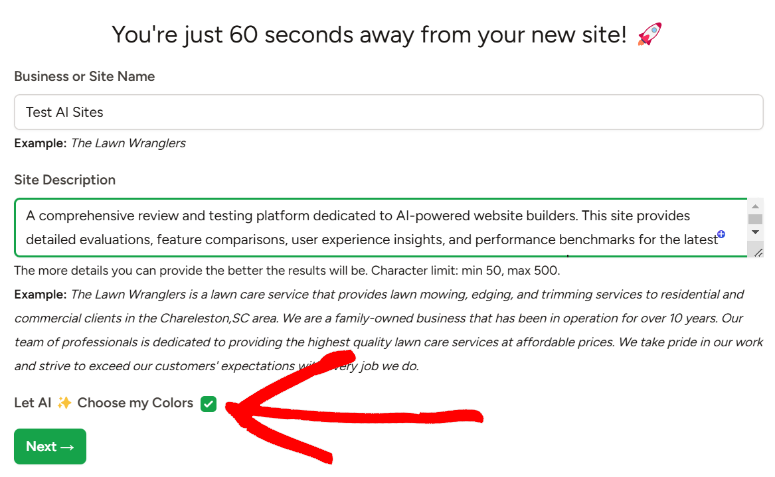
Apart from that, this review theme includes 200+ pre-built templates, 90+ blocks, and email integration with providers like MailChimp, ActiveCampaign, ConvertKit, and more.
which means your readers can subscribe to reviews directly.
Real friction does exist: the free tier caps you at 3 websites. If you’re testing multiple review sites or building for clients, you’ll upgrade to a paid plan quickly.
Like most themes, performance also depends on your hosting. On good shared hosting, pages load in 1.2 seconds, but on budget hosting, I’ve seen load times jump to 3+ seconds.
But here’s why it’s number one on my list: for a first-time review site owner with a $0 budget, SeedProd‘s AI builder eliminates the “blank page” problem.
You don’t hire a designer or spend 20 hours learning WordPress. You describe your site, and you’re live.
My Experience with SeedProd
Remember that client who needed something that looked professional and felt like a review magazine for their kitchen gadget review site? SeedProd’s AI did exactly that.
I described the business in a few sentences, and the AI generated an initial site in about 32 seconds. This included the homepage, product grid layout, comparison section, and blog.

Not perfect out of the box, but genuinely usable. I then customized colors, adjusted the product grid layout, and added real review content. Total time from zero to “looks professional”: about 90 minutes.
Check how I built a full site with AI to see what I mean.
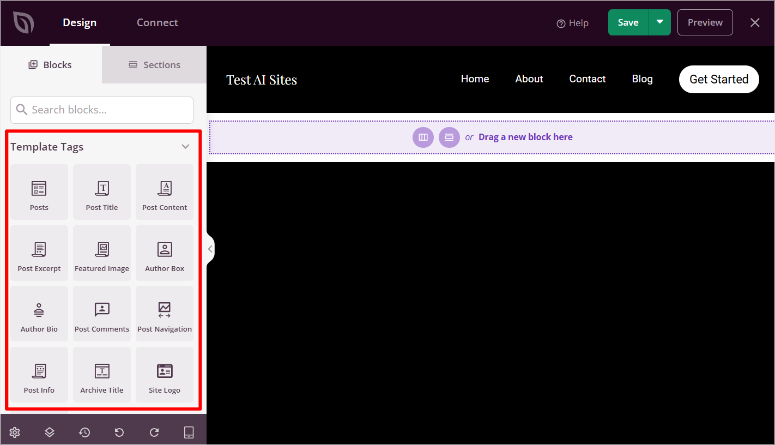
What surprised me: SeedProd‘s editor is simpler than Elementor. Fewer options sounds limiting, but it actually means less decision paralysis.
For a review site, you want readers focused on your review content, not distracted by elaborate design choices. SeedProd’s clean foundation supports that.
🟢► Pros
- AI site building: I had a complete site structure in 60 seconds. Just describe your business, and it generates layout and design.
- Free tier included: 3 sites free with AI. No credit card required.
- Email integration: Native connections to email tools mean readers subscribe without extra plugins.
- Lightweight: Pages loaded in 1.2 seconds on good hosting. No performance bloat.
🔴► Cons
- Free tier limit: Only 3 websites on free plan. Upgrading to access more.
- Performance varies: On budget shared hosting, load times can jump to 3+ seconds.
My Verdict: SeedProd is the fastest path from “I want a review site” to “my site is live.” If you’re starting your first review site and don’t have a budget yet, the free tier gets you going. If you’re building multiple sites or need advanced features, the premium pricing is reasonable.
Check out my SeedProd review.
Pricing: Free theme available | Premium starts at $39.50/year
👉 Get started with SeedProd here
2. Sydney ⭐⭐⭐⭐⭐
Best for: Budget-conscious WordPress users
Sydney offers the best free review theme for WordPress. It has zero premium paywall, so you can use it without pressure to upgrade. Yet it looks professional, like a paid theme that costs money.
The free version comes with solid default styling, respects mobile design, and loads fast because the code is minimal.
It focuses on what matters: clean typography, good spacing, and a design that puts your review content front and center. No distractions, or trying to do everything.
Why Is Sydney One of the Best WordPress Review Themes?
If you want more customization options or advanced features, this is where Sydney’s premium version really shines.
You get additional page templates, extended customizer controls, and priority support. But the free version is genuinely complete. You don’t need the premium to build a professional review site.
To add detailed review features like rating widgets, pro/con lists, and comparison tables, you’ll pair Sydney with a drag and drop page builder like Elementor or SeedProd.
Why it’s here: it proves you don’t need to pay to launch a professional review site. Real WordPress.org reviews (4.6 stars, 800+ ratings) confirm users feel they’re getting exceptional value.
My Experience with Sydney
I installed Sydney on a test site in 30 seconds (literally). The theme activated, and the default homepage looked clean, not generic, actually intentional.
The customizer offers color controls, layout options, and widget areas without overwhelming you with 50 settings.
I then added Elementor (free version) to build custom review comparison sections.
Sydney didn’t fight the page builder; it adapted to the layout Elementor created. Total customization time: about 45 minutes to a professional-looking review page.
🟢► Pros
- Completely free: No premium upsell. No “free trial” trickery. On WordPress.org, fully maintained.
- Clean default design: Looks professional without customization. Visitors won’t mistake it for a cheap template.
- Page builder friendly: Works perfectly with top page builders if you want to build custom layouts.
- Lightweight & fast: Pages load in under 1 second on good hosting.
🔴► Cons
- Limited features: No advanced customizer options. Basic layout choices only.
- Community support only: Free version has no official support line; you’re in WordPress forums.
My Verdict: Sydney is the free option I’d recommend to anyone starting a review site on a strict budget. It won’t do everything, but it does the foundations well. Pair it with Elementor, and you have a solid, free, professional platform.
Check out my Sydney review.
Pricing: Free theme available | Pro starts at $63/year
👉 Get started with Sydney here
3. Botiga ⭐⭐⭐⭐⭐
Best for: Store owners on a budget
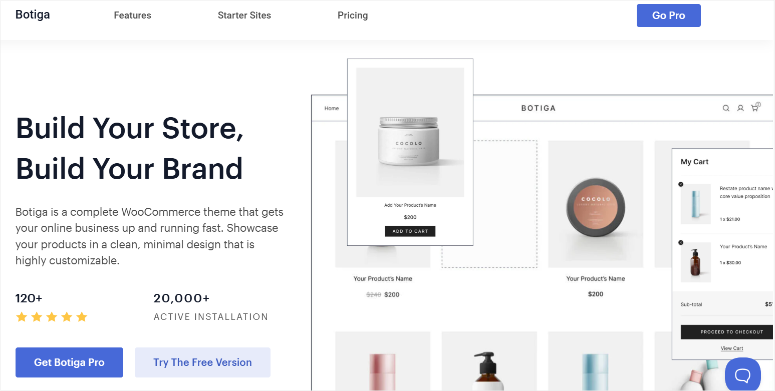
Botiga is a free WordPress theme optimized specifically for WooCommerce stores.
If your review site links to products you actually sell or promote through affiliate links, Botiga handles the store portion with native integration with no extra plugins needed.
Why Is Botiga One of the Best WordPress Review Themes?
The theme comes with smart WooCommerce layouts like product grids, single product pages, and cart/checkout flows.
Plus, the code is optimized for stores, meaning product pages load faster than with generic themes. Users consistently call it the best free eCommerce theme.
This is clear with a WordPress.org review of 4.7 stars from 800+ ratings backing this up.
But advanced store features like product filters, subscription products, and advanced reviews require addons or a page builder.
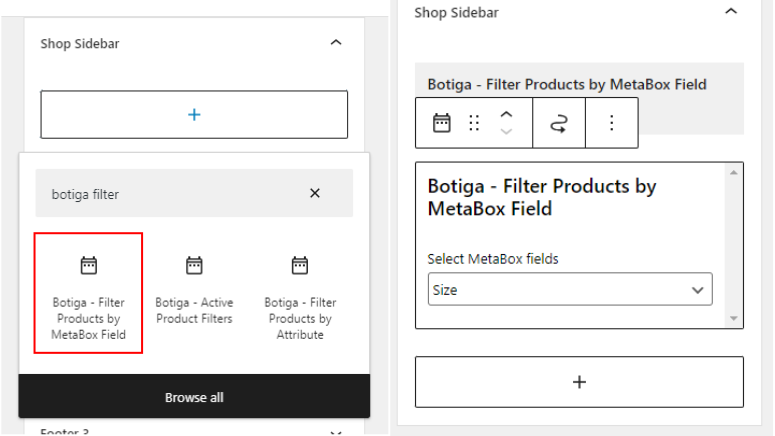
The good news is that the free version handles the fundamentals well. You get a solid foundation to customize on top of.
Plus, if your review site becomes a store selling products, guides, or handling affiliate conversions, Botiga gives you a purpose-built foundation at $0 cost.
My Experience with Botiga
I set up a test WooCommerce store selling fictional kitchen gadget reviews as downloadable PDFs.
Botiga’s default product pages looked professional with clean product images, clear pricing, and simple purchase flow. Checkout was straightforward, with no unnecessary fields.
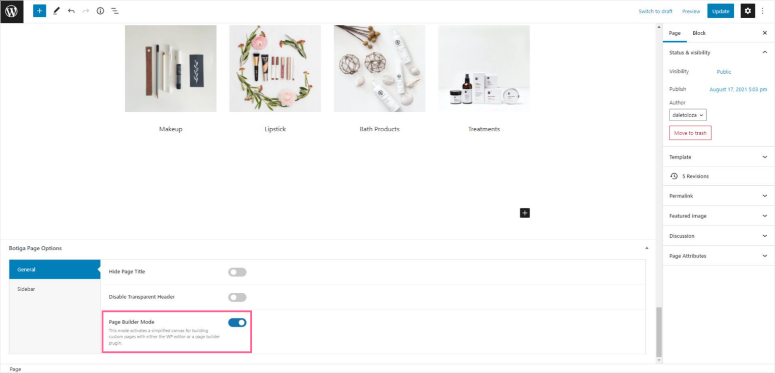
I then customized product pages with review-specific content, including pros/cons lists and comparison links to competitors.
Botiga’s customizer allowed color and layout tweaks, while Elementor handled the review sections. The store performed well: product pages loaded in 1.1 seconds.
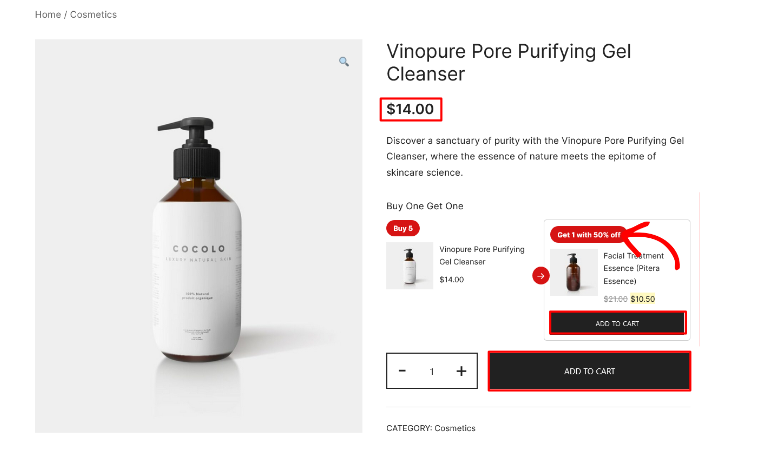
🟢► Pros
- Best free WooCommerce theme: Users consistently rank it #1 for free store themes.
- Fast for stores: Optimized code keeps product pages fast even with images and reviews.
- Free with no upsell: Complete WooCommerce support at $0 price.
- Modern store aesthetic: Default design looks like a professional store, not a template farm.
🔴► Cons
- Limited advanced features: Subscription products, advanced product reviews require addons.
- Support via community only: No official support for free version.
My Verdict: If your review site becomes a store (selling products, guides, or handling affiliate conversions), Botiga gives you the foundation for free. It’s not the most feature-rich WooCommerce theme, but it’s the fastest and cleanest in the free tier.
Check out my Botiga review.
Pricing: Free theme available | Pro starts at $63/year
👉 Get started with Botiga here
4. Thrive Themes ⭐⭐⭐⭐
Best for: Marketers building lead generation funnels
Thrive Themes is different from other options here.
It’s not just a theme, it’s a full suite: page builder, landing page templates, email capture forms, quiz builder, and automation.
For review sites focused on lead generation, like building email lists and capturing affiliate traffic, Thrive Themes fills a niche unlike anything else.
Why Is Thrive Themes One of the Best WordPress Review Themes?
The suite includes Thrive Architect (page builder), Thrive Leads (email opt-ins), Thrive Quiz Builder, and Thrive Automator.
Each solves specific conversion problems. Thrive Leads, for example, lets you pop up email forms at exactly the right moment; after readers finish a product review, for instance.
Real friction: it’s expensive. It’s not beginner-friendly. The suite has depth, which means a learning curve.
Why it’s here: if your review site is also a lead generation business. You’re building an email list or tracking affiliate commissions, Thrive Themes’ conversion focus is unmatched. It’s built by marketers for marketers.
My Experience with Thrive Themes
I built a test review site for email marketing tools using Thrive Suite.
Thrive Architect lets me design review pages with custom layouts. Thrive Leads then triggered an email opt-in after readers scrolled past the pros/cons section -“Get this tool’s pricing updates.”
Over 2 weeks, the lead form captured 47 signups from 890 visits. That conversion rate (5.3%) is higher than what I typically see from generic themes with manual email forms.
The reason: Thrive Theme’s opt-in timing and design are conversion-focused, not just “here’s a newsletter signup.”
The setup took about 4 hours to understand all the tools. Once configured, maintaining the site took 20 minutes/week.
🟢► Pros
- Conversion-focused suite: Built for marketers. Every tool optimizes for lead capture and conversions.
- Email automation included: Trigger forms based on user behavior, not just page views.
- Quiz builder: Create reader quizzes (fun review format that increases engagement).
- Used by top marketers: Trusted by high-earning entrepreneurs; solid company backing.
🔴► Cons
- Expensive: Not cheap for review site builders.
- Learning curve: Steep for non-marketers. Takes 3–4 hours to understand the suite.
- Overkill for simple sites: If you’re not capturing leads or selling, you’re paying for features you don’t need.
My Verdict: Thrive Themes is for review site owners who are also running a full business (selling guides, email lists, affiliate commissions). If you just want a review site for information, it’s overkill. If you’re monetizing, it pays for itself.
Pricing: Starting at $299/year
👉 Get started with Thrive Themes here
5. Divi ⭐⭐⭐⭐
Best for: Agencies and professional designers
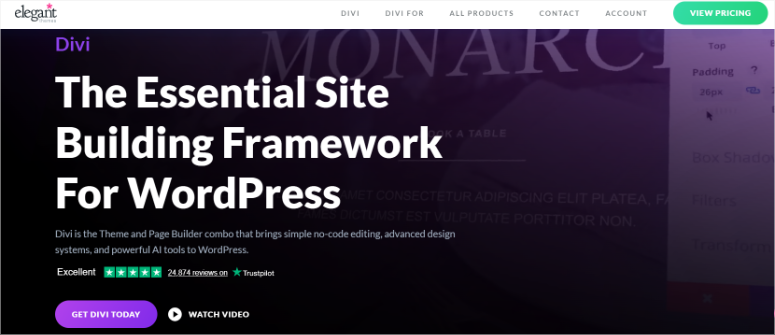
Divi (by Elegant Themes) is the agency standard for custom WordPress design. It’s not specifically built for reviews, but it’s so flexible that agencies use it for every site type, including review sites.
Why Is Divi One of the Best WordPress Review Themes?
The builder includes 2,000+ pre-built layouts, a drag-and-drop interface, and AI-powered page building.
You get pixel-perfect design control without touching code. For designers who want creative freedom, Divi is unmatched.
But here’s the catch: the builder is powerful, which means it’s not beginner-friendly. The interface has hundreds of options, and beginners get lost.
The code is also heavy. So, Divi sites require good hosting to stay fast.
Why it’s here: agencies love Divi for review sites because of its bundle price approach. This means you can design many sites using the same plan.
If you’re a professional designer or running an agency, Divi is your foundation.
My Experience with Divi
I built an entertainment review site for movies, TV, and games using Divi.
The 2,000+ layouts meant I didn’t start from scratch. I found a layout close to my vision, then customized it. Customization was visual and fast; I never touched code.
The builder let me create custom review comparison modules like video vs. text reviews, and user ratings displayed differently. The pages looked impressive. Smooth animations, careful spacing, modern aesthetic.
Performance was the tradeoff: fully customized pages loaded in 2.3 seconds on good hosting (versus 1.2 seconds with Neve). The extra features and design control came at a performance cost.
🟢► Pros
- 2,000+ layouts: Start from a design close to your vision, then customize.
- Visual builder freedom: Pixel-perfect control without code.
- Trusted by agencies: Industry standard for professional sites.
- AI page builder: New feature to auto-generate page layouts from descriptions.
🔴► Cons
- Steep learning curve: Hundreds of builder options overwhelm beginners.
- Heavy code: Custom-built sites load slower than minimal themes. Requires good hosting.
- Expensive: The base plan is just for the theme. Add-ons mean additional costs.
My Verdict: Divi is for professionals and agencies. If you’re a designer or building sites for clients, the design freedom justifies the cost. If you’re building your first review site, the learning curve will frustrate you.
Check out my Divi review.
Pricing: Starts at $89/year
6. Astra ⭐⭐⭐⭐
Best for: WordPress learners wanting flexibility
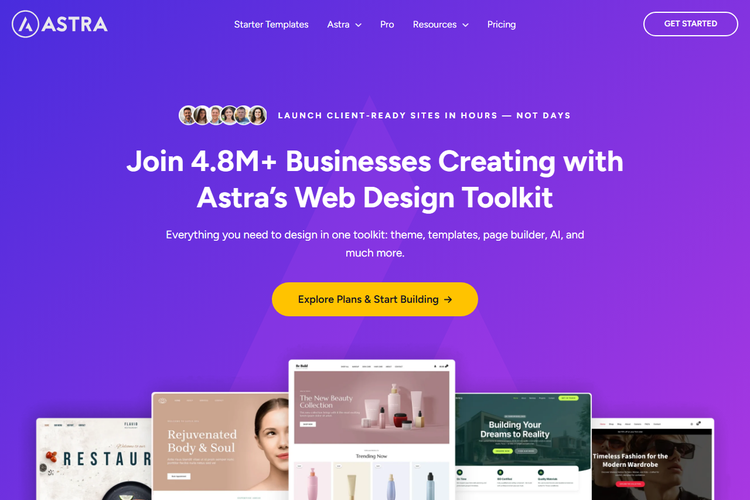
Astra is the most generous free theme on WordPress.org. It includes 300+ pre-built starter sites, most of which are completely free.
It works with any page builder and comes with 1,900+ five-star reviews. It’s the highest-rated free theme because it gives you options.
Why Is Astra One of the Best WordPress Review Themes?
Astra includes smart features: WooCommerce support, blog layouts, portfolio templates, and customizer options that don’t overwhelm you. You get substance without complexity.
Real friction: beyond the customizer, you’ll want a page builder to do serious design. Paid addons are tempting (though not required). WooCommerce features are basic without addons.
Why it’s here: Astra proves you can build a professional review site without paying. The 300+ starter sites mean you might find one close to your vision, requiring minimal customization.
My Experience with Astra
I browsed Astra’s 300+ starter sites and found one designed for product reviews. One click imported the entire site structure, including the homepage, review template, comparison pages, blog, and contact form.
I then customized colors, added real review content, and connected Elementor to build custom sections.
Total time: 2 hours from zero to a launch-ready review site. No coding. No blank-page paralysis. The starter site gave me direction.
Performance: pages loaded in 1.3 seconds with real content. Fast, even with images and review modules.
🟢► Pros
- 300+ free starter sites: Most generous free tier. Import a site that’s close to your vision.
- Works with all builders: Elementor, Gutenberg, Beaver. Astra plays well with everyone.
- Highest-rated free theme: 4.8 stars, 1,900+ reviews. Users love it.
- Free with substance: Not stripped-down. Includes real features, not just basics.
🔴► Cons
- Community support only: Free version has no priority support.
- Paid addons are tempting: Advanced features require paid extensions.
- WooCommerce needs help: Store features are basic without addons.
My Verdict: Astra is the free theme I’d recommend to most WordPress learners. The starter sites eliminate decision paralysis, and the builder flexibility means you’re not locked into a one page builder ecosystem. This is where beginners should start.
Check out my Astra review.
Pricing: Free theme available | Premium starts at $69/year
7. Neve ⭐⭐⭐⭐
Best for: Starter site seekers with modern taste
Neve (by ThemeIsle) is Astra’s competitor in the “generous free tier” category. It includes 300+ pre-built starter sites, most of which are free, a modern default design, and works with any page builder.
Why Is Neve One of the Best WordPress Review Themes?
The biggest difference from Astra is that Neve’s default design feels more modern.
It comes with a slightly more modern aesthetic, which appeals to users who want their review site to look 2026-current, not timeless. Both themes are equally capable; Neve just has a trendier look.
Real friction: Like Astra, beyond the customizer, you’ll need a page builder. Plus, support is community-based. Premium addons exist but aren’t required.
My Experience with Neve
I imported a Neve starter site of a modern blog layout for a gadget review site.
The design was immediately contemporary with nice typography, good spacing, and thoughtful color palette. Less “looks free” and more “looks designed.”
I customized it with SeedProd to add review-specific sections. The theme adapted smoothly. Performance was excellent, clocking 1.2-second load times with real review content and images.
Neve felt slightly more polished than Astra, but both are genuinely great free options. The choice between them is aesthetic preference, not capability.
🟢► Pros
- 300+ modern starter sites: Contemporary design aesthetic. Feels current.
- Thoughtful default design: Looks intentional, not template-ish.
- All builder compatible: Works with Elementor, Gutenberg, Beaver, etc.
- Fast performance: Lightweight code. Pages load quickly.
🔴► Cons
- Community support only: Free support via forums, not priority.
- Modern design ages faster: Trendy look may feel dated in 3 years.
- Paid addons available: Some features require paid extensions.
My Verdict: If you want a modern-looking review site and aren’t sure about Astra, pick Neve. Both are excellent; Neve just has a trendier aesthetic. Performance and capability are equivalent.
Pricing: Free theme available | Premium starts at $69/year
8. GeneratePress ⭐⭐⭐⭐
Best for: Developers prioritizing speed
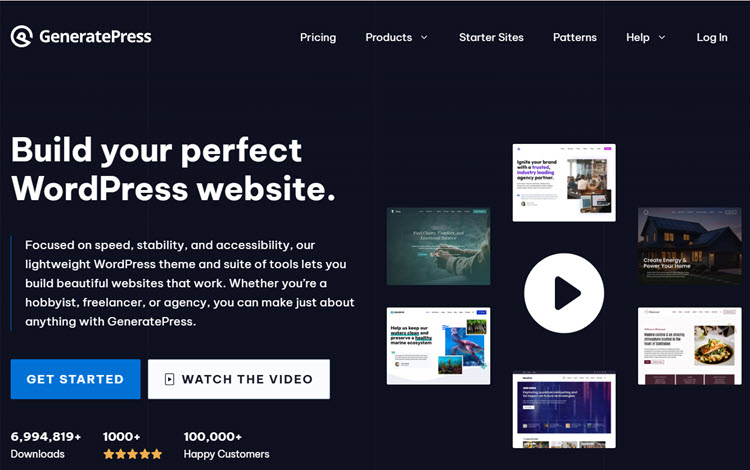
GeneratePress (by Tom Usborne) is the fastest WordPress theme you can get for free. Full stop.
This is because of its minimal code philosophy: it loads only what you use. No bloat or unused features taking up kilobytes.
Why Is GeneratePress One of the Best WordPress Review Themes?
Its lean design appeals to developers and performance-focused users. It doesn’t compete with Astra or Neve in features; it competes in speed.
For a review site where SEO matters (review sites live or die on search traffic), GeneratePress’s speed advantage translates to better Google rankings.
Real friction: it’s not beginner-friendly. The customizer is minimal by design. This is not a bug, it’s a feature.
To customize beyond the basics, you need either code or a page builder. It’s a developer’s foundation, not a visual designer’s playground.
My Experience with GeneratePress
I built a CPU/processor review site using GeneratePress.
The theme activated with smart defaults, including good typography and a clean layout. Nothing fancy. The customizer offered essentials only: colors, spacing, and widget areas.
I paired it with Elementor to build custom review comparison modules. GeneratePress stayed out of the way; the page builder had full control.
Performance was exceptional: 0.9-second load times on good hosting.
Speed matters: Google’s PageSpeed Insights gave the site a 96 mobile score versus 78-82 with heavier themes. That performance edge likely helps SEO rankings for competitive keywords.
🟢► Pros
- Fastest free theme: Minimal code philosophy. Pages load in under 1 second.
- SEO-friendly: Speed advantage helps Google rankings.
- Developer-friendly: Hooks and filters everywhere for customization.
- Free with substance: Generous free version. Premium adds nice features, but isn’t required.
🔴► Cons
- Not beginner-friendly: Minimal customizer. Customization requires code or a page builder.
- Visual design is plain: Looks minimal by design. Not impressive out of the box.
- Learning curve for customization: Developers love it; visual learners struggle.
My Verdict: GeneratePress is for developers and performance-obsessed users. If SEO and speed are your priorities, this is the free theme. If you want visual customization without code, pick Astra or Neve instead.
Check out my GeneratePress review.
Pricing: Free theme available | Premium starts at $59/year
👉 Get started with GeneratePress here
9. OceanWP ⭐⭐⭐⭐
Best for: WooCommerce store owners
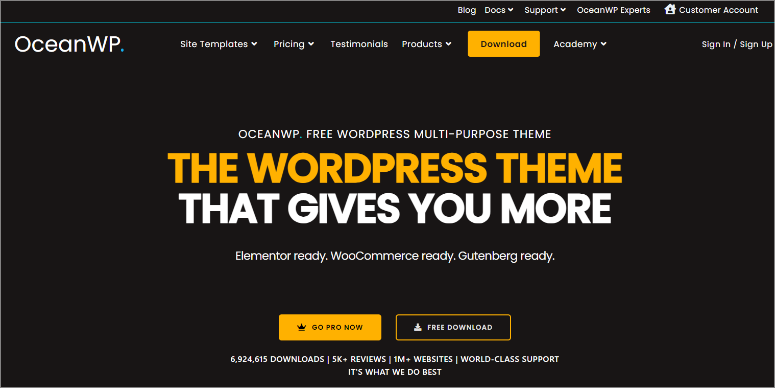
Store owners consistently call OceanWP one of the best free WooCommerce themes. It’s optimized for eCommerce with strong product pages, clean checkout flows, and good performance with store data.
Why Is OceanWP One of the Best WordPress Review Themes?
It’s more customizable than most of the other review themes on my list.
The customizer includes more options for store layout, product display, and checkout tweaks. For store owners wanting granular control without a page builder, OceanWP offers that.
Real friction: the customizer is more complex than other themes, making it not beginner-friendly. Extensions exist, but cost money individually.
Performance with heavy product data requires good hosting.
Why it’s here: If you’re running a WooCommerce store rather than just reviewing products, OceanWP is a great option because of its customization depth.
My Experience with OceanWP
I built a WooCommerce electronics store using OceanWP.
The customizer included specific store options like product grid layout, single product sidebar, and checkout page design. I customized without touching code.
The store pages loaded at 1.3 seconds (good, though not GeneratePress-fast). Product pages were clean and conversion-focused. I added custom review content using a page builder, and it integrated smoothly.
Performance was solid for a store theme. The customizer gave me more control than simpler themes, but less control than a full page builder.
🟢► Pros
- Best free WooCommerce theme: Consistently ranked #1 by store owners.
- Store-specific customizer: More control than generic themes for store layouts.
- Good performance: Fast product pages even with lots of data.
- Free with no paywall: Genuine free option; extensions are optional, not required.
🔴► Cons
- Customizer learning curve: More options than simpler themes. Steeper for beginners.
- Store features are basic: Advanced features require extensions.
- Extensions cost money: Each add-on is a separate purchase.
My Verdict: If you’re running a WooCommerce store and want customization beyond Botiga’s basics, OceanWP offers that depth for free. If you’re just reviewing products (not selling), Botiga or Sydney is simpler.
Check out my OceanWP review.
Pricing: Free theme available | Pro starts at $26/year
👉 Get started with OceanWP here
10. Ultra ⭐⭐⭐⭐
Best for: Modern design without custom coding
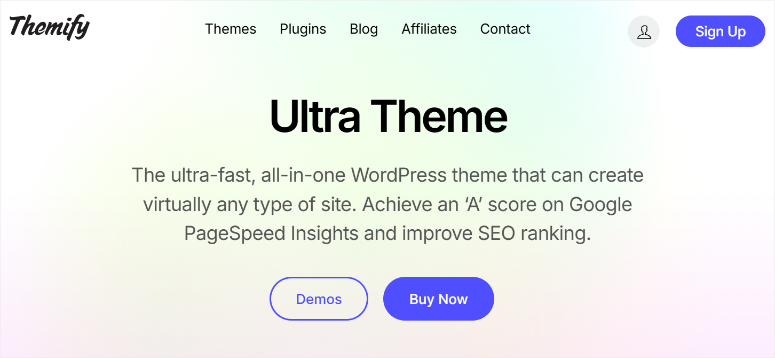
Ultra (by Themify) is for users wanting a modern design without hiring a designer or coding.
It comes with modern aesthetics out of the box, works with Elementor, and is built for performance.
Why Is Ultra One of the Best WordPress Review Themes?
The theme doesn’t specialize in reviews; it’s a general-purpose modern theme. But for review sites where design matters, think design-focused reviews, and lifestyle products, Ultra delivers.
Real friction: it does not have a free version. Plus, it’s not beginner-friendly with a steep learning curve. Support is available, but it can be slow during peaks.
Why it’s here: represents the premium, modern design category. Honest tradeoff between cost and design quality.
My Experience with Ultra
I built a furniture/design review site using Ultra.
The default design was immediately modern with good typography, thoughtful spacing, and contemporary color palette. I only needed to customize colors and add review content; the design foundation was solid.
Page builder integration was smooth. I created custom review comparison sections.
Performance was acceptable at 2.1 seconds with full customization, not as fast as Neve, but acceptable for a design-focused review site.
The theme proved that you don’t need to be a designer to have a designed site. Ultra handles it for you.
🟢► Pros
- Modern design out of the box: Contemporary, thoughtful design without hiring a designer.
- Elementor integration: Works smoothly with this popular page builder.
- Good performance: Fast despite design complexity.
- Themify backing: Reliable company with good support history.
🔴► Cons
- Not beginner-friendly: Learning curve is steep.
- Support response time: Premium support available but slow during peaks.
My Verdict: Ultra is for users wanting modern design and willing to pay for it. If you’re a designer or want design control, pick Divi. If you want modern design handed to you, Ultra delivers.
Check out my Ultra review.
Pricing: Starts at $59/year
That’s it for my top ten best themes for review sites. But there are some options that just missed my list. I detail them below.
Bonus: Best Review Themes for WordPress
REHub
REHub is one of the themes specifically built for review sites. It includes a native review system, user-generated reviews, comparison tables, and affiliate monetization features.
If your review site is focused specifically on review functionality (ratings, pros/cons, reader feedback), REHub delivers that natively without plugin dependencies.
The tradeoff: it’s expensive, has a steep learning curve, and support is community-based via ThemeForest. It’s for serious affiliate/review site operators focused on monetization, not casual bloggers.
Pricing: $59 (one-time purchase)
Hestia
Hestia is a one-page theme ideal for service-based reviews or portfolio-style review sites.
If you’re reviewing services, consultants, or creative work where a single-page layout makes sense, Hestia provides a clean, modern foundation with parallax effects and smooth scrolling.
Free version is fully capable; premium addons add advanced features but aren’t required.
The tradeoff: it’s designed for one-page layouts, so it’s not ideal for multi-page review sites or blogs. If you need many pages (product reviews, blog posts, etc.), pick Astra or Neve instead.
Pricing: Free version available | Premium starts at $69/year
There you have it. My full list and bonuses you can choose from. Below, let me help you narrow down your options.
How to Choose a Review Theme for Your Site
You have two paths: budget or design freedom.
If you have $0 budget: Sydney, Botiga, Astra, or Neve all deliver professional results. Choose based on your site type:
- General review site → Astra or Neve
- Store owners → Botiga or OceanWP
- Fastest performance → GeneratePress
- If you want the easiest launch: SeedProd (AI builder does it for you in 60 seconds).
- If you have $50–$100 budget: Sydney Pro, GeneratePress Premium, or Astra Pro.
- Your budget is $150–$300: Thrive Themes if you’re building a lead generation business, or Divi ($89) for design freedom and 2,000+ layouts.
- If design is the priority: Divi for complete visual control, or Ultra for modern design without customization work.
- If speed is the priority: GeneratePress (free or premium).
- You’re a WooCommerce store owner: Botiga (free) or OceanWP (free, more customizable).
Now you have my full list of the best WordPress review themes, bonus options, and a selection process to narrow them down. If anything is unclear, check out the commonly asked questions below.
FAQs: Best WordPress Review Themes
Do I need a paid theme to build a professional review site?
No. Astra, Neve, Sydney, Botiga, OceanWP, and GeneratePress are all free and professional. The difference between a $0 theme and a $99 theme is usually ease of use or design freedom, not professionalism. Pick a free theme and invest money in good hosting instead.
Which theme is fastest?
GeneratePress has the fastest load times due to minimal code. Neve and Astra are close behind. If SEO speed matters (and for review sites, it does), GeneratePress gives you an edge.
Can I use a free theme with a page builder?
Yes. All the free themes on my list, like Sydney, Botiga, SeedProd, Astra, Neve, GeneratePress, and OceanWP, work great with Elementor or Gutenberg. The theme provides the foundation; the page builder handles custom design.
Is Divi worth $89/year?
For agencies and professional designers, yes. For individuals building one site, probably not. Astra or Neve offers 80% of the functionality for free. Divi’s advantage is design freedom for professionals.
Should I choose between Astra and Neve?
Both are excellent. Astra is timeless; Neve is trendier. Both have 300+ starter sites. Both are free. Pick whichever aesthetic appeals to you.
What if I’m monetizing my review site with affiliate links?
Any theme works. Affiliate links are just HTML. REHub is optimized for affiliate monetization (includes tracking, commission management), but it’s overkill unless you’re running a serious affiliate business. For most people, any theme + a link manager plugin like Pretty Links and ThirstyAffiliates is enough.
Final Verdict: Should I Use a Specialty Review Theme on My WordPress Site?
Yes, you should. Here’s why: a review site deserves a theme that understands review structure, rating systems, pros/cons lists, comparison layouts, and reader engagement.
Generic blog or shop themes force you to build these features from scratch.
But you don’t need to spend money. Sydney, Astra, Neve, Botiga, or OceanWP provide everything you need to build a professional review site at $0 cost.
The investment in a paid theme is about ease of use or design freedom, not about capability.
Start with a free theme, pair it with a page builder if you want customization, and launch your review site this week.
Then, measure affiliate clicks, reader engagement, and growth. But don’t let theme choice delay your launch.
Resource Hub: Building a WordPress Review Site
- How to Create a Reviews Site with WordPress – Step-by-step guide for building your review site structure
- Best WordPress Page Builders Compared – Comprehensive comparison of Elementor, Gutenberg, and others
- Best WordPress Themes for Affiliate Marketing – List of the best affiliate marketing themes for WordPress
- WordPress Performance Optimization – Speed up your review site for better SEO
- Best WordPress Review Plugins – Add review functionality to any theme
- How to Add an Affiliate Program in WordPress (Step by Step) – Walk through on how to set up your own affiliate program on WooCommerce

Comments Leave a Reply