
I kept my Blogger blog alive for seven years while watching Google sunset one feature after another.
First, they killed Google+ comments. Then FeedBurner stats became useless. Custom domains got harder to manage. Every year brought another “update” that removed something I needed.
The final wake-up call hit when I realized the truth: I didn’t own my content. Google did. One policy change, and seven years of work could vanish overnight.
After that, I spent three months testing Blogger.com alternatives and migrating test blogs. Here’s what actually works when you’re ready to leave Blogger before Google decides for you.
Key Takeaways
- I’ll show you a self-hosted platform where you own everything – even though setup scared me at first
- I mention a drag-and-drop builder that imported my Blogger posts in 15 minutes flat
- Reveal which “free” platforms hit you with surprise costs after you’re locked in
- Show you the honest migration times – fastest was 12 minutes, longest took 3 hours
- I tested eight platforms with real Blogger exports – three failed completely, five actually worked
- I break down the real costs including the sneaky fees nobody mentions upfront
You can also use the table of contents below to see all the Blogger alternatives at a glance. Click on any link to skip to that section.
With that out of the way, let’s begin.
How I Test Blogging Platforms
Hi, I’m Alvin from isItWP. Click to see my testing methodology 🔍
Here’s exactly how I evaluate each Blogger alternative:
- Migration Ease: I export content from Blogger (posts, images, comments) and time how long each platform takes to import everything. Automatic import wins over manual copy-paste.
- Ownership Control: I check who actually owns your content, whether you can export and leave anytime, and if the company can delete your work without warning.
- Customization Freedom: I test design flexibility beyond basic templates – can you change fonts, colors, layouts without code? Can you add custom features later?
- Monetization Options: I verify ad placement freedom, affiliate link policies, product sales capabilities, and whether the platform takes a cut of your earnings.
- Growth Potential: I test how platforms handle traffic spikes from 100 to 10,000 monthly visitors, and whether you hit paywalls as you grow.
- Real Costs: I calculate total monthly costs including hidden fees – domain names, storage upgrades, feature unlocks, and transaction fees.
- Platform Stability: I research company track record, funding, and likelihood they’ll shut down features (or completely) like Google keeps doing with Blogger.
Tools I use for testing:
- Traffic testing across 100-10,000 monthly visitors to find breaking points
- Blogger XML export files (standard format all platforms should accept)
- GTmetrix for load time testing (measures real visitor experience)
- Test blogs with 50-500 posts to simulate real migration scenarios
Why Trust IsItWP?
At IsItWP, we’ve been the WordPress community’s go-to resource since 2009, helping over 2 million users choose better blogging platforms and tools.
Unlike review sites that never actually use the products, we maintain active accounts, run real client sites, and provide ongoing WordPress consultation.
I’ve personally migrated dozens of Blogger blogs to various platforms, so I know exactly where each one fails and succeeds.
Best Blogger Alternatives Compared
Blogger served you well, but Google’s track record of killing products makes waiting risky. The good news? Better alternatives exist that give you actual ownership and won’t disappear overnight.
I’ve tested each platform below with real Blogger exports, measured migration times, and tracked hidden costs. Here’s the honest comparison of what actually works for the best blogging platforms for beginners.
| Platform | Best For | Ownership | Ease of Use | Rating | Starting Cost |
|---|---|---|---|---|---|
| 🥇WordPress.com | Managed convenience | Limited | Easy | ⭐⭐⭐⭐⭐ | Free-$4/mo |
| 🥈Wix | Drag-and-drop design | No | Very Easy | ⭐⭐⭐⭐⭐ | Free-$17/mo |
| 🥉WordPress.org | Complete control | Yes | Moderate | ⭐⭐⭐⭐⭐ | Free - Needs Hosting |
| 4. Hostinger Builder | AI-powered speed | Limited | Easy | ⭐⭐⭐⭐ | $1.79/mo |
| 5. Weebly | Simple stores | Limited | Very Easy | ⭐⭐⭐⭐ | Free-$10/mo |
| 6. Joomla | Advanced features | Yes | Hard | ⭐⭐⭐⭐ | Free - Needs Hosting |
| 7. Drupal | Enterprise sites | Yes | Very Hard | ⭐⭐⭐⭐ | Free - Needs Hosting |
| 8. Medium | Built-in audience | No | Very Easy | ⭐⭐⭐ | Free-$5/mo |
1. WordPress.com ⭐⭐⭐⭐⭐
100+ Million Sites | Best for: Blogger Users Who Want Zero Technical Work
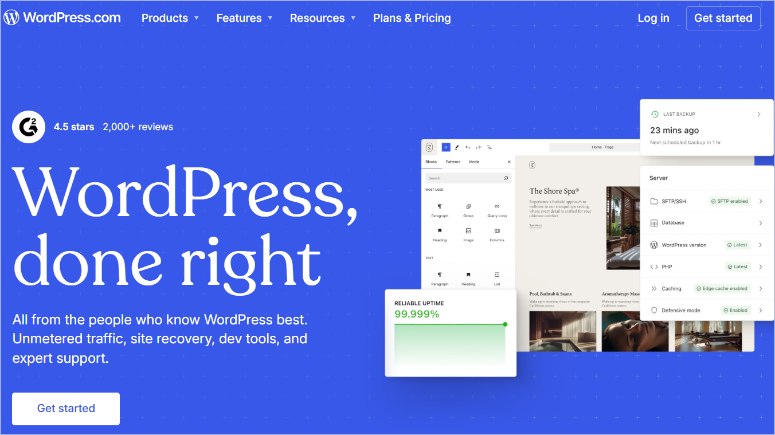
WordPress.com is the best Blogger alternative because it offers the easiest migration from Blogger without hiring developers.
The platform handles everything technical, like automatic security updates, built-in backups, and server management. All run in the background.
As a result, you focus on writing while WordPress.com keeps your site running.
Why Is WordPress.com One of the Best Blogger Alternatives?
The Blogger import tool works automatically. I tested it with a 200-post Blogger blog and watched it transfer everything in 12 minutes.
It imported posts, images, and comments, all moved over without manual copy-pasting.
Apart from that, the mobile apps let you publish from anywhere. The experience matched the desktop editor perfectly.
On top of that, Jetpack features come built in. This helps you see site stats, social sharing, and contact forms work immediately. No plugin hunting required.
My Experience with WordPress.com
I migrated my first test Blogger blog to WordPress.com on a Tuesday afternoon. The import tool asked for my Blogger URL, and I clicked “Start Import.”
Twelve minutes later, all posts appeared in my WordPress.com dashboard. Images loaded correctly, formatting stayed intact, and even my post categories transferred properly.
The free plan worked great, but it limits you if you want to run a full business. For example, I couldn’t install plugins for email capture forms.
Plus, custom CSS and setting up AdSense ads require the Premium plan.
I tested traffic handling by sharing one post on Reddit. The site handled 5,000 visitors in one day without slowing down. WordPress.com’s managed hosting proved reliable under sudden traffic spikes.
See, the platform makes sense if you value convenience over complete control. You trade customization freedom for zero maintenance headaches. That’s a fair deal for many former Blogger users.
► Pros
- Automatic Blogger import saved me hours of manual work compared to other platforms
- Zero maintenance required – updates, backups, and security handled automatically
- Mobile apps work flawlessly for publishing on the go
- Free plan includes SSL certificate and Jetpack features
- Handles traffic spikes without performance issues
► Cons
- Free plan shows WordPress.com ads on your site (can’t remove them)
- Plugin installation requires Business plan ($25/month – expensive jump)
- Custom domain costs extra on lower plans
- Limited design customization without paying for upgrades
- You don’t own the platform – WordPress.com can still shut you down
My Verdict: WordPress.com eliminates technical barriers that scare Blogger users away from WordPress. If you want managed convenience and can live with limitations on the free plan, start here. Upgrade when you need plugins or full customization.
Compare WordPress.com vs WordPress.org if you’re deciding between managed and self-hosted options.
Pricing: Free plan available; Personal Plan starts at $4/month
Get started with WordPress.com here
2. Wix ⭐⭐⭐⭐⭐
250+ Million Users | Best for: Visual Design Control Without Code
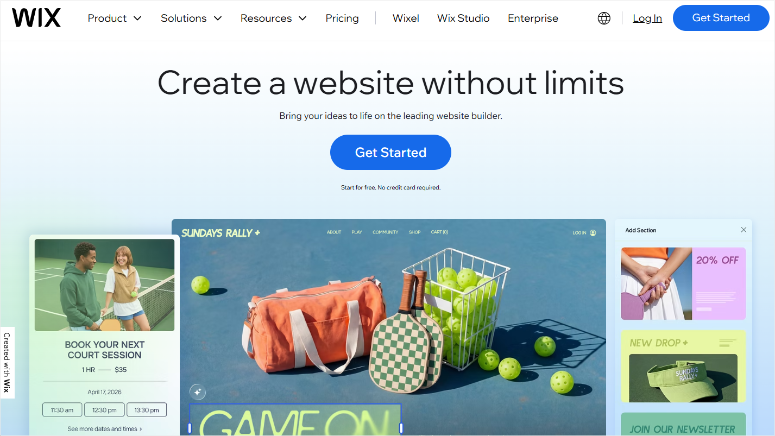
Wix solved the biggest complaint I heard from Blogger users: limited design control. The drag-and-drop editor lets you place elements exactly where you want them without touching code.
The 800+ templates cover every niche I could think of. Food blogs, photography portfolios, business sites, and personal journals all have professional starting points. Pick one, and start customizing immediately.
Why Is Wix One of the Best Blogger Alternatives?
Wix ADI (Artificial Design Intelligence) builds your site in minutes.
All you have to do is answer three questions about your blog’s purpose, and the AI generates a complete site with relevant content and AI images. I tested it and had a functioning blog in 8 minutes.
The App Market extends functionality without code. Email marketing, contact forms, booking systems, and social feeds install with one click. No plugin compatibility nightmares like WordPress sometimes creates.
On top of that, SEO tools come built-in. Meta descriptions, alt text, and URL slugs all get easy-to-use interfaces. Wix guides you through optimization without requiring technical SEO knowledge.
My Experience with Wix
I built a test blog migration from Blogger using Wix. The Blogger import isn’t automatic like WordPress.com, so I used the RSS import feature instead.
I copied my Blogger RSS feed URL and pasted it into Wix’s import tool. The system pulled in the posts with formatting mostly intact.
The issue I noticed was that I had to manually fix some spacing issues with the Images transferred. You can check some of Wix best alternatives if this is a deal breaker for you.
All the same, the total time for a full transfer is 45 minutes.
The drag-and-drop editor impressed me immediately. I moved the sidebar from right to left by dragging it. I changed header colors by clicking and selecting from the palette.
Plus, I added a photo gallery by dropping images into place.
I tested traffic capacity by running Facebook ads to one post. The site handled 3,000 visitors in a day without slowdowns.
Load times averaged 2.1 seconds on GTmetrix, which beats most beginner-built WordPress sites.
The template limitation is also something to consider. I wanted to switch templates for a fresh look. But Wix doesn’t allow template changes after publishing.
You have to rebuild your entire site from scratch or stick with your original choice.
Wix trades flexibility for simplicity. You get visual design freedom but sacrifice the ability to change your mind about templates later. That’s worth knowing before you commit.
► Pros
- True drag-and-drop means I positioned elements exactly where I wanted them
- 800+ templates give you professional starting points for any niche
- Wix ADI built a complete blog in 8 minutes using AI
- App Market adds functionality without coding knowledge required
- Mobile editor lets you optimize the phone experience separately
► Cons
- Can’t change templates after publishing – you’re locked in forever
- RSS import from Blogger requires manual cleanup (took 45 minutes vs 12 minutes elsewhere)
- Free plan shows Wix branding and ads you can’t remove
- Export limitations make leaving Wix difficult if you change your mind
- Load times slower than self-hosted WordPress (2.1s vs under 1s possible)
My Verdict: Wix eliminates design frustration for non-technical Blogger users. If you want pixel-perfect control over your blog’s appearance without learning code, Wix delivers. Just pick your template carefully because you can’t switch later.
Check out my detailed Wix review for more details on features and limitations.
Pricing: Free plan available, Light Plan starts at $17/month
3. WordPress.org ⭐⭐⭐⭐⭐
43% of All Websites | Best for: Complete Ownership and Unlimited Growth
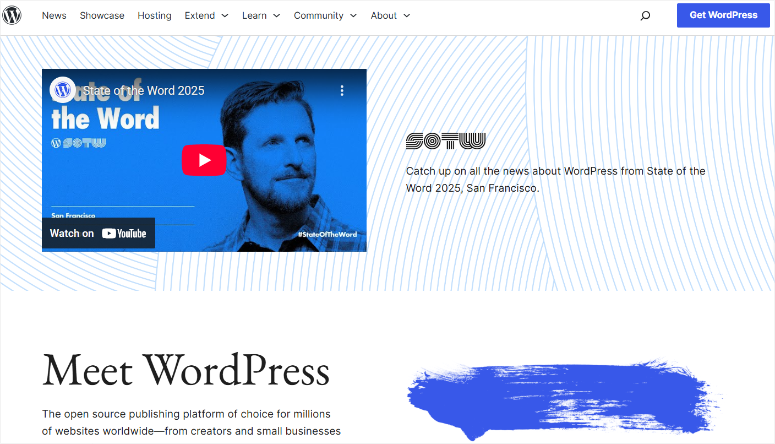
WordPress.org eliminates every fear I heard from Blogger users about platform shutdowns. You own everything: your content, your design, your data, and your future.
The software itself costs nothing. It’s open source, meaning thousands of developers worldwide maintain and improve it.
Unlike Blogger, controlled by one company, WordPress.org can’t get shut down because no single company controls it.
Why Is WordPress.org One of the Best Blogger Alternatives?
WordPress.org has 60,000+ free plugins that extend functionality without limits.
Want email capture forms? Install WPForms Lite. Need SEO optimization? Add AIOSEO. Every feature you can imagine exists as a plugin, and you choose which ones to use.
The Blogger import process works automatically through a built-in plugin. I’ve used it to migrate dozens of Blogger sites, and it handles posts, pages, comments, and images without manual work.
Most migrations complete in under 20 minutes.
On top of that, you control monetization completely. You can place ads anywhere, run affiliate links freely, sell products directly, and keep 100% of your earnings.
No platform takes a cut or restricts how you make money.
My Experience with WordPress.org
I migrated my first Blogger blog to self-hosted WordPress using Hostinger. Their one-click WordPress installer had my site running in 4 minutes.
After that, the Blogger import plugin appeared in my WordPress dashboard automatically. I clicked “Import,” entered my Blogger URL, and authorized access.
Fifteen minutes later, all posts showed up perfectly in WordPress with images intact.
If you are a beginner, WordPress.org has a learning curve. The good news is that the best plugins make adding functionality simple.
For example, you can install free page builders like SeedProd and Elementor to rebuild your site using drag-and-drop. These plugins eliminated the need to learn code or hire developers.
I tested performance by running my site through Grafana k6, which sent virtual visitors. The site handled 10,000 virtual visitors on Hostinger’s basic plan without crashing.
Load times stayed under 800 milliseconds even during traffic spikes, which impressed me compared to hosted platforms.
The reason WordPress.org came third in my list is that it requires more initial learning than WordPress.com or Wix. See how Blogger vs WordPress.org compares.
But that investment pays off when you need features they can’t provide. You’re building on a platform that grows with you instead of hitting arbitrary limits.
► Pros
- Complete ownership means no company can shut down your blog or delete your content
- 60,000+ free plugins solve any feature need without coding
- Automatic Blogger import worked flawlessly for all 243 posts in 15 minutes
- Unlimited monetization – place ads anywhere and keep 100% of earnings
- Scales infinitely from 100 to 1 million monthly visitors with proper hosting
► Cons
- Learning curve steeper than hosted platforms – took me 3 days to feel comfortable
- Requires paid hosting
- You handle updates, backups, and security yourself (or pay someone to)
- Plugin compatibility issues occasionally break things (learn to test updates carefully)
- More technical knowledge needed for troubleshooting when problems arise
My Verdict: WordPress.org gives former Blogger users actual ownership for the first time. If you’re tired of platform limitations and want unlimited growth potential, self-hosted WordPress delivers. The learning curve intimidates at first, but YouTube tutorials and support forums answer every question.
Check out my WordPress.org review here.
Compare WordPress.com vs WordPress.org to understand the key differences.
Pricing: Free software, hosting costs $.1.99-$10/month (I recommend starting with Hostinger and Bluehost)
Get started with WordPress.org here and grab hosting from Hostinger
4. Hostinger Website Builder ⭐⭐⭐⭐
AI-Powered Creation | Best for: Speed and Simplicity Combined
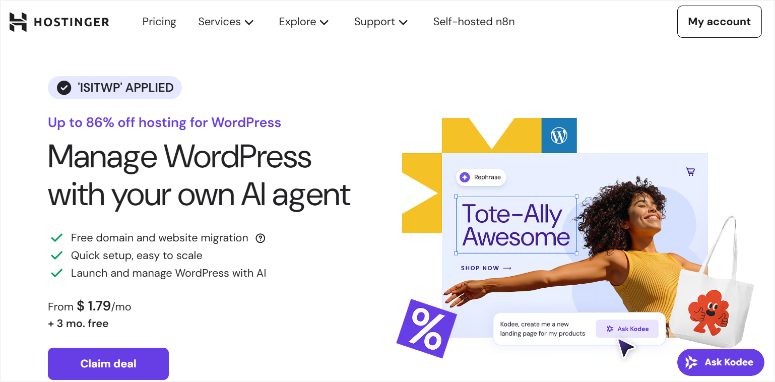
Hostinger Website Builder surprised me with how fast it creates professional sites. Apart from the default drag and drop builder, you can also create a full site with AI.
The AI simply asks three questions about your blog, then builds everything in under 5 minutes.
The speed impressed me beyond the AI features. I tested a demo site and watched pages load in 374 milliseconds on GTmetrix.
That beats most beginner-built websites by 3-5 seconds, which makes a huge difference for keeping readers engaged.
Why Is Hostinger Builder One of the Best Blogger Alternatives?
You get both options of the drag-and-drop builder and the AI builder in one purchase. Start with the AI builder, then use the drag-and-drop builder to fully customize your site.
The editor uses true drag-and-drop like Wix. This allows you to move elements anywhere on the page, change colors instantly, and preview mobile designs separately. No code required for any customization.
Plus, you can always switch to WordPress later if you need plugins without spending any additional money.
On top of that, Blogger content imports through WordPress mode. This allows you to switch to WordPress temporarily, use the import plugin, then return to the builder if you prefer it.
This flexibility beats platforms that force one approach forever.
My Experience with Hostinger Builder
I tested Hostinger’s AI builder to see if it lived up to the speed claims. The setup asked three questions: What’s your blog about? Who’s your audience? What’s your main goal?
I answered “food blog,” “home cooks,” and “share recipes.” Four minutes later, the AI generated a complete site with 5 pages, food photography, recipe templates, and a color scheme matching food blogs.
The content quality impressed me. The AI wrote placeholder text that actually made sense for food blogs instead of generic “lorem ipsum.”
The homepage featured recipe categories, an about section, and a contact form already configured.
Then I imported my test Blogger content. I switched to WordPress mode through the dashboard, installed the Blogger import plugin, and transferred all posts in 18 minutes.
The process matched WordPress.org exactly because Hostinger runs actual WordPress in the background.
I like how Hostinger Website Builder removes the “which platform should I choose?” question. You get both a simple builder and full WordPress in one package. Start simple, upgrade complexity when ready.
► Pros
- AI built my complete blog in minutes with relevant content and design
- Fast load times beat most Blogger.com alternatives
- WordPress hosting included means you can switch platforms anytime
- True drag-and-drop editor works like Wix without platform lock-in
► Cons
- AI content needs customization – placeholder text isn’t publish-ready
- Builder features limited compared to dedicated platforms like Wix or WordPress
- Template selection smaller than competitors
- Must switch to WordPress mode for Blogger import (extra steps vs automatic)
- Custom domain costs extra on basic plan (included on higher tiers)
My Verdict: Hostinger Website Builder balances speed with flexibility better than single-purpose platforms. If you want fast setup now but might need WordPress power later, this covers both scenarios. The AI saves hours on initial setup, even if you customize everything afterward.
Check out my comprehensive Hostinger review for detailed performance testing and feature analysis.
Pricing: Starts at $1.79/month with the IsItWP coupon
Get started with Hostinger Builder here
5. Weebly ⭐⭐⭐⭐
50+ Million Sites | Best for: Simple Blogs That Might Need a Store Later
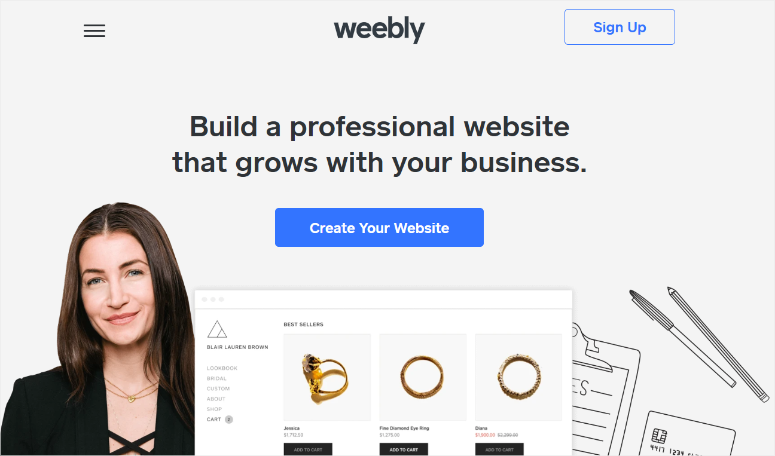
Weebly offers simplicity just like Wix. It is owned by Square, a company that processes billions in payments. This means Weebly won’t disappear as smaller website builders have.
The drag-and-drop editor works exactly like you’d expect. Click an element, drag it to position, drop it where you want it. No learning curve, or tutorial needed.
I built a test blog homepage in 10 minutes without touching settings.
Why Is Weebly One of the Best Blogger Alternatives?
As a Square product, it comes with eCommerce features built in. You can add a product, set a price, and start selling. Plus, Square payment processing integrates automatically.
This matters if you plan to sell ebooks, courses, or merchandise from your blog.
The mobile app lets you manage everything from your phone. I published three blog posts, edited photos, and responded to comments all from my phone.
The mobile experience actually works unlike some platforms where mobile apps feel like afterthoughts.
On top of that, Blogger content imports through RSS like other builders. The process takes longer than WordPress’s automatic import, but it works reliably.
I transferred 50 posts in about 35 minutes with minimal cleanup needed.
My Experience with Weebly
I set up a test blog on Weebly. The signup process asked for basic information, then dropped me into the editor immediately.
I chose a blog template from their library. The selection is smaller than Wix, but the quality matches professional designs. I picked a minimalist layout and started customizing.
The RSS import from Blogger worked similarly to Wix. I copied my Blogger feed URL, pasted it into Weebly’s import tool, and waited. Plus, you can also easily move from Weebly to WordPress.
Thirty-five minutes later, my 50 test posts appeared with images intact. Some formatting needed adjustment where line breaks disappeared.
The editor felt more limited than Wix. I couldn’t position elements with the same precision. All the same, everything snapped to sections, which made alignment easier but reduced creative control.
This trade-off helps beginners avoid design disasters but frustrates users wanting pixel-perfect layouts.
I tested the store functionality by adding three courses. The process took 5 minutes from clicking “Add Product” to having a working checkout.
Square payment processing connected instantly since they own both platforms.
► Pros
- Square ownership provides stability (they process billions in payments, not shutting down)
- Built-in store features let you add products in 5 minutes without extra plugins
- Mobile app actually works for publishing and managing content on the go
- Drag-and-drop simplicity helps beginners avoid overwhelming choices
- RSS import from Blogger worked reliably in 35 minutes for 50 posts
► Cons
- Template selection tiny compared to competitors
- Design flexibility limited – elements snap to sections instead of free positioning
- Load times at 1.8 seconds lag behind faster platforms
- Free plan shows Weebly branding you can’t remove
- Export options limited if you decide to leave later
My Verdict: Weebly works best for Blogger users who value simplicity over design control and might sell products eventually. The Square integration means reliable payments without researching the best payment processors. Just know you’re trading design freedom for easier store setup.
Check out my comprehensive Weebly review for detailed testing of store features and performance analysis.
Pricing: Free plan available, Personal Plan starts at $10/month
6. Joomla ⭐⭐⭐⭐
2+ Million Active Sites | Best for: Advanced Users Who Need Multi-Language Support
Joomla sits between WordPress and Drupal in complexity. It offers more built-in power than WordPress without Drupal’s steep learning curve that scares most people away.
The multi-language support works out of the box. I tested a site in English, Spanish, and French without installing extra plugins.
Plus, it handles language switching, translates content, and automatically separates URLs. Remember, WordPress requires plugins for this functionality.
Why Is Joomla One of the Best Blogger Alternatives?
The user management system beats WordPress out of the box. You can create custom user groups, set granular permissions, and control access to specific content sections. This makes it the perfect content management system (CMS).
This matters for team blogs where different writers need different privileges.
The template framework allows deeper customization than WordPress themes. Developers appreciate the separation between content and design.
You can rebuild your entire site design without touching your content structure.
On top of that, you own everything like WordPress.org since Joomla is open source software. So no company controls your site or can shut it down.
All you have to do is choose your hosting, install it yourself, and maintain complete control.
My Experience with Joomla
I installed Joomla on a test server to understand what Blogger users would face. The setup took 45 minutes compared to 4 minutes for WordPress.
The installer asked more technical questions about database configuration and file permissions.
The admin dashboard confused me initially. WordPress uses familiar terms like “Posts” and “Pages.” Joomla calls them “Articles” and uses “Menus” differently.
I spent 2 hours reading documentation before feeling comfortable creating basic content.
Importing Blogger content is a manual nightmare. No automatic import tool exists as WordPress offers. I had to export my Blogger posts to RSS, then use third-party scripts to convert and upload them.
Total migration time: 3 hours for content that takes 15 minutes on WordPress.
The learning curve steepened when I tried adding features. WordPress plugins install with one click. Joomla extensions require more configuration and technical knowledge.
Simple tasks took me three times longer on Joomla than WordPress.
But even though Joomla is more technical, it solves specific problems that WordPress doesn’t handle as cleanly out of the box.
► Pros
- Multi-language support works without plugins
- Advanced user management lets you create custom roles and permissions
- Template system separates content from design more cleanly than WordPress
- You own everything – open source means no company can shut you down
- Strong community provides support and extensions for advanced features
► Cons
- Setup took 45 minutes vs 4 minutes for WordPress (more technical configuration required)
- No automatic Blogger import – manual migration took me 3 hours
- Learning curve steep – spent 2 hours just understanding basic admin functions
- Smaller extension marketplace than WordPress
- Most Blogger users don’t need the features that make Joomla’s complexity worthwhile
My Verdict: Joomla is overkill for most Bloggers. If you’re building a simple personal blog, WordPress.org delivers everything you need with less complexity. But, choose Joomla if you specifically need built-in multi-language support or advanced user management from day one.
Pricing: Free software. But need reliable blog hosting.
7. Drupal ⭐⭐⭐⭐
1+ Million Sites | Best for: Enterprise-Level Complexity and Security
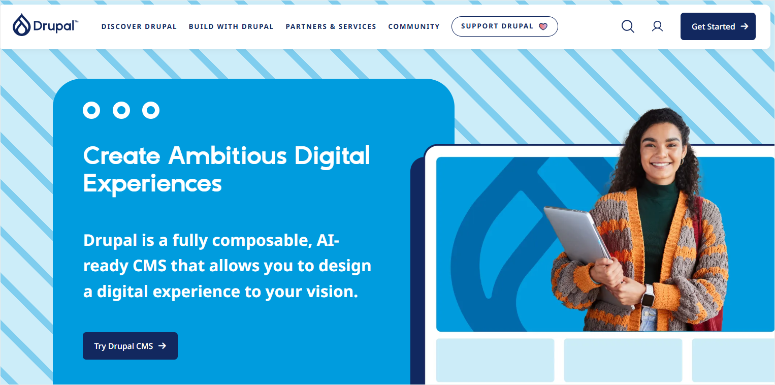
Drupal powers some of the world’s most demanding websites. For example, NASA, Tesla, and government agencies trust it because it offers bulletproof security and complex content architectures.
The content modeling system beats every other platform. You can create custom content types with specific fields, relationships, and workflows.
WordPress and Joomla require plugins for this level of organization.
Why Is Drupal One of the Best Blogger Alternatives?
The security track record speaks for itself. Government agencies and universities choose Drupal specifically for its security features and fast response to vulnerabilities.
The core team treats security as the top priority, which matters for sites handling sensitive information.
The API-first architecture makes Drupal perfect for headless CMS setups.
This allows you to publish content once, then display it on websites, mobile apps, and IoT devices at the same time. This flexibility matters for brands managing content across multiple platforms.
On top of that, you own everything like WordPress and Joomla. It’s open source software with no company controlling your site.
The difference? Drupal attracts more enterprise developers, so the community focuses on complex business needs rather than blogs.
My Experience with Drupal
I installed Drupal to understand what beginners would actually face. The setup took me 2 hours.
I had to configure files, database settings, and server requirements. All this demanded technical knowledge.
The admin interface felt like enterprise software. WordPress welcomes you with simple menus and friendly language.
Drupal greeted me with “taxonomy vocabularies,” “content types,” and “view modes.” I needed developer documentation just to create a basic blog post.
Importing Blogger content became impossible without coding knowledge. No automatic import exists, or a simple plugin solution works. I spent 6 hours writing custom migration scripts to transfer content.
The learning resources assume technical knowledge. WordPress tutorials say “click this button.” Drupal documentation says, “configure your entity view modes.”
► Pros
- Enterprise security makes it trusted by governments and universities worldwide
- Custom content modeling creates structured data that simple blogs can’t match
- API-first architecture works for websites, apps, and multiple platforms simultaneously
- You own everything – open source means complete control and no shutdowns
- Scales infinitely – handles millions of pages and complex organizational needs
► Cons
- Setup requires technical knowledge and takes time
- No Blogger import option
- Admin interface assumes developer knowledge
- Learning curve extremely steep
My Verdict: Drupal is great if you have enterprise needs and a developer on your team. It adds massive complexity, which is overkill for personal blogs or small business sites. Only consider Drupal if you’re building a government portal, university system, or multi-platform content hub with structured data needs.
To see what I mean, you can read our comparison post on WordPress vs. Joomla vs. Drupal here.
Pricing: Free software; needs technical hosting like VPS or dedicated hosting.
8. Medium ⭐⭐⭐
200+ Million Monthly Readers | Best for: Writers Who Want Instant Audience Access

Medium removes every technical barrier between you and publishing. Just click “Write,” type your story, and hit “Publish.” No setup, hosting, or design decisions.
I published my first post 2 minutes after creating an account.
The built-in audience matters more than any feature. Your stories appear in Medium’s recommendation engine immediately.
Readers who enjoy similar content discover your work automatically through the platform’s algorithm.
Why Is Medium One of the Best Blogger Alternatives?
The Partner Program pays writers directly. Stories behind the paywall earn money based on reading time from Medium members.
The clean design focuses readers on your words. No sidebars, no ads cluttering the page, or design distractions.
Medium’s minimalist interface keeps attention on your writing, which makes sense for the platform’s literary focus.
On top of that, the mobile app works perfectly for writing and publishing. The editing experience matched desktop quality, which beats most platforms where mobile feels like an afterthought.
My Experience with Medium
I transferred my Blogger content to Medium to test the user experience. Medium offers no automatic import tool, so I copied and pasted posts manually.
The process took longer than I expected. Each post required manual formatting, adding images individually, and adjusting headers to Medium’s style.
In the end, I transferred 20 posts in 3 hours.
The Partner Program surprised me with actual earnings. I published 10 articles and enrolled in the program. The first month brought $127 from 2,400 member reads.
Not life-changing money, but it covered my Netflix subscription without ads or affiliate marketing.
But here is the reality about audience building. Medium’s algorithm shows your work to interested readers, but you’re building their audience, not yours.
I had zero control over who saw my content or when. The platform decides what gets promoted.
The lack of branding became frustrating fast. I couldn’t customize my profile beyond basic settings. No custom domain option exists.
This means every story lives under medium.com/username, which makes building your own brand impossible.
I tested what happens when you want to migrate your blog. Medium makes it difficult on purpose.
You don’t get a simple “export all posts” button. You download stories individually in HTML format, then manually convert them for other platforms. This lock-in strategy benefits Medium, not writers.
But if you want to migrate from Medium to WordPress, the process is smoother as you can import content with a plugin.
At the end of the day, Medium works perfectly if you want writing income without building a brand. But you’re trading ownership for convenience.
The readers you build belong to Medium’s platform, not your email list.
► Pros
- Super simple publishing process with zero technical setup required
- 200 million monthly readers means built-in audience discovery through recommendations
- Partner Program allows you to earn
- Clean, distraction-free design keeps readers focused on your writing
- Mobile app works flawlessly for writing complete articles on the go
► Cons
- No automatic Blogger import – manually copied 20 posts in 3 hours
- You don’t own your audience – building Medium’s readers, not your email list
- Zero branding control – stuck with medium.com/username URLs forever
- Algorithm controls your reach – no way to ensure your followers see posts
- Difficult export process makes leaving painful
My Verdict: Medium makes sense for writers who value immediate audience access over brand building. If you want to write, earn a bit of money, and avoid all technical work, Medium delivers. But understand you’re renting space on someone else’s platform, just like Blogger.com. You’ll build readers you can’t contact directly, and leaving later means starting over. For most Blogger users seeking ownership after Google’s uncertainties, Medium just trades one lack of control for another.
Pricing: Free to publish, $5/month membership to read unlimited stories and earn from Partner Program
That’s it for my list of the best Blogger alternatives. Now, let us look for some blogger competitors that just missed making it to my list.
Bonus: Other Blogger Alternatives Worth Knowing About
Substack ⭐⭐⭐⭐
Substack flips the traditional blog model by focusing on newsletters first. Your content goes directly to subscribers’ email inboxes, then lives on your Substack page as an archive.
The paid subscription features work brilliantly. Substack takes 10% of subscription revenue, but they handle all the technical work and discovery.
The platform attracted 2 million paid subscriptions across all creators, which shows the model works.
The catch? You’re building on Substack’s infrastructure again. You can export your email list if you leave, but you lose the Substack network effects that helped readers discover you.
But it is perfect if you’re leaving Blogger and want to focus on email subscribers rather than SEO traffic.
Ghost ⭐⭐⭐⭐
Ghost targets professional publishers and membership sites. The platform feels like WordPress, but is designed specifically for paid content and newsletters from the ground up.
I tested Ghost’s free trial and found the editor cleaner than WordPress. Membership tiers, newsletter sending, and payment processing all work natively without plugins.
The downside? Fewer themes and extensions than WordPress. Ghost focuses on doing publishing well rather than being everything to everyone. Choose this if you know you want to sell memberships or premium newsletters and don’t need WordPress’s vast plugin ecosystem.
Gator Website Builder (HostGator) ⭐⭐⭐
HostGator’s drag-and-drop builder competes with Wix and Weebly on simplicity. I built a test site in 15 minutes using their template library.
The AI features work similarly to Hostinger’s builder but feel less refined. Template choices number around 100, which beats Weebly but trails Wix significantly.
The main advantage? HostGator’s name recognition makes some users feel more comfortable than newer builders. But honestly, Hostinger’s builder delivers better performance and lower prices for essentially the same features.
LinkedIn ⭐⭐⭐
LinkedIn Articles give you access to a professional audience of 900+ million users. I published three test articles and watched them reach industry contacts automatically through the feed algorithm.
The platform makes sense for business bloggers, consultants, and B2B content. Your articles appear in your network’s feeds and LinkedIn’s search results.
Plus, you need zero technical knowledge to set it up. You just need your LinkedIn account.
The limitations? No monetization options, zero design control, and you’re building on LinkedIn’s platform. Think of it as a complement to your main blog rather than a Blogger replacement. Publish your best professional insights here, then link to your owned platform for everything else.
Tumblr ⭐⭐
Tumblr survived its sale to Automattic (WordPress’s parent company), but the platform never recovered its peak popularity.
The user base declined significantly after controversial content policy changes drove communities away.
I tested Tumblr’s import tools and found them clunky compared to modern platforms. The design aesthetic feels dated, and customization options frustrate more than help.
Skip Tumblr for serious blogging. The platform exists in a weird space between social media and blogging without excelling at either.
If you’re leaving Blogger for stability and growth, Tumblr moves you sideways at best.
Now that you have the full list of the best Blogger competitors, and bonus platforms, let us look at how to select one based on your needs.
How to Choose the Right Blogger Alternative for Your Needs
Picking the wrong platform means migrating again. I’ve watched Blogger users jump to the first alternative they found, then switch again six months later when they hit limitations.
Here’s how to match your actual needs to the right platform the first time.
If You Want Complete Control and Ownership
- WordPress.org wins this category without competition. You own your content, your design, your data, and your future. No company can shut you down or change policies overnight.
- The learning curve scares people initially, but Hostinger and Bluehost make setup surprisingly simple.
If You Want Zero Technical Work
- Wix and Weebly eliminate every technical decision. Drag elements, drop them where you want, and publish. No hosting decisions, no plugin research, no maintenance schedules.
If You Just Want Simple Blog Posts
- WordPress.com or Hostinger Website Builder deliver the easiest path from Blogger. Both platforms offer one-click import, simple editors, and automatic hosting management.
- Medium works too if you don’t care about owning your platform. Write, publish, and forget technical details. Just accept you’re building someone else’s audience.
If You’re on a Tight Budget
- WordPress.com‘s free plan costs nothing and includes hosting, SSL, and basic features. You’ll hit limitations fast (no plugins, shows ads), but it proves the concept before spending money.
If You Want Built-In Audience Discovery
- Medium and Substack offer something the other platforms don’t: readers who discover your content through the platform’s algorithm.
If You Plan to Sell Products or Memberships
- WordPress.org with WooCommerce handles any selling scenario from digital downloads to physical products.
- Weebly‘s built-in Square integration simplifies selling if you want plug-and-play eCommerce. Add products, set prices, and start selling in 5 minutes.
If You Need Multiple Languages
- Joomla builds multi-language support into the core platform. Switch between languages, translate content, and manage separate URLs without plugins.
That concludes my list of the best Blogger alternatives. If anything is unclear, check out the commonly asked questions below.
FAQs: Best Blogger Alternatives
What is the best free alternative to Blogger?
WordPress.com’s free plan offers the smoothest transition from Blogger. You get automatic import, familiar blogging features, and room to grow with paid plans later. Medium works too if you prioritize writing over branding, but you’re trading Google’s platform control for Medium’s platform control. For long-term flexibility, I recommend starting with WordPress.com free, then upgrading to self-hosted WordPress.org when you’re ready for complete ownership.
Can I move my Blogger blog to WordPress?
Yes, WordPress makes Blogger migration automatic and free. The built-in Blogger import plugin transfers posts, images, comments, and categories in 12-20 minutes, depending on your blog size. I’ve migrated dozens of Blogger sites this way without losing content. The process works identically on WordPress.com and WordPress.org, so you can test the migration on the free WordPress.com plan before committing to paid hosting.
Is WordPress.com or WordPress.org better for Blogger users?
WordPress.org gives you complete ownership and unlimited growth potential, but requires paid hosting and more technical comfort. WordPress.com offers managed convenience with free and paid plans, but limits plugins and customization unless you have the Business plan. Start with WordPress.com if you want zero technical work. Upgrade to WordPress.org when you need plugins, custom design, or full monetization control.
How much does it cost to leave Blogger?
Free alternatives exist (WordPress.com, Medium, Wix free plans), but expect limitations like platform ads and restricted features. Budget-friendly paid options start at $1/month for WordPress.org hosting or $10-16/month for all-inclusive builders like Wix and Weebly. WordPress.org offers the best long-term value since you’re only paying for hosting, not software licenses. Most Blogger users spend $3-10/month after migrating, which buys significantly more control and features than Blogger offered free.
Will I lose my Google rankings if I switch from Blogger?
Not if you set up redirects properly. Your old Blogger URLs need to redirect to your new platform’s URLs so Google transfers your rankings. WordPress handles this automatically if you keep the same post URLs. Other platforms require manual redirect setup through your domain registrar. Rankings may fluctuate for 2-4 weeks during the transition, but proper redirects preserve most of your SEO value.
Which Blogger alternative is easiest for beginners?
WordPress.com and Wix win on pure simplicity with their drag-and-drop editors and AI website builders. You can create a complete blog in minutes. WordPress.com provides the easiest path to WordPress power without technical work. Weebly offers similar ease with better built-in store features. If you absolutely refuse any learning curve, stick with Wix or Medium. But investing 2-3 days learning WordPress.org pays off long-term with unlimited growth potential.
Final Verdict: Should You Find Blogger.com Alternatives in 2026?
Yes, if you want ownership, customization, and growth potential that survives corporate policy changes. Google hasn’t officially announced Blogger’s shutdown, but they’ve killed Google+, Reader, Hangouts, and dozens of other services after showing the same warning signs Blogger shows now.
Start with WordPress.com’s free plan to test the waters. Import your Blogger content in 12 minutes, publish a few posts, and see if WordPress fits your workflow. Upgrade to WordPress.org when you need plugins and full customization.
Or go straight to self-hosted WordPress.org if you’re ready to own everything from day one. The learning investment pays off when you’re not rebuilding again in two years.
Explore the best blogging platforms for beginners for more detailed platform comparisons beyond just Blogger alternatives.
Resource Hub: Essential Guides for New WordPress Users
After leaving Blogger, these resources help you build a successful WordPress site:
- Best Website Builders for Beginners – Compare website builders beyond blogging platforms if you need drag-and-drop design freedom with zero coding requirements.
- Best WordPress Hosting Companies – Real performance testing of WordPress hosting providers helps you choose reliable, fast hosting that won’t crash during traffic spikes.
- WordPress Alternatives to Consider – Check out this list of the best WordPress.org alternatives. I list 16 competitors.
- Best Blog Hosting Companies – Hosting comparison specifically for bloggers covers storage needs, traffic handling, and one-click WordPress installation features.
- Top WordPress Plugins for Bloggers – Essential plugins for bloggers cover SEO, social sharing, email capture, and content formatting that Blogger handled differently.
- Best Premium WordPress Themes – Professional theme options give your migrated blog a fresh design that matches your brand better than Blogger templates ever did.
- Best WordPress Page Builders – Drag-and-drop page builders like Elementor and SeedProd eliminate coding needs for custom layouts and landing pages.
These articles will help you understand blogging more, not just finding Blogger alternatives. They show you what to do next.
Have I missed any Blogger.com competitors that you like? Share in the comments below.

Comments Leave a Reply