
A client of mine runs a WooCommerce store selling custom furniture.
They had a contact form, a phone number in the footer, and they had a live chat widget that disappeared the moment a visitor closed their browser.
As a result, sales conversations were dying mid-sentence.
We added a WhatsApp button, and within two weeks, they were closing sales from their phone while sitting in traffic.
Customers would ask about a sofa on the product page, and the chat would continue on WhatsApp hours later, long after the browser tab was gone.
That’s the thing most articles on this topic miss. WhatsApp isn’t just a chat button.
Done right, it becomes a marketing channel that captures leads, recovers abandoned carts, and follows up automatically.
The WordPress WhatsApp marketing plugins on this list do very different things. I tested each one so you know exactly which fits your situation.
Key Takeaways
- I’ll show you which WhatsApp plugins go beyond a simple chat button to drive actual sales
- I reveal the best free option with built-in analytics without a paid plan
- Cover how to send automated WhatsApp messages when someone submits a form or abandons a cart
- I tested plugins ranging from simple chat buttons to full WhatsApp Business API platforms
- I reveal which plugin works best if you already use other Awesome Motive tools
How I Test WhatsApp Marketing Plugins
🔍 Click to see my testing methodology
Here’s exactly how I evaluate WhatsApp marketing plugins for WordPress:
- Ease of setup: Can a non-technical WordPress user get this live in under 30 minutes?
- Marketing depth: Does it go beyond a chat button? Can it automate messages, segment audiences, or recover abandoned carts?
- WhatsApp API vs. App: Does it use the official WhatsApp Business API (needed for automation) or just the consumer app?
- WooCommerce integration: Does it trigger messages based on order events, cart activity, or customer behavior?
- Analytics: Can I see which visitors clicked the button, and did those clicks lead to sales?
- Pricing honesty: Is the free tier actually useful, or just a gated demo?
Tools I use:
- Direct testing of plugin dashboards and setup flows
- WooCommerce test store with abandoned cart simulation
- Google Analytics 4 for conversion event verification
- WordPress.org review analysis (5-star AND 1–3 star reviews)
Why Trust IsItWP?
At IsItWP, we’ve been the WordPress community’s go-to resource since 2009, helping over 2 million users choose better plugins and tools.
Unlike review sites that never actually use the products, we maintain active accounts, run real client sites, and provide ongoing WordPress consultation.
Best WhatsApp Marketing Plugins Compared
If you want WhatsApp working on your WordPress site today, start here. These are the plugins I tested and ranked by their ability to actually drive marketing results, not just add a chat bubble.
A note before you dive in: there’s a meaningful difference between a WhatsApp chat button where visitors tap, open WhatsApp, and the conversation starts.
And a WhatsApp marketing tool where automated sequences, cart recovery, and API-powered campaigns. Both have a place. I’ll tell you exactly where each plugin lands.
For a broader look at how WhatsApp fits into your overall messaging strategy, see this guide on how to set up SMS and WhatsApp notifications in WordPress.
To make a quick decision on which WhatsApp marketing plugins for WordPress work best for you, check out the table below.
| Plugin | Best For | WhatsApp API? | WooCommerce? | Free Version | Starting Pricing |
|---|---|---|---|---|---|
| 🥇 WPChat | Chat that continues after visitors leave | ❌ No (direct app) | ✅ Yes | ✅ Yes | $49/yr |
| 🥈 Chaty | Multi-channel + country routing | ❌ No (direct app) | ✅ Yes | ✅ Yes | $59/yr |
| 🥉 WPForms | Lead capture → instant WhatsApp ping | ✅ Via Twilio | ✅ Yes | ✅ Yes | $99.50/yr |
| 4. PushEngage | Push + WhatsApp cart recovery | ✅ Native | ✅ Yes | ✅ Yes | $8/mo |
| 5. Uncanny Automator | WhatsApp triggered by any WP event | ✅ Native | ✅ Yes | ✅ Yes | $149/yr |
| 6. WANotifier | High-volume WooCommerce campaigns | ✅ Native | ✅ Yes | ❌ No (7-day trial) | $69/mo |
| 7. Tidio | WhatsApp + live chat + AI in one inbox | ✅ Native | ✅ Yes | ✅ Yes | $24.17/mo |
| 8. Joinchat | Free WooCommerce product-page chat | ❌ No (direct app) | ✅ Yes | ✅ Yes | €8/mo |
| 9. Click to Chat – HoliThemes | Free button with real analytics | ❌ No (direct app) | ✅ Yes | ✅ Yes | $18/yr |
Apart from that, use the table of contents below to skip to the tool you want to read about.
- 1. WPChat ⭐⭐⭐⭐⭐
- 2. Chaty ⭐⭐⭐⭐⭐
- 3. WPForms ⭐⭐⭐⭐⭐
- 4. PushEngage ⭐⭐⭐⭐
- 5. Uncanny Automator ⭐⭐⭐⭐
- 6. WANotifier ⭐⭐⭐⭐
- 7. Tidio ⭐⭐⭐⭐
- 8. Joinchat ⭐⭐⭐
- 9. Click to Chat – HoliThemes ⭐⭐⭐
- How to Choose the Right WhatsApp Marketing Plugin
- FAQs: Best WhatsApp Marketing Plugins for WordPress
- Final Verdict: Should I Use a WhatsApp Marketing Plugin on My WordPress Site?
- Resource Hub: WhatsApp and Messaging for WordPress
With that out of the way, let’s begin.
1. WPChat ⭐⭐⭐⭐⭐
Best for: WordPress site owners who want WhatsApp chat that continues after visitors leave
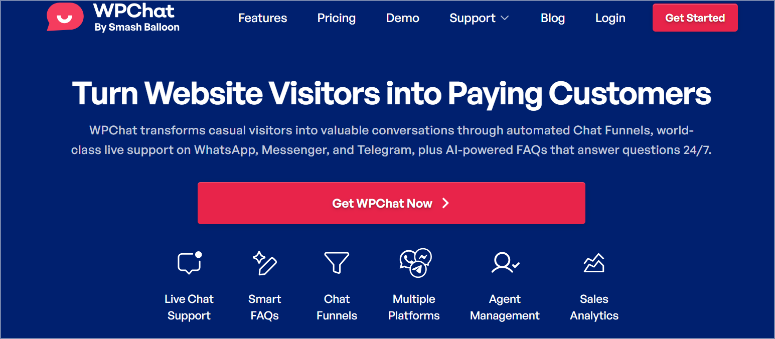
Here’s the problem with most WhatsApp plugins. A visitor lands on your product page, clicks the chat button, asks a question, then closes the tab.
If you don’t respond in the next five minutes, that conversation is dead. The visitor moved on, and you never get them back.
WPChat solves this at the plugin design level. Because the chat routes through WhatsApp itself, not a hosted widget, the conversation lives in the visitor’s WhatsApp app.
Your reply lands as a WhatsApp notification on their phone. It doesn’t matter that they closed their browser tab three hours ago.
Why Is WPChat One of the Best WhatsApp Marketing Plugins?
On top of that, WPChat is built by Smash Balloon, the team behind Instagram Feed Pro and Facebook Feed Pro, trusted by over 1.6 million WordPress sites.
The chat funnels take it further. It automates multi-step conversation flows that qualify leads before they ever reach a human. That’s where it crosses from a chat button into an actual marketing tool.
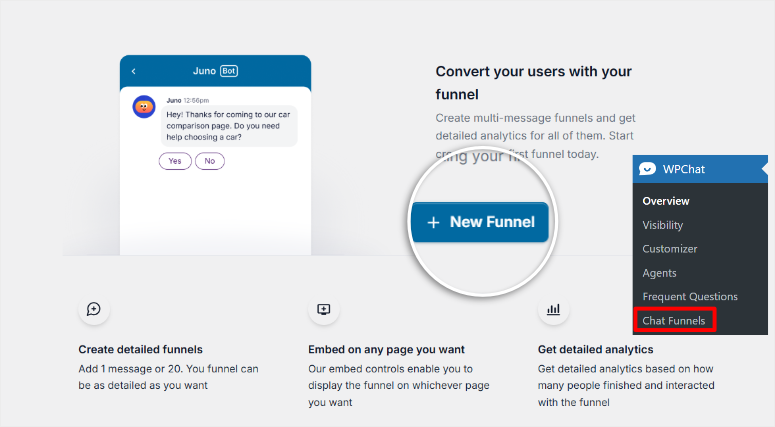
I tested this with a WooCommerce client I mentioned in my introduction.
A visitor asked about a dining table at 11 am, closed the browser, and we followed up via WhatsApp at 3 pm the next day, and they responded.
That’s not something a live chat widget could ever do, and it’s why I rank WPChat at the top of this list.
WPChat supports WhatsApp, Messenger, Telegram, and Instagram in a single widget. This way, visitors pick whichever app they already use.
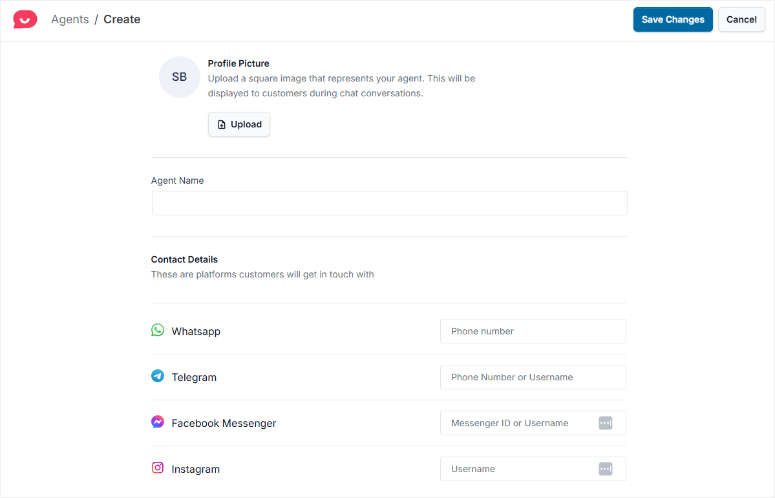
The free version covers one agent and up to 10 FAQ responses with AI smart search. Upgrade to Plus, and you get full chat funnels, analytics, and up to 10 agents.
The one thing worth knowing before you buy: the free tier is genuinely limited. One agent, no analytics, no chat funnels. The 14-day money-back guarantee functions as the real trial.
My suggestion is you buy Basic, test Pro features for two weeks, and refund if it’s not right for you.
If you’re comparing WhatsApp tools with full live chat software options, WPChat stands apart because conversations route natively to the visitor’s phone app, not a hosted widget session.
My Experience with WPChat
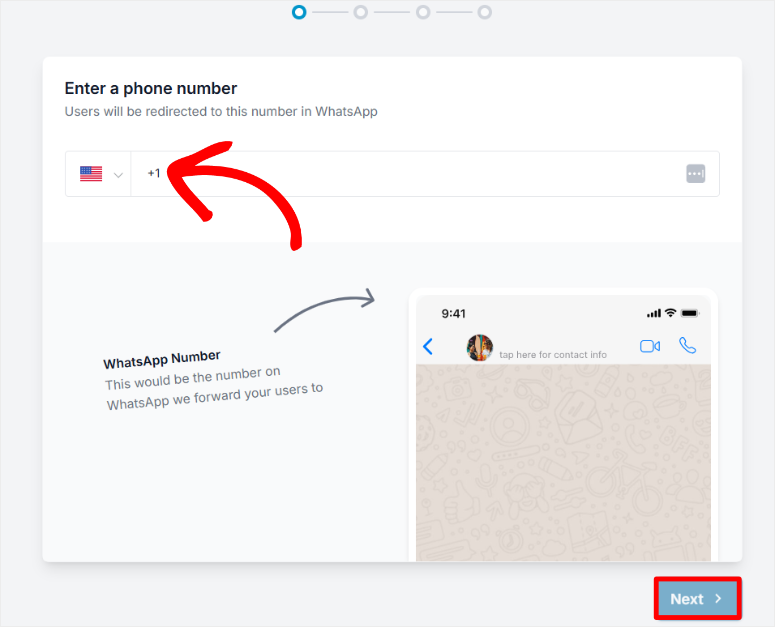
Setting up WPChat took me about four minutes. Enter your WhatsApp number, choose a widget theme, set your agent name, and done. No API keys, Meta Business Manager, or approval queue.
I added an FAQ bot with seven common questions for a client’s furniture store.
Within the first week, the widget deflected the same “do you ship internationally?” question that had been eating up their response time.
The AI smart search found the answer even when visitors phrased the question differently.
🟢► Pros
- Conversations continue after tab close: I tested this, a visitor who left at 11 am replied to our WhatsApp follow-up at 3 pm. No other chat button does this.
- Multi-platform in one widget: WhatsApp + Messenger + Telegram + Instagram from a single bubble. Visitors pick what they already use.
- Chat funnels (Plus+): Multi-step automated lead qualification flows. This is rare for a WordPress-native plugin at this price.
- AI smart FAQ search: Deflects repetitive questions 24/7 without a live agent.
- Built by Smash Balloon: Maintenance, updates, and support backed by a team that powers 1.6M+ sites.
- No per-agent fees: Flat annual rate vs. per-seat SaaS pricing from Intercom or Zendesk.
🔴► Cons
- Free tier limited to properly evaluate: No analytics, no chat funnels, one agent. You need to commit to a paid plan to see what WPChat really does.
- Very new plugin: Launched October 2025 with 200+ installs. Strong brand behind it, but thin review history vs. established competitors.
My Verdict: WPChat is the right pick if you want a WhatsApp widget that works the way WhatsApp actually works and conversations that don’t die when the browser closes.
The Smash Balloon brand makes this a low-risk choice for an early-stage plugin. Start with the 14-day guarantee and test the Pro features before committing.
Check out my WPChat review for a deeper breakdown.
Pricing: Free tier available. Pro starts at $49/year. 14-day money-back guarantee.
👉 Get started with WPChat here
2. Chaty ⭐⭐⭐⭐⭐
Best for: Multi-channel WordPress sites needing country-based routing and campaign targeting
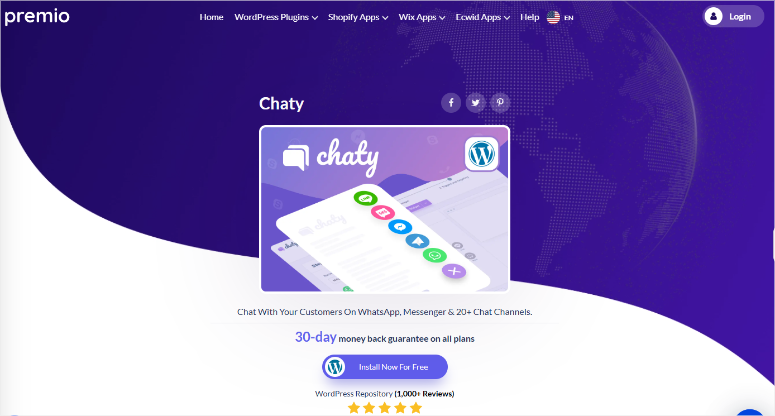
Most WhatsApp plugins assume that all your visitors prefer WhatsApp. That works in the US, UK, and parts of Europe.
But if your WooCommerce store sells globally, WhatsApp is barely used in Japan, China, or South Korea. As a result, your chat button converts to nothing for those visitors.
Chaty earned its spot on this list for one feature no competitor matches at this price: country-based channel routing. For example, Brazil gets WhatsApp, Japan gets Line, and China gets WeChat.
Each visitor sees the channel they already use automatically, with no manual configuration per country. For international stores, that alone is worth the install.
Why Is Chaty One of the Best WhatsApp Marketing Plugins?
On top of routing, Chaty has traffic-source targeting. It shows the widget only to visitors from a specific ad campaign.
Chaty’s merge-tag popup is the marketing feature that impressed me most. When a visitor on a product page clicks the button, the WhatsApp message that opens is pre-filled with the page title and URL.
Your team receives: “Hi, I’m interested in the Blue Denim Jacket; https://yourstore.com/products/blue-jacket.”
Instead of the generic “Hi, can you help me?” many WhatsApp marketing plugins offer, and five minutes of back-and-forth asking which product they mean.
The free version is unusually generous. All 25 channels, basic targeting by page, country, traffic source, and schedule.
The best part? It pairs well with your WordPress social media plugins setup.
Chaty adds the conversational layer that social feeds alone can’t provide. Pro unlocks chat agents, the full merge-tag popup, widget analytics with GA4 integration, and WooCommerce-specific dynamic variables.
The friction point: analytics are paid-only. On the free plan, you have no click tracking. You’re running a multi-channel widget blind.
For anyone who wants to know what’s actually converting and is on a budget, this is a real barrier.
My Experience with Chaty
I set up Chaty on a client’s international eCommerce store with UK headquarters, but significant traffic from Brazil and Southeast Asia.
I enabled WhatsApp for Brazil, Telegram for Southeast Asia, and Messenger for the UK. The setup took about 15 minutes, including country configuration.
The first week’s data: Telegram accounted for 31% of chat interactions, entirely from visitors we were previously routing to WhatsApp with zero engagement.
Those conversations simply weren’t happening before.
🟢► Pros
- Country-based channel routing: Show WhatsApp in Brazil, Line in Japan, and WeChat in China automatically. Unique in this price range.
- Traffic-source targeting: Align chat channel to acquisition channel. Shows the WhatsApp widget only to visitors from a specific campaign.
- Merge tags in product page messages: Visitor’s first WhatsApp message includes page title and URL automatically.
- 25 channels on free tier: Every channel is available without paying. This is rare across this category.
🔴► Cons
- No free analytics: Click tracking only in Pro. On free, you’re operating blind on what’s actually converting.
- Brand styling locked behind Pro: Only 6 color options free; matching your brand requires paying.
My Verdict: If you sell internationally, Chaty is not optional; it’s the only free plugin that routes visitors to their preferred channel by country.
For single-country sites, it’s still worth using for the merge-tag popup and traffic-source targeting. Upgrade to Pro when you want to track which channels are actually converting.
Pricing: Free forever plan available. Pro starts at $59/year. 30-day money-back guarantee.
3. WPForms ⭐⭐⭐⭐⭐
Best for: Lead capture that automatically pings new contacts on WhatsApp the moment they submit
Most WhatsApp marketing for WordPress focus on just chat buttons. WPForms earns a spot on this list for a completely different reason: it solves the lead-response gap.
A visitor fills in your quote request form at 8 pm. Your sales team sees it the next morning. By then, the lead has talked to two competitors.
WPForms with the Twilio addon closes that window. The moment a form is submitted, it fires a WhatsApp message automatically, with no one sitting at a computer.
Why Is WPForms One of the Best WhatsApp Marketing Plugins?
With +14,277 WP.org reviews at 4.8/5, it’s the most trusted WordPress drag and drop form builder available.
Plus, because of its ease of use, WPForms is among the best contact form plugins for WordPress for connecting directly to your sales workflow.
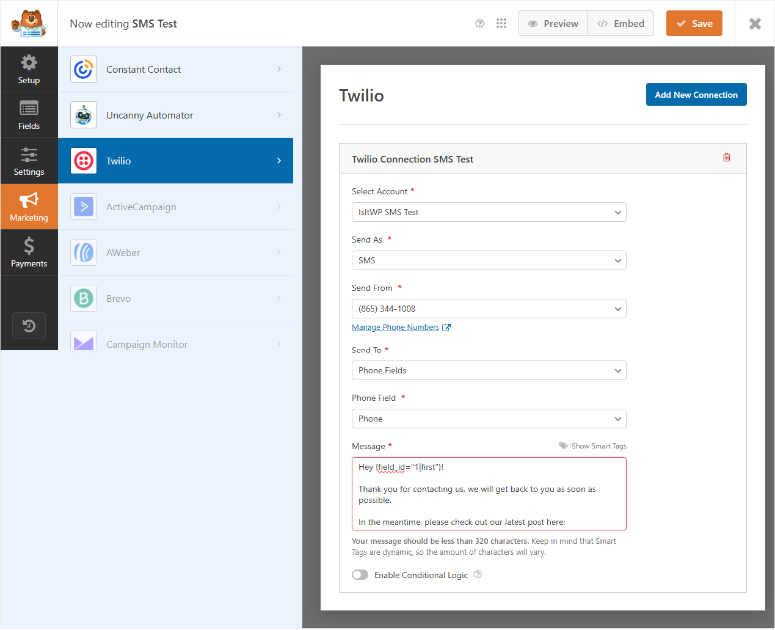
The WhatsApp functionality isn’t a workaround. It’s a built-in addon at the Plus tier, configured in the same settings panel where you build your forms.
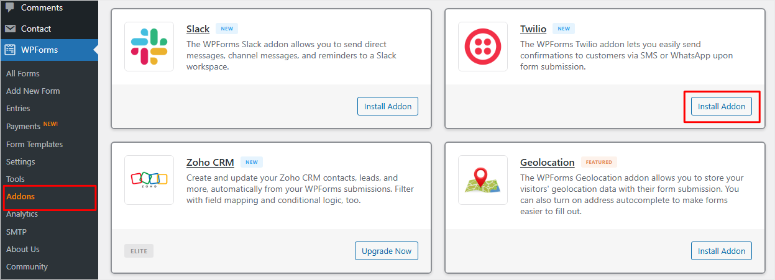
WPForms at the Plus tier includes the Twilio addon.
This allows you to connect your Twilio account and WhatsApp Business number, configure which form fields trigger which message without code or webhooks.
You can also add a conditional logic rule, which can make it more precise. For example, you can set it up so that it only sends a WhatsApp ping if the inquiry value field is over $500.
For beginners, this is the most accessible path to automated WhatsApp follow-up. You can have a WhatsApp conversation started within 30 seconds of a form submission.
It’s also a natural fit for your WordPress lead generation stack. WPForms captures the lead, and Twilio pings them on WhatsApp instantly.
The catch: the Twilio addon requires a separate Twilio account (free to create, pay-per-message), and you need WhatsApp Business API access set up through Twilio’s dashboard. Budget about 45 minutes the first time. After that, it runs without you touching it.
My Experience with WPForms
I used WPForms + Twilio on a client’s website booking form. Every new inquiry fires a WhatsApp message to the client’s business number with the visitor’s name, service requested, and phone number.
They went from a 4-hour average response time to replying within 10 minutes, just from having the inquiry hit their WhatsApp directly.
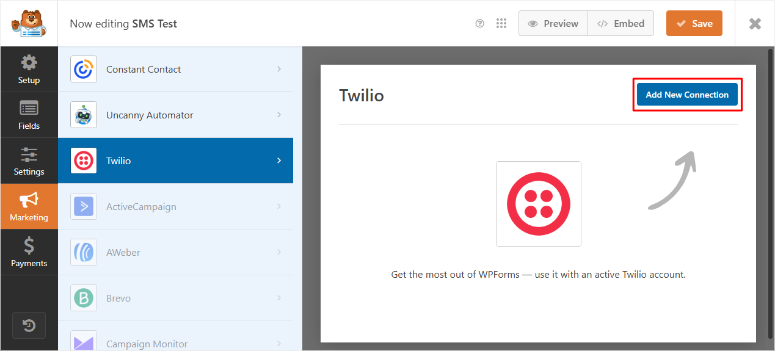
The form’s conditional logic is what makes it smart. A “general enquiry” form submission sends an email notification.
A “large event” form submission sends both an email AND a WhatsApp ping. Setting that up took about three minutes in the form builder.
🟢► Pros
- Instant WhatsApp on form submission: No code, no delay. Twilio fires the WhatsApp message the moment someone submits.
- Conditional logic for smart triggers: Only ping WhatsApp when the inquiry meets specific criteria (value, service type, location).
- 4.8/5 from 14,277 WP.org reviews: The most reviewed and trusted WordPress form plugin by far.
- 2,100+ templates: Lead capture, quote request, event registration, all feed into the WhatsApp automation.
- Deep ecosystem: Integrates natively with OptinMonster, MonsterInsights, WP Mail SMTP, and many more.
🔴► Cons
- Twilio setup is a 45-minute project: Requires a separate Twilio account and WhatsApp Business number. Not plug-and-play for total beginners.
- WhatsApp needs Plus tier: The Twilio addon isn’t available on the Basic plan.
My Verdict: WPForms is the best choice if your primary WhatsApp marketing goal is capturing leads and following up instantly.
It’s not a standalone WhatsApp tool, but a form builder that makes WhatsApp part of your lead response workflow. For service businesses and anyone selling via inquiry forms, that’s exactly what you need.
Check out my WPForms review for more details. Compare WPForms vs Formidable Forms if you’re weighing your form builder options.
Pricing: Free WPForms Lite available. Plus starts at $99.50/year (Twilio/WhatsApp addon included). 14-day money-back guarantee.
👉 Get started with WPForms here
4. PushEngage ⭐⭐⭐⭐
Best for: WooCommerce stores that want browser push + WhatsApp cart recovery under one dashboard
WhatsApp marketing has one unavoidable friction point: you need a phone number to reach someone. Most visitors won’t hand you their number just for browsing your store.
PushEngage gets around this by pairing browser push notifications with WhatsApp. Push requires only a single permission click; no phone number, no personal data. A visitor opts in, and you have a channel.
When they abandon a cart, push fires first. When they complete an order, WhatsApp sends the confirmation. Two channels, one tool, one dashboard.
Why Is PushEngage One of the Best WhatsApp Marketing Plugins?
PushEngage’s WooCommerce cart abandonment automation is where it earns its place on this list. It runs a pre-built three-step sequence: 45 minutes after abandonment, then four hours, then 24 hours.
Plus, dynamic product data auto-populates like product name, image, and price, without any manual configuration per campaign.
The WhatsApp side runs natively, making it super simple to use. Order confirmations, shipping updates, payment retry requests, and COD (Cash on Delivery) confirmations all trigger without a separate plugin.

If you want to understand how push notifications work on WordPress before committing, that guide covers the technical setup in detail.
One important caveat: the free plan (200 subscribers) can auto-upgrade and charge your card if you exceed the limit.
Monitor your subscriber count carefully, and only add payment details when you’re ready to commit.
My Experience with PushEngage
I connected PushEngage to a WooCommerce store selling skincare products. Within the first month, the cart abandonment sequence recovered 11 transactions that would have otherwise been lost.

This is a measurable number we could tie directly to the plugin.
The WhatsApp order confirmations reduced “where’s my order?” support requests by roughly a third, because customers were proactively updated at each shipping milestone.
The one friction I hit: the WooCommerce WhatsApp integration setup isn’t as instant as the push side.
You need to connect a WhatsApp Business number and configure message templates separately. Budget an hour for that initial setup.
🟢► Pros
- Web push notifications + WhatsApp in one tool: Capture subscribers without a phone number, then escalate to WhatsApp for high-value communications.
- WooCommerce cart recovery: Three-step automated sequence with dynamic product data; reports, recovery, and industry average.
- Native WhatsApp API: Not a chat button. This sends actual WhatsApp messages for orders, carts, and shipping updates.
🔴► Cons
- Auto-upgrade billing risk: The free plan can auto-charge when subscriber limits are exceeded. Monitor your count carefully.
- WhatsApp setup takes time: Connecting a WhatsApp Business number requires additional configuration beyond the WordPress plugin.
My Verdict: PushEngage is the strongest choice for WooCommerce stores that want two channels working together.
You get push notifications for acquiring subscribers, and WhatsApp for closing and retaining customers.
The cart recovery automation alone pays for the plan at most store sizes. Just go in with clear eyes on the billing behavior.
Check out my PushEngage review here. Or, compare PushEngage vs OneSignal if you’re evaluating push notification tools.
Pricing: Free (200 subscribers). Business $8/month (annual). Premium $15/month (annual). 14-day money-back guarantee.
👉 Get started with PushEngage here
5. Uncanny Automator ⭐⭐⭐⭐
Best for: WordPress users who want WhatsApp triggered by any plugin event, like orders, forms, memberships
Every other plugin on this list connects WhatsApp to one thing: your WordPress site. Uncanny Automator connects WhatsApp to everything on your WordPress site.
Here are a few examples you can use:
- WooCommerce order placed → WhatsApp confirmation.
- WPForms submission → WhatsApp lead alert.
- MemberPress signup → WhatsApp welcome message.
- LearnDash course completed → WhatsApp congratulations.
You build those connections with a no-code recipe builder and without Zapier, middleware, or a developer.
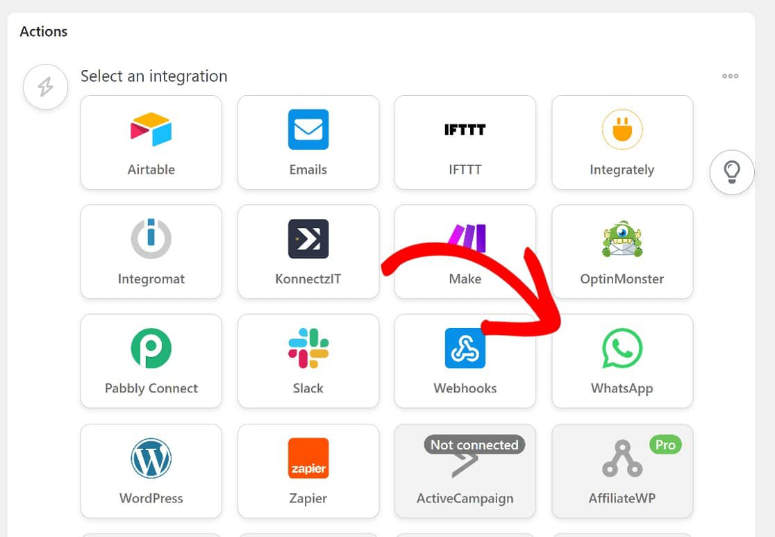
And because automations run inside WordPress rather than through a third-party cloud, your data stays on your server. That’s a meaningful edge for GDPR-conscious businesses.
Why Is Uncanny Automator One of the Best WhatsApp Marketing Plugins?
Uncanny Automator’s 9,200+ dynamic tokens are what make the messages feel personal rather than automated.
A WooCommerce order confirmation includes the customer’s first name, exact product, order total, and estimated delivery date all auto-populated.
A membership welcome message uses their name and the specific plan they joined.
It’s consistently ranked among the best WordPress automation plugins, and for good reason.
For teams already paying for Zapier to handle WhatsApp triggers, Uncanny Automator does the same job inside WordPress at a fraction of the annual cost.
On top of that, data stays on your server instead of passing through a third-party cloud.
The honest limitation: Uncanny Automator is not a dedicated WhatsApp plugin. If all you want is a chat button or cart abandonment campaigns, this is more tool than you need.
Its value is in connecting WhatsApp to the rest of your WordPress stack. If you’re running WooCommerce + forms + a membership or course platform, it replaces three separate connector plugins in one install.
My Experience with Uncanny Automator
I set up a recipe for a client running an online course platform with LearnDash.
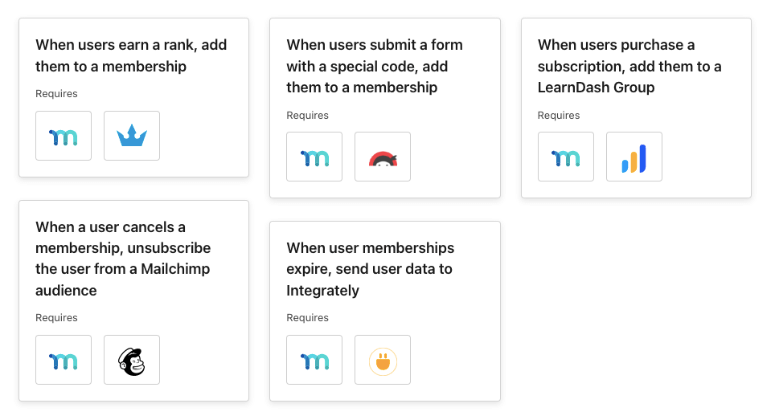
When a student completes a module, Uncanny Automator fires a WhatsApp message with their name and the specific lesson they finished.
The student receives it in WhatsApp: “Well done, Sarah! You completed Module 3: Email Marketing Fundamentals. Your next lesson is ready.”
Completion rates on the course went up noticeably in the following weeks. Not because anything changed about the course, but because students felt seen.
The recipe builder took about 20 minutes to configure. Slightly more than a chat button plugin, significantly less than setting up Zapier for the same workflow.
🟢► Pros
- 220+ plugin integrations: Connect WhatsApp to WooCommerce, WPForms, LearnDash, MemberPress, Gravity Forms, and 200+ more without code.
- 9,200+ dynamic tokens: Personalize every WhatsApp message with order data, customer name, product details, and course progress.
- 4.9/5 from 149 WP.org reviews: 96% five-star. The most consistently praised plugin in its category.
- Data stays on your server: Unlike Zapier, automations process inside WordPress. Better for GDPR compliance.
- Delay and scheduling: Send a WhatsApp follow-up 3 days after purchase, not just immediately.
🔴► Cons
- Free credits run out fast: The free plan includes 250 app credits for WhatsApp. For meaningful volume, you need the paid plan.
- Steeper learning curve: Budget 20–30 minutes to understand recipe logic. Not as instant as a chat button plugin.
My Verdict: Uncanny Automator is the right choice if you want WhatsApp woven into your entire WordPress workflow, not bolted on as a separate channel.
If you’re already using WooCommerce, WPForms, or a course plugin, this is the highest-leverage way to add WhatsApp automation without another SaaS subscription.
Check out my Uncanny Automator review for more details.
Pricing: Free plugin available. Basic plan starts at $149/year. 14-day money-back guarantee.
👉 Get started with Uncanny Automator here
6. WANotifier ⭐⭐⭐⭐
Best for: WooCommerce stores sending high-volume WhatsApp campaigns at the lowest possible API cost
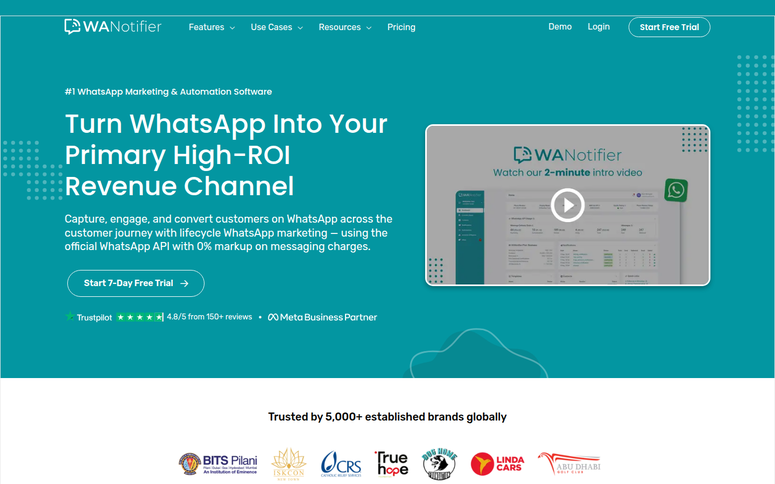
At low message volumes, every WhatsApp Business API platform costs roughly the same. At 10,000+ conversations per month, the markup percentages become real.
Most platforms charge 12–35% on top of Meta’s per-conversation rates. This is hundreds of dollars monthly on nothing but margin.
WANotifier charges 0% markup. You pay Meta directly.
That’s not a promotional offer; it’s the permanent pricing model. For high-volume stores, it’s the single biggest cost differentiator in this category.
Why Is WANotifier One of the Best WhatsApp Marketing Plugins?
It also gives you two dedicated WordPress plugins. One for WooCommerce, the other for forms and WordPress events.
Plus an official Meta Tech Partner certification, a no-code chatbot builder, and a shared team inbox. It’s a purpose-built WhatsApp marketing platform, not a chat button with automations bolted on.
WANotifier’s dual WordPress plugin approach keeps things clean.
The WooCommerce plugin handles order notifications, abandoned cart recovery, and shipping updates.
The forms plugin covers nine form plugins, including WPForms, Gravity Forms, Contact Form 7, and six more. Each triggering WhatsApp messages automatically on submission.
The chatbot builder lets you create automated conversation flows without code. As a result, you can go live in under 30 minutes.
When a customer messages about a return policy, the chatbot handles it. When they ask to speak to someone, it escalates to the team inbox.
For businesses already using SMS notifications from WordPress, WANotifier sits in the same workflow as a higher-engagement alternative.
The limitation worth flagging: WANotifier discontinued its free plan in October 2025. There’s a 7-day trial, but no ongoing free tier.
And the automation depth has a ceiling. Complex multi-branch logic and AI responses aren’t supported.
My Experience with WANotifier
I tested WANotifier on a WooCommerce skincare store already paying for WhatsApp notifications through a competitor platform.
The migration cut their monthly messaging bill by 22% in the first month: the same messages, same volume, no markup.
The WooCommerce abandoned cart recovery ran within 48 hours of setup, with no developer involvement.
🟢► Pros
- 0% API markup: Pay Meta directly for conversations. Structurally cheaper than WATI, AiSensy, and most competitors at volume.
- Dual WordPress plugins: Separate WooCommerce plugin + forms/events plugin. Leads to a deep integration and a clean setup.
- 9 form plugin integrations: WPForms, Gravity Forms, CF7, Ninja Forms, Formidable Forms, and others. Widest form compatibility in the category.
- Official Meta Tech Partner: Uses the official WhatsApp Business API. No account ban risk from unofficial methods.
- Chatbot builder: No-code conversation flows that users report launching in under 30 minutes.
🔴► Cons
- No free plan: Free tier discontinued October 2025. A 7-day trial is the only free access.
- Limited automation depth: No AI responses, no complex branching logic. Users with advanced chatbot needs will outgrow it.
My Verdict: WANotifier is the cost-conscious choice for WooCommerce stores already using the WhatsApp Business API.
The 0% markup is a genuine differentiator, not marketing language. And the dual-plugin approach makes WooCommerce + form integration cleaner than competitors.
Start the 7-day trial to validate costs before committing.
Pricing: No free plan. 7-day free trial. Paid plans start at $69/month. Meta API conversation fees are billed separately by Meta.
👉 Get started with WANotifier here
7. Tidio ⭐⭐⭐⭐
Best for: Businesses that want WhatsApp + live chat + AI chatbot in one unified inbox
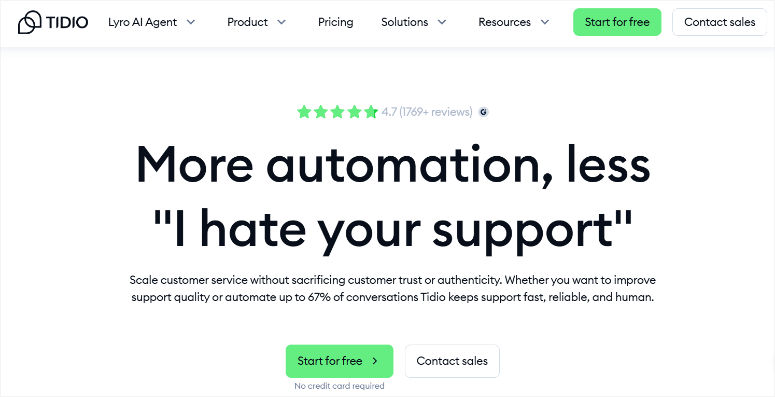
Most WhatsApp plugins and live chat tools exist in separate universes. Your WhatsApp Business App is on your phone, live chat is in a browser tab, and Messenger is in another tab.
When a customer reaches out, you’re juggling three apps to piece together their history. Tidio earns its position on this list for collapsing all of that into one place.
WhatsApp, live chat, Facebook Messenger, Instagram DM, and email on one dashboard, with full conversation history across every channel.
And it’s an official WhatsApp Business Solution Provider, meaning real API access, proper message templates, and Flows automation, not a workaround.
Why Is Tidio One of the Best WhatsApp Marketing Plugins?
The Lyro AI layer is what separates it from every other unified inbox tool. Lyro resolves up to 70% of incoming queries automatically, including WhatsApp messages.
Tidio’s Lyro AI is trained on your own data. Your FAQs, help docs, and past conversations.
A customer who sends a WhatsApp message about return policy at 2 am gets an instant, accurate, on-brand response without a human in the loop.
No other plugin on this list offers AI-powered WhatsApp responses at this maturity level.
For WooCommerce stores evaluating Intercom alternatives that support WhatsApp natively, Tidio is the strongest WordPress-compatible option.
It has a WooCommerce context layer (cart, order history, product details) visible inside every conversation window.
The billing history is worth knowing about upfront. Long-term users have documented significant price increases between renewal years, in some cases 3× over four years.
Set a calendar reminder to audit your plan pricing before each renewal. There’s also no general money-back guarantee on standard plans.
My Experience with Tidio
I connected Tidio to a WooCommerce store running WhatsApp, Messenger, and live chat as three separate tools.
Consolidating into one inbox cut the support team’s average response time by about 40% in the first month, simply from not switching between apps to find context.
Lyro AI handled most of the “what’s your return policy?” and “do you ship to X country?” questions on WhatsApp automatically.
The support team only touched the complex or high-value conversations. For a team of two managing significant volume, that mattered.
🟢► Pros
- Official WhatsApp Business Solution Provider: Real API access, proper Flows automation, no workarounds.
- Lyro AI on WhatsApp: Same AI that deflects website chat queries also handles WhatsApp 24/7, automatically.
- Unified inbox: WhatsApp + live chat + Messenger + Instagram + email in one view.
- WooCommerce context in chat: Agents see cart, order history, and products inside the conversation window.
- Generous free tier: 50 conversations/month, live chat widget, multi-channel inbox — enough to prove ROI before paying.
🔴► Cons
- Undisclosed price increases: Multiple users report significant annual billing increases with no prior notification. Audit your renewal price every year.
- No standard refund policy: Unlike most tools on this list, Tidio has no general money-back guarantee on standard plans.
My Verdict: Tidio is the strongest choice if you have a support team managing multiple channels and need those channels in one place.
The Lyro AI on WhatsApp is genuinely differentiated. No other plugin on this list offers AI-powered WhatsApp response at this maturity level. Go in with clear eyes on the billing history.
Pricing: Free option available (50 conversations/month). Pro starts at $24.17/month.
8. Joinchat ⭐⭐⭐
Best for: WooCommerce stores wanting free per-product WhatsApp chat with dynamic message pre-fill
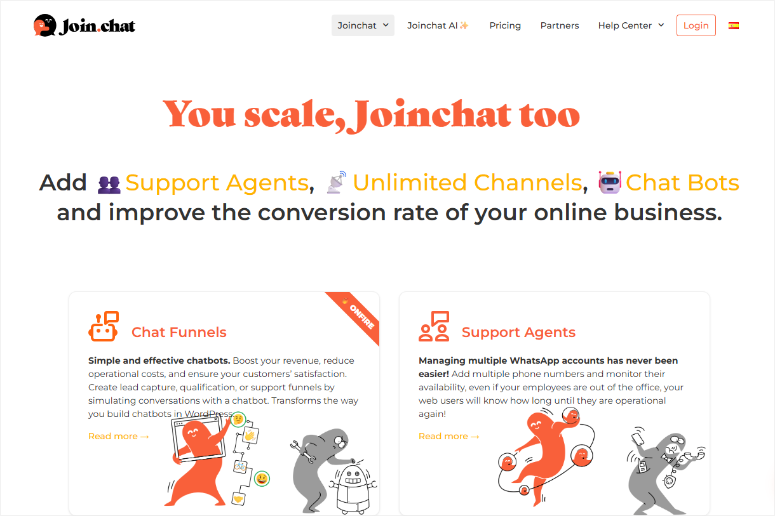
700,000 active WordPress installs. That number means something; more site owners have installed, tested, and kept Joinchat than any other dedicated WhatsApp plugin in this category.
The reason it earns that install count is its per-page dynamic variable system. Every product page on your WooCommerce store can have a different pre-filled WhatsApp start message.
So, when a customer taps the button on a product page, their WhatsApp opens with the product name, price, and SKU already typed.
No other free WhatsApp plugin does this natively for WooCommerce. Most send a generic “Hi, I have a question.” Joinchat sends product-level context.
Why Is Joinchat One of the Best WhatsApp Marketing Plugins?
Free analytics are included, too. You can set up GA4, Facebook Pixel, Google Ads conversion tracking, and GTM dataLayer pushes without any additional setup.
Joinchat’s dynamic variables are the standout.
When a customer taps the button on your Blue Denim Jacket page, their WhatsApp opens with: “Hi, I’m interested in the Blue Denim Jacket, $79, SKU: BDJ-001.”
Your team knows exactly what they’re asking about before a single word is typed — and that pre-filled context comes free.
For WooCommerce stores tracking where cart drop-offs happen, this data pairs well with cart abandonment rate tracking.
Joinchat’s analytics show which product pages generate WhatsApp clicks, giving you another signal on where buyers need reassurance before purchasing.
The honest limitation: Joinchat free is WhatsApp-only. The plugin’s tags mention Telegram and Messenger, which creates an expectation mismatch.
Those channels require the premium OmniChannel add-on. If you need multi-channel on the free tier, use Chaty instead.
My Experience with Joinchat
I installed Joinchat on a WooCommerce furniture store and configured dynamic variables for product pages.
First thing I noticed: the vendor stopped getting “which sofa are you asking about?” messages entirely. Every incoming WhatsApp conversation started with the product name and price already in the thread.
I also set up a page-level CTA.
The home page shows “Chat with us,” the product page shows “Ask about this product,” and the cart page shows “Need help completing your order?”
Three different messages, zero code, 15 minutes of setup.
🟢► Pros
Dynamic WooCommerce variables (free): Product name, SKU, and price auto-populate the WhatsApp start message. No other free plugin matches this.
700,000+ active installs: Extensively community-tested; more real-world proof than any competitor in this category.
Free analytics: GA4, Facebook Pixel, and Google Ads conversion events included at no cost.
Vanilla JS, zero dependencies: No render-blocking scripts; no plugin conflicts; developers who inspect the code call it “extremely well coded.”
Page-level CTAs: Different call-to-action text per page type, post, product, category, without code.
🔴► Cons
Free is WhatsApp-only: Telegram, Messenger, and other channels require the premium OmniChannel add-on, despite plugin tags implying otherwise.
Button positioning on some themes: Bootstrap-based themes may need a one-line CSS fix to prevent the button from hiding behind other elements.
My Verdict: Joinchat is the best free WhatsApp plugin for WooCommerce stores that want product-level context in every conversation.
The dynamic variables alone justify the install. The analytics are a genuine bonus. If you need multi-channel on the free tier, pair it with Chaty or upgrade to Joinchat Premium.
Pricing: Free (core features, WhatsApp only). Premium from €8/month. 14-day money-back guarantee on Premium.
👉 Get started with Joinchat here
9. Click to Chat – HoliThemes ⭐⭐⭐
Best for: WordPress site owners who want a free WhatsApp button with real marketing analytics
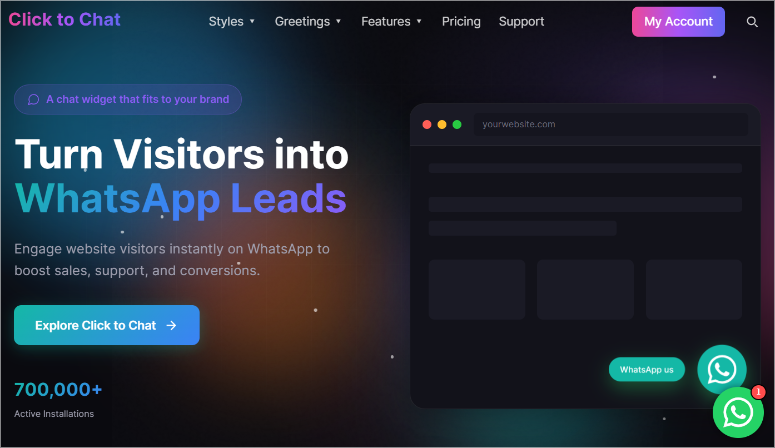
Most free WhatsApp buttons are “fire and forget.” You add them to your site and have no idea if anyone actually clicks them. Click to Chat – HoliThemes changes that.
At zero cost, every WhatsApp button click sends a conversion event to GA4, fires a custom event in Meta Pixel, and logs a conversion in Google Ads.
Most competitors charge $18–$59/year for that. Click to Chat includes it for free.
The WooCommerce dynamic variables work exactly as you’d expect: product name, price, and SKU auto-fill the visitor’s opening WhatsApp message on product pages.
And with 700,000+ active installs, this plugin has been stress-tested across popular themes and plugin combinations than any competitor in its class.
Why Is Click to Chat – HoliThemes One of the Best WhatsApp Marketing Plugins?
Click to Chat – HoliThemes is the analytics angle. When you run a Facebook ad and a visitor clicks your WhatsApp button, you can see the full attribution chain.
You can see the flow from Ad → click → WhatsApp conversion without paying for analytics software.
That data belongs alongside your other WordPress analytics plugins setup for a complete picture of what’s converting.
The security note worth including: two users in 2024–2025 reported site compromises correlated with plugin updates.
The developer denied any vulnerability, but the incidents remain unresolved in support threads. Test plugin updates on staging before deploying to production.
You can follow my security checklist to make sure your site is safe before live deployment.
My Experience with Click to Chat – HoliThemes
I added Click to Chat to a service business site. A local plumber who wanted WhatsApp but had zero budget for plugins. The setup was under two minutes.
I connected GA4 and Meta Pixel inside the plugin settings without custom event code.
Within the first week, the analytics showed 23 WhatsApp button clicks from organic traffic. Of those, the business owner closed 7 jobs. That attribution data, for a £0 plugin, made the decision to keep it obvious.
🟢► Pros
- Free analytics: GA4, Meta Pixel, and Google Ads click events at no cost. Unique in this price range.
- WooCommerce dynamic variables (free): Product name, price, SKU auto-fill the WhatsApp start message.
- 700,000+ active installs: Extensive real-world testing across themes and plugin combinations.
- Custom element trigger: Any HTML element becomes a WhatsApp button via CSS class. No shortcode needed.
- WPML/Polylang support: Different phone numbers and messages per language. Essential for multilingual stores.
🔴► Cons
- Security incidents (unresolved): Two site compromises correlated with 2024–2025 updates. Test plugin updates on staging first.
- Multi-agent and office hours require Pro: Free version is single-agent only; teams need the Pro plan.
My Verdict: Click to Chat is the strongest free WhatsApp button for WordPress, full stop. The analytics at zero cost are genuinely unusual in this category.
The security concern is real but manageable with standard staging practices. For any site owner who wants a WhatsApp contact without a budget, this is the install.
Pricing: Free (full-featured with analytics). Pro starts at $18/year.
👉 Get started with Click to Chat – HoliThemes here
That’s it for my list of the best WhatsApp WordPress plugins for marketing. But this is a long list. To help you make the right choice, check out the section below.
How to Choose the Right WhatsApp Marketing Plugin
Thirty seconds of reading the table above is useful. But the real decision comes down to what you’re actually trying to do with WhatsApp.
If you want conversations that survive after visitors leave:
My recommendation is WPChat.
- The multi-platform native routing (WhatsApp/Messenger/Telegram/Instagram) means chats live in the visitor’s app, not a hosted widget that times out.
If your main goal is capturing leads and following up fast:
WPForms with the Twilio addon is your best solution.
- Form submitted → WhatsApp ping in under 30 seconds. Nothing on this list closes that lead-response window faster without custom code.
If you want WhatsApp to be triggered by anything that happens in WordPress:
Go for Uncanny Automator.
- WooCommerce order, MemberPress signup, LearnDash completion, WPForms submission, any event, one recipe, automated WhatsApp message.
- It replaces Zapier for most WhatsApp automation workflows at a lower annual cost.
If you run a WooCommerce store and want cart recovery:
PushEngage or WANotifier.
- PushEngage adds browser push as a second channel. This is useful if you also want to capture subscribers who won’t give their phone numbers.
- WANotifier is the cheaper long-term choice at high message volumes (0% API markup).
- If the budget is tight, start with PushEngage’s free tier.
If you just want a WhatsApp button on your site:
Joinchat or Click to Chat – HoliThemes.
- Both are free. Both have WooCommerce dynamic variables.
- The difference: Joinchat has 700K installs and richer Rich Chat bubbles.
- Click to Chat has better analytics at zero cost. Either works. Both are among the best WooCommerce plugins for growing sales at zero cost to install.
If you sell internationally:
Check out Chaty.
- The country-based channel routing is unique in this price range.
- Brazil gets WhatsApp, Japan gets Line, and China gets WeChat automatically.
If you want a unified inbox (WhatsApp + live chat + AI):
I suggest Tidio.
- It’s the only tool on this list where WhatsApp, website chat, and Messenger land in one place with AI handling the common questions automatically.
- If you’re comparing email marketing services alongside messaging tools, Tidio handles the real-time conversational side that email can’t.
That’s it. You now have a complete list of the best WhatsApp marketing WordPress plugins. Plus, a way to narrow down your options.
If anything is unclear, check out the commonly asked questions below.
FAQs: Best WhatsApp Marketing Plugins for WordPress
What is the best WhatsApp marketing plugin for WordPress?
WPChat is the best all-round choice for most WordPress sites. Conversations route natively through WhatsApp, so they continue after visitors leave your site. For WooCommerce stores running high-volume WhatsApp campaigns, WANotifier’s 0% API markup makes it the most cost-efficient option at scale. For simple free installations, Joinchat or Click to Chat – HoliThemes cover most needs without any cost.
Do I need the WhatsApp Business API to use these plugins?
Not for basic chat buttons. WPChat, Chaty, Joinchat, and Click to Chat – HoliThemes connect directly to your WhatsApp or WhatsApp Business app — no API setup required. To send automated outbound messages (cart recovery, order confirmations, sequences), you need the WhatsApp Business API, which PushEngage, Uncanny Automator, WANotifier, and Tidio all use natively.
Can I send bulk WhatsApp messages from WordPress?
Yes, but only via the official WhatsApp Business API and only to contacts who have opted in. WANotifier and PushEngage both support bulk campaigns to opted-in lists. Sending unsolicited bulk messages through unofficial methods risks a permanent WhatsApp account ban. All API-based plugins on this list use the official Meta-approved route.
What is the best free WhatsApp plugin for WordPress?
Joinchat and Click to Chat – HoliThemes are both strong free options. Joinchat is best if you run a WooCommerce store. Its dynamic variables pre-fill product details into every WhatsApp conversation at no cost. Click to Chat – HoliThemes is best if you want analytics. It sends click events to GA4, Meta Pixel, and Google Ads for free. For multi-channel (WhatsApp + Telegram + Messenger), Chaty’s free plan includes all channels.
How do I recover abandoned carts with WhatsApp in WordPress?
Use PushEngage or WANotifier. PushEngage’s pre-built three-step cart abandonment sequence fires automatically after abandonment, 45 minutes, 4 hours, and 24 hours, with dynamic product data. WANotifier’s WooCommerce plugin handles the same workflow via the official WhatsApp Business API. Both require a WhatsApp Business number connected to the API. For full setup guidance on form notifications and confirmations that feed your WhatsApp workflows, the guide covers the WPForms side in detail.
Will a WhatsApp plugin slow down my WordPress site?
Not significantly if you choose well. Joinchat and Click to Chat – HoliThemes are specifically optimized for performance. You get vanilla JavaScript, deferred loading, and no render-blocking scripts. WPChat and Chaty load asynchronously. The heavier tools (PushEngage, Tidio, WANotifier) connect to external dashboards, but the frontend script impact is minimal. Run a PageSpeed Insights test before and after installation to confirm.
Final Verdict: Should I Use a WhatsApp Marketing Plugin on My WordPress Site?
Yes, but be clear on what “WhatsApp marketing” actually means for your site before you install anything.
A chat button that opens WhatsApp is free, takes five minutes to set up, and works immediately. If that’s all you need, Joinchat or Click to Chat – HoliThemes will do it without costing you anything.
The real WhatsApp marketing opportunity, like automated cart recovery, lead follow-up sequences, order notifications, and chatbot flows, requires the WhatsApp Business API.
That has a setup cost (time, not always money) and a per-conversation fee from Meta. The plugins that use the API (PushEngage, WANotifier, Uncanny Automator, Tidio) all manage that complexity for you.
Pick one plugin, get it live, and measure what happens to your lead response time or cart recovery rate in the first 30 days. The data will tell you whether to stay simple or go deeper.
Resource Hub: WhatsApp and Messaging for WordPress
Everything you need to go deeper on messaging, lead capture, and conversion tools for WordPress:
- Best WhatsApp Plugins for WordPress – Our full roundup of every WhatsApp plugin type, from chat buttons to API tools
- How to Set Up SMS and WhatsApp Notifications in WordPress – Step-by-step setup guide for WhatsApp and SMS notifications on WordPress
- Best Marketing Automation Tools for WordPress – Full comparison of automation tools that connect WhatsApp to your marketing stack
- Best WordPress Lead Generation Plugins Compared – Top tools for capturing leads before routing them to WhatsApp
- How to Send SMS Notifications From WordPress – Step-by-step guide for SMS notifications. The same workflow that powers WhatsApp via Twilio
- WPForms vs Ninja Forms – Detailed comparison to help you choose the right form builder for WhatsApp lead capture

Comments Leave a Reply