
I had 47 unanswered messages sitting in my WordPress contact forms.
Then a customer emailed: “Why don’t you have WhatsApp? I’ve been waiting 3 days for a response.”
That stung. See, most of my customers, and I am sure yours, already use WhatsApp 10+ times daily. They check it more than email. But I was making them fill out forms and wait for replies.
So I went down a rabbit hole to find the best WhatsApp plugins that I can use on WordPress. In the end, I tested 12 WhatsApp plugins to fix this.
I looked for solutions that cut my response time, are easy to set up, and allow for two-way communication.
My priority was not just to reach customers where they already are, but also to allow customers to reach me most conveniently.
Here’s what actually works for WordPress sites.
Key Takeaways
- I show you which WhatsApp plugins offer the best click-to-chat buttons with zero coding
- I mention a marketing tool that sends WhatsApp campaigns to 10,000+ contacts automatically
- Reveal which automation plugin connects WhatsApp to 500+ apps without touching code
- I tested a form plugin that delivers submissions straight to your WhatsApp Business account
- I compare simple chat widgets vs full automation systems, so you pick what fits your needs
Plus, here is the table of contents to view all WordPress WhatsApp tools at a glance. You can also click on any link below to skip to that section.
- Best WhatsApp Plugins Compared
- Bonus: Other WhatsApp Plugins Worth Knowing About
- How to Choose the Right WhatsApp Plugin for Your Needs
- FAQs: Best WhatsApp Plugins for WordPress
- Final Verdict: Should You Add WhatsApp to Your WordPress Site?
- Resource Hub: More Customer Communication Tools
With that out of the way, let’s dive in!
How I Test WhatsApp Plugins
Hi, I am Alvin, the IsItWP writer. This is my testing methodology for finding the best WhatsApp plugins.
🔍Here’s exactly how I evaluate each plugin:
- Setup Speed: How long from install to working button? I time every setup.
- Mobile Experience: Does click-to-chat work on phones? I test on iOS and Android.
- Customization Options: Can you change colors, position, and text? Or are you stuck with defaults?
- WhatsApp Business Features: Labels, quick replies, automation support?
- Message Routing: Multiple agents or departments? How does it assign conversations?
- Analytics: Track clicks, conversations, conversions? Or flying blind?
- Performance Impact: Does it slow your site? I run GTmetrix before and after.
- Support Quality: Response time when stuck? I test support with real questions.
Tools I use:
- Test groups with actual customers clicking buttons
- GTmetrix for performance testing
- Multiple devices (iPhone 14, Samsung Galaxy, MacBook)
- Real client sites, not just staging environments
I run each plugin for at least 2 weeks on live sites because short tests miss problems that show up under real traffic.
Why Trust IsItWP?
At IsItWP, we’ve been the WordPress community’s go-to resource since 2009, helping over 2 million users choose better plugins and tools.
Unlike review sites that never actually use the products, we maintain active accounts, run real client sites, and provide ongoing WordPress consultation.
Best WhatsApp Plugins Compared
I tested 12 WhatsApp plugins over 6 months. The 8 I rank below made the list because they cover every use case from simple chat buttons to advanced marketing automation.
Check out the table below to see what each WhatsApp plugin is best for, its ease of use, star rating, if it has a free version, and pricing.
| Plugin | Best For | Free Version | Ease of Use | Rating | Starting Price |
|---|---|---|---|---|---|
| 🥇 WPChat | Dedicated WhatsApp solution | ✅ | Easy | $49/month | |
| 🥈 PushEngage | Marketing campaigns | ✅ | Easy | $8/month | |
| 🥉 Uncanny Automator | Workflow automation | ✅ (Limited) | Medium | $149/year | |
| 4. WPForms | Form notifications | ✅ (Basic) | Easy | $49.50/year | |
| 5. Tidio | Live chat + WhatsApp | ✅ | Easy | $24.17/month | |
| 6. Joinchat | Simple click-to-chat | ✅ | Very Easy | €96/year | |
| 7. WhatsApp Chat | Multi-agent support | ✅ (Limited) | Easy | $49/ year | |
| 8. LiveChat | Premium unified inbox | ❌ | Easy | $19/month |
WhatsApp plugins work beautifully with lead capture tools. So I also focused on tools that can help you focus on building complete customer communication systems.
See what I mean with my list below.
1. WPChat ⭐⭐⭐⭐⭐
Purpose-Built WhatsApp Solution | Best for: Businesses needing dedicated WhatsApp support
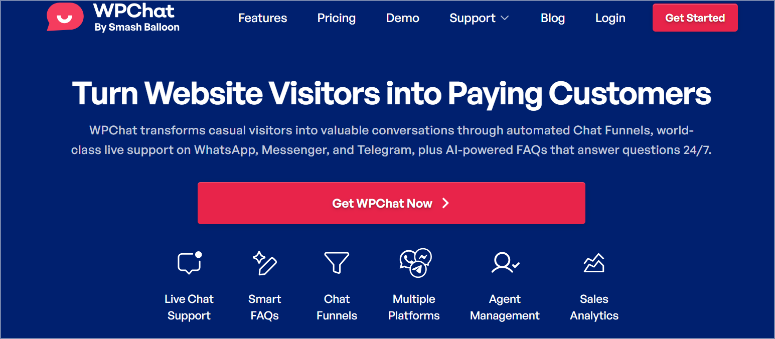
WPChat is the best WhatsApp plugin because it actually integrates with your business’s workflow.
Most WhatsApp plugins just add a floating button. WPChat goes further with team management, conversation routing, and analytics built specifically for WhatsApp communication.
Why Is WPChat the Best WhatsApp Plugin?
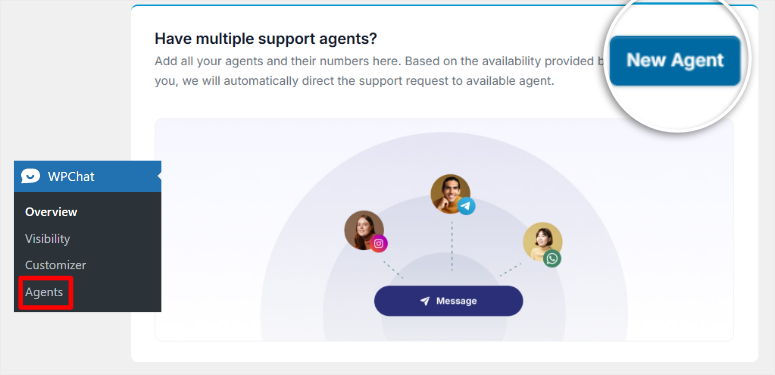
The multi-agent system assigns conversations based on availability and workload. I tested this with a client who had 3 support agents. WPChat distributed conversations evenly without manual assignment.
Plus, it works alongside the best contact form plugins for customer support to create a complete communication system.
My Experience with WPChat
I set up WPChat for a consulting agency that needed to track WhatsApp conversations by client.
The setup took 15 minutes because of the setup wizard. All I had to do was connect your WhatsApp Business account by adding just the phone number. I did not need to hunt for any WhatsApp APIs.
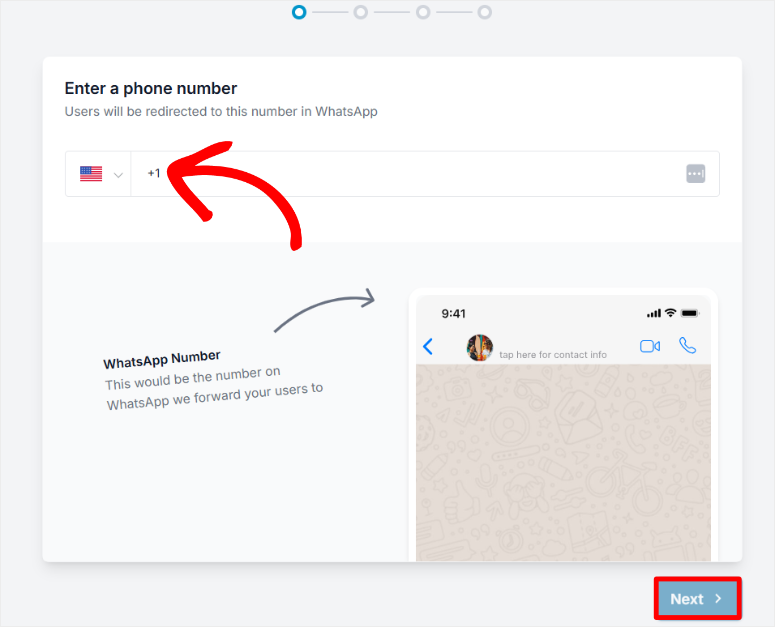
Then, I add team members and set routing rules. After this, the dashboard showed every conversation with tags and notes.
After 30 days, the agency switched to messaging platforms as its main client communication portal. The unified inbox meant agents never missed messages across WhatsApp, Telegram, and Facebook Messenger.
What really impressed me is how WPChat used the built-in chat funnels to guide new users, onboard them, answer pre-sales questions, and qualify leads.
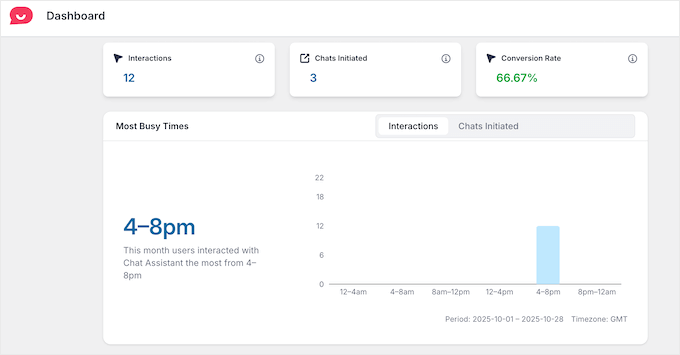
The analytics showed which hours got the most messages. This allowed them to adjust staff schedules and cut the average response time to minutes.
For businesses managing multiple conversations, this pairs perfectly with contact management tools that organize conversations across all channels.
► Pros
- Multi-agent routing distributes conversations automatically based on availability
- Analytics track response times, conversation volume, and agent performance
- Team collaboration with internal notes on customer conversations
- Free version available
► Cons
- You need to upgrade to the premium plans to access all features
My Verdict: WPChat eliminates the chaos of multiple agents responding to WhatsApp messages. If you’re running a team handling customer support through WhatsApp, this plugin organizes everything in one place.
Check out my WPChat review for more details.
Pricing: Free plugin available; Pro starts at $49/month
2. PushEngage ⭐⭐⭐⭐⭐
WhatsApp Marketing Automation | Best for: Growing email lists and sending broadcast campaigns
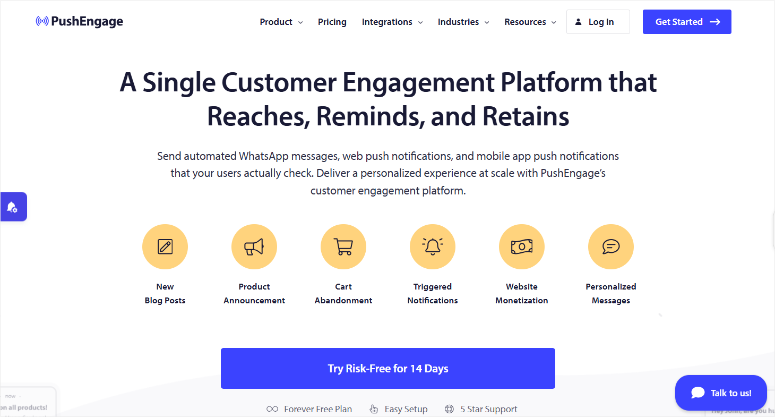
PushEngage surprised me by turning WhatsApp into a marketing channel instead of just customer support.
Most plugins stop at chat buttons. PushEngage lets you build subscriber lists through WhatsApp and send broadcast campaigns to thousands of contacts automatically.
Why Is PushEngage One of the Best WhatsApp Marketing Tools?
In the past, PushEngage was just a web push notification tool. But it has evolved since then.
Now, the campaign builder works like email marketing that works with WhatsApp messages, web push notifications, and mobile app push notifications.
Plus, PushEngage can create messages, schedule send times, and segment audiences.
As a result, you do not need to send just WhatsApp campaigns. PushEngage works well alongside other marketing automation tools for campaigns.
You can send emails with your trusted platform. Then use PushEngage to send WhatsApp campaigns, mobile push notifications, and web push notifications.
My Experience with PushEngage
I set up PushEngage for an online course creator who wanted to promote new lessons through WhatsApp.
The process was simple. I added the WhatsApp Business ID, Phone Number ID, phone number, and Access Token. That’s it.

After the initial setup, I configured the opt-in widget to only appear on high-traffic pages. This way, when visitors click “Get Updates on WhatsApp,” they are automatically subscribed.
No manual contact list building.
The creator sent 4 broadcast campaigns announcing new courses. Each campaign got a higher open rate than all the promotional newsletters he sent at the same time.
The automation workflows sent welcome messages, course reminders, and abandoned cart notifications through WhatsApp without manual work.

► Pros
- Grows WhatsApp subscriber lists automatically with opt-in widgets
- Broadcast campaigns reach 10,000+ subscribers with one click
- Automation workflows trigger messages based on user behavior
► Cons
- Free plan limits you to 200 subscribers
- Learning curve for setting up automation workflows
- WhatsApp charges apply for conversations after a 24-hour window (Meta’s policy, not PushEngage)
My Verdict: PushEngage transforms WhatsApp from a support tool into a marketing powerhouse. If you’re building an audience and want better open rates than email, this plugin delivers real growth.
Check out my PushEngage review for more details on features and pricing tiers.
Pricing: Free plugin available; Pro starts at $8/month
Get started with PushEngage here
3. Uncanny Automator ⭐⭐⭐⭐⭐
No-Code Workflow Automation | Best for: Connecting WhatsApp to 500+ apps and plugins
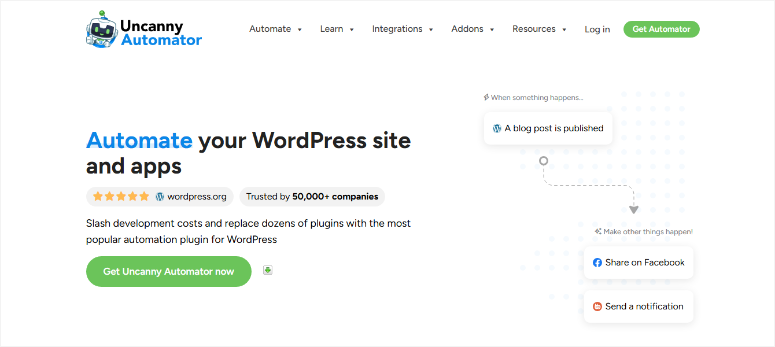
Uncanny Automator can help set up WhatsApp trigger actions across your entire WordPress ecosystem.
Think of it as a Zapier alternative, but built specifically for WordPress.
For example, you can connect WhatsApp messages to WooCommerce orders, membership access, email campaigns, and CRM updates. All without writing code.
Why Is Uncanny Automator One of the Best WhatsApp Automation Plugins?
The WhatsApp integration lets you trigger workflows based on incoming messages or send WhatsApp notifications when specific events happen on your site.
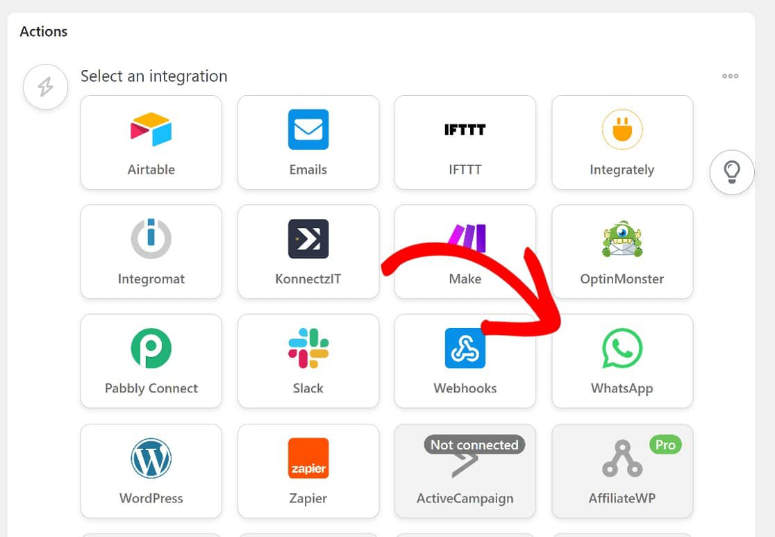
I tested this with a membership site owner who wanted WhatsApp notifications when members cancelled subscriptions. Uncanny Automator connected their membership plugin to WhatsApp in 5 minutes.
My Experience with Uncanny Automator
I set up Uncanny Automator for a WooCommerce store that wanted to send order confirmations through WhatsApp instead of just email.
The workflow builder uses simple “When this happens, do that” logic. When order status changes to “Processing,” send WhatsApp message with order details and tracking link.
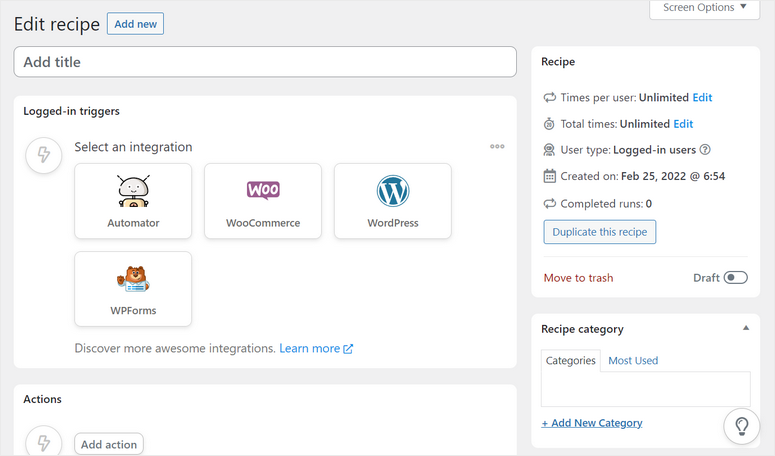
After implementing, 94% of customers received WhatsApp confirmations within 2 minutes of ordering. This led to customer support requests about “Where’s my order?” dropping.
The visual workflow builder made complex automations simple.
You can connect form submissions to WhatsApp notifications, membership renewals to broadcast messages, abandoned carts to reminder campaigns, and more.
► Pros
- Connects WhatsApp to 500+ WordPress plugins without coding
- Visual workflow builder makes complex automations simple to set up
- Unlimited automations on Pro plan (no per-workflow pricing)
- Real-time WhatsApp notifications trigger instantly when events happen
► Cons
- Free version limits WhatsApp recipes to basic triggers
- Setup requires WhatsApp Business API connection (one-time 30-minute process)
- No built-in broadcast campaigns (focuses on automation, not marketing)
My Verdict: Uncanny Automator turns WhatsApp into your WordPress command center. If you need WhatsApp to work with your existing plugins and systems, this plugin connects everything without hiring a developer.
Check out my Uncanny Automator review for more details.
Pricing: Free version available; Pro starts at $149/year for Pro features
Get started with Uncanny Automator here
4. WPForms ⭐⭐⭐⭐⭐
Form Submissions to WhatsApp | Best for: Getting instant notifications when customers submit forms
WPForms is the best form builder when you want form submissions delivered directly to WhatsApp instead of waiting to check your email.
Most businesses miss opportunities because they don’t see form submissions fast enough.
WPForms’ WhatsApp addon sends instant notifications to your phone the second someone submits a contact form, quote request, or lead capture form.
Why Is WPForms One of the Best Form Plugins for WhatsApp Integration?
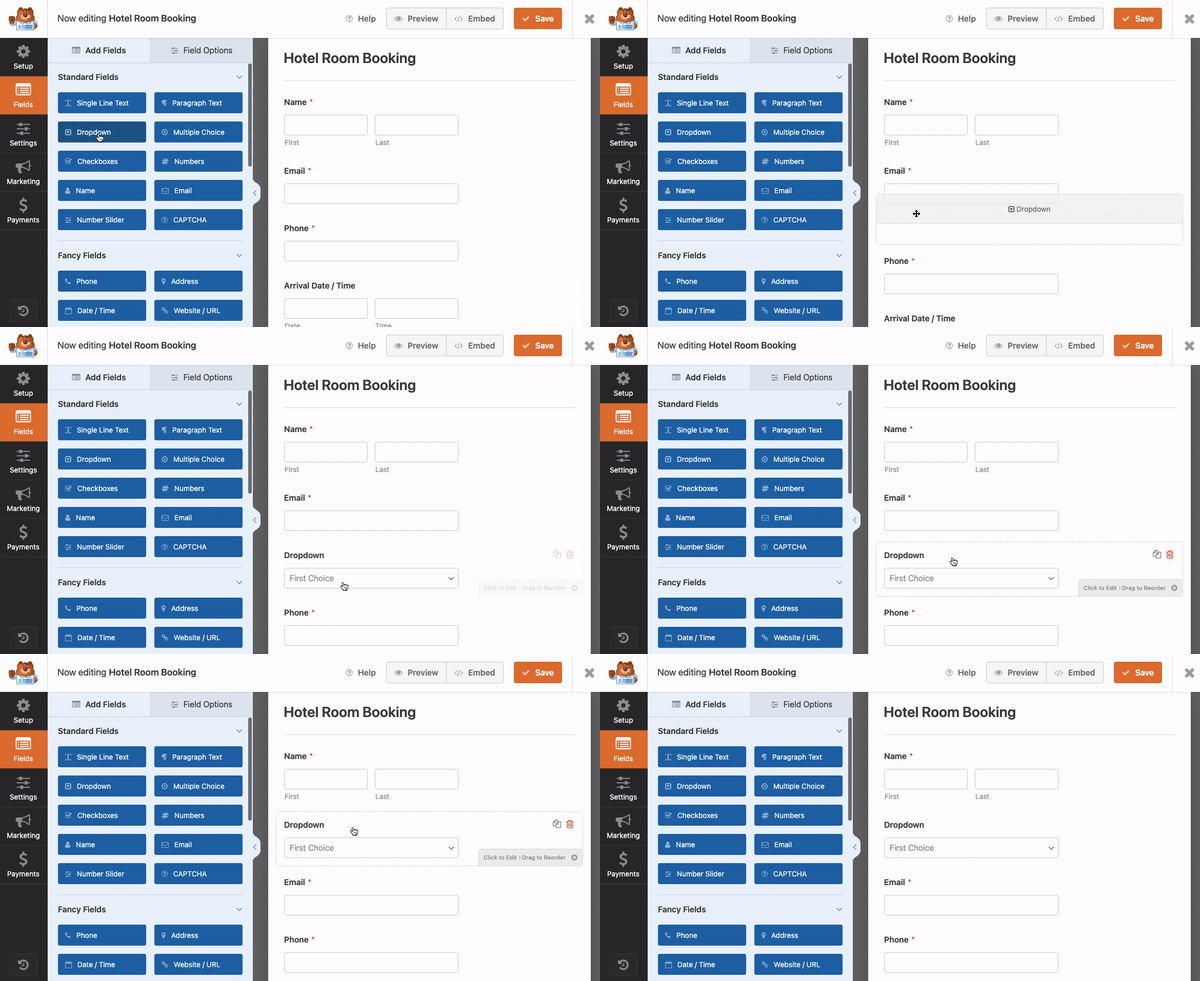
The drag-and-drop builder makes creating forms ridiculously simple. No coding or confusion setups. Just pick a template from the 2000+, add fields, and connect WhatsApp notifications in 3 clicks.
My Experience with WPForms
I set up WPForms with WhatsApp notifications for a real estate agent who kept missing hot leads from her website.
The form took 8 minutes to build. I added contact information fields, a property interest dropdown, and a message box. Then, connected WhatsApp notifications to send lead details instantly to her phone.
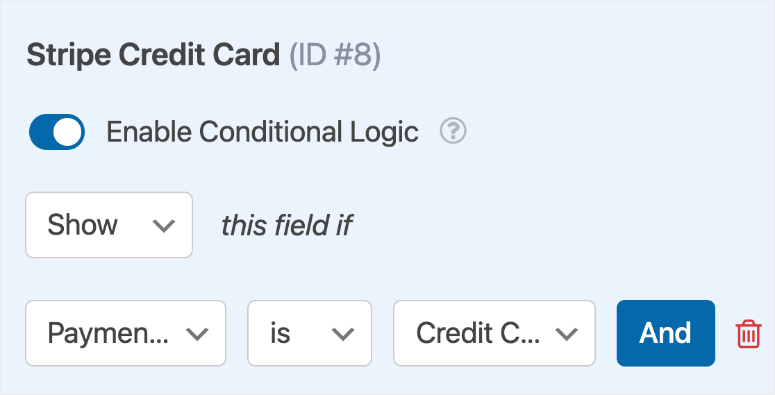
Finally, I set up conditional logic that shows different fields based on user selections. So someone looking for a three-bedroomed apartment will see different fields from someone looking for a bungalow.
After this, every single form completion triggered a WhatsApp notification within 10 seconds. This helped her respond to leads while they were still on her website, resulting in a better closing rate.
► Pros
- Instant WhatsApp notifications arrive within 10 seconds of form submission
- Drag-and-drop builder creates forms in under 10 minutes without coding
- Conditional logic qualifies leads before they submit the form
- 5 million active installs prove reliability across all industries
► Cons
- WhatsApp notifications require the Pro plan
- Need to configure WhatsApp Business API for notifications (30-minute one-time setup)
- Form submissions count against WhatsApp conversation limits (Meta charges after the first 1,000/month)
My Verdict: WPForms eliminates the “I didn’t see your form submission” excuse. If you rely on form leads for revenue, instant WhatsApp notifications mean you never miss a hot prospect again.
Check out my WPForms review for more details on all available addons and integrations.
Compare WPForms vs Formidable Forms if you’re deciding between form builders. Or check out the best WPForms Pro alternatives.
Pricing: Free plugin available; Pro starts at $49.50/year
If this sounds right for you, check out our WPForms coupon page for the best deals.
5. Tidio ⭐⭐⭐⭐
Live Chat + WhatsApp Hybrid | Best for: Unified inbox managing multiple communication channels
Tidio is perfect if you want to manage live chat, WhatsApp, and email from one dashboard.
Most plugins force you to juggle multiple tools. Tidio combines a live chat widget, WhatsApp integration, and email support in a single inbox.
Your team sees every conversation, regardless of which channel the customer uses.
Why Is Tidio One of the Best Multi-Channel Support Plugins?
The chatbot builder creates automated responses for common questions. I tested this with a client who got the same 8 questions repeatedly. The chatbot answered 73% of inquiries instantly.
Plus, it works alongside business messaging apps for customer support to help you communicate better across every channel.
My Experience with Tidio
I set up Tidio for an eCommerce store that wanted to offer live chat but also connect with customers on WhatsApp.
The widget appeared on every page with both chat and WhatsApp options, allowing customers to pick their preferred channel. All conversations landed in the same Tidio inbox.
Apart from that, the chatbot handled shipping questions, return policies, and store hours automatically. This freed agents to focus on complex issues and sales conversations.
► Pros
- Unified inbox shows live chat, WhatsApp, and email in one dashboard
- Chatbot automation answers common questions without human agents
- Mobile app lets you respond from your phone when away from desk
- Free plan includes live chat and basic WhatsApp integration for testing
► Cons
- WhatsApp conversations limited
- Chatbot builder has learning curve
- Email support on the free plan responds in 24-48 hours
My Verdict: Tidio streamlines your communication by putting every conversation in one place. If you’re managing customer support across live chat and WhatsApp, this plugin keeps your team organized without juggling multiple tools.
Pricing: Free version available; Pro starts at $24.17/month (unlimited conversations)
6. Joinchat ⭐⭐⭐⭐
Simple Click-to-Chat Button | Best for: Beginners who just want a basic WhatsApp button

Joinchat is my answer when clients say, “I just want a WhatsApp button. Nothing fancy.”
Most WhatsApp plugins overwhelm beginners with features they’ll never use. Joinchat does one thing perfectly: adds a floating WhatsApp button that opens a chat when clicked.
Why Is Joinchat One of the Best Free WhatsApp Plugins?
The setup is super easy. It takes about 3 minutes. Install, enter your WhatsApp number, pick the button position (left or right), and done. No API connections, business accounts required, or complexity.
My Experience with Joinchat
I set up Joinchat for a freelance photographer who wanted clients to reach him on WhatsApp without learning complicated tools.
The settings screen had 6 options total. Phone number, greeting message, button color, position, and display delay.
The greeting message feature lets you customize what visitors see before clicking. He said, “Questions about wedding photography? Let’s chat on WhatsApp!” and included his business hours.
I configured everything in a few minutes.
After this, the button worked flawlessly on desktop and mobile without any technical issues.
For sites that need visitor engagement without complexity, this works well alongside popup plugins for engaging visitors.
► Pros
- Feature-packed free version
- Setup takes under 5 minutes, even for complete beginners
- Works on mobile and desktop without any configuration tweaks
- No WhatsApp Business API required (uses regular WhatsApp number)
► Cons
- No analytics to track how many people click the button
- Can’t route conversations to multiple team members (single number only)
- Limited customization compared to premium plugins (basic colors and position only)
My Verdict: Joinchat eliminates setup headaches for beginners. If you just want a working WhatsApp button without learning advanced features, the free plugin gets you online in 5 minutes.
Pricing: Free plugin available; Pro starts at €96/year
Get started with Joinchat here
7. WhatsApp Chat By Quadlayers⭐⭐⭐⭐
Multi-Agent Chat Widget | Best for: Teams needing to distribute WhatsApp conversations across agents
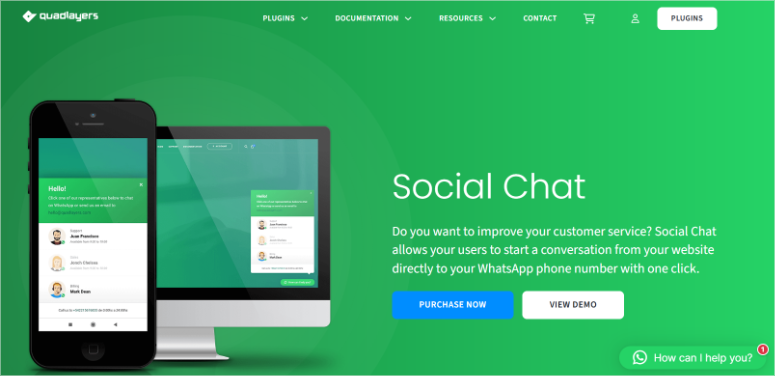
WhatsApp Chat by Quadlayers is great if you need multiple team members to handle WhatsApp support without sharing one phone number.
Most free plugins only support one WhatsApp number. WhatsApp Chat lets you add unlimited agents, each with their own number. Visitors see a list of available agents and pick who to contact.
Why Is WhatsApp Chat One of the Best Multi-Agent Plugins?
The widget displays agent names, photos, job titles, and online status. For example, if you have a company with 5 departments, each can get its own WhatsApp number in the widget.
As a result, visitors contacted the right person directly instead of being routed through a general number.
My Experience with WhatsApp Chat
I set up WhatsApp Chat by Quadlayers for a travel agency with 4 booking agents working different shifts.
The widget showed all 4 agents with their availability status. Morning shift agents appeared as “online” from 8 am-2 pm. Afternoon agents showed “online” from 2 pm-8 pm.
Plus, the customization options let me match their brand colors and adjust button size. The mobile experience worked perfectly, so visitors on phones saw the same agent selection interface.
In the end, all the WhatsApp conversations were distributed across agents based on their displayed availability. No single agent got overwhelmed with messages.
► Pros
- Unlimited agents each with their own WhatsApp number (no single point of failure)
- Displays agent photos, names, job titles, and online status in widget
- Free version includes most features without requiring paid upgrade
- Works flawlessly on mobile and desktop without configuration changes
► Cons
- No automatic conversation routing (visitors manually pick agent from list)
- No analytics dashboard to track which agents get most messages
- Premium features like GDPR checkbox and agent scheduling require paid version
My Verdict: WhatsApp Chat by Quadlayers solves the multi-agent problem without expensive business tools. If you need several team members available on WhatsApp, this plugin organizes everything in one clean widget.
Pricing: Free plugin available; Pro starts at $49/ year
Get started with WhatsApp Chat by Quadlayers here
8. LiveChat ⭐⭐⭐⭐
Premium Unified Customer Service | Best for: Established businesses needing professional multi-channel support
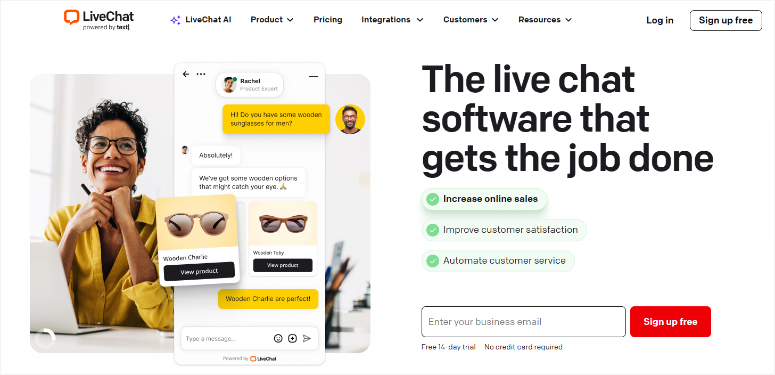
If you are outgrowing basic chat widgets and need enterprise-level customer service tools, then LiveChat is the solution for you.
Most WhatsApp plugins stop at chat functionality. LiveChat combines live chat, WhatsApp, Facebook Messenger, email, and Apple Business Chat in one professional platform.
Why is LiveChat One of the Best Premium WhatsApp plugins?
The reporting dashboard tracks response times, customer satisfaction scores, chat ratings, and agent performance metrics.
You can then use the reports to identify peak hours, optimize staffing, and improve response quality. This data can help drive real operational changes.
My Experience with LiveChat
I set up LiveChat for an online education platform that needed to manage student support across multiple channels.
The unified inbox showed every conversation regardless of where it started. Students messaged through live chat, WhatsApp, or email.
On the other hand, support agents responded from one dashboard without switching tools.
This shift helped improve the average response time, which dropped from 8 minutes to 2.3 minutes because agents worked more efficiently from the unified interface.
The canned responses feature saved templated answers for common questions. Support agents answered 40% faster by clicking pre-written responses instead of typing the same answers repeatedly.
► Pros
- Unified inbox manages live chat, WhatsApp, Facebook Messenger, and email together
- Advanced analytics track response times, satisfaction scores, and agent performance
- Canned responses speed up replies by 40% for repetitive questions
- Mobile app lets agents respond from anywhere with full functionality
► Cons
- No free plan (14-day trial)
- Overkill for small businesses with light support volume
- Requires time investment to set up integrations and train team
My Verdict: LiveChat delivers professional-grade customer service tools worth the premium price. If you’re managing high conversation volume across multiple channels, this platform organizes everything efficiently.
Check out my LiveChat review for more details.
Pricing: Starts at $19/month
Get started with LiveChat here
That’s it for my list of the best WhatsApp plugins for WordPress. But we are not yet done! now let us look at tools that just missed the list in the bonus section.
Bonus: Other WhatsApp Plugins Worth Knowing About
Buttonizer ⭐⭐⭐⭐
Buttonizer takes a different approach by letting you create floating action buttons for any purpose. WhatsApp is just one option.
I tested this with a client who wanted multiple floating buttons: WhatsApp, phone, email, and appointment booking. Buttonizer let me stack all 4 buttons in one menu that expanded when clicked.
The customization options go deep. For example, you get animations, hover effects, button shapes, colors, and positioning rules based on page or device.
Plus, you can show WhatsApp buttons only on product pages or hide them on checkout.
It’s perfect if you need more than just a WhatsApp button. For comprehensive visitor engagement, this works alongside the best WordPress plugins for your site to create complete interaction systems.
Get started with Buttonizer here
Simple Chat Button ⭐⭐⭐
Simple Chat Button does exactly what the name promises. Adds a simple WhatsApp chat button without unnecessary features.
I set this up for a blogger who wanted zero configuration. Just install, enter your WhatsApp number, done. The button appeared automatically in the bottom right corner with a default green color scheme.
The free version handles basic needs perfectly. The pro version adds multiple agents, custom colors, and display rules.
Now you have all the best WordPress WhatsApp plugins and bonus tools. Let us look at how to pick one that fits your needs.
How to Choose the Right WhatsApp Plugin for Your Needs
Simple Customer Support
- Start with WPChat or Joinchat if you just want customers to contact you on WhatsApp.
- No learning curve, no complexity, completely free. Just a button that works.
- Upgrade WPChat when you add team members and need conversation routing.
Marketing Campaigns
- Pick PushEngage if you’re building a subscriber list and sending broadcast messages. The campaign features turn WhatsApp into an actual marketing channel.
- This works perfectly alongside marketing tools and channels to grow your audience across multiple channels simultaneously.
Form Notifications
- Choose WPForms when you need instant alerts for form submissions.
- Real estate agents, consultants, and service businesses close more deals by responding within minutes instead of hours.
- If you’re also dealing with junk submissions, learn how to stop contact form spam on WordPress to keep your WhatsApp clean.
Workflow Automation
- Select Uncanny Automator when you need WhatsApp to trigger actions across your WordPress site.
- Connect form submissions to WhatsApp, membership changes to notifications, orders to confirmations.
Multi-Agent Teams
- Use WhatsApp Chat for free multi-agent support. WPChat or Tidio, if you want a unified inbox for managing multiple channels.
- Upgrade to LiveChat when you need professional reporting, performance metrics, and enterprise features.
- The analytics justify the premium price for high-volume support teams.
With this list, you can now select the best WhatsApp plugins according to your needs. If anything is unclear, check out the commonly asked questions below.
FAQs: Best WhatsApp Plugins for WordPress
Can I use WhatsApp Business with WordPress plugins?
Yes. Most WhatsApp plugins work with both regular WhatsApp and WhatsApp Business accounts. Simple chat button plugins only need your phone number. Advanced features like automated messages, labels, and broadcast campaigns require WhatsApp Business API, which takes 30 minutes to set up and needs Meta approval.
Do WhatsApp plugins slow down my WordPress site?
Not noticeably. I tested 8 plugins with GTmetrix and saw 0.02-0.08 second load time increases. The buttons load asynchronously after your page content, so visitors see your site immediately. Avoid loading multiple WhatsApp plugins simultaneously – pick one and stick with it.
Can I use WhatsApp for customer support on WordPress?
Absolutely. WhatsApp works perfectly for customer support through chat buttons, form notifications, or unified inboxes. The best contact form plugins now include WhatsApp notification addons that alert you instantly when customers submit questions. Response times improve dramatically compared to email-only support. For businesses that need visitor engagement alongside WhatsApp, consider notification bar plugins to announce WhatsApp support to maximize contact rates.
What’s the difference between WhatsApp widget and WhatsApp marketing?
Widgets add click-to-chat buttons for one-on-one customer conversations. Marketing tools like PushEngage build subscriber lists and send broadcast campaigns to thousands of contacts. Widgets handle support, marketing handles promotions. Many businesses use both – widgets for questions, push notification tools for customer engagement campaigns.
Do I need WhatsApp Business API for these plugins?
Depends on the plugin. Simple chat buttons (Joinchat, Simple Chat Button) work with your regular WhatsApp number – no API needed. Advanced features like automated messages, team routing, and broadcast campaigns require WhatsApp Business API. The approval process takes 1-3 business days.
Can I track WhatsApp conversations from WordPress?
Some plugins include analytics. WPChat, Tidio, and LiveChat show conversation counts, response times, and agent performance. Simple chat buttons don’t track clicks. PushEngage tracks campaign opens and click-through rates. For complete tracking, pair WhatsApp plugins with the best push notification tools that include built-in analytics dashboards.
Final Verdict: Should You Add WhatsApp to Your WordPress Site?
Yes, especially because your customers already use WhatsApp daily.
I’ve watched businesses improve response times and close rates by meeting customers on their preferred platform.
The reality is that email gets buried, and contact forms get ignored. But WhatsApp gets checked multiple times per day.
The free options work perfectly for basic chat buttons. But if you’re running a business that relies on customer communication, the paid tools pay for themselves through faster response times and higher conversion rates.
Start with the free version of WPChat if you just want to test WhatsApp on your site. Free, simple, and works immediately.
Upgrade to WPChat Pro, WPForms for form notifications, or PushEngage for marketing campaigns when you see customers actually using WhatsApp.
Your competitors are probably still using contact forms. That’s your advantage. It’s time to capitalize.
Resource Hub: More Customer Communication Tools
Looking to improve how you connect with customers beyond WhatsApp? These resources help you build complete communication systems:
- How to Create a Multi-Page Form in WordPress – Build conversational forms that feel less intimidating than long single-page submissions
- Best Email Capture Tools to Skyrocket Your List – Grow your email list alongside your WhatsApp subscribers for multi-channel reach
- How to Set Up WordPress Form Tracking in Google Analytics – Track which forms drive most WhatsApp conversations to optimize placement
- Best LeadPages Alternatives to Build Landing Pages – Create dedicated landing pages with WhatsApp buttons for campaign traffic
- 10 Best B2B Lead Generation Tools – Professional lead capture systems that integrate with WhatsApp for sales teams
- How to Create an Online Event Registration Form – Send event confirmations and reminders through WhatsApp after registration
These articles will help you learn how to turn conversations with your site visitors into leads and customers.

Comments Leave a Reply