TL;DR: Social media won’t replace your email list. But it’s one of the best ways to grow it. Use platforms like Facebook, Instagram, LinkedIn, and YouTube to drive traffic to opt-in landing pages, run giveaways, share gated content, and promote lead magnets. Tools like OptinMonster, RafflePress, SeedProd, and Smash Balloon make the whole process easier to set up directly from WordPress.
Want some quick and easy ways to increase your email subscribers using social media?
Today, social media has become a major way to get email subscribers. It is not just a place to get engagement.
It is one of the most powerful platforms to attract visitors and convert them into followers and subscribers.
I have personally built automations to ensure that the content I write goes straight to my social media platforms.
If you still haven’t used social media as part of your list-building strategy, you’re seriously missing out.
This article shows you twelve ways I personally use to grow my email list using your social media profiles.
Key Takeaways
- Your email list is an asset you own. Social media followers can disappear overnight if a platform changes its rules
- Facebook and Instagram ads paired with a lead magnet landing page (SeedProd + OptinMonster) is the fastest paid path to new subscribers
- RafflePress giveaways turn every participant into a promoter. Social sharing is built into the entry mechanic
- Short-form video (Reels, Shorts, TikTok) gives you organic reach that no other format matches right now. Use it to hook, then convert via bio link
- Your bio link should go to a dedicated opt-in page, not your homepage
- Smash Balloon lets you bring your social media content onto your site. This keeps visitors engaged longer and makes them more likely to subscribe
- LinkedIn is underrated for professional audiences. Native newsletters and lead gen forms work without any paid budget
- Facebook Retargeting + OptinMonster exit-intent = two chances to capture the same warm visitor
Social Media vs. Email List: Which One is Best?
There’s no denying that social platforms are more engaging and interactive than almost anything else online. But no matter how powerful they appear, nothing beats the power of your own email list.
Here’s why.
What offers Better ROI: Social Media or Email List?
Email marketing is extremely cost-effective. For every $1 spent, email marketing generates $38 in return when growing your email list.
That’s not the case with social media. More than half of marketers who use social platforms believe that no matter how much they spend, the return is almost negligible.
Between Social Media and Email List, which gives you Ownership?
You own your email list.
On social media, all your contacts could disappear overnight if a platform changes its policies, suspends your account, or simply shuts down.
That’s a real risk and one you can’t afford to take with your audience.
The good news is that you can build a powerful email list by using social media. But to do that, you’ll need three things:
If you haven’t started a blog or website yet, here’s how you can do it. For email marketing software, we recommend setting up Constant Contact.
Constant Contact is one of the most popular email marketing services for beginners. It is easy to set up, has solid deliverability, and has built-in list management.
Check out my Constant Contact review for more details.
If you want more options, check out our list of the best email marketing services here.
Once you have your website and email software set up, it’s time to connect them with a lead generation tool. The best option for that is OptinMonster.
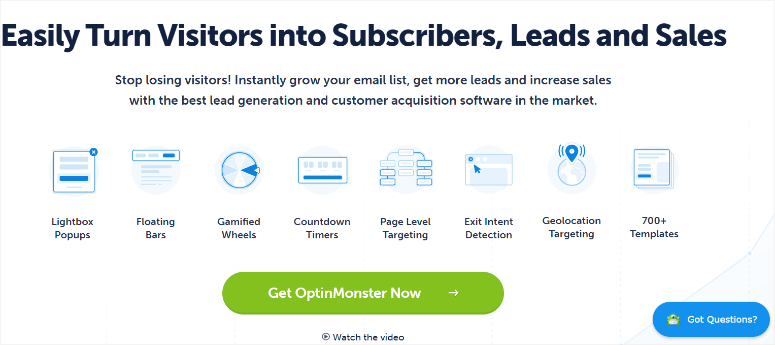
OptinMonster is a user-friendly lead generation tool that lets you create different kinds of popups, slide-ins, and opt-in forms for your website, converting visitors into subscribers.
Check out my OptinMonster review for more details.
Here’s how you can use OptinMonster to boost your conversions.
How to Use Social Media to Increase Email Subscribers
Now that everything is set up, let’s get into how to use social media to grow your email list. You can use the table of contents below to see all the methods at a glance.
You can also click on any link to skip to that section.
- 1. Run Facebook and Instagram Ads With a Lead Magnet
- 2. Run a Giveaway Contest on Social Media
- 3. Add Cards to Your YouTube Videos and Embed Your Feed on Your Site
- 4. Use Short-Form Video to Drive Email Signups
- 5. Go Live on TikTok, Instagram, or Facebook
- 6. Optimize Your Social Media Bio Links
- 7. Collaborate With Influencers in Your Niche
- 8. Use Facebook Retargeting With Exit-Intent Popups
- 9. Share Gated Content on Social Media
- 10. Display Your Social Media Feeds on Your Website
- 11. Promote Exclusive Email-Only Content on Social
- 12. Use LinkedIn for Professional Audience List Building
- FAQs: Ways to Use Social Media to Increase Email Subscribers
- Final Verdict: Should I Use Social Media to Grow My Email List?
1. Run Facebook and Instagram Ads With a Lead Magnet
Generally, users don’t share their email addresses unless you offer them something of value in exchange.
That exchange is called a lead magnet: a free resource you give away in return for someone’s email address.
Lead magnets typically come in the form of digital downloads like a PDF, an eBook, a checklist, a mini-course, or anything else your audience would find useful.
The trick is reaching a targeted audience who will actually respond to your lead magnet.
To do that, start by building a dedicated landing page on your website using a landing page builder like SeedProd.
SeedProd is a drag-and-drop landing page builder that lets you create high-converting opt-in pages without touching any code.
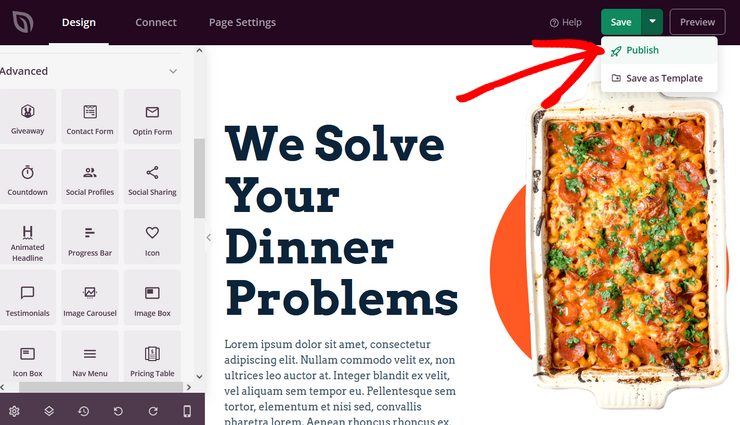
You can pair it with OptinMonster to show a popup as soon as a visitor lands on the page or when they’re about to leave.
Once your page is live, create a Facebook or Instagram ad and link it directly to that landing page.
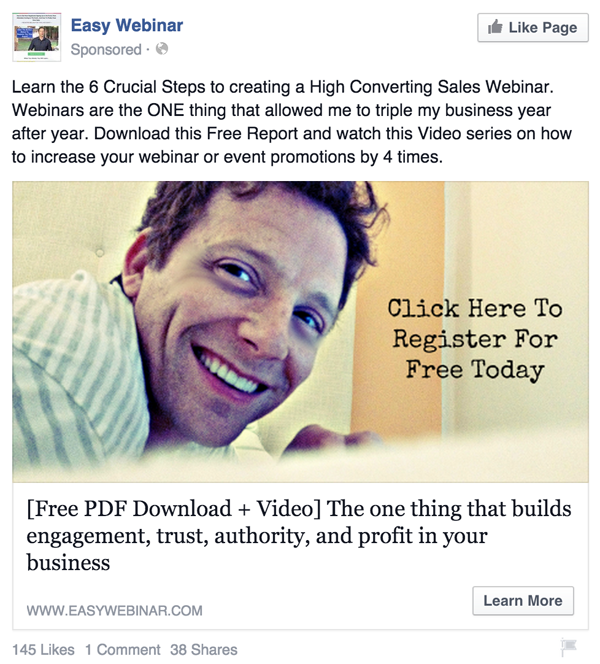
This way, when users click the ad, they’re directed to your page where they can download the free resource in exchange for their email address.
2. Run a Giveaway Contest on Social Media
One thing that I always encourage business owners to do is to run a giveaway on their site if they want to grow their email list fast and organically on social media.
People love free stuff, and a well-promoted giveaway can bring in hundreds of new subscribers in days.
The best tool for this is RafflePress. A WordPress giveaway plugin built specifically for list growth and social sharing.
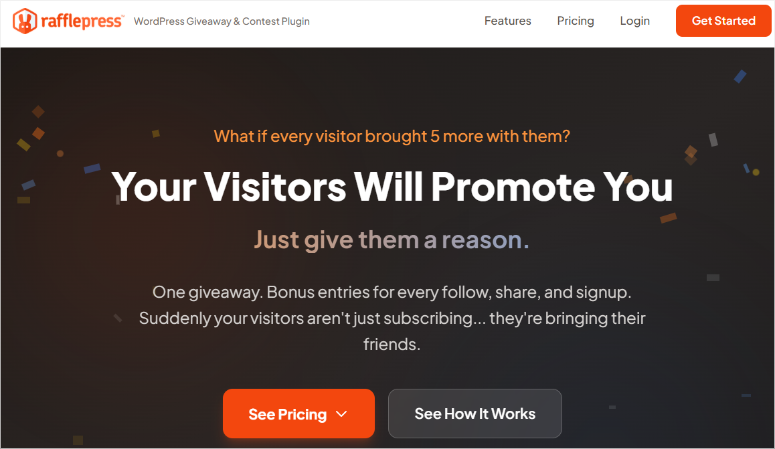
RafflePress lets you set up a giveaway where participants earn extra entries for completing actions like subscribing to your email list, following you on social media, or sharing your giveaway on their profiles.
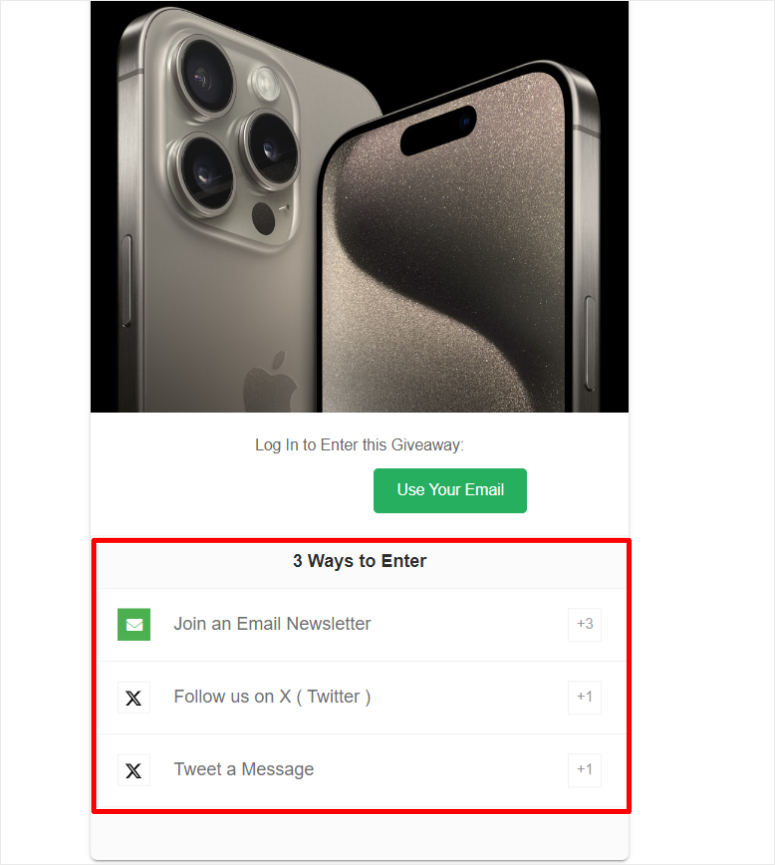
That sharing is what makes it spread. In essence, every participant becomes a promoter.
Once your giveaway is live, promote it on all your social channels. The more platforms you push it on, the faster your email list grows.
Check out my RafflePress review for more details. Plus, here are other top giveaway and contest plugins to consider if you feel RafflePress is not for you.
3. Add Cards to Your YouTube Videos and Embed Your Feed on Your Site
If you have a YouTube channel, you can add hyperlinked end cards to your videos.
When viewers see your video, they’ll notice a clickable card in the corner. They can click it and land on a signup page where they can subscribe to your email list.
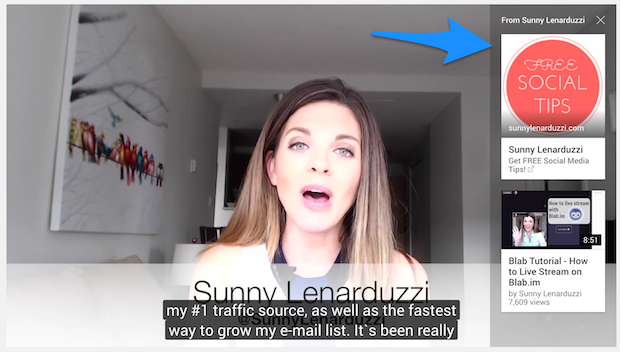
It’s a simple addition that works while you sleep. Every video you’ve ever published becomes a list-building tool.
You can take this further by embedding your YouTube feed directly on your WordPress website using Smash Balloon’s Feeds for YouTube.
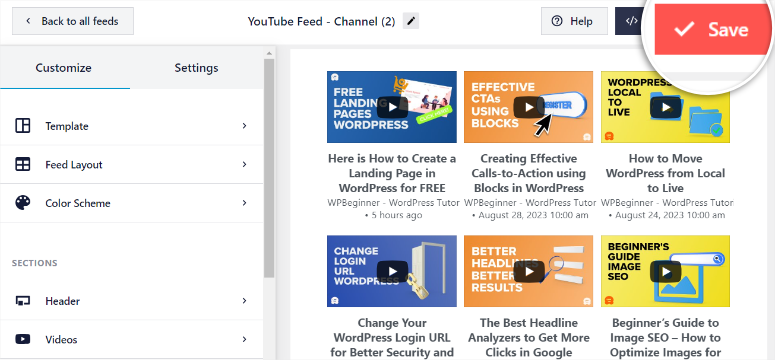
With the Smash Balloon YouTube Feed plugin, your visitors can watch your YouTube videos right from your website without clicking away.
Plus, you can set up customizable actions for when a video completes or is paused, like displaying a link to your email opt-in landing page. That’s a conversion touchpoint you’d otherwise miss entirely.
Check out my updated Smash Balloon review. Plus a step-by-step tutorial on how to set up YouTube feeds on your WordPress site.
4. Use Short-Form Video to Drive Email Signups
Short-form videos on TikTok, Instagram Reels, and YouTube Shorts are one of the highest-reach formats on social media right now.
A single video can land in front of thousands of people who’ve never heard of you.
The key is to treat each short video as a hook, not the full story.
Give valuable insight in 30 to 60 seconds. Then tell viewers they can get more, a checklist, a guide, a full tutorial, by signing up to your email list.
Plus, just like with Instagram and YouTube, you can add a TikTok feed on WordPress with Smash Balloon to capture visitors who find your site through search. This completes the loop.
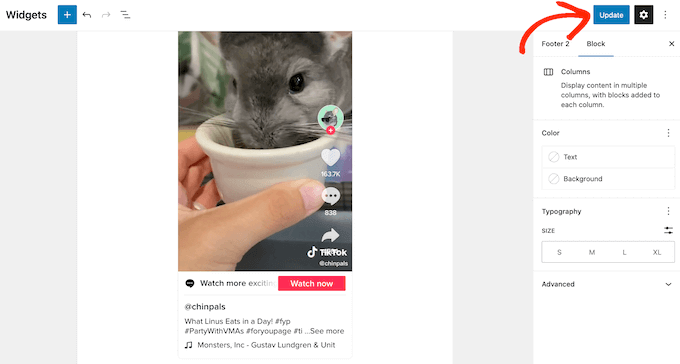
Most importantly, include a clear call to action at the end of the video and link your opt-in page in your bio (more on that below).
Tools like OptinMonster let you create a dedicated landing page optimized for conversions so you’re not sending traffic to a cluttered homepage.
Short-form video doesn’t require high production quality. A phone camera, good lighting, and a clear value proposition are all you need.
5. Go Live on TikTok, Instagram, or Facebook
Going live on Instagram, TikTok, or Facebook is one of the most underused list-building strategies.
When you go live, your followers get notified instantly. The sense of real-time urgency drives higher engagement than any static post.
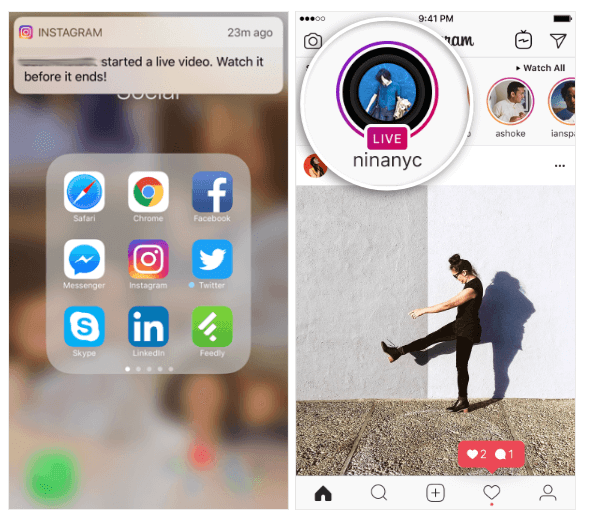
You can use your live broadcast to:
- Make big announcements or product launches
- Host Q&A sessions with your audience
- Deliver a live mini-training or tutorial
- Run a social contest or prize draw
At the end of every live session, and in the description, include a clear call to action directing viewers to your email opt-in page.
Use the “link in bio” prompt to make it easy. Your CTA might sound like: “Want the full guide I just referenced? The link is in my bio. Go grab it now.”
To support this, I always recommend you add a Live feed on your site. Again, closing the loop for people who found your site through search.
You can link a Facebook live stream and a YouTube live stream directly on your WordPress site.
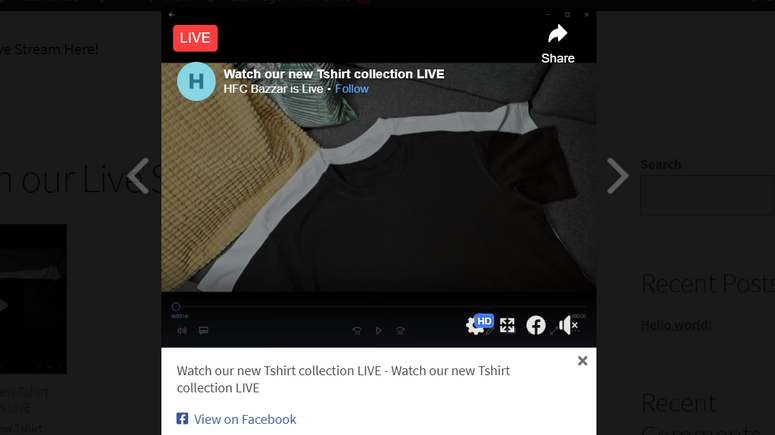
Since live videos disappear (or have limited shelf life as replays), that urgency works in your favor. People act now or miss it.
6. Optimize Your Social Media Bio Links
Every social media platform gives you one precious piece of real estate: your bio link. Most people waste it by linking to their homepage and calling it a day.
Instead, link your bio directly to a high-converting opt-in landing page, not your general website.
Use SeedProd to build a dedicated landing page for your bio link. It only needs to do one thing: explain what you’re offering and ask for an email address.
No distractions, no navigation menu, no sidebar. Just the offer and the form.
When people tap the link in your Instagram bio, your LinkedIn profile, or your TikTok bio they land somewhere designed to convert, not browse.
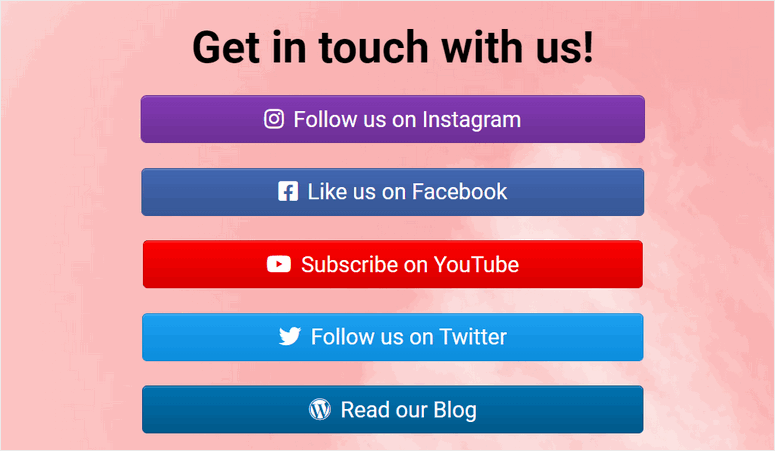
You can also use a link-in-bio tool like Linktree or set up a simple custom link hub on your site using SeedProd, so you can feature multiple offers without overwhelming your audience.
7. Collaborate With Influencers in Your Niche
A social media influencer is someone who has built credibility in a specific niche. They have an audience that trusts them and that trust transfers when they recommend something.
Think of it like link building for SEO, only this time you are doing it on social media.
Collaborating with an influencer to promote your lead magnet is one of the fastest ways to grow your list with qualified subscribers.
Reach out to micro-influencers (10,000–100,000 followers) in your industry. They’re more affordable, their audiences are more targeted, and their engagement rates are typically higher than mega-influencers.
Ask them to mention your freebie, link to your opt-in page, or co-host a giveaway using RafflePress.
The traffic they send will be warm since it will be people who are already interested in your niche and more likely to stay subscribed.
8. Use Facebook Retargeting With Exit-Intent Popups
The Facebook retargeting pixel adds a small cookie to a visitor’s browser when they land on your site.
Later, when that person is browsing Facebook, you can show them a highly targeted ad because you already know they visited your site.
You can set this up by installing the Facebook Pixel in your WordPress site. Once it’s active, create a retargeting ad campaign that promotes your lead magnet specifically to past visitors.
Pair this with OptinMonster’s exit-intent technology. When a visitor is about to leave your site without subscribing, OptinMonster detects the behavior and fires a popup with your lead magnet offer.
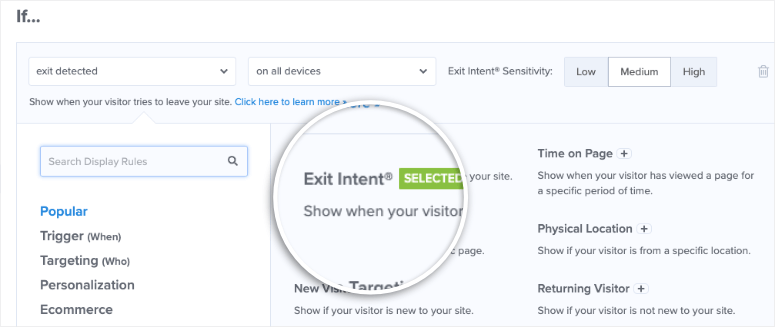
Combined with retargeting, you’re reaching the same warm audience twice, on your site and on Facebook, which dramatically increases the chance they subscribe.
9. Share Gated Content on Social Media
This is content that your audience can only access after submitting their email address. Think: an expanded article, a bonus chapter, a video series, or a resource library.
Here’s the strategy: publish a compelling preview of your content on social media. For example, just the introduction, the key insights, or the most interesting part, and nothing else.
Let your audience know the rest is available on your site, behind an opt-in form.
You can set up content locking using OptinMonster. When a visitor clicks to read more, OptinMonster shows an inline opt-in form requiring them to subscribe to unlock the content.
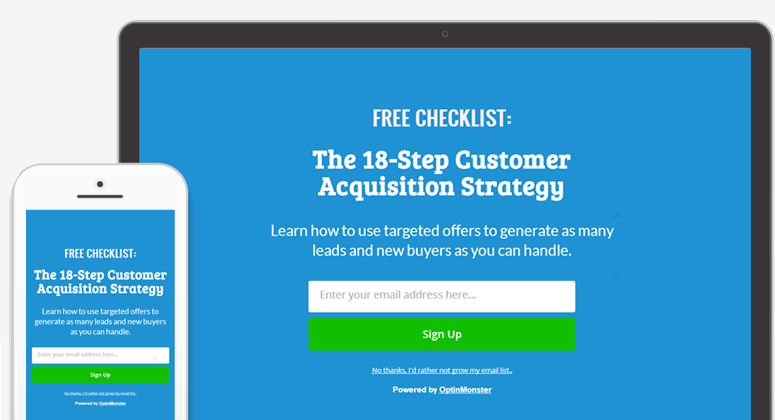
This works especially well on LinkedIn, where long-form posts get high organic reach. Post the first half of a valuable article, then direct readers to your site for the rest.
Here is a full tutorial on how to gate your content on WordPress without making your audience feel trapped.
10. Display Your Social Media Feeds on Your Website
Even though I have mentioned this above, it deserves its own point.
Here’s a strategy that works in reverse: instead of driving traffic from your website to social media, use your social media content to keep visitors on your site longer.
Then capture their email while they’re engaged.
As mentioned, Smash Balloon is the best tool for this.
It lets you embed live feeds from Instagram, Facebook, Twitter/X, YouTube, and TikTok directly on your WordPress website without coding.
Plus, Smash Balloon can help you create a social wall, a social media aggregator, where you insert the different feeds from different social media platforms.
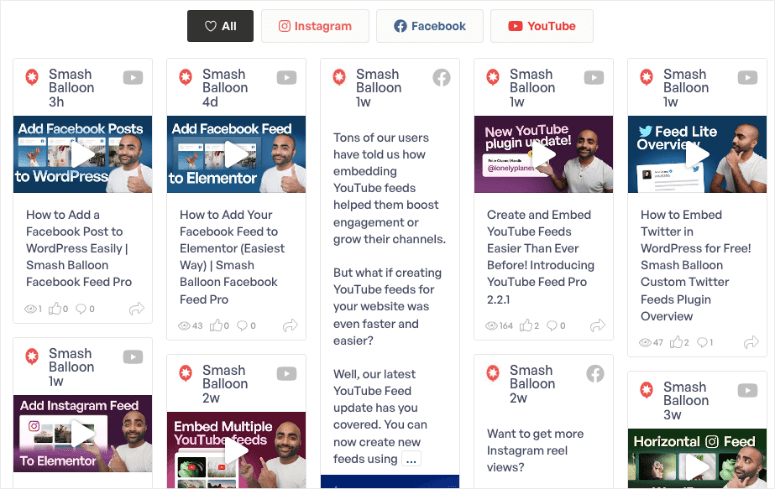
When visitors see your active, engaging social media content while browsing your site, two things happen: your credibility goes up, and your dwell time increases.
Both make visitors more receptive to subscribing.
Pair your embedded social feed with an adjacent OptinMonster opt-in form or a SeedProd-built section.
This way, when someone lingers on your site watching your latest Instagram Reels or reading your Facebook posts, that’s the right moment to make your offer.
11. Promote Exclusive Email-Only Content on Social
One of the simplest ways to grow your list through social media is to make your email list sound worth joining.
Post content on your social channels that hints at what email subscribers get that followers don’t. It might be:
- “I sent my email list a checklist for this that isn’t on the blog. Link in bio to get it.”
- “Behind-the-scenes breakdown going to my subscribers tonight. Not posted anywhere else.”
- “My email list gets first access to [new product/resource/discount]. Subscribe here.”
The psychology is simple: exclusivity creates demand. When people feel they’re missing out on something better, they act.
Use OptinMonster to create a landing page specifically for your “email insider” offer, and link to it consistently across your social profiles.
Over time, this positions your email list as a premium destination, not just another newsletter.
12. Use LinkedIn for Professional Audience List Building
If your audience includes business owners, marketers, or professionals of any kind, LinkedIn is one of the most underrated list-building channels available.
LinkedIn’s organic reach is still remarkably strong compared to other platforms. A well-written LinkedIn post can reach tens of thousands of people often without any paid promotion.
Here’s how to use it for list building:
- LinkedIn Newsletter: LinkedIn lets you publish a newsletter directly on the platform. Your connections and followers get notified each time you publish. Use it to deliver valuable content. Then, at the end of each edition, drive readers to subscribe to your actual email list for more.
- Lead Gen Forms: LinkedIn Ads supports native lead gen forms that let users subscribe without ever leaving LinkedIn. Their contact info is pre-filled from their profile, which dramatically reduces friction and increases conversion rates.
- Organic Posts + CTA: Publish long-form posts on LinkedIn with a clear call to action at the end. Something like: “I put together a free [resource] on this topic. Comment ‘send it’ below and I’ll DM you the link.” Then follow up with a link to your opt-in page. This approach drives high engagement and builds your list at the same time.
That’s it. You can now get more email subscribers using the twelve tactics I also use. If anything is unclear, check out the commonly asked questions below.
FAQs: Ways to Use Social Media to Increase Email Subscribers
How do I get email subscribers on social media?
The best way is to invite them directly. Make it easy with a bio link, a lead magnet offer, or a giveaway. Offer something valuable in exchange for their email address, like a free eBook, checklist, or exclusive content. Tools like OptinMonster and RafflePress make this easy to set up.
Why is email more effective than social media?
People check their email every day and pay closer attention to messages they’ve opted in to receive. On social media, it’s easy for your content to get buried by the algorithm. Email also gives you direct, reliable access to your audience. No platform can take that away from you.
Can I get a free business email account?
Yes. Many email providers and web hosting services offer free business email inboxes. For instance, you can get up to 5 free email accounts when you sign up for Bluehost hosting. You can also check out my guide on How to Create a Free Business Email in Less than 5 Minutes.
Which are the best email marketing services?
We recommend Constant Contact, Brevo, AWeber, and Drip. See my comparison of the Best Email Marketing Services for Small Business.
Will social media or email marketing give me a better ROI?
Both have a role to play. Social media is great for reaching new audiences and building brand awareness. Email marketing delivers a better ROI, up to $38 for every $1 spent, according to most estimates. The best strategy is to use social media to attract subscribers, then use email to nurture and convert them.
Which is the best WordPress plugin to build my email list through social media?
OptinMonster is my top choice. It lets you create targeted opt-in forms and popups for visitors coming from specific social media sources. RafflePress is the best for giveaway-driven growth, and Smash Balloon is ideal for keeping social media content on your site, where you can capture emails around it.
How can I use Facebook ads to boost email subscribers?
Create a valuable lead magnet (eBook, checklist, or free course). You can also use Beacon.by to repurpose any blog post into a lead magnet. Build a landing page using SeedProd and add an opt-in form with OptinMonster. Set up a Facebook ad campaign targeting your ideal audience, then link the ad to your landing page. When users click the ad, they land on your page and trade their email for the freebie.
How can YouTube videos contribute to email list growth?
Add hyperlinked end cards to your videos that direct viewers to a signup page. Embed a YouTube feed on your website using Smash Balloon’s Feeds for YouTube. Then set up customizable actions, such as showing a link to your opt-in landing page when a video ends or pauses. This turns passive viewers into active subscribers.
Can I use OptinMonster with Facebook Retargeting?
Yes, and they work very well together. The Facebook Pixel lets you retarget past visitors with ads. OptinMonster adds to this by catching those same visitors with exit-intent popups when they’re on your site, showing a personalized offer right before they leave. Between the ad and the popup, you get two chances to capture the same warm lead.
Final Verdict: Should I Use Social Media to Grow My Email List?
Yes, and it’s one of the smartest moves you can make for your WordPress site.
Social media gives you reach. Email gives you ownership. The two work best together: use social platforms to attract new audiences, then convert them into subscribers you actually own and control.
You don’t need to be on every platform or run expensive ad campaigns to make this work. Pick one or two strategies from this list that fit how you already show up online.
A giveaway, a lead magnet landing page, or even just optimizing your bio link, and start there.
The tools I talk about are straightforward. OptinMonster handles your opt-in forms and popups. RafflePress runs your giveaways. SeedProd builds your landing pages. Smash Balloon keeps your social content working on your site around the clock. None of them requires code.
Start small, stay consistent, and measure what works. Your email list will grow.
I hope this article was helpful. If it was, you might also want to learn how to add social proof to your WordPress site. You may also want to check out our guide on the best FOMO plugins to boost conversions.
Here are additional articles you’ll find useful:
- How to Make a Quiz in WordPress to Boost Engagement
- How to Add Social Proof Notifications in WordPress
- 7 Best Geotargeting WordPress Plugins for Localized Marketing

Loved this! Social media isn’t just for engagement—it’s a strong channel for building email lists when used strategically like this.