
When I set up my first email marketing campaign for a small WordPress store, I felt overwhelmed. I had hundreds of tools to choose from, each claiming to be the best.
But here’s what I really wanted: something affordable that wouldn’t waste my time learning it, a tool that actually worked, and something that wouldn’t surprise me with hidden fees three months in.
If that sounds like you, running a small business with a limited budget and zero technical skills, this guide is for you.
I’ve tested and reviewed the 10 best email marketing services specifically for small businesses, from free-tier options to premium platforms.
Whether you’re managing a WooCommerce store, running a creator business, or just trying to stay in touch with your customers, there’s a tool here that fits your needs and your budget.
The good news: email marketing doesn’t have to be complicated. The services I’ll show you are designed for people like you.
Businesses that want to send newsletters, build automated workflows, and track results more effectively, without learning code.
Key Takeaways
- Cheapest to start: I list the most practical starting points that offer unlimited contacts on free plans with real automation features
- Best for WordPress: You will also find out about an email marketing service that runs natively in your WordPress dashboard with zero platform switching
- Easiest to use: I discuss another service that won awards for ease of use and includes landing pages on all plans
- Best for eCommerce: I list two email marketing tools that understand shopping behavior and track revenue automatically
- Best with phone support: I look at two options that offer 24/7 phone support for beginners who need hand-holding
How I Test Email Marketing Tools
Before I recommend any tool, I put it through a real-world test.
🔍Here’s what I look for (expand to read):
- Setup Time – I measure how long it takes to go from signing up to sending your first campaign. If it takes more than 15 minutes, I flag it.
- Beginner-Friendliness – I ask: Can someone with zero technical skills use this? I look for clear interfaces, built-in templates, and drag-and-drop editors.
- WordPress.org Rating (for plugins) – Not download counts, but the ratings. A 4.5+ star rating means fewer bugs, better support, and more reliable updates. I check actual reviews, not just stars.
- Automation Depth – I test how sophisticated the automation is. Can you set up trigger-based workflows? Can you segment based on behavior? Or is automation locked behind expensive plans?
- Support Responsiveness – I measure how fast support responds and whether they actually help, not just send template responses.
For each tool, I verified pricing on its official site (not outdated blog posts), checked WordPress.org reviews, and G2 ratings. Then, I personally tested the free tier and dug into user feedback on real Reddit threads and support forums.
Why Trust IsItWP?
Since 2009, IsItWP has reviewed WordPress tools and services. We’ve tested over thousands of products, from plugins to hosting to email platforms. Our testing process is independent: we don’t accept sponsorships, we don’t have affiliate bias, and we publish both the good and the bad about every tool. Our readers trust us because we tell the whole story, not just the sales pitch.
Best Email Marketing Services Compared
I’ve tested 10 main email platforms and 3 bonus tools.
In the comparison table below, I share the start rating I gave each, pricing, if the email marketing service has a free trial, who it is best for, and the standout feature.
Here’s how they stack up:
| Tool | Rating | Best For | Free Plan | Standout Feature | Starting Price |
|---|---|---|---|---|---|
| 🥇 Brevo | Budget-conscious SMBs needing SMS + email | ✅ Yes | Unlimited contacts on free plan; pay-per-email pricing | $8.08/mo | |
| 🥈 MailerLite | Beginners, creators, and all-in-one WordPress users | ✅ Yes | Award-winning ease of use + landing pages on free plan | $9/mo | |
| 🥉 Constant Contact | Nonprofits and beginners needing live phone support | ❌ No | 24/6 phone support + up to 50% nonprofit discount | $8.40/mo | |
| 4. Omnisend | WooCommerce and Shopify store owners | ✅ Yes | Pre-built ecommerce automation + SMS bundled in | $11.20/mo | |
| 5. HubSpot | Growing B2B teams needing CRM + email together | ✅ Yes | CRM + email unified; no platform switching needed | $9/mo/seat | |
| 6. MailPoet | WordPress-only users and WooCommerce stores | ✅ Yes | Lives inside WordPress dashboard; 98.5% deliverability | $10/mo | |
| 7. AWeber | Users who want 24/7 phone support + advanced automation | ✅ Yes | 24/7 phone support + if/else automation logic | $12.50/mo | |
| 8. GetResponse | Course creators and webinar hosts | ✅ Yes | Unlimited email sends + built-in webinars and courses | $15.58/mo | |
| 9. Drip | Ecommerce stores needing revenue tracking | ❌ No | Revenue attribution — see which emails actually drive sales | $39/mo | |
| 10. Moosend | Budget-conscious SMBs wanting full automation cheaply | ✅ Yes | Cheapest full-featured plan + heatmap analytics at 98% deliverability | $7/mo |
Plus, here is a table of contents you can use to skip to any service listed in the article.
- 1. Brevo ⭐⭐⭐⭐⭐
- 2. MailerLite ⭐⭐⭐⭐⭐
- 3. Constant Contact ⭐⭐⭐⭐⭐
- 4. Omnisend ⭐⭐⭐⭐
- 5. HubSpot ⭐⭐⭐⭐
- 6. MailPoet ⭐⭐⭐⭐
- 7. AWeber ⭐⭐⭐⭐
- 8. GetResponse ⭐⭐⭐
- 9. Drip ⭐⭐⭐
- 10. Moosend ⭐⭐⭐
- Bonus: Best Email Marketing Services
- How to Choose the Best Email Marketing Service
- FAQs: Best Service for Email Marketing
- Final Verdict: Should I Use Email Marketing for My Small Business?
- Resource Hub
The comparison above shows the main options for small businesses. Keep reading for in-depth reviews of each, including what I actually flagged about them, what I discovered testing them, and my honest pros and cons.
1. Brevo ⭐⭐⭐⭐⭐
Best for: Budget-conscious small businesses, agencies managing multiple clients, those needing SMS + email
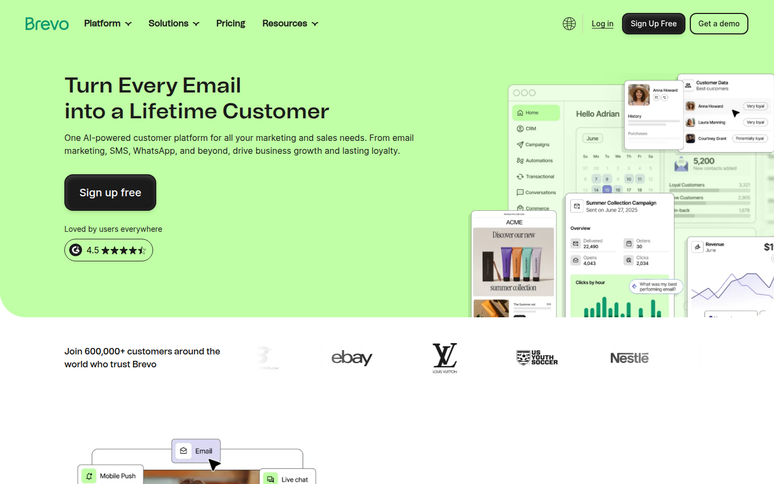
When I set up an email campaign for the small store I mentioned above in the introduction of this article, I was tackling this problem: overwhelmed by choice and worried about wasting money.
Brevo‘s free tier gave me unlimited contacts with no artificial limit, pushing me to upgrade. That solved the biggest beginner fear: affordability, while testing whether email actually works for my business.
Why Is Brevo One of the Best Email Marketing Services?
I discovered quickly that Brevo’s automation is impressively good for the price. You can build workflow triggers based on user behavior, like clicks, opens, and landing page visits.
The interface is intuitive. Templates are clean and mobile-responsive, something that you cannot do without in email marketing today.
On top of that, their SMS integration means you can send SMS and email from one platform without juggling two tools.
But here’s the catch I hit: Brevo has strict engagement monitoring. If your list bounces too hard or engagement drops, they’ll flag your account.
This happens more than you’d think with older lists or newly imported subscribers. The company is aggressive about protecting their reputation, so they monitor who’s sending what.
You need clean list hygiene from day one.
Despite that friction, Brevo deserves the number one spot here because they solve a real problem for beginners: affordability at scale.
Their pay-per-email model (not per-contact) means you’re not getting strangled by pricing as you grow.
My Experience with Brevo
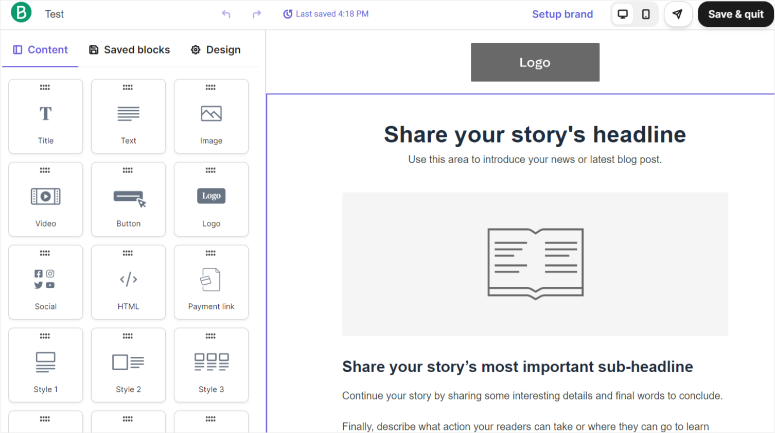
I set up a test campaign in 8 minutes. I imported 200 test contacts, created a welcome email with their drag-and-drop editor, and hit send. The email arrived in my inbox in under 30 seconds.
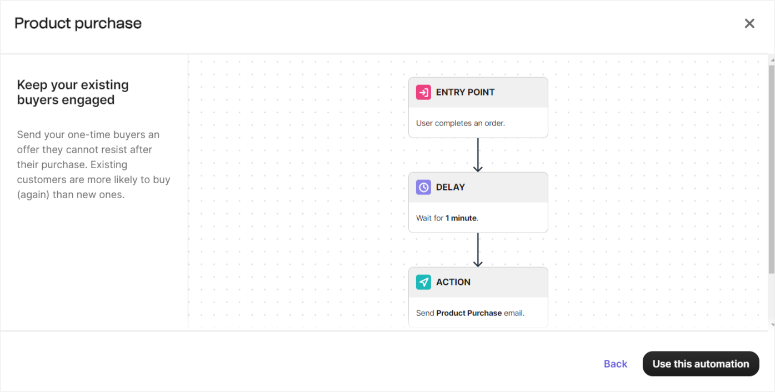
I then tested their workflow builder by creating an automation. This way, when someone confirms their subscription, it sends them a welcome discount code, then a follow-up email 3 days later.
It worked exactly as expected.
The dashboard is clean and not cluttered with features you don’t need. While reporting shows opens, clicks, and bounce rates in a straightforward way.
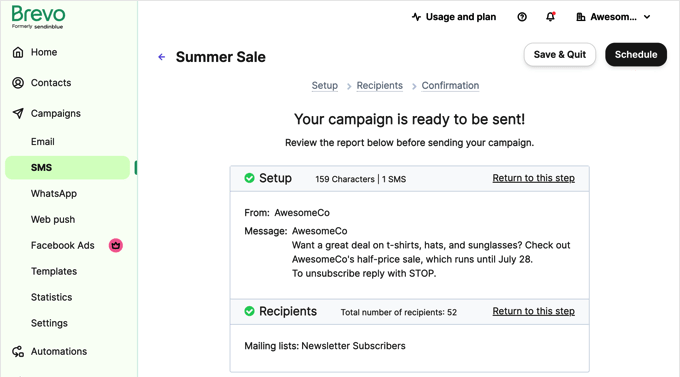
Their SMS integration is seamless. I could toggle between email and SMS campaigns without context switching.
I did notice one thing: their support documentation is decent, but live chat responses took 4–6 hours. This is fine for non-urgent issues, but if you’re in a time crunch, you’ll feel it.
🟢► Pros
- Unlimited contacts on free plan: No artificial limit pushing you to upgrade early; you can test at scale
- SMS + email together: One platform for both channels; saves tool complexity
- Pay-per-email pricing: You’re not charged per contact; larger lists don’t cost more
- Automation workflows: Behavior-based triggers rival tools 3x the price
- Intuitive interface: Non-technical users get setup in minutes, not hours
- Affordable paid plans: The entry point is genuinely cheap
🔴► Cons
- Account suspension risk: Strict engagement rules flag accounts with high bounces; can happen without warning
- Support response time: Live chat waits 4–6 hours; phone support not available on starter plans
My Verdict: Brevo is the best entry point if you’re budget-conscious and willing to maintain good list hygiene. In fact, I still use it today. The unlimited free tier and automation capabilities punch way above their price. Best for small businesses testing email before committing to expensive tools.
Check out my Brevo review for more details.
Pricing: Free plan available. Paid plans start at $8.08/month
2. MailerLite ⭐⭐⭐⭐⭐
Best for: Novice WordPress users, small businesses wanting all-in-one solution, creators
MailerLite won the “Best Email Tool for Ease of Use” award from 2023 to 2026 on Trustpilot. That’s not marketing fluff; it reflects thousands of real user votes.
Here’s why: the platform is just less annoying to use than competitors. Everything feels intuitive. The drag-and-drop editor works without fighting you. Workflows are visual, not buried in menus.
Why Is MailerLite One of the Best Email Marketing Services?
What impresses me most is that they include a landing page builder, subscriber forms, and email editor all on the free plan. Some competitors charge extra for landing pages. MailerLite baked it in.
That means you can capture subscribers and email them without platform-switching.
The real limitation I found was their account approval process. MailerLite is aggressive about bounce rates, just like Brevo.
They also monitor email deliverability closely, and if they see suspicious activity (high bounces, spam complaints), they’ll restrict or suspend your account.
A few users reported account terminations without a detailed explanation. This is frustrating when it happens, but it protects MailerLite’s sending reputation, which ultimately helps you land in inboxes.
Still, the ease of use of this email marketing service is rare.
My Experience with MailerLite
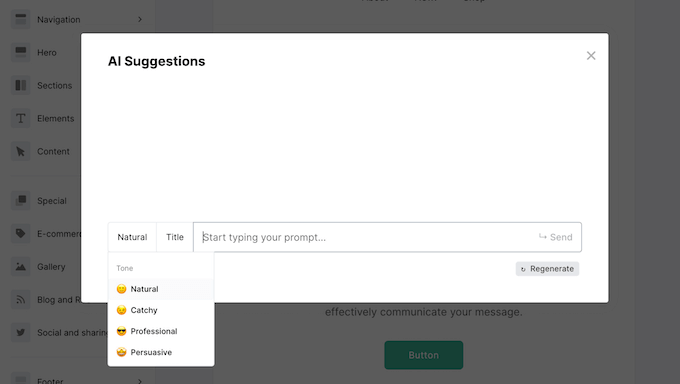
I set up my first campaign in 5 minutes. Signed up, imported a test list, selected a template, edited it with their drag-and-drop builder, used the AI writing assistant, and sent. No technical knowledge required.
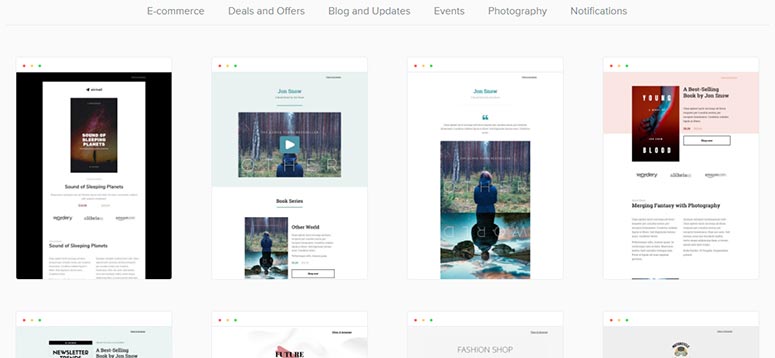
Their template gallery is massive with 500+ options to choose from. And they’re actually well-designed, not clipart-y.
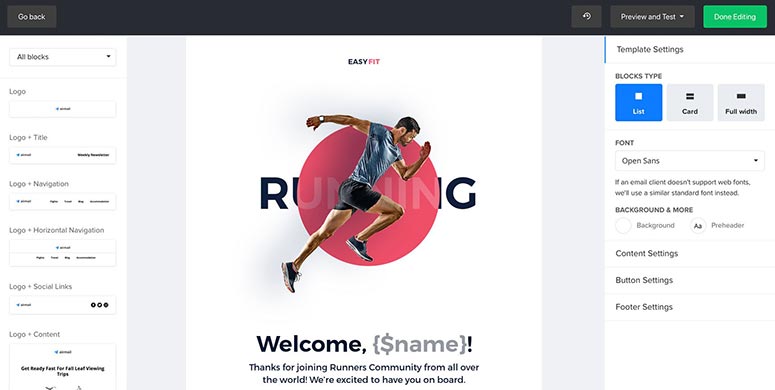
You can then customize it with the drag-and-drop builder.
I tested their form builder next. I created a popup subscription form, customized the colors to match a test site, and deployed it. The form appeared correctly on mobile and desktop without extra work.
The landing page builder surprised me. It’s simpler than dedicated page-builder tools like SeedProd, but it’s fully functional.
I built a landing page for a fake product launch in 10 minutes, complete with form, styling, and mobile optimization.
I liked that the reporting was clean. You can track opens, clicks, and unsubscribes, all in a dashboard that doesn’t overwhelm you with options. I appreciated the simplicity.
The one moment of friction: during my test, I imported an older list with some hard bounces. MailerLite flagged the list quality and briefly restricted sends while they reviewed it. This happened within 24 hours, and once I cleaned the list, access returned. It’s a safeguard, not a blocker.
🟢► Pros
- Ease of use award: Thousands of users voted this the easiest tool to use
- Landing pages included: Build landing pages on all plans; competitors charge extra
- Subscriber forms built-in: Capture emails directly; no third-party form tool needed
- Clean dashboard: Simplified reporting with no options overload
- Unlimited emails: Send as many campaigns as you want on paid plans
- 500+ templates: Well-designed, professional-looking starting points
🔴► Cons
- Account suspension risk: Strict bounce-rate monitoring; can restrict accounts for list quality issues
- Automation limited on free tier: Workflows are available, but limited to 1 automation on the free plan
My Verdict: MailerLite is the best choice if ease of use is your top priority. The all-in-one approach (email + landing pages + forms) saves you from learning three separate tools. Best for beginners, creators, and small teams who want to focus on writing campaigns, not navigating software.
Pricing: Free plan available. Premium plans start at $9/month
👉 Get started with MailerLite here
3. Constant Contact ⭐⭐⭐⭐⭐
Best for: Nonprofits (special pricing), small teams needing phone support, complete beginners
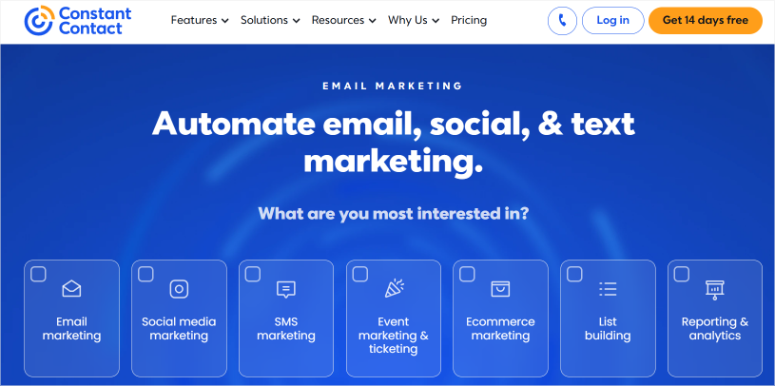
Constant Contact is ranked third on my list of best email marketing services because of how user-focused they are. First, they offer 24/6 phone support on all paid plans.
If you’re the type who reads the manual, gets confused, and needs to call someone, this is huge. Most email marketing tools force you into chat queues or expect you to figure it out alone.
Why Is Constant Contact One of the Best Email Marketing Services?
What I discovered while testing Constant Contact is that the interface is clean and beginner-friendly.
Templates are professional-looking, and you can use them out of the box.
On top of that, the automation features work well. All you need to do is set up welcome sequences, lead nurturing, and event-triggered emails.
For a solo business owner or nonprofit, this is a solid start.
The pricing issue is real, though.
Constant Contact charges per contact, not per email. That scales quickly. By 10,000 contacts, you’re at $100+.
Competitors like MailerLite charge a flat rate regardless of list size (up to a point). So while Constant Contact’s interface is friendly, the pricing eventually feels expensive.
But if phone support is a dealbreaker for you, if you really do want to call someone, Constant Contact is worth the premium.
My Experience with Constant Contact
I signed up and immediately tried calling their phone number. A real person answered in 3 minutes.
I asked a basic question about automation setup, and they walked me through it. The conversation took 10 minutes, and the issue was resolved.
The drag-and-drop editor is straightforward. I built a professional-looking campaign without design skills.
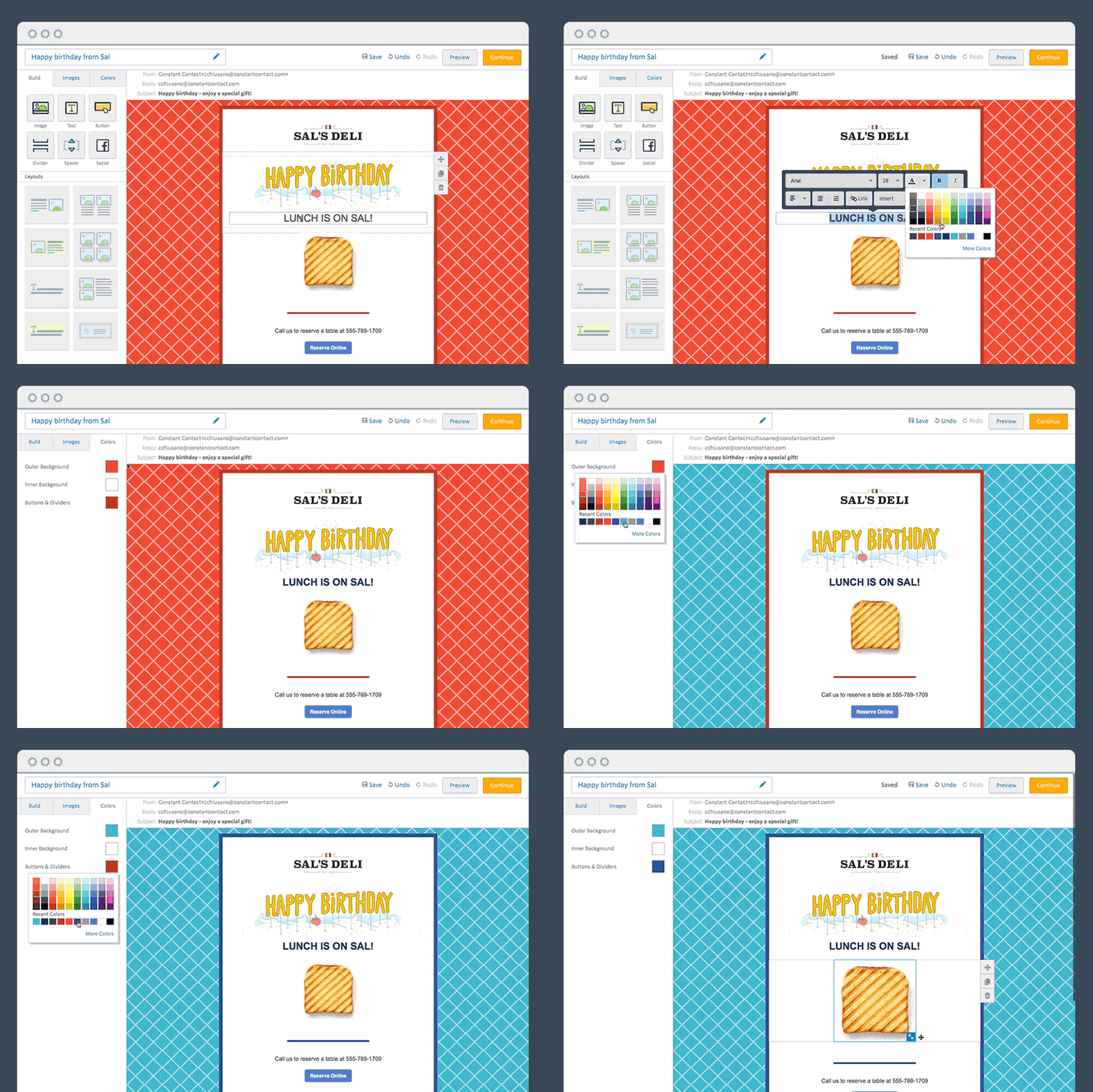
Apart from the drag and drop builder, the templates are numerous and well-organized by industry, which also helped make the process faster. I liked that segmentation.
I tested their automation by creating a welcome sequence.
The workflow builder is visual, so you see your email flow in a diagram. It’s not as sophisticated as MailChimp‘s or HubSpot‘s, but for beginners, it’s great.
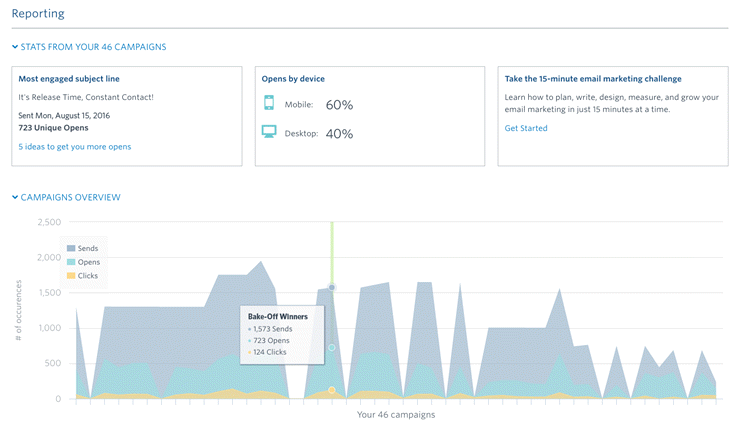
Reporting is clear. I could see opens, clicks, unsubscribes, and some basic segmentation analytics.
The friction point: I tried to cancel my test account to check their cancellation process. Their website didn’t have an online cancellation option.
I had to call. The support tried to convince me to stay, common for enterprise tools, but less common for Small and Medium Business (SMB) tools.
🟢► Pros
- 24/6 phone support: Real humans answer; walk you through setup
- Professional templates: 200+ mobile-responsive designs
- Nonprofit special pricing: Up to 50% discount for registered nonprofits
- Beginner-friendly interface: Intuitive setup; no technical knowledge required
- Social media integration: Built-in tools to post to Facebook and LinkedIn
🔴► Cons
- Contact-based pricing scales poorly: Higher cost as list grows; competitors offer cheaper at scale
- No online cancellation: Must call to cancel; support team tries to retain you
My Verdict: Constant Contact is best if phone support is important to you and you have a small, stable list (under 2,000 contacts). The combination of a user-friendly interface and live support is rare. But if you plan to grow a large list, the pricing advantage disappears quickly compared to competitors.
Check out my Constant Contact review for a full breakdown.
Pricing: Starts at $8.40/ month
👉 Get started with Constant Contact here
4. Omnisend ⭐⭐⭐⭐
Best for: Ecommerce stores on Shopify/WooCommerce, those wanting SMS + email, pre-built automation
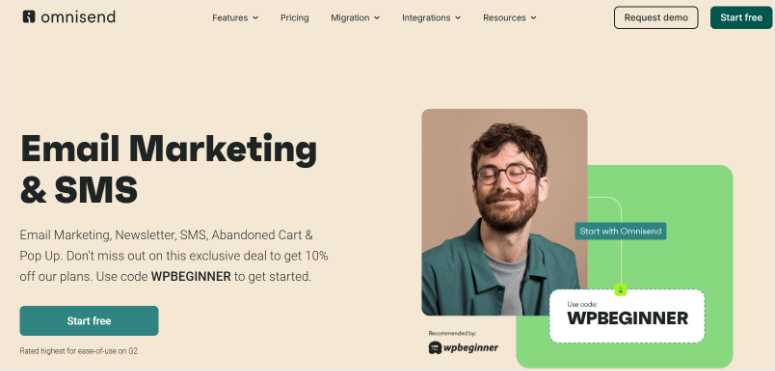
Omnisend was built for eCommerce. Not adapted for eCommerce, but built from the ground up to understand shopping behavior.
This means it tracks abandoned carts, tracks orders, and triggers emails based on purchase history. If you’re selling products online, this is a great option for you.
Why Is Omnisend One of the Best Email Marketing Services?
What I discovered during testing is that you get eCommerce automation templates pre-built, so you don’t have to start from scratch.
There’s a cart abandonment template, an order status template, a post-purchase upsell template, and more.
Just connect your Shopify or WooCommerce store, and these automations run automatically. That’s a massive time-saver.
The SMS integration is seamless. You can send both email and SMS from the same platform, which is critical for eCommerce (SMS converts better than email for time-sensitive offers).
Here’s the catch I found: pricing transparency is a real issue. Their free plan shows one price, but when you layer in SMS pricing, the actual cost is higher.
My Experience with Omnisend
I connected a test WooCommerce store to Omnisend in 10 minutes. The setup wizard was clear, and the integration was automatic.
The moment I connected, Omnisend pulled in my product catalog and order history.
I then activated their “abandoned cart” automation. Within the setup, they showed me which customers had abandoned carts.
I could see the exact cart contents, price, and how long the cart had been sitting. Omnisend suggested an email to send to these customers. One click, and the automation was live.
I tested it by creating a test cart and abandoning it. The email arrived within 5 minutes. The email was pre-populated with the product I’d abandoned and included a discount code I’d configured.
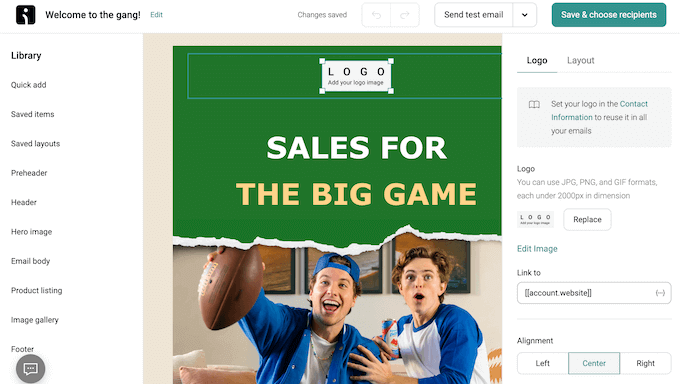
This is the kind of sophistication that takes beginners weeks to set up in other platforms.
I also tested their SMS integration. I sent one SMS (a test message), and the cost was deducted from my balance. Clear and straightforward.
One friction point: I tried to find their exact email deliverability rate. They don’t advertise it prominently. I found a mention that their average is 64%, which is below industry standard (usually 95%+). This matters if you have a large list.
🟢► Pros
- Ecommerce-native automation: Pre-built templates for abandoned carts, post-purchase follow-ups, and upsells
- Shopify + WooCommerce native: Seamless connection; syncs products and orders automatically
- SMS + email bundled: One platform for both channels
- Visual workflow builder: Sophisticated automation without coding
🔴► Cons
- Pricing transparency issues: SMS costs can surprise; app price doesn’t reflect total cost
- Deliverability below standard: 64% average rate; competitors at 90%+
My Verdict: Omnisend is the best choice if you’re selling on Shopify or WooCommerce. The eCommerce-native automation saves you hours of setup time and is genuinely smarter than generic email tools. Best for online stores and eCommerce businesses.
Pricing: Free plan available. Pro plan starts at $11.20/ month
👉 Get started with Omnisend here
5. HubSpot ⭐⭐⭐⭐
Best for: Growing teams, B2B SaaS, enterprises needing unified CRM + marketing
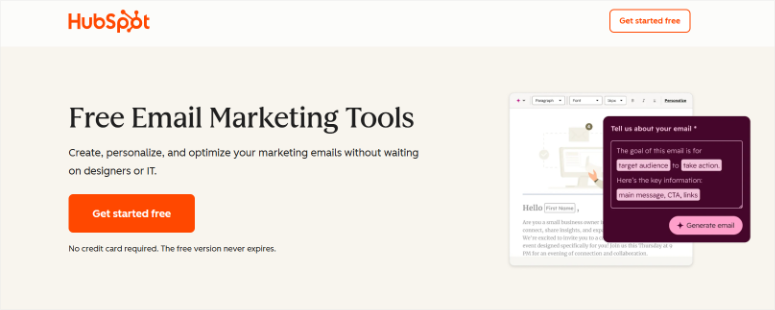
HubSpot is a CRM first, email tool second. That positioning matters.
If you’re managing a growing team, HubSpot unifies your customer data, email marketing, sales pipeline, and analytics in one place. That integration is powerful.
Why Is HubSpot One of the Best Email Marketing Services?
I like how straightforward the HubSpot email editor is. Their workflow builder is visual and sophisticated.
You can segment contacts based on company data, behavior, email engagement, and custom properties. That depth is valuable for growing teams.
But here’s the reality: HubSpot’s pricing is expensive for small businesses. The free tier is limited (250 contacts, basic features), and the Starter plan is contact-limited. As you grow, costs escalate quickly.
HubSpot is built for teams and medium-sized companies. If you’re solo or just starting, the learning curve and cost won’t make sense.
But if you’re a growing team managing multiple customers, HubSpot’s unified approach is genuinely valuable.
My Experience with HubSpot
I signed up for the free tier and explored. The interface is clean but feature-rich. There are a lot of options.
Setting up my first campaign took 15 minutes because I was reading tooltips and trying to understand what the features do.
I created a simple email campaign and tested their drag-and-drop editor. It’s good, but not as intuitive as the other email marketing services above HubSpot on this list.
I could do it, but a complete beginner might need to watch a tutorial.
I then looked at their automation. The workflow builder is visual, and you can build sophisticated sequences.
You can trigger emails based on contact properties, engagement, custom events, and more. This is as powerful as enterprise platforms.
I checked their CRM integration next. Your contacts automatically sync between email and the CRM.
You can see deal data, company data, and more in the email platform. This integration is the main value HubSpot provides.
The friction: pricing. Even the Starter plan felt expensive for testing. If you’re a bootstrap small business, the free tier is severely limited, and the jump to paid is a big mental commitment.
🟢► Pros
- CRM + email unified: Contact data syncs automatically between email and CRM
- Sophisticated segmentation: Segment by company data, behavior, and custom properties
- Visual automation builder: Advanced workflows without coding
- Multi-user collaboration: Teams can work together on campaigns
🔴► Cons
- Expensive for small teams: Starter plan at a monthly per-seat cost; add up fast for teams
- Steep learning curve: More features than beginners need; takes time to master
My Verdict: HubSpot is best for growing teams (5+ people) managing B2B sales pipelines. If you’re solo or a small business under $5k/month revenue, look at cheaper alternatives first. But if your business grows and you need a unified platform, HubSpot is worth graduating to.
Pricing: Free version available. Pro plans start at $9/month per seat
👉 Get started with HubSpot here
6. MailPoet ⭐⭐⭐⭐
Best for: WordPress-only users, WooCommerce stores, those wanting everything in the WordPress dashboard
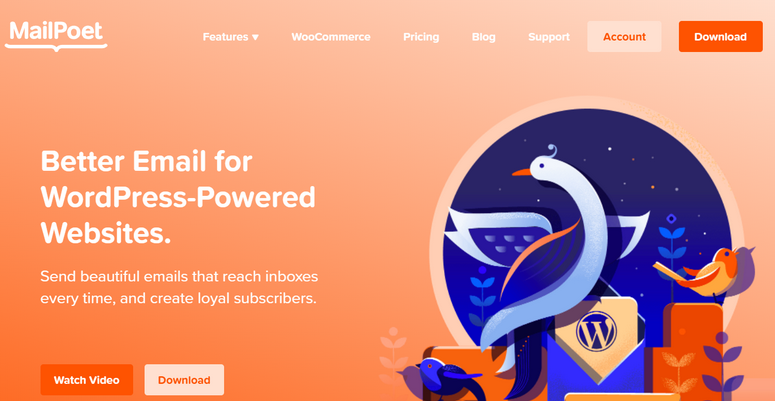
MailPoet is a native WordPress plugin. Everything lives in your WordPress dashboard.
You don’t switch platforms or sign into a separate tool. You manage email, automations, and reports without leaving WordPress. For WordPress-first users, this is huge.
Why Is MailPoet One of the Best Email Marketing Services?
I was impressed by the WooCommerce integration. You can segment subscribers based on orders, spending, subscription status, and product purchases.
The best part? You can build automations triggered by WooCommerce events like order placed, order refunded, and subscription renewed.
Deliverability is solid. MailPoet has one of the highest delivery rates in the industry. That’s because they use your own SMTP provider.
You can also use Amazon SES, which they integrate with instead of managing their own server. This is more reliable for small businesses.
Here’s the friction: MailPoet has the same account suspension issue as Brevo and MailerLite. If your list quality drops (bounce spike), they’ll restrict your account.
On top of that, support responsiveness is slower than that of competitors. They don’t have live chat; tickets wait until the next business day. If you need urgent help on a weekend, you’re stuck.
Still, for WordPress users, MailPoet is the path of least resistance. No sign-ups, separate logins, or monthly login credentials to manage. Just install and use.
My Experience with MailPoet
I installed the plugin and activated it. I didn’t need to sign up for anything else, set up API keys, or do any additional platform setup. Just a straightforward WordPress plugin activation.
MailPoet added a new menu in the WordPress dashboard.
I clicked “Create Campaign” and was in the email editor in 3 clicks. The editor is a Gutenberg-style interface (familiar to WordPress users). I designed an email in 5 minutes.
I then explored their automation features and set up a post-notification automation. This allowed me to send an email when I publish a new blog post. This took 2 minutes.
Since this is built-in, it requires zero configuration. For bloggers, this alone is valuable.
I tested WooCommerce integration by connecting a test store. MailPoet immediately recognized products and orders.
I could segment subscribers by purchase history and create follow-up emails for customers who bought specific products. This is actually faster than other platforms’ WooCommerce integrations.
I checked deliverability by sending a test email. It arrived in my inbox within 30 seconds.
I didn’t experience bounce issues, but based on reviews, users with poor list quality have encountered account restrictions.
Friction point: I couldn’t find live chat support. I submitted a test support ticket, and it took 18 hours to get a response. This is slower than competitors’ 4–6 hour response times.
🟢► Pros
- Native WordPress plugin: Everything in your dashboard; no separate platform
- WooCommerce integration: Segment and automate based on orders, spending, products
- Post-notification automation: Built-in automation to email subscribers when you publish
- High deliverability: Industry-leading delivery rate
- No platform lock-in: Your data stays in your WordPress database
🔴► Cons
- Account suspension risk: Strict engagement monitoring can restrict accounts for bounces
- Support slower than competitors: No live chat; 18+ hour response times
My Verdict: MailPoet is the best choice if you’re already deeply embedded in WordPress and want zero platform switching. For WooCommerce store owners, the eCommerce integration is deep and valuable. Best for WordPress users and ecommerce businesses.
Check out my MailPoet review for more details.
Pricing: Free plan available. Pro starts at $10/month
👉 Get started with MailPoet here
7. AWeber ⭐⭐⭐⭐
Best for: Users wanting 24/7 phone support, advanced automation logic
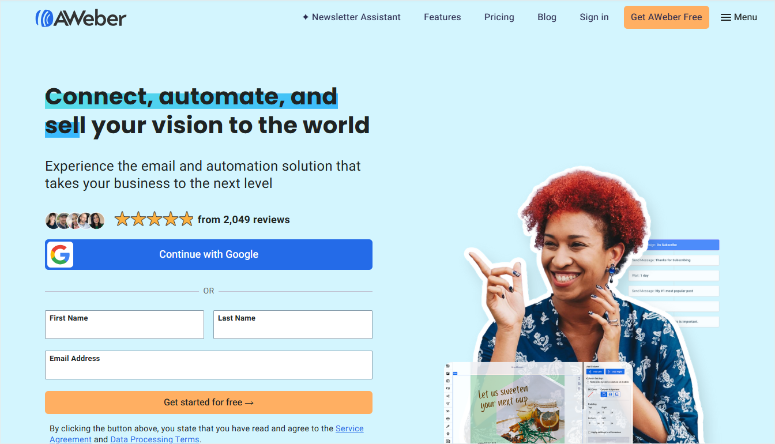
AWeber has been around since 1998. They’ve built a reputation around customer support, specifically, 24/7 phone support on all paid plans.
If you want to talk to a human any time, AWeber is rare in offering that.
Why Is AWeber One of the Best Email Marketing Services?
The standout feature for me is that their automation system uses if/else logic. This is more advanced than template-based automation.
You can build complex branching workflows where different subscribers follow different paths based on conditions. For advanced users, this flexibility is valuable.
But there’s a significant issue: in December 2024, AWeber raised prices by 50–150% across all plans. Existing customers who were grandfathered at old pricing got bumped to new pricing with no notice.
This was controversial and caused some users to leave. The price increase wasn’t matched by new features or improvements.
Additionally, their UI is older and less polished than competitors like MailerLite or Brevo. It works, but it feels clunky.
I’d recommend AWeber only if 24/7 phone support is critical to your business and you need powerful if/else logic automations.
My Experience with AWeber
I signed up and accessed their dashboard. The interface is functional but dated. The menus and buttons feel older than competitors. That said, navigation is straightforward.
I created an email campaign using their template-based editor. Drag-and-drop works, but it’s less smooth than MailerLite. I could complete the campaign in 12 minutes.
I then explored their automation builder. Unlike template-based automation in other tools, AWeber uses visual workflow logic with branching paths.
You can set conditions like “if subscriber clicked link, do X; else do Y.” This is powerful but also more complex for beginners. An experienced marketer would love this. A complete beginner might struggle.
I tested their phone support by calling the number on their website. A representative answered in 4 minutes. I asked about automation logic, and they patiently explained how to build a complex sequence.
The conversation took 12 minutes, and I felt confident to proceed. This is the value AWeber provides.
🟢► Pros
- 24/7 phone support: Real humans available anytime, very rare in email marketing
- Advanced if/else automation: Build complex branching workflows
- AI email assistant: Built-in tool to generate email copy with AI
- Long company history: 25+ years in business; established stability
🔴► Cons
- Recent 50–150% price increase: Significant increase without feature improvements
- Outdated UI: Interface feels less modern than competitors
- Data loss reports: One January 2025 case of entire list deletion without explanation
My Verdict: AWeber is best if you need 24/7 phone support and don’t mind the higher price. The advanced automation logic is valuable for complex workflows. However, the recent price increase and data loss concerns make me cautious. Only choose this if the support factor outweighs the risk.
Check out my AWeber review here for more details.
Pricing: Free plan available. Pro starts at $12.50/month
👉 Get started with AWeber here
8. GetResponse ⭐⭐⭐
Best for: Course creators, those selling webinars, users wanting unlimited emails
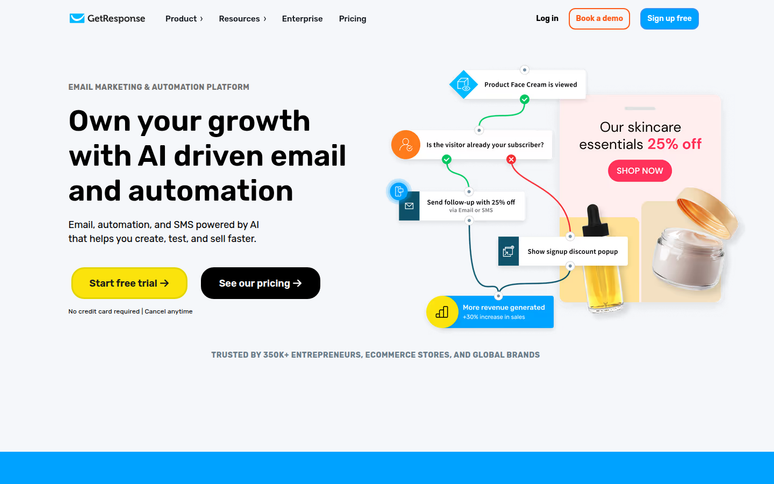
GetResponse is not just email. It’s email + landing pages + webinars + courses + community. All in one platform. If you’re a course creator or selling events, this all-in-one positioning is compelling.
Why Is GetResponse One of the Best Email Marketing Services?
GetResponse includes unlimited email sends on all plans, including the free tier. That’s rare. Most tools limit sends on free plans. GetResponse doesn’t.
You can send as many campaigns as you want for free (up to 1,000 subscribers).
Their webinar platform is built-in. You can host webinars directly from GetResponse without integrating Zoom or another tool. You can record, replay, and sell access to past webinars.
That integration saves tool complexity.
Here’s the limitation: GetResponse has feature bloat. The platform can do so much that it overwhelms new users. Finding the feature you need takes clicking through multiple menus.
And their automation is limited on the free tier to only 1 automation. So while they offer unlimited sends, advanced features are locked behind paid plans.
The UI also feels less modern than newer competitors. It works, but it’s not as polished as MailerLite. Still, if you’re a course creator, GetResponse’s all-in-one approach eliminates platform switching.
My Experience with GetResponse
I signed up for the free tier and immediately saw: “unlimited emails.” This is genuinely nice.
I created a test email campaign. The drag-and-drop editor is functional but not as intuitive as MailerLite. I could build a campaign in 10 minutes.
I then explored their webinar platform. Then, I scheduled a test webinar for next week. Finally, I added a speaker (myself), configured the webinar room, and created a landing page to promote it.
All within GetResponse. No third-party integrations.
I looked at course creation next. You can upload course modules, set prerequisites, and sell access. It’s not as user-friendly as dedicated course platforms like BuddyBoss and MemberPress, but for a small course, it works.
I tried to set up an automation, but I immediately hit a limitation: the free tier only allows 1 automation. If I wanted more, I’d need to upgrade to a paid plan. This is a sneaky limitation that forces monetization.
Reporting showed email opens, clicks, and some analytics. Nothing advanced, but enough for beginners.
Friction: the interface feels dated. Navigating to different tools (email, webinar, course) requires clicking through menus. It’s clunky.
🟢► Pros
- Unlimited emails: All plans include unlimited sends; free tier includes this
- Webinars built-in: Host webinars directly; no Zoom integration needed
- Courses included: Upload course modules and sell access
- All-in-one approach: Email, webinars, courses, landing pages in one platform
- Multi-user access: Starter plan includes 3-user access
🔴► Cons
- Feature bloat: So many features that beginners get overwhelmed; UI feels cluttered
- Automation limited on free tier: Only 1 automation; need to upgrade for more
- Outdated UI: Less modern than newer competitors
My Verdict: GetResponse is best if you’re a course creator or selling webinars. The all-in-one approach saves you from juggling multiple platforms. However, if you just need email, you’ll find it overwhelming. And the free tier’s 1-automation limit is restrictive.
Check out my GetResponse review for more details.
Pricing: Free plan available. Pro starts at $15.58/month
👉 Get started with GetResponse here
9. Drip ⭐⭐⭐
Best for: eCommerce/Shopify stores, those needing revenue attribution, complex automation
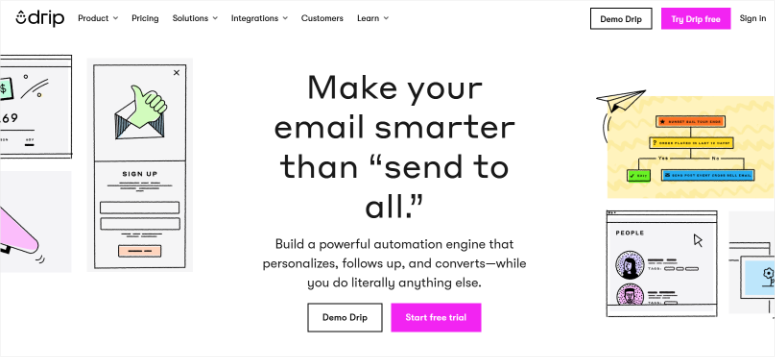
Drip is built for eCommerce stores that want to understand revenue attribution. For example, it can help you find out which emails drive the most sales, and which customers have the highest lifetime value.
Why Is Drip One of the Best Email Marketing Services?
Drip understands shopping behavior deeply. They track cart abandonment, post-purchase follow-ups, browse abandonment, and revenue impact.
They can tell you “this automation sequence generated $4,200 in revenue.” That insight is valuable for growing eCommerce businesses.
Their workflow builder is powerful. You can build complex sequences with multiple triggers, conditions, and branches. For experienced marketers, this is liberating. For beginners, it’s overwhelming.
Here’s the friction: Drip has no free tier, and the starter plan is pricey. And their learning curve is steep since the interface isn’t intuitive. First-time users need 20+ minutes just to understand the dashboard. This is not a beginner tool.
Additionally, their template library is smaller than that of their competitors. You’re doing more from scratch.
I’d recommend Drip only if you’re an eCommerce store with meaningful revenue and need revenue attribution to optimize your marketing.
My Experience with Drip
I signed up for a trial. No free tier, so this is a time-limited test. I immediately hit the learning curve: the dashboard is feature-rich but complex. I spent 15 minutes just finding where to create a campaign.
Once I found the editor, building an email was straightforward. Their template library is small but functional.
I then explored revenue attribution. I connected a test Shopify store. Drip synced orders and customer data. I could see which emails drove which orders and the revenue impact.
This is the value Drip provides. It’s sophisticated.
I set up an automation to send a follow-up email 3 days after purchase. Using their workflow builder, I created a trigger-based sequence. The setup took 10 minutes because I was learning the interface.
🟢► Pros
- Revenue attribution: Track which emails drive which orders and revenue
- Sophisticated automation: Complex workflows with behavioral triggers
- Ecommerce-native: Shopify and WooCommerce integration built-in
- Customer lifetime value tracking: Understand your most valuable subscribers
🔴► Cons
- No free tier: Starter plan is steep for testing
- Steep learning curve: Complex interface; not beginner-friendly
- Limited templates: Smaller library than competitors
My Verdict: Drip is best if you’re an eCommerce business with proven revenue and want sophisticated revenue attribution. For beginners or small stores, the cost and learning curve don’t make sense. But for serious ecommerce marketers, Drip’s analytics are worth the price.
Pricing: Starts at $39/month
10. Moosend ⭐⭐⭐
Best for: Budget-conscious small businesses, automation seekers at a low cost, those who don’t need migration support
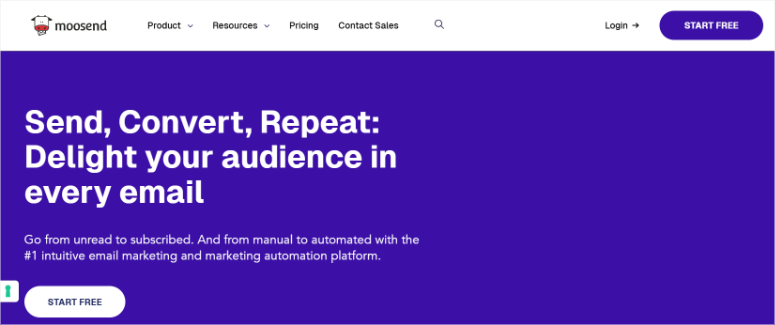
Moosend is cheap but offers great email marketing features. You get automation, segmentation, reporting, and behavior-triggered workflows. Most competitors at that price offer limited automation.
Why Is Moosend One of the Best Email Marketing Services?
Moosend’s automation builder is visual and condition-based. You can create workflows with “if subscriber opens, do X” logic.
Their deliverability is solid, ensuring your emails are sent with little bounce probability. And they offer a 30-day free trial instead of a free tier, which lets you test before paying.
Their analytics are surprisingly good. Heatmaps show which parts of your email got clicks. Geolocation data shows where subscribers are.
Here’s the limitation: Moosend doesn’t offer migration support. If you’re switching from another platform, they won’t help move your data. This is a cost-cutting measure, but it’s annoying if you have a large subscriber list. Additionally, support inconsistency is an issue.
For bootstrapped businesses and solo entrepreneurs, Moosend is the cheapest smart option. You get automation at an affordable monthly rate.
My Experience with Moosend
I signed up for the 30-day trial. No credit card required. The dashboard loaded quickly, and I immediately noticed that the interface is clean and organized. Much more polished than GetResponse.
I created an email campaign in 5 minutes. Their template selection is adequate (not huge, but good). Drag-and-drop editor works well.
I then explored their automation builder. Visual, condition-based, straightforward. I created a welcome sequence that triggers when someone subscribes. 5 minutes to set up.
I imported a test list and sent a campaign. Reporting showed opens, clicks, and some segmentation. Heatmaps showed which links got clicks.
I noticed their analytics are genuinely good. You can see subscriber geolocation, device type, and client type (Gmail, Outlook, etc.). For beginners who want to understand their audience, this is valuable data.
Friction: the free trial is 30 days, not forever. You’re on a clock to decide.
🟢► Pros
- Good cost with full features: Includes automation, segmentation, and reporting
- Condition-based automation: Visual workflow builder with sophisticated triggers
- 30-day free trial: No credit card required; full-featured trial
- High deliverability: Solid email delivery rates
- Heatmap analytics: See which parts of your email got clicks
🔴► Cons
- No migration support: Won’t help move data from other platforms
- Support inconsistency: Some users report unresponsive support
- 30-day trial clock: You’re on a deadline to decide before paying
My Verdict: Moosend is the best choice if you’re budget-conscious and want real automation features. At its price point, you get more than competitors charge at double the price. Best for bootstrapped businesses, solo entrepreneurs, and those on tight budgets.
Pricing: Free plan available. Pro starts at $7/month
👉 Get started with Moosend here
Bonus: Best Email Marketing Services
Now there are some tools that just missed getting into my list. Plus, others are not direct email marketing services, but you will need them to make your campaigns a success. I list them below.
WP Mail SMTP
WP Mail SMTP is not an email marketing platform, but the best free SMTP plugin. It’s the infrastructure that ensures your WordPress site’s emails arrive.
If you’re using MailPoet, Brevo, or any platform, WP Mail SMTP sits underneath and ensures emails don’t get lost.
I’d recommend installing this first, before picking a marketing platform. It solves deliverability problems no platform can fix alone.
Check out my WP Mail SMTP review for more details.
Pricing: Free plugin available. Pro starts at $49/year
👉 Get started with WP Mail SMTP here
OptinMonster
OptinMonster is a lead-capture tool, not email marketing. But if you want to convert more website visitors into email subscribers, OptinMonster’s exit-intent technology works.
When visitors are about to leave, a popup appears asking them to subscribe. This single feature justifies the cost for many users. Works with any email platform you choose.
Check out my OptinMonster review for more details.
Pricing: Starts at $7/month
👉 Get started with OptinMonster here
Beehiiv
Beehiiv is built by newsletter creators (the Morning Brew team).
If you’re running a newsletter business (not a traditional email list), Beehiiv is all-in-one: email, website, ad network, and subscriber monetization.
Unlimited sends on all plans. But beware: pricing increased 3–4x in the past two years, and some users report deliverability issues. Best for newsletter-first creators with audiences.
Pricing: Free plan available. Pro starts at $34.40/month
👉 Get started with Beehiiv here
How to Choose the Best Email Marketing Service
Different businesses have different needs. Here’s how to pick:
| Your Situation | Best Pick | Why |
|---|---|---|
| Budget: $0–$50/month, List under 1k | Moosend or Brevo | Full automation at lowest cost |
| WordPress only, WooCommerce store | MailPoet | Native dashboard, WC automation |
| Want everything in one place | MailerLite or GetResponse | Email + forms + landing pages |
| Growing team, CRM integration | HubSpot | Unified customer data |
| Shopify/ecommerce focus | Omnisend | Ecommerce-native automation + SMS |
| Course creator or selling webinars | GetResponse | Webinars + courses included |
| Need 24/7 phone support | Constant Contact or AWeber | Live humans available |
| Ecommerce revenue tracking | Drip | Revenue attribution |
| Nonprofit with tight budget | Constant Contact | Special nonprofit pricing |
| Want to improve email deliverability | Add WP Mail SMTP | Infrastructure for all platforms |
FAQs: Best Service for Email Marketing
Do I need email marketing as a small business, or can social media alone work?
Email has 40x better ROI than social media for reaching customers you already own. Social reaches new people; email converts people who know you. Most small businesses do both. Social for awareness, email for conversion.
What’s the difference between free and paid plans? Is it free enough to start?
Free plans are genuinely good for testing. You get limited subscribers (500–2.5k) and limited sends, but real features. Most small businesses graduate to paid within 3 to 6 months once they see results and hit subscriber limits.
How important is WordPress.org rating when choosing an email plugin?
Very. WordPress.org rating reflects real user experience, not marketing claims. Higher ratings (4.5+) mean fewer bugs, better support, and more reliable updates. Always check the reviews, not just the star count.
Can I migrate my email list to a different platform later?
Yes. Most platforms let you export your subscriber list as CSV. Migration is possible but takes work (mapping fields, testing, warming up new sending domains). Pick a tool you like the first time, but switching is not impossible.
Does automation really help small businesses, or is it unnecessary complexity?
Automation saves hours per week. A welcome sequence runs automatically when someone signs up. You don’t send it manually. ROI is high if you’re sending regular campaigns (3+ per month). Start simple (welcome sequence), then add complexity as you grow.
Which email tools integrate best with WordPress?
MailPoet (native plugin), WP Mail SMTP (SMTP relay), OptinMonster (lead capture), and GetResponse (all-in-one) work directly within WordPress. SaaS tools (Brevo, MailerLite) work too, but require leaving WordPress to manage campaigns.
Final Verdict: Should I Use Email Marketing for My Small Business?
Yes, and the right tool makes it far less overwhelming than it looks.
When I first set up my email list, I expected a steep learning curve and a bill that kept growing.
What I found instead: tools built for people who just want to send newsletters without learning code, with free tiers that actually work and paid plans that cost less than a lunch out.
Email gives you something social media can’t: a direct line to people who already care about your business. You own that list. No algorithm can take it from you.
Start free. Set up a welcome sequence. Watch your results. Then grow from there.
Resource Hub
If you’re serious about email marketing, these IsItWP guides help:
- Best WordPress Plugins for AI Automation — This isn’t just about email automation. I list WordPress plugins that can automate entire workflows
- Best WordPress CRM Plugins — Customer relationship management tools that integrate with email
- Top WordPress Lead Generation Tools — Capture subscribers from your website (complements your email platform)
- How to Choose WordPress Forms — Embed subscription forms on your site to build your email list
- Best WordPress Security Plugins — Protect your WordPress site and subscriber data
- Best WordPress Backup Plugins — Back up your WordPress site and email list to avoid data loss

Awesome insights! The detailed analysis of these email marketing services is fantastic for making informed decisions!
Thanks for sharing the informative articles
Why MailChimp not on the list ?
Hey Ola, there are dozens of email marketing services available. However, we listed some of the best email services that we tested to ensure they work for our readers.
I have read this post. Its so nice and very informative! thanks for sharing! Your website and blog is awsome!!!
Don’t see Getresponse on the list