
I pulled up my Facebook posts from 2015 the other day. I shouldn’t have.
The grammar was rough. The photos were blurry. One post was just a link with zero context. I looked at it and thought, “I haven’t gotten that much better.”
As an SEO expert, social media has always felt like a chore I was always behind on. But I knew I was leaving traffic on the table, especially now that social posts show up directly in Google search results.
So I tested nine AI tools to see which ones could help me stop dreading social media and start actually using it. Since then, organic social traffic on IsItWP has grown by 300%.
Here’s what I found.
Key Takeaways
- I’ll show you which tool generates social posts directly inside your WordPress editor with no extra tabs needed
- I found a free option that actually works for beginners without spending a dime
- Reveal which tools schedule posts and which ones just write them. That difference matters more than most reviews mention
- I share the exact workflow I use to amplify every new IsItWP article on social media
- I tested tools from $0 to $800/month to see which ones are worth your money
How I Test AI Social Media Post Generators
🔍 Click to see my testing methodology
Here’s exactly how I evaluate AI social media post generators:
- Post quality – Does the output sound like a real person or a robot? I test each tool using the same IsItWP article and compare what comes out.
- Platform optimization – Does the tool actually adjust tone and character count per platform? An Instagram caption and a LinkedIn post should feel different.
- WordPress workflow fit – Can I generate and schedule without leaving WordPress, or do I have to jump between five browser tabs?
- Beginner setup time – I create a fresh account on each tool and track how long it takes a non-technical user to get their first post scheduled.
- Free plan reality check – What can you genuinely do for free vs. what’s locked behind a paywall? I test both.
- Publishing reliability – Scheduled posts that don’t go out are useless. I check post history over 30+ days of active use.
Tools I use:
- My IsItWP and client WordPress sites for real-world publishing tests
- Fresh tool accounts to simulate the beginner experience end-to-end
- A single source article pasted into every AI tool to make comparisons fair
Why Trust IsItWP?
At IsItWP, we’ve been the WordPress community’s go-to resource since 2009, helping over 2 million users choose better plugins and tools. Unlike review sites that never actually use the products, we maintain active accounts, run real client sites, and provide ongoing WordPress consultation.
Best AI Social Media Post Generators Compared
The table below covers all nine tools I tested.
Before you scan: the “Key Feature” column highlights the one thing each tool does better than the rest. That’s the fastest way to match a tool to your actual situation.
| Product | Best For | Free Version | Key Feature | Pricing From |
|---|---|---|---|---|
| 🥇 All in One SEO | WordPress bloggers who don't want to leave their dashboard | ✅ Lite (no AI) | WordPress-native generation | $49.50/yr |
| 🥈 SocialBee | Small businesses needing AI + content recycling | ✅ 14-day trial | Content recycling + unlimited AI | $24/mo |
| 🥉 ChatGPT | Writers who want prompt-based control | ✅ Yes (limited) | Prompt-based creative control | $5/mo |
| 4. Buffer | Beginners wanting free scheduling + AI | ✅ Yes (3 channels) | Genuine free plan with AI | $5/mo |
| 5. Claude | Writers who need posts that don't sound AI-generated | ✅ Yes (limited) | Human-sounding copy | $17/mo |
| 6. SocialPilot | Agencies managing multiple client accounts | ✅ 14-day trial | Multi-client management | $17/mo |
| 7. HubSpot AI | Large businesses on HubSpot CRM | ✅ Yes | CRM-integrated AI content | $800/mo |
| 8. Semrush AI Social | Existing Semrush subscribers | ❌ No | Trend-aware content ideas | $117.33/mo |
| 9. Hootsuite | Enterprise teams managing 10+ accounts | ❌ No | Enterprise analytics + OwlyGPT | $199/mo |
If you’re also looking for plugins that pull your social content directly onto your site, see our guide to the best social media feed plugins for WordPress.
On top of that, check out the table of contents below if you want to look at how I ranked each WordPress social media post generator. You can also click on any link to skip to that section.
- Best AI Social Media Post Generators for WordPress
- How to Choose an AI Social Media Post Generator
- FAQs: Best AI Social Media Post Generators for WordPress
- Final Verdict: Should I Use AI Social Media Post Generators on My WordPress Site?
- Resource Hub: Social Media & WordPress
With that said, let’s dive in.
Best AI Social Media Post Generators for WordPress
🥇 All in One SEO ⭐⭐⭐⭐⭐
Best for: WordPress site owners who want to generate social posts without leaving their dashboard

Here’s the thing most people miss when they start looking at social media tools: they’re all built for social media managers, not bloggers.
This is the process most bloggers follow. You write a post in WordPress and copy the content. Then you open Buffer or SocialBee.
Finally, you paste it, write a caption, pick platforms, and schedule it. And you do that again with every single publish.
That was my exact problem. I knew every article I published needed to go out on Instagram, LinkedIn, Facebook, and X. But the process of switching tools every time made social media feel like a second job.
Why Is All in One SEO One of the Best AI Social Media Post Generators?
All in One SEO solves this from inside WordPress.
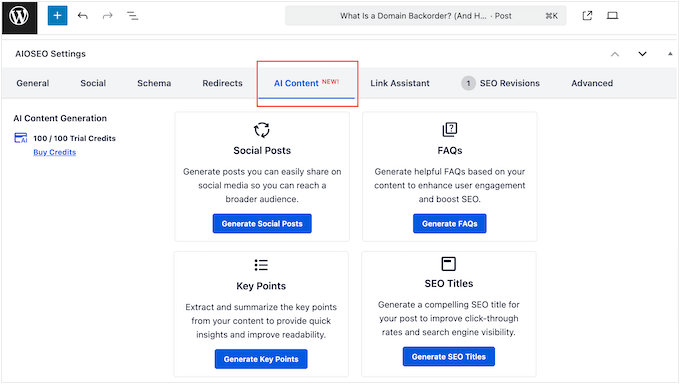
When you’re editing a post, the AI Content Generator reads your article and writes platform-optimized social posts for LinkedIn, Facebook, X, and Instagram, before you ever leave the editor.
Pick the platform, choose your tone and audience, and get variations to choose from. It takes about 90 seconds.
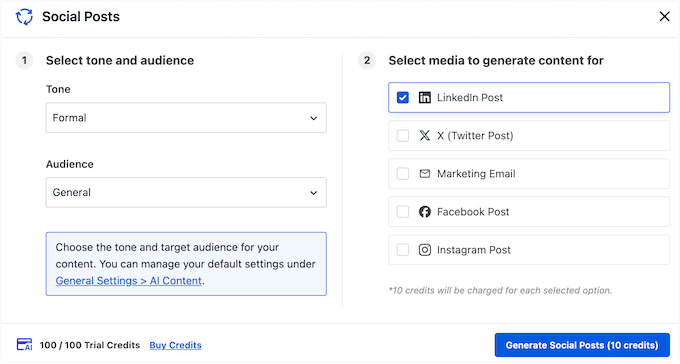
What makes this work is that the AI understands your content.
It’s not pulling from a generic prompt. It’s reading the article you just wrote and generating posts from that material.
The LinkedIn version has a professional tone and a hook question, while the Instagram version is shorter with a call-to-action. If you also want to post tweets, the X version fits the character limit.
That said, the credit system is worth understanding before you commit.
Every AI generation draws from a credit pool. If you generate SEO titles, meta descriptions, FAQs, and social posts for every article, credits can move quickly.
I’ve never run out on the Pro plan across multiple sites, but lighter users on Basic should keep an eye on their usage.
My Experience with All in One SEO
I use AIOSEO on every IsItWP article.
When I first set up the AI social post feature, I ran 12 articles’ worth of content through it in one sitting, generating 4 platform posts per article. The output was ready to publish with minor edits.
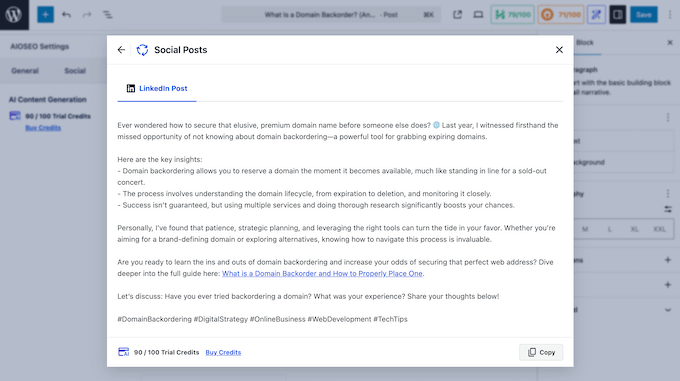
The biggest win wasn’t the quality. It was the time. What used to take 30–45 minutes of copy-pasting and rewriting now takes 8 minutes per article.
That’s the math that turned social media from something I avoided into something I actually do.
🟢► Pros
- WordPress-native workflow: Generates social posts without leaving the editor. No tab-switching or copy-pasting your own article.
- Platform-optimized output: LinkedIn, Facebook, X, and Instagram get different tones and lengths automatically. Not the same post copy-pasted four times.
- Credit system is flexible: Credits don’t expire, so you can batch-generate posts for a week’s worth of content at once.
- Covers more than social: Same AI credits generate SEO titles, meta descriptions, key points, and FAQs. One plugin handles your whole content stack.
- Free starting point: The Lite version is genuinely useful for SEO. You upgrade for AI features when you’re ready.
🔴► Cons
- Credit consumption adds up fast: Heavy users generating titles + descriptions + FAQs + social posts across multiple sites will churn through a Basic plan’s credits quickly.
My Verdict: If you publish on WordPress and want social posts without changing your workflow, AIOSEO is the obvious first choice. The credit system is the only variable to watch. For most bloggers publishing 2 to 5 articles per week, the Basic or Plus plan will be plenty. See the All in One SEO Free vs Pro comparison to decide which tier makes sense for your site.
Pricing: Free Lite version available | Pro starts at $49.50 per year
👉 Get started with All in One SEO here🥈 SocialBee ⭐⭐⭐⭐⭐
Best for: Small businesses and bloggers who want AI content generation plus automatic post recycling
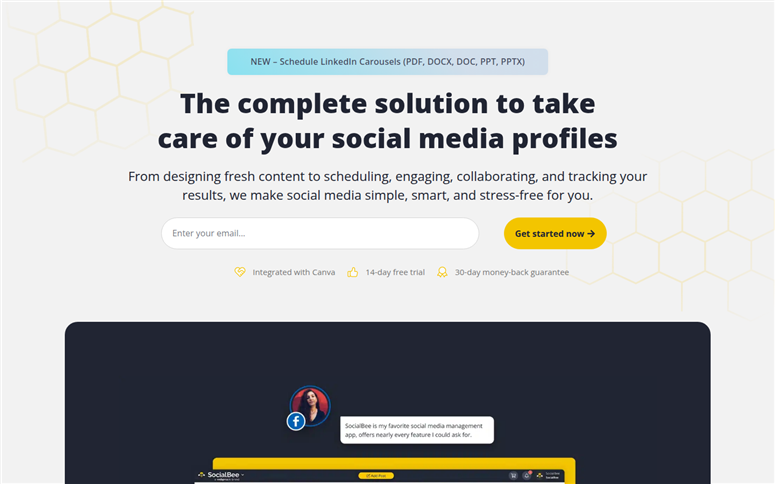
Most social media tools treat every post as a one-time event. You schedule it, it goes out, and it disappears from the queue forever. SocialBee does something different: it recycles.
For example, if you have 10 evergreen posts about WordPress security, posts that are still accurate six months from now, SocialBee keeps them circulating automatically.
You set the category, the frequency, and this social media post-generating tool handles the rest.
Why Is SocialBee One of the Best AI Social Media Post Generators?
On top of recycling, every paid plan includes unlimited AI content generation.
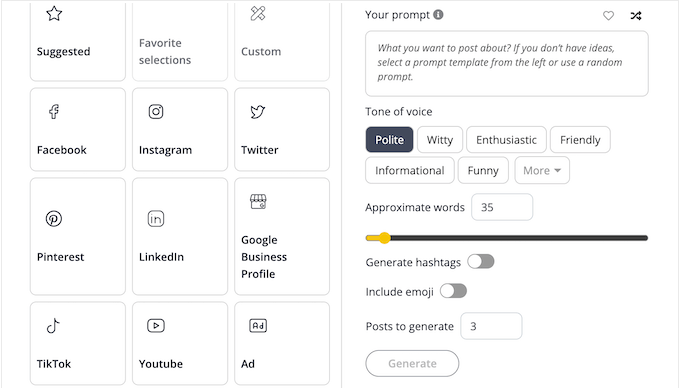
You can generate captions with different tones, create images with the built-in AI, or get hashtag suggestions.
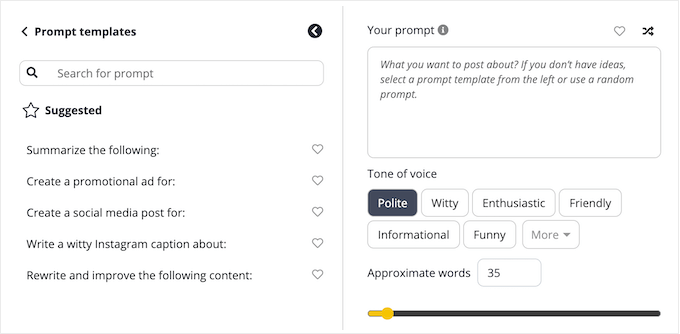
Plus, you can even use the AI Copilot to generate an entire monthly social media strategy with ready-to-post content. There’s no credit limit on the AI side.
The one friction point I ran into personally: the interface has a learning curve. SocialBee organizes content into categories, schedules, and workspaces.
This is powerful once you understand the system, but the first time you log in, there are a lot of tabs you will need to learn.
If you want to compare what dedicated social media automation tools offer side by side before committing, that guide is worth a read.
There’s also a known bug around queue stalls. If one post in a category has an error (a broken image link, for example), it can block the entire timeslot from publishing.
The bug has been reported by multiple users. SocialBee support is responsive, but it’s something to watch in the first week.
My Experience with SocialBee
I tested SocialBee with a client who runs a fitness coaching site. They had about 80 evergreen blog posts and no social media strategy at all.
Within a day of setup, we had those posts categorized, AI captions generated for each one, and a posting schedule running across Instagram, LinkedIn, and Facebook.
Two weeks later, they hadn’t touched it, but the content was still going out on schedule. That’s the practical case for SocialBee.
🟢► Pros
- Content recycling automation: Evergreen posts keep publishing without manual intervention. The most unique feature at this price point.
- Unlimited AI generation: Every paid plan includes unlimited AI captions, no credit caps or per-use charges.
- Built-in image AI: Generate visuals alongside captions without needing a separate Canva subscription for basic images.
- Team workflows: Post approval and internal notes on higher plans. This is useful if someone else manages your social accounts.
- Transparent pricing: 14-day free trial, 30-day money-back guarantee, no contracts.
- Multi-platform reach: Instagram, Facebook, LinkedIn, Pinterest, X, TikTok, and more, all in one dashboard.
🔴► Cons
- Interface learning curve: The category/workspace system is powerful but not immediately intuitive. First-time users should block 45 minutes for setup.
- Queue stall bug: A single post error in a content category can stall the entire timeslot. Monitor publishing history in the first week.
My Verdict: SocialBee earns its spot near the top of this list because of content recycling. A feature none of the other tools in this article do as well. If you have evergreen content and want it working for you automatically, nothing at this price does it better.
Pricing: 14-day free trial | Starts at $24 per month
👉 Get started with SocialBee here🥉 ChatGPT ⭐⭐⭐⭐⭐
Best for: WordPress bloggers who want full creative control and are comfortable writing their own prompts
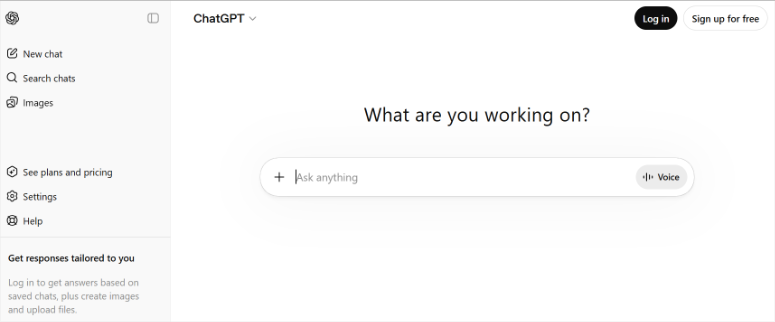
ChatGPT is on this list for one reason: it’s the most versatile social media writing tool I’ve tested. But only if you know how to use it.
Dedicated tools like SocialBee generate posts using their own templates. The results are solid but predictable.
ChatGPT has no template. You give it context about your brand, your audience, your article content, and exactly what you want, and it writes to that brief.
The creative ceiling is much higher than any template-based tool. Paste your full article, tell it the platform, tone, and goal. After this, you get something that genuinely sounds like you wrote it.
Why Is ChatGPT One of the Best AI Social Media Post Generators?
What makes this work for WordPress users specifically is ChatGPT’s memory feature (available on Plus and above). Once you describe your site, your brand voice, and your audience, ChatGPT remembers it.
Every subsequent social post generation starts from that foundation, meaning you don’t re-explain yourself each session.
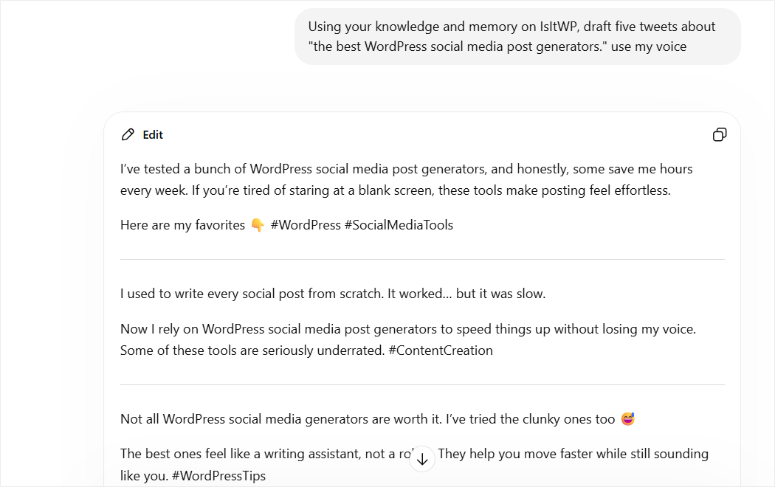
The honest limitation: ChatGPT doesn’t schedule. It writes. You still need to copy the output and paste it into Buffer, SocialPilot, or whatever scheduling tool you use.
For bloggers who want to generate 30 days of posts in one sitting and then load them into a scheduler, that’s actually a clean workflow. But it does require a second tool.
My Experience with ChatGPT
I use ChatGPT Plus for social media across all IsItWP content. My prompt includes the article title, a 3-sentence brand voice description, the platform, and the post goal.
I get 5 variations, pick 2, lightly edit them, and load them into Buffer for scheduling.
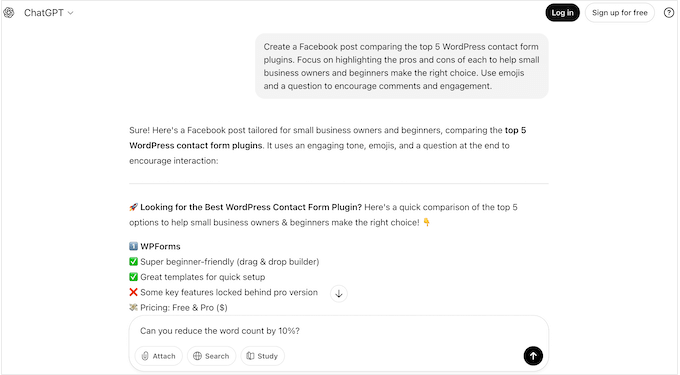
The process takes about 12 minutes per article once you have a prompt template saved.
The quality, especially for LinkedIn posts that need to sound thoughtful, not automated, is consistently better than what I get from template-based AI tools.
🟢► Pros
- Full creative control: No templates to work around. You brief it exactly as you’d brief a copywriter, and it delivers to that brief.
- Multi-platform in one session: Generate LinkedIn, Instagram, X, and Facebook variations in the same conversation.
- Memory feature: Save your brand voice once, use it every session. No re-explaining who you are each time.
- Genuinely useful free tier: The free plan handles occasional social posts well. Good starting point before committing to a paid plan.
- Most versatile AI available: Works for social posts, email copy, bio updates, hashtag research. One subscription, many uses.
- Widely trusted: The most tested AI tool globally. You’ll find prompt templates and tutorials everywhere.
🔴► Cons
- No scheduling: ChatGPT writes posts, but it doesn’t publish them. You need a second tool (Buffer, SocialPilot, etc.) for scheduling.
- Output quality depends on your prompt: A vague prompt produces vague output. There’s a learning curve to writing briefs that get great results every time.
My Verdict: If you’re willing to invest 30 minutes learning to write good prompts, ChatGPT will produce better social posts than almost any template-based tool. It’s what I use. The only gap is scheduling. So, pair it with Buffer or SocialPilot, and the workflow is complete.
Pricing: Free plan available | Go starts at $5 per month
👉 Get started with ChatGPT here4. Buffer ⭐⭐⭐⭐
Best for: Beginners who want a genuinely free tool that does AI suggestions and scheduling in one place
Buffer wins on one thing: the free plan is very generous.
Most tools advertise a “free tier” that lets you log in, see the features, and then hit a paywall before you post anything.
Why Is Buffer One of the Best AI Social Media Post Generators?
Buffer’s free plan connects 3 social channels, schedules up to 10 posts per channel, and includes the AI Assistant. You can start posting for free today and stay there as long as you need.
The AI Assistant does caption suggestions and rewrites, not full post generation. You paste your content or an article link, and it helps you clean up, shorten, or reframe what you’ve written.
My Experience with Buffer
I quickly noticed that it’s more of a writing assistant than a generator. On paid plans, the AI suggestions become unlimited.
Its strength is the scheduling workflow: clean, minimal, dead simple for someone who’s never used a social media management tool.
🟢► Pros
- Real free plan: 3 channels, 10 posts each, AI Assistant; functional without a credit card.
- Easiest interface tested: No learning curve. If you can use a calendar app, you can use Buffer.
- Affordable upgrade path: It is one of the lowest-paid entry points of any tool in this list.
- Reliable cross-platform posting: Facebook, Instagram, LinkedIn, X, Pinterest, TikTok, and YouTube are all supported.
🔴► Cons
- AI is a writing assistant, not a generator: It helps you refine posts, not write them from scratch. Not ideal if you want full post creation.
- Publishing reliability issues reported: Multiple Trustpilot reviewers flag scheduled posts failing silently. So, monitor your publishing history in the first few weeks.
My Verdict: Buffer is the right tool for bloggers who’ve never scheduled social media before. Start free, learn the workflow, upgrade when you need more. Just note that you’ll want ChatGPT or Claude alongside it if you want full AI post generation. Buffer’s AI is a helper, not a generator.
Pricing: Free plan available | Essentials starts at $5 per month per channel
👉 Get started with Buffer here5. Claude ⭐⭐⭐⭐
Best for: WordPress writers and bloggers who need social posts that sound human, not AI-generated
If you’ve ever published a ChatGPT-generated post and had someone in the comments say, “This sounds like AI wrote it,” Claude is worth testing.
The difference is in the writing texture. Claude has a reputation among content creators for producing more nuanced, natural-sounding text.
The kind that reads as a person with opinions wrote it, not like a template was filled in.
For social media posts specifically, this matters most on LinkedIn and Facebook. Platforms where a strong point of view and a little friction outperform polished promotional copy.
Why Is Claude One of the Best AI Social Media Post Generators?
I’ve posted Claude-generated LinkedIn content and had people respond to the argument, not the product. This means it didn’t read as promotional filler. That’s the practical test that matters.
The workflow is the same as ChatGPT. You paste your article, write a prompt, get variations, and copy to your scheduler.
My Experience with Claude
One of my favorite features is Claude’s Projects feature (paid). It lets you save your brand voice, audience details, and instructions as a persistent context. Every post you generate starts from that saved brief.
Here’s what I noticed in practice: Claude’s free tier runs out faster than ChatGPT’s. On an active writing day, generating posts for 3 to 4 articles, I hit the free limit within a few hours.
If you’re using Claude regularly for social content, the Pro plan isn’t optional; it’s necessary.
🟢► Pros
- Most human-sounding output: Posts written by Claude consistently feel less AI-generated. Better for platforms where authenticity drives engagement.
- Projects for brand voice: Save your brand instructions once, and every session picks up where you left off.
- Longer context window: Paste an entire long-form article without truncation issues, and Claude processes it fully.
🔴► Cons
- Free tier exhausts fast: Under active daily use, the free plan runs out quickly. Budget for the Pro if you’re using it regularly.
- No scheduling, no WordPress integration: Like ChatGPT, Claude is a writing tool. You need a scheduler alongside it.
My Verdict: Use Claude if tone quality matters to you. Use it specifically for LinkedIn and Facebook, where authentic-sounding posts outperform templated ones. Pair it with Buffer or SocialPilot to handle the scheduling side.
Pricing: Free plan available | Pro starts at $17 per month
👉 Get started with Claude here6. SocialPilot ⭐⭐⭐⭐
Best for: Agencies and freelancers managing social media for multiple clients

SocialPilot is built for people managing multiple social accounts.
Most social media tools work fine when you have 3 to 5 accounts.
But if you’re a freelancer with 8 clients, or an agency with 15, you need features that dedicated tools don’t offer.
For example, a client portal, separate workspaces per client, white-label reports, and AI credits that scale with your volume.
SocialPilot has all of that at a price that doesn’t require enterprise-level revenue to justify.
Why Is SocialPilot One of the Best AI Social Media Post Generators?
The client management portal lets clients log in and approve posts without ever seeing your other accounts.
White-label analytics reports go out under your agency branding. And the AI credit allocation scales with your workload.
The AI generation itself is solid. It uses credits to write captions, suggest post ideas, and adapt existing content for different platforms.
My Experience with SocialPilot
On top of that, it’s template-driven rather than fully conversational, so don’t expect ChatGPT-level creative flexibility.
But for production volume, turning one piece of content into 5 platform variations across 10 clients, SocialPilot handles the workflow cleanly.
One honest limitation: Instagram posting has quirks. I had some difficulty during testing. Plus, several G2 reviews mention restrictions around Instagram link posts and story scheduling.
If Instagram is your primary platform, test thoroughly during the 14-day trial.
🟢► Pros
- Client management portal: Clients review and approve posts without accessing your full dashboard.
- White-label reports: Analytics sent under your agency brand; professional and client-ready.
- Bulk scheduling: Upload a CSV of 100+ posts and schedule them in one action. Huge time-saver for agencies.
- Scalable pricing: Paid plan entry point is the most affordable agency-capable tool in this list.
🔴► Cons
- Instagram limitations: Restrictions around link posts and story scheduling. Test this specifically during your trial.
- Reporting depth is limited: Custom analytics reports are basic compared to enterprise tools. Fine for small agencies, not for clients expecting Hootsuite-level dashboards.
My Verdict: SocialPilot is the best value option for freelancers and small agencies. If you’re managing 3+ clients’ social accounts and need professional-looking delivery without paying enterprise prices, this is where to start.
Pricing: 14-day free trial | Starts at $17 per month
👉 Get started with SocialPilot here7. HubSpot AI ⭐⭐⭐
Best for: Large businesses already fully invested in the HubSpot CRM platform
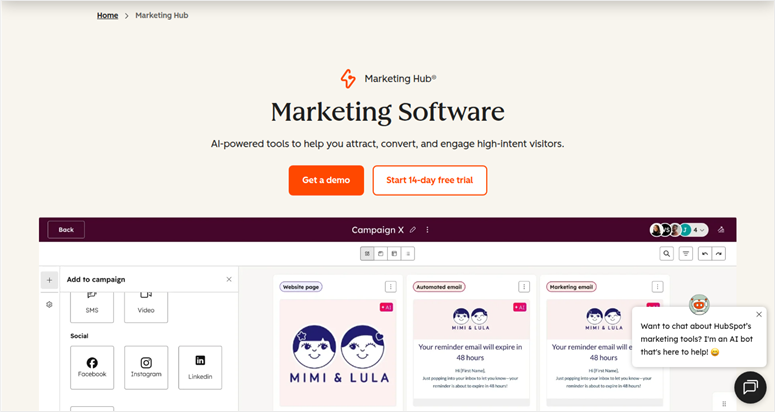
Here’s the thing about HubSpot’s AI social media features: they’re genuinely excellent. But for the full AI social media generation capabilities, expect to pay a premium rate.
HubSpot’s Breeze AI generates social posts, writes captions with hashtags, and plans a 30-day content calendar automatically. You can also schedule posts at AI-suggested optimal times.
Why Is HubSpot AI One of the Best AI Social Media Post Generators?
The Breeze Social Media Agent goes further. It analyzes your actual performance data and suggests a content strategy, not just content.
What makes HubSpot different from every other tool on this list is CRM integration. Your social posts can be personalized using contact data, audience segments, and campaign context stored in HubSpot.
For businesses already running HubSpot CRM integrations for WordPress, the social features extend naturally from that foundation.
My Experience with HubSpot AI
I noticed that social media features are locked inside Marketing Hub Professional, which starts at $800/month.
You cannot buy social features separately. That minimum price point is 10× higher than all the other social media post generators on my list.
For a WordPress blogger, a small business, or even a mid-size agency, this may not be the right tool. On the flip side, the AI features on HubSpot are some of the best I have seen.
They can help you create complete workflows that connect to each other, even if you do not have experience.
🟢► Pros
- CRM-integrated content: Social posts informed by your actual customer data and campaign context. No other tool on this list offers that.
- 30-day calendar generation: AI plans a full month of content in one session. Massive time savings for large teams.
- Full suite integration: Social, email, CRM, landing pages, analytics handled on one platform. Everything an enterprise-level team needs.
- Genuine AI strategic input: The Breeze Social Agent goes beyond post generation into actual content strategy suggestions.
🔴► Cons
- $800/mo minimum: The most expensive entry point on this list by a significant margin. Plus, social features can’t be purchased separately.
- TikTok, Threads, and Bluesky are not supported: Meaningful gaps for brands targeting younger audiences.
My Verdict: If you’re already in the HubSpot ecosystem and paying for Marketing Hub Pro, activating the social AI features is a no-brainer. If you’re not already on HubSpot, you should consider other options on my list.
Pricing: Free plan available | Starts at $800 per month
👉 Get started with HubSpot AI here8. Semrush AI Social Content Generator ⭐⭐⭐
Best for: Existing Semrush subscribers who want social content without switching to a new tool
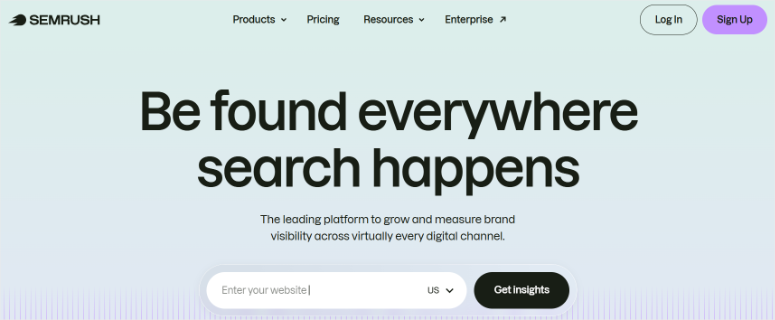
Semrush built its AI Social Content Generator on top of something no dedicated social media tool has: a live database of search trends, keyword data, and audience interest signals.
That matters for content ideas.
While SocialBee’s AI writes posts from your content, and ChatGPT writes posts from your prompts, Semrush’s AI Idea Generator pulls from what’s actually trending in your niche right now.
It can suggest post angles around rising topics before competitors catch on. That’s a genuinely useful edge for content-driven WordPress sites.
Why Is Semrush AI Social Content Generator One of the Best AI Social Media Post Generators?
You can add in the tone and audience optimization. This helps you adapt the same post for different demographics on different platforms.
You can then empower this with the performance suggestions that estimate the best times to post. This ensures you have a genuinely useful content planning toolkit.
My Experience with Semrush AI Social Content Generator
I love Semrush’s AI social media features. But here’s the problem most WordPress bloggers will hit immediately: the total cost to access any of this is steep.
The Social Toolkit add-on starts at $20/month. But you can’t buy it without a base Semrush plan. That’s a minimum of over $130 per month to generate social posts.
If you already pay for Semrush as an SEO tool, the Social Toolkit add-on at $20/month is a reasonable bolt-on. If you don’t, it’s the wrong entry point.
See my full Semrush review for a complete breakdown of whether the platform is worth the base plan cost. You can also check the Ahrefs vs Semrush comparison if you’re deciding between the two.
🟢► Pros
- Trend-aware content ideas: Suggestions pulled from Semrush’s keyword and trend data. Not generic prompts, but niche-specific angles.
- Content calendar integration: Social posts align with your SEO and content strategy inside one platform.
- Tone and audience optimization: Adapts copy for different platforms and demographic targets.
🔴► Cons
- Total entry cost high: Requires a base Semrush plan to access. Not a standalone purchase.
- Social features feel secondary: Compared to dedicated tools, Semrush’s social AI is a solid add-on, not a primary workflow.
My Verdict: If you’re already on Semrush Pro and want to add social content generation without a new subscription, the $20/mo add-on is worth testing. If you’re shopping for social media tools from scratch, start somewhere else.
Pricing: No free plan | Starts at $137.33/mo (base plan + Social Toolkit add-on)
👉 Get started with Semrush AI Social Content Generator here9. Hootsuite ⭐⭐⭐
Best for: Enterprise marketing teams managing 10+ social accounts across multiple brands
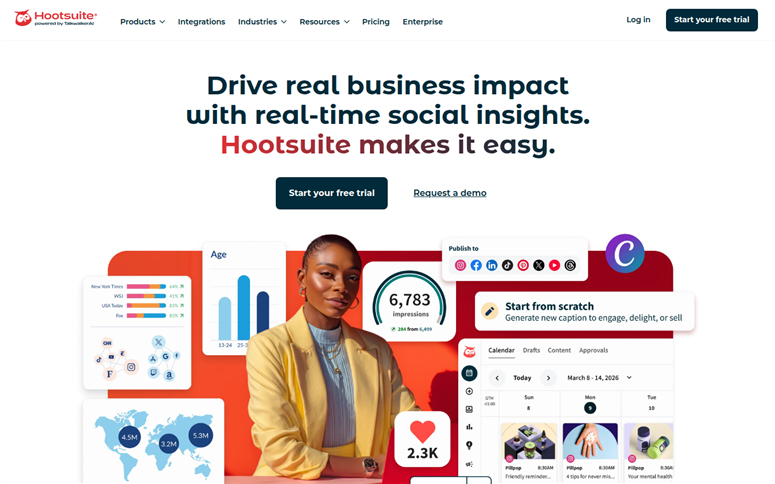
Hootsuite is the oldest name in social media management. And in 2026, OwlyGPT has made it genuinely competitive on AI post-generation.
OwlyGPT generates social posts, captions, and campaign strategy from prompts.
It adapts to your brand voice, suggests optimal posting times, and integrates with Adobe Express and Canva for visual creation inside the same workflow.
Why Is Hootsuite One of the Best AI Social Media Post Generators?
Where Hootsuite earns its place is in analytics depth and multi-account management.
If you’re running social media for 10 brands across 40+ accounts and need detailed performance dashboards, Hootsuite’s reporting is meaningfully more comprehensive than anything else on this list.
My Experience with Hootsuite
It is built to handle multiple accounts across many social media platforms. As a result, Hootsuite is more ideal for agencies. The pricing also reflects it. The Standard plan starts at $199/month per user.
From my research, I found out that some people have experienced unexpected charges after trials, difficulty cancelling, and annual renewals charged without clear warning.
However, Hootsuite is ranked #1 in marketing in 2026 on G2 rating. This paints a different picture, which suggests the product works well, but the commercial relationship is where the friction is.
If you’re considering Hootsuite, read the billing terms carefully before you start a trial.
🟢► Pros
- OwlyGPT quality: AI-generated posts and campaign strategy that adapts to brand voice. One of the more complete AI content systems tested.
- Enterprise analytics: Detailed performance dashboards for multi-account teams. Reports that actually go in front of clients.
- Broad platform support: All major networks plus integration with Adobe Express and Canva.
🔴► Cons
- Billing practices flagged: Trustpilot reviews consistently cite unexpected charges, difficult cancellation, and annual renewals without clear notice. Read all billing terms before starting a trial.
- Expensive for smaller teams: The price can be hard to justify for individual WordPress bloggers or small businesses.
My Verdict: Hootsuite is a legitimate enterprise tool for large teams with real analytics needs. But with its high pricing and billing transparency concerns, most WordPress bloggers and small businesses will be better served by the other tools on this list.
Pricing: 30-day free trial | Starts at $199 per month per user/mo
👉 Get started with Hootsuite here
That’s my list for the best WordPress social media post generators. I know it is a long list, so to help you choose, check out the section below.
How to Choose an AI Social Media Post Generator
Now that you know what each of these tools offers, the next question is which one actually fits your situation.
If you’re a WordPress blogger publishing 2–5 articles per week and want the simplest possible workflow:
- Start with All in One SEO. It generates social posts without leaving your editor, so social media becomes part of publishing. Not a separate task you put off.
If you want free and don’t want to pay anything yet:
- Buffer is the honest choice. Three channels, 10 posts each, AI assistance included. It’s a real working tool, not a stripped-down trial.
- Pair it with the free tier of ChatGPT to write your captions, and you have a complete zero-cost social media workflow.
If you write a lot of evergreen content and want it to work automatically:
- SocialBee‘s content recycling is the feature to buy. Once you categorize and load your content, it runs itself. That’s the automation most bloggers are actually looking for.
If post quality and brand voice matter most:
- ChatGPT (for versatility) or Claude (for human-sounding output) will outperform any template-based tool when properly prompted.
- Neither can schedule social media posts. So, plan to pair them with Buffer or SocialPilot for that step.
If you run social media for multiple clients:
- SocialPilot gives you a client portal, white-label reporting, and bulk scheduling. That’s a strong agency-first feature set at a price that works before you’ve scaled.
If you’re already paying for Semrush:
- Add the Social Toolkit for $20/month. You’re already paying for the underlying data; using it for social content ideas is a logical extension.
If you’re an enterprise team managing 10+ accounts:
- Hootsuite‘s analytics depth is genuinely unmatched on this list. Just read the billing terms carefully before you start a trial.
One thing worth saying clearly:
- Most WordPress bloggers don’t need to spend more than $50/month on social media tools. AIOSEO at $49.50/year handles the generation inside WordPress.
- Buffer‘s free plan handles the scheduling. ChatGPT at $5/month writes the posts that need a human touch. That’s the complete stack — and it costs less than a single Hootsuite seat.
What’s next After Generating Social Media Posts?
Once the posts are going out, two more tools round out the social media picture.
If you want to display your social feeds directly on your WordPress site, Smash Balloon is the WordPress-native option for pulling Instagram, Facebook, and YouTube feeds into your pages.
Check out my Smash Balloon review for more details.
And if your goal is to grow your social following faster, running a giveaway through RafflePress can drive new followers in a few days. This is more reliable than organic posting alone.
Check out my RafflePress review for more details.
When those followers land on your site, OptinMonster converts them from social visitors into email subscribers. This is where you own the relationship.
Check out my OptinMonster review for more details.
Well done. You now have a list of the best social media AI post generators, how to choose the one for your company, and what to do next.
If anything is unclear, check out the commonly asked questions below.
FAQs: Best AI Social Media Post Generators for WordPress
What is the best AI social media post generator for WordPress?
All in One SEO is the best option for WordPress users, specifically, it generates platform-specific social posts from inside the WordPress editor without switching tools. For users who want more creative control, pairing ChatGPT or Claude with a scheduler like Buffer covers the full workflow.
Can ChatGPT generate social media posts?
Yes. ChatGPT generates social posts for any platform when given a clear prompt that includes your content, audience, tone, and platform. The Plus plan unlocks memory, which saves your brand voice once and every generation session builds from it. ChatGPT doesn’t schedule, so pair it with a tool like Buffer.
Is there a free AI social media post generator?
Yes. Buffer has a genuinely free plan (3 channels, 10 posts/channel, AI Assistant included). ChatGPT and Claude also have free tiers for writing posts, though daily limits apply. AIOSEO has a free Lite plugin, but the AI social post features require a paid plan.
What’s the difference between Buffer and Hootsuite?
Buffer is simpler, cheaper, and beginner-friendly. It also has a free plan available. Hootsuite is enterprise-focused with deeper analytics and OwlyGPT AI generation, but expensive. For most individual WordPress bloggers, Buffer is the right starting point.
Do I need to pay for a social media post generator?
Not immediately. Buffer’s free plan + ChatGPT’s free tier covers generation and scheduling at zero cost. The case for paid tools: AIOSEO saves setup time with WordPress-native generation, and SocialBee automates evergreen content recycling in a way free tools don’t match.
Which AI social media post generator is best for beginners?
Buffer for scheduling (free, minimal learning curve) and ChatGPT for writing (free tier, conversational prompts). Both require no technical knowledge to start. AIOSEO is the easiest option if you want everything inside WordPress. The setup wizard is designed specifically for beginners.
Final Verdict: Should I Use AI Social Media Post Generators on My WordPress Site?
Yes. And the jump in results is faster than most people expect.
I put off using these tools for longer than I should have. Social media felt like something that needed a full strategy before I could start.
But the 300% growth in organic social traffic I’ve seen on IsItWP didn’t come from a big strategic pivot.
It came from using the right tools consistently, like generating posts every time I published, scheduling them, and showing up on the platforms where readers actually spend time.
The good news: you can start for free. Buffer and ChatGPT together cost nothing and cover the full workflow.
The upgrade to paid tools comes when you want the time savings of generation-inside-WordPress or the automation of content recycling.
Pick one tool, set up your first schedule this week, and measure what happens in 30 days. That’s all the strategy you need to start.
Resource Hub: Social Media & WordPress
Use these guides to take your social media and WordPress publishing further.
- 14 Best WordPress AI Plugins to Make Your Work Easier – The top AI-powered plugins for WordPress — from content generation to SEO to automation.
- How to Automatically Share WordPress Posts to Facebook and Twitter – Step-by-step setup guide for automating your post sharing workflow.
- 12 Best WordPress Social Media Plugins for Engagement – Full roundup of plugins that drive social engagement from your WordPress site.
- ClickSocial Review: Is This the Best Social Media Scheduling WordPress Plugin? – An in-depth look at the WordPress-native social scheduling option.
- How to Increase Online Sales with Organic Social Media – Practical strategies for turning social media traffic into revenue.
- 12 Ways to Use Social Media to Increase Email Subscribers – Proven tactics for converting your social media followers into email list subscribers.

Comments Leave a Reply