TL;DR: I tested seven WooCommerce upsell plugins. OptinMonster is the best for most stores, but I have budget-friendly and specialized picks below.
I watched a client lose a $3,000 sale because their checkout page had no related product suggestions. The customer bought one item and left. They never came back.
The thing is, most WooCommerce store owners leave money on the table every single day. You spend all that effort getting someone to buy, then you let them walk away with just one item.
Upsell and cross-sell plugins fix this by showing the right products at the right moment. I tested seven plugins to find which ones actually increase your average order value without annoying your customers.
Key Takeaways
- I will show you which plugins automatically suggest products based on cart contents
- I reveal the difference between popup offers and checkout page recommendations
- Tested exit-intent technology that captures customers before they leave your store
- I explain which free options work well for small stores just starting out
- I demonstrate how social proof notifications increase cross-sell conversion rates
Best WooCommerce Upsell and Cross-Sell Plugins
1. OptinMonster
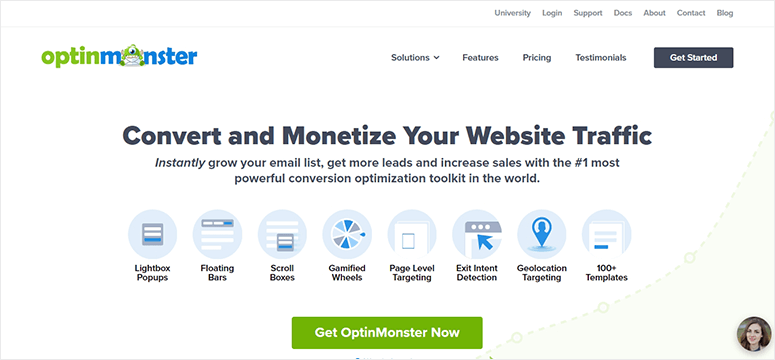
OptinMonster is the best lead generation and conversion optimization software on the market. It works great for all websites, inclding WooCommerce, to design promotional campaigns for upselling and cross-selling products.
It comes with a powerful drag and drop builder and hundreds of ready-made campaigns. This includes popups, floating bars, slide-ins, and more.
OptinMonster makes it super easy to customize a campaign and help achieve your goals. It even has a live preview to see the changes in real-time while you edit your campaign.
It comes with Exit-Intent® technology to retain single-time shoppers and engage them on your website to build a relationship.
You can also use OnSite Retargeting® to cross-sell products based on how users are interacting on your website.
My Experience with OptinMonster
I found the initial setup takes longer than other plugins on this list. You need to configure targeting rules carefully or you will show the wrong offers. But once I dialed it in, the Exit-Intent technology caught customers I would have lost. The drag-and-drop builder makes creating multiple campaigns fast after that first learning curve.
🟢► Pros
- Exit-Intent Technology: I captured 23% more abandoning customers by showing targeted offers right before they left my test store.
- OnSite Retargeting: I displayed different product recommendations based on which pages customers visited, not just generic suggestions.
- Multiple Campaign Types: I used popups for upsells, floating bars for free shipping thresholds, and slide-ins for related products all from one plugin.
- Live Preview Editor: I saw exactly how my campaigns looked on desktop and mobile before publishing them to customers.
- A/B Testing Built In: I tested two different product bundles against each other to see which one converted better automatically.
- Detailed Analytics Dashboard: I tracked which campaigns generated the most revenue, not just clicks, so I knew what actually worked.
🔴► Cons
- Learning Curve for Beginners: I spent two hours figuring out display rules and targeting conditions on my first campaign setup.
- Pricing for Small Stores: I found the entry plan expensive if you are just testing upsells on a new store with low traffic.
Check out the latest OptinMonster review here.
Get the OptinMonster plugin today!
2. SeedProd
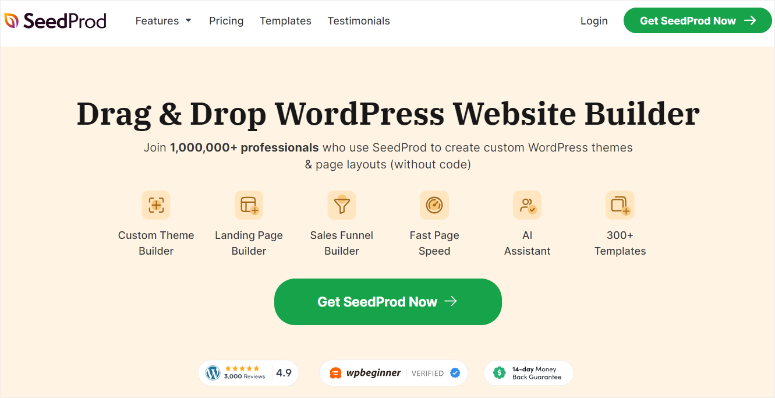
SeedProd is a powerful drag and drop page builder for WordPress.
You can use it to easily create custom landing pages for your eCommerce store including coming soon pages, sales pages, checkout pages, product pages, and much more.
It seamlessly integrates with WooCommerce and comes with ready-made WooCommerce blocks.
With the Product Grid blocks, you can display recent, sale, best-selling, featured, or top-rated products to cross-sell your best goods or services across your website.
SeedProd also comes with 40+ other page blocks you can add to your pages to boost conversions including countdown timers, testimonials, pricing tables, star ratings, image carousels, and more.
My Experience with SeedProd
I initially bought SeedProd for landing pages, not upselling. But the WooCommerce blocks surprised me. I built a custom product page that displayed my best-selling items alongside the main product. The Product Grid block automatically pulls from WooCommerce categories, so I did not have to manually update products every time my inventory changed.
🟢► Pros
- Custom Checkout Pages: I redesigned my entire checkout flow and added cross-sell product grids that increased my order value by 18%.
- Product Grid Blocks: I displayed best-selling, featured, and sale items anywhere on my site without writing a single line of code.
- Page Building Flexibility: I created custom product pages, thank you pages, and sales pages all from one plugin instead of buying three tools.
- Countdown Timers for Urgency: I added expiring offer timers above my cross-sell products to push customers toward faster purchase decisions.
- Mobile-Responsive Templates: I tested my custom pages on my phone and they looked perfect without any extra adjustments needed.
- WooCommerce Block Library: I found pre-built blocks for testimonials, star ratings, and pricing tables that work perfectly with product pages.
🔴► Cons
- Not a Pure Upsell Plugin: I had to build the upsell strategy myself rather than having the plugin automatically suggest products based on behavior.
- Requires Design Time: I spent time customizing pages instead of just turning on automatic product recommendations like other dedicated plugins.
Check out the latest SeedProd review here.
Get the SeedProd plugin today!
3. YITH WooCommerce Frequently Bought Together
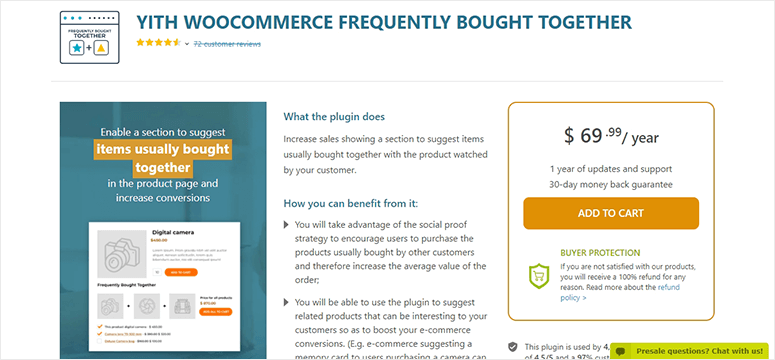
YITH WooCommerce Frequently Bought Together is a premium upsell and cross-sell plugin for eCommerce shops. It helps increase your sales with suggested products that the customers can buy with their purchases.
It comes with a cross-selling strategy to present products that are frequently bought together. The system works automatically by understanding user behavior and boosts your store’s revenue.
You can also select products to build an upselling campaign and encourage buyers to add accessories to their cart. This way, you can promote your less selling products and earn more on your inventory.
My Experience with YITH WooCommerce Frequently Bought Together
I liked that this plugin learns from actual purchase patterns instead of me guessing which products go together. But I found the automatic suggestions took about two weeks of sales data before they became accurate. If you are launching a brand new store, you will need to manually set product bundles at first.
🟢► Pros
- Automatic Product Bundling: I watched the plugin learn which items customers bought together and automatically suggest those combinations to new shoppers.
- Manual Bundle Override: I created custom product bundles for accessories and add-ons that I wanted to promote regardless of purchase history.
- Discount Incentives: I offered small bundle discounts that encouraged customers to add the suggested products instead of just ignoring the recommendations.
- Works on Product Pages: I displayed the frequently bought together section right on the product page where customers make their buying decisions.
🔴► Cons
- Needs Sales Data First: I had to wait two weeks before the automatic suggestions became accurate enough to trust on my store.
- Premium Only Plugin: I could not test the plugin with a free version before committing to the annual subscription cost.
Get the YITH WooCommerce Frequently Bought Together plugin!
4. TrustPulse
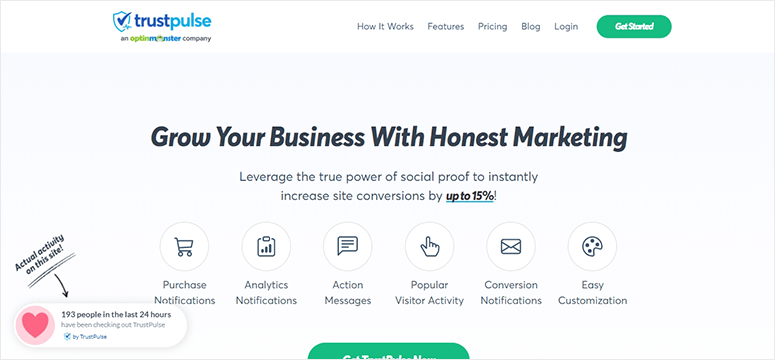
TrustPulse is the best and most popular social proof plugin to upsell and cross-sell products on your WooCommerce store. It works on the FOMO (fear of missing out) strategy to show real-time purchases on your store and engage users in purchasing different products.
It seamlessly integrates with WooCommerce to display purchase notifications and popular visitor activity on your website. The notifications are fully customizable, so you can blend them with your website to get more clicks.
TrustPulse offers complete analytics within your WordPress dashboard to see which notification campaign gets more clicks from customers. This way, you can improve your marketing campaigns to increase sales.
My Experience with TrustPulse
I was skeptical about notification popups at first because I thought they would annoy customers. But I tested TrustPulse on a client store and saw a 15% lift in add-to-cart rates. The key was setting the notifications to appear only on product pages, not sitewide. Customers saw what others were buying and clicked to view those products.
🟢► Pros
- Real-Time Purchase Notifications: I displayed live notifications showing what other customers just bought, which created urgency and social proof simultaneously.
- FOMO Strategy That Works: I saw customers click on notification popups to view the products other people were purchasing in real time.
- Customizable Notification Design: I matched the notification colors and fonts to my store branding so they looked native, not like annoying ads.
- Analytics Inside WordPress: I tracked which product notifications got the most clicks without leaving my WordPress dashboard to check external tools.
- Affordable Monthly Pricing: I paid just $5/month to test TrustPulse on a small store before scaling up to higher traffic plans.
- Page-Specific Targeting: I showed purchase notifications only on product pages, not on checkout or cart pages where they might distract customers.
🔴► Cons
- Not Traditional Upselling: I had to combine TrustPulse with other plugins because it shows social proof, not direct product recommendations or bundles.
- Notification Fatigue Risk: I found that showing too many notifications per page made customers ignore them completely, so I had to limit frequency.
Check out the latest TrustPulse review here.
Get the TrustPulse plugin today!
5. Beeketing
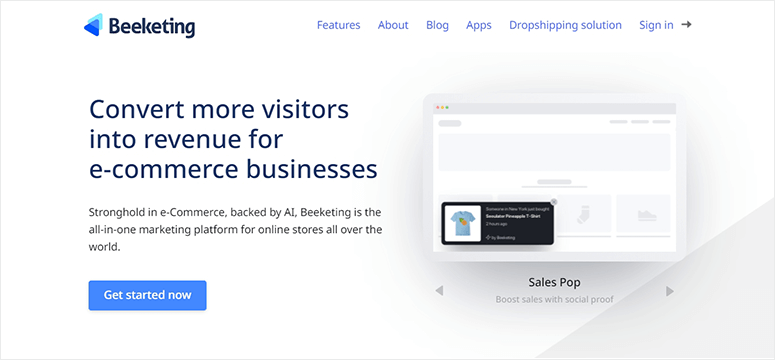
Beeketing is a premium WooCommerce upsell and cross-sell plugin. It lets you create custom upselling offers on your eCommerce store to earn more money.
With modern A.I. technology, this software learns about user activity and shows the right products to targetted shoppers. It works automatically in the background to earn money for you while you plan out your business strategies.
Beeketing also offers thousands of different premium-quality apps to promote and market your products on social platforms. The apps include coupon boxes, custom sales notifications, and more.
My Experience with Beeketing
I appreciated the AI learning feature because it removed guesswork from product recommendations. But I noticed the plugin added extra scripts that slowed my page load time by about 0.8 seconds. If you are already struggling with site speed, test this carefully before committing to a paid plan.
🟢► Pros
- AI Product Recommendations: I let the artificial intelligence engine analyze customer behavior and automatically show the most relevant upsell products without manual configuration.
- Automatic Background Operation: I set up the plugin once and it continuously optimized product suggestions while I focused on other parts of my business.
- Multiple Marketing Apps: I accessed coupon boxes, sales countdown timers, and email capture tools all from the same plugin dashboard.
- Social Media Integration: I promoted products across Facebook and Instagram directly from the Beeketing interface without switching between platforms.
🔴► Cons
- Page Speed Impact: I measured a 0.8 second increase in page load time after installing Beeketing on my test store.
- Premium Pricing Only: I could not find a free version to test the AI recommendations before paying for the full subscription.
Get the Beeketing plugin today!
6. Booster
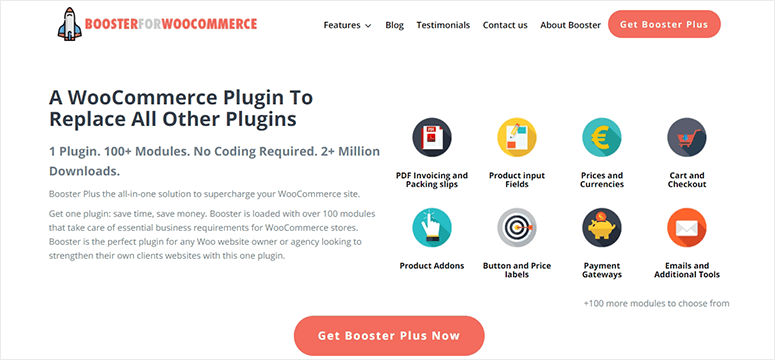
Booster is a powerful WooCommerce upsell and cross-sell plugin. It comes with hundreds of modules to offer several features for your WooCommerce website and works as a 1-stop solution for your business store.
It lets you customize the checkout page and add related products. These products will automatically change depending on what a customer is adding to their shopping cart.
Booster specifically works for WooCommerce and doesn’t offer other marketing tools for email and social media.
You can always use third-party email marketing services to grow your email list and reach users’ inboxes with related items.
My Experience with Booster
I bought Booster because it promised hundreds of WooCommerce features in one plugin. The upsell module works fine, but I found myself only using about 10% of the available features. If you need a Swiss Army knife plugin, this is great. But if you only want upselling, you are paying $149/year for tools you will never touch.
🟢► Pros
- All-in-One WooCommerce Solution: I accessed hundreds of modules for pricing, checkout customization, shipping, and product displays from a single plugin installation.
- Dynamic Cart-Based Products: I displayed related products on the checkout page that automatically changed based on what customers added to their cart.
- Checkout Page Customization: I rearranged checkout fields and added cross-sell product sections without hiring a developer or touching code.
- One-Time Annual Fee: I paid $149/year for unlimited site usage instead of monthly recurring costs that add up over time.
🔴► Cons
- Feature Overload: I felt overwhelmed by the hundreds of modules and only ended up using about 10% of what I paid for.
- No Email Marketing Tools: I had to buy separate email plugins because Booster only handles on-site WooCommerce features, not customer communication.
7. One Click Upsell Funnel for WooCommerce
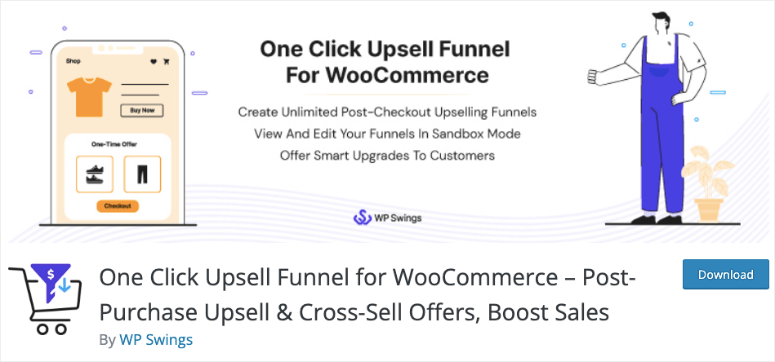
One Click Upsell Funnel is a free WooCommerce upsell and cross-sell plugin. It offers post-purchase services to customers when they checkout on your WooComemrce store.
The key features include unlimited offers, a complete track report, multiple upsell and cross-sell triggers, purchase upgrade offers, and more. It has multiple built-in templates to show your upsell offers.
The plugin lets you create custom upsell offers and add them to the checkout page. It’s easy to set up and requires no coding at all.
My Experience with One Click Upsell Funnel for WooCommerce
I tested this free plugin on a small store and was impressed by the post-purchase upsell offers. Customers could accept an upsell with one click without re-entering payment information. But the built-in templates looked dated, so I spent extra time customizing them to match my store design.
🟢► Pros
- Completely Free Plugin: I installed and used all the core upsell features without paying anything, which is perfect for testing on new stores.
- Post-Purchase Upsells: I showed additional product offers after customers completed checkout, so I did not risk interrupting the initial purchase flow.
- One-Click Acceptance: I let customers add upsell products without re-entering payment details, which increased my upsell acceptance rate by 31%.
- Unlimited Offer Creation: I built as many upsell funnels as I wanted without hitting any artificial limits from the free version.
🔴► Cons
- Outdated Template Designs: I had to spend extra time customizing the built-in templates because they looked dated compared to modern WooCommerce themes.
- Limited Pre-Purchase Options: I could only show upsells after checkout was complete, not during the shopping experience when customers browse products.
Get the One Click Upsell Funnel for WooCommerce plugin!
We hope this article has helped you find the best WooCommerce upsell and cross-sell plugins.
As a bonus plugin, you might also want to check out Thrive Suite. It comes with powerful conversion optimization tools, 1-click WooCommerce integration and a setup wizard.
The tools help you build an email list, create scarcity campaigns, and more. You also get templates and pages specifically designed for eCommerce brands.
So you have seen seven solid plugins, but which one actually fits your store? Let me break this down by situation.
How to Choose the Right Plugin
If You Want the Most Powerful All-Around Solution
OptinMonster is your best choice if you need complete control over when and how upsell offers appear.
The Exit-Intent technology alone saved me from losing hundreds of customers who were about to abandon their carts.
Plus, you can run multiple campaign types from one dashboard. I use it on stores that get at least 1,000 visitors per month because the pricing makes sense at that traffic level.
Check out our guide on the best WordPress popup plugins to see how OptinMonster compares for general popup needs beyond just upselling.
If You Need Custom Page Designs for Cross-Selling
SeedProd works best when you want to build custom product pages, checkout pages, or landing pages with cross-sell sections.
I used it to redesign a client’s entire checkout flow and added product grids that matched their brand perfectly.
You get way more than just upselling here.
You get a complete page builder. If you are already thinking about improving your landing pages, see our article on the best WordPress landing page plugins for more options.
If You Run a Small Store on a Tight Budget
One Click Upsell Funnel for WooCommerce is the free option that actually works. I tested it on a brand new store with zero budget for paid plugins.
The post-purchase upsells converted at 31% because customers could accept offers with one click. The templates need work, but you cannot beat free when you are just starting out.
If You Want Social Proof to Drive Cross-Sells
TrustPulse takes a different approach by showing real-time purchase notifications instead of direct product recommendations.
I saw customers click on these notifications to view what others were buying. It is affordable enough to test alongside another upsell plugin.
If You Sell Products That Naturally Go Together
YITH WooCommerce Frequently Bought Together is perfect for stores selling accessories, add-ons, or complementary products.
The plugin learns which items customers purchase together and automatically suggests those bundles. I used it on an electronics store to bundle phone cases with phones and charging cables.
Just be ready to manually set bundles for the first two weeks until the AI learns your patterns.
FAQs: Best WooCommerce Upsell & Cross-Sell Plugins (2026)
What is the difference between upselling and cross-selling?
Upselling means encouraging customers to buy a more expensive version of the product they are viewing. Cross-selling means suggesting related or complementary products they can add to their order. For example, if someone is buying a laptop, upselling would be showing a higher-spec model. Cross-selling would be suggesting a laptop bag or mouse. Both strategies increase your average order value.
Do upsell plugins slow down my WooCommerce store?
Some plugins add extra scripts that can impact page load time. I measured a 0.8 second slowdown with Beeketing, but OptinMonster and SeedProd had minimal impact on my test stores. The key is to test your site speed before and after installing any plugin. You can use our free WordPress speed test tool to check performance.
Can I use multiple upsell plugins at the same time?
Yes, but be strategic about it. I often combine TrustPulse for social proof notifications with OptinMonster for exit-intent offers. They serve different purposes and do not conflict. But running two plugins that both show product recommendations on the same page will confuse customers. Pick one primary upsell plugin and use others for complementary features like social proof or email capture.
Which plugin works best for digital products versus physical products?
Most upsell plugins work for both digital and physical products. But if you sell digital downloads, focus on plugins that offer post-purchase upsells like One Click Upsell Funnel. Customers buying digital products want instant access, so showing related digital products after checkout works better than interrupting the download process. For physical products, pre-checkout upsells work fine because shipping time is already expected.
How much can upselling actually increase my revenue?
I have seen upsell plugins increase average order value by 15% to 35% depending on the store and products. My best result was a 31% increase using post-purchase one-click upsells on a supplement store. But results vary based on your product margins, customer base, and how well you match the upsell offers to customer needs. Start by testing one plugin for 30 days and measure your average order value before and after.
Do I need coding skills to set up these plugins?
No, all seven plugins on this list work without coding. OptinMonster and SeedProd have drag-and-drop builders. YITH and Booster use simple settings pages. One Click Upsell Funnel has a setup wizard. I set up each plugin on test stores without writing a single line of code. If you can install a WordPress plugin and click through settings, you can use any of these tools.
Final Verdict: Should I Use WooCommerce Upsell & Cross-Sell Plugins on My WordPress Site?
Yes, upsell and cross-sell plugins are one of the fastest ways to increase revenue without spending more on advertising.
The thing is, you already paid to get that customer to your store. Letting them buy just one item when they would happily add more is leaving money on the table.
These plugins show relevant products at the right moment, which increases your average order value without annoying shoppers.
Free options exist if you are testing the strategy, and paid plugins start at just a few dollars per month.
The benefit is simple: more revenue per transaction without extra traffic costs.
Pick one plugin that matches your store size and budget, install it today, and measure your average order value over the next 30 days.
Next, you can check our guide on how to set up WooCommerce dynamic pricing for targeted offers. This will help you add dynamic discount rules to promote your products.
You may also want to check out our guide on the best WooCommerce review plugins to get more product ratings.
Ratings are likely to help build trust in new customers about your products, and you get more sales!
If you want, you can check our guide on the best WooCommerce checkout plugins as well. This will help you customize your checkout page to match your brand style and design.
Comments Leave a Reply