
Do you want to display your WooCommerce products in a clean, organized grid so customers can browse more in a single view?
Product grid plugins make this easy. A well-built grid lets shoppers see more products at once, find what they want faster, and add to cart without clicking through multiple pages. That combination tends to improve both time on site and conversion rates.
We’ve tested and reviewed the best product grid plugins for WordPress below, covering free and paid options for every type of WooCommerce store.
Why Use a Product Grid Plugin?
WooCommerce gives you a basic product archive page out of the box. You can adjust the number of columns and rows, but that’s about where the built-in customization ends.
A dedicated product grid plugin gives you full control over how products appear. You can choose the layout (grid, masonry, carousel, or slider), decide which products to show (bestsellers, featured, on-sale, by category), and add filters so shoppers can sort by price, rating, or attribute. You can also display product grids on any page using blocks or shortcodes, not just the default archive page.
These features matter most for stores with 10 or more products. A default WooCommerce archive page quickly becomes hard to browse at scale.
Best Product Grid WordPress Plugins
Below, you’ll find the best paid and free product grid plugins for WordPress. Each one offers something different, from full WooCommerce store builders to dedicated grid and filtering tools for your online store.
| Plugin | Best For | Starting Price | Free Version |
|---|---|---|---|
| SeedProd | Full WooCommerce store design without coding | $39.50/yr (WooCommerce blocks need Elite) | Yes |
| Smash Balloon Social Photo Feed | Instagram shoppable product grids | $49/yr (shoppable needs Elite at $149/yr) | Yes |
| GridBuilder | Advanced filtering and WooCommerce + EDD stores | $49/yr | No |
| WooCommerce Product Grid Ultimate | Free grid and carousel layouts | Free ($35/yr Pro) | Yes |
1. SeedProd ⭐⭐⭐⭐⭐
Best for: WordPress store owners who want full design control over their WooCommerce product pages and grids using a visual drag-and-drop editor

SeedProd is the best WordPress page builder plugin for WooCommerce stores. It includes a dedicated WooCommerce Store Builder with a full set of product display blocks that create product grids directly on any page, with no shortcodes or custom code required.
The product grid blocks include Recent Products, Best Sellers, Featured Products, and Sale Products. Each block drops into your page layout with a single click. From there, you control the number of columns, product count, and image size. You adjust button styles from the same visual editor.
Every change appears in real time on the canvas, so you see exactly how the grid will look before publishing. SeedProd also has a mobile preview mode so you can check your grid layout on smaller screens before it goes live.
The template library includes 300+ professionally designed templates for WooCommerce store pages, product landing pages, and sales pages. You can import a full template and customize it, or build from scratch with the drag-and-drop builder.
SeedProd also integrates with popular email marketing services to collect leads from product pages.
Important pricing note: WooCommerce product grid blocks are only available on SeedProd’s Elite plan. The Basic plan (starting at $39.50/year) does not include them. Visit seedprod.com/pricing for current Elite pricing before purchasing.
Here are some of the key SeedProd features:
- WooCommerce product grid blocks: Display Recent Products, Best Sellers, Featured Products, and Sale Products in customizable grid layouts (Elite plan).
- 300+ store templates: Professionally designed templates for WooCommerce stores, product pages, and landing pages, ready to import and customize.
- Live visual editor: All changes are visible in real time before you publish. Mobile preview is included.
- Coming soon and maintenance mode: Display a professional page while your store is under construction Included on all plans, including free.
- Email marketing integrations: Connect with popular email platforms to collect subscriber leads from product and landing pages.
🟢► Pros
- Full visual editing with no code required
- Lightweight HTML output that won’t slow down page load speed
- 700,000+ active installs with a long, stable track record
- Free version works for coming soon and maintenance pages
🔴► Cons
- WooCommerce product grid blocks require the Elite plan. The advertised $39.50/year starting price does not include them
- Free version does not function as a page builder for product grids
- Upgrade prompts appear across the entire WordPress dashboard, not just on SeedProd screens
Price: Starts at $39.50/year (Basic). WooCommerce product grid blocks require the Elite plan. Check seedprod.com/pricing for current pricing.
Check out the latest SeedProd review here.
Get started with SeedProd today!
Alternative: Check out Thrive Themes, which comes with prebuilt themes and a drag-and-drop builder for creating grid layouts.
2. Smash Balloon Social Photo Feed ⭐⭐⭐⭐
Best for: WooCommerce store owners who use Instagram to sell products and want to embed a shoppable photo grid on their website
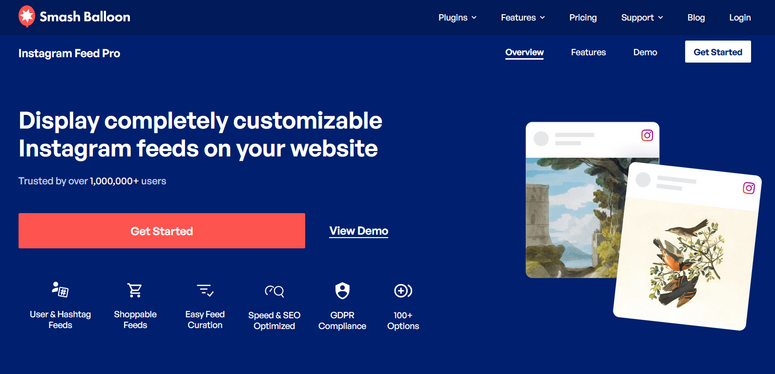
Smash Balloon Social Photo Feed is not a traditional WooCommerce product grid plugin. It’s an Instagram feed plugin. But if Instagram is part of your sales strategy, it’s one of the most effective ways to add a product-style grid to your website.
The plugin pulls your Instagram posts and displays them in a grid, carousel, masonry, or list layout directly on your WordPress site. Visitors can browse your product photos and click through to product pages, giving you a second conversion point from content you’re already creating to sell products from Instagram.
Unlike a standard Instagram embed, Smash Balloon caches feed content locally and serves it from your own server. The feed stays visible even when Instagram’s API goes down, and it loads quickly because images are stored in WebP format.
For a fully shoppable grid where each post links to a specific WooCommerce product page, you need the Elite plan ($149/year). The Basic plan ($49/year) gives you the grid layout and full customization tools.
Setup is fast. I’ve found it takes under 10 minutes to connect an Instagram account and embed a styled feed. Customer support is also a standout: users consistently report responses within a few hours.
On top of Instagram, Smash Balloon has separate social media feed plugins for Facebook, Twitter, TikTok, and YouTube. If you want all platforms, the All Access Bundle ($299/year) is the better value.
Here are the top Smash Balloon Social Photo Feed features:
- Grid, masonry, carousel, and list layouts: Display Instagram posts in the layout that fits your store design.
- Shoppable feed with custom product links: Link each post to a specific WooCommerce product page (Elite plan required).
- Local content caching: Feed content is cached on your server, so the grid stays live even during Instagram API outages.
- Feed customizer: Adjust colors, background, number of posts, and header style to match your store.
- Retina-ready and responsive: Product grid looks sharp on any screen size or device.
🟢► Pros
- Quick to set up, typically under 10 minutes
- Keeps feed traffic on your site instead of sending visitors to Instagram
- Excellent customer support with fast response times
- Content is cached locally so the grid doesn’t go blank during API downtime
🔴► Cons
- Shoppable product links require the Elite plan ($149/year). The Basic plan does not include them
- Each social platform (Instagram, Facebook, YouTube) is a separate plugin purchase
- Feed can still break when Instagram makes significant API changes
- GDPR compliance requires manual configuration and is not enabled by default
Price: Basic starts at $49/year for a single site. Shoppable feeds with custom product links require the Elite plan at $149/year.
Check out the latest Smash Balloon review here.
Get started with Smash Balloon Social Photo Feed today!
3. GridBuilder ⭐⭐⭐⭐
Best for: WooCommerce and Easy Digital Downloads stores that need advanced product filtering, custom grid layouts, and powerful product search
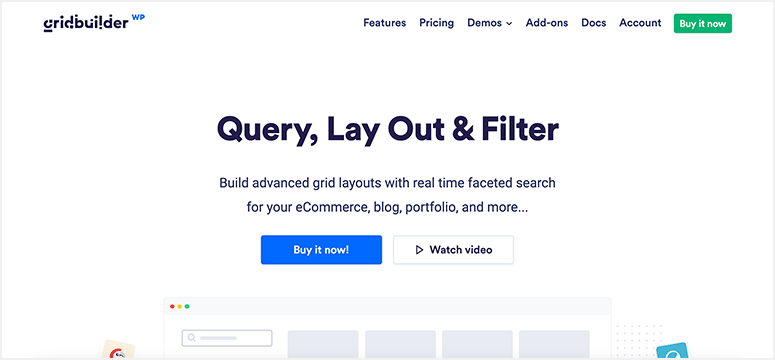
GridBuilder is a dedicated WordPress product grid plugin built specifically for WooCommerce and Easy Digital Downloads. It includes a built-in drag-and-drop interface for designing custom grid and carousel layouts, and it works alongside all popular page builder plugins.
The standout feature is filtering. GridBuilder lets customers filter products by price, user rating, stock status, and sales status in real time without a page reload. Combined with SearchWP integration, it adds a full-featured product search engine to any grid page.
GridBuilder also creates browser history as shoppers filter products. That means customers can share filtered product URLs and use the browser back button without losing their search state. This improves the experience for product search on larger stores.
Take a look at the important GridBuilder features:
- Advanced filtering: Filter products by price, user rating, stock status, sales, and more in real time.
- SearchWP compatibility: Add a powerful product search engine to grid pages with SearchWP integration.
- WPML support: Translate product grid pages into any language to reach a global audience.
- Ajax endpoints: Product filtering happens without a full page reload, keeping the experience fast.
- Lightbox popups: Open product images in responsive lightbox popups for a closer look.
🟢► Pros
- Built specifically for product grids, not a general-purpose page builder
- Advanced filtering works with both WooCommerce and Easy Digital Downloads
- Browser history tracking for filter URLs, making them easy to share and bookmark
- Works alongside popular page builders
🔴► Cons
- Premium-only with no free version to try before purchasing
- SearchWP integration requires purchasing SearchWP separately
Price: Starts at $49/year for a single site license.
Get started with GridBuilder today!
4. WooCommerce Product Grid Ultimate ⭐⭐⭐⭐
Best for: Store owners who want a completely free product grid and carousel plugin with straightforward display options
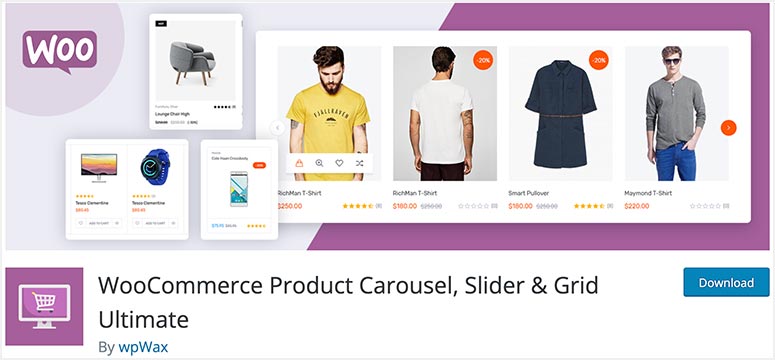
WooCommerce Product Grid Ultimate is a free WordPress product grid plugin that displays WooCommerce products in grid, carousel, and slider layouts. It’s available for free on WordPress.org, making it an easy starting point for stores on a tight budget.
You can filter products to show the latest, featured, or best-selling items. The plugin also lets you control the number of products displayed per row and adjust the count for different screen sizes. For example, a grid showing four products on desktop can show two on mobile.
For carousel and slider layouts, you get autoplay controls, adjustable slide speed, and navigation customization. The Pro version adds hover effects, custom ribbons, and a wider template collection.
- Image resize: Automatically resize and crop images to fit the grid or carousel layout.
- Slide controls: Autoplay, slide speed, and navigation customization for carousel and slider layouts.
- Star ratings: Display product ratings with customizable colors to match your site style.
- Custom ribbons: Add labels (Featured, New, Sale) to highlight specific products (Pro).
🟢► Pros
- Completely free to start on WordPress.org
- Responsive layout with per-device product count control
- Covers grid, carousel, and slider in one plugin
🔴► Cons
- Limited customization in the free version. Most visual options require Pro
- No drag-and-drop interface. Configuration is done through a settings panel.
- Fewer layout templates than premium alternatives
Price: FREE. The Pro version starts at $35/year.
Get started with WooCommerce Product Grid Ultimate today!
Frequently Asked Questions
What is a product grid plugin for WordPress?
A product grid plugin displays your WooCommerce products in an organized, visual grid layout. Instead of a plain scrolling list, customers see products in rows and columns with images, prices, and add-to-cart buttons visible at a glance. Most plugins also support carousel and masonry layouts alongside the standard grid.
Do I need WooCommerce to use a product grid plugin?
Most product grid plugins on this list are built specifically for WooCommerce. GridBuilder and WP Product Gallery also support Easy Digital Downloads. If you want to display products from a non-WooCommerce store, check the specific plugin’s compatibility page before installing.
Which product grid plugin is best for free?
WooCommerce Product Grid Ultimate is the most straightforward free option. It covers grid, carousel, and slider layouts at no cost. WowStore also has a free version that includes Gutenberg product grid blocks with advanced filtering built in.
That’s all for now. We hope this article has helped you find the best product grid WordPress plugins for your store. If you want our top recommendations, here they are:
- SeedProd: Best plugin for building fully custom WooCommerce product pages and grids
- Smash Balloon Social Photo Feed: Best plugin for adding a shoppable Instagram product grid to your site
What’s next? You should also check out our following guides:
- 19 Best Masonry and Grid WordPress Themes
- Best Website Builders for Small Business
- 10 Best Marketing Automation Tools for WordPress
These guides will help you find WordPress themes that support product grid layouts, page builders to customize your store, and marketing tools to promote your products.

Comments Leave a Reply