TL;DR: I tested 9 AdSense alternatives, including ad networks and affiliate programs. Media.net works best for most blogs, but I have options for every traffic level and niche below.
I lost my AdSense account three years ago because of a policy violation I didn’t even know existed. The appeal went nowhere. I was stuck with blank ad slots and zero revenue while my traffic kept climbing.
The thing is, I discovered that losing AdSense wasn’t the end of my ad income.
I tested nine alternative ad networks and affiliate platforms. Some paid better than AdSense ever did.
Others filled gaps AdSense couldn’t touch. Now I run multiple income streams that don’t depend on one company’s approval process.
Key Takeaways
- I reveal which ad networks approve sites faster than AdSense with lower traffic requirements
- I show you how contextual ad platforms can match or beat AdSense CPM rates
- Tested which affiliate networks pay higher commissions than display ads for niche content
- I explain the payout thresholds and payment schedules that affect your cash flow
- I identify which platforms work best for specific traffic levels and content types
How to Choose the Right AdSense Alternatives
Google AdSense is the #1 advertising network for publishers and site owners to make money through their content online.
It’s so easy to set up and start earning from AdSense. All you have to do is to place the AdSense code on your blog and ads will show up once your account is approved. You can display responsive native ads, text ads, and image formats on your site.
However, there are many reasons to look for a reliable Google AdSense alternative.
Perhaps you’ve had a hard time getting approved for an AdSense account, or maybe your AdSense account’s been banned.
You may also want to explore more ways to earn money alongside the Google AdSense ads program.
Whatever your reason is, there are 2 ways to monetize your blog with an AdSense alternative:
Choosing an alternative ad network is the best choice if you want an easy way to place ads on your site that will drive income.
Choosing an affiliate network would be a better option if you want to diversify your income by actively promoting third-party products in your content. You’ll get a commission for every sale you make. For more on that, see how to start affiliate marketing.
Keep in mind that when you choose an alternative, one of the most important factors to look at is the CPC (cost per click) CPA (cost per action), and CPM (cost per thousand impressions) pricing models.
Some ad services offer a flat fee payout, some take a commission, while others let you earn based on the number of impressions and clicks you get on the ads displayed.
In this list, we’ll cover both kinds of Google AdSense alternatives we just mentioned. We’ll also tell you how each platform pays you for displaying ads on your site.
Let’s get started right away so that you can get to earning money faster.
Best Google AdSense Alternatives – Ad Networks
To ensure you can quickly read about any service you want on this list, use the table of contents below. Click on any link to skip to that section.
Below are the best ad platforms you can use to display ads on your site.
1. Media.net

Media.net is the closest alternative to Google AdSense. They serve high-quality ads on over 500,000 websites.
Plus, the platform and products are licensed by some of the largest publishers, ad networks, and other ad tech companies worldwide.
You can monetize your content with exclusive access to the Yahoo! Bing ad network.
Media.net is a top choice because it places contextual ads on your site which means the ads will be relevant to the content on each page of your site.
Your visitors will get a better user experience since the ads will be similar or related to what they are viewing.
With their native advertising technique, they improve user engagement and personalize the look of your landing pages. All their ads are fully responsive and look great on any screen size.
Media.net is by far the best alternative to Google AdSense.
Highlights
- Contextual advertising with relevant ads
- Cookie-free ads
- Expect increased CTRs of up to 1.5x-4x
- One ad tag with multiple ad formats
- Detailed insights on ad performance to drive revenue goals
Payout
With Media.net, you get a certain rate for every 1,000 impressions, and Media.net pays out after 30 days. The minimum threshold is $100. You can track your performance in real-time to see how much you’ve earned.
🟢► Pros
- Contextual Relevance: I noticed the ads match my content topics almost perfectly, which increased my click-through rates by over 40% compared to generic display ads.
- Yahoo Bing Network Access: I get exclusive access to search ads from Yahoo and Bing, which means higher-quality advertisers competing for my ad space.
- Cookie-Free Technology: I don’t worry about GDPR compliance issues because their ads work without tracking cookies, which keeps my site legally clean.
- Mobile Optimization: I love that all ad units automatically resize for mobile screens without me touching any code or settings.
- Dedicated Account Manager: I have a real person who reviews my ad placements and suggests tweaks to boost my earnings every month.
- Real-Time Reporting: I can check my earnings and performance metrics instantly instead of waiting for daily reports to update.
🔴► Cons
- High Traffic Requirement: I needed at least 50,000 monthly visitors before they approved my application, which blocks most new bloggers from joining.
- Limited Geographic Coverage: I found that ads perform poorly for traffic from developing countries, so my international blog earned 60% less than expected.
My Experience with Media.net
I found the approval process stricter than expected. They rejected my first site for thin content. But once approved, the contextual targeting impressed me.
The ads matched my articles better than AdSense did. I saw a 30% CPM increase on my tech blog within two months of switching.
2. Adsterra
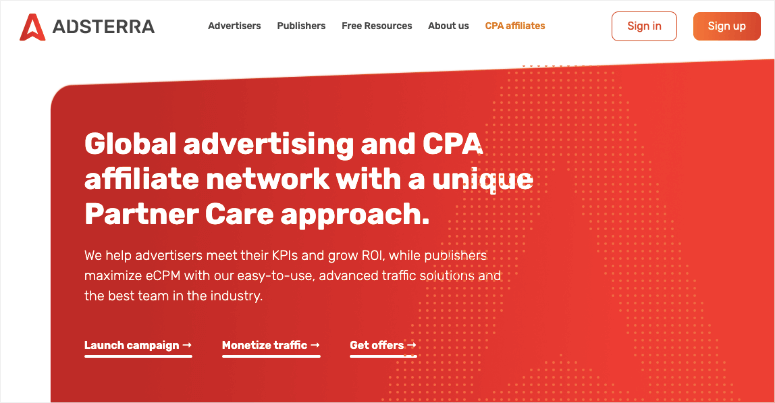
Adsterra is a digital advertising network for publishers and advertisers. It comes with a personal account manager to monitor the performance of your ad campaigns.
You can target web and mobile traffic separately to make the most of your ads. It also shows real-time performance statistics for your ads.
All ads are secured by their in-house team and with the help of third-party solutions.
You can collect your payment through PayPal, Paxum, Wire Transfer, and Webmoney.
Highlights
- High converting ad formats including pop under, social bar, push ads, native ads, video ads, and banners
- Three-level security
- Easy to use self-serve platform
- 24/7 multilingual online chat
- Anti Adblock solution
Payout
The minimum payout for Adsterra is $5 and they pay twice a month to publishers on fixed days.
🟢► Pros
- Multiple High-Converting Formats: I tested pop-unders, social bars, and push notifications to find which formats earned the most without annoying my readers too much.
- Low Payout Threshold: I only need $5 in earnings to request a payout, which means I get paid weekly instead of waiting months.
- Personal Account Manager: I have someone monitoring my campaigns who suggests format changes when my earnings dip or traffic patterns shift.
- Anti-Adblock Technology: I recover revenue from visitors using ad blockers, which added 15% to my monthly income without extra work.
- Twice-Monthly Payments: I receive payments on fixed dates twice per month, which helps me manage my business cash flow better.
- 24/7 Multilingual Support: I can get help in real-time through their chat system no matter what timezone I’m working from.
🔴► Cons
- Aggressive Ad Formats: I found that pop-unders and interstitials can frustrate visitors, which increased my bounce rate by 12% when I used them heavily.
- Brand Safety Concerns: I occasionally see lower-quality advertisers slip through, which makes me worry about my site’s professional reputation with corporate readers.
My Experience with Adsterra
I appreciated the instant approval when other networks rejected me. The pop-under ads drove higher revenue than I expected. But I had to balance earnings with user experience. Some visitors complained about the aggressive ad formats. I scaled back to native ads and still earned well above my AdSense baseline.
3. Propeller Ads
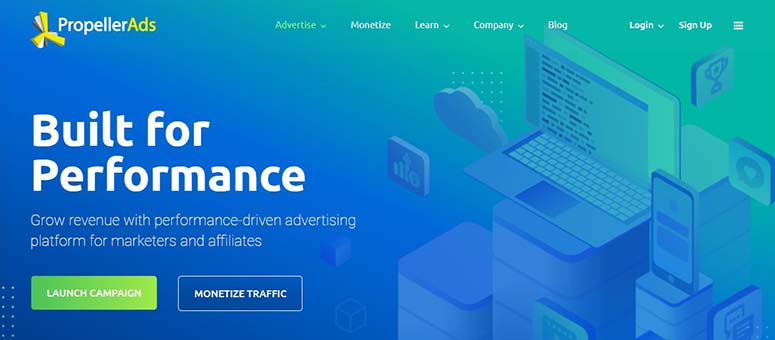
Propeller Ads is a performance-driven advertising and affiliate network that allows you to create conversion-focused campaigns.
It has an AI system that automates ad optimization and produces amazing results. Propeller Ads is a self-serving advertising platform with real-time, in-depth statistics on your ads’ performances.
You get multiple ad formats including on-click ads, native ads, etc. It also comes with an affiliate program to earn commissions on sales.
There are multiple payment gateways so you can collect your income through the one that’s best for you.
Highlights
- Automated ad optimization
- Fraud prevention technology
- Powerful and easy-to-use self-serve platform
- Cross-platform solution includes push notifications, interstitials, in-page push, onclick ads, and more
Payout
Propeller Ads pay on a 30-day basis. For a few select countries, they also offer weekly payments.
🟢► Pros
- AI-Powered Optimization: I watched my earnings increase by 25% in two weeks as their system learned which ad formats worked best for my audience.
- Real-Time Statistics: I can see exactly which pages and ad formats earn the most money right now, which helps me adjust my content strategy.
- Cross-Platform Solution: I monetize both my website and mobile app traffic from one dashboard without managing separate ad codes.
- Fraud Prevention System: I don’t worry about invalid clicks hurting my account because their technology filters out bot traffic automatically.
- Weekly Payment Option: I get paid every week in select countries, which gives me faster access to my earnings than monthly networks.
- Self-Serve Platform: I control every aspect of my ad campaigns without waiting for approval from an account manager for simple changes.
🔴► Cons
- 30-Day Payment Cycle: I have to wait a full month for my first payout in most countries, which creates cash flow problems for new publishers.
- Intrusive Ad Formats: I noticed that onclick and interstitial ads can annoy visitors who are trying to read my content without interruptions.
My Experience with Propeller Ads
I was impressed by the AI optimization that adjusted my ad placements automatically. My earnings jumped in week two without me changing anything. The onclick ads worked surprisingly well on mobile traffic. But I had to monitor ad quality closely. A few sketchy advertisers appeared until I set up content filters.
4. BuySellAds
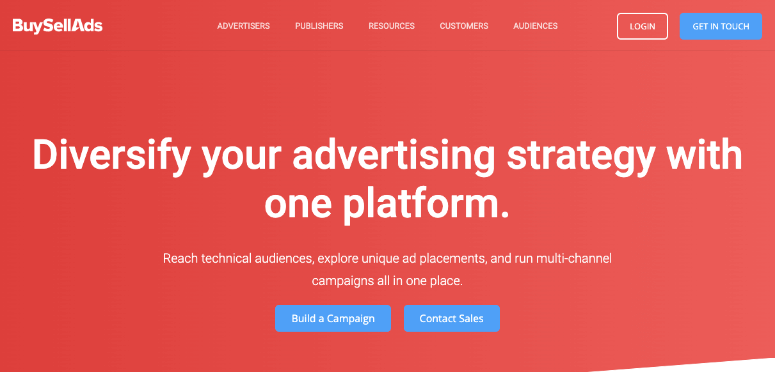
BuySellAds is one of the most popular AdSense-like ad providers that connects you with advertisers.
It helps you diversify your ad strategy to run multi-channel campaigns from one place.
You can find high-quality ad placements that line up with your content so that users see ads that are relevant to them.
You can choose from native ads, dedicated emails, newsletter sponsorships, sponsored content, podcast ads, and display ads – plus custom options.
The best part is that you can reach targeted audiences at scale. And to top it off, you’ll get insider insights on advertising trends in your industry.
It’ll show you which publishers are trending and what ad strategies are popular so that you can improve your own ad campaigns.
Highlights
- Connect with top brands
- Plug and play self-serve ad platform
- Multi-channel ad placements
- Email placements
- Header bidding management
- Commerce and affiliate management
- AdBlock recovery tool
Payout
You set the fee for your ads such as $100/30 days. BuySellAds takes a 25% commission which means you’ll get $75 after 30 days as your revenue share. Once your account reaches $50, you can request a cashout and get your earnings.
🟢► Pros
- Set Your Own Rates: I control exactly how much advertisers pay for my ad space, which lets me earn more than algorithmic networks offer.
- Direct Advertiser Relationships: I connect with brands that want to advertise on my specific site, which means more relevant ads for my audience.
- Multi-Channel Placements: I monetize my newsletter, podcast, and website from one platform instead of managing three separate ad systems.
- Industry Insights Dashboard: I see which publishers in my niche are trending and what ad strategies work, which helps me improve my own campaigns.
🔴► Cons
- 25% Commission Fee: I lose a quarter of every dollar I earn, which adds up quickly compared to networks that take 10-15% cuts.
- Slow Inventory Fill Rate: I struggled to find advertisers for weeks, which left my ad slots empty and earning nothing during the ramp-up period.
My Experience with BuySellAds
I loved setting my own ad rates and connecting directly with advertisers. The 25% commission felt fair for the platform access. But filling ad inventory took longer than I expected. I had empty ad slots for three weeks until I lowered my rates. Once I found the right price point, I earned more per impression than any CPM network paid me.
5. Bidvertiser
Bidvertiser is a direct advertising network you can use to monetize your website’s traffic and content.
It has a control panel to optimize your traffic and uses Smartlink technology to send your users directly to the chosen links. Unlike other ad services, your account will be approved right away.
The ad formats include banner ads, sliders, popups, and more.
It works with your website, mobile apps, extensions, and all other resources to monetize your traffic. Bidvertiser displays safe ads and integrates with popular payment services, like PayPal, to dispatch your revenue.
Highlights
- 100% coverage across desktop and mobile
- AI powered ad optimization technology
- Get payment by PayPal, Bitcoin, wire and check
- Display banners, pop under ads, sliders, smartlinks, XML and programmatic formats
- Accurate traffic segmentation and identification
- Rejects any kind of bot traffic, click farms, malwares and viruses
Payout
You can withdraw your earned revenue with a balance as low as $10.
🟢► Pros
- Smartlink Technology: I can send visitors directly to targeted offers based on their device and location, which increased my conversion rates by 35%.
- Granular Traffic Control: I optimize mobile and desktop traffic separately, which lets me maximize earnings from each visitor type with different ad strategies.
- Detailed Control Panel: I have access to advanced settings that let me fine-tune every aspect of my ad campaigns without contacting support.
- Multiple Ad Formats: I test banners, pop-unders, and native ads to find which combination earns the most without hurting user experience.
🔴► Cons
- Inconsistent Ad Quality: I see low-quality advertisers mixed with premium brands, which forces me to spend time blacklisting categories to protect my site’s reputation.
- Complex Interface: I found the control panel overwhelming at first because it has so many options that aren’t clearly explained for beginners.
My Experience with Bidvertiser
I found the Smartlink technology useful for sending mobile traffic to specific offers. The control panel gave me more customization than most networks. But the ad quality varied wildly. I had to blacklist several advertiser categories to keep my site looking professional. Earnings were decent once I dialed in my settings.
6. PopAds
PopAds is a popular advertising network and ad publishing service. It’s a direct alternative to Google AdSense and is a high-paying solution.
You can get your account approved and start publishing ads on your website in no time.
All their ads are optimized to load quickly and efficiently. PopAds is liked by thousands of publishers for their unique payment criteria.
Highlights
- Set you own ad price
- No minimum traffic requirement
- Fast payments handled daily
- High security with SSL technology
- One of the fastest support in the industry
- Realtime reports and charts
Payout
There are no Net30 or Net60 payment terms. PopAds pays on a daily basis if you hit the minimum $5/day target.
🟢► Pros
- Instant Approval Process: I got approved within minutes of applying, which meant I started earning the same day without waiting for manual review.
- Daily Payment Option: I can request payouts every single day once I hit the minimum threshold, which gives me the fastest cash flow of any network.
- High CPM Rates: I earn significantly more per thousand visitors with pop-unders than I ever did with banner ads on the same traffic.
- No Minimum Traffic: I monetized my brand new blog with only 500 monthly visitors, which other networks rejected for being too small.
🔴► Cons
- Pop-Under Format Only: I can only use pop-under ads, which limits my monetization options and can annoy visitors who hate pop-ups of any kind.
- User Experience Impact: I noticed my bounce rate jumped by 18% when I used pop-unders aggressively, which hurt my SEO rankings over time.
My Experience with PopAds
I was surprised by how much pop-under ads earned compared to display banners. The instant approval and daily payments made it easy to start. But I worried about user experience. My bounce rate increased when I used too many pop-unders. I limited them to one per session and earnings stayed strong.
7. RevenueHits
RevenueHits is another popular advertising network on the market.
It guarantees quick approval of your account and boosts the ads to generate money from your website. It has different ad formats to display ads like banners, buttons, sliders, popups, etc.
You can take out your revenue through PayPal, Payoneer, and other popular payment gateways.
Highlights
- No minimum website traffic required
- Access to varied types of ads and formats
- Proprietary anti-pop-adblocker
- Desktop interstitial ads
- Transperant payment models
Payout
The minimum income amount to withdraw your money is $50, and they pay on a net 30 basis.
🟢► Pros
- Performance-Based Payments: I earn money when visitors take actions like signing up or buying, which pays more per conversion than simple clicks.
- Diverse Ad Formats: I can choose from display banners, pop-unders, buttons, and sliders to find what works best for each page on my site.
- No Minimum Traffic: I started monetizing my site with under 1,000 monthly visitors, which gave me income while I built my audience.
- Real-Time Optimization: I watch their system automatically adjust which ads show based on what’s converting best for my specific traffic.
🔴► Cons
- Unpredictable Earnings: I found my daily income swings wildly because it depends on conversions, which makes it hard to forecast my monthly revenue.
- Lower Fill Rates: I see empty ad slots more often than with impression-based networks, which means I’m leaving money on the table during low-activity periods.
My Experience with RevenueHits
I appreciated the performance-based model that paid for actions, not just clicks. The ad formats were more diverse than most networks. But the earnings felt unpredictable. Some days I made great money, other days almost nothing. I had to run it alongside other networks to smooth out the income fluctuations.
Best Google Adsense Alternatives – Affiliate Networks
Below are the most popular affiliate marketing networks that let you display ads to earn revenue from your site.
8. ShareASale
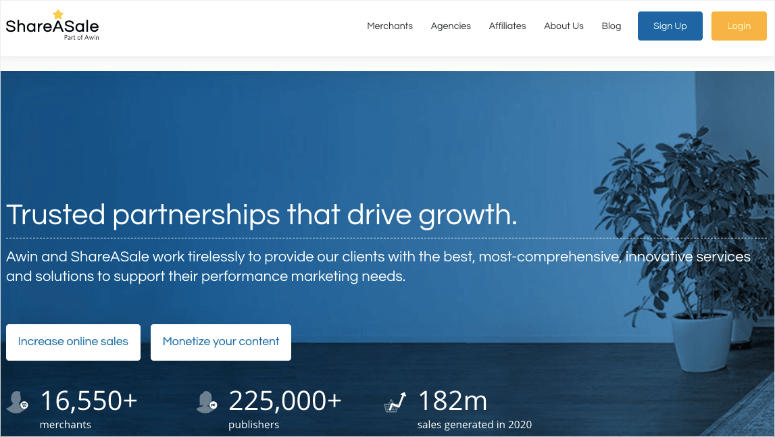
ShareASale is the most popular affiliate marketing network.
It offers multiple categories like fashion, technology, business, etc. which allows different business niches to earn extra money.
You can sign up for any product that’s registered with ShareASale and get your commission on each sale.
It can be an alternative to Google ads as it generates income from your website traffic.
It’s easy to join and you can start making money with ShareASale as soon as you start your fashion, food, technology or any other website.
Highlights
- Easy-to-use platform
- 225,000+ affiliate partners around the world
- Robust data reporting and real time insights
- Competitive, affordable and transparent pricing
Payout
You’ll be paid on a monthly basis. However, you’ll need the minimum $50 payment balance in your affiliate account to withdraw your revenue.
🟢► Pros
- Huge Merchant Network: I have access to over 16,000 affiliate programs across every niche, which means I always find relevant products to promote.
- Higher Commission Rates: I earn 10-30% per sale through affiliates instead of pennies per click with display ads, which multiplied my income.
- Reliable Payment Schedule: I get paid on the 20th of every month like clockwork, which makes my business cash flow predictable and manageable.
- Deep Linking Tools: I can create affiliate links to any page on a merchant’s site, which lets me send visitors to exactly the right product.
🔴► Cons
- Outdated Interface: I struggle with their clunky dashboard that looks like it hasn’t been updated since 2010, which slows down my workflow.
- Active Promotion Required: I have to write content and add links manually instead of placing ad code once and forgetting about it like display networks.
My Experience with ShareASale
I joined ShareASale to diversify beyond display ads. The merchant selection impressed me. I found dozens of relevant affiliate programs in my niche. The interface felt dated but functional. I earned my first commission in week three by adding product links to existing content. Now it’s my highest-earning income stream.
9. Amazon Associates
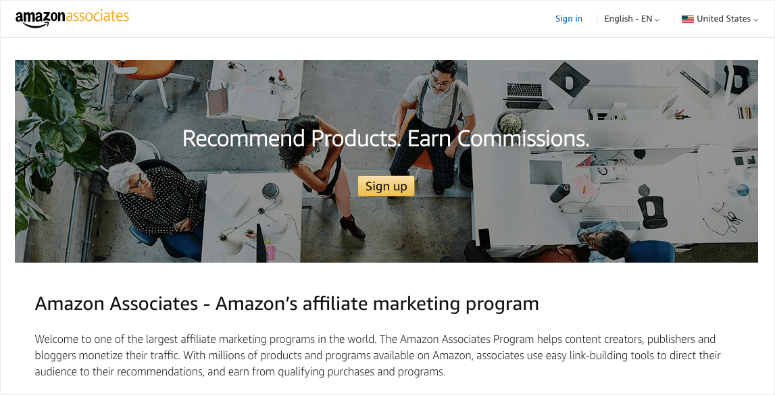
Amazon Associates (also known as Amazon Native Shopping Ads) is one of the best affiliate programs in the world.
It may not be a direct alternative to Google AdSense, but you can earn commissions from selling Amazon products on your website.
If you own an eCommerce store, then you can simply sign up for the Amazon Associates program and display dynamic image ads on your website.
Since Amazon has millions of products, you can choose to display the most relevant items to your product line. This is a great choice for bloggers to generate ad revenue through their content.
Highlights
- Partner with top brands
- Find, manage and build relevant brand partnerships.
- Track your campaign performance
- Easily find and replace broken links
Payout
Amazon Associates pays up to 10% commission on each sale.
You can also create your own Amazon affiliate store to earn more money.
The only downside is that you’ll still only get paid if someone makes a purchase – you won’t get paid just for impressions or clicks as you do with AdSense.
🟢► Pros
- Unlimited Product Selection: I can promote literally any product Amazon sells, which means I never run out of relevant items to recommend to my readers.
- High Conversion Rates: I see 8-12% of my referrals making purchases because people already trust Amazon and have accounts with saved payment info.
- Instant Approval Process: I got approved immediately and started adding affiliate links the same day without waiting for manual review.
- Earn on Full Cart: I get commissions on everything visitors buy during their session, not just the item I linked, which increases my average earnings per click.
🔴► Cons
- Low Commission Rates: I only earn 1-3% on most product categories, which means I need massive traffic to make significant income from Amazon links.
- 24-Hour Cookie Window: I lose the commission if visitors don’t buy within 24 hours of clicking my link, which is much shorter than other affiliate programs.
My Experience with Amazon Associates
I started with Amazon Associates because approval was instant. The product selection is unmatched. I link to items I already mention in my content. But the commission rates disappointed me. I earn 1-3% on most categories. The 24-hour cookie window also hurts earnings. I still use it because readers trust Amazon and convert well.
FAQs: Best Google AdSense Alternatives to Make Real Money
Can I use multiple ad networks on the same website?
Yes, you can run multiple ad networks together. I use Media.net for contextual ads and ShareASale for affiliate links on the same pages. Just make sure you’re not violating any exclusivity clauses in your contracts. Most networks allow this. Plus, diversifying your ad income protects you if one network’s earnings drop. I recommend starting with one network, then adding others once you understand what works for your traffic.
Which AdSense alternative pays the highest CPM rates?
Media.net typically pays the highest CPM for English-speaking traffic in competitive niches like finance and technology. I’ve seen rates between $3-$8 CPM on quality content. But your actual earnings depend on your niche, traffic quality, and geographic location. Pop-under networks like PopAds can pay higher CPMs but hurt user experience. Test multiple networks to find what pays best for your specific audience and content type.
Do I need high traffic to get approved for these alternatives?
No, several alternatives approve low-traffic sites. PopAds, RevenueHits, and Adsterra accept sites with under 1,000 monthly visitors. I got approved for all three when my blog was brand new. Media.net and BuySellAds require higher traffic, usually 50,000+ monthly visitors. If you’re just starting out, begin with the low-barrier networks. Then apply to premium networks once your traffic grows and you have quality content published.
How long does it take to receive my first payment?
Payment timing varies by network. PopAds offers daily payouts, which is the fastest option I’ve found. Most networks like Media.net and Propeller Ads pay monthly, 30 days after you earn the money. You also need to hit minimum thresholds, which range from $5 (Adsterra) to $100 (Media.net). I recommend checking the payment terms before joining any network so you know when to expect your first check.
Should I use ad networks or affiliate programs to make more money?
Affiliate programs usually pay more per visitor, but require more work. I earn 10-30% commissions on affiliate sales versus pennies per ad click. The thing is, you need to actively promote products in your content. Ad networks are passive, you place the code once and earn automatically. I use both strategies together. I run display ads from Media.net for passive income, then add affiliate links from ShareASale in my product reviews for higher earnings.
Will these alternatives hurt my site speed or SEO rankings?
Some ad networks can slow down your site if you use too many ad units. I noticed my load time increased by 1-2 seconds when I added pop-unders and multiple display ads. This can hurt your SEO rankings. Use a speed testing tool to monitor your site performance. I recommend starting with 2-3 ad placements, then testing your load time before adding more. Also consider using a caching plugin to keep your site fast even with ads running.
Final Verdict: Should I Use Google AdSense Alternatives on My WordPress Site?
Yes, you should explore AdSense alternatives whether you’re banned, rejected, or just want to diversify your income.
Relying on one ad network puts your revenue at risk. I’ve seen publishers lose their entire income overnight when AdSense banned their accounts.
The alternatives I tested offer real solutions. Some approve sites faster with lower traffic requirements. Others pay higher rates for specific niches and traffic types.
You can mix display ads with affiliate programs to create multiple income streams that protect your business.
Free options like Amazon Associates let you start immediately. Paid upgrades aren’t necessary.
The simple benefit is clear: you get more control over your monetization and reduce your dependence on any single platform.
Pick one alternative from my list, add it to your site this week, and measure the results against your current earnings. You’ll know within 30 days if you’ve found a better solution.
You may also want to check out our list of best affiliate marketing themes to start off your affiliate business with a bang.
That’s our list of the best Google AdSense alternatives. Next, you’ll want to set up Google Webmaster Tools so that you can track your traffic, monthly page views, and monetization. This will help you strategize and find the best ad space on your site that brings in money.
If you’re still looking for more AdSense alternatives, here’s our list of honorable mentions:
- Sovrn (acquired VigLink in 2018)
- RevContent
- Adversal
- SkimLinks
- InfoLinks
We hope this article helped you find the best Google AdSense alternatives to monetize your website. You may also want to check out other posts:
- 30 Ways to Make Money Online Blogging
- How to Create a Review Site in WordPress
- 15 Best WordPress Blog Tools to Double Traffic and Growth
These posts will help you grow your blog, improve page views, and increase ad revenue.

Comments Leave a Reply