Jean runs a handful of boutique, color-splashed suites tucked into a hillside above the coast, a short walk from her restaurant.
I built her website.
Her bookings ran through a third-party service bolted onto the side of it.
It worked, but every reservation happened somewhere else, completely disconnected from her actual WooCommerce store.
Jean wanted something native instead, a booking system that lived inside WooCommerce next to the products she was already selling.
That’s the exact problem this list solves.
If you run a service business on WooCommerce, you don’t want bookings bolted onto the side of your store.
Here are the WooCommerce booking plugins actually worth your time.
Key Takeaways
- WooCommerce Bookings is the official choice, but it’s not always the best fit. It covers nearly every booking type, though multi-calendar sync needs Zapier.
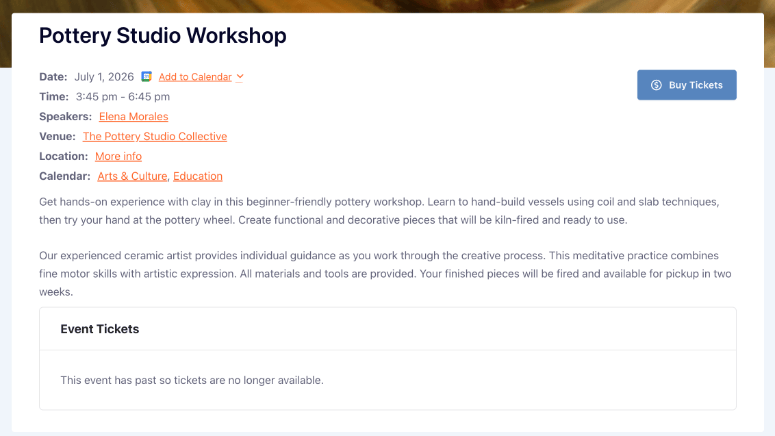
- Sugar Calendar works for class and event-style bookings sold through your existing WooCommerce checkout, not for 1-on-1 time-slot appointments.
- YITH and PluginHive both handle staff and resource scheduling, useful if multiple people or rooms need their own calendars.
- Free options exist, but check what’s actually included. Bookly and Amelia both offer usable free tiers on WordPress.org.
- Deposits usually need a separate add-on. Very few booking plugins include partial-payment collection out of the box.
- Your booking stack doesn’t stop at the calendar. Intake forms, deposits, and post-booking upsells all matter for a service business.
How I Test WooCommerce Booking Plugins
See our testing criteria
I judge every WooCommerce booking plugin on the same criteria before it earns a spot on this list.
- Native WooCommerce integration: Does checkout, payments, and order tracking actually run through WooCommerce, or does the plugin work around it?
- Scheduling depth: Can it handle staff, rooms, or equipment separately, or only a single shared calendar?
- Pricing flexibility: Season, group size, and per-person pricing rules.
- Payment options: Deposits, full payment, and gateway support.
- Setup difficulty: How much configuration a beginner needs before taking a real booking.
- Support and update history: Active development, and a working free version or WordPress.org presence where one exists.
Why Trust IsItWP?
I’ve spent years testing WordPress and WooCommerce plugins for this site, comparing official pricing pages, WordPress.org listings, and real user reviews before recommending anything.
Every price and feature claim in this list is checked against the vendor’s own site, not secondhand summaries.
Best WooCommerce Booking Plugins Compared
| Plugin | Best For | Starting Price | Free Version |
| 1. WooCommerce Bookings | Any WooCommerce service business wanting the official extension | $249/year | No |
| 2. Sugar Calendar | Class, workshop, and event ticket sales through WooCommerce checkout | $99.50/year (Plus tier, needed for WooCommerce checkout) | Yes |
| 3. YITH Booking and Appointment | Salons, clinics, and 1-on-1 appointment scheduling | $249.99/year | No |
| 4. Bookings and Appointments for WooCommerce | Multi-staff and multi-resource scheduling (rooms, equipment) | $149/year | No |
| 5. Bookings for WooCommerce | Simple slot-based bookings on a budget | $79/year | No |
| 6. Bookly Pro | Free-to-start plugin with the largest install base | $89 one-time (Pro add-on) | Yes |
| 7. Amelia | Multi-location businesses needing automated reminders | $69/year | Yes |
| 8. Booknetic | Reducing no-shows with SMS and WhatsApp reminders | $45/year (first year) | No |
| 9. MotoPress Appointment Booking | Small teams wanting a simple, beginner-friendly setup | $49/year (+$79/year add-on for WooCommerce) | Yes |
1. WooCommerce Bookings ⭐⭐⭐
Best for: Store owners who want the official, first-party WooCommerce booking extension
Why Is WooCommerce Bookings One of the Best WooCommerce Booking Plugins?
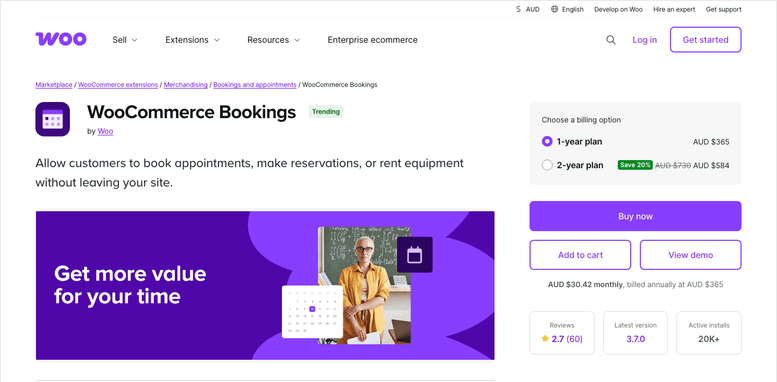
WooCommerce Bookings is built by the same team behind WooCommerce itself. It turns any product page into a bookable time slot, whether that’s minutes, hours, days, weeks, or months.
It covers a wide range of service types out of the box. Appointments, classes, rentals, accommodations, and venue bookings all use the same underlying system.
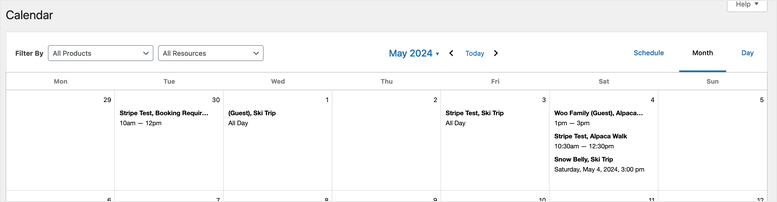
You can also assign staff, rooms, or equipment as separate resources, each with its own availability schedule.
My Experience with WooCommerce Bookings
The setup itself is straightforward if you’re already comfortable with WooCommerce products, since a booking is just a product type.
Google Calendar sync is the one limitation I’d flag early. It only pushes bookings to a single calendar by default.
If you manage multiple rooms or properties and want each on its own calendar, you’ll need a separate Zapier integration to make that work. Reviewers who run multi-property setups have called this out directly.
🟢► Pros
- Official extension, built and supported directly by WooCommerce
- Handles appointments, classes, rentals, accommodations, and events with one plugin
- Resource assignment for staff, rooms, or equipment
🔴► Cons
- No free version
- Google Calendar sync is limited to one calendar without a Zapier add-on
- Reviewers note occasional reliability issues with the calendar view
Pricing: Starts at $249/year. No free version. 30-day money-back guarantee.
2. Sugar Calendar ⭐⭐⭐⭐
Best for: Service businesses selling class, workshop, or event-style bookings through WooCommerce checkout
Why Is Sugar Calendar One of the Best WooCommerce Booking Plugins?
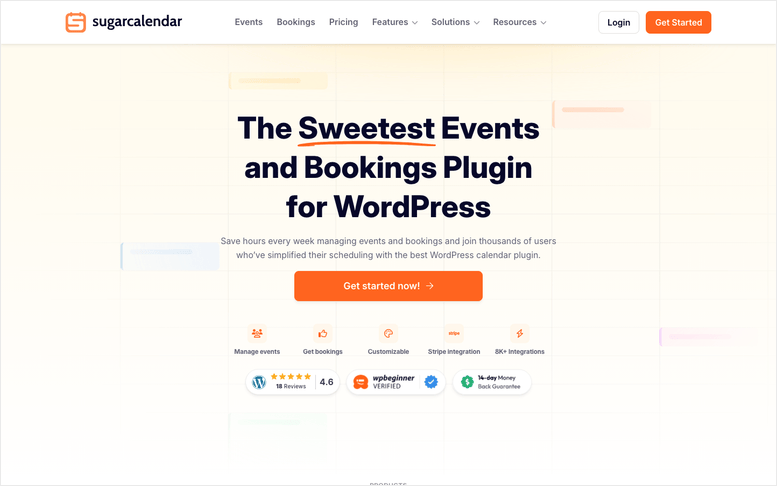
Sugar Calendar is a lightweight events and booking plugin built by the same team behind WPBeginner. It’s a good fit here specifically for service businesses that sell ticketed, event-style bookings. Think a yoga studio selling class slots, or a consultant hosting a paid workshop.
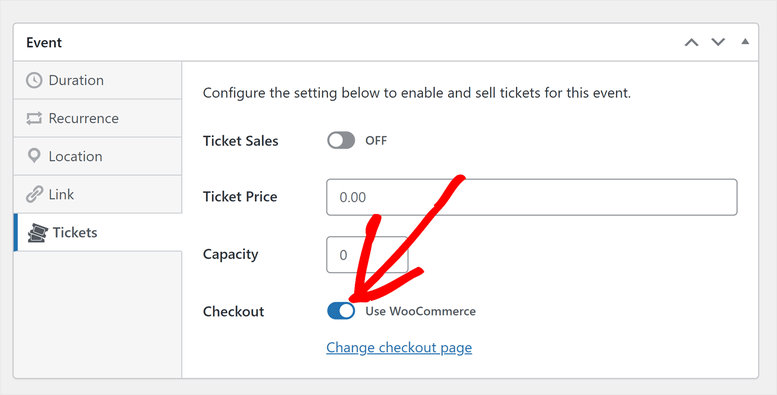
Its Event Ticketing add-on can route ticket sales through your actual WooCommerce cart and checkout, which unlocks every payment gateway WooCommerce supports, not just Stripe.
I want to be upfront about the fit here. Sugar Calendar is built for event and class-style bookings, not the 1-on-1, staff-specific time-slot scheduling a hair salon or repair shop needs. For that, look further down this list.
My Experience with Sugar Calendar
The base plugin is genuinely lightweight, which is refreshing next to some of the heavier booking plugins on this list.
Turning on WooCommerce checkout for event tickets is a single toggle once you’re on the Plus plan or higher. After that, customers get redirected into your normal WooCommerce cart instead of a separate Stripe-only checkout.
🟢► Pros
- Genuinely lightweight compared to most booking plugins
- Real WooCommerce cart and checkout integration through the Event Ticketing add-on
- Free version available on WordPress.org
🔴► Cons
- Not built for 1-on-1, staff-specific appointment scheduling
- WooCommerce checkout requires the Plus plan or higher, not the base Basic plan
Pricing: Starts at $49.50/year for the Basic plan (calendar only). WooCommerce checkout requires Plus at $99.50/year. Free version available. 14-day money-back guarantee.
3. YITH Booking and Appointment for WooCommerce ⭐⭐⭐⭐
Best for: Salons, clinics, and other 1-on-1 appointment-based service businesses
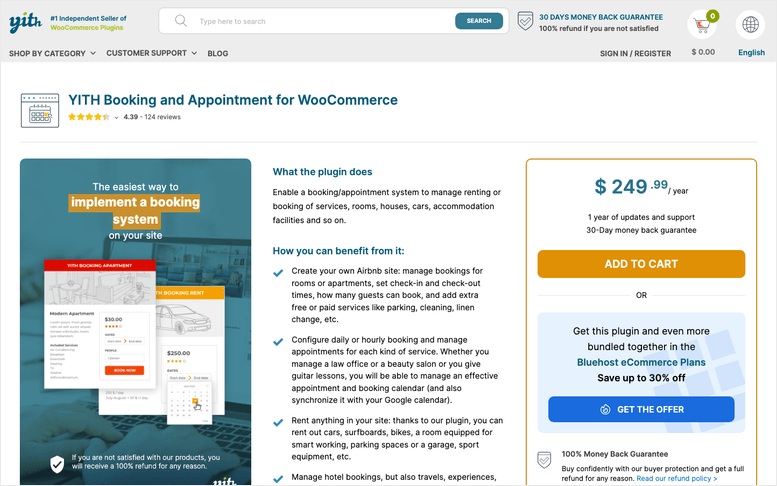
Why Is YITH Booking and Appointment One of the Best WooCommerce Booking Plugins?
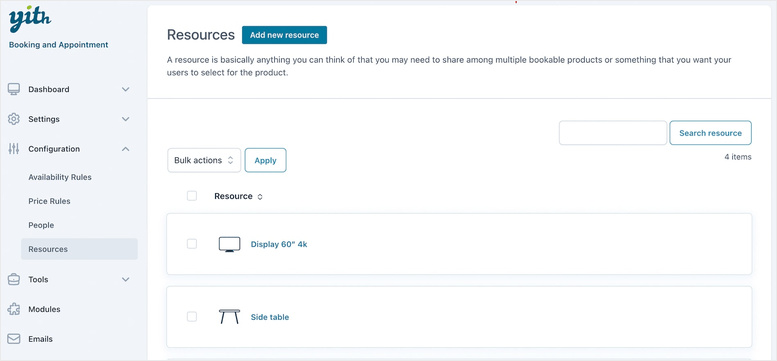
This is where I’d point a salon, dental office, or consulting business specifically. YITH’s “Resources” module lets you set up individual staff members, each with their own availability rules.
It also has a “People” module for person-type pricing, useful if you charge Adults and Children different rates for the same appointment slot.
iCal sync with Airbnb, Booking.com, and Vrbo is built in too, which matters if you’re also renting out space alongside your service.
My Experience with YITH Booking and Appointment
YITH markets “Resources” as a general-purpose module, not a dedicated staff calendar. That means it takes a bit more setup to get a true per-employee schedule working than a plugin built specifically around staff scheduling.
Google Calendar sync only runs one way, from your site out to Google Calendar, not back. And if you want to collect deposits, that’s a separate YITH Deposits purchase, not included here.
🟢► Pros
- Purpose-built for 1-on-1 appointment scheduling with per-staff availability
- Person-type pricing for different customer categories
- iCal channel sync with Airbnb, Booking.com, and Vrbo
🔴► Cons
- No free version
- Google Calendar sync is one-way only
- Deposit collection requires a separate YITH Deposits purchase
Pricing: Starts at $249.99/year. No free version. 30-day money-back guarantee.
4. Bookings and Appointments for WooCommerce ⭐⭐⭐⭐
Best for: Businesses juggling multiple staff, rooms, or equipment across bookings
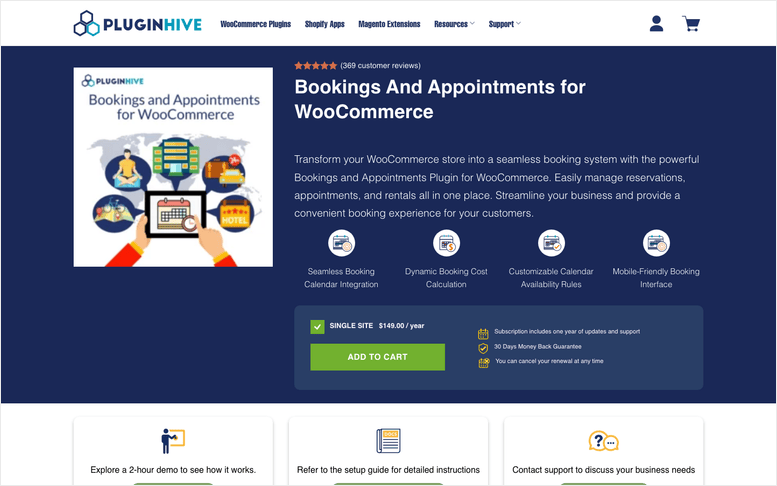
Why Is Bookings and Appointments for WooCommerce One of the Best WooCommerce Booking Plugins?
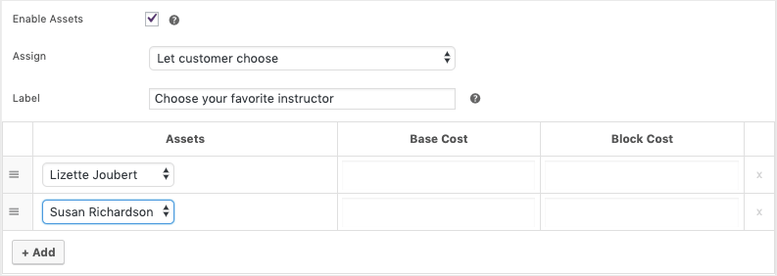
PluginHive’s plugin is the deepest option here for multi-staff and multi-resource scheduling. You can set up individual staff members with their own schedules, then layer rooms or equipment on top as additional bookable resources.
Two-way Google Calendar and Outlook sync are both built in, along with support for Dokan multi-vendor marketplaces and WPML for multilingual booking sites.
It’s built to handle scale too. PluginHive states it’s been tested with stores processing 35,000+ bookings.
My Experience with Bookings and Appointments for WooCommerce
The depth here is real, but so is the setup time. Between staff schedules, resource rules, and add-on pricing, this isn’t a plugin you configure in an afternoon.
One thing worth flagging directly: this plugin was removed from WordPress.org in 2018 for a guideline violation and has never returned. There’s no free version or WordPress.org listing to fall back on, only the paid plugin sold directly through PluginHive.
🟢► Pros
- Deep multi-staff and multi-resource scheduling
- Two-way Google Calendar and Outlook sync
- Dokan multi-vendor and WPML support
🔴► Cons
- No free version or WordPress.org listing (delisted in 2018)
- Recurring and non-adjacent bookings require a separate add-on
- Steeper setup curve than simpler plugins on this list
Pricing: Starts at $149/year. No free version. 30-day money-back guarantee.
5. Bookings for WooCommerce ⭐⭐⭐⭐
Best for: Simple, slot-based bookings on a smaller budget
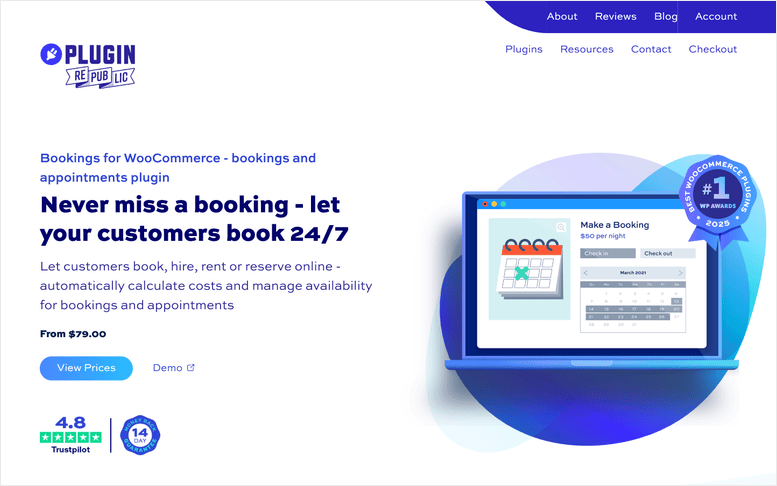
Why Is Bookings for WooCommerce One of the Best WooCommerce Booking Plugins?
Plugin Republic’s plugin covers both simple time-slot appointments and longer rental-style bookings from one product. That keeps things simple if you don’t need the full staff/resource depth of the plugins above.
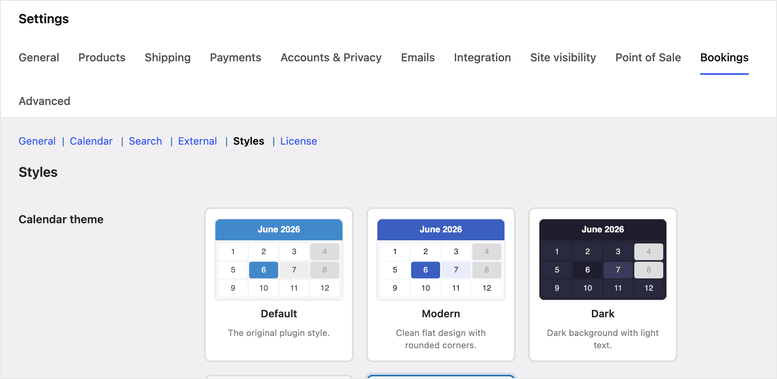
You get grid, dropdown, and diary calendar views on the front end, plus two-way Google Calendar sync and iCal sync with Airbnb, Booking.com, and Vrbo.
It’s also one of the few plugins here with a lifetime license option, a one-time payment instead of a forced annual renewal.
My Experience with Bookings for WooCommerce
Setup felt lighter than PluginHive’s plugin, mostly because it doesn’t try to do as much. That’s a fair trade if you just need appointments or classes booked on time slots.
Deposits and part-payments aren’t built in. You’ll need Plugin Republic’s separate Deposits and Part Payments add-on for that.
🟢► Pros
- Covers both slot-based appointments and longer rentals from one plugin
- Two-way Google Calendar sync plus iCal sync with Airbnb, Booking.com, and Vrbo
- Lifetime license option available, not just annual billing
🔴► Cons
- No free version
- Deposits require a separate Deposits and Part Payments add-on
- No dedicated staff-scheduling module like YITH or PluginHive
Pricing: Starts at $79/year. No free version. 14-day money-back guarantee.
6. Bookly Pro ⭐⭐⭐⭐
Best for: Businesses that want to start free with a plugin almost everyone has already tested
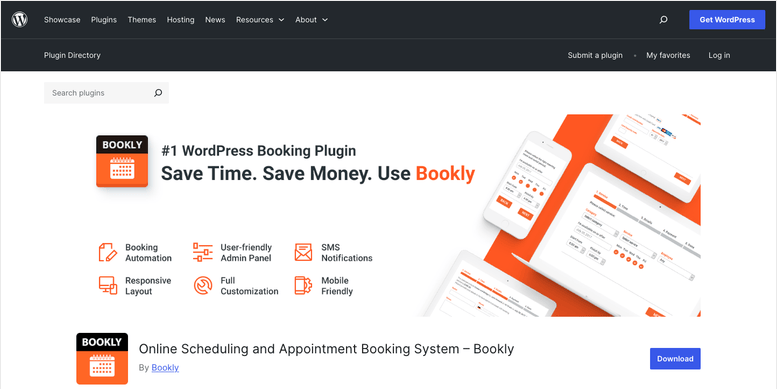
Why Is Bookly One of the Best WooCommerce Booking Plugins?
Bookly has 3.5 million+ active installs, by far the largest install base of anything on this list. That kind of scale means bugs get found and fixed fast.
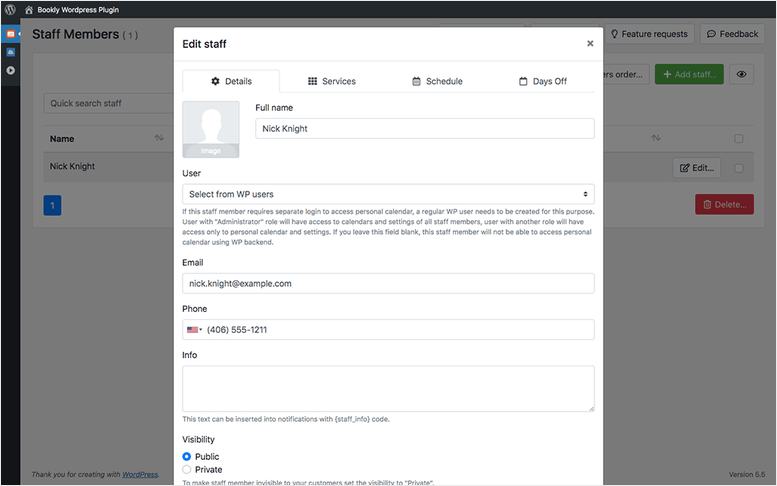
The free version handles staff and service management, mobile-friendly booking forms, and calendar views for up to 5 services.
WooCommerce compatibility, payment gateways, and Google Calendar/Zoom sync all live in the $89 one-time Pro add-on. On top of that, a library of 50+ optional paid add-ons covers things like deposits and recurring bookings.
My Experience with Bookly
The free version is genuinely useful, not a crippled trial. You can run a real, small booking setup on it before spending anything.
The trade-off shows up once you want WooCommerce and payments working together. That’s when the add-on costs start stacking, since deposits, coupons, and recurring bookings are all separate purchases.
🟢► Pros
- Massive, well-tested install base (3.5M+)
- Genuinely usable free version, not just a trial
- Affordable $89 one-time Pro add-on for WooCommerce compatibility
🔴► Cons
- Free version limited to 5 services
- Payment processing and WooCommerce compatibility both require the Pro add-on
- Deposits, coupons, and recurring bookings are separate paid add-ons on top of Pro
Pricing: Free version available on WordPress.org (5 services). Pro add-on is $89 one-time. No stated money-back guarantee.
7. Amelia ⭐⭐⭐⭐⭐
Best for: Multi-location service businesses that want automated reminders and a real free tier
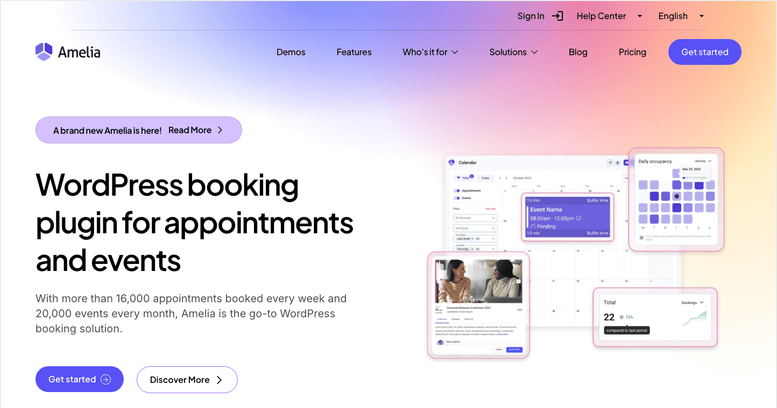
Why Is Amelia One of the Best WooCommerce Booking Plugins?
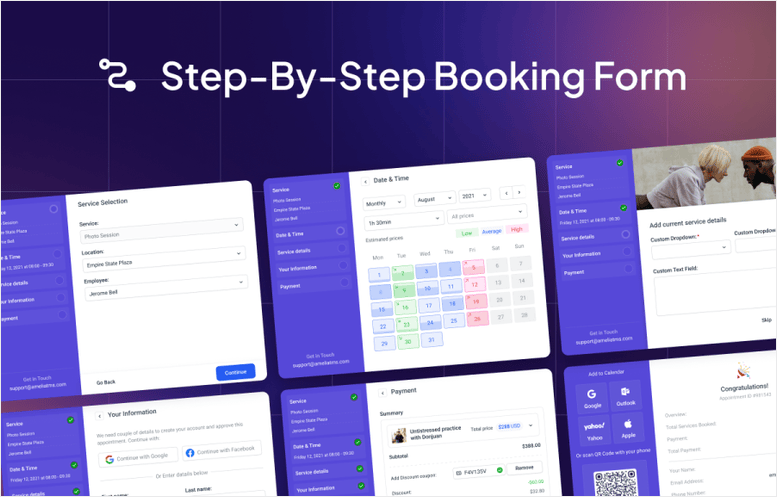
Amelia’s free Lite tier includes Square payment processing at no extra cost, along with a step-by-step booking form and basic calendar view. That’s more than most “free” booking plugins offer.
Bidirectional Google Calendar and Outlook sync are also included from the Lite tier up, so appointments sync both ways without an add-on.
Once you’re on the Standard plan or higher, services can be sold as WooCommerce products directly, with payment routed through your WooCommerce checkout.
My Experience with Amelia
Onboarding took about 5 steps to get a working booking form live, one of the quicker setups on this list.
Multi-staff scheduling and REST API access are locked behind the Pro and Elite plans, so budget for that if your business grows past a single location.
🟢► Pros
- Legitimately useful free tier, including Square payments
- Bidirectional Google Calendar and Outlook sync included from the free tier
- WooCommerce product integration on Standard plan and up
🔴► Cons
- Multi-staff scheduling requires the Pro plan or higher
- REST API access is Elite-only
- Some users report the admin dashboard slowing down with a large booking history
Pricing: Free Lite version available. Starter plan starts at $69/year. 15-day money-back guarantee.
8. Booknetic ⭐⭐⭐⭐
Best for: Cutting no-shows with automated SMS, WhatsApp, and Telegram reminders
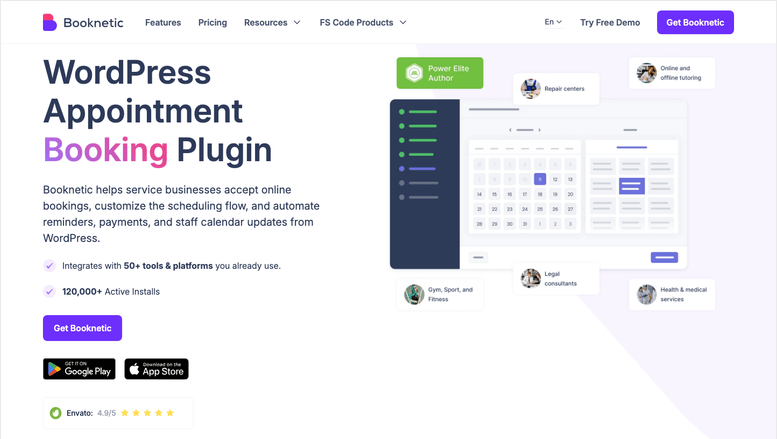
Why Is Booknetic One of the Best WooCommerce Booking Plugins?
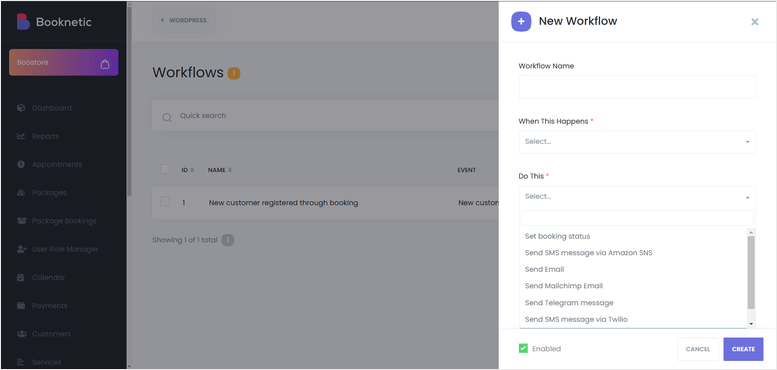
Booknetic’s reminder system is the most flexible on this list. You can stack multiple reminders (24 hours before, then 1 hour before) and mix channels, email to the customer, SMS to staff, in one visual workflow.
It also natively supports more payment gateways than most plugins here, including Stripe, PayPal, Square, Mollie, and Razorpay, without needing WooCommerce at all.
If you do want payments routed through WooCommerce specifically, that’s handled by a separate WooCommerce Payment Integration add-on.
My Experience with Booknetic
The per-location and per-staff scheduling controls are genuinely deep, timezones, individual timetables, and booking limits per staff member or location.
The catch is that the WooCommerce add-on itself requires the Standard plan or higher, not the entry-level Basic plan. One Capterra reviewer specifically flagged paying for several add-ons on top of the base license as adding up fast.
🟢► Pros
- Multi-channel reminder automation (SMS, WhatsApp, Telegram, email) built into a workflow builder
- Wide native payment gateway support even without WooCommerce
- Deep per-location, per-staff scheduling controls
🔴► Cons
- No free version
- WooCommerce payment integration requires the Standard plan or higher, not the base Basic plan
- Several commercially important features are separate paid add-ons on top of the base license
Pricing: Starts at $45/year (first year, Basic plan). No free version. 14-day money-back guarantee.
9. MotoPress Appointment Booking ⭐⭐⭐⭐
Best for: Small service teams wanting a simple, beginner-friendly setup
Why Is MotoPress Appointment Booking One of the Best WooCommerce Booking Plugins?
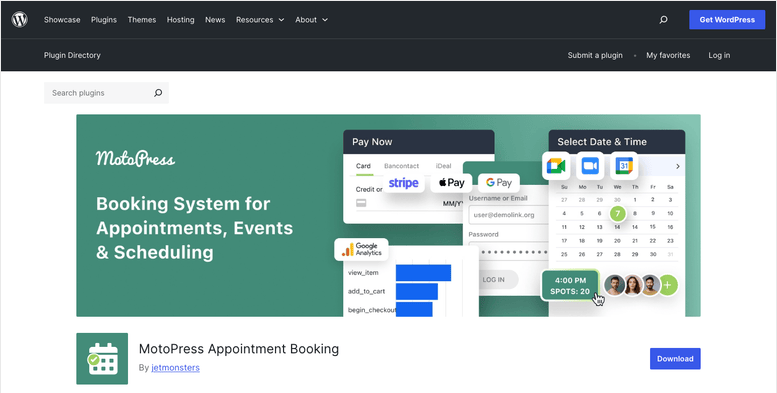
I want to be direct about how this one fits the list. MotoPress Appointment Booking is a standalone booking engine, not a plugin built on top of WooCommerce the way WooCommerce Bookings is.
A separate WooCommerce Payments add-on lets it reuse WooCommerce’s own payment gateway connections at checkout, so you’re not configuring Stripe or PayPal a second time. Bookings still get stored in the plugin’s own database, not sold as WooCommerce products.
The free version is unusually generous for what it is: unlimited locations, services, and staff, plus client-side calendar export to Google, Apple, and Outlook.
My Experience with MotoPress Appointment Booking
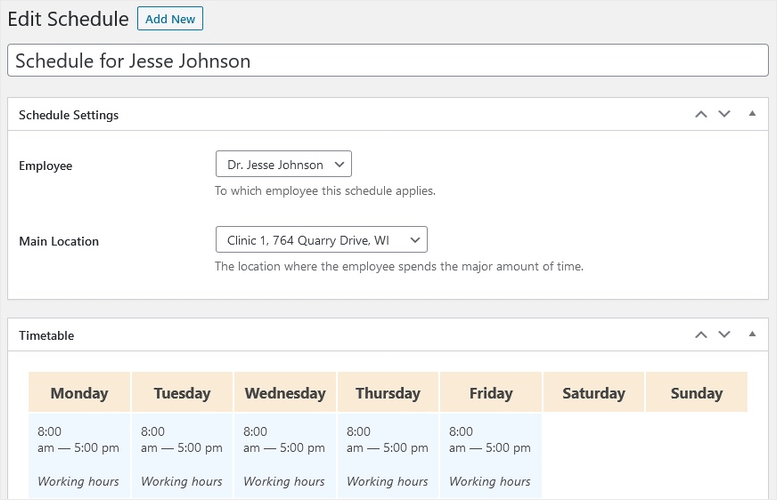
Setup follows classic wp-admin conventions rather than a guided, modern dashboard. Services connect to locations indirectly through Employee and Schedule records, which took me longer to figure out than I expected.
The Setup Wizard added in a recent version helps with first-time configuration, and MotoPress backs it with over 25 tutorial videos if you get stuck.
🟢► Pros
- Generous free version with unlimited locations, services, and staff
- Reuses your existing WooCommerce payment gateways instead of configuring them twice
- Strong documentation and tutorial library
🔴► Cons
- Not a native WooCommerce product type. WooCommerce integration means gateway reuse only
- WooCommerce Payments is a separate paid add-on on top of Pro
- Services connect to locations indirectly, which confuses first-time admins
Pricing: Free version available. Pro starts at $49/year, plus a $79/year add-on for WooCommerce payment gateway reuse. 30-day money-back guarantee (with conditions: refunds are denied for buyer’s remorse).
Bonus: Complete Your Booking Stack
A booking calendar alone doesn’t run a service business. Here are 3 tools I pair with a booking plugin to round out the setup.
WPForms ⭐⭐⭐⭐⭐
Most booking plugins collect a name, email, and time slot, and stop there. If you need custom intake details, like medical history for a clinic or property preferences for a rental, WPForms can help.
It lets you build a custom intake form with conditional logic and drop it right into the booking flow. It even has a dedicated booking and appointment form type built in.
FunnelKit ⭐⭐⭐⭐
Once someone books, that’s your best moment to sell an add-on service, a product bundle, or a follow-up session. FunnelKit’s order bump and one-click upsell features let you offer that right at checkout or immediately after, without sending customers to a separate cart.
WP Simple Pay ⭐⭐⭐⭐
Most of the plugins on this list treat deposits as an afterthought, usually a separate paid add-on. WP Simple Pay lets you build a standalone Stripe payment form for a fixed or customer-entered amount.
That means you can collect a deposit before a booking is even confirmed, independent of whichever booking plugin you land on.
How to Choose the Right WooCommerce Booking Plugin
With 9 solid options, here’s how I’d narrow it down based on what your business actually needs.
- “Do I need it official and broad, or purpose-built for my niche?” WooCommerce Bookings covers the most use cases from one plugin. If you’re strictly 1-on-1 appointments, YITH or PluginHive fit better.
- “Am I selling classes or events, not appointments?” Sugar Calendar’s Event Ticketing add-on is worth a look if your bookings look more like ticket sales than time slots.
- “Do multiple staff members or rooms need their own calendars?” PluginHive and YITH both handle staff/resource scheduling. PluginHive goes deeper for larger teams.
- “Am I on a tight budget?” Bookly and Amelia both have free tiers that actually work, not stripped-down trials.
- “Are no-shows a real problem for me?” Booknetic’s multi-channel reminder workflows (SMS, WhatsApp, Telegram) are the most flexible here.
- “Do I already run WooCommerce for other products and just want to reuse its payment gateways?” MotoPress is the simplest way to do that, though it’s not native WooCommerce booking.
FAQs: WooCommerce Booking Plugins
Do I need a special WooCommerce plugin to accept bookings, or will any booking plugin work?
Not every booking plugin actually runs through WooCommerce. Some, like MotoPress, only reuse WooCommerce’s payment gateways while keeping bookings in a separate system.
If you want appointments sold as real WooCommerce products, stick with plugins built natively for WooCommerce, like WooCommerce Bookings, YITH, or PluginHive’s plugin.
Can I collect a deposit before confirming a WooCommerce booking?
A few plugins here support it natively, like Booknetic. For most others, deposits require a separate add-on, such as YITH Deposits or Plugin Republic’s Deposits and Part Payments plugin.
WP Simple Pay is a simple workaround if your chosen booking plugin doesn’t support deposits at all.
Is there a free WooCommerce booking plugin that’s actually usable?
Yes. Bookly’s free version handles staff and service management for up to 5 services, and Amelia’s free Lite tier includes Square payments and a working booking form.
Both are real, functional starting points, not crippled trials.
Can I assign different staff members to different bookings?
Yes, several plugins support this. PluginHive’s plugin has the deepest staff-scheduling controls, including individual staff schedules and per-staff pricing rules.
YITH and Amelia both support staff assignment too, though Amelia requires the Pro plan or higher for multiple staff members.
How do I stop customers from double-booking the same time slot?
Every plugin on this list prevents double-booking within its own calendar by default. The harder problem is syncing across multiple channels.
If you also list availability on Airbnb, Booking.com, or Vrbo, look at YITH or Plugin Republic’s plugin. Both sync with those platforms via iCal to help prevent overlapping bookings.
Final Verdict
If you want one plugin that handles nearly any booking type without picking through add-ons, WooCommerce Bookings is still the safest, official starting point.
If your service business sells classes, workshops, or events instead of 1-on-1 appointments, Sugar Calendar is the lighter, more affordable pick. Just make sure you’re on the Plus plan, since that’s what unlocks WooCommerce checkout.
Running a salon, clinic, or any business where a specific staff member needs their own calendar? Start with YITH Booking and Appointment instead.
Resource Hub: WooCommerce Booking Plugins
- Best Booking and Appointment WordPress Plugins
- Best WordPress Plugins for Spa Booking
- Best Appointment Scheduling Software for Small Businesses
- Best WooCommerce Upsell & Cross-Sell Plugins
- Best WordPress Payment Plugins
- Best WooCommerce Checkout Plugins to Improve UX and Sales

Comments Leave a Reply