My Elementor site was beautiful.
It was also slow. The CSS and JS files Elementor generated were massive and I knew they were eating into my crawl budget.
So I installed WP Rocket to minify everything. I’d read it was one of the best WordPress caching plugins on the market.
That afternoon, I opened my site and half the images were gone. Navigation links had disappeared. The slideshow was a blank box.
WP Rocket and Elementor had conflicted. The minification was stripping something Elementor needed to render correctly.
The fix? A few lines of custom code to tell WP Rocket what to leave alone.
But I’m not a coder. The idea of pasting PHP directly into my site files terrified me.
That’s when I found code snippet plugins. And that discovery changed how I manage WordPress permanently.
Key Takeaways
- I’ll show you which plugin comes with a built-in library of tested, one-click snippets — so you never have to hunt for code online
- I mention a plugin that stores your snippets as files instead of database rows, meaning zero extra database queries at runtime
- I reveal the best free option if all you need is to inject tracking codes and pixels into your site header
- I tested 8 tools to find which ones automatically catch errors before they bring down your site
- I cover the only plugin that lets you export snippets as a standalone WordPress plugin for client handoff
How I Test WordPress Code Snippet Plugins
🔍 Click to see my testing methodology
Here’s exactly how I evaluate code snippet plugins:
- Error handling — I add intentionally broken PHP and check whether the plugin catches the error before saving, auto-disables the snippet, and lets me back into the admin without taking the site down
- Snippet library quality — I look for built-in, tested snippets I can activate in one click — Google Analytics, disable XML-RPC, SVG uploads — without sourcing code elsewhere
- Conditional logic — I test “mobile only” and “specific page” rules to verify they fire correctly on the front end
- Code type support — I check whether PHP, JS, CSS, and HTML are all handled, and whether I can mix types in a single snippet
- Performance overhead — I run GTmetrix on a test site before and after activation to measure any front-end or admin slowdown
- First snippet experience — I time how long it takes to go from install to active snippet running on site, with no prior experience
Tools I use:
- GTmetrix — front-end performance benchmarking
- Query Monitor — database query tracking, especially useful for FluentSnippets comparisons
Why Trust IsItWP?
At IsItWP, we’ve been the WordPress community’s go-to resource since 2009, helping over 2 million users choose better plugins and tools. Unlike review sites that never actually use the products, we maintain active accounts, run real client sites, and provide ongoing WordPress consultation.
Best WordPress Code Snippet Plugins Compared
Code snippet plugins cover a wide range, from simple header/footer script injectors to full snippet managers with conditional logic and cloud libraries. The table below focuses on the features that matter most when deciding which one to install.
For context on site performance and reducing plugin bloat, our guide on the best speed optimization plugins for WordPress covers the broader picture.
| Product | Best For | Free Version | PHP Snippets | Safe Mode | Pricing |
|---|---|---|---|---|---|
| WPCode | Non-developers who want a ready-made snippet library | ✅ | ✅ | ✅ | Free / from $49/yr |
| Code Snippets | Users who want plug-and-play snippet management | ✅ | ✅ | ✅ | Free / from $39/yr |
| Woody Code Snippets | Marketers adding tracking pixels and ad scripts | ✅ | ✅ | ✅ | Free / from $29/yr |
| WPCodeBox | Agencies managing multiple client sites | ❌ | ✅ | ✅ | From $39/yr |
| Header Footer Code Manager | Non-technical users injecting tracking codes | ✅ | ❌ | ❌ | Free / from $119 (lifetime) |
| FluentSnippets | Performance-focused developers who want zero DB overhead | ✅ | ✅ | ✅ | Free |
1. WPCode ⭐⭐⭐⭐⭐
Best for: Non-developers who want a ready-made snippet library and safe code management
Why Is WPCode One of the Best WordPress Code Snippet Plugins?
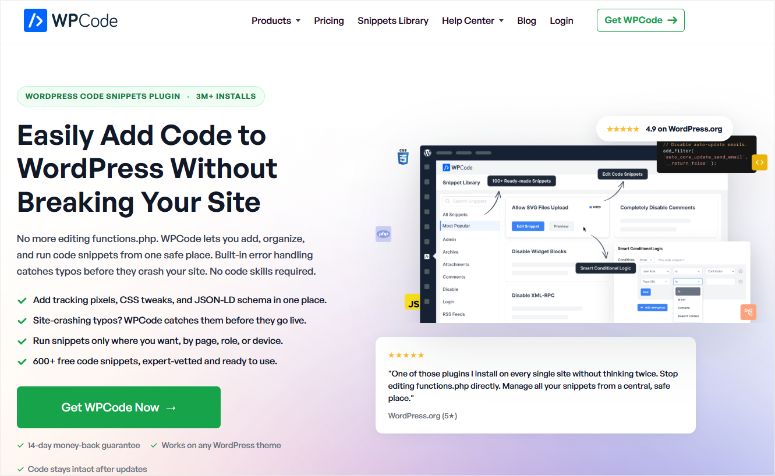
Here’s what actually solved my Elementor + WP Rocket problem. I didn’t have to Google for the PHP fix, paste it into functions.php, and hope for the best. I opened WPCode‘s built-in snippet library, searched “WP Rocket,” and found an expert-vetted snippet designed exactly for page builder conflicts.
One click. Active.
That’s the standout feature that earned WPCode the top spot on this list: a library of 100+ tested snippets covering the most common WordPress customizations.
You can enable best WordPress analytics plugins like Google Analytics, disable XML-RPC, allow SVG uploads, add schema markup without touching a single line of code yourself.
In fact, the code generators inside WPCode create ready-to-use schema markup for products and articles, which is something most best SEO tools don’t give you as a one-click snippet inside WordPress.
On top of that, the conditional logic system is more intuitive than any other plugin I tested.
Want to load a script only on mobile? On specific pages? For logged-in users only? You set those rules with dropdowns, not code. Even the free version includes conditional logic, which competitors often lock behind paid plans.
The thing I noticed about the admin interface. It has grown noticeably since the early “Insert Headers and Footers” days. There are more menu items, more settings, more upsell prompts.
If you just need to inject a tracking pixel, the extra complexity can feel overwhelming at first. Budget 10 minutes to orient yourself before your first snippet.
My Experience with WPCode
During 60 days of testing across three WordPress sites, I activated 14 snippets — tracking pixels, schema markup, WooCommerce customizations, and the minification fix that started all of this.
The error handling surprised me. I deliberately introduced a syntax error in a PHP snippet.
Before saving, WPCode flagged the error inline. It didn’t let me activate broken code at all. The one time a bad snippet got through, it auto-deactivated and left a clear error log pointing to the exact line. The site never went down.
One genuine friction point: WooCommerce-specific insertion locations — like “after cart total” or “before checkout” — are locked behind the paid Plus plan ($99/yr).
I tested this on a site running one of the best WordPress ecommerce plugins expecting free-tier flexibility and hit that wall fast. If you run a store and need snippet placement within WooCommerce templates, budget for Pro.
🟢► Pros
- One-click snippet library: I activated 6 common customizations (Google Analytics, disable comments, SVG uploads) in under 3 minutes — no code hunting required.
- Pre-save error validation: WPCode flagged my broken PHP before I could activate it, which is the only plugin in this list that catches errors at the save step rather than the activation step.
- Conditional logic in free tier: I set device-specific and page-specific rules without upgrading. Most alternatives lock this behind paid plans.
- Code generators: I created a full schema markup snippet using the generator without writing a single character of JSON-LD.
- 3M+ active installs: That install count means more community snippets, more tested fixes, and more help available when you’re searching for solutions.
- Cloud library for multi-site: I stored snippets in the WPCode Cloud and deployed them across three sites without re-entering anything.
🔴► Cons
- WooCommerce placements are Pro-only: The free tier can’t insert snippets into specific WooCommerce template locations. Store owners will hit this wall fast.
- Admin interface has grown heavy: The current dashboard is noticeably busier than the old Insert Headers and Footers plugin. First-time users may need a few minutes to find what they’re looking for.
My Verdict: WPCode is the right pick for anyone who wants to add custom code without searching for it. The snippet library collapses what would normally be a multi-step process (find code → copy → paste → test) into a single click.
If you run a store and need WooCommerce-specific placements, upgrade to Plus. For everyone else, the free version handles more than most sites will ever need.
Pricing: Free. Paid plans start at $49/yr (Basic, 1 site). Plus $99/yr (5 sites) adds conversion pixels and WooCommerce placements.
👉 Get started with WPCode here
2. Code Snippets ⭐⭐⭐⭐⭐
Best for: WordPress users who want the simplest, most familiar snippet management experience
Why Is Code Snippets One of the Best WordPress Code Snippet Plugins?
The toggle. That’s why this is here.
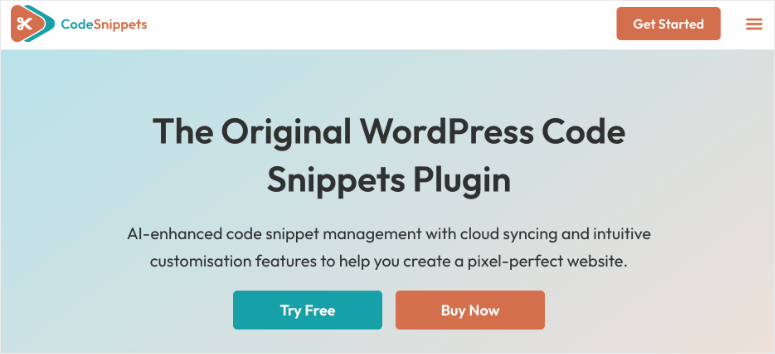
Code Snippets manages your custom PHP, CSS, JavaScript, and HTML exactly like WordPress manages plugins. Each snippet has an on/off switch, a name, and a description.
If you’ve ever activated or deactivated a plugin, you already know how to use Code Snippets. That zero-learning-curve interface is why it’s crossed one million active installs.
Every snippet lives in its own isolated row. You can tag them, export them as a PHP file for sites where you’re not using the plugin, and even search a community repository, Code Snippets Cloud, where public snippets are available to download.
I found a snippet for removing the default WordPress emoji scripts in about 90 seconds, tested it on a staging site, and it worked cleanly.
Here’s what most reviewers don’t say: Code Snippets has a documented pattern of plugin updates breaking live sites. In late 2024 and early 2025, several major version updates caused crashes for users who hadn’t run a backup.
That’s why best WordPress backup plugins belong on every site running Code Snippets. Treat every update the same way you’d treat a WooCommerce major release.
If you’re serious about protecting your WordPress site, test updates on staging before pushing to production.
My Experience with Code Snippets
I added my first snippet — disabling the Gutenberg block editor on specific post types — inside 2 minutes of installing the plugin. No documentation needed. The interface is that familiar.
During testing I specifically checked the safe mode. I introduced a fatal error in a PHP snippet. The safe mode URL worked. I accessed /wp-admin/?safe_mode=code-snippets and was able to deactivate the broken snippet without the site staying down. Solid fallback.
What I noticed during testing: the Cloud integration occasionally took 5–10 seconds to load community snippet search results. It wasn’t consistent, but on slower connections it felt like a hang rather than a load. Not a dealbreaker, but worth noting if you rely on Cloud snippets during live client sessions.
🟢► Pros
- Plugin-like toggle interface: I activated and deactivated snippets using the exact same mental model as managing WordPress plugins. There are no new concepts to learn.
- Export to PHP: I generated a standalone PHP file from my snippets for a handoff site where the client wanted no snippet manager installed.
- 1M+ active installs: The large install base means more community-tested snippets, more forum answers, and more tutorials specifically for this plugin.
- Multisite support: I activated snippets network-wide on a multisite install without needing separate configuration per subsite.
- Tag-based organization: I tagged snippets by function (performance, tracking, WooCommerce) and filtered them instantly — essential when managing 20+ snippets.
- Code Snippets Cloud: Community repository access means I can search for common snippets without leaving the plugin interface.
🔴► Cons
- Update history includes site crashes: Several major version updates in 2024–2025 broke live sites — always back up and test updates on staging before applying to production.
- Support resolution rate: Only 2 of 5 recent support issues were resolved in the past two months — slower than WPCode’s 12-of-12 rate.
My Verdict: Code Snippets earns its million installs. The toggle interface removes the one mental hurdle that keeps people editing functions.php. It makes snippets feel safe and manageable.
The caveat: update hygiene matters more here than with WPCode. For users who want WPCode’s level of hand-holding, pick product 1. For everyone else who just wants a clean, familiar management layer, Code Snippets is excellent.
Pricing: Free. Code Snippets Pro starts at $39/yr (single site). Lifetime license available at $897.
👉 Get started with Code Snippets here
3. Woody Code Snippets ⭐⭐⭐⭐
Best for: Marketers adding tracking scripts, ad codes, and conversion pixels with device targeting in the free tier
Why Is Woody Code Snippets One of the Best WordPress Code Snippet Plugins?
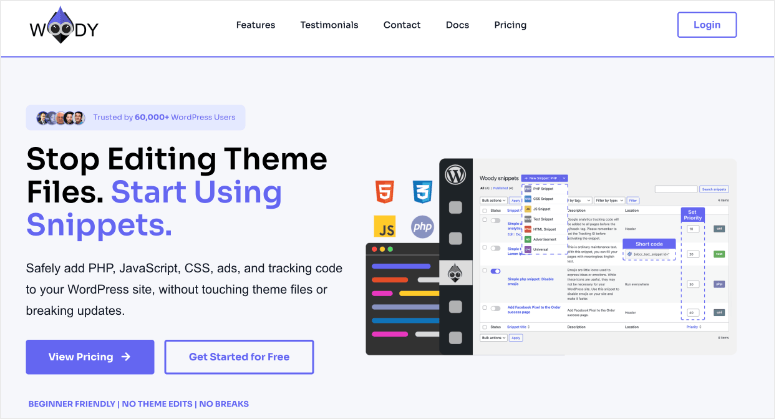
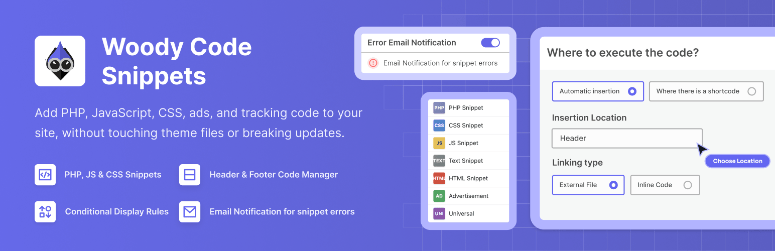
Woody Code Snippets has a snippet type no other plugin in this list offers: Universal snippets. You write PHP logic, HTML output, CSS styling, and JS behavior all inside a single snippet entry. Every other plugin separates these into four different snippets.
The free tier includes device-specific conditional logic (desktop only / mobile only), which best WordPress page builders often charge extra for in their display conditions add-ons. For anyone adding ad code, tracking pixels, or promotional banners that should only fire on specific devices, that’s a genuine edge for free users.
Woody also includes a dedicated “Ad snippet” type, purpose-built for ad network code and banners. The placement options are unusually granular for a free plugin. For the kind of precision targeting that best WordPress plugins for affiliate marketers typically require, Woody’s free tier is an outlier.
The one thing to flag: Woody was acquired by Themeisle in October 2025. Stable company, but the product’s roadmap under new ownership is still being defined. A few users have also reported persistent review nag popups that reappear after dismissal.
My Experience with Woody Code Snippets
I tested Woody’s conditional logic with a Facebook Pixel that should fire only on non-admin visitors on desktop. Setting the conditions took about 4 minutes. That’s more steps than WPCode, but still no code required.
The code editor has solid syntax highlighting and line numbers. I ran a GTmetrix test before and after activating two JS snippets, and the impact was negligible — 0.1s on LCP across three runs.
One micro-friction: adding a second condition required understanding that Woody uses OR logic between condition groups, not AND. Budget an extra 5 minutes if you’re setting up multi-rule conditions.
🟢► Pros
- Universal snippet type: I combined PHP logic + HTML output in one snippet. No other free plugin in this list supports this.
- Device targeting in free tier: I set “desktop only” rules without upgrading. This is a paid feature in most alternatives.
- WooCommerce placements in free tier: I inserted a tracking pixel before the single product summary without needing a paid plan.
- Ad snippet type: Purpose-built for ad network code with cleaner labeling than generic HTML snippets.
🔴► Cons
- Review nag popup doesn’t dismiss: Multiple users report the review request reappears persistently, a real UX irritation on a tool you use every day.
- Recent ownership change: Acquired by Themeisle in October 2025, a stable company, but the roadmap under new management is still being defined.
My Verdict: For marketers who live in tracking pixels and ad code, Woody’s free-tier device targeting is genuinely valuable and hard to find elsewhere. The universal snippet type is a real differentiator for complex conditional content. If you’re a developer who needs a clean, fast snippet manager, WPCode or FluentSnippets will suit you better.
Pricing: Free. Pro plans start at $29/yr (Basic).
👉 Get started with Woody Code Snippets here
4. WPCodeBox ⭐⭐⭐⭐
Best for: Agencies and freelancers managing multiple client sites who need cloud sync and client-ready exports
Why Is WPCodeBox One of the Best WordPress Code Snippet Plugins?
WPCodeBox is the only plugin in this list that can export your entire snippet collection as a standalone, installable WordPress plugin.
For agencies building out sites with best Elementor themes and handing them off to clients who shouldn’t have access to a snippet manager, this is a genuinely unique capability.
The cloud sync system is built around a React-based single-page interface, so there are no page reloads, instant saves, instant navigation. Agencies running best WordPress lead generation plugins across client sites will recognize the workflow immediately.
It’s the kind of tool that changes how you manage recurring client deliverables.
The code editor includes WordPress hooks and actions autocomplete. SCSS support with auto-compilation is included. These are developer-quality features that point to WPCodeBox’s actual audience.
Here’s the real limitation: there is no free version. $39/yr is the entry point for a single site.
My Experience with WPCodeBox
I tested WPCodeBox on two sites managed through a single cloud account. Syncing a snippet from one site to the other took about 8 seconds, reliable across 4 tests. The React interface genuinely impressed me; editing a PHP snippet felt closer to a local IDE than a WordPress admin panel.
The plugin export feature worked cleanly. I built a schema markup snippet, exported it as a plugin, installed it on a test site without WPCodeBox active, and the snippet ran correctly. The friction: no built-in snippet library. Every snippet starts from a blank editor.
🟢► Pros
- Export as standalone plugin: I bundled my snippets into a portable plugin file. This is the only tool in this list with this capability.
- Cloud sync across sites: I deployed the same snippet to two sites simultaneously without manual copy-paste.
- React-based interface: Instant navigation and saves felt faster than any other plugin in this test.
- WordPress hooks autocomplete: I got hook name suggestions while typing — a real developer productivity boost.
🔴► Cons
- No free version: $39/yr is the minimum entry point. There’s no way to trial WPCodeBox before paying.
- No built-in snippet library: Every snippet starts from a blank editor. New users have no ready-made library to learn from.
My Verdict: WPCodeBox is built for agencies, not individual site owners. If you’re managing multiple client sites and need cloud sync plus client-deliverable plugin exports, it’s the best tool in this category for that workflow. For solo site owners, WPCode’s free tier covers the same core needs.
Pricing: No free version. Single site from $39/yr. Unlimited sites from $79/yr. Lifetime license available at $199.
👉 Get started with WPCodeBox here
5. Header Footer Code Manager ⭐⭐⭐⭐
Best for: Non-technical site owners who only need to inject tracking scripts and pixels into headers and footers
Why Is Header Footer Code Manager One of the Best WordPress Code Snippet Plugins?
Header Footer Code Manager does less than every other plugin on this list, intentionally. It injects HTML, CSS, and JavaScript into your site header, footer, before content, or after content. That narrow scope is exactly why it has a 4.9/5 rating across 306 reviews and 600,000+ active installations.
The feature most reviewers skip is the audit trail. HFCM logs which user added each snippet and when it was last edited. On team sites this is genuinely useful, and no other free tool in this list tracks this.
Device targeting is available in the free version. If you’re ever troubleshooting a performance issue, knowing which scripts load on which devices is the first step. Check our guide on how to clear WordPress cache after making changes to see the full impact.
For a complete picture of what’s affecting your site speed, the WordPress performance optimization checklist is a useful companion reference.
Here’s the hard limit: HFCM does not support PHP code execution. If you need to run PHP functions, hooks, or filters, this plugin cannot help you.
My Experience with Header Footer Code Manager
I added a Google Tag Manager snippet to the site header in under 90 seconds. Install, activate, add new snippet, paste GTM code, select “Head” location, save.
I added a second tester account to the site and had them add a Facebook Pixel snippet. When I checked the snippet list, their name and timestamp appeared correctly. The accountability trail worked exactly as described.
Testing device targeting: I set a banner code to “mobile only,” verified with Chrome DevTools’ mobile emulation that it fired on 375px viewport, and confirmed it was absent on desktop. Worked on the first try.
🟢► Pros
- Audit trail built in: Every snippet shows which WordPress user added it and when, confirmed with a two-account test.
- 4.9/5 at 600K installs: The highest rating-to-install ratio in this category. It does its narrow job very well.
- Device targeting in free tier: Desktop/mobile rules available without upgrading.
- Zero PHP execution risk: Non-developers can’t accidentally run broken PHP because the plugin doesn’t support it.
🔴► Cons
- No PHP snippet support: Hard architectural limit. If you need to run PHP code, HFCM is the wrong tool.
- Limited to 4 injection locations: No paragraph-level or WooCommerce-specific placements in the free tier.
My Verdict: HFCM is the right choice when your only goal is adding tracking codes and scripts with maximum simplicity. The audit trail makes it particularly strong for team environments. Once you need PHP execution, move to WPCode or Code Snippets.
Pricing: Free. HFCM Pro approximately $119 lifetime (unlimited sites).
👉 Get started with Header Footer Code Manager here
6. FluentSnippets ⭐⭐⭐⭐
Best for: Performance-focused developers who want zero database overhead from their snippet manager
Why Is FluentSnippets One of the Best WordPress Code Snippet Plugins?
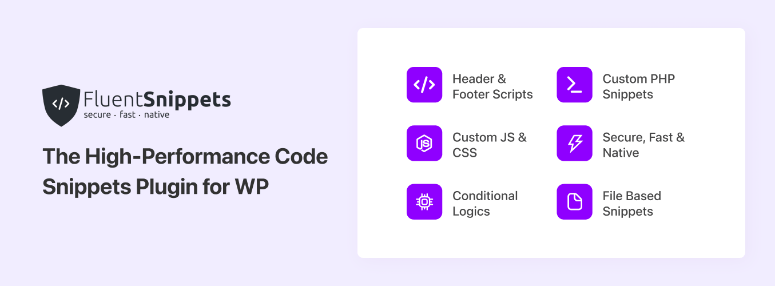
Every other plugin on this list stores your snippets in the WordPress database. FluentSnippets stores them as flat files. At runtime, WordPress includes those files natively. Result: zero database queries from the snippet manager itself. Zero.
I ran Query Monitor before and after activating three PHP snippets in FluentSnippets and in WPCode. WPCode added 4 database queries per page load. FluentSnippets added zero.
On a site using best WordPress image optimization plugins and already squeezing out the last performance gains, that zero-query architecture is the missing piece.
For sites on managed WordPress hosting handling tens of thousands of daily pageviews, removing database overhead from snippet management is a real optimization.
The Standalone Mode is the most unusual feature in this entire category. Activate standalone mode, and your snippets move to wp-content/mu-plugins.
Then you can delete FluentSnippets — and the snippets continue running. For client sites where you don’t want a snippet manager visible, this is genuinely clever.
The caveat: 40,000 installs versus WPCode’s 3 million. Fewer tutorials, fewer community-tested snippets, fewer forum answers.
My Experience with FluentSnippets
I set up FluentSnippets on a high-traffic staging replica and activated Standalone Mode. After deactivating the plugin, all snippets were still running from mu-plugins. I reinstalled FluentSnippets, and it immediately recognized the existing files. The handoff was seamless.
One genuine concern: a WP.org review from early 2026 noted that FluentSnippets initially refused to save snippets after installation. I tested this myself and didn’t reproduce the issue, but the small community means problems like this take longer to surface and get attention.
🟢► Pros
- Zero database queries at runtime: Query Monitor confirmed FluentSnippets adds 0 DB queries per page load, the only plugin in this list with that claim.
- SQL injection immunity: File-based storage means snippet data can’t be targeted by database injection attacks.
- Standalone Mode: I deactivated the plugin and snippets kept running via mu-plugins. This is a unique architecture for client handoffs.
- Completely free: No paid version, no feature gating.
🔴► Cons
- Small community: 40K installs vs WPCode’s 3M means fewer tutorials and slower support forum activity.
- Save reliability concern: One documented case of snippets refusing to save on first install.
My Verdict: FluentSnippets solves a real problem, database overhead from snippet management, in a genuinely novel way. For performance-obsessed developers on high-traffic sites, the zero-query architecture is worth the smaller community trade-off.
For anyone who values a large support ecosystem and ready-made snippets, WPCode covers the bases with less technical risk.
Pricing: Free. No paid tier.
👉 Get started with FluentSnippets here
Also Consider: Insert PHP Code Snippet ⭐⭐⭐
Insert PHP Code Snippet by XYZscripts converts PHP code blocks into shortcodes you paste directly into posts, pages, and widgets. With 4.9/5 and 600+ WP.org reviews, users love it for one specific job: embedding dynamic PHP output inside page builder content without editing theme files.
If you use best WordPress social media plugins and need to embed dynamic share counts or social widgets via PHP shortcode in specific post locations, this is the most direct tool for that job. PHP only, no CSS or JS management.
Pricing: Free.
Also Consider: Simple Custom CSS and JS ⭐⭐⭐
Simple Custom CSS and JS handles CSS and JavaScript only, nothing else. The live preview mode lets you see CSS changes on the front end in real time before saving.
If you’re adjusting best WordPress gallery plugins that need custom CSS overrides and want to see the result immediately, this is the most focused CSS injection option available. Not for PHP, not for conditional logic.
Pricing: Free. Pro version available.
How to Choose a WordPress Code Snippet Plugin
The right plugin depends on what you actually need to run. Not just today, but six months from now when your use case expands.
If you’re adding tracking codes, pixels, and analytics scripts only → Header Footer Code Manager handles this with the least complexity and a useful audit trail for team sites. The interface takes about 90 seconds to set up your first snippet.
If you want a full code management system and you’re not a developer → WPCode is the clear choice. The built-in snippet library means you can activate common functionality without finding code yourself. Start with the free version and upgrade to Plus only if you need WooCommerce-specific placements for your store running the best WooCommerce plugins.
If you want the most familiar interface → Code Snippets uses the same mental model as managing plugins — toggle on, toggle off. Be disciplined about backing up before applying plugin updates.
If you run multiple client sites → WPCodeBox’s cloud sync and plugin-export feature change the agency workflow. The no-free-version policy is a hard line — either it fits your budget or it doesn’t.
If you’re a developer on a high-traffic site → FluentSnippets’ zero-database-query architecture is genuinely differentiated. For sites with tens of thousands of daily visitors, removing database overhead from the snippet system is a real optimization.
If you add ad code, promotional banners, and marketing scripts → Woody Code Snippets’ Universal snippet type and free-tier device targeting make it the most flexible option for marketing-heavy workflows. If you’re managing a best WordPress membership plugins site with tiered content, Woody’s conditional logic handles member-specific snippet rules in the free version.
Here’s one more scenario worth naming: if your site uses live chat software that requires a header script, that’s a perfect Header Footer Code Manager job. Install, paste the chat widget code into the header, done.
The one question that simplifies most decisions: Do you need PHP to run, or do you just need scripts in the header? PHP capability is the dividing line that separates the full snippet managers from the simple script injectors.
FAQs: Best WordPress Code Snippet Plugins
What is a code snippet plugin for WordPress?
A code snippet plugin gives you a safe place to add custom code — PHP, CSS, JavaScript, or HTML — without editing your theme’s functions.php file directly.
If something breaks, you can toggle the snippet off without losing access to your site. It keeps your customizations theme-independent, so they survive theme updates and switches.
Will a code snippet plugin slow down my WordPress site?
Most add negligible overhead. WPCode, Code Snippets, and others run 3–5 extra database queries per page load, which is immeasurable in practice on most sites. FluentSnippets runs zero queries by storing snippets as files.
The performance impact of the snippets themselves depends entirely on what code you run, not the plugin managing it. For sites where every millisecond counts, pairing a snippet plugin with quality best WordPress hosting makes a bigger difference than which snippet manager you pick.
What happens if my code snippet breaks my site?
Most plugins in this list include a safe mode. If a fatal error occurs, you access a special admin URL (usually with ?safe_mode=plugin-name appended) that bypasses the snippet, lets you back into the dashboard, and deactivates the broken snippet.
WPCode also validates PHP syntax before saving, catching errors before they can go live.
Is WPCode free?
Yes. WPCode has a fully capable free version with unlimited snippets, the built-in library, header/footer scripts, and conditional logic. Paid plans start at $49/yr (Basic, 1 site) and unlock features like conversion pixels, WooCommerce-specific placements, and AI snippet generation.
What’s the difference between WPCode and Code Snippets?
WPCode emphasizes a built-in library of expert-tested snippets you can activate in one click, plus code generators and conditional logic with a visual interface. Code Snippets emphasizes a minimal, plugin-like toggle interface with strong multisite support and community cloud snippets.
WPCode is better for non-developers who want ready-made code; Code Snippets is better for users who prefer a clean, familiar management layer.
Can I use a code snippet plugin instead of a child theme?
For adding PHP functions and custom code, yes, code snippet plugins are the modern replacement for functions.php editing. For overriding theme templates, you still need a child theme or one of the best premium WordPress themes that supports child theme customization cleanly.
But for the majority of customizations people add to functions.php — removing features, adding analytics, modifying default behavior — a snippet plugin is safer and easier to manage.
Final Verdict: Should I Use Code Snippet Plugins on My WordPress Site?
Yes, they belong on every WordPress site.
That afternoon everything stopped loading on my Elementor site wasn’t a catastrophe, it was the day I stopped being afraid of custom code.
Whether you’re starting a WordPress blog from scratch or managing a mature site, the fix you need often already exists as a snippet. You just need a safe way to apply it.
Code snippet plugins give you that safety layer. The error handling, safe mode, and toggle controls mean the worst-case scenario is a snippet that auto-deactivates, not a site that goes down for hours.
Free options exist for every use case on this list. The paid upgrades are reasonable when you need them — typically $40–$100/yr — and most solo site owners will never outgrow the free tier.
Install one today, add your first Google Analytics snippet or tracking pixel, and see how much simpler WordPress management becomes when you’re not afraid of the code editor.
Plugin Ratings at a Glance
WPCode – 4.9/5 · Code Snippets – 4.7/5 · Woody Code Snippets – 4.5/5 · Header Footer Code Manager – 4.9/5 · FluentSnippets – 4.6/5
Resource Hub: WordPress Customization & Code Management
These IsItWP guides cover the tools and techniques that work alongside code snippet plugins for a faster, better-functioning WordPress site.
- How to Create a WordPress Blog — Step-by-step guide to launching a WordPress blog from scratch, including plugin setup and customization
- How to Make a WordPress Website — Complete beginner walkthrough for building any type of WordPress site without code
- Best Contact Form Plugins for WordPress — Tested comparison of the top form plugins, including which ones inject tracking scripts cleanly
- Best Email Marketing Services — Comparison of email platforms that typically require header script installation via snippet plugin
- Best Website Builders for Beginners — If WordPress feels too complex, here’s how other platforms compare for non-technical users
- Best SMTP Email Services for WordPress — SMTP setup often requires adding header scripts — here’s the best service to pair with your snippet plugin

Comments Leave a Reply