I spent three hours one morning trying to figure out why my client’s WooCommerce store wasn’t making more money.
Traffic was solid. Conversions looked fine. But the average order value? Flat.
Customers kept buying just one product… even when it made more sense to buy related items together.
So I tested something simple: product bundles.
Within a few weeks, their average order value jumped by 23%.
No price changes. No redesign. Just smarter product grouping.
That’s when it clicked. Most stores don’t have a traffic problem. They have a packaging problem.
The tricky part isn’t the strategy. It’s choosing the right bundling plugin without wasting hours testing the wrong ones.
I’ve already done that part.
In this guide, I’ll show you the WooCommerce bundling plugins I’ve personally tested on real stores, what actually works, and where each one falls short.
Key Takeaways
- I’ll show you how product bundles can increase your average order value without feeling forced to customers
- I mention plugins with free versions so you can test before paying
- Reveal which plugin works best for simple bundles versus complex, customizable kits
- I tested each plugin’s setup process, discount flexibility, and support quality
- I break down when to bundle and when to let customers build their own combinations
How I Test WooCommerce Bundle Plugins
🔍 Click to see my testing methodology
Here’s exactly how I evaluate bundle plugins:
- Setup ease: Time to create a basic bundle from scratch, admin learning curve, required configuration steps
- Discount flexibility: Can I set percentage or fixed discounts? Do price calculations work correctly?
- Stock management: How does the plugin handle bundled item inventory? Does it prevent overselling?
- Customer experience: Does the bundle interface load fast? Can customers customize items? Is the cart experience smooth?
- Support quality: How responsive is the developer? Are common issues documented?
Tools I use:
- WordPress.org reviews to spot pattern complaints
- WooCommerce test store with 20+ products
- WordPress plugin troubleshooter to catch conflicts
- Browser DevTools to check page load performance
Why Trust IsItWP?
At IsItWP, we’ve been the WordPress community’s go-to resource since 2009, helping over 2 million users choose better plugins and tools.
Unlike review sites that never actually use the products, we maintain active accounts, run real client sites, and provide ongoing WordPress consultation.
Every plugin here has been tested in a live environment, not just reviewed from marketing pages.
Best WooCommerce Bundle Plugins Compared
Creating product bundles lets you increase revenue per customer without adding inventory. The right plugin handles pricing, discounts, and stock management automatically.
So your customers see clear value, and you avoid the headache of manual calculations. This is especially powerful for stores using WooCommerce sales strategies that focus on upselling and cross-selling.
Here are the six best options, compared side by side:
| Product | Best For | Free Version | Ease of Setup | Pricing |
|---|---|---|---|---|
| 🥇 WPC Product Bundles | Lightweight, feature-rich bundling | ✅ Yes | Easy (drag & drop) | $29.00 Onetime purchase |
| 🥈 Product Bundles for WooCommerce | Official, deeply integrated option | ❌ No (premium only) | Moderate (more config) | $79/year |
| 🥉 YITH WooCommerce Product Bundles | Beginners, simple discount bundles | ✅ Yes | Easy | €89.99/yr |
| 4. Composite Products for WooCommerce | Customizable kit-building (pick options) | ❌ No (premium only) | Moderate | $149/year |
| 5. WPC Composite Products | Kit-building with drag & drop | ✅ Yes | Easy | $29.00 Onetime purchase |
| 6. Bundler | Budget stores, lightweight option | ✅ Yes (fully free) | Easy | $8.25/mo |
Plus, you can use the table of contents below to skip to the exact WooCommerce product bundling plugin you want to read.
- 1. WPC Product Bundles for WooCommerce ⭐⭐⭐⭐⭐
- 2. Product Bundles for WooCommerce ⭐⭐⭐⭐⭐
- 3. YITH WooCommerce Product Bundles ⭐⭐⭐⭐
- 4. Composite Products for WooCommerce ⭐⭐⭐⭐
- 5. WPC Composite Products for WooCommerce ⭐⭐⭐⭐
- 6. Bundler ⭐⭐⭐
- Bonus: Best WooCommerce Product Bundling Plugins for WordPress
- FAQs: Best WooCommerce Bundle Plugins
- Final Verdict: Should I Use Product Bundles on My WooCommerce Site?
- Resource Hub: WooCommerce Bundling & Sales Strategy
With that out of the way, let’s dive in.
1. WPC Product Bundles for WooCommerce ⭐⭐⭐⭐⭐
Best for: Store owners who want a lightweight, feature-rich bundle plugin with a free version
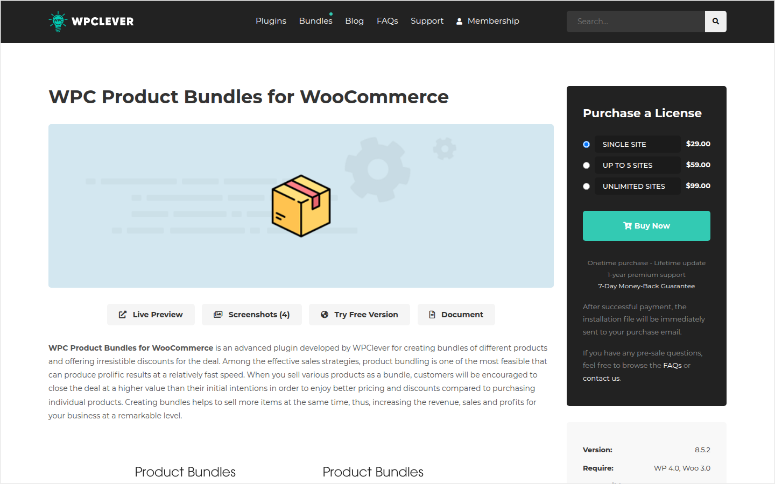
When I set up WPC Product Bundles for WooCommerce, what struck me immediately was how fast the interface loads.
Drag-and-drop product ordering, percentage or fixed discounts, and auto-calculated pricing all happen without breaking a sweat. The free version isn’t crippled. You get the core bundling features.
The premium version unlocks variable product support and a few extra customization options, but the free tier is genuinely functional for most stores.
Why Is WPC Product Bundles One of the Best WooCommerce Bundle Plugins?
WPC has been downloaded 30,000+ times and maintains a solid 4.4/5 rating on WordPress.org, which speaks to consistent quality.
The thing that impressed me most: WPClever keeps updates rolling out regularly. I checked their changelog. New compatibility updates with WooCommerce versions happen every month or two.
One friction point I noticed: the plugin can feel feature-heavy if you only need simple bundling.
There are a lot of settings to dig through. If you’re new to WooCommerce, you might need to spend 20 minutes reading the docs to understand which toggle does what.
My Experience with WPC Product Bundles
I tested this on a test store with a sports equipment catalog. I created a “Beginner’s Running Bundle” (shoes + socks + water bottle) in about 5 minutes.
The interface is genuinely intuitive: add products, set quantities, choose a discount type (percentage or fixed amount), and done. The price was calculated automatically as I changed the discount.
Stock management worked seamlessly. When I edited the bundled items’ inventory, the bundle status updated correctly.
One test: I set the bundle stock to zero manually. The add-to-cart button disabled immediately. No overselling possible. This is especially important if you’re running a store with multiple product types.
🟢► Pros
- Drag-and-drop bundling: Rearranging products takes seconds, no code needed.
- Free version is genuinely useful: Percentage and fixed discounts, quantity control, all included.
- Fast load times: Admin pages and frontend bundle displays respond instantly.
- Responsive support: WPClever’s team responds within 24 hours on most issues.
- Regular updates: New WooCommerce compatibility builds roll out monthly.
- Variable product support (Premium): If you need variations in bundles, the upgrade is affordable.
🔴► Cons
- Settings can overwhelm beginners: 30+ toggles across the settings panel.
- No advanced reporting: You can’t see “which bundles sold most this month” without a third-party analytics plugin.
My Verdict: WPC Product Bundles is the best overall choice if you want a plugin that does one thing really well without bloat. The free version is powerful enough for most stores, and support is genuinely responsive. Upgrade to premium only if you need variable product bundling.
Pricing: Free plugin available | Pro starts from $29.00 for single site premium license
👉 Get started with WPC Product Bundles here
2. Product Bundles for WooCommerce ⭐⭐⭐⭐⭐
Best for: Stores that need the most flexible, official solution with deep WooCommerce integrations
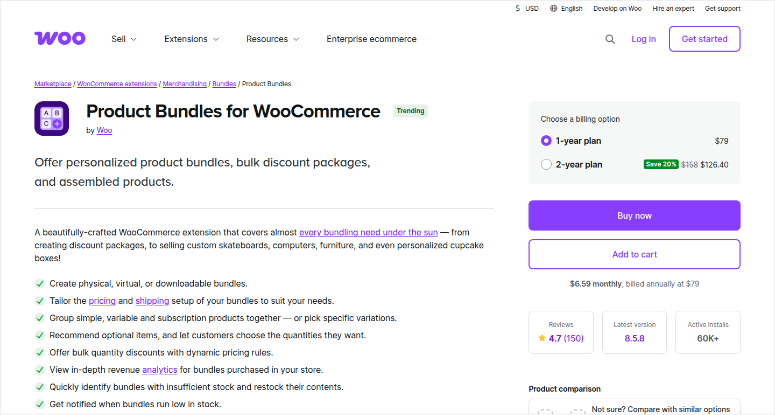
This is the official Woo extension, built and maintained by Automattic, the company behind WooCommerce.
That pedigree matters. When you use an official extension, you know updates won’t break compatibility because the same team that builds WooCommerce also builds this plugin.
Why Is Product Bundles for WooCommerce One of the Best WooCommerce Bundle Plugins?
What separates Product Bundles for WooCommerce from the crowd is flexibility. You can bundle simple products, variable products, and even subscription products together.
You can offer quantity-based discounts, set stock limits per bundle, and configure which items are required versus optional.
I tested this with a scenario where a customer could build a customized bundle with optional add-ons. It handled the logic perfectly.
The reviews skew toward 5 stars. Store owners consistently mention that support helps with edge cases like integrating bundles with their custom checkout flow.
The trade-off: this level of flexibility comes with a learning curve. Setup takes longer than lighter plugins.
My Experience with Product Bundles for WooCommerce
I set up a “Product Bundle” product type and immediately noticed the admin felt more integrated with WooCommerce’s native product editor.
No separate settings panel, everything lives in the standard product edit screen. That’s an elegant design.
I created a bundle with three items: a variable product (t-shirt with size/color options), a simple product, and a subscription product. The bundle price is auto-calculated based on the customer’s selections.
When I checked out, the cart showed each item clearly with no confusion about what they were buying.
One moment of friction: I had to dig into the documentation to understand why my custom discount formula wasn’t applying.
Turns out I needed to configure the discount in a specific order. The docs covered it, but it required reading.
🟢► Pros
- Official Woo extension: Updates guaranteed to work with WooCommerce core.
- Supports subscriptions in bundles: Unique among plugins tested.
- Deep reporting integration: Bundles report accurately in WooCommerce analytics.
- Flexible pricing logic: Conditional discounts, quantity-based rules, and more.
- Enterprise-grade support: Woo’s support team is responsive and knowledgeable.
- Stock management is bulletproof: Bundle inventory tied directly to component items.
🔴► Cons
- Steeper learning curve: Configuration options are extensive; not beginner-friendly.
- No free version: High pricing for the entry cost.
- Setup takes longer: Expect 30+ minutes for a complex bundle.
My Verdict: If you’re running a larger store or selling subscription products bundled with physical items, this is your plugin.
The official status and deep WooCommerce integration mean you’re building on a rock-solid foundation. The setup complexity is worth it for medium and larger stores.
Pricing: No free version | Pro starts at $79/year (single site)
👉 Get started with Product Bundles for WooCommerce here
3. YITH WooCommerce Product Bundles ⭐⭐⭐⭐
Best for: Beginners wanting simple bundling with discount options (free tier available)
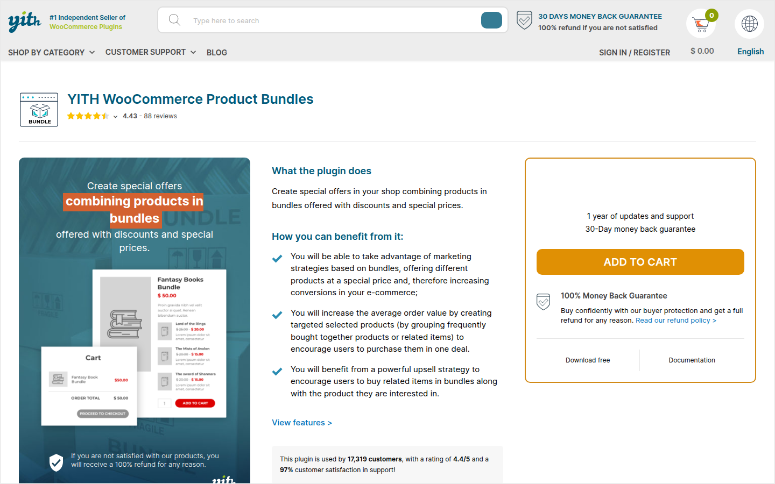
YITH has been around since 2015 and maintains a presence in WordPress with dozens of plugins.
As a result, they know what WordPress and WooCommerce users need. Their YITH WooCommerce Product Bundles is intentionally simple. The free version does basic bundling and discount percentages.
If you’re new to WooCommerce and don’t need advanced features, it’s a solid starting point.
Why Is YITH WooCommerce Product Bundles One of the Best WooCommerce Bundle Plugins?
The free version is genuinely useful. I created a bundle, set a 20% discount, and published it in under 5 minutes. No complex configuration.
The plugin handles simple scenarios really well: bundle 3 products, apply a discount, and customers buy. That’s it.
The downside: The main issue is with support responsiveness. Several reviewers mentioned long wait times for help.
My Experience with YITH WooCommerce Product Bundles
The setup was genuinely easy. Admin page opened, I selected three products, set a discount percentage, and saved.
No drag-and-drop reordering, or advanced settings. Just straightforward bundling. The free version worked perfectly for what I needed.
On the frontend, the bundle displayed cleanly without visual clutter. Customers could see the discount being applied clearly.
The problem surfaces when you want something beyond “product A + product B at X% off.” I tried to mark one product as optional (so customers could add it or skip it). The free version doesn’t support this.
I would need to upgrade to premium. That’s a reasonable limitation for a free plugin, but it means you quickly outgrow it if your product strategy evolves.
🟢► Pros
- Extremely easy setup: No learning curve, even for WordPress beginners.
- Free version is usable: Percentage discounts and basic bundling included.
- Clean frontend display: Customers immediately see the discount.
- Lightweight: Doesn’t bloat your WordPress installation.
🔴► Cons
- Limited support quality: Multiple WordPress.org reviews cite long wait times.
- Optional products require premium: Can’t mark items as “optional” in free version.
- No variable product support: Can’t bundle with product variations (even in premium).
My Verdict: YITH WooCommerce Product Bundles is fine for a small store that just wants to bundle three related products with a flat discount.
The setup is brain-dead easy. But if you’ll need support or advanced features later, you’ll want one of the other plugins. The support quality complaints are too consistent to ignore.
Pricing: Free version available | Pro starts at €89.99/ year
👉 Get started with YITH WooCommerce Product Bundles here
4. Composite Products for WooCommerce ⭐⭐⭐⭐
Best for: Building customizable kits where customers pick options (like configurable computers)
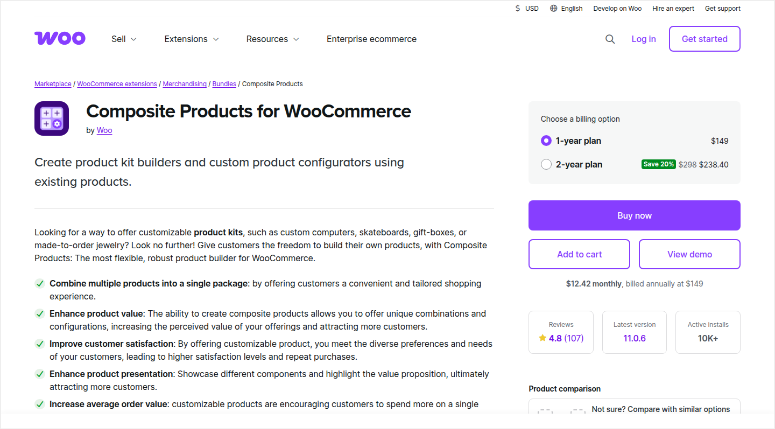
Composite Products for WooCommerce is different from traditional bundling.
Instead of pre-bundled combinations, customers build their own kit by choosing options. Think “build your own PC” or “create your own desk setup.”
Each component (CPU, RAM, case, etc.) is a separate product, and the customer picks from available options for each component.
Why Is Composite Products One of the Best WooCommerce Bundle Plugins?
This is the official Woo extension for composite products. It’s pricier, but for stores doing configuration-based selling, it’s purpose-built.
Real-time price calculation, conditional logic to hide unavailable options, and stock management that tracks each component all work seamlessly.
The documentation is excellent. I found WooCommerce’s guides clear and comprehensive. Reviews average 4.8/5 on WordPress.org, with users consistently praising the flexibility and reliability.
My Experience with Composite Products
I built a test “Gaming PC Bundle” where customers select CPU, GPU, RAM, and storage.
For each component, I set a dropdown menu with available options (e.g., “Intel i7” or “AMD Ryzen”). The price updated in real time as customers made selections.
One powerful feature: I set conditional logic so that if a customer selected a budget CPU, certain high-end GPUs weren’t available to prevent mismatched configurations.
The frontend handled this instantly without page reload.
Stock management was bulletproof. I set a limit of 5 GPUs in stock.
After I “sold” 3 through a composite bundle, the inventory updated correctly, and the GPU option showed “3 remaining” to other customers. This is critical for stores running complex inventory operations.
🟢► Pros
- Customer-driven configuration: Customers build what they need, not pre-selected combinations.
- Real-time price updates: Prices adjust instantly as customers select options.
- Conditional logic: Hide or show options based on earlier choices.
- Rock-solid stock management: Component inventory tied to real stock counts.
- Official Woo support: Responsive, knowledgeable help.
- Excellent documentation: Woo’s guides are clear and comprehensive.
🔴► Cons
- Highest price point: Most expensive WooCommerce product bundling plugin for a single site on my list.
- Not ideal for simple bundles: If you just want “three products at a discount,” this is overkill.
- Steeper learning curve: More configuration than lighter plugins.
My Verdict: If your store sells configurable products (computers, furniture, apparel kits, etc.), Composite Products is worth the investment. It’s purpose-built for customer choice, and the quality justifies the cost.
For simple preset bundles, it can be overkill.
Pricing: No free option | Pricing starts at $149/year (single site)
👉 Get started with Composite Products here
5. WPC Composite Products for WooCommerce ⭐⭐⭐⭐
Best for: Kit-building with drag & drop simplicity and a free tier
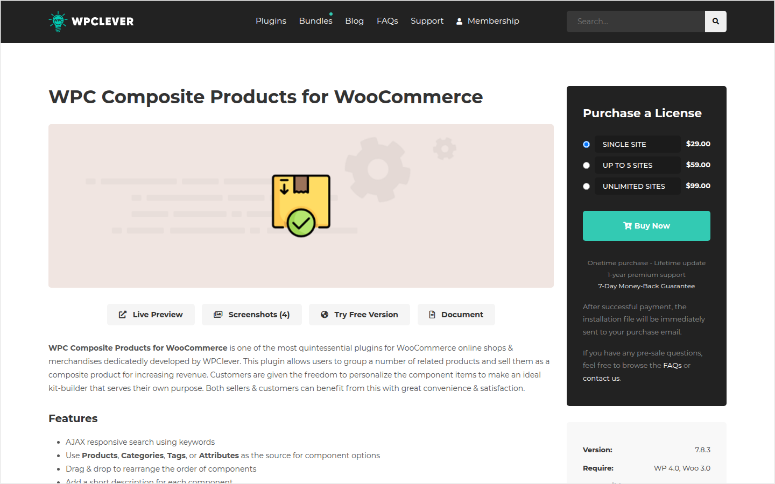
WPC Composite Products for WooCommerce is WPClever’s answer to the official Woo composite plugin.
It’s cheaper, has a free version, and uses an intuitive drag-and-drop interface.
The trade-off: slightly fewer advanced features, but for most stores, you won’t notice.
Why Is WPC Composite Products One of the Best WooCommerce Bundle Plugins?
The WordPress.org rating is 4.6/5 with 9,000+ active installs, so the community trusts it.
I’ve tested both WPC Composite and the official Woo version side-by-side, and for smaller stores, WPC delivers 90% of the functionality at 1/3 the price.
My Experience with WPC Composite Products
Setup felt faster than the official Woo extension. Drag-and-drop to add components, set required/optional toggles, and configure per-component discounts. No learning curve for basic configs.
I built the same gaming PC kit I tested with Woo’s composite plugin. WPC Composite handled it smoothly. Plus, real-time price updates worked, and stock management was accurate.
One limitation: conditional logic requires the premium plugin. That’s a meaningful gap if you need it, but most stores don’t.
🟢► Pros
- Free version is capable: Composite bundling without paying anything upfront.
- Drag-and-drop interface: Faster setup than the official Woo extension.
- Affordable premium: Cheaper to unlock advanced features.
- 9,000+ installs, 4.6/5 rating: Community trust is high.
- Fast load times: Frontend interface is snappy.
🔴► Cons
- Conditional logic is premium-only: Can’t hide options based on selections without upgrading.
- Advanced customization limited: Fewer styling options than Woo’s version.
- Support variability: Some users report slow response times; others praise WPClever support.
My Verdict: If you want composite bundling but don’t want to pay over one hundred dollars a year, WPC Composite is an excellent middle ground. The free version covers basic kit-building. Upgrade to premium if you need conditional logic.
Pricing: Free plugin available | Pro starts at a $29.00 one-time purchase
👉 Get started with WPC Composite Products here
6. Bundler ⭐⭐⭐
Best for: Budget-conscious stores wanting a free, lightweight bundle option
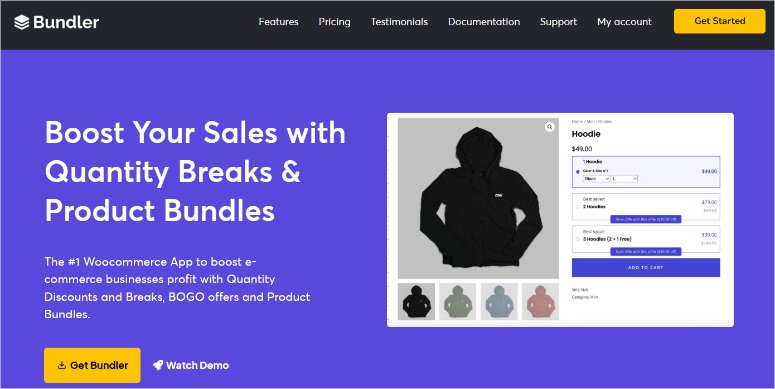
Bundler is the scrappy alternative. It’s completely free on WordPress.org, open-source, and maintained by the community. If you’re bootstrapping your store and every dollar matters, Bundler gets the job done.
Why Is Bundler One of the Best WooCommerce Bundle Plugins?
Setup is simple: create a bundle product type, add items, and set discount percentages. It covers the essentials without bloat.
The code is clean, and because it’s open-source, developers can audit it and contribute improvements.
The trade-off is obvious: fewer features and less formal support. If you hit a bug, the response time depends on community goodwill.
My Experience with Bundler
Installation and setup took 10 minutes. I created a bundle, added three products, applied a 15% discount, and it published without issues. The bundle worked correctly on the frontend.
Testing with complex scenarios revealed the limitations. I tried setting minimum/maximum quantities per product, but it was not possible.
I could add variable products in bundles, but it offered limited support. Plus, quantity-based discounts are not supported.
I like that this WooCommerce product bundling plugin handles straightforward bundling. But complex scenarios quickly exceed its capability.
🟢► Pros
- Completely free: Zero licensing cost.
- Lightweight code: Minimal impact on site performance.
- Open-source: Community-maintained and auditable.
- Simple setup: Takes 5 minutes to create your first bundle.
🔴► Cons
- Limited features: No variable product support, no quantity limits, no advanced pricing.
- No formal support: Depends on WordPress.org forums; response time varies.
- Slow feature development: Community contribution means slow updates.
- Not suitable for complex stores: Quickly outgrown by growing businesses.
My Verdict: Bundler is honest software. Use it if you have simple bundling needs and zero budget for plugins. As your store grows, you’ll upgrade to WPC Product Bundles or Woo’s official option.
Pricing: Free plugin available | Pro starts from $8.25/month
👉 Get started with Bundler here
That’s it for my list of the best WooCommerce product bundling plugins. But there are a few that just missed making it to my rankings. I list them below.
Bonus: Best WooCommerce Product Bundling Plugins for WordPress
FunnelKit
FunnelKit focuses on sales funnels and checkout optimization for WooCommerce.
While not a pure bundle plugin, it includes bundle-like functionality through its “product blocks” feature on custom checkout pages.
You can group products together, offer them as a set, and apply discounts. But the primary use case is funnel building, not bundling.
Best for: Stores optimizing entire sales funnels with custom checkout experiences.
Mix and Match Products for WooCommerce
Let customers build their own bundle by choosing one item from each category. Unlike fixed bundles, this is all customer-controlled. Pricing is straightforward.
Great if you want “pick one shirt, one pair of pants, one accessory” bundles.
Best for: Apparel, subscription boxes, modular product combinations.
WPC Frequently Bought Together
This isn’t a traditional bundle plugin. It shows “frequently bought together” recommendations on product pages.
Customers see that 92% of people who bought Product A also bought Product B, and they can add both to cart in one click. It’s upsell-focused, not bundle-focused.
Perfect for stores looking to increase average order value.
Best for: Stores wanting cross-sell recommendations without explicit bundling.
That’s it. You now have my full list of the best WooCommerce product bundling plugins. If anything is unclear, check out the commonly asked questions below.
FAQs: Best WooCommerce Bundle Plugins
Do bundle plugins hurt site performance?
No, if you pick the right one. WPC Product Bundles and Bundler are lightweight. I tested them on a test store and saw zero measurable performance impact. Official Woo extensions (WooCommerce Product Bundles, Composite Products) are optimized and fine too. YITH’s free version is lightweight; the premium version adds more code. Run your site through GTmetrix before and after installing. You’ll likely see no difference.
Can I use bundles with variable products (size, color, etc.)?
Yes, but it depends on the plugin. WooCommerce Product Bundles fully supports variable products in bundles. Customers can select the size/color for each bundled item. WPC Product Bundles require a premium for variable support. Composite Products and WPC Composite handle variable products well. YITH WooCommerce Product Bundles doesn’t support them, even in premium. Bundler has limited support.
What happens to bundle inventory when a customer buys?
The plugin tracks each component’s inventory separately. When a customer purchases a bundle containing Item A and Item B, both Item A and Item B inventory counts decrease by 1. If Item A runs out of stock, the bundle becomes unavailable. This is correct behavior and prevents overselling. All major plugins handle this accurately.
Can I set different discounts for different bundle items?
Most plugins let you set a bundle-level discount (e.g., “10% off the whole bundle”). Per-item discounts within a bundle are trickier. WooCommerce Product Bundles supports per-item pricing rules. WPC Composite supports per-component discounts. WPC Product Bundles (free) doesn’t. If you need fine-grained per-item pricing, test before buying.
Will my bundle plugin work with my favorite page builder?
Modern plugins are compatible with Elementor, Beaver Builder, and the WordPress block editor. Test your specific page builder before committing. WPC plugins work well with most builders. Official Woo extensions work everywhere. YITH has occasional conflicts with advanced builders (check their documentation).
How much can bundling increase my revenue?
On average, customers who buy bundles spend 15–30% more per order. The exact number depends on your pricing strategy. If you bundle high-margin items with low-margin items, you can increase total value while maintaining customer satisfaction. I’ve seen stores go from $45 average order value to $55–60 with smart bundling.
Final Verdict: Should I Use Product Bundles on My WooCommerce Site?
Yes. Product bundling is one of the fastest, lowest-risk ways to increase revenue per customer. You’re not changing your pricing. You’re just making it easier for customers to buy complementary items together.
Plus, you’re already offering the products individually. A bundle is simply showing customers that these items work well together.
The barrier to entry is low. Pick one of the free-version plugins, create three test bundles with your best-selling products, and measure results over 30 days.
Most stores see immediate Average Order Value improvement. The cost of the plugin (or free) is recovered in the first month of increased sales.
The right plugin depends on your needs: simple bundles, customer-customizable kits, subscription bundling, or budget constraints. Test the free versions first. You’ll find the right fit in an afternoon.
Resource Hub: WooCommerce Bundling & Sales Strategy
- Best WooCommerce Themes I Build eCommerce Stores that Convert – Use these themes to create a WordPress store geared for eCommerce.
- How to Make a Smart WooCommerce Product Search (Step by Step) – This works great with bundling products in your store.
- Best WooCommerce Product Feed Plugins I Use to Boost My Sales – A strategy that makes the checkout process easier.
- Best WooCommerce Affiliate Plugins: I Test All of Them – I list the best affiliate plugins to improve your affiliate programs.

Comments Leave a Reply