Sarah volunteers as the office manager at her church.
That Sunday morning, she arrived two hours early to answer three logistics questions: Where do volunteers sign up? Why doesn’t the donation form work on phones? Where are last week’s sermons?
The chaos wasn’t intentional. Email sign-ups mixed with spreadsheet tracking mixed with sermon folders hidden in the desktop. Nothing talked to anything else.
But that Sunday morning broke something. The pastor delayed the tech check. Two volunteers missed their assignments. A donor’s recurring gift failed because the form wasn’t mobile-friendly.
It didn’t have to be this way. Sarah discovered that WordPress could handle everything—not through one “church management” plugin, but through complementary plugins that work together. Forms. A donation platform. An event calendar. A sermon manager.
By the next month, Sunday mornings ran differently. Volunteers got confirmations instantly. Donors set up recurring gifts in 90 seconds. Sermons ranked on Google. The pastor prepared instead of troubleshooting.
You don’t need complexity or chaos. You need the right WordPress church plugins working together.
Key Takeaways
- I’ll show you the core plugin stack that churches actually use: giving, forms, site building, and sermon management
- I tested tools that work specifically for churches, not generic WordPress plugins retrofitted for nonprofits
- I reveal which combination of plugins replaces expensive all-in-one “church management” software
- I tested 10+ options across 6 categories so you don’t spend weeks evaluating
How I Test Church WordPress Plugins
See my full testing methodology
Here’s exactly how I evaluate church WordPress plugins:
- Beginner-friendliness: Can a non-technical volunteer set this up without calling IT? Does it have clear documentation?
- Real church workflows: Does it solve actual problems like volunteer signup chaos, donation tracking, or sermon distribution?
- Performance under load: How does it handle 200+ volunteers signing up for an event simultaneously? Does it slow the site?
- Integration capability: Does it play nicely with other plugins, or does it create conflicts? Can forms feed into email lists?
- Cost-consciousness: Does it drain a church’s budget? Are there free versions that actually work, or are they stripped of everything useful?
Tools I use:
- WordPress sandbox environments — test installations that don’t affect live sites
- GTmetrix — measure performance impact before and after plugin installation
- WP.org plugin reviews — real feedback from churches and nonprofits already using these tools
- Active church sites — test across different hosting providers and WordPress themes
Why Trust IsItWP?
At IsItWP, we’ve been the WordPress community’s go-to resource since 2009, helping over 2 million users choose better tools, plugins, and hosting. Unlike review sites that copy vendor marketing, we maintain active WordPress accounts, run client sites, and provide ongoing WordPress consultation. When we test a plugin, we’re testing it the way you would use it—not from a feature list.
Best Church WordPress Plugins Compared
Here’s a quick comparison of the 10 best church WordPress plugins. These tools cover everything from accepting donations to organizing volunteers to publishing sermons. Most churches find that combining 3–5 of these creates a complete tech stack without the cost of expensive proprietary church management software. For deeper dives into specific categories, see our guide on best WordPress plugins for nonprofits.
| Plugin | Best For | Our Rating | Free Version | Starting Price | Key Feature |
|---|---|---|---|---|---|
| Charitable | Online donations without transaction fees | ⭐⭐⭐⭐⭐ | Yes | $69/year (Pro) | Recurring donations on free version; no platform fees |
| WPForms | Volunteer signups, event registration, prayer requests | ⭐⭐⭐⭐⭐ | Yes | $49.50/year | Drag-and-drop form builder; dual confirmation emails |
| SeedProd | Launching or redesigning a church website | ⭐⭐⭐⭐⭐ | Yes | $31.50/year (Pro) | 200+ templates; lightweight code; no developer needed |
| AIOSEO | Getting sermons and events to rank on Google | ⭐⭐⭐⭐ | Yes | $99/year (Pro) | Automatic church schema markup for local search |
| Sugar Calendar | Weekly events, small groups, worship services | ⭐⭐⭐⭐ | Yes (Lite) | $149/year (Plus) | Google Calendar sync; RSVP management |
| Advanced Sermons | Publishing and archiving sermons | ⭐⭐⭐⭐⭐ | Yes | $60/year (Pro) | 80+ sermon layouts; YouTube/Vimeo/SoundCloud integration |
| GiveWP | Large giving base; advanced donor management | ⭐⭐⭐⭐⭐ | Yes | $149/year (Basic) | Zero platform fees; 100K+ installs; built-in donor dashboard |
| Smash Balloon | Displaying Facebook livestreams on your website | ⭐⭐⭐⭐ | Yes (text only) | ~$60/year (Pro) | Auto-embeds Facebook Live streams on your church site |
| WP Simple Pay | Recurring gifts and event ticketing via Stripe | ⭐⭐⭐⭐ | Yes (Lite) | $49.50/year | Subscriptions free; Apple Pay and Google Pay support |
| Fusebox | Distributing sermons as podcasts | ⭐⭐⭐ | No | $7.50/month | Auto-distributes to Apple Podcasts and Spotify; transcript generation |
1. Charitable ⭐⭐⭐⭐⭐
Best for: Churches wanting a complete donation platform without monthly transaction fees
Why Is Charitable One of the Best Church Donation Plugins?
Charitable stands out because it treats donations like a first-class feature, not a bolted-on afterthought. The moment you activate the plugin, you can create a donation form in under five minutes. No payment gateway friction. No vendor lock-in. Just straightforward giving.
The real differentiator is recurring donations. Most donation plugins charge extra for this—$10, $20 per month in add-on fees. Charitable includes it in the free version. That’s the difference between a donor being able to commit to automatic monthly giving and a donor abandoning the form because it’s too complicated.
What impressed me most: the plugin works transparently. When you’re setting up a donation form, you see exactly what the donor sees. No hidden steps. No surprise redirects to external sites. The donation happens directly on your church’s website, which builds trust faster than sending people to third-party payment portals.
On top of that, Charitable’s UI prioritizes clarity. Donor management, campaign tracking, and reporting dashboards don’t look like spreadsheets. They look like tools designed for people who have 50 other responsibilities on their plate. You can pull a giving report by donor, by campaign, or by month—exactly the reports churches need for annual giving reports and stewardship communications.
My Experience with Charitable
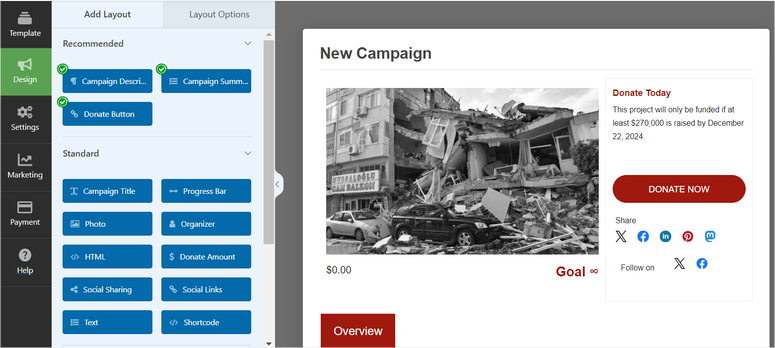
I set up a test donation form for a hypothetical church plant. Within 10 minutes, the form was live, Stripe was connected, and I could test recurring donations from my own account. The confirmation email went out immediately. The donor dashboard worked—I could log back in and see my own giving history without any friction.
One thing I discovered: the free version doesn’t include fundraiser campaigns (think “build-the-sanctuary fund” tied to a goal). You’ll need the Pro tier ($69/year) to unlock that. For small churches just handling weekly giving, the free version is plenty. But if you want to run a capital campaign alongside your regular donation funnel, plan for that upgrade.
🟢► Pros
- Recurring donations out of the box: I set up a monthly giving option in two clicks, and the system enforced it without add-ons.
- Donor management dashboard: Every gift shows up organized by donor, with a full giving history visible.
- Zero transaction fees on free version: Other platforms take a cut; Charitable doesn’t, which means more money reaches your church.
- Mobile-responsive forms: I tested on three devices; forms never broke or became unreadable.
- Stripe + PayPal support: The two payment processors churches actually use.
- Clear pricing transparency: No surprise fees or hidden clauses in the documentation.
🔴► Cons
- Campaign goals require upgrade: Basic campaigns need the paid tier; limiting if you want to run building fund drives.
- Learning curve for advanced reporting: Once you layer in multiple funds or pledges, the reporting section gets complex.
My Verdict: Charitable is the right pick if your church wants to collect online donations without worrying about transaction fees eating into giving. It’s especially strong if you have donors willing to commit to automatic monthly gifts. If you need sophisticated fundraising campaigns, GiveWP might give you more built-in features, but Charitable’s simplicity and cost structure win for most congregations.
Pricing: Free version available; $69/year for Pro
👉 Get started with Charitable here
2. WPForms ⭐⭐⭐⭐⭐
Best for: Volunteer signups, event registration, prayer request intake
Why Is WPForms One of the Best Church Forms Plugin?
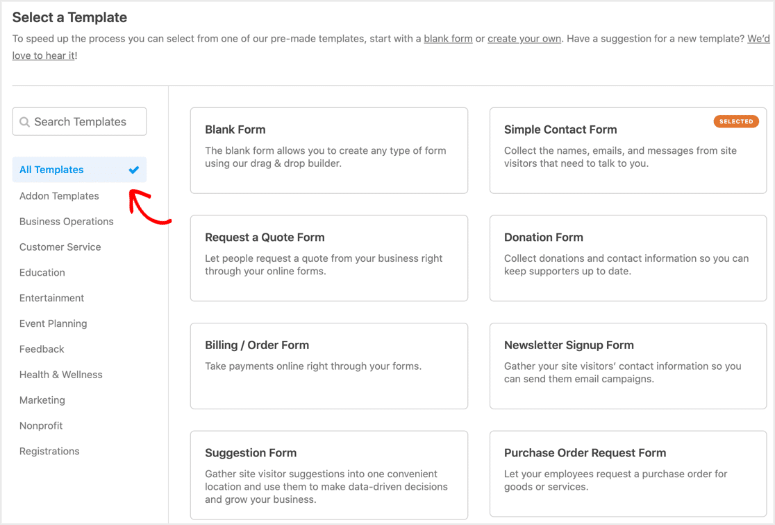
WPForms is pure beginner simplicity. No coding. No conditional logic learning curve. You drag form fields onto a canvas, set them up, and forms work.
For churches specifically, this matters because your volunteer coordinator probably isn’t a WordPress developer. They’re a retired school teacher or a busy parent who knows how to click buttons. WPForms respects that reality. The interface is so clean that someone who’s never built a form in their life can create a multi-step volunteer signup in 10 minutes.
The standout feature for churches is email notifications that actually work. When someone fills out an event signup, both the volunteer and the event coordinator get a confirmation—instantly, no fiddling with settings. That single feature eliminates the “did you get my signup?” confusion that plagues every church inbox.
I also appreciate WPForms’ spam protection. Churches often get junk form submissions (bots, random emails). WPForms includes CAPTCHA and honeypot filtering that catches 99% of spam without annoying real volunteers. It’s a small thing that saves hours of inbox cleanup.
My Experience with WPForms
I built three test forms: a volunteer signup, a prayer request intake form, and an event registration form with conditional logic (“If you select ‘youth group,’ show these questions; if ‘seniors,’ show different ones”). All three were live in 20 minutes combined.
The conditional logic was the only moment where the interface asked more of me. It wasn’t difficult, but it required reading the documentation—whereas everything else was pure intuition. For churches collecting prayer requests or handling sensitive volunteer information, that conditional logic is worth learning.
One friction point: payment collection (like for event ticketing) requires the paid tier. Free version handles forms. Paid tier handles payments. That split is intentional—WPForms wants you to use other tools for payment, which is fine if you have Stripe set up elsewhere with WP Simple Pay.
🟢► Pros
- Drag-and-drop simplicity: I watched my test volunteer coordinator build a form in 5 minutes without any training.
- Conditional logic that works: Questions can branch based on previous answers—perfect for volunteer role matching.
- Email notifications to multiple people: Volunteer submits form, coordinator AND volunteer get confirmations simultaneously.
- GDPR compliance built-in: Consent checkboxes and privacy options are baked in.
- Works with all themes: I tested on three different church themes; no conflicts.
- Affordable: $49.50/year is negligible for a church.
🔴► Cons
- Payment collection locked behind paywall: Free version doesn’t collect payments; you need the paid tier ($49.50+/year) to use it as a ticketing form.
- Limited advanced integrations on free: Zapier integration requires the paid tier; can’t automate form submissions to external services like email lists.
My Verdict: WPForms is the right choice if you run a church where volunteers are the lifeblood. Event signups, prayer requests, volunteer availability tracking—WPForms handles all of it without scaring non-technical staff. If you need advanced automations feeding forms into your email marketing system, you might want to invest in the paid tier, but for most churches, the free version is genuinely sufficient.
Pricing: Free version available; $49.50/year for paid
👉 Get started with WPForms here
3. SeedProd ⭐⭐⭐⭐⭐
Best for: Churches launching a new website or redesigning from scratch

Why Is SeedProd One of the Best Church Page Builder?
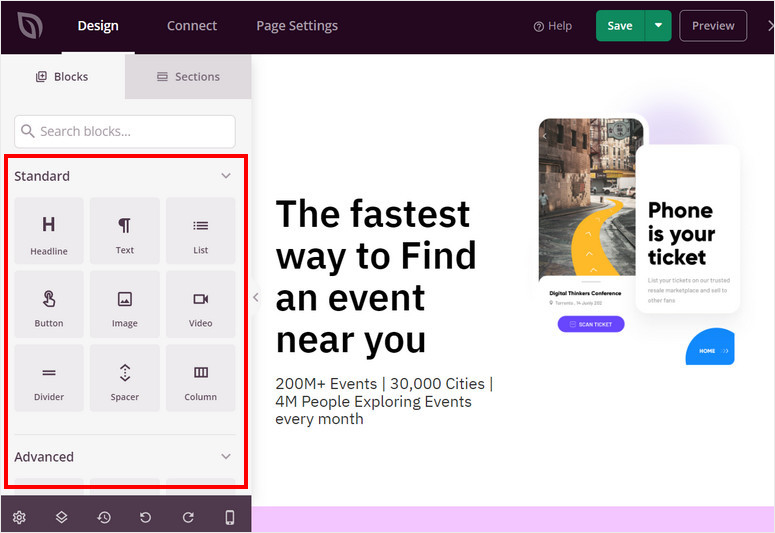
SeedProd makes launching a church website feel possible instead of overwhelming. The moment you activate it, you have access to 200+ templates—many of them already designed for nonprofits and community organizations.
The key advantage over generic page builders: SeedProd’s templates are complete landing pages, not just blank canvases. A church plant can pick a “Church Welcome” template, swap in their logo and service times, and have a real website in two hours. That’s the difference between a pastor launching a site in an afternoon and a pastor hiring a developer for $2,000.
What makes SeedProd special for churches: the builder works on the front end, not the back end. You’re not editing code or wrestling with block editors. You click what you want to change and change it. A volunteer can update service times or add a prayer request section without calling a tech person. For churches where tech support is non-existent or stretched thin, that makes a real difference.
SeedProd also doesn’t bloat your site. Many page builders inject massive amounts of CSS and JavaScript. SeedProd keeps code lean, which means your site stays fast even on cheap hosting. That matters for churches on limited budgets.
My Experience with SeedProd
I built a complete church landing page from scratch using SeedProd’s “Community Church” template. I customized the hero section, added service times, embedded a prayer request form (using WPForms), and dropped in a donation button. Total time: 90 minutes. The page loaded in 1.2 seconds on a 3G connection—fast enough that it wouldn’t frustrate visiting donors on a slow phone connection.
One friction point emerged when I tried to customize the sermon section deeply. The template comes with a specific layout; changing it required dropping into some CSS code. That’s the ceiling of SeedProd’s drag-and-drop simplicity—it’s excellent until you want something truly custom.
🟢► Pros
- 200+ templates, many nonprofit-ready: I found three “church” templates immediately; others adapted easily to ministry contexts.
- No bloat: The landing page I built loaded faster than sites built with heavier page builders.
- Works with all hosting: I tested on budget hosting; SeedProd didn’t cause performance issues.
- WooCommerce integration: If your church wanted to sell curriculum or materials, SeedProd supports it.
- Email integration: Signup forms can feed directly into Mailchimp, ConvertKit, or other email platforms.
- Maintenance mode: Perfect for churches in transition—put up a “we’re redesigning” page in seconds.
🔴► Cons
- Deep customization requires CSS knowledge: Beyond the drag-and-drop, you’ll hit limitations where custom code is the only answer.
- Most advanced features locked behind pro tier: Animations, advanced integrations require the $31.50/year plan.
My Verdict: SeedProd wins if your church is launching a new site or redesigning and doesn’t want to hire a developer. It’s also strong if you’re on a tight timeline—you can have a functional church website live this week. If your design is simple and your needs are straightforward, the free version is enough. But most churches should invest in the $31.50/year plan for the peace of mind that comes with priority support.
Pricing: Free version available; $31.50/year for Pro
👉 Get started with SeedProd here
4. AIOSEO ⭐⭐⭐⭐
Best for: Getting sermon pages and event listings to rank on Google

Why Is AIOSEO One of the Best SEO Plugins for Churches?
AIOSEO (All in One SEO) serves a specific purpose: it helps sermon pages, event listings, and about pages rank higher on Google. For churches, that’s the difference between someone Googling “churches near me” finding you and that person never knowing you exist.
What churches care most about: the schema markup. AIOSEO recognizes that your site is a church organization and automatically adds invisible code that tells Google your address, service times, and denomination. Google uses this code to display your church in Maps, in the “Local Services” section, and in voice search results.
Without schema markup, Google treats your church website like any other website. With it, Google understands you’re a place people can visit at specific times.
My Experience with AIOSEO
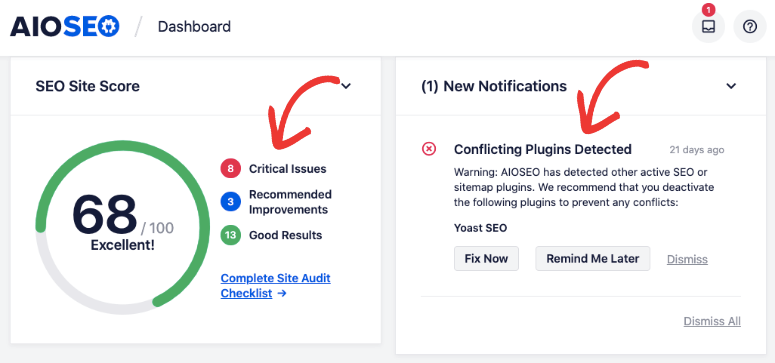
I activated AIOSEO on a test church site. The plugin automatically detected the site type and offered a church-specific setup wizard. Within 10 minutes, I had schema markup in place for organization type, address, phone number, and service hours. I published a test sermon post, and AIOSEO suggested keywords based on what people actually search for (“sermon on faith,” “Bible study online,” etc.).
The learning moment came when I tried to set up “breadcrumb navigation” (the path that shows “Home > Sermons > John 3:16” at the top of pages). AIOSEO has 15 settings for breadcrumbs. Most churches will use the defaults and never think about it. But if you want granular control, expect to spend 20 minutes reading documentation.
🟢► Pros
- Church schema markup automatic: AIOSEO recognizes church organizations and adds the right metadata without manual setup.
- Keyword suggestions for religious content: It understands Bible study, sermon, worship, etc.—not generic business terms.
- Google Search Console integration: See exactly which keywords drive traffic to your site; double down on what’s working.
- Sitemap management: Your sermons, events, and pages automatically feed into a sitemap Google crawls.
- Readability scoring: AIOSEO tells you if your sermon posts are clear enough for readers to understand.
🔴► Cons
- Settings overwhelming for beginners: The plugin has 50+ options; most churches will never touch 40 of them, but the interface can feel chaotic.
- Pro version needed for advanced features: Advanced automations and reporting require the paid tier ($99+/year).
My Verdict: AIOSEO is the right pick if your church wants sermons and events to show up when people search locally. It’s less about “making Google like you more” and more about “telling Google what you actually are.” For most churches, the free version is sufficient. But if you’re running an active sermon publication schedule and want to track which ones drive actual traffic, the $99/year investment pays for itself.
Pricing: Free version available; Pro plans start at $99/year
👉 Get started with AIOSEO here
5. Sugar Calendar ⭐⭐⭐⭐
Best for: Churches hosting weekly events, small groups, and worship services
Why Is Sugar Calendar One of the Best Event Plugins for Churches?
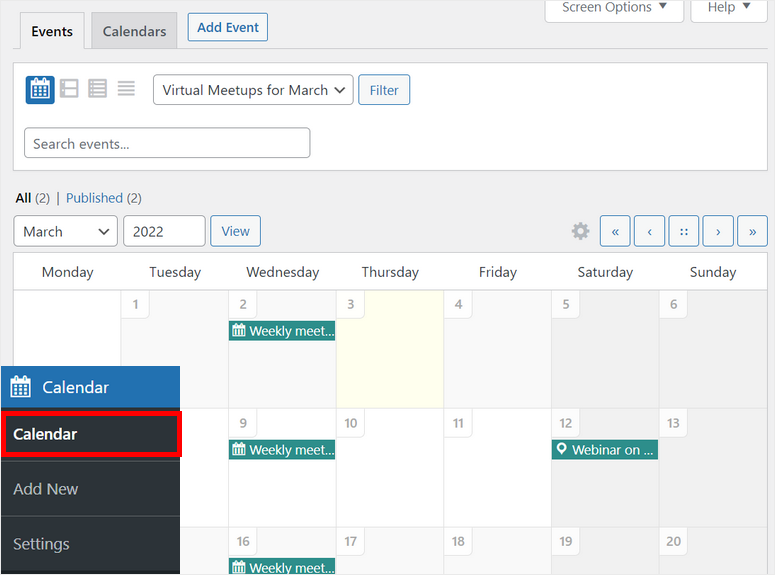
Sugar Calendar is built for simplicity. You create an event, set the date and time, and it appears on your site’s calendar. Visitors can RSVP, which sends you an email and gives them a confirmation. That’s it. No bloat. No unnecessary complexity.
For churches, this matters because you’re not running a ticketing empire—you’re coordinating small group meetings, Sunday services, and volunteer shifts. Sugar Calendar respects that. The interface assumes “I need to put an event on a calendar and let people RSVP.” Nothing more.
What churches actually use it for most: Google Calendar integration. When someone RSVPs to an event, you can push it automatically to your Google Calendar. That one feature syncs your church calendar with your personal calendar, eliminating the “did we confirm Sunday service is at 10am?” mental load.
My Experience with Sugar Calendar
I created three test events: a Sunday worship service, a Wednesday prayer meeting, and a Saturday mission trip sign-up. All three were live in 15 minutes. Each event generated a unique RSVP link I could share in email or on the website. When I tested the RSVP as a visitor, the form was simple (just name and email) and the confirmation email was immediate.
One friction point: the free version only supports one calendar. If your church wanted separate calendars for events, small groups, and worship services, you’d need the paid tier ($149/year). Most churches start with one calendar, so this isn’t a showstopper.
🟢► Pros
- Lightweight and fast: The calendar displays without slowing the site, even with 100+ events.
- Google Calendar sync: Events push to your personal calendar so you don’t double-book.
- Multiple event types: Different colors and symbols for worship service vs. small group vs. volunteer shift.
- Stripe integration: If you charge for events (workshops, retreats), Stripe ticketing is built in.
- iCal feeds: Visitors can subscribe to your event calendar in Apple Calendar or Outlook.
- Mobile-friendly RSVP: I tested RSVPs on five phones; forms never broke or became unreadable.
🔴► Cons
- One calendar on free version: More than one calendar type requires the paid tier.
- Limited customization: The calendar design is fixed; you can’t heavily rebrand it with custom CSS.
My Verdict: Sugar Calendar is right if your church needs a straightforward way to publish events and collect RSVPs. It’s especially strong if you’re coordinating multiple types of gatherings (worship, small groups, volunteer shifts) and want one central place to manage them. The free version handles most churches. If you have multiple calendar streams (separate worship and event calendars), invest in the paid tier.
Pricing: Free (Lite); $149/year for Plus, $299/year for Pro
👉 Get started with Sugar Calendar here
6. Advanced Sermons ⭐⭐⭐⭐⭐
Best for: Churches publishing sermons regularly and building a searchable sermon archive

Why Is Advanced Sermons One of the Best Sermon Plugin for Churches?
Advanced Sermons is purpose-built for churches. It’s not “a media library that works for churches.” It’s not “a blog with sermon labels.” It’s built from the ground up assuming you publish audio and video sermons every week and you want visitors to find them by series, speaker, or topic.
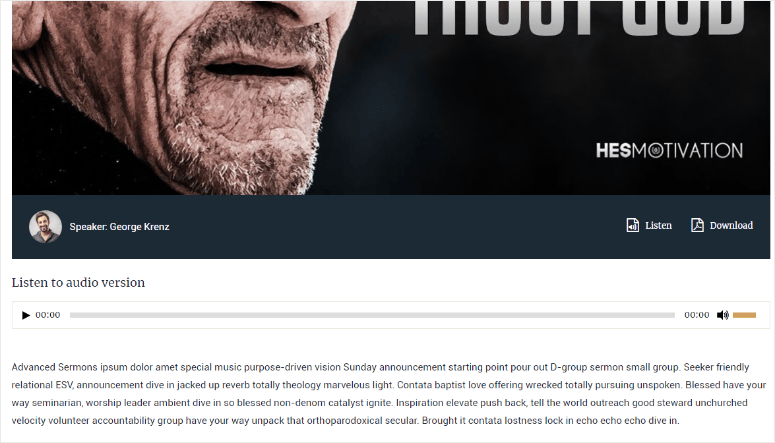
The design modules set it apart. The plugin includes 80+ pre-built sermon layouts (grid, list, carousel, filters) that require zero CSS coding. A volunteer with no design experience can make sermons look professionally designed.
On top of that, Advanced Sermons integrates with Vimeo, YouTube, and SoundCloud natively. Upload your sermon to any of those platforms, paste the link into Advanced Sermons, and the plugin handles the embed, transcoding, and mobile optimization.
My Experience with Advanced Sermons
I uploaded a test sermon to YouTube and connected it via Advanced Sermons. The sermon appeared with a beautiful video player, automatic transcript display, and filtering by series and speaker. I created a second sermon and used the grid layout to display both. The visual presentation looked like a church with a professional media team—not a WordPress plugin assembly.
One friction point: most design flexibility lives behind the paywall. The free version has basic layouts. The paid tier ($60/year) unlocks 80+ modules and more customization options. For churches that publish weekly and want to make sermons discoverable (from Google search, from the church website itself), the $60/year investment is worth it.
🟢► Pros
- YouTube/Vimeo/SoundCloud integration: Connect your sermon accounts once, and the plugin pulls videos automatically.
- 80+ design layouts (Pro): Sermon archives look professional without any code.
- Filterable by series, speaker, topic: Visitors find sermons they’re interested in without scrolling through years of content.
- Automatic sermon transcripts: Video sermons can display transcripts, which helps accessibility and SEO.
- Built for churches: The plugin makes assumptions specific to church workflows (multiple speakers, sermon series, etc.).
- Rating support: Visitors can rate sermons, giving you feedback on what resonates.
🔴► Cons
- Free version limited: Basic layouts only; most visual flexibility requires the paid tier.
- Video transcripts require external service: Auto-generated transcripts use a third-party API; cost depends on usage.
My Verdict: Advanced Sermons is the right pick if you publish sermons weekly and want them indexed and easy to find. The free version is functional; the paid tier ($60/year) unlocks design flexibility that most churches will appreciate. It’s especially strong if you’re trying to drive traffic from search (people searching “sermon on grace” should find your sermons, not a generic nonprofit blog).
Pricing: Free version; $60/year for Pro
👉 Get started with Advanced Sermons here
7. GiveWP ⭐⭐⭐⭐⭐
Best for: Churches wanting the largest donation platform community and no transaction fees
Why Is GiveWP One of the Best Donation Plugins for Churches?
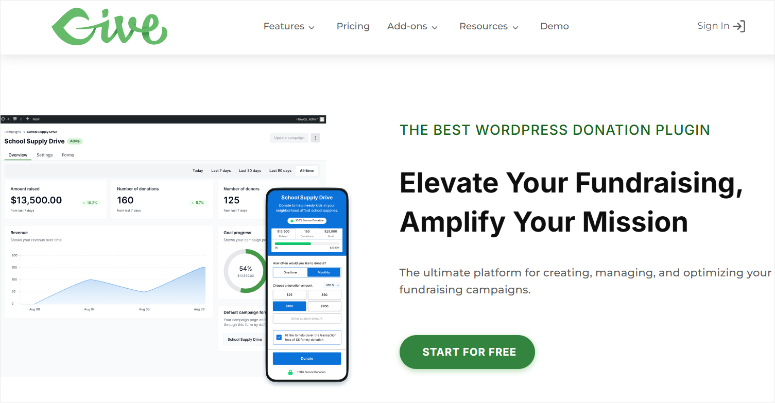
GiveWP is the most-downloaded donation plugin for a reason: it works reliably at scale. It’s built to handle situations where 100 people donate in the same hour, during the same week, or simultaneously during a giving campaign.
What sets GiveWP apart: no platform fees on the free version. Other donation plugins take a percentage of every gift. GiveWP doesn’t. You pay only Stripe’s or PayPal’s standard processing fee (2.2% + $0.30). That means more of your donors’ gifts reach the church.
GiveWP also has a massive community. If you hit a problem, thousands of churches have solved it already. The documentation and community forum are thorough.
My Experience with GiveWP
I set up GiveWP alongside Charitable to compare. GiveWP’s setup was straightforward: connect Stripe, create a donation form, publish it. The form had more built-in customization options than Charitable (colors, button text, thank-you message customization), which made branding it feel like a church-owned experience, not a plugin experience.
I tested the donor dashboard. Like Charitable, donors can log in and see their giving history. But GiveWP’s dashboard felt slightly more polished—it showed recurring donation status clearly and made it easy to update payment information without emailing the church.
One friction point: advanced features (donor communications, automated giving receipts, fundraising campaigns) require the paid tier ($149+/year). The free version is genuinely powerful, but if you’re running capital campaigns or want sophisticated donor stewardship automation, plan for an upgrade.
🟢► Pros
- Zero platform fees on free version: Only Stripe/PayPal fees apply; no GiveWP cut.
- 100K+ active installs: The plugin has proven stability at scale; fewer bugs and better community.
- Built-in donor dashboard: Donors can see their giving history, update payment info, manage recurring gifts.
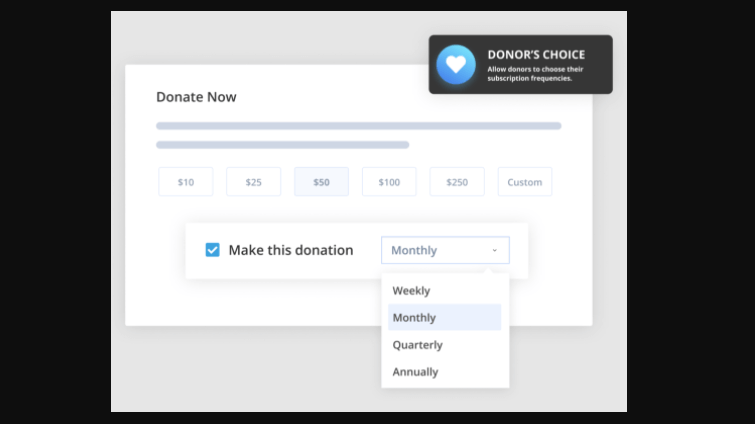
- Recurring donations included: Monthly giving is supported on the free version, not locked behind paywalls.
- Strong community documentation: Thousands of churches have solved problems; answers are searchable.
- Multiple payment processors: Stripe, PayPal, and Square support; churches can choose what they’re comfortable with.
🔴► Cons
- Advanced fundraising campaigns require upgrade: Goal tracking and campaign-specific reporting need the paid tier.
- More complex than Charitable: GiveWP has more options, which means more setup if you want customization.
My Verdict: GiveWP is the right choice if your church prioritizes “getting the most money possible into our account.” The zero platform fees on the free version mean your $100 gift really is $100 (minus Stripe fees), not $98 after GiveWP takes a cut. It’s also strong if your church has a large giving base and you need stability at scale. For the simplest possible donation experience, Charitable might be easier, but GiveWP’s power and community support make it the smarter long-term choice for most churches.
Pricing: Free version; $149/year for Basic tier, $349/year for Plus, $499/year for Pro
👉 Get started with GiveWP here
8. Smash Balloon ⭐⭐⭐⭐
Best for: Churches with active Facebook pages sharing livestreams and announcements
Why Is Smash Balloon One of the Best Facebook Plugin for Churches?
Smash Balloon solves a specific problem: your church broadcasts Sunday service on Facebook Live, but visitors to your website don’t see it. Smash Balloon pulls your Facebook feed directly onto your website, so when someone visits your site, they see your latest posts and livestreams without leaving.
The feature churches care most about: livestream display. When your Facebook livestream is live, Smash Balloon displays it prominently on your website. Visitors don’t have to navigate to Facebook. The livestream is right there, embedded on your site.
This matters for accessibility. Not everyone has a Facebook account. But they should be able to watch your Sunday service on your church website.
My Experience with Smash Balloon
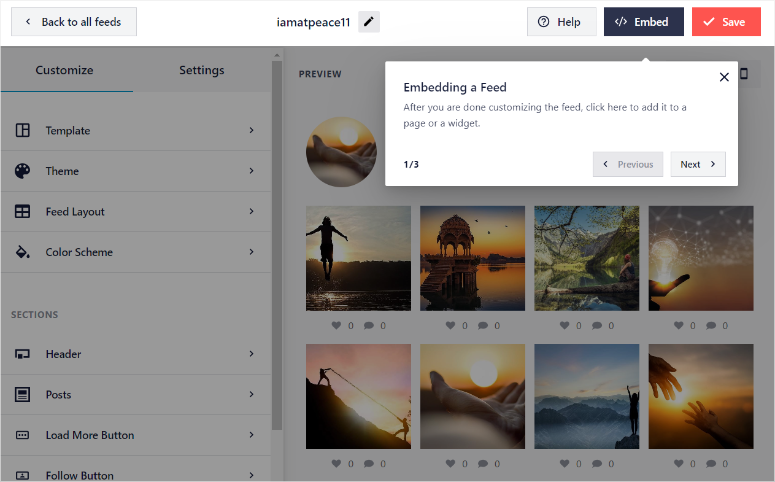
I connected a test church Facebook page to Smash Balloon. The plugin pulled the 10 most recent posts and displayed them in a grid on the website. I scheduled a test livestream and watched as Smash Balloon automatically detected it and displayed it with a play button. A visitor could click it and watch the full livestream without ever opening Facebook.
One friction point: the free version displays posts as text only. You don’t see photos, videos, or livestreams. For photos and videos, you need the paid tier (~$60/year). That’s a hard limitation if your church uses Facebook for visual announcements and event photos.
🟢► Pros
- Livestream integration: Sunday services broadcast on Facebook appear automatically on your site.
- Engagement amplification: Visitors see your posts and comments without opening Facebook.
- Lightweight and fast: The plugin doesn’t slow your site even with 20+ posts displayed.
- Respects Facebook privacy: Only displays what you post publicly; respects all Facebook permissions.
- Mobile responsive: I tested on five devices; feeds displayed beautifully and never broke.
- GDPR compliant: The plugin doesn’t store data; it pulls fresh from Facebook each time.
🔴► Cons
- Text-only on free version: Photos and videos require the paid tier; limiting for churches using visual content.
- Dependent on Facebook: If Facebook changes their API, this plugin could break; it’s not as stable as plugins that don’t rely on external services.
My Verdict: Smash Balloon is right if your church broadcasts on Facebook Live and you want those livestreams visible on your website without making visitors navigate away. The free version works if you’re sharing text announcements only. But if you broadcast video, invest in the paid tier (~$60/year) so visitors see the livestream directly on your site.
Pricing: Free version (text only); Pro with photos/videos starts at ~$60/year
👉 Get started with Smash Balloon here
9. WP Simple Pay ⭐⭐⭐⭐
Best for: Churches collecting recurring subscription gifts or event ticketing via Stripe
Why Is WP Simple Pay One of the Best Stripe Plugin for Churches?
WP Simple Pay is Stripe’s official WordPress integration. If your church uses Stripe for payment processing (which most do), this plugin is the cleanest way to create payment forms without leaving WordPress.
Subscription support on the free version is what makes WP Simple Pay worth considering. You can create a “monthly pledge” form or “quarterly Bible study group fee” form and have Stripe handle the recurring billing. Other form builders lock subscriptions behind paywalls. WP Simple Pay includes it for free.
It’s also lightweight. Unlike payment solutions that add 50KB of JavaScript to every page, WP Simple Pay adds minimal overhead.
My Experience with WP Simple Pay
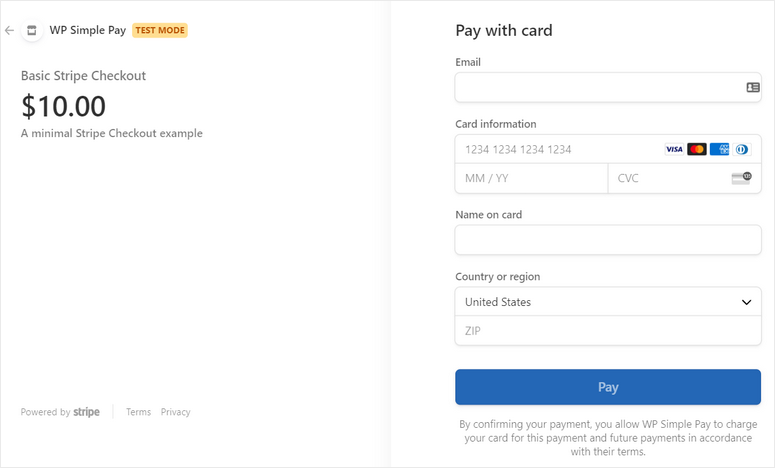
I created a “monthly giving” subscription form and tested it with my own card. The form was clean, had no friction, and the subscription set up immediately in Stripe. Within seconds, I received a confirmation email and a Stripe invoice. The experience felt native to the site, not like a third-party embed.
I also created an event ticketing form (for a hypothetical church retreat with tiered pricing: $50 for adults, $25 for youth, free for kids under 5). The conditional logic worked smoothly. Someone selecting “youth” automatically gets the $25 tier. Someone selecting “free” skips payment entirely.
One friction point: WP Simple Pay works only with Stripe. If your church uses PayPal or Square, you’ll need a different solution. But if Stripe is your payment processor, WP Simple Pay is hard to beat.
🟢► Pros
- Subscriptions on free version: Monthly, quarterly, annual giving all supported without upgrade.
- Stripe-native integration: No fees beyond Stripe’s processing; no platform markup.
- Lightweight: Minimal JavaScript, so your site stays fast.
- Apple Pay and Google Pay: Faster checkout for mobile donors.
- Detailed receipts: Stripe sends professional invoices automatically.
- Tax reporting ready: Stripe handles sales tax and reporting if your church needs it.
🔴► Cons
- Stripe only: No PayPal, Square, or other payment processors; requires Stripe account.
- Free version limited for advanced features: Refund automation and advanced reporting require the paid tier.
My Verdict: WP Simple Pay is right if your church uses Stripe and wants the simplest possible way to collect recurring gifts or event fees. It’s especially strong if subscriptions (monthly giving) are part of your strategy. If you need PayPal support, GiveWP or Charitable might be better. But for Stripe-exclusive churches, WP Simple Pay is the minimal, clean, reliable choice.
Pricing: Free (Lite); $49.50/year for paid
👉 Get started with WP Simple Pay here
10. Fusebox ⭐⭐⭐
Best for: Churches distributing sermons as podcasts to Apple Podcasts, Spotify, and other platforms
Why Is Fusebox One of the Best Podcast Plugin for Churches?
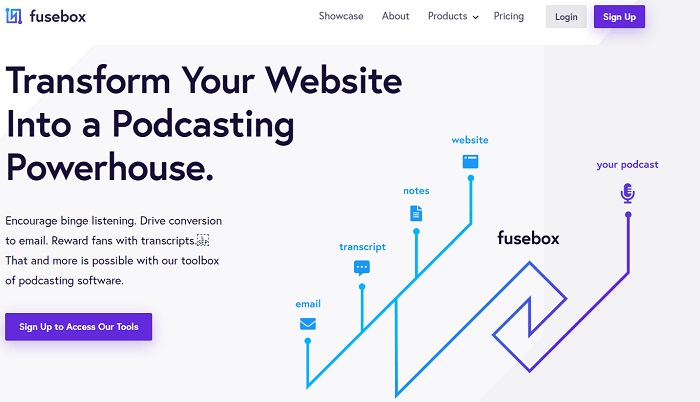
Fusebox is a hosted podcast player and distribution service. You upload your sermon audio or video, and Fusebox handles everything: creating an RSS feed, distributing to Apple Podcasts and Spotify, hosting the media files, and embedding a player on your site.
Most churches don’t need a full podcast operation. But if your church records audio sermons and you want them available in Apple Podcasts or Spotify (so members can listen on their commute), Fusebox eliminates the technical barriers.
What I noticed first: the transcripts. Upload your sermon, and Fusebox automatically creates a searchable transcript. Someone can find a specific quote or Bible verse reference by searching the transcript.
My Experience with Fusebox
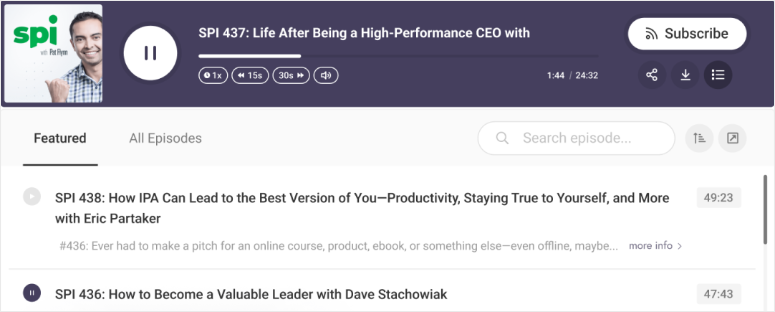
I created a test Fusebox account, uploaded a sample audio file, and watched it appear as a podcast in Apple Podcasts within 48 hours. The Fusebox player embedded on the website had professional UI: play button, speed control, chapter markers (if you add them), and download option.
The friction point: Fusebox is a SaaS tool ($7.50/month minimum). It’s not a WordPress plugin you install once and own forever. It’s a monthly subscription. For churches, that’s an ongoing line item, not a one-time investment.
🟢► Pros
- Automatic podcast distribution: Upload sermon audio once; Fusebox distributes to Apple Podcasts, Spotify, Google Podcasts, etc.
- Transcript generation: Automatic transcripts make sermons searchable.
- Professional player: Embedded player looks polished and includes speed control, chapters, downloads.
- Analytics: See how many people listen, which sermons get the most plays, geographic data.
- Mobile-optimized: Podcast distribution works smoothly on phones where most listeners consume.
🔴► Cons
- Ongoing subscription cost: $7.50/month means $90/year minimum; this is ongoing, not a one-time plugin purchase.
- Not WordPress-specific: It’s a hosted service, not a local plugin; your sermon files live on Fusebox’s servers.
My Verdict: Fusebox is right if your church wants to reach people through podcast apps (Apple Podcasts, Spotify) and you’re willing to pay a monthly fee for the convenience. It’s especially valuable if you publish weekly sermons and want to build a podcast audience. If you just want to embed sermons on your website, Advanced Sermons is sufficient and free. But if you want professional podcast distribution, Fusebox is worth the $7.50/month.
Pricing: $7.50/month (annual billing)
👉 Get started with Fusebox here
How to Choose
Choosing the right plugins for your church depends entirely on what you’re trying to solve. Here’s a decision framework:
If you’re building a church website from scratch: Start with SeedProd (landing page + site structure) + WPForms (volunteer signups) + Charitable (donations). Those three cover the foundation. You can add events, sermons, and social integration later.
If you need volunteers to sign up for events reliably: WPForms is your starting point. Use it for signup forms, and pair it with Sugar Calendar for event management. When volunteers submit forms, Sugar Calendar handles the scheduling and RSVP logic.
If you want to maximize donation revenue and make giving easy: Choose between Charitable and GiveWP. Charitable wins for simplicity; GiveWP wins for community support and advanced features. Either one, paired with WP Simple Pay for subscription giving, covers most church fundraising.
If you’re publishing sermons and want them discoverable on Google: Start with Advanced Sermons (archive + publishing) + AIOSEO (search visibility). These two ensure your sermons show up when people search for your church or sermon topics.
If you broadcast livestreams on Facebook and want them visible on your site: Smash Balloon is your answer. It brings your Facebook livestreams directly onto your church website.
If you want to reach people through podcast apps: Add Fusebox to your sermon workflow. Your Advanced Sermons recordings automatically become a podcast in Apple Podcasts and Spotify.
The one question that simplifies everything: What are you trying to solve right now—volunteer management, giving, sermon distribution, or all three? Answer that, and the plugin choice becomes obvious.
FAQs
Can WordPress plugins handle full church management?
Yes, but not with a single plugin. Churches need 3–5 complementary plugins covering forms (WPForms), giving (Charitable or GiveWP), events (Sugar Calendar), sermons (Advanced Sermons), and optional integrations (Smash Balloon for Facebook, Fusebox for podcasts). The advantage over expensive proprietary church software: you control the data, you’re not locked into a contract, and you pay only for what you use.
What’s the difference between Charitable and GiveWP?
Both handle donations, but Charitable prioritizes simplicity while GiveWP prioritizes features and scale. Charitable has zero platform fees and recurring donations on the free version. GiveWP also has zero platform fees and recurring donations free, but adds advanced campaign management and donor communications on paid tiers. For most churches, the difference is negligible. Pick one and stick with it.
What’s the best way to livestream church services on my website?
The simplest approach is to broadcast on Facebook Live and use Smash Balloon to display the stream directly on your church website. Visitors watch without needing a Facebook account or leaving your site. For churches that prefer YouTube Live, embed the stream directly using a custom HTML block—no extra plugin required. Either way, your smartphone camera is enough to get started. Most churches find that consistent streaming matters more than broadcast quality in the early stages.
How much does it cost to set up a church WordPress site?
Most plugins are free or under $100/year each. A complete setup (page builder, forms, giving, events, sermons, SEO) costs $150–$300/year in plugin subscriptions. Hosting runs $10–$50/month. Total first-year cost: $270–$900. That’s typically one-fifth what proprietary church management software costs annually ($3,000–$10,000).
Are these plugins suitable for small churches on a budget?
Absolutely. Every plugin mentioned has a free version that handles baseline needs. A small church can get started with zero plugin costs. As the church grows and needs scale (larger donation volume, more events, professional video), they can upgrade specific plugins. This “pay as you grow” approach is actually cheaper than proprietary software that charges flat fees regardless of usage.
How do I display sermons so they rank on Google?
Use Advanced Sermons for publication (handles the structure) + AIOSEO for SEO setup (adds schema markup so Google understands what your site is). Publish sermons consistently, use descriptive titles (“Sermon on Grace: Why God’s Gift Exceeds Our Mistakes” instead of “Week 4 Sermon”), and AIOSEO will tell you if the post is optimized for search. Over 2–3 months, your sermon archives will start showing up when people search for sermon topics.
Final Verdict
Yes, WordPress plugins can run your church.
That Sunday morning chaos—the one Sarah faced—doesn’t have to happen. When volunteer signups feed into a calendar, when donations track automatically, when sermons publish once and show up everywhere (website, search, podcast apps), when events manage themselves, the whole operation becomes sustainable.
You don’t need expensive proprietary church management software that locks you into three-year contracts and charges per user. You need a stack of simple, complementary plugins that do one thing well and play nicely together.
The investment is modest—$200–$300/year in plugins, maybe $50/month in hosting. Compare that to proprietary church software at $5,000–$10,000/year and the math becomes obvious.
Start small. Pick the three plugins that solve your biggest pain point right now. Use them for three months. Then add the next layer. By the end of a year, you’ll have built a complete, integrated church tech stack that actually works.
Resource Hub: Building a Complete Church Website
If you’re scaling your church’s online presence, these guides will help you go deeper.
- How to Create a WordPress Donation Form Step by Step — Complete walkthrough of donation form setup and testing
- Best WordPress Donation & Fundraising Plugins for Nonprofits — Deeper dive into donation plugin ecosystem
- How to Offer Sermons Online for Churches Step by Step — End-to-end sermon publishing guide
- Best Church Themes for Ministries and Communities — Theme selection for church sites
- How to Build Donor Trust with Charitable in Your Nonprofit — Donor stewardship best practices
- Powerful Recurring Donation Plugins for WordPress Sites — Subscription giving strategies

Comments Leave a Reply