TL;DR: I tested 8 WooCommerce alternatives ranging from full eCommerce platforms to specialized WordPress plugins. Shopify wins for beginners who want everything handled, while Easy Digital Downloads beats WooCommerce for digital products.
Looking for the best WooCommerce alternatives to run your online business?
A few years ago, I spent three weeks wrestling with WooCommerce extensions just to add a simple membership feature.
I ended up with five conflicting plugins and a checkout page that loaded slower than dial-up internet.
The thing is, WooCommerce is powerful.
But sometimes you need something simpler, want to sell digital products without the bloat, or perhaps you just want a platform that handles hosting and security for you.
That’s why I tested eight solid alternatives that might actually fit your store better than WooCommerce does.
In this post, we’ve picked out the best WooCommerce alternatives that you can use to start your online store right away.
Key Takeaways
- I reveal which hosted platforms eliminate technical headaches that WooCommerce creates
- I show you the best lightweight plugins for selling digital downloads
- Tested membership-focused alternatives that WooCommerce can’t match without extensions
- I compare pricing models to find options cheaper than WooCommerce’s hidden costs
- I identify which solution works best for specific store types and business models
But first, to make a fair comparison, let’s take a look at the WooCommerce plugin and what it has to offer.
A Brief Introduction to WooCommerce
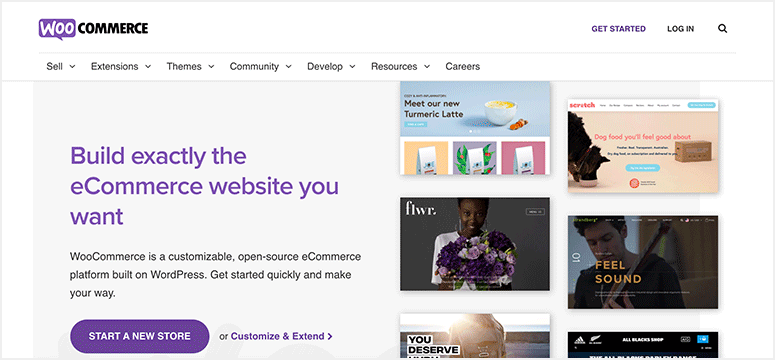
WooCommerce is an open-source eCommerce plugin designed for both small to large-sized businesses. It comes with powerful features that let you sell both digital and physical products on your WordPress site.
With WooCommerce, you can easily build a full-fledged online store, set up payment options, and start selling your products in a few minutes.
And the great thing is you can download this plugin for free in the WordPress repository.
It has a large community of developers and users so you can even hire a professional to create a personalized eCommerce site.
The possibilities are endless with WooCommerce as it allows you to customize and design your store the way you want.
WooCommerce has many built-in features such as PayPal payments, shipping options, inventory management and so much more. This makes creating and running an online store a piece of cake.
Additionally, there are hundreds of free and paid extensions that you can use to add more functionalities to your store. You’ll find add-ons for adding new payment methods, subscriptions, memberships, and more.
What’s more, WooCommerce has a collection of step-by-step tutorials and documentation that will help set up your eCommerce store.
Highlights:
- Flexible and fully customizable
- Easy to set up and use
- SEO friendly so your product pages rank well on search engines
- Built-in shipping options to calculate fees
- Supports payments via PayPal, credit card, bank transfer, and cash on delivery
- Inventory management system tracks stock availability
- Options for generating coupon codes
- Dashboard for viewing detailed reports on sales and other activities in your store
Therefore, WooCommerce is the best option for building an online store in WordPress.
So why should you look for WooCommerce alternatives? Let’s take a look at some of the reasons.
Why Look for WooCommerce Alternatives?
As WooCommerce is an open-source platform, it gives you full control over your eCommerce website. You get access to tons of customization and plugin settings so you can make changes according to your preferences.
WooCommerce is a WordPress plugin so it doesn’t offer hosting services and website maintenance as other hosted eCommerce platforms do.
But, you’ll find many cost-effective WooCommerce hosting plans from Bluehost and other services to get started.
Another thing about setting up a WooCommerce site is that you’ll have to make sure other plugins and themes are compatible.
This is important because plugin conflicts can hamper the speed and security of your website.
If you have experience running a WordPress site, then you won’t have any issues with WooCommerce. You can go ahead with it as it is the #1 eCommerce WordPress plugin and is completely free.
So what do these other eCommerce tools and platforms bring to the table when compared to WooCommerce. Let’s find out!
Best WooCommerce Alternatives
We have reviewed and listed two types of WooCommerce alternatives. One type is the dedicated eCommerce platforms and the others are tools or plugins that you can integrate on your site.
- 1. Shopify
- 2. Easy Digital Downloads
- 3. MemberPress
- 4. BigCommerce
- 5. WPForms
- 6. Ecwid
- 7. OpenCart
- 8. WP EasyCart
- How to Choose the Right WooCommerce Alternative
- Which is the Best WooCommerce Alternative?
- FAQs: WooCommerce Alternatives: Top 8 Better and Simpler Solutions
- Final Verdict: Should I Use a WooCommerce Alternative on My WordPress Site?
Let’s take a look at them now.
1. Shopify
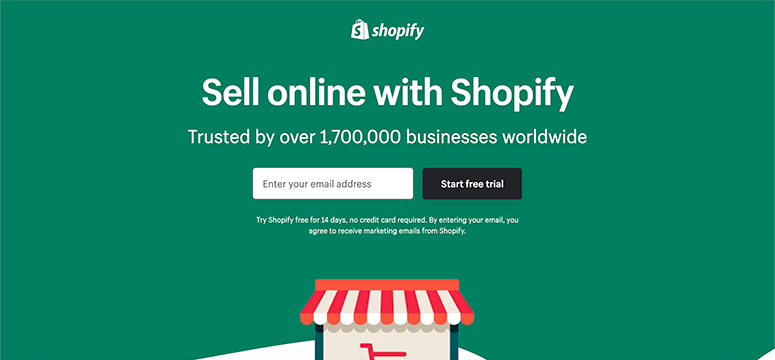
Shopify is one of the best fully-hosted platforms that lets you build a full-fledged eCommerce site with ease. All you need to do is sign up for an account and set up your store in a few minutes.
It comes with a drag and drop builder that allows you to customize website theme templates and add new elements as per your requirements. And you can do this without having to touch a line of code.
Highlights:
- Pre-designed online store templates
- Simple and easy to use
- Integration with third-party apps
- Generate discount codes and gift cards
- Options to sell on other marketplaces and social media
Shopify vs WooCommerce
As Shopify is a cloud-based eCommerce platform, it takes care of all the technical aspects such as site speed, maintenance, backups, and security. So it is perfect for beginners looking for a simple tool for selling products online.
If you want to sell both physical and digital products on your site like WooCommerce, then you’ll need to connect with apps like SendOwl and FetchApp.
The only drawback to Shopify is the pricing. Compared to WooCommerce and other alternatives in this list, the pricing plans are on the expensive side.
My Experience with Shopify
I found Shopify’s monthly fees add up fast, especially with transaction costs on top. But here’s the thing: I never worry about plugin conflicts or security patches.
For clients who just want to sell without becoming WordPress experts, Shopify saves hours of troubleshooting. The peace of mind is worth the premium.
Pricing:
The basic plan starts at $29 per month. A 14-day free trial is also available.
2. Easy Digital Downloads
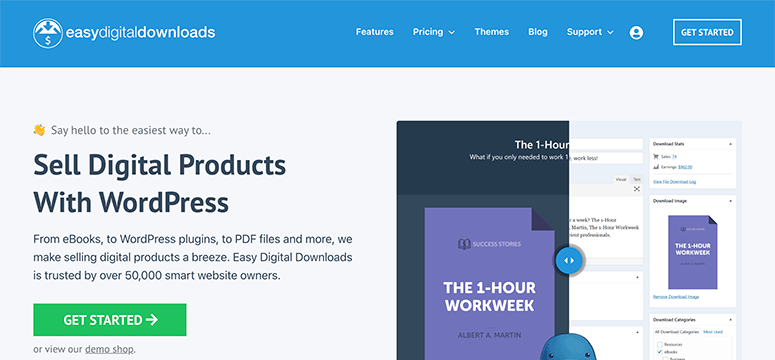
As the name suggests, Easy Digital Downloads is a WordPress plugin that lets you sell any type of digital products such as eBooks, guides, software, movies, videos, and more.
With Easy Digital Downloads, you can easily integrate popular payment gateways such as PayPal and Stripe to accept online payments. It also lets you manage coupon codes and track file downloads on your online store.
For those businesses that want more storage space, there are options for connecting with external storage tools like Amazon S3 and Dropbox.
Highlights:
- Unlimited file downloads
- Buy Now and Add to Cart buttons
- Built-in customer management system
- User-friendly account page
- Download activity tracking
- Integration with email marketing services
- Easy refund processing and tracking
- Data reporting system for viewing stats and reports
Easy Digital Downloads vs WooCommerce
When it comes to selling digital and downloadable products, Easy Digital Downloads is the best option. It comes with a simple shopping cart system that allows customers to purchase multiple products at one go.
Unlike WooCommerce, this plugin is more lightweight and ensures minimum page load time for your eCommerce website.
Plus, Easy Digital Downloads offers a dedicated and responsive support team that users can reach out to whenever they face issues.
You can even sell physical products like WooCommerce if you want to. For this, you’ll need to use an add-on with Easy Digital Downloads.
My Experience with Easy Digital Downloads
I hit a wall when I tried selling physical products alongside digital ones. Easy Digital Downloads needs extensions for that, which feels limiting.
But for pure digital goods, it’s faster and cleaner than WooCommerce. My download stores load in under two seconds now, and customers love the streamlined checkout process.
Pricing:
The Personal Plan starts at $99.50 per year for a single site license.
Get started with Easy Digital Downloads!
3. MemberPress
MemberPress is the best membership plugin that allows you to sell digital subscription products and courses on a subscription basis. It is one of the best WooCommerce alternatives to sell digital products.
You can use MemberPress to create a video membership site, education and learning site, and an eCommerce store.
You can easily restrict your products behind a paywall and generate revenue by setting up multiple membership levels.
To accept payments, the plugin lets you integrate different payment processors such as Stripe, PayPal, Authorize.net. Then, you can set up one-time or recurring payments for your products.
MemberPress also allows you to connect with plugins like bbPress to create an online community. So your customers can comment and communicate with other members on your eCommerce site.
Highlights:
- Unlimited membership levels and access rules
- Content dripping and expiration date features
- Dynamic pricing page templates
- Generate coupon codes
- Built-in reporting and stats dashboard
- Dedicated addon for creating and selling courses
- Integration with popular marketing platforms
MemberPress vs WooCommerce
MemberPress and WooCommerce are quite different in terms of selling products. With MemberPress, you’ll need to create a complete membership website to sell your products. Once the users sign up as members they’ll be able to access the content on your site.
So if you’re looking to sell physical products directly from your website then, you may want to opt for other eCommerce platforms in this list.
My Experience with MemberPress
I struggled with MemberPress’s learning curve at first. The membership rules took me a day to configure properly. But once set up, it handles subscriptions better than any WooCommerce membership extension I’ve tested. The drip content feature alone makes it worth the investment for course creators and membership sites.
Pricing:
Pricing plans start from $179 per year for 1 site. MemberPress also offers a 14-day moneyback guarantee if you are not satisfied.
4. BigCommerce

BigCommerce is next on our list for the best WooCommerce alternatives. It is a cloud-hosted eCommerce platform that is perfect for medium to large-sized businesses.
Like Shopify, BigCommerce offers hosting services and handles website security for your website. It also offers powerful SEO and conversion tools that help you grow your business online.
The best thing about this platform is that it lets you seamlessly integrate eCommerce features on your WordPress site. With its connector plugin, you can easily connect your BigCommerce account, showcase your products, and process online payments.
Highlights:
- Easy to use and set up
- Third-party integrations
- Collection of theme templates
- Multi-channel sales option
- Built-in analytics tool
BigCommerce vs WooCommerce
BigCommerce doesn’t require users to have coding knowledge to customize your online store like WooCommerce.
It also offers more built-in features compared to WooCommerce. There is no additional charge for these features and you don’t need to pay any transaction fees.
My Experience with BigCommerce
I found BigCommerce overwhelming for small stores. The dashboard has enterprise features most beginners never touch. But if you’re scaling past 1,000 products, it outperforms WooCommerce without slowdowns. Plus, the built-in SEO tools are stronger than most WordPress plugins I’ve used for eCommerce optimization.
Pricing:
BigCommerce Standard plan starts at $29.95 per month (billed annually).
5. WPForms
WPForms is the most powerful form builder for WordPress. It features on our list because it offers a simple solution to sell your products without having to set up a whole eCommerce store.
You can use WPForms to build professional order forms and download forms where customers can purchase your products in a few clicks. It lets you sell both physical and digital products without any trouble.
WPForms lets you accept card and online payments directly from your forms. You can choose from different payment gateways such as PayPal and Stripe.
Also, there are options to set up email notifications and confirmation messages that are automatically sent when customers complete their orders.
Learn how to use WPForms: Sell on WordPress Without an Online Store
Highlights:
- User-friendly interface
- Build a product catalog with product prices and images
- Integrate with email marketing providers
- Add purchase form in any post, page, or widget area
- Track customers orders with a built-in management system
- Connect with popular payment options.
WPForms vs WooCommerce
While WooCommerce is suitable for small to large-sized businesses, WPForms is a great option for those businesses that are looking for a cheaper and less complex eCommerce solution.
My Experience with WPForms
I discovered WPForms isn’t really a store builder. It’s a form plugin with payment add-ons. That limited me when I needed inventory management. But for simple order forms or accepting donations, it beats setting up WooCommerce entirely. I built a custom product order form in 10 minutes flat.
Pricing:
The pricing plans start from $49.50 per year.
6. Ecwid

Another great WooCommerce alternative is Ecwid. It is an eCommerce platform that lets you promote and sell your products on multiple marketplaces like social media, Amazon, and more.
Creating a storefront is a piece of cake with this platform as it offers tons of pre-built templates. So you can create an account and get started in no time.
Ecwid also comes with a simple dashboard that lets you manage your inventory, orders, and pricing all in one place.
Like WooCommerce, Ecwid offers a free plan that lets you sell products on your website for free. Plus, it offers a simple plugin that you can install on your WordPress site to get started right away.
If you’re not convinced, you can check our guide on the best Ecwid alternatives.
Highlights:
- Fully responsive website designs
- Seamless integration with different website builders
- Budget-friendly eCommerce plans
- Unlimited storage options
- Compatible with 30 payment gateways
Ecwid vs WooCommerce
One thing that makes Ecwid better than WooCommerce is that it can be used on all website platforms like Wix and Weebly, not just WordPress.
My Experience with Ecwid
I noticed Ecwid’s free plan caps you at 10 products, which felt restrictive fast. The interface also looks dated compared to Shopify. But the cross-platform selling is brilliant. I added the same store to a WordPress site, Facebook page, and Instagram in one afternoon without rebuilding anything.
Pricing:
A free plan is available. Pro plans start at $12.50 per month (billed annually).
7. OpenCart
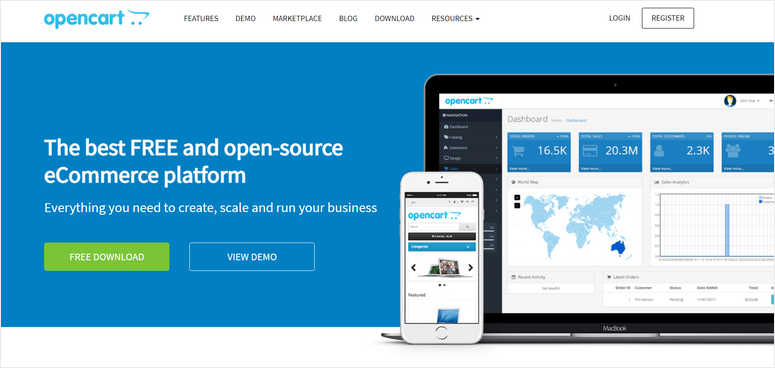
OpenCart is an open-source platform that lets you customize your eCommerce website to the fullest. Similar to WooCommerce, you’ll need to hire a developer if you want to personalize your store the way you want.
With OpenCart, you’ll get access to built-in store tools that will help you manage your products, customers, and orders effortlessly. It also offers SEO options so you can optimize your eCommerce store for better search result rankings.
The downside here is that you won’t find any pre-made themes so getting started can be tough for non-tech-savvy users. On top of that, to extend the functionality of your site, you’ll need to purchase paid extensions.
Highlights:
- Powerful reporting and analytics feature
- Product and order management
- Search engine optimization options
- Payment and shipping functions
- Developer-friendly
OpenCart vs WooCommerce
OpenCart is a standalone open-source platform whereas WooCommerce is an open-source WordPress plugin. Both offer eCommerce functionality for their users.
WooCommerce has an intuitive and simpler interface when compared to OpenCart.
My Experience with OpenCart
I ran into technical issues with OpenCart that required developer help. The documentation isn’t beginner-friendly like WordPress resources. But for clients who want full control without WordPress, it delivers. The multi-store feature lets you run several shops from one installation, which WooCommerce can’t do natively.
Pricing:
Free. Premium addons are available.
8. WP EasyCart
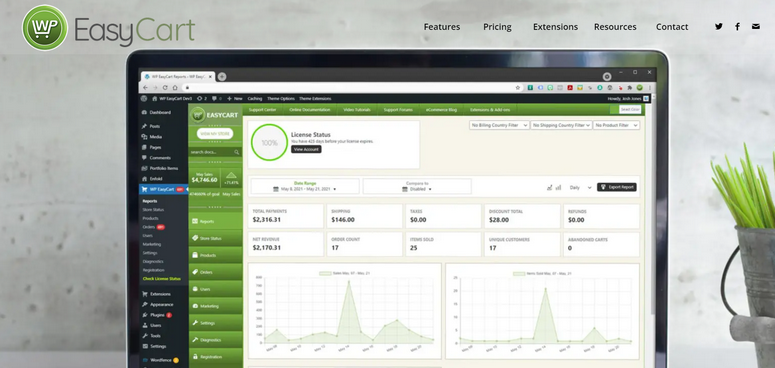
WP EasyCart is a simple and lightweight eCommerce plugin. It comes with a very user-friendly dashboard that lets you add and manage products without any hassle. You can start with the free version of the plugin which offers all the basic features to sell products.
To get access to advanced features such as subscription-based products and recurring payments, you’ll need to upgrade to the premium version.
Highlights:
- Complete management dashboard for admins
- Built-in product editor
- Marketing tools such as coupons, gift cards, and more
- Tax management
WP EasyCart vs WooCommerce
WP EasyCart pro version, you get access to all the major payment gateways such as PayPal, Square, FirstData, and more. With WooCommerce, you’ll need to purchase addons for each payment gateway.
My Experience with WP EasyCart
I found WP EasyCart’s interface feels clunky compared to modern page builders. The design options are limited out of the box. But it’s genuinely easier to set up than WooCommerce for basic stores. I launched a 20-product shop in under an hour, and the pricing is more transparent than WooCommerce’s extension costs.
Pricing:
Free. Premium version costs $99 (one-time payment).
So you’ve seen eight solid alternatives. Now comes the real question: which one actually fits your store? Let me break this down by situation so you can skip the trial-and-error phase.
How to Choose the Right WooCommerce Alternative
If You Want Everything Handled for You
Shopify is your best bet if you don’t want to think about hosting, security, or backups. You pay more per month, but you skip the technical headaches.
This works great if you’re launching your first store and don’t have WordPress experience. BigCommerce is the alternative if you need more advanced features and plan to scale past 1,000 products quickly.
If You’re Selling Only Digital Products
Easy Digital Downloads beats WooCommerce for this specific use case. It’s lighter, faster, and built specifically for downloads. You won’t deal with shipping settings you’ll never use.
The checkout process is streamlined for digital goods, which means fewer abandoned carts. If you’re selling courses or memberships instead of one-time downloads, go with MemberPress instead.
If You Need Membership Features
MemberPress is the clear winner for subscription content and drip courses. WooCommerce needs multiple extensions to match what MemberPress does natively.
You get better content protection, cleaner subscription management, and member dashboards that actually make sense.
This is the tool I recommend for anyone building a membership site or selling online courses with recurring payments.
If You’re on a Tight Budget
WP EasyCart and Ecwid both offer free plans that let you start selling immediately. WP EasyCart works better if you’re staying on WordPress, while Ecwid shines if you want to sell across multiple platforms.
Both have limitations on the free tier, but they’re solid for testing your product idea before committing to paid plans.
For simple order forms without a full store, WPForms with payment add-ons might be all you need.
If You Already Have a WordPress Site
Easy Digital Downloads, MemberPress, WP EasyCart, and WPForms all integrate directly into WordPress. You keep your existing site design and just add eCommerce functionality. This approach works better than migrating to Shopify if you’ve already invested time in your WordPress theme and content. Plus, you maintain control over your hosting and can choose the best WordPress hosting for your needs.
Which is the Best WooCommerce Alternative?
We’ve compared the best WooCommerce alternatives in this list.
But if you’re still having trouble choosing the best one, then you can go ahead with our recommendations here.
- Shopify: It is the best eCommerce platform that is fully hosted. It provides web hosting and other features to set up your eCommerce site. So you can focus on managing your orders and payments.
- Easy Digital Downloads: For those businesses that create digital products, this eCommerce plugin is the best solution. It offers all the features you need to promote and sell your digital products in WordPress.
- MemberPress: If you want to create a subscription-based eCommerce platform, then you can use this plugin. This makes it easy for you to sell products with membership plans and generate recurring income.
- WPForms: It lets you sell physical and digital products without setting up a shopping cart. With purchase forms, you can create your product catalog and accept payments from anywhere on your site.
That’s all for today! We hope this article helped you find the best WooCommerce alternatives that are easier to use and cheaper.
FAQs: WooCommerce Alternatives: Top 8 Better and Simpler Solutions
Is WooCommerce really free or are there hidden costs?
WooCommerce is free to download, but you’ll pay for hosting, a domain, SSL certificate, and premium extensions. Most stores spend $200-500 in the first year on these essentials. Hosted alternatives like Shopify bundle everything into one monthly fee, which can actually cost less if you need multiple premium extensions for WooCommerce.
Can I switch from WooCommerce to another platform without losing data?
Yes, most platforms offer migration tools or services. Shopify has a free app that imports WooCommerce products, customers, and orders. Easy Digital Downloads and other WordPress plugins let you export WooCommerce data and import it. The process takes a few hours, but you won’t lose your store history or customer information.
Which WooCommerce alternative is easiest for beginners?
Shopify is the easiest because it handles all technical setup for you. You don’t need to understand hosting, plugins, or WordPress. Just sign up and start adding products. If you want to stay on WordPress, WP EasyCart is simpler than WooCommerce because it has fewer settings and a more straightforward interface.
Do these alternatives work with my existing WordPress theme?
WordPress plugins like Easy Digital Downloads, MemberPress, WPForms, WP EasyCart, and Ecwid work with any WordPress theme. Shopify, BigCommerce, and OpenCart are separate platforms with their own themes, so you’d need to rebuild your site design. Check out our guide on choosing the best WordPress theme if you’re staying on WordPress.
Can I sell both physical and digital products with these alternatives?
Shopify, BigCommerce, WP EasyCart, and Ecwid handle both product types natively. Easy Digital Downloads needs an extension for physical products. MemberPress focuses on digital subscriptions and courses. WPForms works for simple orders but isn’t built for full product catalogs. Choose based on which product type makes up most of your inventory.
Which alternative has the best payment gateway options?
Shopify supports over 100 payment gateways including PayPal, Stripe, and Apple Pay. BigCommerce offers similar variety. WordPress plugins like Easy Digital Downloads and WP EasyCart support major gateways through extensions. MemberPress integrates with Stripe, PayPal, and Authorize.net. All alternatives covered here support the payment methods most customers expect at checkout.
Final Verdict: Should I Use a WooCommerce Alternative on My WordPress Site?
Yes, especially if WooCommerce feels too complicated for your needs. The thing is, not every online store needs the complexity that WooCommerce brings.
If you’re selling digital products exclusively, managing memberships, or just want someone else to handle the technical stuff, alternatives exist that do those jobs better.
The cost difference isn’t as big as you’d think either.
Many alternatives cost less than WooCommerce once you add up hosting, premium extensions, and developer time. You’ll spend less time troubleshooting plugin conflicts and more time actually selling.
Pick one that matches your store type, test it for a month, and measure the results.
You can always migrate later if your needs change, but you’ll probably find the simpler solution was the right choice all along.
After you choose the right eCommerce platform, you can check these resources out:
- Best Free eCommerce Themes for WordPress
- Best eCommerce Hosting Companies
- How to Create a Profitable Online Store
These posts will help you find the best web hosting services and the right website theme. The last one will guide you on how to improve the conversions on your online store.

Comments Leave a Reply