
Most people shopping for AI website builders start in the wrong place.
They sign up for a separate AI tool, then realize they still need hosting. Or they buy hosting first, then discover the “AI builder” is a $20/month add-on they didn’t budget for.
Either way, you end up paying twice for something that should have shipped together.
A handful of hosting providers have solved this by building an AI site generator directly into their hosting plans. You describe your business, the AI drafts a working site, and it’s already live on hosting you’re paying for anyway.
I’ve set up sites on most of these hosts myself, using the AI builder that ships with each plan instead of installing WordPress manually.
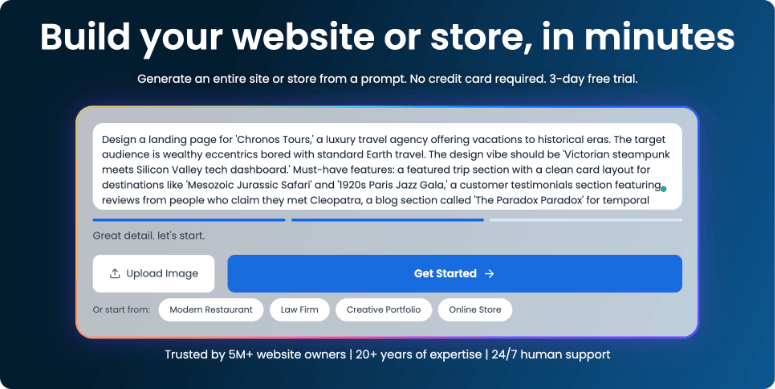
The right host gets you further than a generic template. It hands you a working homepage in minutes. It also keeps you on real WordPress instead of a locked proprietary editor, so a renewal price hike doesn’t force you to start over.
Here are the best hosting providers with AI builders that I’ve tested, and what each one actually gets you.
Key Takeaways
- I focused on hosts that bundle the AI builder into the hosting plan, with one specific exception below so you can see how the alternative works.
- Bluehost, Hostinger, and DreamHost are the strongest all-around picks for beginners who want the AI builder and the hosting to just work together.
- SiteGround and 10Web take AI further than “generate a homepage,” with AI agents that manage the site and an AI system that can build full custom apps.
- I flag one host, IONOS, where the AI builder is sold separately from hosting, so you know exactly what you’re paying for before you sign up.
- Watch renewal pricing. Every host on this list uses a low intro rate that jumps at renewal. I list both numbers so you’re not surprised.
How I Test Hosting Providers with AI Builders
See my full testing methodology
Here’s exactly what I check before recommending a host’s AI builder:
- Does the AI actually build a usable site? I run the builder with a real business description and judge the output, not the marketing demo.
- Included or add-on? I check whether the AI builder is bundled with the entry-level hosting plan, or sold as a separate product.
- Real WordPress or proprietary lock-in? A site built with the AI should still run on standard WordPress plugins and themes when that matters to you.
- Hosting fundamentals. Uptime reputation, support quality, and whether the renewal price is honestly disclosed upfront.
- Review signal. I cross-check my own testing against Trustpilot and G2 ratings to catch blind spots.
Why Trust IsItWP?
I’ve built and hosted WordPress sites for over a decade, and I’ve moved client sites between most of the hosts on this list. When a host’s AI builder falls short, I say so. This list includes honest limitations, not just the features each company wants you to see.
Best Hosting Providers with AI Builders Compared
Here’s how all 8 hosts stack up before we get into the details. Prices below are introductory rates. I cover renewal pricing inside each section.
| Host | Best For | Starting Price | Free Version |
| 1. Bluehost | Beginners who want a done-for-you AI site inside familiar WordPress | $2.95/mo | No |
| 2. Hostinger | The cheapest AI builder that still ships with real hosting | $1.99/mo | No |
| 3. DreamHost | WordPress purists who want two different AI builders on one plan | $2.89/mo | No |
| 4. SiteGround | Owners who want AI that manages the site, not just builds it | $2.99/mo | No |
| 5. GoDaddy | Buying a domain and site at the same time, in one flow | $6.99/mo | No |
| 6. 10Web | Cloning an existing site design or building AI-generated apps | $10/mo | No |
| 7. Hosting.com | Budget shared hosting with an AI builder plugin included | $5.83/mo | No |
| 8. IONOS | Affordable hosting, with the AI builder purchased separately | $4/mo (hosting) + $6/mo (builder) | No |
You can use the quick links below to navigate through this article:
1. Bluehost ⭐⭐⭐⭐⭐
Best for: Beginners who want a done-for-you AI site inside familiar WordPress
Why Is Bluehost One of the Best Hosts with an AI Builder?
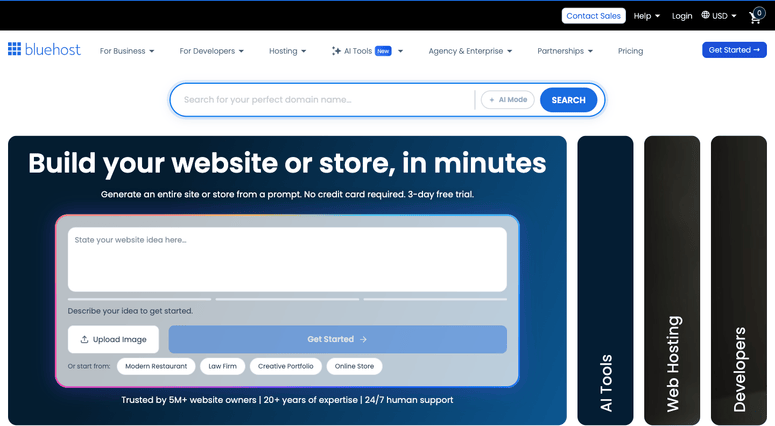
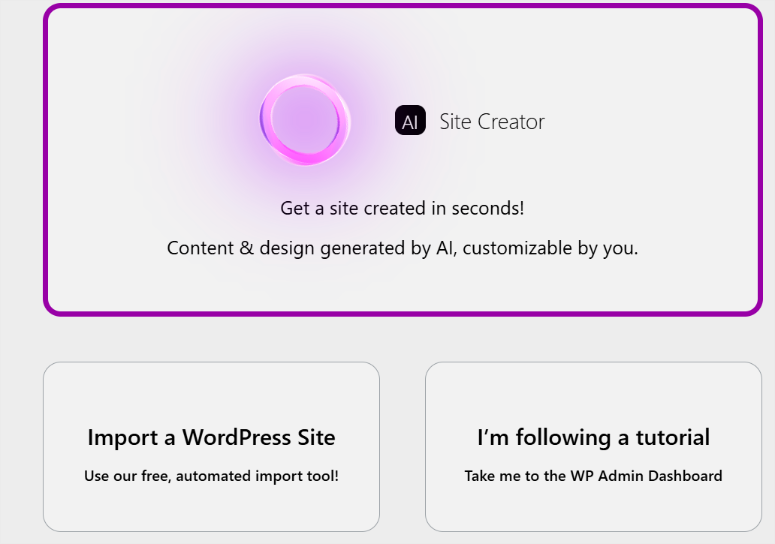
Bluehost’s AI builder is called WonderSuite, and it comes free with every hosting plan. You answer a short questionnaire about your business, and WonderStart generates three complete site options to choose from.
What I like is that WonderSuite builds on the native WordPress block editor, not a proprietary drag-and-drop layer. That means the site you get from the AI still works with any WordPress plugin or theme later.
WonderHelp, the built-in AI assistant, sits inside the editor and answers setup questions as you go. For a first-time site owner, that removes a lot of the “what do I click next” panic.
My Experience with Bluehost
I ran WonderStart with a made-up bakery business. In under 5 minutes, I had a homepage with matching fonts, stock imagery, and page copy I didn’t have to write myself.
The rough edge: WonderSuite only offers three starter themes, so if you’ve seen a few Bluehost AI sites already, you’ll notice the overlap. I also found WonderCart’s ecommerce tools basic next to a dedicated WooCommerce hosting setup.
Bluehost’s Trustpilot reviews back up what I saw with support. Customers consistently mention reaching a real person quickly instead of getting stuck in a chatbot loop, which matters if you get stuck mid-build.
🟢► Pros
- AI builder included free: No separate charge for WonderSuite on any plan.
- Stays on real WordPress: The generated site uses the standard block editor, not a locked-in tool.
- Built-in AI help: WonderHelp answers setup questions without leaving the editor.
- Strong support reputation: Reviewers consistently mention fast, human support.
🔴► Cons
- Only 3 starter themes: Design variety is limited compared to other AI builders.
- Renewal price jumps hard: Intro pricing requires a 36-month term to get the lowest rate.
My Verdict: Bluehost is the easiest starting point if you want an AI-built site that still behaves like normal WordPress once you’re done. It’s not the cheapest long-term, but it’s the most beginner-friendly of the group.
Pricing: Starts at $2.95/mo (36-month term). No free version. 30-day money-back guarantee.
👉 Get started with Bluehost here
2. Hostinger ⭐⭐⭐⭐⭐
Best for: The cheapest AI builder that still ships with real hosting
Why Is Hostinger One of the Best Hosts with an AI Builder?
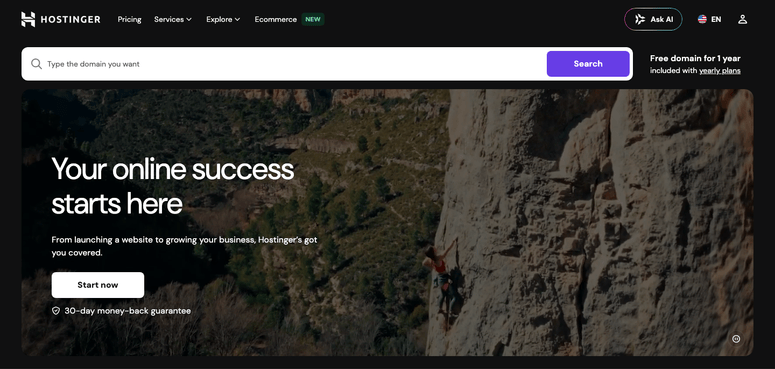
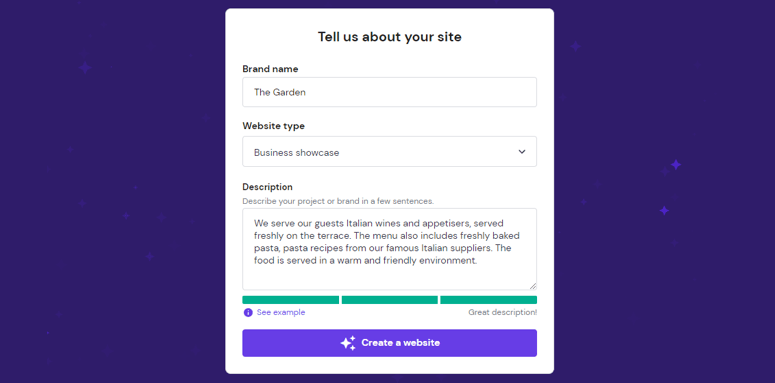
Hostinger’s AI Website Builder is bundled into every shared hosting plan, starting at $1.99/mo. You describe your site in a sentence, and the AI generates a template-based design with matching copy.
One thing to know upfront: Hostinger’s AI builder is not WordPress. It’s a proprietary system, separate from Hostinger’s WordPress hosting plans, and there’s no way to export what the AI builder creates into a self-hosted WordPress site.
If you specifically want AI plus WordPress, treat this as two separate decisions: the AI builder locks you into Hostinger’s own editor, while Hostinger’s WordPress hosting plans are a completely different product.
Kodee, Hostinger’s AI chatbot, is built into hPanel and the WordPress dashboard alike. It handles first-line support questions and basic troubleshooting before you ever need to open a support ticket.
My Experience with Hostinger
I generated a site for a fictional pet-sitting business using a single sentence. The AI produced a working homepage, a booking-style contact section, and basic SEO fields already filled in.
hPanel, Hostinger’s custom control panel, is genuinely faster to navigate than the cPanel setups most other hosts use. That made switching between the AI builder settings and my domain and email settings less of a hunt.
The tradeoff is portability. Because the AI builder isn’t WordPress, I couldn’t drop in a WordPress plugin when I wanted more advanced form functionality. If your plans stay simple, that’s a non-issue.
🟢► Pros
- Lowest starting price on this list: Plans start at $1.99/mo, making it one of the cheapest hosting options with an AI builder included.
- AI content generation built in: Page copy and basic SEO fields fill in automatically.
- Kodee AI assistant: Available across hPanel and WordPress for first-line support.
- Fast, modern control panel: hPanel is quicker to navigate than traditional cPanel.
🔴► Cons
- Not WordPress-based: The AI builder is a separate, proprietary system with no plugin support.
- Lowest price needs a 48-month term: Shorter terms cost noticeably more per month.
My Verdict: Hostinger is the pick if price is your main filter and you don’t need WordPress specifically. The AI builder gets a simple site live fast, but it’s a closed system rather than an open WordPress install.
Pricing: Starts at $1.99/mo (48-month term). No free version. 30-day money-back guarantee.
👉 Get started with Hostinger here
3. DreamHost ⭐⭐⭐⭐⭐
Best for: WordPress purists who want two different AI builders on one plan
Why Is DreamHost One of the Best Hosts with an AI Builder?
DreamHost is one of the few hosts officially recommended by WordPress.org, and it now ships with two separate AI builders. Liftoff builds inside WordPress itself. Remixer is a conversational, non-WordPress builder for people who want speed over customization.
Liftoff installs through DreamHost’s one-click WordPress assistant, then generates a personalized site using native WordPress block patterns. Because it’s WordPress-native, the result works with any standard theme or plugin afterward.
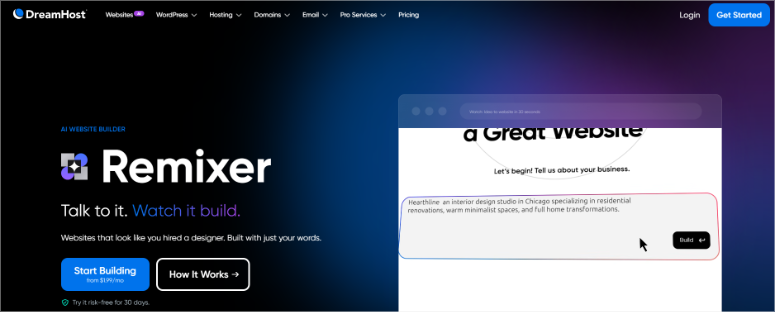
Remixer works differently. You describe your project in plain language, and it builds a complete site with pages, copy, and imagery in about 2 to 3 minutes, with no plugins or database involved.
My Experience with DreamHost
I tested Remixer with a restaurant concept, and it had a live, publishable site in under 3 minutes, including a working reservation-style contact section. That speed is the best I saw across every host on this list.
Liftoff took longer since it’s building a full WordPress install underneath, but the payoff is a site I could immediately extend with any WordPress plugin, which Remixer’s lightweight architecture doesn’t support.
DreamHost’s Trustpilot reviews echo my experience with support: fast responses and long customer tenures, some going back 15 to 20 years, show up repeatedly.
🟢► Pros
- Two AI builders, one plan: Choose WordPress-native (Liftoff) or fast and lightweight (Remixer).
- WordPress.org recommended host: One of a small handful of hosts with that official endorsement.
- Fastest AI generation I tested: Remixer built a complete site in 2 to 3 minutes.
- No vendor lock-in on Remixer sites: You keep full file and domain ownership.
🔴► Cons
- Some features moved to paid add-ons: A handful of tools that used to be included now cost extra.
- Data centers limited to US and Europe: Fewer global locations than Hostinger.
My Verdict: DreamHost is the strongest option if you want the flexibility to choose between a WordPress-native AI build and a faster, simpler one on the same account. The WordPress.org endorsement carries real weight too.
Pricing: Starts at $2.89/mo. No free version. 30-day money-back guarantee.
👉 Get started with DreamHost here
4. SiteGround ⭐⭐⭐⭐⭐
Best for: Owners who want AI that manages the site, not just builds it

Why Is SiteGround One of the Best Hosts with an AI Builder?
SiteGround’s Website Builder comes with every plan and includes an AI writing assistant, so you’re not starting a page from a blank box. But the more interesting move is AI Studio, a free AI workspace built into every account.
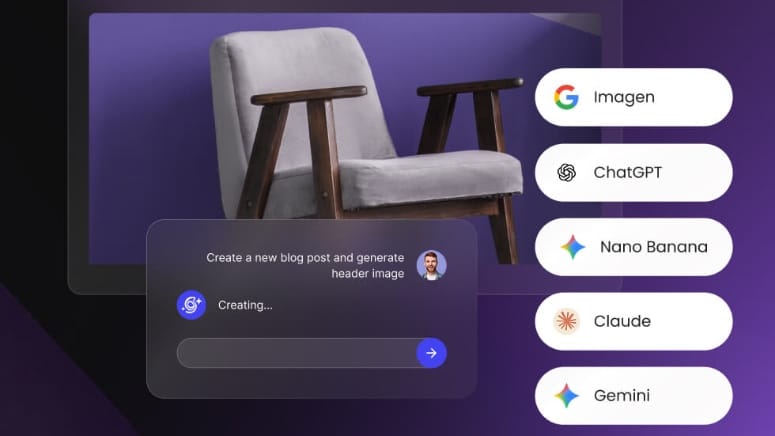
AI Studio gives you access to ChatGPT, Claude, and Gemini without separate subscriptions, plus a WordPress management agent that can handle updates and content tasks by chat. The paid tier unlocks 15+ specialized agents for SEO, copywriting, and social posting.
SiteGround has also started rolling out Coderick AI, a no-code tool that builds full websites or web apps from a chat description, running on the same infrastructure as your hosting.
My Experience with SiteGround
I used the Website Builder’s AI writing assistant to draft an “About” page for a test consulting site, and it needed only light editing before it was publishable. That’s a smaller lift than a full AI site generator, but a genuinely useful one.
Where SiteGround stood out was AI Studio’s WordPress agent. I asked it to summarize which plugins were out of date, and it gave me a straight answer without digging through the dashboard myself.
SiteGround also has the highest Trustpilot rating of every host on this list, 4.9 out of 5 from over 27,000 reviews, which lines up with the support quality I experienced.
🟢► Pros
- Highest Trustpilot rating on this list: 4.9/5 from over 27,000 reviews.
- AI Studio included free: Access to ChatGPT, Claude, and Gemini with no separate subscriptions.
- AI that manages the site, not just builds it: The WordPress agent handles updates and content questions by chat.
- Coderick AI for bigger builds: Generates full sites or web apps from a chat prompt on the same hosting.
🔴► Cons
- Website Builder is basic: Fine for a simple site, but not a match for Elementor or Divi.
- Renewal jumps are steep: Rates rise 2 to 5x after the first year, with GoGeek’s jump the sharpest.
My Verdict: SiteGround is the pick if you want AI help running your site long-term, not just a one-time homepage generator. It’s not the flashiest AI site builder here, but the support quality and AI Studio agents make up for it.
Pricing: Starts at $2.99/mo. No free version. 30-day money-back guarantee.
👉 Get started with SiteGround here
5. GoDaddy ⭐⭐⭐⭐
Best for: Buying a domain and site at the same time, in one flow
Why Is GoDaddy One of the Best Hosts with an AI Builder?
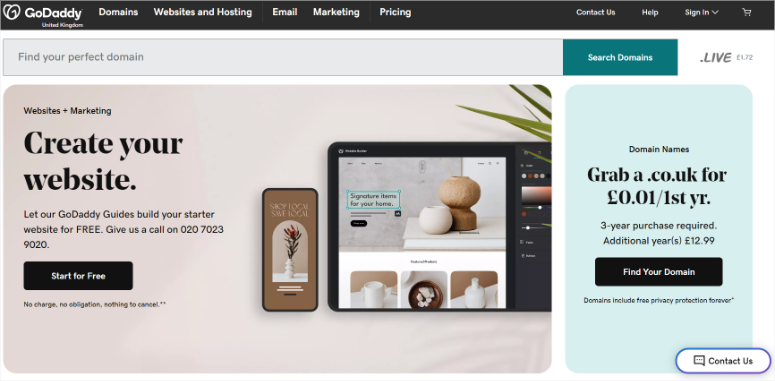
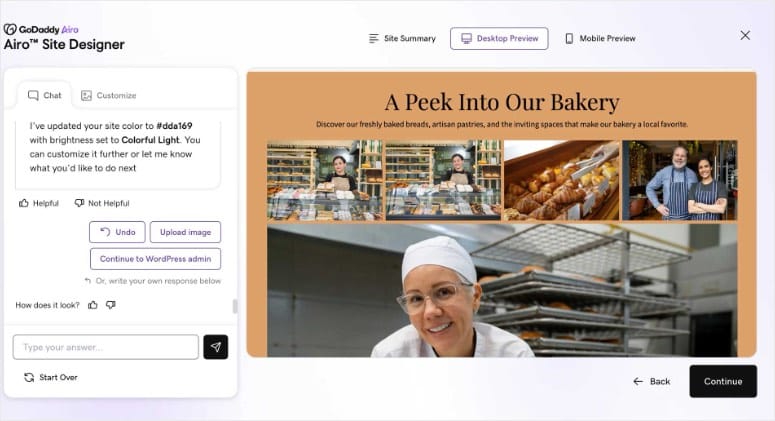
GoDaddy’s AI builder is called Airo, and it’s tied closely to domain registration. Type a short description of your business, and Airo suggests a domain, then builds a multi-page site with matching copy and images.
Airo also generates a logo through Airo Plus Logo, where you refine the audience, vibe, and color palette. Once the site is live, Airo can draft AI email campaigns and social posts too.
The base site-generation flow is included free when you buy a domain or entry-level hosting plan. Airo Plus Logo, Airo Plus Images, and full email-marketing automation sit behind a paid upgrade.
My Experience with GoDaddy
I ran Airo with a landscaping business idea. The generated copy read like placeholder text I still needed to rewrite by hand, and I only had one regenerate button rather than a way to steer the tone.
The sections themselves are template-based, so I couldn’t drag them into a different order the way I could with a dedicated page builder. If you need a fast, simple site and don’t mind editing the copy yourself, that’s a fair tradeoff.
GoDaddy’s review base is polarized. I saw praise for onboarding ease alongside real complaints about renewal billing, so I’d read the fine print before committing to a multi-year term.
🟢► Pros
- Domain and site built together: Airo suggests a domain and builds the site from the same description.
- AI logo and marketing assets: Airo Plus can generate a logo, email campaigns, and social posts.
- Included at no extra cost: Base Airo generation ships free with a domain or entry hosting plan.
🔴► Cons
- Generic AI copy: Expect to rewrite most of the generated text by hand.
- No drag-and-drop reordering: Sections are template-based, not freely rearrangeable.
- Renewal pricing complaints: Reviews frequently mention unexpected charges at renewal.
My Verdict: GoDaddy works well if you want to register a domain and get a basic site live in the same sitting. Budget time to rewrite the AI copy, and read the renewal terms closely before you commit.
Pricing: Starts at $6.99/mo (Basic plan, 1-year term; renews at $14.99/mo). No free version. 30-day money-back guarantee.
👉 Get started with GoDaddy here
6. 10Web ⭐⭐⭐⭐
Best for: Cloning an existing site design or building AI-generated apps
Why Is 10Web One of the Best Hosts with an AI Builder?
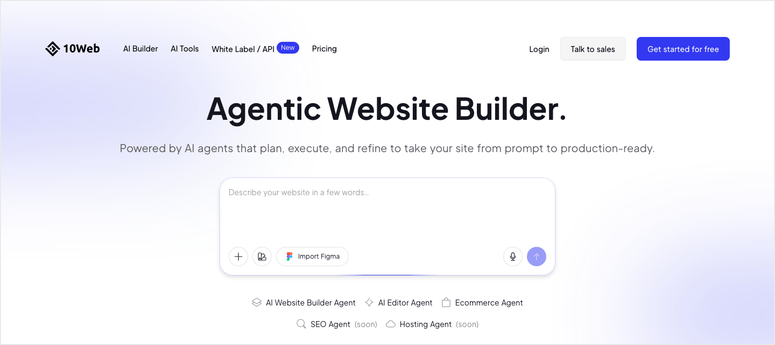
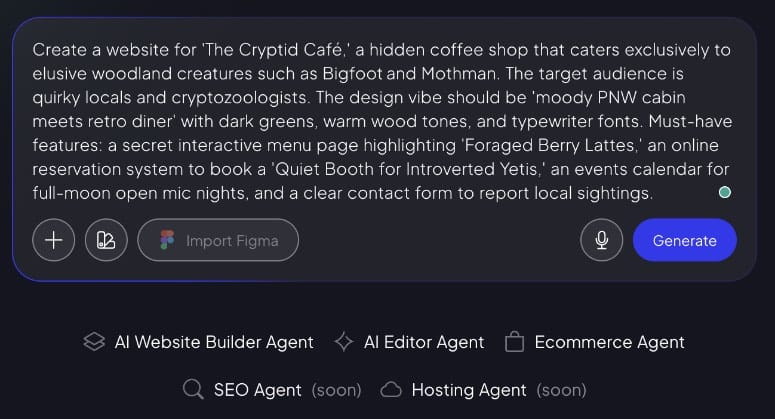
10Web builds AI generation into the hosting itself, rather than bolting it on top. You can start a site from any of these:
- A text prompt describing your business
- The design of an existing URL, cloned automatically
- A Figma file import
- A screenshot you want redesigned
The output is a real WordPress site, hosted on 10Web’s Google Cloud infrastructure with isolated containers per site. That combination means the AI can act directly on your live hosting: spinning up a staging site, running backups, and deploying changes without you switching tools.
10Web calls this an “agentic” builder. Instead of generating a page once and handing it to you, you keep refining the site through chat after the first draft is live.
My Experience with 10Web
I tried the URL-cloning feature on a simple portfolio site, and it rebuilt the layout on WordPress in a few minutes, close enough to the original that I only needed to swap in real content and images.
Because the result is genuine WordPress, I could immediately add a caching plugin and a contact form plugin without fighting a proprietary system. That’s the tradeoff most other AI builders on this list don’t offer.
Support was fast for billing questions during my test, but I’ve seen reports that deeper technical issues, like broken builder blocks, get routed to email with a slower turnaround. Worth knowing if you hit a technical snag.
🟢► Pros
- Generate from a URL, prompt, Figma file, or screenshot: More starting points than any other host here.
- Real WordPress output: Full plugin and theme compatibility after generation.
- AI and hosting are the same product: The AI can manage staging, backups, and deployment directly.
🔴► Cons
- Higher starting price: $10/mo entry tier costs more than most hosts on this list.
- Slower email support for technical issues: Billing questions get faster answers than deeper builder bugs.
My Verdict: 10Web is the strongest pick if you want to clone or redesign an existing site with AI, or want the AI to keep managing the site after launch. It costs more than a typical shared host, but you’re paying for a genuinely different approach.
Pricing: Starts at $10/mo (AI Starter, discounted annual rate). No free version. 30-day money-back guarantee.
7. Hosting.com ⭐⭐⭐⭐
Best for: Budget shared hosting with an AI builder plugin included
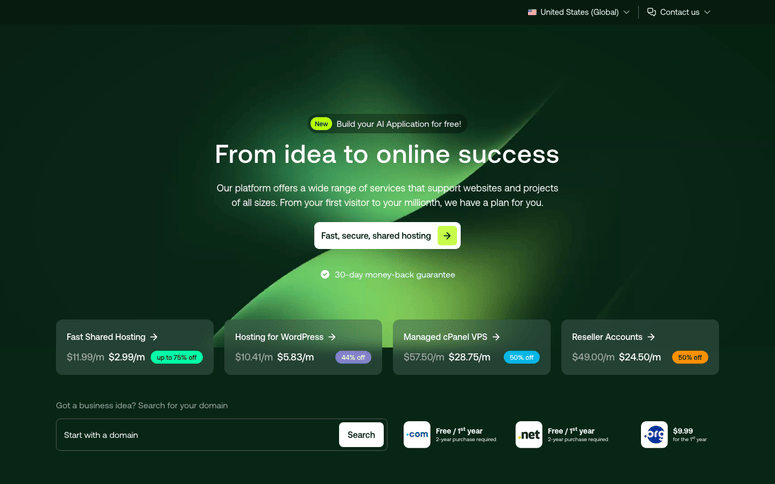
Why Is Hosting.com One of the Best Hosts with an AI Builder?
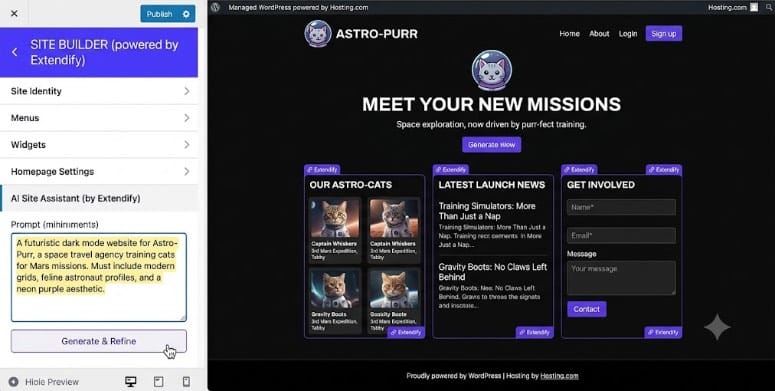
Hosting.com is the new name for A2 Hosting, rebranded after an acquisition. Its AI builder, powered by the Extendify plugin, generates a complete WordPress site from a text description using only core WordPress blocks.
Because Extendify is block-based rather than proprietary, the site it generates stays compatible with any standard WordPress theme, plugin, or WooCommerce setup afterward. That’s a meaningful difference from a closed AI builder.
Extendify’s design library and AI page generator are aimed slightly more at people with some WordPress familiarity than complete first-timers, so budget a bit more patience if this is your first WordPress site.
My Experience with Hosting.com
I used Extendify to generate a simple services site, and the block-based output was easy to keep editing afterward in the standard WordPress editor, no separate builder interface to learn.
Since the rebrand from A2 Hosting is still recent, I noticed a few leftover references to the old brand name in account areas. Nothing broke, but it’s a sign the transition isn’t fully finished yet.
Support reached me quickly by phone during testing, which matches what I saw in customer reviews: fast human responses, alongside recurring complaints about renewal price jumps.
🟢► Pros
- Built entirely on WordPress blocks: No proprietary lock-in after the AI generates your site.
- AI builder included on WordPress hosting plans: No separate charge for Extendify.
- Fast phone support: Reviewers and my own test both found real people answered quickly.
🔴► Cons
- Better suited to WordPress-familiar users: Complete beginners may find Extendify less guided than WonderSuite or Liftoff.
- Recent rebrand rough edges: Some leftover A2 Hosting branding still shows up in account areas.
- Renewal price jumps: A longstanding complaint carried over from the A2 Hosting era.
My Verdict: Hosting.com is a solid budget pick if you already know your way around WordPress and want an AI builder that won’t lock you into anything proprietary. First-timers may find the other hosts on this list more hand-holding.
Pricing: Starts at $5.83/mo (Small plan). Other tiers: Medium $9.96/mo, Advanced $16.63/mo, Turbo $24.99/mo. No free version. 30-day money-back guarantee.
👉 Get started with Hosting.com here
8. IONOS ⭐⭐⭐
Best for: Affordable hosting, if you’re fine buying the AI builder separately
Why Is IONOS One of the Best Hosts with an AI Builder?
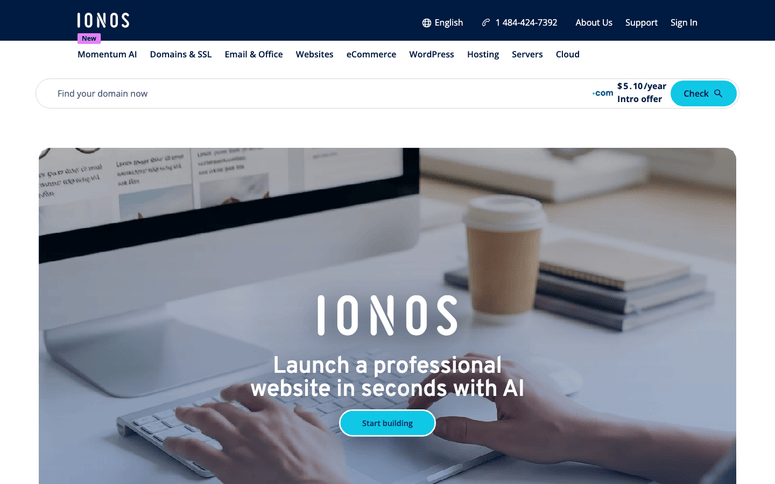
I need to be upfront about IONOS: its AI Website Builder is not bundled with its web hosting plans. It’s a separate product with its own pricing, part of IONOS’s “MyWebsite Now” builder line.
If you’re comparing this list expecting every host to bundle its AI builder for free, IONOS is the outlier. You’d pay for hosting and the AI builder as two line items, even though both come from IONOS.
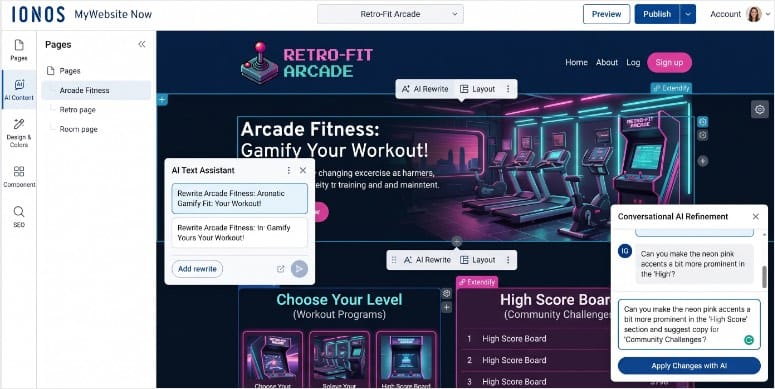
Now, the builder itself works reasonably well for a simple site. Enter your business name and industry, and it generates a homepage plus up to 4 subpages, with an AI text writer, image generator, and color-palette tool built in.
My Experience with IONOS
I generated a site for a consulting business, and the result was serviceable but rigid. I couldn’t adjust the block-based sections with custom CSS, and the template gallery felt thin next to Wix or Squarespace.
I also confirmed IONOS’s pricing pages directly, and the renewal jumps are some of the steepest on this list, in one case close to a 19x increase on the entry AI builder plan.
If budget and simplicity matter more than having everything bundled, IONOS’s hosting on its own is still competitively priced. Just don’t assume the AI builder rides along for free.
🟢► Pros
- Low entry hosting price: Hosting plans start under $5/mo.
- AI writing and image tools included in the builder: Text, images, and color palettes generate together.
🔴► Cons
- AI builder sold separately from hosting: The only host on this list that doesn’t bundle the two.
- Steep renewal pricing: Some plans jump close to 19x the intro rate.
- Thin template and customization options: No custom CSS, and a smaller design gallery than competitors.
My Verdict: IONOS earns a spot here for affordability, but it’s the one host where “hosting with an AI builder” means two separate purchases, not one. Go in with that expectation and it can still work for a simple site.
Pricing: Hosting starts at $4/mo. AI Website Builder starts separately at $6/mo (renews $14/mo). No free version. 30-day money-back guarantee on hosting.
How to Choose the Right Host with an AI Builder
With 8 solid options, the right pick comes down to what you actually need from the AI, not just the lowest sticker price.
If you’re a first-time site owner, go with Bluehost or DreamHost. Both are among the best website builders for beginners, and they keep you on real WordPress, so you’re not stuck if you outgrow the AI builder later.
If price is your main constraint, Hostinger gets you the cheapest entry point, as long as you’re fine with a proprietary builder instead of WordPress.
If you want AI to help you run the site, not just build it, SiteGround’s AI Studio agents are the strongest fit on this list.
If you’re cloning or redesigning an existing site, 10Web’s URL and screenshot-based generation is built specifically for that.
Whichever you pick, read the renewal price before you sign up. Every host on this list uses a discounted intro rate, and the difference at renewal is real money.
FAQs: Hosting Providers with AI Builders
Is a hosting AI builder the same as installing WordPress and using a plugin like SeedProd?
No. A hosting AI builder generates the initial site for you inside the sign-up flow, before you touch WordPress. A plugin like SeedProd works after WordPress is already installed, giving you more building blocks to design with manually. Some hosts on this list, like Bluehost and DreamHost, generate a site that still uses standard WordPress underneath, so you can add a plugin like SeedProd later if you want more control.
Do I need coding knowledge to use these AI builders?
No. Every AI builder on this list is designed for non-technical users. You describe your business in plain language or answer a short questionnaire, and the AI handles layout, copy, and images.
Which hosting provider has the best free AI website builder?
None of these AI builders are free on their own. They’re bundled into a paid hosting plan, and Hostinger has the lowest starting price at $1.99/mo. Bluehost and DreamHost include their AI builders at similarly low starting rates while keeping the resulting site on standard WordPress.
Can I switch hosts later if I don’t like the AI-generated site?
It depends on the host. Sites built with WordPress-native tools like Bluehost’s WonderSuite, DreamHost’s Liftoff, or Hosting.com’s Extendify migrate like any normal WordPress site. Proprietary builders like Hostinger’s AI Website Builder or GoDaddy’s Airo are harder to move, since they don’t export to standard WordPress files.
Is it worth paying more for a host like 10Web instead of a cheaper option like Hostinger?
It depends on what you’re building. 10Web costs more, but it can clone an existing site’s design and lets the AI keep managing hosting tasks like staging and backups afterward. If you just need a simple site live fast and don’t need those extras, a cheaper option like Hostinger covers it.
Final Verdict
If I had to pick one host for most readers, I’d go with Bluehost. WonderSuite gets a real WordPress site live fast, and you’re never locked out of a plugin or theme later if your needs grow.
If price is the deciding factor, Hostinger is the cheapest way in, as long as you’re comfortable with its non-WordPress builder. And if you want AI that keeps helping after launch instead of disappearing once the homepage is done, SiteGround’s AI Studio is worth the switch.
Resource Hub: Hosting and AI Website Builders
- I Rank & Compare 6 AI Site Builders: My Unfiltered Results
- Hostinger vs Bluehost: A Complete Web Hosting Comparison
- Bluehost Review: After Testing This Hosting Provider, This Is What I Found Out
- DreamHost Review: Honest Take on This Web Hosting Solution
- What Is Web Hosting? (Shared vs. VPS vs. Dedicated)
- How to Make a WordPress Website with AI

Useful walkthrough. The concrete examples made the workflow much easier to follow. Kling3 Motion Control