Over the years, my love for building WordPress sites across different industries has grown. As an SEO expert as well, I have quickly learned that site building and search optimization go hand in hand.
To keep sites secure and trustworthy, I always make sure they have SSL certificates. This protects sensitive data, like customer info, and shows visitors a little padlock that says, “You’re safe here.”
But I needed web hosts with free SSL included. Something quick, reliable, and that didn’t cost a fortune.
At first, I bought and added SSL certificates separately and installed them myself. It worked, but ate up time and piled on extra costs for my clients.
Not exactly a win.
So, I switched to hunting down web hosts offering free SSL certificates instead. That’s what sparked my deep dive into researching hosting providers with this perk.
I didn’t just trust random online reviews, I tested a bunch of hosts myself.
I looked at how easy it was to set up SSL, how dependable the hosting service was, and what they’d cost.
I even dug into third-party hosting reviews to double-check my picks. After all that, I’ve rounded up the best web hosts with free SSL so that you can lock down your site without the hassle or extra expense.
In this article, we’ll introduce you to the nine best web hosts that include free SSL with their hosting plans. This way, you can keep your website secure without an extra cost.
What Is SSL and Why Web Hosts With Free SSL Matter
SSL is an industry-standard security measure that creates an encrypted link between each visitor’s browser and your website.
If you sell products, you must have an SSL certificate to protect the information you collect from your customers. Since it displays a padlock icon beside the address bar, having an SSL certificate helps build trust with your audience.
On the other hand, a website without an SSL is marked unsafe beside the address bar. It’s a small detail, but it matters for how visitors judge your site.
That’s why choosing a host that includes free SSL out of the box saves you the extra cost and hassle of buying a certificate separately.
Let’s take a look at a few free SSL hosting companies.
Learn more about adding SSL to your website here.
Quick Comparison: Best Web Hosts With Free SSL
Here’s how all nine hosts stack up side by side. Every one of them includes a free SSL certificate, so the real differences come down to price, renewal cost, and who each host fits best.
| Host | Starting Price | Renewal Note | Rating | Best For |
| Hostinger | $2.39/mo | $10.99 to $25.99/mo | ⭐⭐⭐⭐⭐ | Budget-conscious owners who want fast hosting with AI tools and a website builder included for free |
| SiteGround | $2.99/mo | $17.99/mo | ⭐⭐⭐⭐ | Agencies who want the best support in the industry |
| Bluehost | $3.99/mo | $9.99/mo | ⭐⭐⭐⭐ | Beginners who want an officially recommended host |
| InMotion Hosting | $5.29/mo | $15.49/mo | ⭐⭐⭐⭐ | Growing sites that want NVMe storage and a longer risk-free trial |
| HostGator | $2.75/mo | $8.95 to $10.99/mo | ⭐⭐⭐⭐ | Shoppers who want a low starting price without a long-term lock-in |
| GreenGeeks | $2.95/mo | $13.95/mo | ⭐⭐⭐⭐ | Environmentally-minded site owners |
| WP Engine | $27/mo | Scales to $400+/mo on higher tiers | ⭐⭐⭐⭐ | Agencies and high-traffic sites |
| DreamHost | $1.99/mo | $7.99/mo | ⭐⭐⭐⭐ | A long track record with daily backups on every plan |
| HostPapa | $2.95/mo | $8.95/mo | ⭐⭐⭐⭐ | Beginners who want real human support |
1. Hostinger ⭐⭐⭐⭐⭐
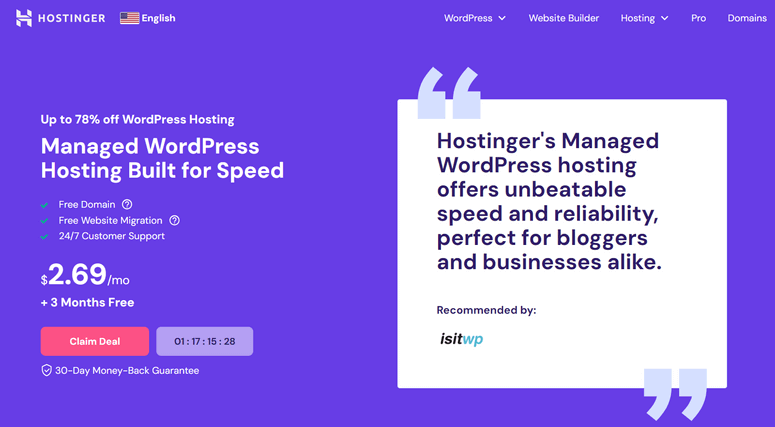
Best for: budget-conscious site owners who want fast, well-built hosting with AI tools and a website builder included at no extra cost.
Hostinger includes unlimited, auto-renewing Let’s Encrypt SSL certificates on every plan. Shared hosting starts at $2.39/mo on the intro rate, and every plan adds a free domain for the first year.
Hostinger runs on LiteSpeed servers, and every plan gets a clean control panel called hPanel plus a built-in AI assistant named Kodee. You can also use their free website builder if you’d rather skip WordPress.
NVMe storage kicks in from the Unlimited plan up, while the entry-level Premium plan uses standard SSD.
In my research, value is Hostinger’s biggest strength. That combination of fast LiteSpeed servers, an easy control panel, and a built-in AI assistant is hard to match at this price.
The catch is renewal pricing. Plans jump to $10.99 to $25.99/mo after the intro term, and there’s no phone support, just live chat and email.
Read the latest Hostinger review here.
2. SiteGround ⭐⭐⭐⭐
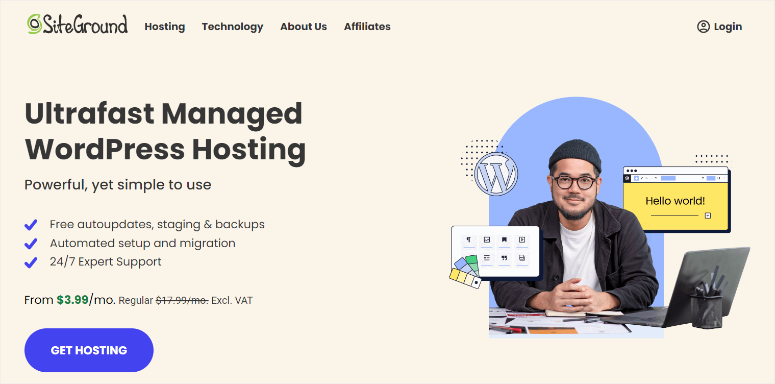
Best for: agencies and site owners who want the best support in the hosting industry and don’t mind paying more for it.
SiteGround offers free SSL with every hosting plan. If your site is hosted elsewhere, you can migrate it to SiteGround for free.
Every plan includes unlimited bandwidth and daily backups. StartUp starts at $2.99/mo, though it renews at $17.99/mo, and GrowBig and GoGeek follow a similar six-fold jump at renewal.
It also offers advanced WordPress performance through its three-level SuperCacher, plus free Speed Optimizer and Security Optimizer plugins that work on any WordPress site, not just SiteGround-hosted ones. You can also get top-notch technical support and fully managed hosting according to your needs.
In my experience, SiteGround’s support is the real differentiator here, not just a marketing line. Agents resolve issues fast and know WordPress well.
The built-in CDN runs on Google Cloud and covers 170+ locations, though it’s not quite as fast as Cloudflare for high-traffic, global audiences.
Read the latest SiteGround review here.
3. Bluehost ⭐⭐⭐⭐

Best for: WordPress beginners who want an officially recommended host with a simple setup process.
Bluehost is one of the few hosts officially recommended by WordPress.org, and it offers great SSL hosting to back that up. You can get a free domain name for the first year plus a free SSL certificate for your site.
Shared plans start around $3.99/mo. Renewal runs 47% to 150% higher depending on the plan, so budget for that jump after your first term.
Bluehost also bundles in WonderSuite, an AI website builder that can put together a full site from a short questionnaire.
They also offer a 30-day money-back guarantee, so you can get a full refund when you cancel your web hosting subscription.
The one thing I’d flag is domain transfers. Some users report it takes longer than expected to move a domain away from Bluehost, so keep that in mind if you like to keep your options open.
Read the latest Bluehost review here.
4. InMotion Hosting ⭐⭐⭐⭐
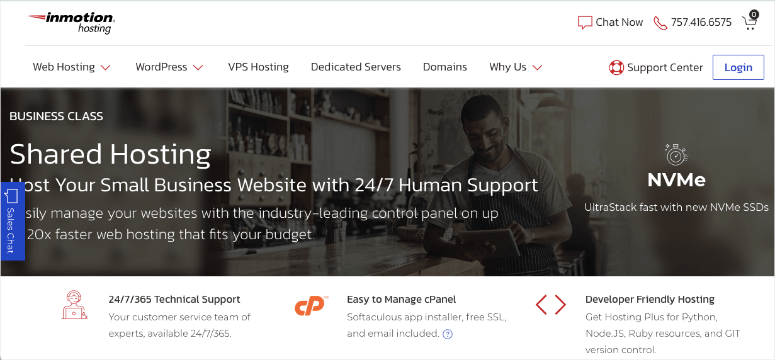
Best for: growing sites that want NVMe storage and extra time to test the hosting risk-free.
InMotion Hosting is a popular SSL hosting service provider that lets you safeguard your website with a free SSL. Aside from that, it offers great features to help you grow your business.
With an InMotion Hosting plan, you’ll get a free domain name, unmetered bandwidth, NVMe SSD storage, and a lot more.
Unlike other SSL hosting listed here, InMotion offers automated backup, so you can quickly get your website back up anytime you want. Their friendly support team is available around the clock.
InMotion’s WordPress plans start with WP Launch at $5.29/mo, renewing at $15.49/mo. That gets you two sites and 100GB of NVMe storage, with unmetered bandwidth on every tier.
WP Power and WP Pro scale up to 10 and 40 sites. WP Pro adds a dedicated IP and two vCPU cores for $11.29/mo, renewing at $26.49/mo.
InMotion also backs its hosting plans with a 90-day money-back guarantee, longer than the 30-day window most hosts on this list offer.
Read the latest InMotion Hosting review here.
5. HostGator ⭐⭐⭐⭐
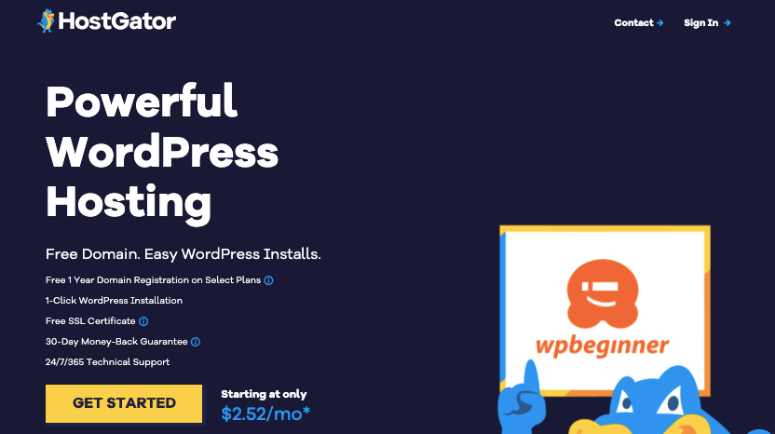
Best for: shoppers who want a low starting price without a long-term lock-in, and don’t mind handling their own backups.
HostGator is another option to get free SSL for your site, with SSL certificates coming from Let’s Encrypt. Depending on your hosting plan, you can have up to unlimited domain names for your site. This also includes a free domain, unmetered bandwidth, and a one-click WordPress install.
Shared plans start at $2.75/mo, one of the lowest intro prices around, but renewal can climb as high as 3.4 times that rate.
HostGator isn’t the fastest host on this list. Independent speed tests clock it around 2.7 seconds per page load, slower than most hosts here.
Backups are also worth watching. Shared plans only back up weekly, and a manual restore costs $25 if you need one.
Where HostGator holds up is price and support. Chat and phone support are responsive, and its 30-day money-back guarantee matches the industry standard.
Read the latest HostGator review here.
6. GreenGeeks ⭐⭐⭐⭐
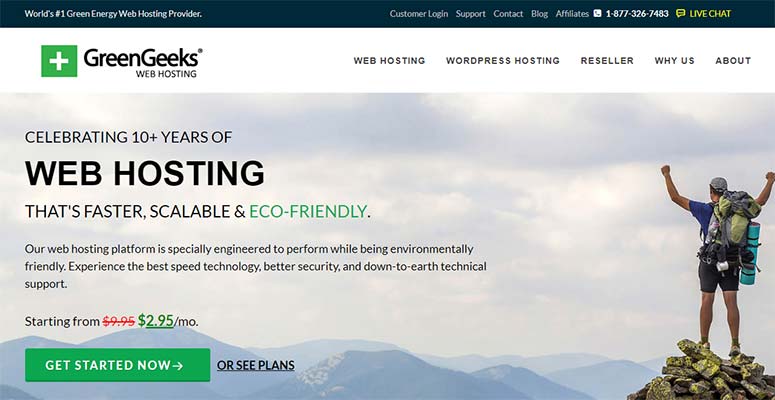
Best for: environmentally-minded site owners who still want solid WordPress performance.
GreenGeeks is another SSL provider worth a look. They offer fast, secure, and eco-friendly WordPress hosting service with a free SSL certificate to secure your website, starting at $2.95/mo.
They also offer a free migration service, so if you’re hosted elsewhere, you can migrate your website to GreenGeeks for free. They’re also a developer-friendly SSL hosting provider that markets itself around renewable energy credits and green data centers.
Read the latest GreenGeeks review here.
7. WP Engine ⭐⭐⭐⭐
Best for: agencies and high-traffic sites that want premium managed WordPress hosting and don’t mind paying more for it.
WP Engine offers complete managed WordPress hosting that’s fast, secure, and reliable. The hosting offers premium themes and the Genesis framework at no extra cost.
In my testing, pages loaded in under a second and held up fine even with 100 simulated visitors hitting the site at once.
WP Engine also runs SOC 2 and ISO 27001 security audits, and backs up daily with offsite storage plus automatic failover to a separate data center if something goes wrong.
Depending on the plan you choose, you get 10GB to 50GB of storage and 75GB to 550GB of monthly bandwidth, with room for up to 30 sites on the top Essential tier.
Plans start at $27/mo for the Startup tier and scale up to $400+/mo for the Core tier, well above the budget hosts on this list. You also get free SSL, 35+ StudioPress themes, and 24/7 support on every plan.
That makes WP Engine a better fit for agencies and higher-traffic sites than for a first website on a tight budget.
Read the latest WPEngine review here.
8. DreamHost ⭐⭐⭐⭐
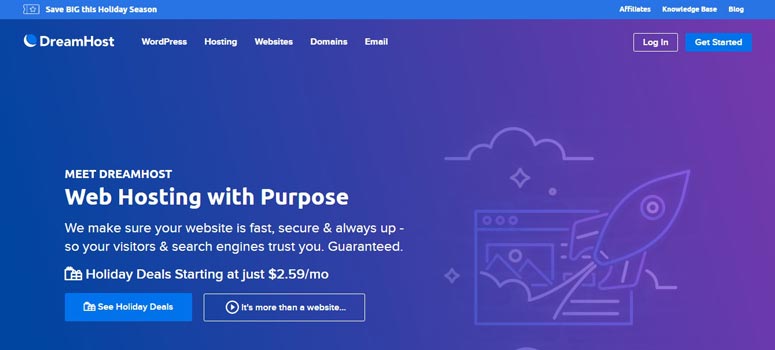
Best for: anyone who wants a host with a multi-decade track record and daily backups on every plan, even the cheapest one.
DreamHost offers a reliable SSL hosting service for your online business. With DreamHost, you get free SSL through Let’s Encrypt, fast NVMe storage, WordPress pre-installed, and a lot more. Shared plans start at $1.99/mo on a four-year term, renewing at $7.99/mo.
To offer you a double layer of security, it backs up your site automatically every day, on every plan, not just the pricier ones. You can also reach out to the support team easily for any technical help.
DreamHost has been around for over 25 years, and I noticed a lot of long-time customers mention sticking with it for a decade or more, which says something about its reliability.
Speed is the one tradeoff. It isn’t the fastest host on this list, so weigh that against the track record if raw page-load speed is your top priority.
Read the latest DreamHost review here.
9. HostPapa ⭐⭐⭐⭐

Best for: beginners who want 24/7 human support (not bots) plus a bundled domain and website builder.
HostPapa includes a free SSL certificate and NVMe storage on every plan. Essentials starts at $2.95/mo on a three-year term and renews around $8.95/mo, with a free first-year domain on most tiers.
Every tier runs on CloudLinux with per-account isolation, which stops other sites on the same server from slowing yours down. The starter plan also lets you host two domains, and the website builder ships with over 100 templates for building an online store.
In my research, support is HostPapa’s biggest strength. Its 24/7 human support team, not bots, comes up unprompted as the top praise across Trustpilot, G2, and Capterra. Trustpilot alone rates HostPapa 4.7 out of 5 across nearly 3,000 reviews.
The tradeoff shows up in two places. Renewal pricing runs about three times the intro rate once your three-year term ends. Some users also report support agents pushing pricier upgrades over resource-usage warnings that don’t always fix the problem.
Read the latest HostPapa review here.
How to Choose the Right Host With Free SSL
All nine hosts on this list include free SSL, so picking the right one comes down to what matters most to you. Here’s how I’d narrow it down.
- Budget is your top priority: DreamHost has the lowest starting price on this list, though it requires a four-year term to lock in. For a shorter commitment, Hostinger or HostGator are the cheapest options.
- You want the best support available: SiteGround’s support team is the most consistently praised across review platforms, even though you’ll pay more for it.
- You’re new to WordPress: Bluehost is one of the few hosts officially recommended by WordPress.org, with a setup process built for first-time users.
- You want extra time to test the hosting risk-free: InMotion backs its plans with a 90-day money-back guarantee, three times longer than the standard 30 days.
- Sustainability matters to you: GreenGeeks runs on renewable energy credits and markets itself around green data centers.
- You’re running a high-traffic or agency site: WP Engine’s premium managed hosting costs more, but it’s built for that scale.
- Reliability and a long track record matter most: DreamHost has been around for over 25 years and backs up every plan daily, even the cheapest one.
- You want a real human on the other end of support: HostPapa’s 24/7 team, not bots, is the feature reviewers mention most.
FAQs: Web Hosts With Free SSL
Do free SSL certificates from these hosts renew automatically?
Yes. Every host on this list uses Let’s Encrypt or an equivalent free certificate authority, and these renew automatically in the background. You don’t need to reinstall or repurchase anything.
Is a free SSL certificate as secure as a paid one?
For most websites, yes. Free certificates use domain validation, which confirms you own the domain and encrypts traffic just like a paid certificate does.
Paid certificates mainly add extra validation steps and trust badges. Those matter more for large enterprises or financial sites than a typical WordPress site.
Why does hosting renewal pricing jump so much after the first term?
Hosts use low intro pricing to win new customers, then charge closer to their actual cost once that term ends.
It’s a common practice across the industry, but the jump size varies a lot between hosts. Always check the renewal price before you sign up.
Which host on this list is best for WordPress beginners?
Bluehost. It’s one of the few hosts officially recommended by WordPress.org, and its setup process is built with first-time WordPress users in mind.
Can I switch hosts later without losing anything?
Most of the hosts on this list, including SiteGround, HostGator, GreenGeeks, and HostPapa, offer free migration tools or services. Your SSL certificate will need to be reissued on the new host, but that happens automatically once you’re set up there.
Final Verdict: Best Web Host With Free SSL
After testing all nine, Hostinger is my overall pick. It has the best value for the price, a built-in AI assistant, and it’s the only host on this list I’d give a full five stars.
If you want the absolute lowest introductory price instead, DreamHost is your best bet, though you’ll need to lock in a four-year term.
If you want the best possible support instead, go with SiteGround. Its team is the most consistently praised across every review platform I checked, even though you’ll pay more for it.
And if you’re brand new to WordPress, Bluehost is the safer choice. It’s officially recommended by WordPress.org, and its setup process is built for first-time users.
Whichever you pick, every host on this list includes free SSL out of the box, so you won’t need to buy or install a certificate separately.
That’s it! We hope you find this article helpful.
If you want to add a double layer of protection to your site, you can add a security plugin. Here’s a list of some of the best security plugins that you can install.
Over the years, my love for building WordPress sites across different industries has grown. As an SEO expert as well, I have quickly learned that site building and search optimization go hand in hand.
To keep sites secure and trustworthy, I always make sure they have SSL certificates. This protects sensitive data, like customer info, and shows visitors a little padlock that says, “You’re safe here.”
But I needed web hosts with free SSL included. Something quick, reliable, and that didn’t cost a fortune.
At first, I bought and added SSL certificates separately and installed them myself. It worked, but ate up time and piled on extra costs for my clients.
Not exactly a win.
So, I switched to hunting down web hosts offering free SSL certificates instead. That’s what sparked my deep dive into researching hosting providers with this perk.
I didn’t just trust random online reviews, I tested a bunch of hosts myself.
I looked at how easy it was to set up SSL, how dependable the hosting service was, and what they’d cost.
I even dug into third-party hosting reviews to double-check my picks. After all that, I’ve rounded up the best web hosts with free SSL so that you can lock down your site without the hassle or extra expense.
In this article, we’ll introduce you to the nine best web hosts that include free SSL with their hosting plans. This way, you can keep your website secure without an extra cost.
What Is SSL and Why Web Hosts With Free SSL Matter
SSL is an industry-standard security measure that creates an encrypted link between each visitor’s browser and your website.
If you sell products, you must have an SSL certificate to protect the information you collect from your customers. Since it displays a padlock icon beside the address bar, having an SSL certificate helps build trust with your audience.
On the other hand, a website without an SSL is marked unsafe beside the address bar. It’s a small detail, but it matters for how visitors judge your site.
That’s why choosing a host that includes free SSL out of the box saves you the extra cost and hassle of buying a certificate separately.
Let’s take a look at a few free SSL hosting companies.
Learn more about adding SSL to your website here.
Quick Comparison: Best Web Hosts With Free SSL
Here’s how all nine hosts stack up side by side. Every one of them includes a free SSL certificate, so the real differences come down to price, renewal cost, and who each host fits best.
| Host | Starting Price | Renewal Note | Rating | Best For |
| Hostinger | $2.39/mo | $10.99 to $25.99/mo | ⭐⭐⭐⭐⭐ | Budget-conscious owners who want fast hosting with AI tools and a website builder included for free |
| SiteGround | $2.99/mo | $17.99/mo | ⭐⭐⭐⭐ | Agencies who want the best support in the industry |
| Bluehost | $3.99/mo | $9.99/mo | ⭐⭐⭐⭐ | Beginners who want an officially recommended host |
| InMotion Hosting | $5.29/mo | $15.49/mo | ⭐⭐⭐⭐ | Growing sites that want NVMe storage and a longer risk-free trial |
| HostGator | $2.75/mo | $8.95 to $10.99/mo | ⭐⭐⭐⭐ | Shoppers who want a low starting price without a long-term lock-in |
| GreenGeeks | $2.95/mo | $13.95/mo | ⭐⭐⭐⭐ | Environmentally-minded site owners |
| WP Engine | $27/mo | Scales to $400+/mo on higher tiers | ⭐⭐⭐⭐ | Agencies and high-traffic sites |
| DreamHost | $1.99/mo | $7.99/mo | ⭐⭐⭐⭐ | A long track record with daily backups on every plan |
| HostPapa | $2.95/mo | $8.95/mo | ⭐⭐⭐⭐ | Beginners who want real human support |
1. Hostinger ⭐⭐⭐⭐⭐
Best for: budget-conscious site owners who want fast, well-built hosting with AI tools and a website builder included at no extra cost.
Hostinger includes unlimited, auto-renewing Let’s Encrypt SSL certificates on every plan. Shared hosting starts at $2.39/mo on the intro rate, and every plan adds a free domain for the first year.
Hostinger runs on LiteSpeed servers, and every plan gets a clean control panel called hPanel plus a built-in AI assistant named Kodee. You can also use their free website builder if you’d rather skip WordPress.
NVMe storage kicks in from the Unlimited plan up, while the entry-level Premium plan uses standard SSD.
In my research, value is Hostinger’s biggest strength. That combination of fast LiteSpeed servers, an easy control panel, and a built-in AI assistant is hard to match at this price.
The catch is renewal pricing. Plans jump to $10.99 to $25.99/mo after the intro term, and there’s no phone support, just live chat and email.
Read the latest Hostinger review here.
2. SiteGround ⭐⭐⭐⭐
Best for: agencies and site owners who want the best support in the hosting industry and don’t mind paying more for it.
SiteGround offers free SSL with every hosting plan. If your site is hosted elsewhere, you can migrate it to SiteGround for free.
Every plan includes unlimited bandwidth and daily backups. StartUp starts at $2.99/mo, though it renews at $17.99/mo, and GrowBig and GoGeek follow a similar six-fold jump at renewal.
It also offers advanced WordPress performance through its three-level SuperCacher, plus free Speed Optimizer and Security Optimizer plugins that work on any WordPress site, not just SiteGround-hosted ones. You can also get top-notch technical support and fully managed hosting according to your needs.
In my experience, SiteGround’s support is the real differentiator here, not just a marketing line. Agents resolve issues fast and know WordPress well.
The built-in CDN runs on Google Cloud and covers 170+ locations, though it’s not quite as fast as Cloudflare for high-traffic, global audiences.
Read the latest SiteGround review here.
3. Bluehost ⭐⭐⭐⭐
Best for: WordPress beginners who want an officially recommended host with a simple setup process.
Bluehost is one of the few hosts officially recommended by WordPress.org, and it offers great SSL hosting to back that up. You can get a free domain name for the first year plus a free SSL certificate for your site.
Shared plans start around $3.99/mo. Renewal runs 47% to 150% higher depending on the plan, so budget for that jump after your first term.
Bluehost also bundles in WonderSuite, an AI website builder that can put together a full site from a short questionnaire.
They also offer a 30-day money-back guarantee, so you can get a full refund when you cancel your web hosting subscription.
The one thing I’d flag is domain transfers. Some users report it takes longer than expected to move a domain away from Bluehost, so keep that in mind if you like to keep your options open.
Read the latest Bluehost review here.
4. InMotion Hosting ⭐⭐⭐⭐
Best for: growing sites that want NVMe storage and extra time to test the hosting risk-free.
InMotion Hosting is a popular SSL hosting service provider that lets you safeguard your website with a free SSL. Aside from that, it offers great features to help you grow your business.
With an InMotion Hosting plan, you’ll get a free domain name, unmetered bandwidth, NVMe SSD storage, and a lot more.
Unlike other SSL hosting listed here, InMotion offers automated backup, so you can quickly get your website back up anytime you want. Their friendly support team is available around the clock.
InMotion’s WordPress plans start with WP Launch at $5.29/mo, renewing at $15.49/mo. That gets you two sites and 100GB of NVMe storage, with unmetered bandwidth on every tier.
WP Power and WP Pro scale up to 10 and 40 sites. WP Pro adds a dedicated IP and two vCPU cores for $11.29/mo, renewing at $26.49/mo.
InMotion also backs its hosting plans with a 90-day money-back guarantee, longer than the 30-day window most hosts on this list offer.
Read the latest InMotion Hosting review here.
5. HostGator ⭐⭐⭐⭐
Best for: shoppers who want a low starting price without a long-term lock-in, and don’t mind handling their own backups.
HostGator is another option to get free SSL for your site, with SSL certificates coming from Let’s Encrypt. Depending on your hosting plan, you can have up to unlimited domain names for your site. This also includes a free domain, unmetered bandwidth, and a one-click WordPress install.
Shared plans start at $2.75/mo, one of the lowest intro prices around, but renewal can climb as high as 3.4 times that rate.
HostGator isn’t the fastest host on this list. Independent speed tests clock it around 2.7 seconds per page load, slower than most hosts here.
Backups are also worth watching. Shared plans only back up weekly, and a manual restore costs $25 if you need one.
Where HostGator holds up is price and support. Chat and phone support are responsive, and its 30-day money-back guarantee matches the industry standard.
Read the latest HostGator review here.
6. GreenGeeks ⭐⭐⭐⭐
Best for: environmentally-minded site owners who still want solid WordPress performance.
GreenGeeks is another SSL provider worth a look. They offer fast, secure, and eco-friendly WordPress hosting service with a free SSL certificate to secure your website, starting at $2.95/mo.
They also offer a free migration service, so if you’re hosted elsewhere, you can migrate your website to GreenGeeks for free. They’re also a developer-friendly SSL hosting provider that markets itself around renewable energy credits and green data centers.
Read the latest GreenGeeks review here.
7. WP Engine ⭐⭐⭐⭐
Best for: agencies and high-traffic sites that want premium managed WordPress hosting and don’t mind paying more for it.
WP Engine offers complete managed WordPress hosting that’s fast, secure, and reliable. The hosting offers premium themes and the Genesis framework at no extra cost.
In my testing, pages loaded in under a second and held up fine even with 100 simulated visitors hitting the site at once.
WP Engine also runs SOC 2 and ISO 27001 security audits, and backs up daily with offsite storage plus automatic failover to a separate data center if something goes wrong.
Depending on the plan you choose, you get 10GB to 50GB of storage and 75GB to 550GB of monthly bandwidth, with room for up to 30 sites on the top Essential tier.
Plans start at $27/mo for the Startup tier and scale up to $400+/mo for the Core tier, well above the budget hosts on this list. You also get free SSL, 35+ StudioPress themes, and 24/7 support on every plan.
That makes WP Engine a better fit for agencies and higher-traffic sites than for a first website on a tight budget.
Read the latest WPEngine review here.
8. DreamHost ⭐⭐⭐⭐
Best for: anyone who wants a host with a multi-decade track record and daily backups on every plan, even the cheapest one.
DreamHost offers a reliable SSL hosting service for your online business. With DreamHost, you get free SSL through Let’s Encrypt, fast NVMe storage, WordPress pre-installed, and a lot more. Shared plans start at $1.99/mo on a four-year term, renewing at $7.99/mo.
To offer you a double layer of security, it backs up your site automatically every day, on every plan, not just the pricier ones. You can also reach out to the support team easily for any technical help.
DreamHost has been around for over 25 years, and I noticed a lot of long-time customers mention sticking with it for a decade or more, which says something about its reliability.
Speed is the one tradeoff. It isn’t the fastest host on this list, so weigh that against the track record if raw page-load speed is your top priority.
Read the latest DreamHost review here.
9. HostPapa ⭐⭐⭐⭐
Best for: beginners who want 24/7 human support (not bots) plus a bundled domain and website builder.
HostPapa includes a free SSL certificate and NVMe storage on every plan. Essentials starts at $2.95/mo on a three-year term and renews around $8.95/mo, with a free first-year domain on most tiers.
Every tier runs on CloudLinux with per-account isolation, which stops other sites on the same server from slowing yours down. The starter plan also lets you host two domains, and the website builder ships with over 100 templates for building an online store.
In my research, support is HostPapa’s biggest strength. Its 24/7 human support team, not bots, comes up unprompted as the top praise across Trustpilot, G2, and Capterra. Trustpilot alone rates HostPapa 4.7 out of 5 across nearly 3,000 reviews.
The tradeoff shows up in two places. Renewal pricing runs about three times the intro rate once your three-year term ends. Some users also report support agents pushing pricier upgrades over resource-usage warnings that don’t always fix the problem.
Read the latest HostPapa review here.
How to Choose the Right Host With Free SSL
All nine hosts on this list include free SSL, so picking the right one comes down to what matters most to you. Here’s how I’d narrow it down.
- Budget is your top priority: DreamHost has the lowest starting price on this list, though it requires a four-year term to lock in. For a shorter commitment, Hostinger or HostGator are the cheapest options.
- You want the best support available: SiteGround’s support team is the most consistently praised across review platforms, even though you’ll pay more for it.
- You’re new to WordPress: Bluehost is one of the few hosts officially recommended by WordPress.org, with a setup process built for first-time users.
- You want extra time to test the hosting risk-free: InMotion backs its plans with a 90-day money-back guarantee, three times longer than the standard 30 days.
- Sustainability matters to you: GreenGeeks runs on renewable energy credits and markets itself around green data centers.
- You’re running a high-traffic or agency site: WP Engine’s premium managed hosting costs more, but it’s built for that scale.
- Reliability and a long track record matter most: DreamHost has been around for over 25 years and backs up every plan daily, even the cheapest one.
- You want a real human on the other end of support: HostPapa’s 24/7 team, not bots, is the feature reviewers mention most.
FAQs: Web Hosts With Free SSL
Do free SSL certificates from these hosts renew automatically?
Yes. Every host on this list uses Let’s Encrypt or an equivalent free certificate authority, and these renew automatically in the background. You don’t need to reinstall or repurchase anything.
Is a free SSL certificate as secure as a paid one?
For most websites, yes. Free certificates use domain validation, which confirms you own the domain and encrypts traffic just like a paid certificate does.
Paid certificates mainly add extra validation steps and trust badges. Those matter more for large enterprises or financial sites than a typical WordPress site.
Why does hosting renewal pricing jump so much after the first term?
Hosts use low intro pricing to win new customers, then charge closer to their actual cost once that term ends.
It’s a common practice across the industry, but the jump size varies a lot between hosts. Always check the renewal price before you sign up.
Which host on this list is best for WordPress beginners?
Bluehost. It’s one of the few hosts officially recommended by WordPress.org, and its setup process is built with first-time WordPress users in mind.
Can I switch hosts later without losing anything?
Most of the hosts on this list, including SiteGround, HostGator, GreenGeeks, and HostPapa, offer free migration tools or services. Your SSL certificate will need to be reissued on the new host, but that happens automatically once you’re set up there.
Final Verdict: Best Web Host With Free SSL
After testing all nine, Hostinger is my overall pick. It has the best value for the price, a built-in AI assistant, and it’s the only host on this list I’d give a full five stars.
If you want the absolute lowest introductory price instead, DreamHost is your best bet, though you’ll need to lock in a four-year term.
If you want the best possible support instead, go with SiteGround. Its team is the most consistently praised across every review platform I checked, even though you’ll pay more for it.
And if you’re brand new to WordPress, Bluehost is the safer choice. It’s officially recommended by WordPress.org, and its setup process is built for first-time users.
Whichever you pick, every host on this list includes free SSL out of the box, so you won’t need to buy or install a certificate separately.
That’s it! We hope you find this article helpful.
If you want to add a double layer of protection to your site, you can add a security plugin. Here’s a list of some of the best security plugins that you can install.
Comments Leave a Reply