IsItWP’s exclusive WP Compress coupon code will get you a discount of 30% on their WordPress image compression and optimization service. Follow our instructions below to claim your discount!
Tip: Check your site performance before making any changes with our free website speed tester. This way, you can actually know if this image optimization tool helps after implementation.
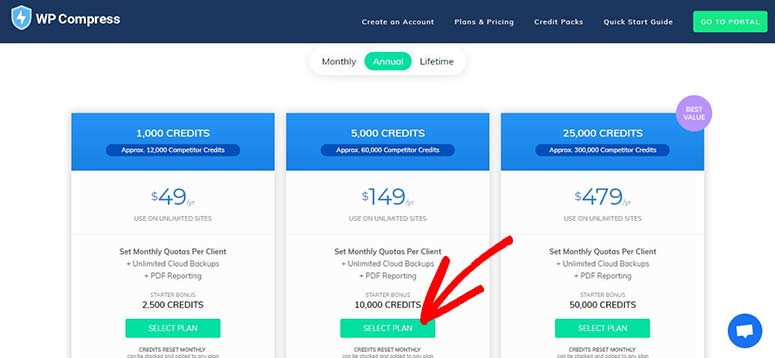
First, visit the WP Compress website using our referral link. From there, you’ll need to click on the SELECT PLAN button you want to purchase.
Note: You can get an additional discount on annual billing.

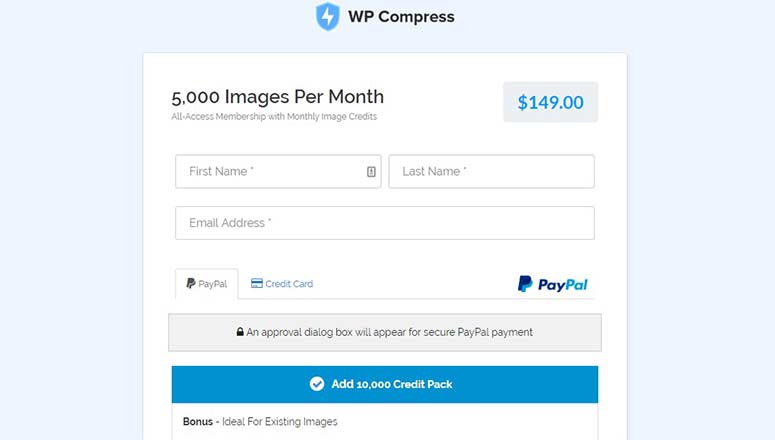
Next, you’ll see the checkout page where you should enter your personal information and select a payment method.

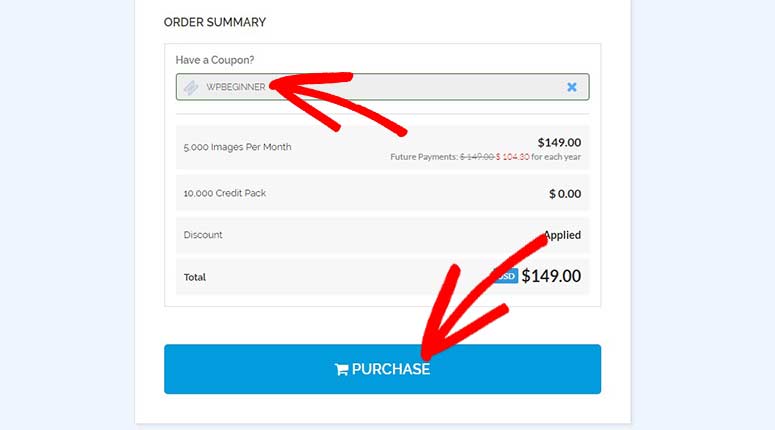
After that, you need to scroll down to view your order summary. In the Have a Coupon? field, you need to enter a discount code. Type in our WP Compress coupon code: WPBEGINNER

Lastly, hit the PURCHASE button to get your discount.
We hope you found our WP Compress coupon code helpful. You may also want to check our coupons page for more discounts.
If you’re looking to start a new website, don’t miss our guide on how to choose the best domain name registrar. Apart from that, here is a list of the best WordPress plugins for lazy loading.