I was helping a store owner who had three weeks until their product launch and exactly zero pre-orders. They’d built a product page, set up their WooCommerce store, and waited.
Nothing happened.
Waiting is not a pre-order strategy.
The problem most WooCommerce stores face isn’t generating interest. It’s converting that interest into real revenue before the product exists.
Without the right plugin, you end up refreshing your order dashboard on launch day hoping the wave of buyers materializes.
Sometimes it does. Often it doesn’t.
I’ve tested the leading pre-order plugins for WooCommerce, from dedicated tools that handle the pre-order button to full-funnel solutions that turn a product launch into a revenue event.
This list covers the ones that actually work: the plugins that let you collect payments, build your waitlist, and create early-buyer momentum before a single unit ships.
Key Takeaways
- FunnelKit is the top pick for stores that want to build a complete launch funnel around their pre-order, with urgency timers, upsells, and abandoned cart recovery all built in.
- Advanced Coupons makes early-bird pricing automatic, applying discounts to pre-orders without customers needing to enter a code.
- Merchant is the most budget-friendly option: pre-orders are included in the free version alongside countdown timers, wishlist, and 20+ other store tools.
- Bright Plugins is the strongest dedicated pre-order plugin, with a 4.5/5 rating across 66 reviews (the most-tested option in this list).
- OptinMonster belongs in any pre-launch stack: it turns your coming-soon page into a lead machine with exit-intent popups and waitlist forms before your pre-order even opens.
How I Test WooCommerce Pre-Order Plugins
Testing methodology
I evaluate each plugin against the same criteria:
Feature depth: Does it handle the core pre-order workflow (button, date, notifications) and what does it add beyond that?
Ease of setup: Can a store owner without developer help configure it in under 30 minutes?
WooCommerce compatibility: Does it work with current WooCommerce versions, HPOS, and block-based checkout?
Pricing value: Is the paid version priced fairly for what it delivers compared to alternatives?
Real user reviews: I look at WP.org reviews (not vendor sites) for unfiltered feedback on compatibility, support quality, and reliability in production environments.
Why Trust IsItWP?
The IsItWP team has reviewed hundreds of WooCommerce plugins. We test each tool in live environments, cross-reference user reviews from WordPress.org and third-party sources, and evaluate ongoing development activity. Our recommendations are based on real testing, not paid placement.
8 Best WooCommerce Pre-Order Plugins Compared
| Plugin | Best For | Free Version | Starting Price |
|---|---|---|---|
| FunnelKit | Full pre-launch sales funnels | No | $99.50/year |
| Advanced Coupons | Early-bird discount automation | Yes | Free / $249/year (bundle) |
| OptinMonster | Waitlist capture + lead generation | No | $7/mo (intro) |
| Merchant | All-in-one store tool + pre-orders | Yes | Free / $79/year |
| Bright Plugins Pre-Orders | Dedicated pre-order management | Yes | Free / $129/year |
| YITH Pre-Order | Pay-later pre-orders | Yes | $139.99/year |
| WooCommerce Pre-Orders | Official WooCommerce solution | No | $179/year |
| Webkul Pre-Order | Deposit / partial payment | No | $39 one-time |
1. FunnelKit ⭐⭐⭐⭐⭐
Best for: WooCommerce store owners running a structured product launch who want a complete funnel with checkout optimization, urgency timers, and post-purchase follow-ups around their pre-order.
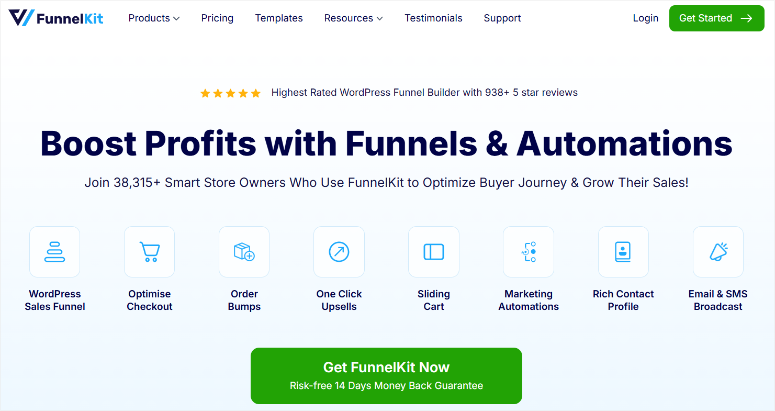
Why Is FunnelKit One of the Best WooCommerce Pre-Order Plugins?
FunnelKit is a WooCommerce funnel builder and checkout optimization plugin, not a dedicated pre-order tool. It turns your pre-order into a launch event.
Store owners use it to build the full sequence: landing page, optimized checkout, post-purchase upsell, and follow-up automation, all without leaving WordPress.
What makes FunnelKit relevant for pre-orders specifically is the combination of urgency tools and conversion features that fire at the moment a customer is most committed.
A countdown timer at checkout showing “Pre-orders close in 72 hours” converts better than a banner on your homepage. FunnelKit puts that timer exactly where it needs to be.
My Experience with FunnelKit
FunnelKit also handles the part of pre-orders most plugins ignore: what happens when someone almost buys. Its abandoned cart recovery sequences let you follow up automatically with anyone who started a pre-order checkout and didn’t finish.
They’re the segment most likely to convert with a single reminder email. Add order bumps at checkout (an add-on or upgrade offered mid-purchase), and the average revenue per pre-order goes up without any extra marketing.
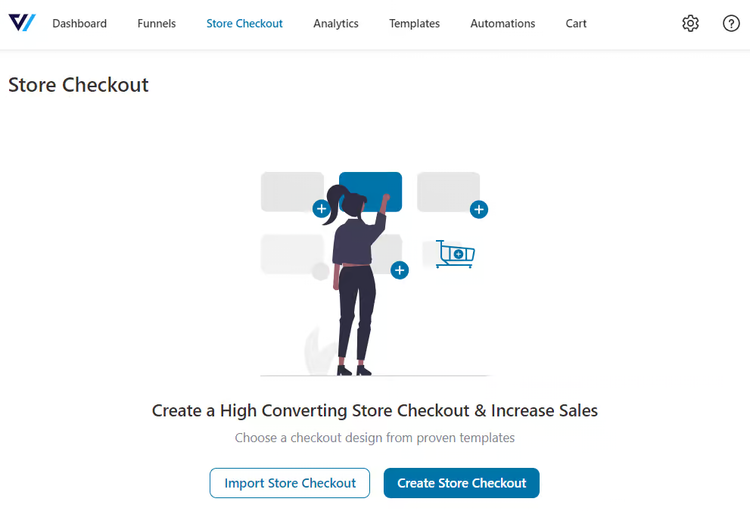
FunnelKit’s checkout expiry timer is the feature I keep coming back to when setting up pre-launch campaigns. When a customer lands at checkout to place a pre-order, a countdown reminds them that their spot is reserved for a limited window.
It works best at checkout, where the customer has already said yes in their mind. For store owners running any kind of structured launch campaign, FunnelKit is the checkout and conversion layer that makes it perform.
🟢► Pros
- One-page checkout builder reduces friction at the pre-order moment
- Checkout urgency timer drives time-sensitive action without a separate plugin
- Abandoned cart recovery catches nearly-converted pre-order buyers automatically
- Order bumps let you increase average pre-order value at checkout
- Pre-built product launch funnel templates to skip the setup phase
- Works natively with WooCommerce (no third-party checkout dependency)
🔴► Cons
- Sales funnels and order bumps require the Plus plan ($179.50/year) or higher
- Not a standalone pre-order plugin; you still need a separate tool to set products to pre-order status
Pricing: Starts at $99.50/year. No free version. 14-day money-back guarantee.
2. Advanced Coupons ⭐⭐⭐⭐⭐
Best for: WooCommerce stores running early-bird pricing campaigns that need automated discount delivery and scheduled coupon expiry without manual coupon management.
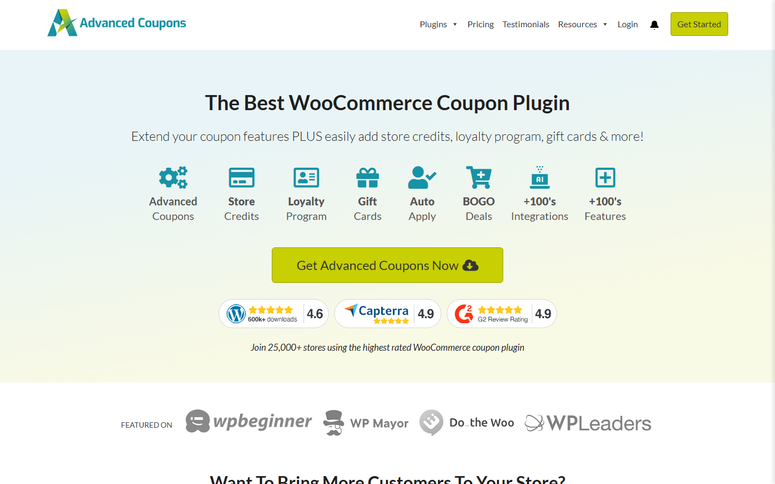
Why Is Advanced Coupons One of the Best WooCommerce Pre-Order Plugins?
Advanced Coupons transforms the basic WooCommerce coupon system into a full promotional engine.
For pre-orders, its strongest application is early-bird pricing automation, applying discounts, rewards, or BOGO deals automatically at checkout without customers needing to track down a code or remember to use it.
The URL coupon feature is where this gets genuinely useful for pre-launch campaigns. You email your waitlist a link. They click it. The discount applies automatically and they land at checkout ready to buy.
No friction, no code-entry confusion, no support tickets asking, “How do I use the discount?” When you’re running a time-limited early-bird offer before a product ships, removing every possible barrier matters.
My Experience with Advanced Coupons
Advanced Coupons also lets you schedule coupons to auto-expire. Your “20% off for pre-orders only” discount can be set to deactivate automatically on launch day without you manually disabling it.
The cart conditions engine adds another layer of precision. Apply a discount only when a specific product is in the cart, only for new customers, or only when the order total hits a certain amount. These are exactly the conditions a pre-launch discount campaign needs to run cleanly.
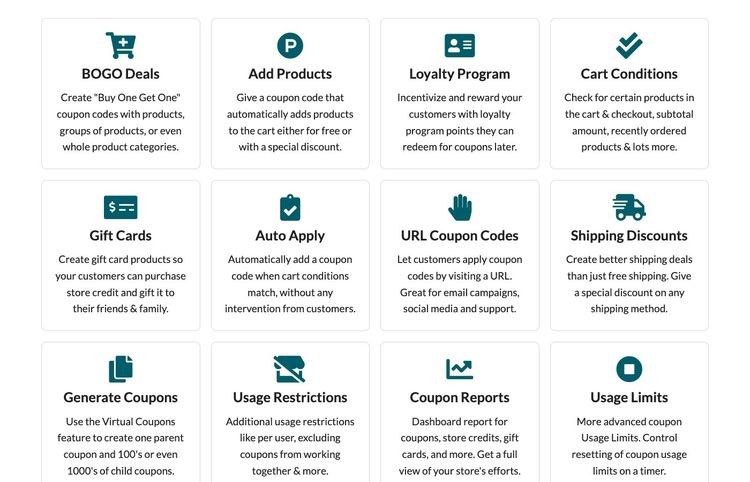
Sending a pre-order discount link directly to your email waitlist removes the single biggest reason people don’t use promo codes: they forget them, can’t find the email, or mistype the code.
URL coupons make early-bird pricing feel effortless for the customer, which is exactly the experience you want when asking someone to pay for something that doesn’t ship yet.
Advanced Coupons is the promotional layer on top of a pre-order, not the pre-order tool itself.
🟢► Pros
- URL coupons apply discounts automatically: customers click a link and the offer appears
- Scheduled coupons auto-expire on your launch date without manual intervention
- Cart conditions target the right customers with the right offer
- BOGO deals work natively for pre-order bundles (buy one, get one free after launch)
- Store credit rewards loyal pre-order buyers for coming back post-launch
- Free version includes BOGO, URL coupons, and basic cart conditions
🔴► Cons
- Auto-apply coupons require the premium bundle ($249/year)
- The premium plan is sold as a bundle (includes loyalty program, gift cards, promo kit); you can’t buy just the core plugin
- Renewal price jumps to $498/year after the first year
Pricing: Free version available on WordPress.org. Premium starts at $249/year (intro price). 14-day money-back guarantee.
3. OptinMonster ⭐⭐⭐⭐⭐
Best for: WooCommerce store owners who want to capture leads and build a launch-day email list from visitors who see a pre-order or coming-soon page but aren’t ready to buy yet.
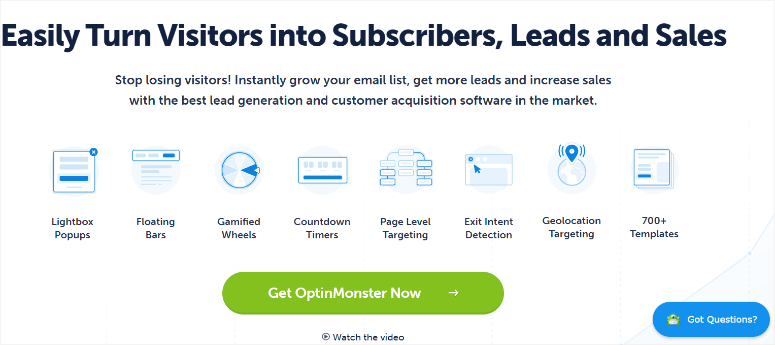
Why Is OptinMonster One of the Best WooCommerce Pre-Order Plugins?
OptinMonster is the most widely used lead generation and conversion optimization tool for WordPress and WooCommerce.
For pre-launch campaigns specifically, it fills the gap that no pre-order plugin addresses: capturing the people who are interested but not yet ready to commit. These visitors become buyers the day pre-orders open.
The Exit Intent® technology (patented) triggers a popup at the exact moment a visitor goes to leave your pre-order or coming-soon page. Done right, this popup doesn’t ask for a sale. It asks for an email address in exchange for early access or a launch discount.
My Experience with OptinMonster
OptinMonster’s behavioral targeting goes well beyond basic popups. You can show different campaigns based on what page a visitor came from, how many times they’ve visited your store, or whether they’ve already subscribed.
For a pre-launch campaign, that means different experiences for different visitors. Returning visitors see a “pre-order opens in 7 days” countdown bar. First-time traffic gets a simple waitlist signup, with no manual segmentation needed.
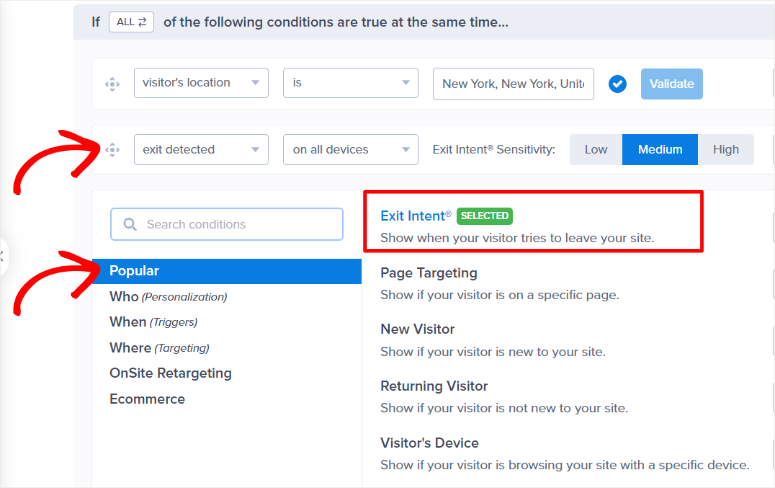
When someone visits a pre-order page and doesn’t buy, the standard outcome is a lost visitor. OptinMonster’s Exit Intent® turns that into a lead capture.
A popup saying “We’ll email you the moment pre-orders open, plus a 10% discount” converts a percentage of those exits into a launch-day email list.
That list is worth more than any ad budget on launch day. OptinMonster doesn’t process pre-orders. It fills the top of the funnel before and during your pre-order window.
🟢► Pros
- Exit Intent® captures leads from visitors who are about to leave your pre-order page
- 700+ campaign templates including countdown timers, waitlist forms, and announcement bars
- Page-level targeting shows different offers on your pre-order page vs. your homepage
- A/B split testing lets you optimize your waitlist capture message before launch day
- Integrates with every major email platform (Mailchimp, Klaviyo, ConvertKit, ActiveCampaign, etc.)
- Trusted by 1M+ users including WPBeginner
🔴► Cons
- Exit Intent® requires the Pro plan ($29/mo intro); the Basic plan won’t trigger on-exit
- OptinMonster is a SaaS tool; lead data lives in their platform, not your WooCommerce database
Pricing: Starts at $7/mo (intro price, billed annually). No free version. 14-day money-back guarantee.
4. Merchant ⭐⭐⭐⭐⭐
Best for: WooCommerce store owners who want free pre-order functionality alongside countdown timers, stock scarcity alerts, and other conversion tools in a single plugin.
Why Is Merchant One of the Best WooCommerce Pre-Order Plugins?
Merchant is an all-in-one WooCommerce enhancement plugin from aThemes that replaces 20+ separate store plugins with a single modular tool.
Its Pre-Orders module is included in the free version, and it works alongside countdown timers, cart reserved timers, stock scarcity alerts, and waitlist tools that are also part of the same plugin.
The pre-order angle here is the module combination. Instead of installing a dedicated pre-order plugin plus a countdown timer plugin plus a social proof plugin, you activate the modules you need inside Merchant.
A customer on your pre-order page can see “Pre-order now (ships in 14 days)” with a live countdown, a “5 people have pre-ordered in the last 24 hours” notification, and a cart timer at checkout, all from one plugin.
My Experience with Merchant
The free version handles the core pre-order workflow: mark products as pre-order, set an availability date, notify customers when the product ships. As an Awesome Motive portfolio brand with an active development roadmap, Merchant is well-maintained and regularly updated.
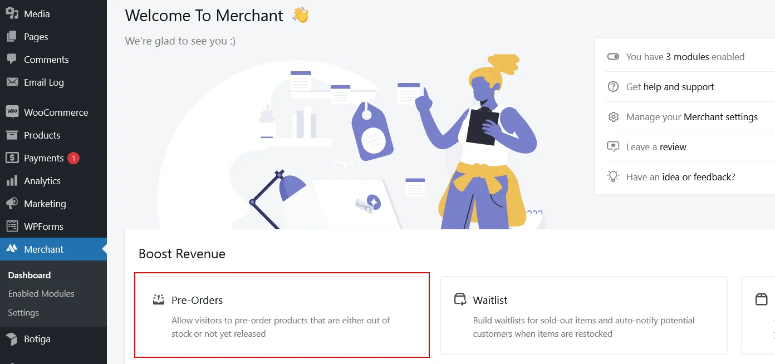
Having both the pre-order status and a countdown timer in the same plugin means no configuration work between two separate tools. You set the availability date, activate the countdown module, and the timer appears on the product page showing exactly how long until the item ships.
It’s the kind of combined urgency signal that moves browsers into buyers. Merchant is the first plugin I’d recommend to any store owner who wants to try pre-orders without spending a dollar.
🟢► Pros
- Pre-Orders module included in the free version (no paid plan required to start)
- Countdown timers, stock scarcity, and waitlist tools are all in the same plugin
- 20+ modules that replace multiple separate plugins (saves $1,700+/year per aThemes estimates)
- Active development from the aThemes team, an Awesome Motive portfolio brand
🔴► Cons
- Pre-Orders module is a single feature within a larger tool; less specialized than a dedicated pre-order plugin
- 11 reviews on WP.org is a relatively small sample for evaluating reliability at scale
Pricing: Free version available on WordPress.org. Premium starts at $79/year (intro price, 1 site). 14-day money-back guarantee.
5. Pre-Orders for WooCommerce (Bright Plugins) ⭐⭐⭐⭐⭐
Best for: WooCommerce stores looking for a simple, well-reviewed dedicated pre-order plugin with a clean core workflow and no integration complexity.
Why Is Pre-Orders for WooCommerce One of the Best WooCommerce Pre-Order Plugins?
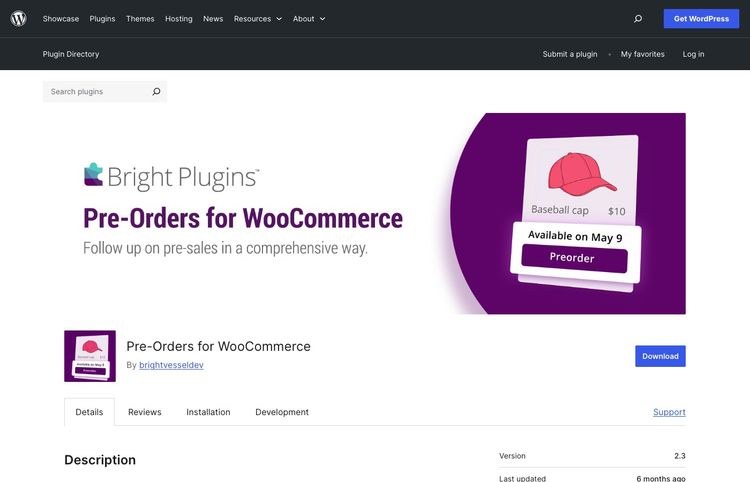
Pre-Orders for WooCommerce by Bright Plugins is the most-referenced dedicated pre-order plugin across every competitor roundup I reviewed, appearing in all four articles I analyzed. Its 4.5/5 rating across 66 WP.org reviews makes it the most externally validated option in this category.
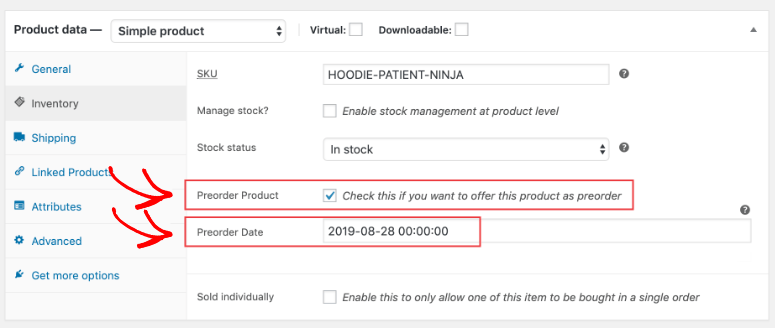
The plugin focuses on doing the core pre-order job well: mark a product as available for pre-order, set a release date, customize the button text, send notifications when the product ships. The free version covers this workflow without requiring an upgrade.
The prevention of mixed carts (customers can’t combine a pre-order with an in-stock product in the same checkout) keeps order management cleaner for store owners who need that separation.
My Experience with Pre-Orders for WooCommerce
The Pro version adds admin alerts, bulk pre-order actions, and extended notification controls. The main limitation reviewers flag is that there’s no partial payment or deposit option; customers pay the full amount at pre-order time.
For stores selling high-ticket items where a deposit model would convert better, Webkul (listed below) fills that gap.
The feature I appreciate most in my testing is automatic product availability switching. When the pre-order date passes, Bright Plugins switches the product back to standard “add to cart” status without any manual toggle.
For stores juggling multiple product launches, this hands-off behavior is worth more than most Pro features.
Bright Plugins is the most battle-tested dedicated pre-order plugin in this list: it does one thing, it does it reliably, and 66 real customer reviews confirm it.
🟢► Pros
- 4.5/5 rating across 66 WP.org reviews, the most independently verified option here
- Strong free version that handles the full pre-order workflow
- Automatic product availability toggle when the pre-order date passes
🔴► Cons
- No partial payment / deposit option (full payment required at pre-order)
- Mixed cart prevention may frustrate customers who want to combine order types
Pricing: Free version on WordPress.org. Pro at $129/year. 30-day money-back guarantee on Pro.
6. YITH Pre-Order for WooCommerce ⭐⭐⭐⭐
Best for: WooCommerce stores selling premium or high-ticket products where a pay-later pre-order option reduces the barrier to buying before the product ships.
Why Is YITH Pre-Order One of the Best WooCommerce Pre-Order Plugins?
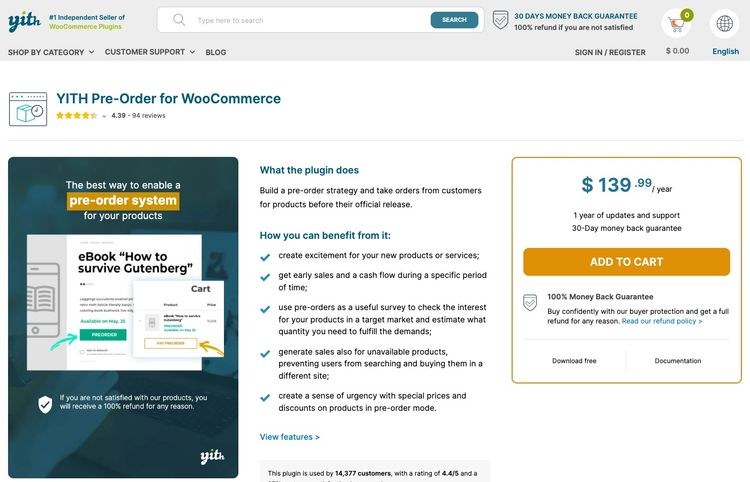
YITH Pre-Order for WooCommerce adds a payment flexibility feature that most dedicated pre-order plugins skip: the option to charge customers only when the product ships, rather than at the time of pre-order.
For premium or high-ticket products, this “pay later” model removes a significant conversion barrier.
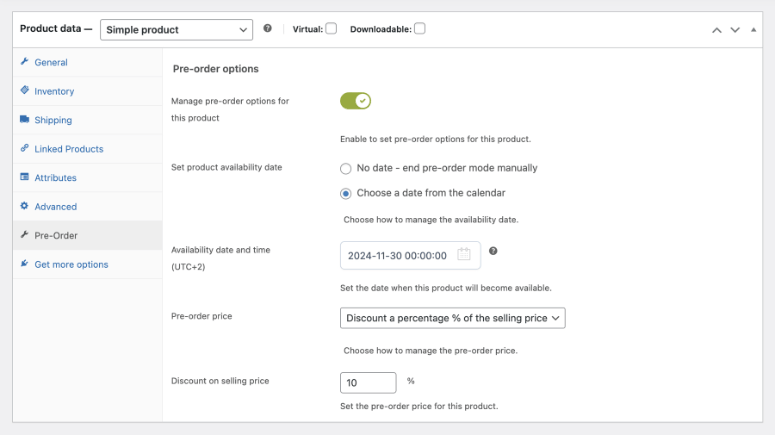
The free version supports immediate payment with customizable pre-order button labels and the option to set a different price for pre-orders (a fixed discount or percentage).
The premium version unlocks automatic card capture on the product release date, gateway-dependent, along with advanced availability date management and product monitoring tables. YITH is one of the few that makes “pay on release” accessible at the premium tier.
My Experience with YITH Pre-Order
One important note from my research: YITH’s WP.org rating sits at 3.1/5 across 16 reviews, lower than the other dedicated options in this list. Several reviews flag compatibility issues with newer WooCommerce versions. YITH’s own site shows 4.4/5 across 94 reviews.
The discrepancy is significant. I cite the WP.org rating as the more independent source, and it’s worth checking the reviews before installing, particularly if you’re on a recent WooCommerce version.
The ability to charge a customer when the product ships rather than when they pre-order is a genuine trust signal for expensive items. It’s the WooCommerce equivalent of “reserve now, pay later,” and it converts hesitant buyers who would otherwise wait for the product to be in stock before spending.
🟢► Pros
- “Pay later” option charges customers only when the product ships, reducing risk for hesitant pre-order buyers
- Free version supports immediate payment with custom pre-order pricing
- 30-day money-back guarantee on premium
🔴► Cons
- WP.org rating of 3.1/5 is below average; compatibility issues noted by users
- “Pay later” requires the premium version; free version charges immediately only
Pricing: Free version on WordPress.org. Premium at $139.99/year. 30-day money-back guarantee on premium.
7. WooCommerce Pre-Orders (Official) ⭐⭐⭐
Best for: Large WooCommerce stores on enterprise plans that need pre-authorization payment and want an officially maintained extension with direct WooCommerce support.
Why Is WooCommerce Pre-Orders One of the Best WooCommerce Pre-Order Plugins?
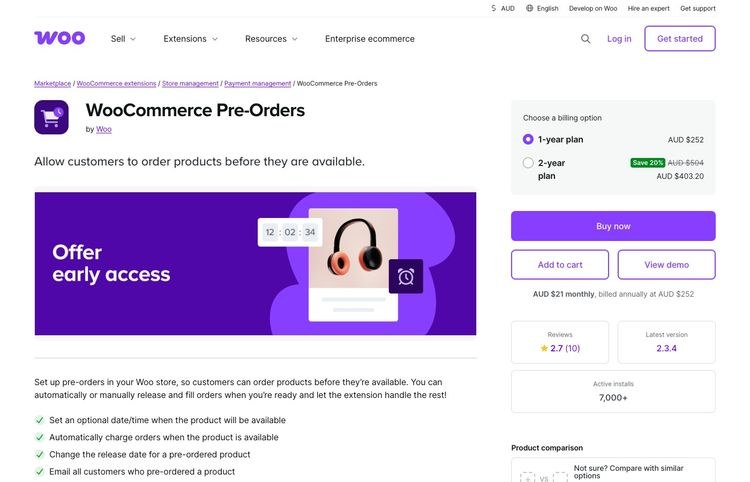
WooCommerce Pre-Orders is the official pre-order extension sold directly through the WooCommerce marketplace.
It supports both immediate payment and pre-authorization (charging the card when the product ships), handles variable products and product variations, and integrates natively with the WooCommerce order management system.
The pre-authorization model is the distinctive feature: instead of charging the customer at pre-order time, the plugin places a hold on the payment method and completes the charge automatically when you mark the product as “in stock.”
Unlike YITH’s “pay later” approach, it captures card details immediately. The customer never needs to return and pay again.
My Experience with WooCommerce Pre-Orders
The honest limitation is the price. At $179/year, WooCommerce Pre-Orders costs significantly more than Bright Plugins or YITH, and carries a WP.org rating of 2.7/5 across 10 reviews. That low review count makes it difficult to draw firm conclusions, but it’s not a strong confidence signal.
For larger stores that are already deeply invested in the WooCommerce ecosystem and prefer official extensions, the native integration may justify the cost. For most stores, the alternatives here deliver more value.
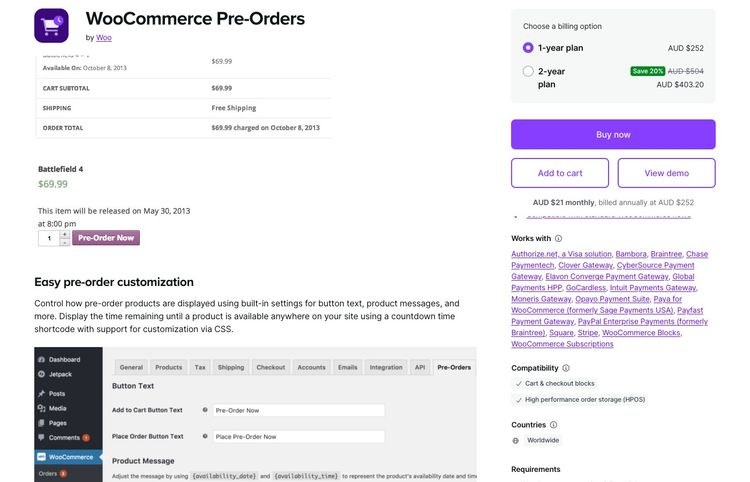
The pre-authorization model is the feature I’d use this plugin for specifically: when you’re ready to ship, the charge goes through automatically without requiring customers to return and complete payment.
For stores shipping thousands of pre-orders, that automation matters. Outside of that specific requirement, the price-to-value ratio is hard to justify against the alternatives.
🟢► Pros
- Pre-authorization model charges cards automatically when product ships
- Official WooCommerce extension, maintained by the WooCommerce team
- Supports variable products and individual product variations
🔴► Cons
- $179/year is significantly more expensive than dedicated alternatives
- WP.org rating of 2.7/5 across 10 reviews (small sample, but not encouraging)
Pricing: $179/year (1 site). No free version. 30-day money-back guarantee.
8. Webkul WooCommerce Pre Order ⭐⭐⭐⭐
Best for: WooCommerce stores selling custom-made or high-value items where a configurable deposit model converts better than requiring full payment upfront.
Why Is Webkul WooCommerce Pre Order One of the Best WooCommerce Pre-Order Plugins?
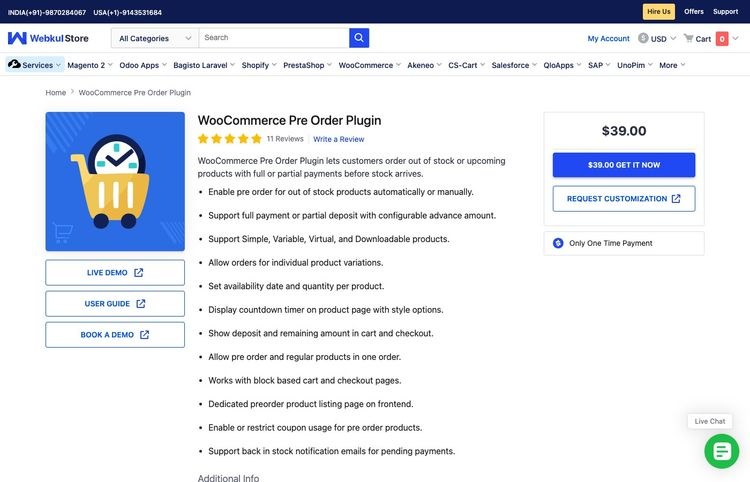
Webkul’s WooCommerce Pre Order plugin has a feature no other plugin in this list offers: configurable partial payment.
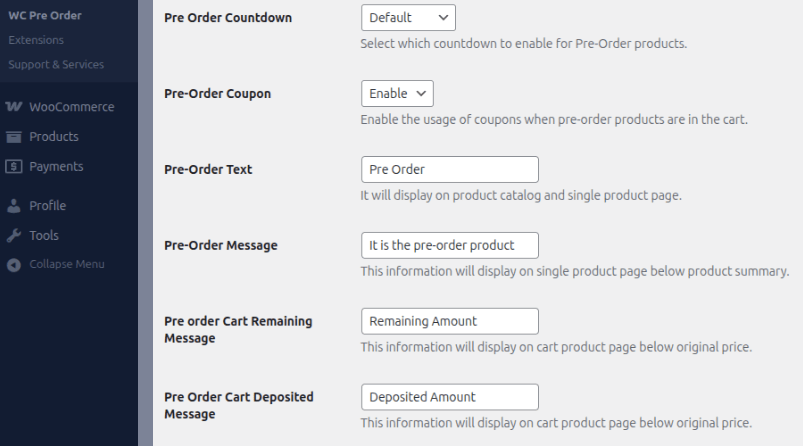
Instead of requiring customers to pay in full at pre-order time, or waiting until the product ships, Webkul lets you collect a deposit (a fixed amount or percentage of the product price) now, then charge the remaining balance when the product is ready to ship.
For high-ticket products (custom items, limited editions, made-to-order products), a 25% deposit model can convert customers who would otherwise wait for the product to arrive before spending any money.
The “Complete Final Order” button lets customers return and pay the remaining balance, and the plugin shows both the deposited amount and the remaining balance in the cart and at checkout so there’s no confusion.
My Experience with Webkul WooCommerce Pre Order
The plugin also supports mixed carts (pre-order and in-stock products in the same checkout), countdown timers, block-based checkout, and HPOS, the modern WooCommerce infrastructure features that indicate active development.
The one-time $39 price makes it among the most affordable paid options here. The trade-off is that all reviews come from Webkul’s own vendor platform (11 reviews, 4.9/5 average); there’s no WP.org listing, which means no independent review source.
The ability to set a specific deposit percentage, say 30% now and 70% on shipping, is a real conversion tool for high-priced pre-orders. It reduces the psychological barrier to pre-ordering while still locking in the customer’s commitment. No other plugin in this list does this.
Webkul is the right pick for stores selling high-ticket or made-to-order products where a full upfront payment would deter buyers.
🟢► Pros
- Partial payment / deposit model: collect a percentage now and charge the rest at shipping (unique in this list)
- Mixed cart support (pre-orders and in-stock products in the same checkout)
- One-time $39 purchase (no annual subscription fee)
- HPOS and block checkout compatible
🔴► Cons
- No WP.org listing; no independent review source (all 11 reviews are from the vendor’s own platform)
- No money-back guarantee confirmed on the product page
Pricing: $39 one-time payment. No free version. Money-back guarantee: not confirmed.
How to Choose the Right WooCommerce Pre-Order Plugin
The right plugin depends on what you’re actually trying to do before your product ships:
You want to build a complete launch funnel (landing page, optimized checkout, urgency timers, upsells, and post-purchase follow-ups): use FunnelKit. Pair it with a dedicated pre-order plugin for the product-level pre-order status.
You want to incentivize early buyers with automatic discounts: use Advanced Coupons. URL coupons and scheduled discounts handle early-bird pricing without manual coupon management.
You want to capture leads before your pre-order opens: use OptinMonster. Exit-intent popups and waitlist forms turn your coming-soon page into an audience-building tool.
You want pre-orders for free with other WooCommerce tools included: use Merchant. The free version handles pre-orders, countdown timers, and cart tools without spending anything.
You want a straightforward, well-reviewed dedicated pre-order plugin: use Bright Plugins. It’s the most independently tested option in this category and handles the basics cleanly.
You want to charge customers only when the product ships: use YITH Pre-Order (premium). Check compatibility with your WooCommerce version before installing.
You’re running a large store and want an official WooCommerce-maintained extension: use WooCommerce Pre-Orders. The price premium is easier to justify at enterprise scale.
You’re selling high-ticket items and want a deposit model: use Webkul. It’s the only plugin here that collects a partial payment now and charges the rest at shipping.
FAQs: WooCommerce Pre-Order Plugins
What is a WooCommerce pre-order plugin?
A WooCommerce pre-order plugin lets customers place and pay for an order before a product is in stock or ready to ship.
Most plugins handle the core workflow: adding a “pre-order” button to the product page, setting an expected availability date, and notifying customers when the product ships.
Some plugins add features like partial payment, automatic checkout discounts, or full launch funnels built around the pre-order.
Can I accept partial payments for WooCommerce pre-orders?
Yes. Webkul WooCommerce Pre Order is the only plugin in this list that supports a configurable deposit model. Customers pay a set percentage of the product price at pre-order time and the remaining balance when the product ships.
Other plugins like YITH (premium) and WooCommerce Pre-Orders support pre-authorization, which holds the card and charges it in full when you’re ready to ship. This is different from a true partial payment.
Do I need a paid plugin for WooCommerce pre-orders?
No. Both Merchant and Bright Plugins offer free versions that handle core pre-order functionality.
Merchant includes pre-orders in its free plan alongside other tools. Bright Plugins’ free version covers the full pre-order workflow including customizable button text, availability dates, and customer notifications.
You only need a paid plugin if you require advanced features like automated early-bird pricing, pay-later options, or funnel building.
What happens if a customer wants a refund on a pre-order?
This depends on your store’s refund policy and the payment model you’ve used. If the customer paid in full at pre-order time, a refund is processed through WooCommerce’s standard order management, the same as any other order.
If you used a pre-authorization model (YITH premium, WooCommerce Pre-Orders), no money has been collected yet, so you’d simply cancel the pre-authorization.
Most pre-order plugins don’t change WooCommerce’s core refund logic. The refund processing happens at the payment gateway level.
Which WooCommerce pre-order plugin is best for small stores?
Merchant is the strongest starting point for small stores: pre-orders are included free, and the plugin covers other tools (countdown timers, wishlist, trust badges) you’d otherwise need separate plugins for.
Bright Plugins is the best free option if you want a dedicated pre-order plugin without the broader feature set.
Final Verdict
Yes, WooCommerce stores can sell before launch, and the right plugin depends on whether you’re optimizing the pre-order button itself or the entire strategy around it.
For most stores, I’d start with Merchant (free pre-orders module) or Bright Plugins (dedicated, 4.5/5 across 66 reviews) to handle the core pre-order workflow.
Layer Advanced Coupons on top if you’re running early-bird pricing, and OptinMonster if you want to build a waitlist before pre-orders open.
For store owners planning a structured product launch (paid traffic, email sequences, urgency campaigns), FunnelKit is worth the investment. It turns the pre-order checkout into the highest-converting moment in your launch sequence.
The bigger opportunity most WooCommerce stores miss isn’t the pre-order plugin. It’s the strategy around it. The tools in this list give you everything you need to collect revenue before a single unit ships.
Resource Hub
- 30+ Best WooCommerce Plugins to Grow Sales Rapidly — The full toolkit to grow your store alongside your pre-order strategy
- 7 Best WooCommerce Checkout Plugins to Improve UX and Sales — Optimize the checkout your pre-order customers land on
- How to Notify Customers When a Product is Back In Stock — Capture waitlist interest before your pre-order goes live
- Best Email Marketing Services — Send pre-launch campaigns to your waitlist with the right email platform
- How to Create a Profitable Online Store Step by Step — Starting from scratch? Here’s the complete foundation
- How to Create Smart Coupons for Your WooCommerce Store — More options for early-bird and promotional pricing

Comments Leave a Reply