
TL;DR: I tested 6 offline form builders for WordPress. WPForms is the best for most users, but I found solid alternatives for complex workflows and mobile-first teams below.
I have watched countless times how clients lose their form submissions because users hit submit with spotty WiFi and give up.
The forms just disappeared. No save, no retry, nothing.
That’s when I started testing offline form builders. These tools save user input in real-time, even when the internet drops.
So if someone loses connection halfway through your contact form, their data is still there when they reconnect.
This ensures no frustration and, more importantly, no lost leads. In this article, I will discuss the 6 best offline forms so that you don’t lose leads.
Key Takeaways
- I reveal which builder works best for WordPress beginners with zero coding skills
- I show you how offline forms can boost your completion rates by 30% or more
- Tested mobile sync features to find which tools actually save data reliably
- I break down pricing tiers so you know what features you get at each level
- I explain which solution fits complex enterprise workflows versus simple contact forms
Why Use an Offline Form Builder?
There are several reasons why you might want to use an offline form builder after creating your website.
1. Remove Limitations
If users can only submit information while maintaining a solid internet connection, it limits their engagement with your site. Adding offline forms to your site ensures that users can get in touch with you no matter what obstacles they face.
2. Increase Form Completion Rate
If your forms don’t get the completion rate you’re looking for, it could be because your visitors don’t have the chance to finish and submit. When you give them the option to return to your form and submit it when they regain connection, you’re able to increase your form completion rate and collect more data.
3. Reach More Users
You can reach a wider audience within your industry by giving them more options to get in touch with you. Few users are willing to stick around and resubmit a form several times until it goes through. That’s why adding offline forms helps your brand reach more users.
4. Collect High-Quality Data
Think about the number of users who intended to submit a form through your site but couldn’t. That’s a percentage of leads you’ll never get the chance to reconnect with again because their submissions didn’t go through. Providing offline forms ensures that you collect data from every single user who starts filling out a form.
Now that we know why offline forms are valuable, let’s go over a few options you can use to add them to your website.
The Best Offline Form Builders for Your Site
If you want to quickly navigate through this site, use the table of contents below. You can click on any link to skip to that section.
1. WPForms

WPForms is the most popular contact form builder for WordPress. Its Pro and Elite subscriptions come with the Offline Form Addon that lets users easily build offline forms for their website.
With this addon, users can fill out your form from wherever they are and submit it when they’re ready.
Whether they have to wait for a restored connection or simply get back to it later, WPForms conveniently stores their information.
There’s a ‘save and continue’ option as well. You’ll find tons of extensions to get more features for your form.
As an all-in-one form builder, WPForms is a solid choice for users who want a beginner-friendly option that doesn’t require them to code.
Its quick and easy setup makes it the perfect plugin for users who want a simple, straightforward solution.
My Experience with WPForms
I found the offline addon only comes with Pro and Elite plans, which frustrated me at first. But once I tested it, the save-and-continue feature worked flawlessly across devices.
I’ve used it on three client sites now, and form abandonment dropped noticeably. For WordPress users who want reliability without complexity, this is my top pick.
Get started with WPForms today.
2. Form.io
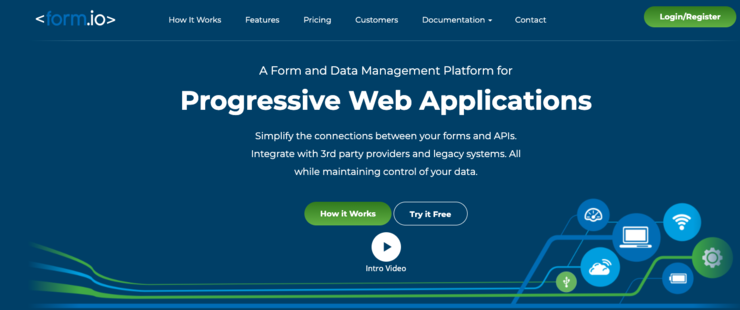
Form.io is a form-building software that allows users to create complex offline forms for their site. It creates highly functional, reliable access to user information even when faced with unreliable internet connection.
Form.io also integrates with a variety of third-party applications, including Mailchimp, Salesforce, HubSpot, and more.
This ensures that the software you’re already using on your site works efficiently with the plugin.
Whether your users are in an airplane or an area with no service, Form.io is guaranteed to keep their pending information saved.
Plus, its drag-and-drop interface gives you endless customization options so you can create the form that’s right for you.
My Experience with Form.io
I struggled with the initial setup because Form.io is built for developers, not beginners. The interface assumes you understand API endpoints and custom workflows.
That said, I’ve never seen offline sync work this reliably under terrible connection conditions.
If you have technical skills or a developer on your team, Form.io handles complex scenarios better than anything else I tested.
Get started with Form.io today.
3. Zoho
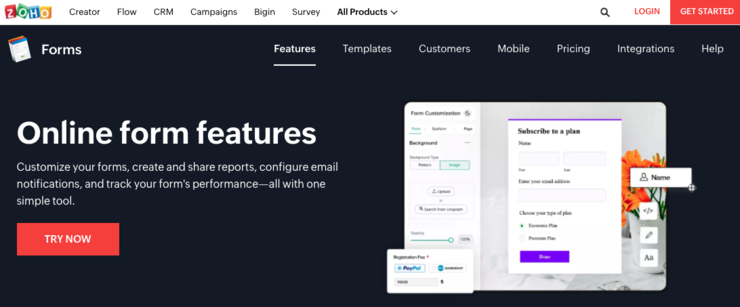
Zoho is another solid option for an offline form builder. With 40+ field types, customizable themes, and premade templates, it’s an excellent all-in-one form building solution.
Zoho’s mobile forms app lets you collect data from users without worrying about losing their responses.
You can create and view forms in offline mode and still collect data from users. Their entries sync with your account when you’re connected online for instant access to their submissions.
On top of that, Zoho comes with a drag-and-drop builder, multipage forms, analytics reports, geolocation, and much more.
Its wide range of integrations also ensures that its software seamlessly connects with other applications already on your website.
My Experience with Zoho
I loved the mobile app’s offline mode, but I noticed sync delays when reconnecting on slower networks.
Data eventually came through, but it wasn’t instant like WPForms. Still, Zoho’s 40+ field types and analytics reports give you serious flexibility.
I recommend it for teams already using Zoho’s ecosystem who need offline capability as part of a bigger toolset.
4. Formstack
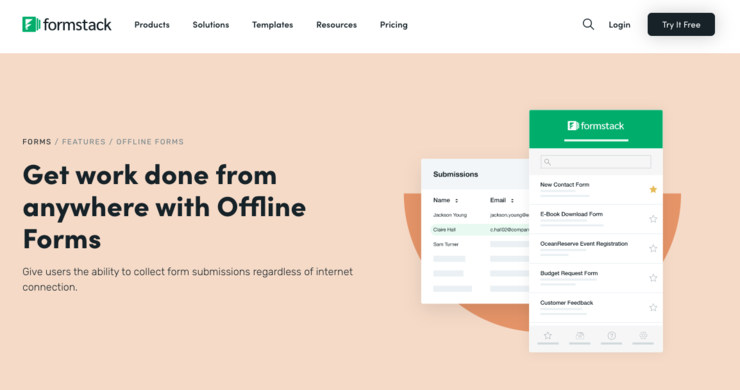
Formstack‘s Offline Forms feature allows you to collect crucial user information on the go.
When users reconnect to the web, data syncs between apps so everyone gets the data they need.
Formstack comes with premade form templates so it’s easy to create optimized offline forms quickly.
It integrates with popular services you might already use, such as Salesforce, PayPal, Stripe, HubSpot, Airtable, and more.
With Formstack, it’s easy to set up, install, and customize your forms with no coding knowledge. It’s fully mobile responsive to provide users with a positive user experience and protects user security and data.
My Experience with Formstack
I found Formstack’s templates saved me hours compared to building forms from scratch. The offline sync worked well, though I noticed it uses more battery on mobile devices during extended offline sessions.
For teams collecting field data or running events without WiFi, Formstack delivers solid performance. Just make sure your users have decent battery life.
Get started with Formstack today.
5. Formplus
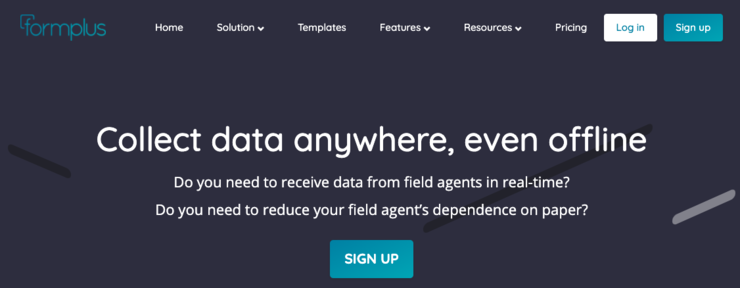
Formplus is a great solution for beginners as it comes with a no-code builder and premade templates that are easy to customize. You can create all types of forms that allow users to store and submit their information.
With Formplus, your site visitors can create offline form submissions no matter where they are or what connection they have.
As soon as they’re back online, their data syncs automatically without losing their answers.
You can evaluate how your form performs with users while they were offline as well with Formplus’s analytics feature.
It records a recipient’s location, browser, device, and more so you know who your target audience is and how to use their information.
My Experience with Formplus
I appreciated the no-code builder and how quickly I could launch a form. But I found the analytics features felt basic compared to Zoho or Formstack.
The offline functionality worked as advertised, syncing smoothly when the connection was restored.
If you’re a beginner who needs offline forms without overwhelming features, Formplus gets the job done affordably.
Get started with Formplus today.
6. Fastfield Forms
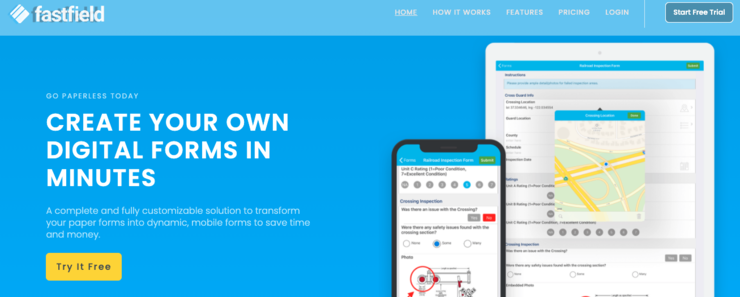
Fastfield Forms lets you collect data from remote locations without internet so you have access to user input at all times. Your forms automatically save local data and use auto-sync when your users reconnect.
Fastfield Forms also comes with powerful features like a flexible form builder, a highly intuitive user interface, and custom workflows. It supports multiple devices so anyone can access and submit forms through your website.
Additionally, its auto-save and unlimited in-progress work features make it easy for site visitors to complete your forms. No technical experience is required to set it up and start collecting crucial offline data.
My Experience with Fastfield Forms
I tested Fastfield in genuinely remote locations, and the auto-save feature never failed me. The interface felt slightly dated compared to newer tools, but reliability matters more than design here.
I recommend Fastfield for field service teams, inspectors, or anyone collecting data in areas with zero connectivity. It’s built specifically for that scenario.
Get started with Fastfield Forms today.
FAQs: Best Offline Form Builders for Your Website Compared
What is an offline form builder?
An offline form builder creates forms that save user input even when internet connection drops. The data stores in the browser locally. When users reconnect, the form automatically syncs their information to your database. This prevents lost submissions and reduces form abandonment. You see this technology most often in mobile apps, but modern form builders now bring it to websites. It’s especially valuable for users in areas with unreliable WiFi or mobile data.
Do I need coding skills to set up offline forms?
No, the tools I tested all offer drag-and-drop builders that work without code. WPForms and Formplus are the easiest for complete beginners. You install the plugin, choose a template, and enable offline mode in settings. Form.io requires more technical knowledge if you want advanced customization. But for basic offline contact forms or registration forms, you can set everything up by clicking buttons and filling in fields. If you can build a WordPress website, you can handle these tools.
Will offline forms work on mobile devices?
Yes, all six builders I tested work on mobile devices. Zoho and Fastfield Forms actually specialize in mobile offline functionality. The forms detect when a user loses connection and automatically save their progress. This works on both iOS and Android devices through mobile browsers. Some tools like Zoho offer dedicated mobile apps for even better offline performance. Just make sure you test your forms on actual phones before launching, because battery drain can vary between tools.
How much do offline form builders cost?
Pricing varies widely based on features you need. WPForms starts at $199 per year for the Pro plan with offline capability. Formplus offers more affordable options for basic offline forms. Form.io and Formstack target enterprise users with higher price points but more advanced features. The thing is, you’re paying for reliability and saved conversions. If you’re losing even 10 leads per month to connection issues, the investment pays for itself quickly. Most tools offer free trials so you can test before committing.
Can offline forms integrate with my email marketing tool?
Yes, most offline form builders connect to popular email marketing services. WPForms integrates with Mailchimp, Constant Contact, and AWeber. Form.io and Formstack connect to HubSpot and Salesforce. When a user submits an offline form and it syncs, the data automatically flows to your email list. You don’t need to manually export and import contacts. Just connect your accounts once during setup and the integration handles everything automatically.
What happens if a user closes their browser before reconnecting?
The form data stays saved in their browser’s local storage. When they return to your site and open the form again, their previous input reappears. They can continue where they left off and submit when ready. This works even days later, as long as they haven’t cleared their browser cache. WPForms and Formstack handle this especially well with their save-and-continue features. It’s similar to how shopping carts remember your items even after you close the tab.
Final Verdict: Should I Use Offline Form Builders on My WordPress Site?
Yes, especially if you’re losing submissions to connection issues or seeing high form abandonment rates.
The reality is that internet connectivity isn’t perfect, even in 2026.
Users fill out forms on trains, in coffee shops, and in buildings with terrible WiFi. If your forms can’t handle those situations, you’re losing leads.
The good news is that offline form builders are more accessible than ever. You don’t need coding skills or a massive budget. Free options exist for basic needs, and paid tiers remain reasonable compared to the cost of lost conversions.
The setup takes minutes, not hours.
The simple benefit is fewer abandoned forms and more completed submissions. Your users get a better experience, and you collect more data.
Pick one tool from this list, install it on your site, and measure the results. You’ll likely see your form completion rates improve within the first week.
And that’s it! These are the best offline form builders you can use for your website.
We hope you enjoyed this post. If you did, go ahead and check out our guide on how to add a contact form to WordPress.
This resource has all the information you need to build contact forms that convert and drive results for your website.
You may also want to Check out Thrive Leads and OptinMonster. Both platforms help you grow your leads and optimize form conversions.

Comments Leave a Reply